turn signal GMC SIERRA 1500 2011 User Guide
[x] Cancel search | Manufacturer: GMC, Model Year: 2011, Model line: SIERRA 1500, Model: GMC SIERRA 1500 2011Pages: 594, PDF Size: 7.88 MB
Page 203 of 594
Black plate (55,1)GMC Sierra Owner Manual - 2011
Instruments and Controls 5-55
NO CHANGE:No change will be
made to this feature. The current
setting will remain.
To select a setting, press the
set/reset button while the desired
setting is displayed on the DIC.
REMOTE DOOR UNLOCK
This feature allows you to select
the type of feedback received
when unlocking the vehicle with
the Remote Keyless Entry (RKE)
transmitter. You will not receive
feedback when unlocking the
vehicle with the RKE transmitter if
the doors are open. See Remote
Keyless Entry (RKE) System
Operation on page 2‑3 for more
information. Press the customization button
until REMOTE DOOR UNLOCK
appears on the DIC display. Press
the set/reset button once to access
the settings for this feature. Then
press the customization button to
scroll through the following settings:
LIGHTS OFF:
The exterior lamps
will not flash when you press
the unlock button on the RKE
transmitter.
LIGHTS ON (default): The exterior
lamps will flash when you press
the unlock button on the RKE
transmitter.
NO CHANGE: No change will be
made to this feature. The current
setting will remain.
To select a setting, press the
set/reset button while the desired
setting is displayed on the DIC. DELAY DOOR LOCK
On vehicles with a crew cab, this
feature turns the delayed door locks
on or off. When locking the doors
with the power door lock switch
and a door is open, this feature
will delay locking the doors until
five seconds after the last door is
closed. You will hear three chimes
to signal that the delayed locking
feature is in use. The key must be
out of the ignition for this feature to
work. You can temporarily override
delayed locking by pressing the
power door lock switch twice.
See
Delayed Locking on page 2‑8
for more information.
Page 217 of 594
Black plate (1,1)GMC Sierra Owner Manual - 2011
Lighting 6-1
Lighting
Exterior Lighting
Exterior Lamp Controls . . . . . . . . 6-1
Exterior Lamps OffReminder . . . . . . . . . . . . . . . . . . . . 6-3
Headlamp High/Low-Beam Changer . . . . . . . . . . . . . . . . . . . . . 6-3
Flash-to-Pass . . . . . . . . . . . . . . . . . 6-3
Daytime Running Lamps (DRL) . . . . . . . . . . . . . . . . 6-4
Automatic Headlamp System . . . . . . . . . . . . . . . . . . . . . . 6-4
Hazard Warning Flashers . . . . . 6-5
Turn and Lane-Change Signals . . . . . . . . . . . . . . . . . . . . . . 6-6
Fog Lamps . . . . . . . . . . . . . . . . . . . . 6-6
Auxiliary Roof-Mounted Lamp . . . . . . . . . 6-7
Interior Lighting
Instrument Panel IlluminationControl . . . . . . . . . . . . . . . . . . . . . . 6-7
Cargo Lamp . . . . . . . . . . . . . . . . . . 6-8
Dome Lamps . . . . . . . . . . . . . . . . . 6-8
Reading Lamps . . . . . . . . . . . . . . . 6-9
Lighting Features
Entry Lighting . . . . . . . . . . . . . . . . . 6-9
Exit Lighting . . . . . . . . . . . . . . . . . . . 6-9
Battery Load Management . . . . 6-9
Battery Power Protection . . . . 6-10
Exterior Lighting
Exterior Lamp Controls
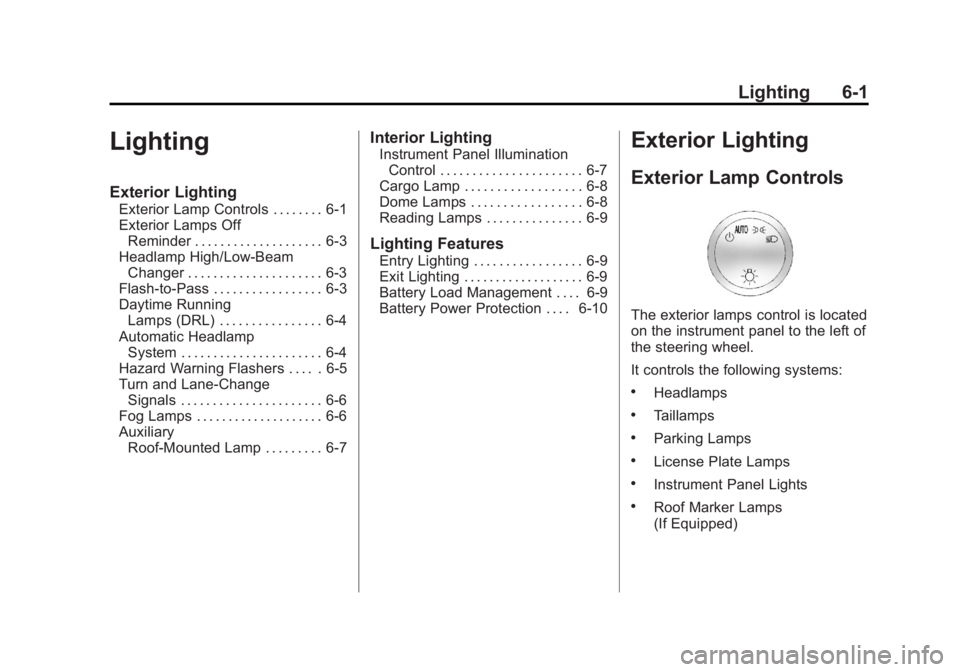
The exterior lamps control is located
on the instrument panel to the left of
the steering wheel.
It controls the following systems:
.Headlamps
.Taillamps
.Parking Lamps
.License Plate Lamps
.Instrument Panel Lights
.Roof Marker Lamps
(If Equipped)
Page 219 of 594
Black plate (3,1)GMC Sierra Owner Manual - 2011
Lighting 6-3
Turn the headlamp control to off
and then back to the headlamp on
position to make the headlamps
stay on for an additional 10 minutes.
Push the turn signal/multifunction
lever toward the instrument panel to
change the headlamps from low
beam to high beam.
Exterior Lamps Off
Reminder
For vehicles with a radio, a reminder
chime sounds when the headlamps
or parking lamps are manually
turned on, the ignition is off, and a
door is open. To disable the chime,
turn the lamp off.
Headlamp
High/Low-Beam
Changer
5 3
(Headlamp High/Low
Beam Changer): To change the
headlamps from low to high beam,
push the lever toward the instrument
panel. To return to low-beam
headlamps, pull the multifunction
lever toward you. Then release it.
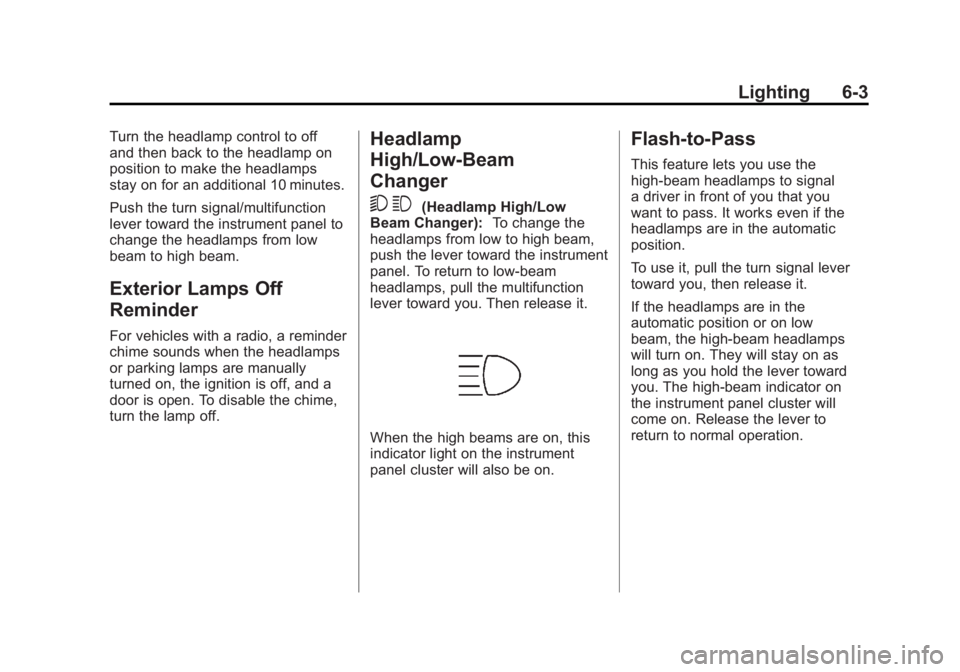
When the high beams are on, this
indicator light on the instrument
panel cluster will also be on.
Flash-to-Pass
This feature lets you use the
high-beam headlamps to signal
a driver in front of you that you
want to pass. It works even if the
headlamps are in the automatic
position.
To use it, pull the turn signal lever
toward you, then release it.
If the headlamps are in the
automatic position or on low
beam, the high-beam headlamps
will turn on. They will stay on as
long as you hold the lever toward
you. The high-beam indicator on
the instrument panel cluster will
come on. Release the lever to
return to normal operation.
Page 221 of 594
Black plate (5,1)GMC Sierra Owner Manual - 2011
Lighting 6-5
The DRL and automatic headlamp
system are only affected when the
light sensor detects a change in
lighting lasting longer than the
delay.
If the vehicle is started in a dark
garage, the automatic headlamp
system comes on immediately.
Once the vehicle leaves the garage,
it takes approximately one minute
for the automatic headlamp system
to change to DRL if it is bright
enough outside. During that delay,
the instrument panel cluster may
not be as bright as usual. Make
sure the instrument panel brightness
control is in the full bright position.
SeeInstrument Panel Illumination
Control on page 6‑7.
To idle the vehicle with the
automatic headlamp system off,
turn the control to the off position. The headlamps will also stay
on after you exit the vehicle.
This feature can be programmed
using the Driver Information Center
(DIC). See
Vehicle Personalization
(with DIC Buttons) on page 5‑52.
If the vehicle is not equipped
with DIC buttons, exit lighting
is automatic. When it is dark
enough outside, the exterior lamps
remain on for 30 seconds after the
ignition is moved from ON/RUN to
LOCK/OFF.
For vehicles without a radio, the
instrument panel light remains on
for 30 seconds with the driver door
closed. For vehicles with a radio,
the instrument panel light remains
on for 10 minutes with the driver
door closed. See Retained
Accessory Power (RAP) on
page 9‑40.
The regular headlamp system can
be turned on when needed.Hazard Warning Flashers
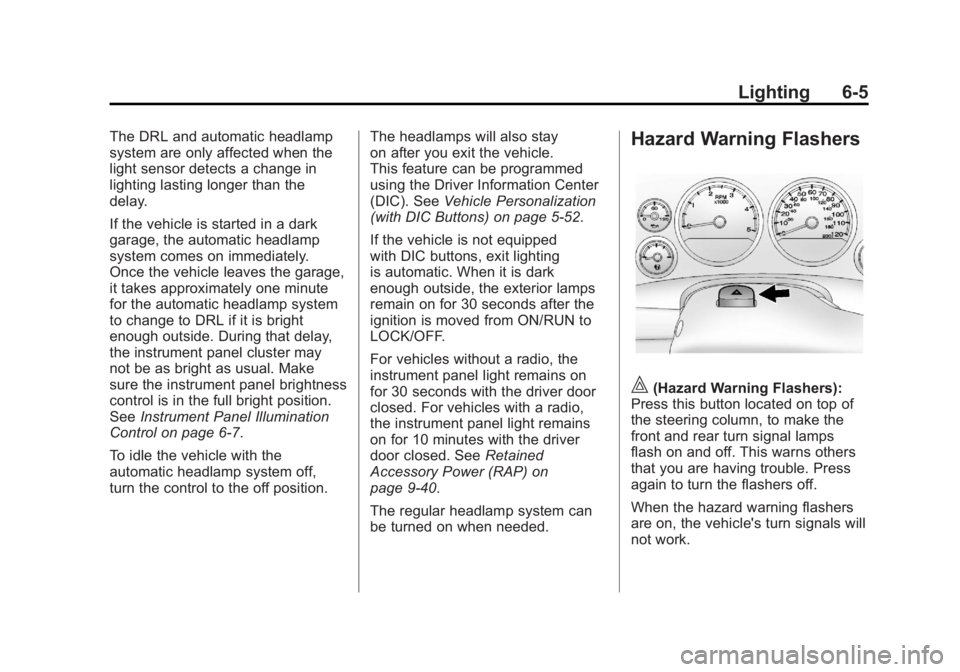
|(Hazard Warning Flashers):
Press this button located on top of
the steering column, to make the
front and rear turn signal lamps
flash on and off. This warns others
that you are having trouble. Press
again to turn the flashers off.
When the hazard warning flashers
are on, the vehicle's turn signals will
not work.
Page 222 of 594

Black plate (6,1)GMC Sierra Owner Manual - 2011
6-6 Lighting
Turn and Lane-Change
Signals
An arrow on the instrument panel
cluster flashes in the direction of
the turn or lane change.
Move the lever all the way up or
down to signal a turn.
Raise or lower the lever for less
than one second until the arrow
starts to flash to signal a lane
change. This causes the turn
signals to automatically flash
three times. It will flash six times
if tow-haul mode is active. Holding
the turn signal lever for more than
one second will cause the turn
signals to flash until you release
the lever.The lever returns to its starting
position whenever it is released.
If after signaling a turn or a lane
change the arrows flash rapidly or
do not come on, a signal bulb could
be burned out.
Have the bulbs replaced. If the bulb
is not burned out, check the fuse.
See
Fuses and Circuit Breakers on
page 10‑50.
Turn Signal On Chime
If the turn signal is left on for more
than 1.2 km (3/4 of a mile), a chime
will sound at each flash of the turn
signal and the message TURN
SIGNAL ON will also appear in the
Driver Information Control (DIC).
To turn the chime and message off,
move the turn signal lever to the off
position.
Fog Lamps
For vehicles with fog lamps, the
control is located next to the exterior
lamps control on the instrument
panel, to the left of the steering
column.
The ignition must be in the ON/RUN
position for the fog lamps to
come on.
#(Fog Lamps): Press to turn the
fog lamps on or off. A light will come
on in the instrument panel cluster.
When the fog lamps are turned on,
the parking lamps automatically
turn on.
When the headlamps are changed
to high beam, the fog lamps also go
off. When the high-beam headlamps
are turned off, the fog lamps will
come on again.
Some localities have laws that
require the headlamps to be on
with the fog lamps.
Page 234 of 594
Black plate (8,1)GMC Sierra Owner Manual - 2011
7-8 Infotainment System
Radio Messages
Calibration Error:The audio
system has been calibrated
for the vehicle from the factory.
If Calibration Error displays, it
means that the radio has not been
configured properly for the vehicle
and it must be returned to your
dealer for service.
Locked or Loc: One of these
messages will display when the
THEFTLOCK
®system has locked
up the radio. Take the vehicle to
your dealer for service.
If any error occurs repeatedly or
if an error cannot be corrected,
contact your dealer.
Radio
AM-FM Radio
Radio Data System (RDS)
For radios with the Radio Data
System (RDS) feature, it only works
with FM stations that broadcast
RDS information. This system relies
upon receiving specific information
from these stations and only works
when the information is available.
While the radio is tuned to an
FM-RDS station, the station
name or call letters will display.
In rare cases, a radio station could
broadcast incorrect information
that causes the radio features to
work improperly. If this happens,
contact the radio station.
4(Information) (RDS Features):
For vehicles with RDS features,
press
4to display additional text
information related to the current
FM-RDS station. If information is
available, the song title information
displays on the top line of the display and artist information
displays on the bottom line.
When information is not available,
“NO INFO”
displays.
Finding a Station
BAND:Press to switch between
AM, FM, or XM™, if equipped.
f(Tune): Turn to manually select
radio stations.
©SEEK: Press to seek the
previous radio station. Press
and hold for a few seconds until
a beep sounds to scan for radio
stations in descending order; press
the
©SEEK button again to stop
scanning radio stations. The radio
only seeks and scans stations
with a strong signal that are in
the selected band.
For the AM-FM Radio, press and
hold the
©SEEK for four seconds
until a double beep sounds to scan
the preset stations. The station
frequency flashes while the radio
is in the scan mode.
Page 238 of 594
Black plate (12,1)GMC Sierra Owner Manual - 2011
7-12 Infotainment System
Storing XM Channels
Drivers are encouraged to store
XM channels while the vehicle is
parked; seeDefensive Driving on
page 9‑2. Tune to stored radio
stations using the presets, favorites
button, and steering wheel controls,
if the vehicle has this feature.
Up to 36 stations can be
programmed as favorites using
the six softkeys below the radio
station frequency tabs and by
using the FAV button. Press the
FAV button to go through up to six
pages of favorites, each having six
favorite stations available per page.
Each page of favorites can contain
any combination of AM, FM, or XM,
if equipped, stations.
Storing an XM Channel as a
Favorite
To store a station as a favorite:
1. Tune to an XM channel.
2. Press the FAV button to display the page where the station will
be stored. 3. Press and hold one of the six
softkeys until a beep sounds.
4. Repeat Steps 1 through 3 to store additional radio stations.
The number of favorites pages can
be set up using the MENU button.
To set up the number of favorites
pages:
1. Press the MENU button.
2. Press the softkey located below the FAV 1-6 tab.
3. Select the number of favorites pages by pressing the softkey
located below the displayed
page numbers.
4. Press the FAV button, or let the menu time out, to return to
the original main radio screen
showing the radio station
frequency tabs and to begin
the process of programming
favorites.
XM Radio Messages
XL (Explicit Language
Channels): These channels,
or any others, can be blocked at
a customer's request, by calling
1-800-929-2100 in the U.S. and
1-877-438-9677 in Canada.
XM Updating: The encryption
code in the receiver is being
updated, and no action is required.
This process should take no longer
than 30 seconds.
No XM Signal: The system is
functioning correctly, but the vehicle
is in a location that is blocking the
XM signal. When the vehicle is
moved into an open area, the
signal should return.
Loading XM: The audio system is
acquiring and processing audio and
text data. No action is needed. This
message should disappear shortly.
Channel Off Air: This channel is
not currently in service. Tune in to
another channel.
Page 240 of 594

Black plate (14,1)GMC Sierra Owner Manual - 2011
7-14 Infotainment System
Radio Reception
Frequency interference and
static can occur during normal
radio reception if items such
as cell phone chargers, vehicle
convenience accessories, and
external electronic devices are
plugged into the accessory power
outlet. If there is interference or
static, unplug the item from the
accessory power outlet.
AM
The range for most AM stations is
greater than for FM, especially at
night. The longer range can cause
station frequencies to interfere
with each other. For better radio
reception, most AM radio stations
boost the power levels during the
day, and then reduce these levels
during the night. Static can also
occur when things like storms and
power lines interfere with radio
reception. When this happens, try
reducing the treble on the radio.
FM Stereo
FM signals only reach about
16 to 65 km (10 to 40 miles).
Although the radio has a built-in
electronic circuit that automatically
works to reduce interference, some
static can occur, especially around
tall buildings or hills, causing the
sound to fade in and out.
XM™Satellite Radio Service
XM Satellite Radio Service gives
digital radio reception from coast
to coast in the 48 contiguous
United States, and in Canada.
Just as with FM, tall buildings or
hills can interfere with satellite radio
signals, causing the sound to fade
in and out. In addition, traveling
or standing under heavy foliage,
bridges, garages, or tunnels may
cause loss of the XM signal for a
period of time.
Cellular Phone Usage
Cellular phone usage may cause
interference with the vehicle's
radio. This interference may occur
when making or receiving phone
calls, charging the phone's battery,
or simply having the phone on.
This interference causes an
increased level of static while
listening to the radio. If static is
received while listening to the
radio, unplug the cellular phone
and turn it off.
Page 267 of 594
Black plate (41,1)GMC Sierra Owner Manual - 2011
Infotainment System 7-41
If you move too far forward or step
out of the vehicle, the headphones
lose the audio signal.
To adjust the volume on the
headphones, use the volume
control located on the right side.
For optimal audio performance, the
headphones must be worn correctly.
Headphones should be worn with
the headband over the top of the
head for best audio reception.
The symbol L (Left) appears on the
outside bottom edge of the ear cup
and should be positioned on the left
ear. The symbol R (Right) appears
on the outside bottom edge of the
ear cup and should be positioned
on the right ear.
Notice:Do not store the
headphones in heat or direct
sunlight. This could damage
the headphones and repairs will
not be covered by the warranty.
Storage in extreme cold can
weaken the batteries. Keep the
headphones stored in a cool,
dry place. If the foam ear pads attached to
the headphones become worn or
damaged, the pads can be replaced
separately from the headphone set.
To purchase replacement ear pads,
call 1‐888‐293‐3332, then prompt
zero (0), or contact your dealer.
Battery Replacement
To change the batteries on the
headphones:
1. Turn the screw to loosen the
battery door located on the
left side of the headphones.
Slide the battery door open.
2. Replace the two batteries in the compartment. Make sure that
they are installed correctly, using
the diagram on the inside of the
battery compartment.
3. Replace the battery door and tighten the door screw.
If the headphones are to be stored
for a long period of time, remove the
batteries and keep them in a cool,
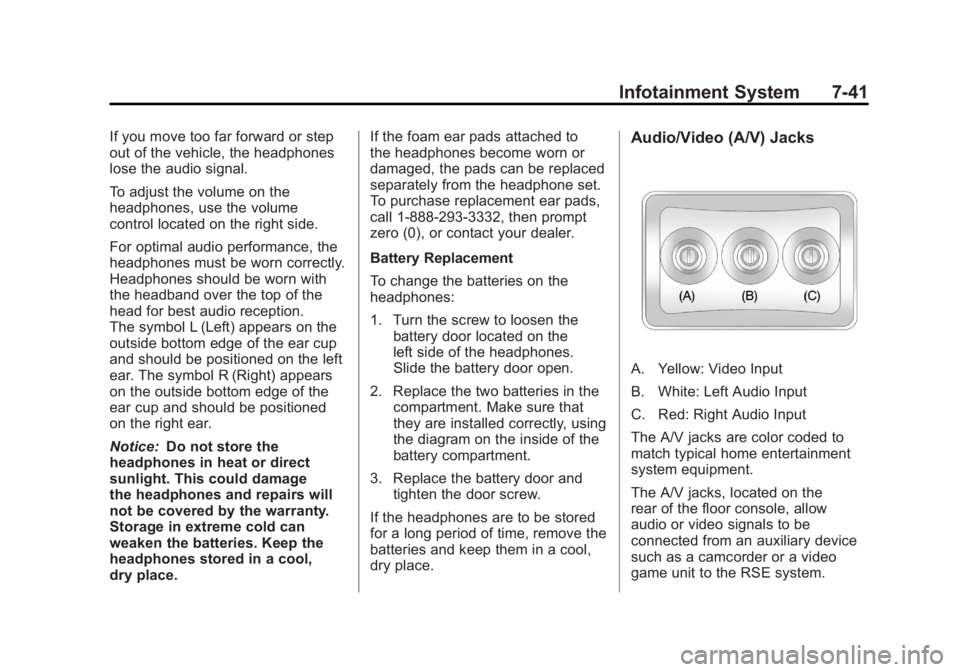
dry place.Audio/Video (A/V) Jacks
A. Yellow: Video Input
B. White: Left Audio Input
C. Red: Right Audio Input
The A/V jacks are color coded to
match typical home entertainment
system equipment.
The A/V jacks, located on the
rear of the floor console, allow
audio or video signals to be
connected from an auxiliary device
such as a camcorder or a video
game unit to the RSE system.
Page 268 of 594
Black plate (42,1)GMC Sierra Owner Manual - 2011
7-42 Infotainment System
Adapter connectors or cables
(not included) may be required
to connect the auxiliary device
to the A/V jacks. Refer to the
manufacturer’s instructions for
proper usage.
Power for auxiliary devices is not
supplied by the radio system.
To use the auxiliary inputs of the
RSE system, connect an external
auxiliary device to the color-coded
A/V jacks and turn both the auxiliary
device and the video screen power
on. If the video screen is in the DVD
player mode, pressing the AUX
(auxiliary) button on the remote
control switches the video screen
from the DVD player mode to the
auxiliary device. The audio of the
connected source can be listened
to over the speakers by sourcing
the radio to the auxiliary device or
by sourcing the RSA to the Rear
Aux and listening with the wireless
headphones on Channel 2 or with the wired headphones. See
“Using
the Auxiliary Input Jack” under
Auxiliary Devices on page 7‑34 for
more information about changing
the source.
Changing the RSE Video Screen
Settings
The screen display mode (normal,
full, and zoom), screen brightness,
and setup menu language can be
changed from the on screen setup
menu. To change any feature:
1. Press the
z(display menu)
button on the remote control.
2. Use the remote control
n,q,
p,o(navigation) arrows and
the
r(enter) button to use the
setup menu.
3. Press the
zbutton again to
remove the setup menu from the
screen.
Audio Output
Audio from the DVD player or
auxiliary inputs can be heard
through the following possible
sources:
.Wireless headphones
.Vehicle speakers
.Vehicle‐wired headphone jacks
on the RSA system, if the
vehicle has this feature.
The RSE system always transmits
the audio signal to the wireless
headphones, if there is audio
available. See “Headphones” earlier
in this section for more information.
The DVD player is capable of
outputting audio to the wired
headphone jacks on the RSA
system, if the vehicle has this
feature. The DVD player can be
selected as an audio source on the
RSA system. See Rear Seat Audio
(RSA) System on page 7‑48 for
more information.