turn signal GMC SIERRA 1500 2011 Owner's Manual
[x] Cancel search | Manufacturer: GMC, Model Year: 2011, Model line: SIERRA 1500, Model: GMC SIERRA 1500 2011Pages: 594, PDF Size: 7.88 MB
Page 269 of 594
Black plate (43,1)GMC Sierra Owner Manual - 2011
Infotainment System 7-43
When a device is connected to the
A/V jacks, or the radio's auxiliary
input jack if the vehicle has this
feature, the rear seat passengers
are able to hear audio from the
auxiliary device through the wireless
or wired headphones. The front seat
passengers are able to listen to
playback from this device through
the vehicle speakers by selecting
AUX as the source on the radio.
Video Screen
The video screen is located in the
overhead console.
To use the video screen:
1. Push the release button locatedon the overhead console.
2. Move the screen to the desired position. When the video screen is not in
use, push it up into its locked
position.
If a DVD is playing and the screen
is raised to its locked position,
the screen remains on. This is
normal, and the DVD continues to
play through the previous audio
source. Use the remote control
power button or eject the disc to
turn off the screen.
The overhead console contains
the infrared transmitters for the
wireless headphones and the
infrared receivers for the remote
control. They are located at the
rear of the console.
Notice:
Avoid directly touching
the video screen, as damage may
occur. See “Cleaning the Video
Screen” later in this section for
more information.
Remote Control
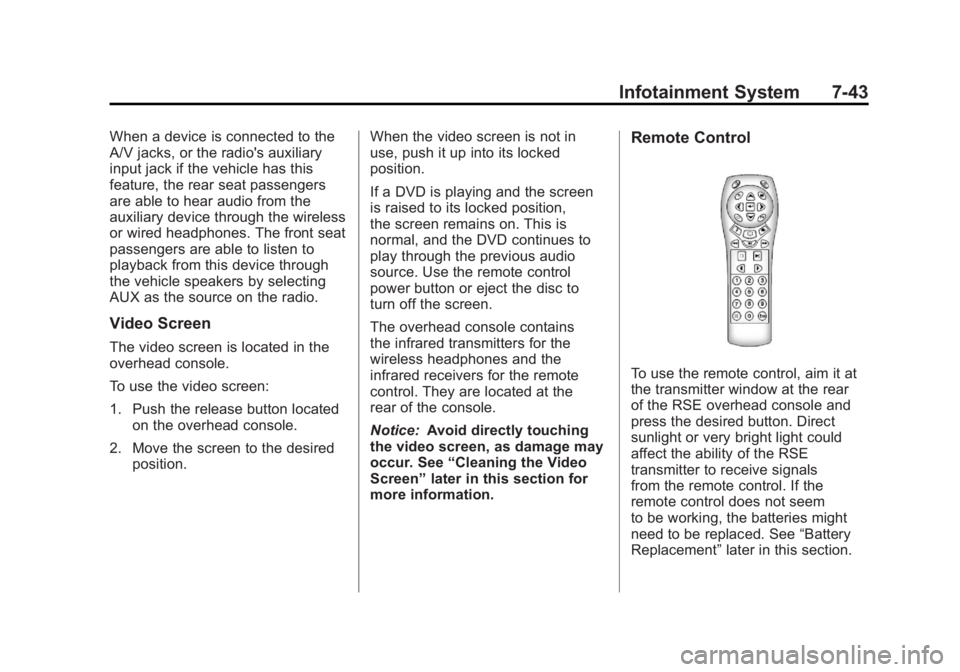
To use the remote control, aim it at
the transmitter window at the rear
of the RSE overhead console and
press the desired button. Direct
sunlight or very bright light could
affect the ability of the RSE
transmitter to receive signals
from the remote control. If the
remote control does not seem
to be working, the batteries might
need to be replaced. See “Battery
Replacement” later in this section.
Page 305 of 594
Black plate (11,1)GMC Sierra Owner Manual - 2011
Driving and Operating 9-11
Scanning the Terrain
Off-road driving can take you over
many different kinds of terrain.
Be familiar with the terrain and
its many different features.
Surface Conditions:Off-roading
surfaces can be hard-packed dirt,
gravel, rocks, grass, sand, mud,
snow, or ice. Each of these surfaces
affects the vehicle's steering,
acceleration, and braking in different
ways. Depending on the surface,
slipping, sliding, wheel spinning,
delayed acceleration, poor traction,
and longer braking distances can
occur. Surface Obstacles:
Unseen or
hidden obstacles can be hazardous.
A rock, log, hole, rut, or bump can
startle you if you are not prepared
for them. Often these obstacles are
hidden by grass, bushes, snow,
or even the rise and fall of the
terrain itself.
Some things to consider:
.Is the path ahead clear?
.Will the surface texture change
abruptly up ahead?
.Does the travel take you uphill or
downhill?
.Will you have to stop suddenly
or change direction quickly?
When driving over obstacles or
rough terrain, keep a firm grip on
the steering wheel. Ruts, troughs,
or other surface features can jerk
the wheel out of your hands. When driving over bumps, rocks,
or other obstacles, the wheels can
leave the ground. If this happens,
even with one or two wheels, you
cannot control the vehicle as well or
at all.
Because you will be on an unpaved
surface, it is especially important to
avoid sudden acceleration, sudden
turns, or sudden braking.
Off-roading requires a different kind
of alertness from driving on paved
roads and highways. There are no
road signs, posted speed limits,
or signal lights. Use good judgment
about what is safe and what is not.
Page 317 of 594
Black plate (23,1)GMC Sierra Owner Manual - 2011
Driving and Operating 9-23
To save fuel, run the engine for only
short periods as needed to warm
the vehicle and then shut the engine
off and close the window most of
the way to save heat. Repeat this
until help arrives but only when you
feel really uncomfortable from the
cold. Moving about to keep warm
also helps.
If it takes some time for help to
arrive, now and then when you run
the engine, push the accelerator
pedal slightly so the engine runs
faster than the idle speed. This
keeps the battery charged to restart
the vehicle and to signal for help
with the headlamps. Do this as little
as possible to save fuel.If the Vehicle is Stuck
Slowly and cautiously spin the
wheels to free the vehicle when
stuck in sand, mud, ice, or snow.
See“Rocking Your Vehicle to Get
It Out” later in this section.
If the vehicle has a traction system,
it can often help to free a stuck
vehicle. Refer to the vehicle's
traction system in the Index. If stuck
too severely for the traction system
to free the vehicle, turn the traction
system off and use the rocking
method.{WARNING
If the vehicle's tires spin at high
speed, they can explode, and
you or others could be injured.
The vehicle can overheat,
causing an engine compartment
fire or other damage. Spin the
wheels as little as possible and
avoid going above 55 km/h
(35 mph).
For information about using tire
chains on the vehicle, see Tire
Chains on page 10‑83.
Page 377 of 594
Black plate (83,1)GMC Sierra Owner Manual - 2011
Driving and Operating 9-83
When the System Does Not
Seem to Work Properly
The RVC system might not work
properly or display a clear image if:
.The RVC is turned off.
See“Turning the Rear Camera
System On or Off” earlier in this
section.
.It is dark.
.The sun or the beam of
headlights is shining directly
into the camera lens.
.Ice, snow, mud, or anything else
builds up on the camera lens.
Clean the lens, rinse it with
water, and wipe it with a soft
cloth.
.The back of the vehicle is in an
accident. If this happens, the
position and mounting angle
of the camera can change or
the camera can be affected.
Be sure to have the camera
and its position and mounting
angle checked at your dealer.
The RVC system display in the
rearview mirror may turn off or not
appear as expected due to one
of the following conditions. If this
occurs the left indicator light on
the mirror will flash.
.A slow flash may indicate a
loss of video signal, or no video
signal present during the reverse
cycle.
.A fast flash may indicate that
the display has been on for the
maximum allowable time during
a reverse cycle, or the display
has reached an Over
Temperature limit.
The fast flash conditions are
used to protect the video
device from high temperature
conditions. Once conditions
return to normal the device will
reset and the green indicator
will stop flashing.
During any of these fault conditions,
the display will be blank and the
indicator will continue to flash as
long as the vehicle is in R (Reverse)
or until the conditions return to
normal.
Pressing and holding
zwhen the
left indicator light is flashing will turn
off the video display along with the
left indicator light.
Page 387 of 594
Black plate (93,1)GMC Sierra Owner Manual - 2011
Driving and Operating 9-93
Passing
More passing distance is
needed when towing a trailer.
The combination will not accelerate
as quickly and is longer so it is
necessary to go much farther
beyond the passed vehicle before
returning to the lane.
Backing Up
Hold the bottom of the steering
wheel with one hand. To move the
trailer to the left, move that hand
to the left. To move the trailer to
the right, move your hand to the
right. Always back up slowly and,
if possible, have someone
guide you.
Making Turns
Notice:Making very sharp turns
while trailering could cause the
trailer to come in contact with
the vehicle. The vehicle could be
damaged. Avoid making very
sharp turns while trailering.
When turning with a trailer,
make wider turns than normal.
Do this so the trailer will not strike
soft shoulders, curbs, road signs,
trees, or other objects. Avoid jerky
or sudden maneuvers. Signal well
in advance.
If the trailer turn signal bulbs burn
out, the arrows on the instrument
panel will still flash for turns. It is
important to check occasionally to
be sure the trailer bulbs are still
working.
Driving on Grades
Reduce speed and shift to a
lower gear beforestarting down
a long or steep downgrade. If the
transmission is not shifted down,
the brakes might get hot and no
longer work well.
Vehicles can tow in D (Drive).
Shift the transmission to a lower
gear if the transmission shifts too
often under heavy loads and/or
hilly conditions.
The Tow/Haul Mode may be used
if the transmission shifts too often.
See Tow/Haul Mode on page 9‑51.
When towing at high altitude on
steep uphill grades, consider the
following: Engine coolant will boil
at a lower temperature than at
normal altitudes. If the engine is
turned off immediately after towing
at high altitude on steep uphill
grades, the vehicle may show
signs similar to engine overheating.
Page 409 of 594
Black plate (115,1)GMC Sierra Owner Manual - 2011
Driving and Operating 9-115
Heavy-DutyTrailer Wiring Harness
Package
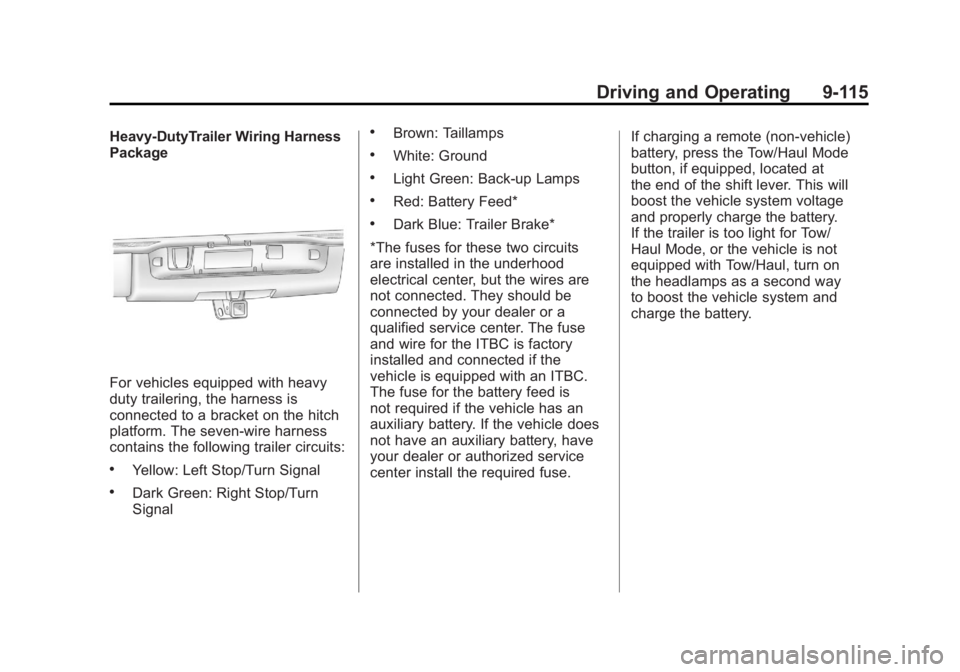
For vehicles equipped with heavy
duty trailering, the harness is
connected to a bracket on the hitch
platform. The seven-wire harness
contains the following trailer circuits:
.Yellow: Left Stop/Turn Signal
.Dark Green: Right Stop/Turn
Signal
.Brown: Taillamps
.White: Ground
.Light Green: Back-up Lamps
.Red: Battery Feed*
.Dark Blue: Trailer Brake*
*The fuses for these two circuits
are installed in the underhood
electrical center, but the wires are
not connected. They should be
connected by your dealer or a
qualified service center. The fuse
and wire for the ITBC is factory
installed and connected if the
vehicle is equipped with an ITBC.
The fuse for the battery feed is
not required if the vehicle has an
auxiliary battery. If the vehicle does
not have an auxiliary battery, have
your dealer or authorized service
center install the required fuse. If charging a remote (non-vehicle)
battery, press the Tow/Haul Mode
button, if equipped, located at
the end of the shift lever. This will
boost the vehicle system voltage
and properly charge the battery.
If the trailer is too light for Tow/
Haul Mode, or the vehicle is not
equipped with Tow/Haul, turn on
the headlamps as a second way
to boost the vehicle system and
charge the battery.
Page 410 of 594
Black plate (116,1)GMC Sierra Owner Manual - 2011
9-116 Driving and Operating
Camper/Fifth-Wheel Trailer Wiring
Package
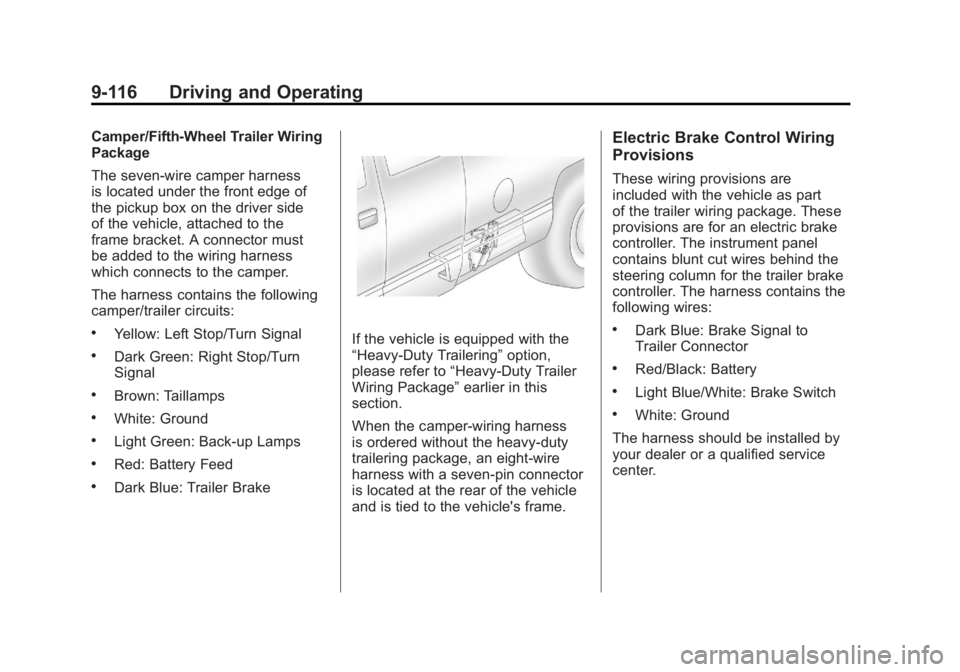
The seven-wire camper harness
is located under the front edge of
the pickup box on the driver side
of the vehicle, attached to the
frame bracket. A connector must
be added to the wiring harness
which connects to the camper.
The harness contains the following
camper/trailer circuits:
.Yellow: Left Stop/Turn Signal
.Dark Green: Right Stop/Turn
Signal
.Brown: Taillamps
.White: Ground
.Light Green: Back-up Lamps
.Red: Battery Feed
.Dark Blue: Trailer Brake
If the vehicle is equipped with the
“Heavy-Duty Trailering”option,
please refer to “Heavy-Duty Trailer
Wiring Package” earlier in this
section.
When the camper-wiring harness
is ordered without the heavy-duty
trailering package, an eight-wire
harness with a seven-pin connector
is located at the rear of the vehicle
and is tied to the vehicle's frame.
Electric Brake Control Wiring
Provisions
These wiring provisions are
included with the vehicle as part
of the trailer wiring package. These
provisions are for an electric brake
controller. The instrument panel
contains blunt cut wires behind the
steering column for the trailer brake
controller. The harness contains the
following wires:
.Dark Blue: Brake Signal to
Trailer Connector
.Red/Black: Battery
.Light Blue/White: Brake Switch
.White: Ground
The harness should be installed by
your dealer or a qualified service
center.
Page 425 of 594
Black plate (1,1)GMC Sierra Owner Manual - 2011
Vehicle Care 10-1
Vehicle Care
General Information
General Information . . . . . . . . . . 10-2
California Proposition65 Warning . . . . . . . . . . . . . . . . . 10-3
California Perchlorate Materials Requirements . . . . 10-3
Accessories and Modifications . . . . . . . . . . . . . . . 10-3
Vehicle Checks
Doing Your OwnService Work . . . . . . . . . . . . . . . 10-4
Hood . . . . . . . . . . . . . . . . . . . . . . . . 10-5
Engine Compartment Overview . . . . . . . . . . . . . . . . . . . 10-6
Engine Oil . . . . . . . . . . . . . . . . . . . 10-7
Engine Oil Life System . . . . . 10-11
Automatic Transmission Fluid (4-Speed
Transmission) . . . . . . . . . . . . . 10-13
Automatic Transmission Fluid (6-Speed
Transmission) . . . . . . . . . . . . . 10-16
Engine Air Cleaner/Filter . . . . 10-19
Cooling System . . . . . . . . . . . . 10-20
Engine Coolant . . . . . . . . . . . . . 10-22 Engine Overheating . . . . . . . . 10-25
Overheated Engine
Protection
Operating Mode . . . . . . . . . . . 10-28
Engine Fan . . . . . . . . . . . . . . . . . 10-28
Power Steering Fluid . . . . . . . 10-29
Washer Fluid . . . . . . . . . . . . . . . 10-29
Brakes . . . . . . . . . . . . . . . . . . . . . 10-30
Brake Fluid . . . . . . . . . . . . . . . . . 10-32
Battery . . . . . . . . . . . . . . . . . . . . . 10-34
Four-Wheel Drive . . . . . . . . . . . 10-34
Front Axle . . . . . . . . . . . . . . . . . . 10-36
Rear Axle . . . . . . . . . . . . . . . . . . 10-37
Noise Control System . . . . . . 10-38
Starter Switch Check . . . . . . . 10-39
Automatic Transmission Shift
Lock Control Function
Check . . . . . . . . . . . . . . . . . . . . . 10-40
Ignition Transmission Lock Check . . . . . . . . . . . . . . . . . . . . . 10-40
Park Brake and P (Park) Mechanism Check . . . . . . . . 10-40
Wiper Blade Replacement . . . . . . . . . . . . . . 10-41
Glass Replacement . . . . . . . . 10-41
Headlamp Aiming
Headlamp Aiming . . . . . . . . . . 10-42
Bulb Replacement
Bulb Replacement . . . . . . . . . . 10-44
Halogen Bulbs . . . . . . . . . . . . . . 10-44
Headlamps . . . . . . . . . . . . . . . . . 10-44
Pick-Up Box Identification and Fender Marker
Lamps . . . . . . . . . . . . . . . . . . . . 10-45
Taillamps (Chassis Cab Models) . . . . . . . . . . . . . . . . . . . 10-46
Taillamps, Turn Signal, Stoplamps, and Back-Up
Lamps . . . . . . . . . . . . . . . . . . . . 10-46
Center High-Mounted Stoplamp (CHMSL) and
Cargo Lamp . . . . . . . . . . . . . . 10-47
License Plate Lamp . . . . . . . . 10-48
Replacement Bulbs . . . . . . . . . 10-48
Electrical System
Electrical System Overload . . . . . . . . . . . . . . . . . . 10-49
Fuses and Circuit Breakers . . . . . . . . . . . . . . . . . . 10-50
Engine Compartment Fuse Block . . . . . . . . . . . . . . . . . . . . . 10-50
Instrument Panel Fuse Block . . . . . . . . . . . . . . . . . . . . . 10-54
Page 469 of 594
Black plate (45,1)GMC Sierra Owner Manual - 2011
Vehicle Care 10-45
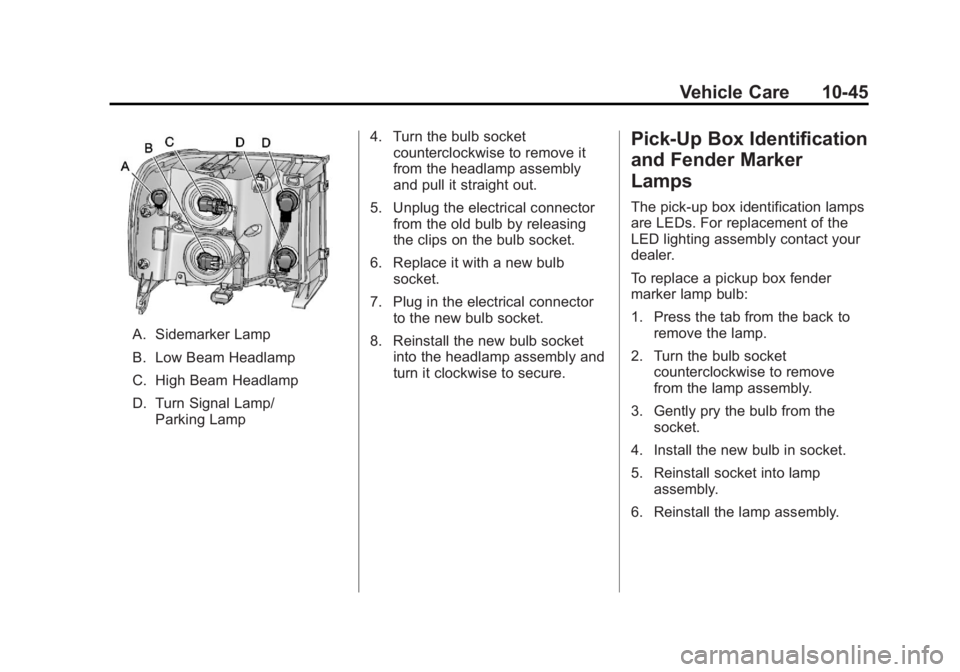
A. Sidemarker Lamp
B. Low Beam Headlamp
C. High Beam Headlamp
D. Turn Signal Lamp/Parking Lamp 4. Turn the bulb socket
counterclockwise to remove it
from the headlamp assembly
and pull it straight out.
5. Unplug the electrical connector from the old bulb by releasing
the clips on the bulb socket.
6. Replace it with a new bulb socket.
7. Plug in the electrical connector to the new bulb socket.
8. Reinstall the new bulb socket into the headlamp assembly and
turn it clockwise to secure.
Pick-Up Box Identification
and Fender Marker
Lamps
The pick-up box identification lamps
are LEDs. For replacement of the
LED lighting assembly contact your
dealer.
To replace a pickup box fender
marker lamp bulb:
1. Press the tab from the back to
remove the lamp.
2. Turn the bulb socket counterclockwise to remove
from the lamp assembly.
3. Gently pry the bulb from the socket.
4. Install the new bulb in socket.
5. Reinstall socket into lamp assembly.
6. Reinstall the lamp assembly.
Page 470 of 594
Black plate (46,1)GMC Sierra Owner Manual - 2011
10-46 Vehicle Care
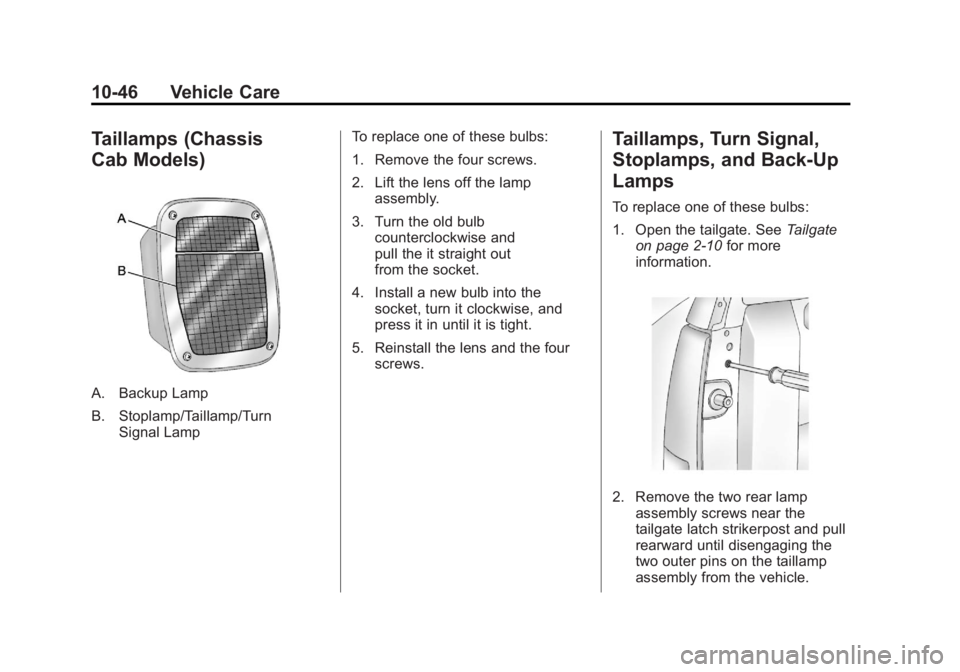
Taillamps (Chassis
Cab Models)
A. Backup Lamp
B. Stoplamp/Taillamp/TurnSignal Lamp To replace one of these bulbs:
1. Remove the four screws.
2. Lift the lens off the lamp
assembly.
3. Turn the old bulb counterclockwise and
pull the it straight out
from the socket.
4. Install a new bulb into the socket, turn it clockwise, and
press it in until it is tight.
5. Reinstall the lens and the four screws.
Taillamps, Turn Signal,
Stoplamps, and Back-Up
Lamps
To replace one of these bulbs:
1. Open the tailgate. See Tailgate
on page 2‑10 for more
information.
2. Remove the two rear lamp assembly screws near the
tailgate latch strikerpost and pull
rearward until disengaging the
two outer pins on the taillamp
assembly from the vehicle.