light GMC SIERRA 1500 2011 Owner's Manual
[x] Cancel search | Manufacturer: GMC, Model Year: 2011, Model line: SIERRA 1500, Model: GMC SIERRA 1500 2011Pages: 594, PDF Size: 7.88 MB
Page 62 of 594
Black plate (18,1)GMC Sierra Owner Manual - 2011
2-18 Keys, Doors and Windows
Interior Mirrors
Manual Rearview Mirror
Hold the mirror in the center to
move it for a clearer view of behind
your vehicle. Adjust the mirror to
avoid glare from the headlamps
behind you. Push the tab at the
bottom of the mirror forward
for daytime use and pull it for
nighttime use.
Automatic Dimming
Rearview Mirror
The vehicle may have an automatic
dimming inside rearview mirror.
Automatic dimming reduces the
glare from the headlamps of the
vehicle behind you. The dimming
feature comes on and the indicator
light illuminates each time the
ignition is turned to start.
O(On/Off):Press to turn the
dimming feature on or off. The vehicle may also have a Rear
Vision Camera (RVC). See
Rear
Vision Camera (RVC) on page 9‑78
for more information.
If the vehicle has RVC, the
Obutton
for turning the dimming feature on or
off will not be available.
Vehicles with OnStar have three
additional control buttons for the
OnStar system. See your dealer
for more information about OnStar
and how to subscribe to it. See the
OnStar Owner Guide for more
information about the services
OnStar provides.
Cleaning the Mirror
Do not spray glass cleaner directly
on the mirror. Use a soft towel
dampened with water.
Windows
{WARNING
Leaving children, helpless adults,
or pets in a vehicle with the
windows closed is dangerous.
They can be overcome by
the extreme heat and suffer
permanent injuries or even death
from heat stroke. Never leave a
child, a helpless adult, or a pet
alone in a vehicle, especially with
the windows closed in warm or
hot weather.
Page 64 of 594
Black plate (20,1)GMC Sierra Owner Manual - 2011
2-20 Keys, Doors and Windows
Express-down Windows
Vehicles with the express-down
feature allow the driver and
front passenger windows to
be lowered without holding the
switch. Push the switch down to
the second detent, then release,
to activate the express-down mode.
The express-down mode can be
canceled at any time by pulling up
on the front of the switch. To open
the window partway, push the switch
down to the first detent until the
window is at the desired position.
Window Lockout
o(Window Lockout):If a crew
cab or extended cab vehicle has
power windows, the driver door
power window switch has a lockout
feature. This feature prevents the
rear windows from operating, except
from the driver position. Press the
switch to engage or disengage the
lockout feature. An indicator light
on the switch will come on when the
lockout feature is engaged, and will
go off when disengaged.
Rear Windows
Power Sliding Rear Window
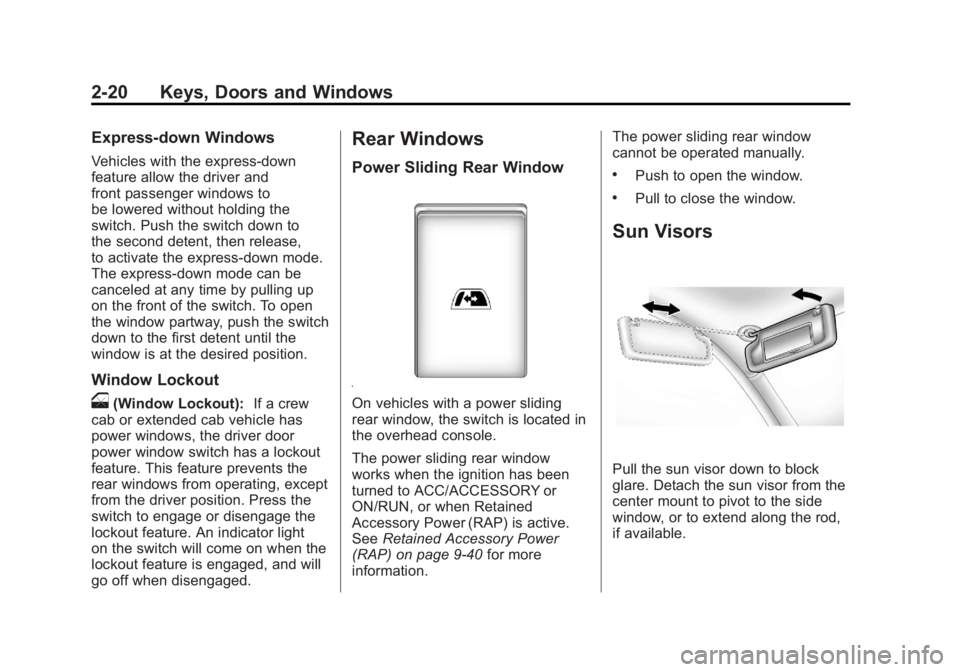
On vehicles with a power sliding
rear window, the switch is located in
the overhead console.
The power sliding rear window
works when the ignition has been
turned to ACC/ACCESSORY or
ON/RUN, or when Retained
Accessory Power (RAP) is active.
See Retained Accessory Power
(RAP) on page 9‑40 for more
information. The power sliding rear window
cannot be operated manually.
.Push to open the window.
.Pull to close the window.
Sun Visors
Pull the sun visor down to block
glare. Detach the sun visor from the
center mount to pivot to the side
window, or to extend along the rod,
if available.
Page 77 of 594
Black plate (9,1)GMC Sierra Owner Manual - 2011
Seats and Restraints 3-9
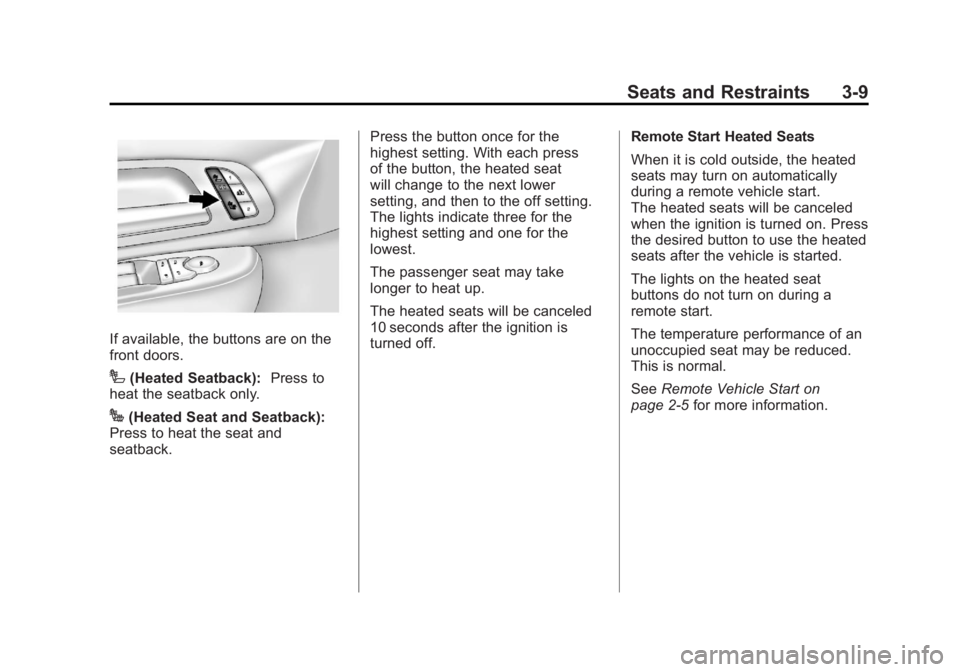
If available, the buttons are on the
front doors.
I(Heated Seatback):Press to
heat the seatback only.
J(Heated Seat and Seatback):
Press to heat the seat and
seatback. Press the button once for the
highest setting. With each press
of the button, the heated seat
will change to the next lower
setting, and then to the off setting.
The lights indicate three for the
highest setting and one for the
lowest.
The passenger seat may take
longer to heat up.
The heated seats will be canceled
10 seconds after the ignition is
turned off.
Remote Start Heated Seats
When it is cold outside, the heated
seats may turn on automatically
during a remote vehicle start.
The heated seats will be canceled
when the ignition is turned on. Press
the desired button to use the heated
seats after the vehicle is started.
The lights on the heated seat
buttons do not turn on during a
remote start.
The temperature performance of an
unoccupied seat may be reduced.
This is normal.
See
Remote Vehicle Start on
page 2‑5 for more information.
Page 89 of 594
Black plate (21,1)GMC Sierra Owner Manual - 2011
Seats and Restraints 3-21
Lap-Shoulder Belt
If the vehicle is a regular cab,
then all seating positions in the
vehicle have a lap-shoulder belt.
If the vehicle is a crew or extended
cab, then all seating positions in
the vehicle have a lap-shoulder
belt except for the center front
passenger position (if equipped),
which has a lap belt. SeeLap Belt
(Crew and Extended Cab) on
page 3‑26 for more information.
The following instructions explain
how to wear a lap-shoulder belt
properly.
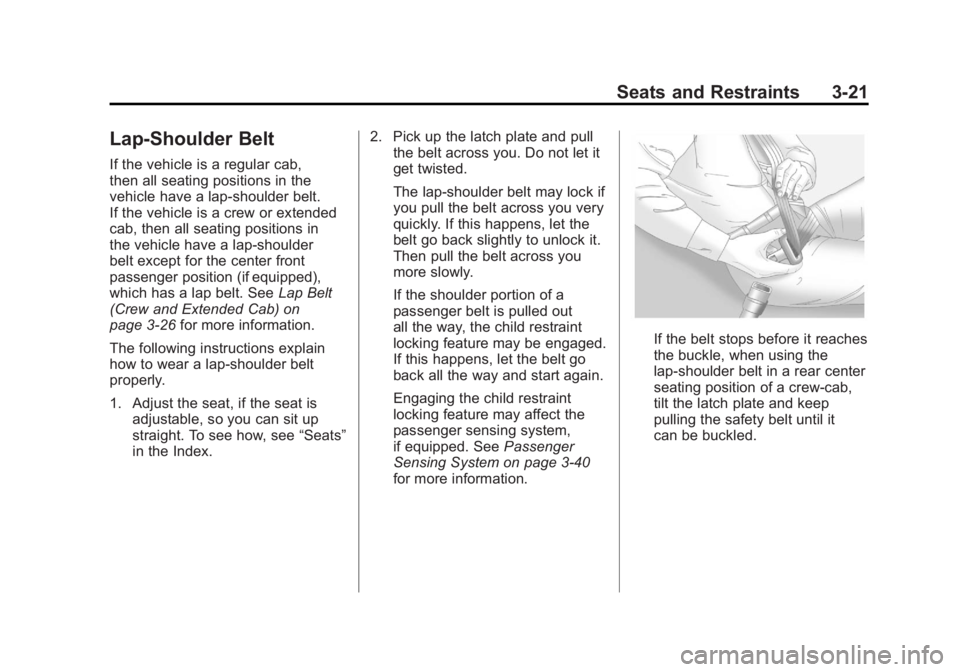
1. Adjust the seat, if the seat is adjustable, so you can sit up
straight. To see how, see “Seats”
in the Index. 2. Pick up the latch plate and pull
the belt across you. Do not let it
get twisted.
The lap-shoulder belt may lock if
you pull the belt across you very
quickly. If this happens, let the
belt go back slightly to unlock it.
Then pull the belt across you
more slowly.
If the shoulder portion of a
passenger belt is pulled out
all the way, the child restraint
locking feature may be engaged.
If this happens, let the belt go
back all the way and start again.
Engaging the child restraint
locking feature may affect the
passenger sensing system,
if equipped. See Passenger
Sensing System on page 3‑40
for more information.
If the belt stops before it reaches
the buckle, when using the
lap-shoulder belt in a rear center
seating position of a crew-cab,
tilt the latch plate and keep
pulling the safety belt until it
can be buckled.
Page 95 of 594
Black plate (27,1)GMC Sierra Owner Manual - 2011
Seats and Restraints 3-27
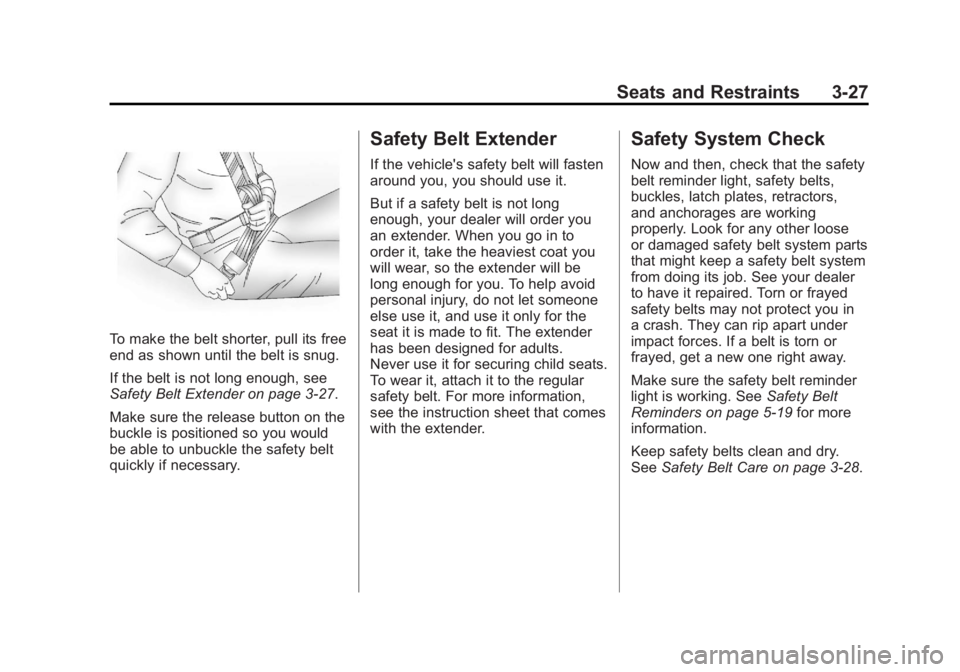
To make the belt shorter, pull its free
end as shown until the belt is snug.
If the belt is not long enough, see
Safety Belt Extender on page 3‑27.
Make sure the release button on the
buckle is positioned so you would
be able to unbuckle the safety belt
quickly if necessary.
Safety Belt Extender
If the vehicle's safety belt will fasten
around you, you should use it.
But if a safety belt is not long
enough, your dealer will order you
an extender. When you go in to
order it, take the heaviest coat you
will wear, so the extender will be
long enough for you. To help avoid
personal injury, do not let someone
else use it, and use it only for the
seat it is made to fit. The extender
has been designed for adults.
Never use it for securing child seats.
To wear it, attach it to the regular
safety belt. For more information,
see the instruction sheet that comes
with the extender.
Safety System Check
Now and then, check that the safety
belt reminder light, safety belts,
buckles, latch plates, retractors,
and anchorages are working
properly. Look for any other loose
or damaged safety belt system parts
that might keep a safety belt system
from doing its job. See your dealer
to have it repaired. Torn or frayed
safety belts may not protect you in
a crash. They can rip apart under
impact forces. If a belt is torn or
frayed, get a new one right away.
Make sure the safety belt reminder
light is working. SeeSafety Belt
Reminders on page 5‑19 for more
information.
Keep safety belts clean and dry.
See Safety Belt Care on page 3‑28.
Page 96 of 594
Black plate (28,1)GMC Sierra Owner Manual - 2011
3-28 Seats and Restraints
Safety Belt Care
Keep belts clean and dry.
{WARNING
Do not bleach or dye safety belts.
It may severely weaken them.
In a crash, they might not be able
to provide adequate protection.
Clean safety belts only with mild
soap and lukewarm water.
Replacing Safety Belt
System Parts After a
Crash
{WARNING
A crash can damage the safety
belt system in the vehicle.
A damaged safety belt system
may not properly protect the
person using it, resulting in
serious injury or even death in
a crash. To help make sure the
safety belt systems are working
properly after a crash, have them
inspected and any necessary
replacements made as soon as
possible.After a minor crash, replacement of
safety belts may not be necessary.
But the safety belt assemblies that
were used during any crash may
have been stressed or damaged.
See your dealer to have the safety
belt assemblies inspected or
replaced.
New parts and repairs may be
necessary even if the safety belt
system was not being used at the
time of the crash.
Have the safety belt pretensioners
checked if the vehicle has been in a
crash, or if the airbag readiness light
stays on after you start the vehicle
or while you are driving. See
Airbag
Readiness Light on page 5‑20.
Page 98 of 594
Black plate (30,1)GMC Sierra Owner Manual - 2011
3-30 Seats and Restraints
{WARNING
Airbags inflate with great force,
faster than the blink of an eye.
Anyone who is up against, or
very close to, any airbag when it
inflates can be seriously injured
or killed. Do not sit unnecessarily
close to any airbag, as you would
be if you were sitting on the edge
of the seat or leaning forward.
Safety belts help keep you in
position before and during a
crash. Always wear a safety belt,
even with airbags. The driver
should sit as far back as possible
while still maintaining control of
the vehicle.
Occupants should not lean on
or sleep against the door or side
windows in seating positions with
seat-mounted side impact airbags
and/or roof-rail airbags.
{WARNING
Children who are up against,
or very close to, any airbag
when it inflates can be seriously
injured or killed. Airbags plus
lap-shoulder belts offer protection
for adults and older children,
but not for young children and
infants. Neither the vehicle
safety belt system nor its airbag
system is designed for them.
Young children and infants
need the protection that a child
restraint system can provide.
Always secure children properly
in the vehicle. To read how, see
Older Children on page 3‑49or
Infants and Young Children on
page 3‑51.
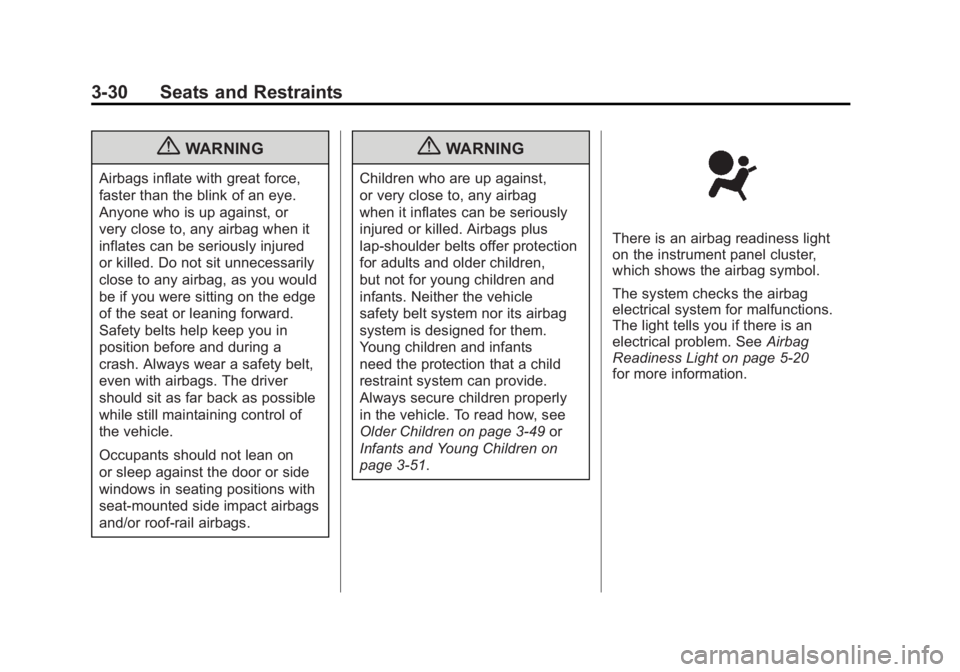
There is an airbag readiness light
on the instrument panel cluster,
which shows the airbag symbol.
The system checks the airbag
electrical system for malfunctions.
The light tells you if there is an
electrical problem. See Airbag
Readiness Light on page 5‑20
for more information.
Page 101 of 594
Black plate (33,1)GMC Sierra Owner Manual - 2011
Seats and Restraints 3-33
Frontal airbags may inflate
at different crash speeds.
For example:
.If the vehicle hits a stationary
object, the airbags could inflate
at a different crash speed than if
the vehicle hits a moving object.
.If the vehicle hits an object that
deforms, the airbags could
inflate at a different crash speed
than if the vehicle hits an object
that does not deform.
.If the vehicle hits a narrow object
(like a pole), the airbags could
inflate at a different crash speed
than if the vehicle hits a wide
object (like a wall).
.If the vehicle goes into an object
at an angle, the airbags could
inflate at a different crash speed
than if the vehicle goes straight
into the object.Thresholds can also vary with
specific vehicle design.
Frontal airbags are not intended to
inflate during vehicle rollovers, rear
impacts, or in many side impacts.
If the GVWR (Gross Vehicle Weight
Rating) of your vehicle is 3 855 kg
(8,500 lb) or above, the vehicle has
single stage airbags. If the GVWR
is below 3 855 kg (8,500 lb) then
the vehicle has dual stage airbags.
Vehicles with a full bench seat are
equipped with single state airbags.
You can find the GVWR on the
certification label on the rear edge
of the driver door. See
Vehicle
Load Limits on page 9‑25 for
more information. The vehicle may have dual‐stage
frontal airbags. Dual-stage airbags
adjust the restraint according to
crash severity. The vehicle has
electronic frontal sensors, which
help the sensing system distinguish
between a moderate frontal impact
and a more severe frontal impact.
For moderate frontal impacts,
dual-stage airbags inflate at a
level less than full deployment.
For more severe frontal impacts,
full deployment occurs.
Vehicles with dual stage airbags
also have seat position sensors
which enable the sensing system
to monitor the position of the driver
seat (all models), and on crew cab
and extended cab models the right
front passenger seat on light duty
models only. The seat position
sensor provides information that is
used to determine if the airbags
should deploy at a reduced level
or at full deployment.
Page 107 of 594
Black plate (39,1)GMC Sierra Owner Manual - 2011
Seats and Restraints 3-39
WARNING (Continued)
of an airbag. In a crash, the
airbag will not be able to inflate
and help protect the person
sitting there. Do not turn off the
passenger airbag unless the
person sitting there is in a risk
group.
United States
Canada and Mexico
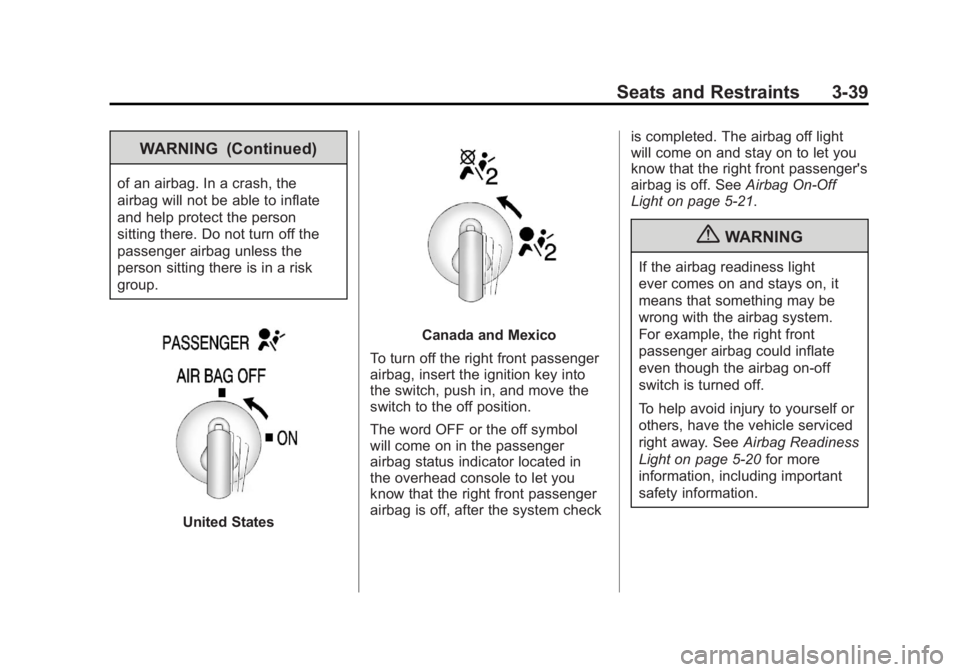
To turn off the right front passenger
airbag, insert the ignition key into
the switch, push in, and move the
switch to the off position.
The word OFF or the off symbol
will come on in the passenger
airbag status indicator located in
the overhead console to let you
know that the right front passenger
airbag is off, after the system check is completed. The airbag off light
will come on and stay on to let you
know that the right front passenger's
airbag is off. See
Airbag On-Off
Light on page 5‑21.
{WARNING
If the airbag readiness light
ever comes on and stays on, it
means that something may be
wrong with the airbag system.
For example, the right front
passenger airbag could inflate
even though the airbag on-off
switch is turned off.
To help avoid injury to yourself or
others, have the vehicle serviced
right away. See Airbag Readiness
Light on page 5‑20 for more
information, including important
safety information.
Page 108 of 594
Black plate (40,1)GMC Sierra Owner Manual - 2011
3-40 Seats and Restraints
United StatesCanada and Mexico
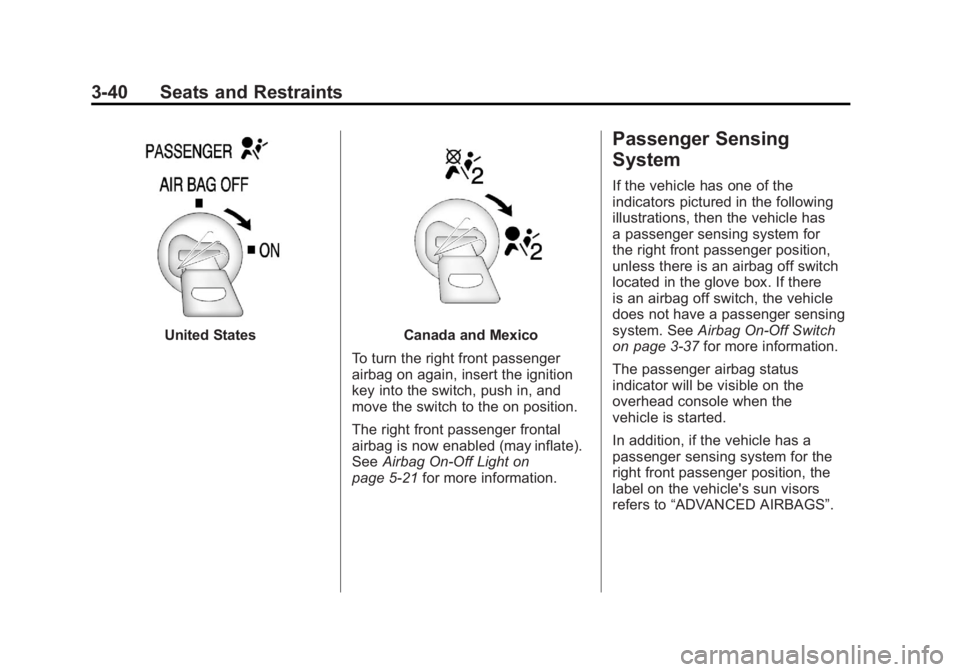
To turn the right front passenger
airbag on again, insert the ignition
key into the switch, push in, and
move the switch to the on position.
The right front passenger frontal
airbag is now enabled (may inflate).
See Airbag On-Off Light on
page 5‑21 for more information.
Passenger Sensing
System
If the vehicle has one of the
indicators pictured in the following
illustrations, then the vehicle has
a passenger sensing system for
the right front passenger position,
unless there is an airbag off switch
located in the glove box. If there
is an airbag off switch, the vehicle
does not have a passenger sensing
system. See Airbag On-Off Switch
on page 3‑37 for more information.
The passenger airbag status
indicator will be visible on the
overhead console when the
vehicle is started.
In addition, if the vehicle has a
passenger sensing system for the
right front passenger position, the
label on the vehicle's sun visors
refers to “ADVANCED AIRBAGS”.