recommended oil GMC SIERRA 1500 2011 Owners Manual
[x] Cancel search | Manufacturer: GMC, Model Year: 2011, Model line: SIERRA 1500, Model: GMC SIERRA 1500 2011Pages: 594, PDF Size: 7.88 MB
Page 40 of 594
Black plate (34,1)GMC Sierra Owner Manual - 2011
1-34 In Brief
.To turn off both traction control
and StabiliTrak, press and
hold
5untilFilluminates and
the appropriate DIC message
displays. See Ride Control
System Messages on page 5‑47.
.Press and release5again to
turn on both systems.
For more information, see
StabiliTrak
®System on page 9‑70.
Tire Pressure Monitor
This vehicle may have a Tire
Pressure Monitor System (TPMS).
The TPMS warning light alerts
you to a significant loss in pressure
of one of the vehicle's tires. If the warning light comes on, stop
as soon as possible and inflate the
tires to the recommended pressure
shown on the Tire and Loading
Information label. See
Vehicle Load
Limits on page 9‑25. The warning
light will remain on until the tire
pressure is corrected.
During cooler conditions, the low tire
pressure warning light may appear
when the vehicle is first started and
then turn off. This may be an early
indicator that the tire pressures are
getting low and the tires need to be
inflated to the proper pressure.
The TPMS does not replace normal
monthly tire maintenance. It is the
driver ’s responsibility to maintain
correct tire pressures.
See Tire Pressure Monitor System
on page 10‑68.
Engine Oil Life System
The engine oil life system calculates
engine oil life based on vehicle use
and, on most vehicles, displays a
DIC message when it is necessary
to change the engine oil and filter.
The oil life system should be reset
to 100% only following an oil
change.
Resetting the Oil Life System
To reset the Engine Oil Life System
on most vehicles:
1. Display OIL LIFE REMAINING on the DIC. If the vehicle does
not have DIC buttons, the
vehicle must be in P (Park)
to access this display.
2. Press and hold the SET/RESET button on the DIC, or the trip
odometer reset stem if the
vehicle does not have DIC
buttons, for more than
five seconds. The oil life
will change to 100%.
Page 41 of 594
Black plate (35,1)GMC Sierra Owner Manual - 2011
In Brief 1-35
On all vehicles, the Engine Oil Life
System can be reset as follows:
1. Turn the ignition to ON/RUN withthe engine off.
2. Fully press the accelerator pedal slowly three times within
five seconds.
3. Display OIL LIFE REMAINING on the DIC. If the display shows
100%, the system is reset.
See Engine Oil Life System on
page 10‑11.
Fuel E85 (85% Ethanol)
Vehicles that have a FlexFuel badge
and a yellow fuel cap can use either
unleaded gasoline or ethanol fuel
containing up to 85% ethanol (E85).
See Fuel E85 (85% Ethanol) on
page 9‑87. For all other vehicles,
use only the unleaded gasoline
described under Recommended
Fuel on page 9‑84.
Driving for Better Fuel
Economy
Driving habits can affect fuel
mileage. Here are some driving
tips to get the best fuel economy
possible.
.Avoid fast starts and accelerate
smoothly.
.Brake gradually and avoid
abrupt stops.
.Avoid idling the engine for long
periods of time.
.When road and weather
conditions are appropriate,
use cruise control.
.Always follow posted speed
limits or drive more slowly when
conditions require.
.Keep vehicle tires properly
inflated.
.Combine several trips into a
single trip.
.Replace the vehicle's tires with
the same TPC Spec number
molded into the tire's sidewall
near the size.
.Follow recommended scheduled
maintenance.
Page 185 of 594
Black plate (37,1)GMC Sierra Owner Manual - 2011
Instruments and Controls 5-37
recommended in the Maintenance
Schedule in this manual.
SeeScheduled Maintenance on
page 11‑2 for more information.
Remember, you must reset the
OIL LIFE display after each oil
change. It will not reset itself. Also,
be careful not to reset the OIL LIFE
display accidentally at any time
other than when the oil has just
been changed. It cannot be reset
accurately until the next oil change.
To reset the engine oil life system,
see Engine Oil Life System on
page 10‑11.
Units
Press the vehicle information button
until UNITS displays. This display
allows you to select between metric
or English units of measurement.
Once in this display, press the
set/reset button to select between
METRIC or ENGLISH units.
All of the vehicle information will
then be displayed in the unit of
measurement selected. Tire Pressure
If the vehicle has the Tire Pressure
Monitor System (TPMS), the
pressure for each tire can be viewed
in the DIC. The tire pressure will be
shown in either kilopascals (kPa)
or pounds per square inch (psi).
Press the vehicle information
button until the DIC displays
FRONT TIRES kPa (PSI) LEFT ##
RIGHT ##. Press the vehicle
information button again until the
DIC displays REAR TIRES kPa
(PSI) LEFT ## RIGHT ##.
If a low tire pressure condition
is detected by the system while
driving, a message advising you to
add pressure in a specific tire will
appear in the display. See
Tire
Pressure on page 10‑66 andTire
Messages on page 5‑49 for more
information.
If the tire pressure display shows
dashes instead of a value, there
may be a problem with the vehicle.
If this consistently occurs, see your
dealer for service. Trailer Gain and Output
On vehicles with the Integrated
Trailer Brake Control (ITBC)
system, the trailer brake display
appears in the DIC. Press the
vehicle information button until
TRAILER GAIN and OUTPUT
display.
TRAILER GAIN shows the trailer
gain setting. This setting can be
adjusted from 0.0 to 10.0 with either
a trailer connected or disconnected.
OUTPUT shows the power output
to the trailer any time a trailer with
electric brakes is connected. Output
is displayed in 0 to 10 bars. Dashes
may appear in the OUTPUT display.
To adjust trailer gain see
“Integrated
Trailer Brake Control System” under
Towing Equipment on page 9‑112
for more information.
Engine Hours
Press the vehicle information button
until ENGINE HOURS displays.
This display shows the total number
of hours the engine has run.
Page 189 of 594
Black plate (41,1)GMC Sierra Owner Manual - 2011
Instruments and Controls 5-41
When the remaining oil life is low,
the CHANGE ENGINE OIL SOON
message will appear on the display.
See“CHANGE ENGINE OIL SOON”
under Engine Oil Messages on
page 5‑45. You should change
the oil as soon as you can.
See Engine Oil on page 10‑7.
In addition to the engine oil life
system monitoring the oil life,
additional maintenance is
recommended in the Maintenance
Schedule in this manual.
See Scheduled Maintenance on
page 11‑2 for more information.
Remember, you must reset the
OIL LIFE display after each oil
change. It will not reset itself. Also,
be careful not to reset the OIL LIFE
display accidentally at any time
other than when the oil has just
been changed. It cannot be reset
accurately until the next oil change.
To reset the engine oil life system,
see Engine Oil Life System on
page 10‑11.Vehicle Messages
Messages displayed on the DIC
indicate the status of the vehicle
or some action may be needed
to correct a condition. Multiple
messages may appear one after
another.
The messages that do not
require immediate action can be
acknowledged and cleared by
pressing
V(Set/Reset) or the
trip odometer reset stem.
The messages that require
immediate action cannot be cleared
until that action is performed.
All messages should be taken
seriously and clearing the message
does not correct the problem.
The following are the possible
messages and some information
about them.
Battery Voltage and
Charging Messages
BATTERY LOW START
VEHICLE
When the vehicle’ s battery is
severely discharged, this message
will display and four chimes
will sound. Start the vehicle
immediately. If the vehicle is not
started and the battery continues
to discharge, the climate controls,
heated seats, and audio systems
will shut off and the vehicle may
require a jump start. These systems
will function again after the vehicle
is started.
Page 380 of 594
Black plate (86,1)GMC Sierra Owner Manual - 2011
9-86 Driving and Operating
Fuels in Foreign
Countries
Never use leaded gasoline or any
other fuel not recommended in the
previous text on fuel. Costly repairs
caused by use of improper fuel
would not be covered by the vehicle
warranty.
To check the fuel availability, ask
an auto club, or contact a major oil
company that does business in the
country where you will be driving.
Fuel Additives
To provide cleaner air, all gasolines
in the United States are now
required to contain additives that
help prevent engine and fuel system
deposits from forming, allowing the
emission control system to work
properly. In most cases, nothing
should have to be added to the fuel.
However, some gasolines contain
only the minimum amount ofadditive required to meet U.S.
Environmental Protection Agency
regulations. To help keep fuel
injectors and intake valves clean
and avoid problems due to dirty
injectors or valves, look for gasoline
that is advertised as TOP TIER
Detergent Gasoline. Look for the
TOP TIER label on the fuel pump to
ensure gasoline meets enhanced
detergency standards developed
by the auto companies. A list of
marketers providing TOP TIER
Detergent Gasoline can be found
at www.toptiergas.com.
For customers who do not use
TOP TIER Detergent Gasoline
regularly, one bottle of GM Fuel
System Treatment PLUS, added
to the fuel tank at every engine oil
change, can help clean deposits
from fuel injectors and intake
valves. GM Fuel System Treatment
PLUS is the only gasoline additive
recommended by General Motors.
It is available at your dealer.Gasolines containing oxygenates,
such as ethers and ethanol,
and reformulated gasolines
might be available in your area.
We recommend that you use these
gasolines, if they comply with the
specifications described earlier.
However, E85 (85% ethanol) and
other fuels containing more than
10% ethanol must not be used in
vehicles that were not designed
for those fuels.
Notice:
This vehicle was not
designed for fuel that contains
methanol. Do not use fuel
containing methanol. It can
corrode metal parts in the fuel
system and also damage plastic
and rubber parts. That damage
would not be covered under the
vehicle warranty.
Page 432 of 594
Black plate (8,1)GMC Sierra Owner Manual - 2011
10-8 Vehicle Care
Checking Engine Oil
It is a good idea to check the
engine oil level at each fuel fill.
In order to get an accurate reading,
the vehicle must be on level ground.
The engine oil dipstick handle
is a yellow loop. SeeEngine
Compartment Overview on
page 10‑6 for the location
of the engine oil dipstick.
Obtaining an accurate oil level
reading is essential:
1. If the engine has been running recently, turn off the engine and
allow several minutes for the oil
to drain back into the oil pan.
Checking the oil level too soon
after engine shutoff will not
provide an accurate oil level
reading.
2. Pull out the dipstick and clean it with a paper towel or cloth,
then push it back in all the way.
Remove it again, keeping the tip
down, and check the level.
When to Add Engine Oil
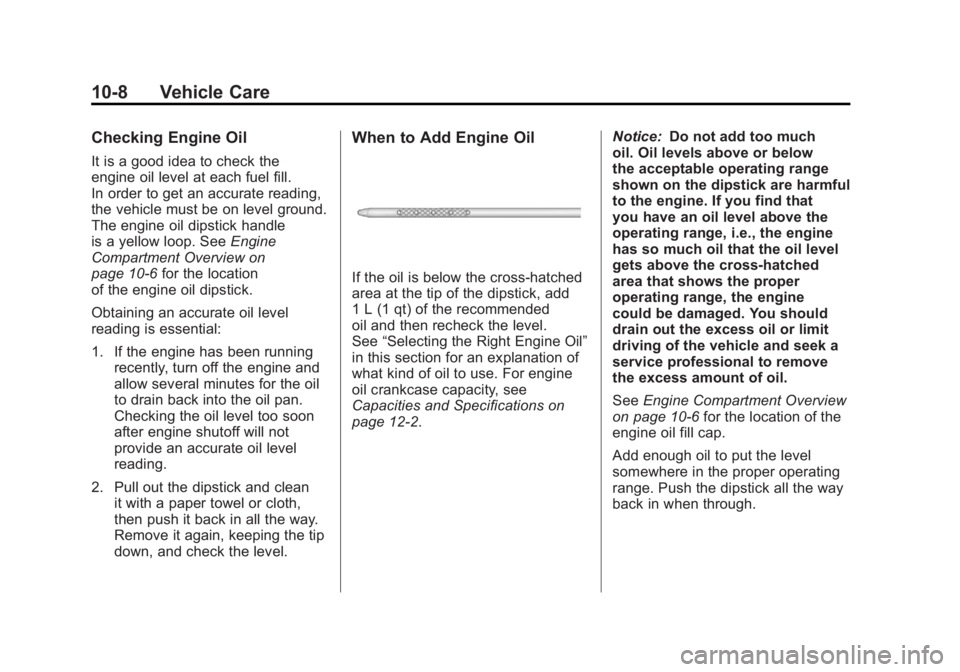
If the oil is below the cross-hatched
area at the tip of the dipstick, add
1 L (1 qt) of the recommended
oil and then recheck the level.
See “Selecting the Right Engine Oil”
in this section for an explanation of
what kind of oil to use. For engine
oil crankcase capacity, see
Capacities and Specifications on
page 12‑2. Notice:
Do not add too much
oil. Oil levels above or below
the acceptable operating range
shown on the dipstick are harmful
to the engine. If you find that
you have an oil level above the
operating range, i.e., the engine
has so much oil that the oil level
gets above the cross-hatched
area that shows the proper
operating range, the engine
could be damaged. You should
drain out the excess oil or limit
driving of the vehicle and seek a
service professional to remove
the excess amount of oil.
See Engine Compartment Overview
on page 10‑6 for the location of the
engine oil fill cap.
Add enough oil to put the level
somewhere in the proper operating
range. Push the dipstick all the way
back in when through.
Page 433 of 594
Black plate (9,1)GMC Sierra Owner Manual - 2011
Vehicle Care 10-9
Selecting the Right Engine Oil
Selecting the right engine oil
depends on both the proper oil
specification and viscosity grade:
Specification
Use and ask for engine oils with
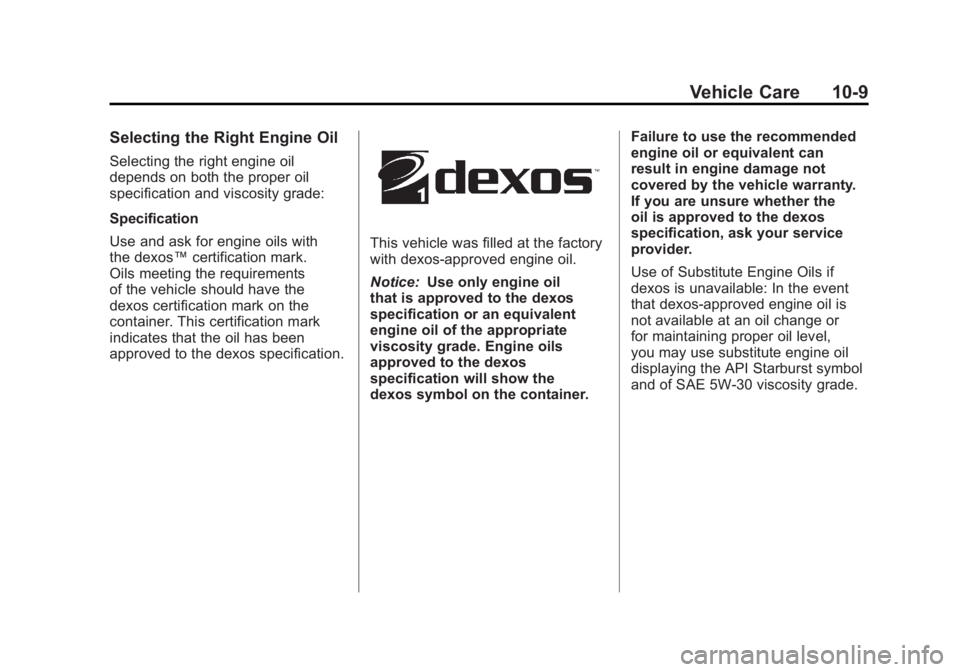
the dexos™certification mark.
Oils meeting the requirements
of the vehicle should have the
dexos certification mark on the
container. This certification mark
indicates that the oil has been
approved to the dexos specification.
This vehicle was filled at the factory
with dexos‐approved engine oil.
Notice: Use only engine oil
that is approved to the dexos
specification or an equivalent
engine oil of the appropriate
viscosity grade. Engine oils
approved to the dexos
specification will show the
dexos symbol on the container. Failure to use the recommended
engine oil or equivalent can
result in engine damage not
covered by the vehicle warranty.
If you are unsure whether the
oil is approved to the dexos
specification, ask your service
provider.
Use of Substitute Engine Oils if
dexos is unavailable: In the event
that dexos‐approved engine oil is
not available at an oil change or
for maintaining proper oil level,
you may use substitute engine oil
displaying the API Starburst symbol
and of SAE 5W-30 viscosity grade.
Page 435 of 594
Black plate (11,1)GMC Sierra Owner Manual - 2011
Vehicle Care 10-11
Engine Oil Additives/Engine
Oil Flushes
Do not add anything to the oil.
The recommended oils with the
dexos specification and displaying
the dexos certification mark are all
that is needed for good performance
and engine protection.
Engine oil system flushes are not
recommended and could cause
engine damage not covered by
the vehicle warranty.
What to Do with Used Oil
Used engine oil contains certain
elements that can be unhealthy for
your skin and could even cause
cancer. Do not let used oil stay on
your skin for very long. Clean your
skin and nails with soap and water,
or a good hand cleaner. Wash or
properly dispose of clothing or rags
containing used engine oil. See the
manufacturer's warnings about the
use and disposal of oil products.
Used oil can be a threat to the
environment. If you change your
own oil, be sure to drain all the
oil from the filter before disposal.
Never dispose of oil by putting it
in the trash or pouring it on the
ground, into sewers, or into streams
or bodies of water. Recycle it by
taking it to a place that collects
used oil.
Engine Oil Life System
When to Change Engine Oil
This vehicle has a computer system
that indicates when to change the
engine oil and filter. This is based
on engine revolutions and engine
temperature, and not on mileage.
Based on driving conditions, the
mileage at which an oil change is
indicated can vary considerably.
For the oil life system to work
properly, the system must be reset
every time the oil is changed.
On some vehicles, when the system
has calculated that oil life has been
diminished, a CHANGE ENGINE
OIL SOON message comes on
to indicate that an oil change is
necessary. SeeEngine Oil
Messages on page 5‑45. Change
the oil as soon as possible within
the next 1 000 km (600 miles).
Page 437 of 594
Black plate (13,1)GMC Sierra Owner Manual - 2011
Vehicle Care 10-13
Automatic
Transmission Fluid
(4-Speed Transmission)
When to Check and Change
Automatic Transmission Fluid
A good time to check the automatic
transmission fluid level is when the
engine oil is changed.
Change the fluid and filter at
the intervals listed inScheduled
Maintenance on page 11‑2 and be
sure to use the transmission fluid
listed in Recommended Fluids and
Lubricants on page 11‑8.
How to Check Automatic
Transmission Fluid
Because this operation can be a
little difficult, it may be best to have
this done at the dealer service
department.
If not taken to the dealer, be sure to
follow all the instructions here or a
false reading on the dipstick could
result.
Notice: Too much or too
little fluid can damage the
transmission. Too much can
mean that some of the fluid could
come out and fall on hot engine
parts or exhaust system parts,
starting a fire. Too little fluid
could cause the transmission
to overheat. Be sure to get an
accurate reading if checking
the transmission fluid. Wait at least 30 minutes before
checking the transmission fluid
level if you have been driving:.When outside temperatures are
above 32°C (90°F).
.At high speed for quite a while.
.In heavy traffic
—especially in
hot weather.
.While pulling a trailer.
To get the right reading, the fluid
should be at normal operating
temperature, which is 82°C to 93°C
(180°F to 200°F).
Get the vehicle warmed up by
driving about 24 km (15 miles) when
outside temperatures are above
10°C (50°F). If it is colder than 10°C
(50°F), drive the vehicle in 3 (Third)
until the engine temperature gauge
moves and then remains steady for
10 minutes.
Page 447 of 594
Black plate (23,1)GMC Sierra Owner Manual - 2011
Vehicle Care 10-23
Notice:If extra inhibitors
and/or additives are used in
the vehicle cooling system,
the vehicle could be damaged.
Use only the proper mixture of
the engine coolant listed in this
manual for the cooling system.
See Recommended Fluids and
Lubricants on page 11‑8 for more
information.
Never dispose of engine coolant
by putting it in the trash, pouring
it on the ground, or into sewers,
streams, or bodies of water.
Have the coolant changed by an
authorized service center, familiar
with legal requirements regarding
used coolant disposal. This will help
protect the environment and your
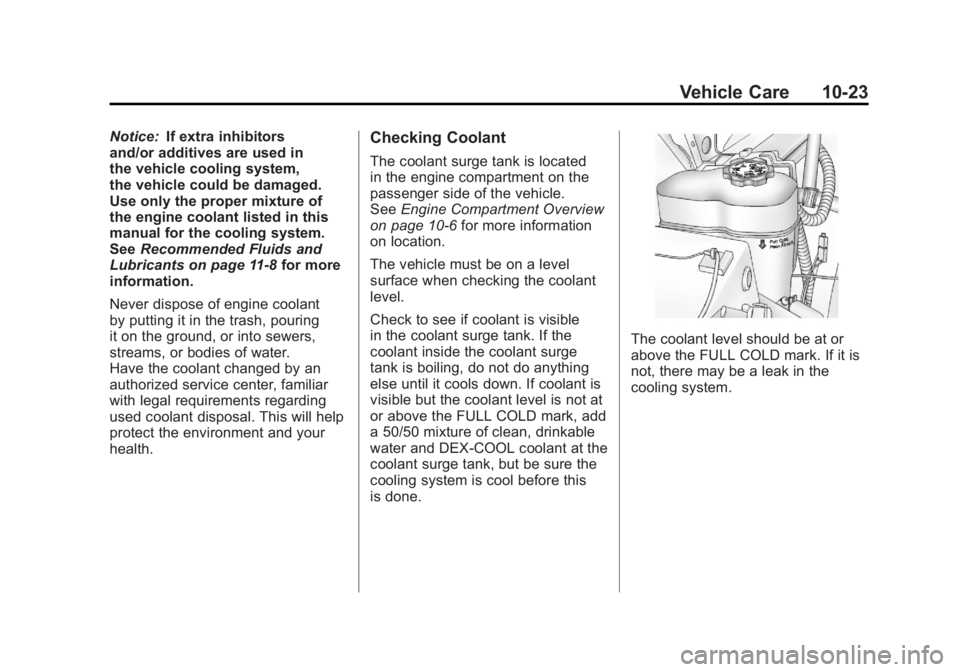
health.Checking Coolant
The coolant surge tank is located
in the engine compartment on the
passenger side of the vehicle.
See Engine Compartment Overview
on page 10‑6 for more information
on location.
The vehicle must be on a level
surface when checking the coolant
level.
Check to see if coolant is visible
in the coolant surge tank. If the
coolant inside the coolant surge
tank is boiling, do not do anything
else until it cools down. If coolant is
visible but the coolant level is not at
or above the FULL COLD mark, add
a 50/50 mixture of clean, drinkable
water and DEX-COOL coolant at the
coolant surge tank, but be sure the
cooling system is cool before this
is done.
The coolant level should be at or
above the FULL COLD mark. If it is
not, there may be a leak in the
cooling system.