four wheel drive GMC SIERRA 1500 2012 Owners Manual
[x] Cancel search | Manufacturer: GMC, Model Year: 2012, Model line: SIERRA 1500, Model: GMC SIERRA 1500 2012Pages: 556, PDF Size: 7.88 MB
Page 7 of 556
Black plate (1,1)GMC Sierra Owner Manual - 2012 - CRC - 11/15/11
In Brief 1-1
In Brief
Instrument Panel
Instrument Panel (Base/UplevelVersion) . . . . . . . . . . . . . . . . . . . . . 1-2
Instrument Panel (Premium Version) . . . . . . . . . . . . . . . . . . . . . 1-6
Initial Drive Information
Initial Drive Information . . . . . . . . 1-8
Remote Keyless Entry (RKE)System . . . . . . . . . . . . . . . . . . . . . . 1-8
Remote Vehicle Start . . . . . . . . . 1-9
Door Locks . . . . . . . . . . . . . . . . . . . 1-9
Windows . . . . . . . . . . . . . . . . . . . . . 1-10
Seat Adjustment . . . . . . . . . . . . . 1-11
Memory Features . . . . . . . . . . . . 1-14
Heated and Ventilated Seats . . . . . . . . . . . . . . . . . . . . . . . 1-15
Head Restraint Adjustment . . . . . . . . . . . . . . . . . 1-15 Safety Belts . . . . . . . . . . . . . . . . . . 1-16
Passenger Sensing
System . . . . . . . . . . . . . . . . . . . . . 1-16
Mirror Adjustment . . . . . . . . . . . . 1-16
Steering Wheel Adjustment . . . . . . . . . . . . . . . . . 1-19
Throttle and Brake Pedal Adjustment . . . . . . . . . . . . . . . . . 1-19
Interior Lighting . . . . . . . . . . . . . . 1-20
Exterior Lighting . . . . . . . . . . . . . 1-21
Windshield Wiper/Washer . . . . 1-21
Climate Controls . . . . . . . . . . . . . 1-22
Transmission . . . . . . . . . . . . . . . . 1-24
Four-Wheel Drive . . . . . . . . . . . . 1-25
Vehicle Features
Radio(s) . . . . . . . . . . . . . . . . . . . . . 1-27
Satellite Radio . . . . . . . . . . . . . . . 1-28
Portable Audio Devices . . . . . . 1-28
Bluetooth
®. . . . . . . . . . . . . . . . . . . 1-29
Steering Wheel Controls . . . . . 1-29
Cruise Control . . . . . . . . . . . . . . . 1-30 Navigation System . . . . . . . . . . . 1-30
Driver Information
Center (DIC) . . . . . . . . . . . . . . . 1-30
Rear Vision Camera (RVC) . . . . . . . . . . . . . 1-31
Ultrasonic Parking Assist . . . . 1-31
Power Outlets . . . . . . . . . . . . . . . 1-32
Universal Remote System . . . 1-32
Sunroof . . . . . . . . . . . . . . . . . . . . . . 1-33
Performance and Maintenance
StabiliTrak®System . . . . . . . . . 1-35
Tire Pressure Monitor . . . . . . . . 1-35
Engine Oil Life System . . . . . . 1-35
Fuel E85 (85% Ethanol) . . . . . 1-36
Driving for Better Fuel Economy . . . . . . . . . . . . . . . . . . . 1-36
Roadside Assistance Program . . . . . . . . . . . . . . . . . . . . 1-36
OnStar
®. . . . . . . . . . . . . . . . . . . . . 1-37
Page 9 of 556
Black plate (3,1)GMC Sierra Owner Manual - 2012 - CRC - 11/15/11
In Brief 1-3
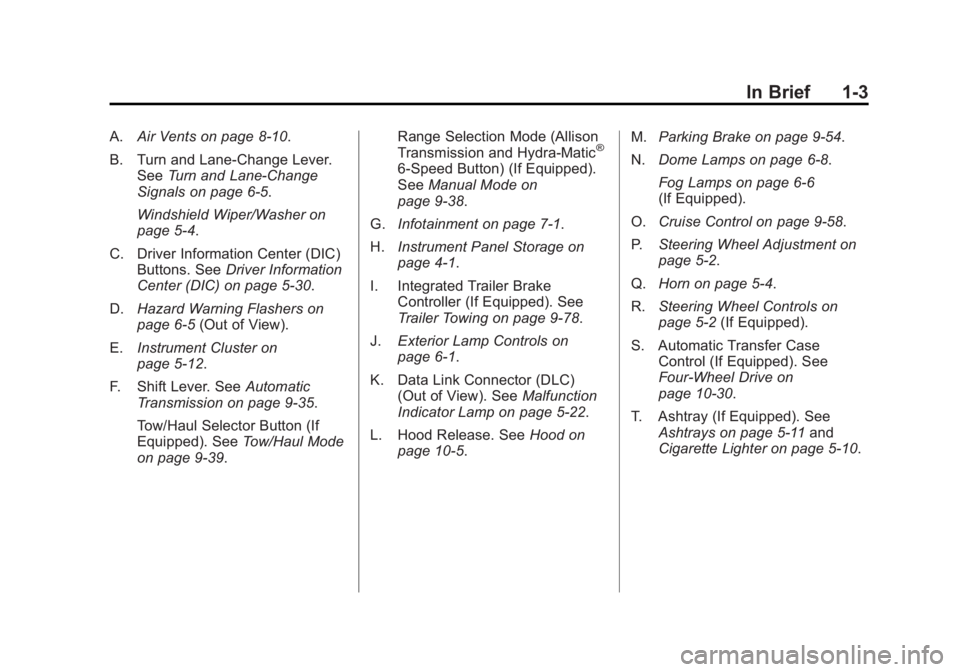
A.Air Vents on page 8‑10.
B. Turn and Lane‐Change Lever. See Turn and Lane-Change
Signals on page 6‑5.
Windshield Wiper/Washer on
page 5‑4.
C. Driver Information Center (DIC) Buttons. See Driver Information
Center (DIC) on page 5‑30.
D. Hazard Warning Flashers on
page 6‑5 (Out of View).
E. Instrument Cluster on
page 5‑12.
F. Shift Lever. See Automatic
Transmission on page 9‑35.
Tow/Haul Selector Button (If
Equipped). See Tow/Haul Mode
on page 9‑39. Range Selection Mode (Allison
Transmission and Hydra-Matic®
6‐Speed Button) (If Equipped).
See
Manual Mode on
page 9‑38.
G. Infotainment on page 7‑1.
H. Instrument Panel Storage on
page 4‑1.
I. Integrated Trailer Brake Controller (If Equipped). See
Trailer Towing on page 9‑78.
J. Exterior Lamp Controls on
page 6‑1.
K. Data Link Connector (DLC) (Out of View). See Malfunction
Indicator Lamp on page 5‑22.
L. Hood Release. See Hood on
page 10‑5. M.
Parking Brake on page 9‑54.
N. Dome Lamps on page 6‑8.
Fog Lamps on page 6‑6
(If Equipped).
O. Cruise Control on page 9‑58.
P. Steering Wheel Adjustment on
page 5‑2.
Q. Horn on page 5‑4.
R. Steering Wheel Controls on
page 5‑2 (If Equipped).
S. Automatic Transfer Case Control (If Equipped). See
Four-Wheel Drive on
page 10‑30.
T. Ashtray (If Equipped). See Ashtrays on page 5‑11 and
Cigarette Lighter on page 5‑10.
Page 13 of 556
Black plate (7,1)GMC Sierra Owner Manual - 2012 - CRC - 11/15/11
In Brief 1-7
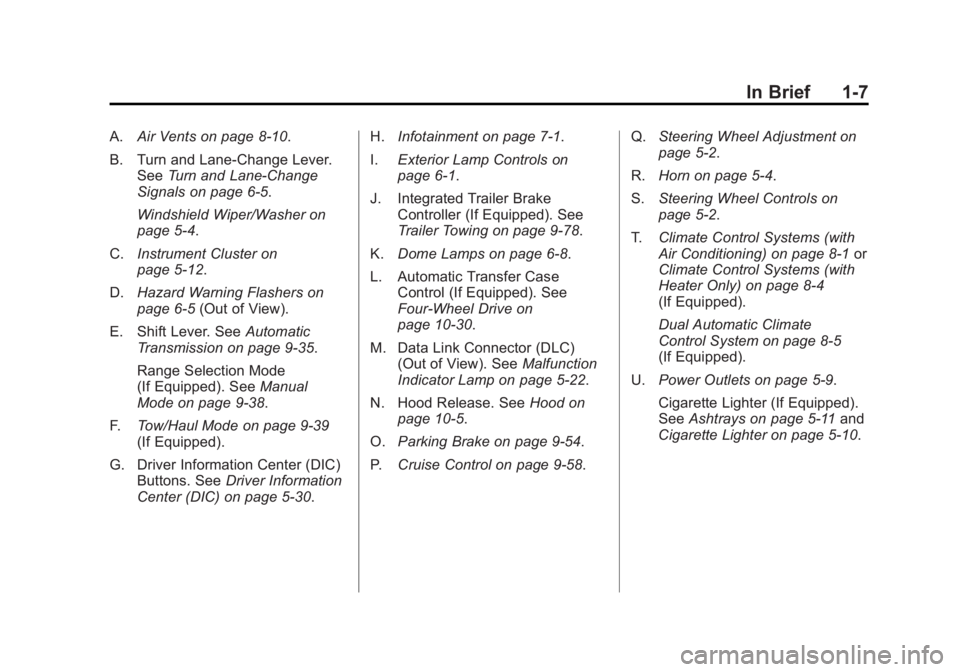
A.Air Vents on page 8‑10.
B. Turn and Lane‐Change Lever. See Turn and Lane-Change
Signals on page 6‑5.
Windshield Wiper/Washer on
page 5‑4.
C. Instrument Cluster on
page 5‑12.
D. Hazard Warning Flashers on
page 6‑5 (Out of View).
E. Shift Lever. See Automatic
Transmission on page 9‑35.
Range Selection Mode
(If Equipped). See Manual
Mode on page 9‑38.
F. Tow/Haul Mode on page 9‑39
(If Equipped).
G. Driver Information Center (DIC) Buttons. See Driver Information
Center (DIC) on page 5‑30. H.
Infotainment on page 7‑1.
I. Exterior Lamp Controls on
page 6‑1.
J. Integrated Trailer Brake Controller (If Equipped). See
Trailer Towing on page 9‑78.
K. Dome Lamps on page 6‑8.
L. Automatic Transfer Case Control (If Equipped). See
Four-Wheel Drive on
page 10‑30.
M. Data Link Connector (DLC) (Out of View). See Malfunction
Indicator Lamp on page 5‑22.
N. Hood Release. See Hood on
page 10‑5.
O. Parking Brake on page 9‑54.
P. Cruise Control on page 9‑58. Q.
Steering Wheel Adjustment on
page 5‑2.
R. Horn on page 5‑4.
S. Steering Wheel Controls on
page 5‑2.
T. Climate Control Systems (with
Air Conditioning) on page 8‑1 or
Climate Control Systems (with
Heater Only) on page 8‑4
(If Equipped).
Dual Automatic Climate
Control System on page 8‑5
(If Equipped).
U. Power Outlets on page 5‑9.
Cigarette Lighter (If Equipped).
See Ashtrays on page 5‑11 and
Cigarette Lighter on page 5‑10.
Page 31 of 556
Black plate (25,1)GMC Sierra Owner Manual - 2012 - CRC - 11/15/11
In Brief 1-25
2. Press the plus/minus buttons,located on the steering column
shift lever, to select the desired
range of gears for current driving
conditions. See Manual Mode on
page 9‑38.
While using Range Selection Mode,
cruise control and the Tow/Haul
mode can be used.
Grade Braking is not available when
Range Selection Mode is active.
See Tow/Haul Mode on page 9‑39.
Four-Wheel Drive
If the vehicle has Four-Wheel Drive,
you can send the engine's driving
power to all four wheels for extra
traction.
Transfer Case Buttons
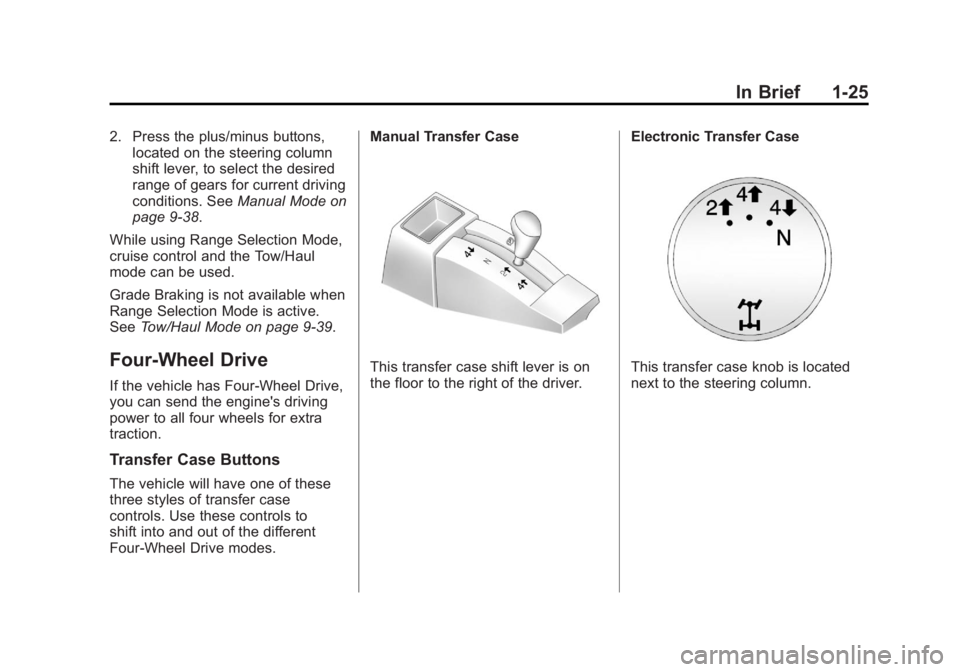
The vehicle will have one of these
three styles of transfer case
controls. Use these controls to
shift into and out of the different
Four-Wheel Drive modes. Manual Transfer Case
This transfer case shift lever is on
the floor to the right of the driver.
Electronic Transfer CaseThis transfer case knob is located
next to the steering column.
Page 32 of 556
Black plate (26,1)GMC Sierra Owner Manual - 2012 - CRC - 11/15/11
1-26 In Brief
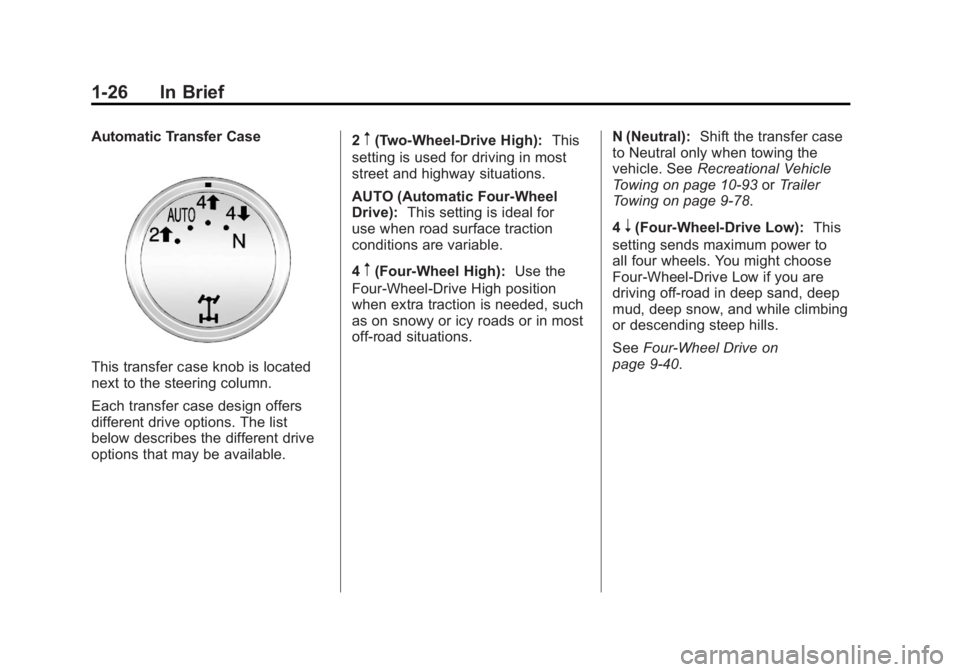
Automatic Transfer Case
This transfer case knob is located
next to the steering column.
Each transfer case design offers
different drive options. The list
below describes the different drive
options that may be available.2
m(Two-Wheel-Drive High):
This
setting is used for driving in most
street and highway situations.
AUTO (Automatic Four-Wheel
Drive): This setting is ideal for
use when road surface traction
conditions are variable.
4
m(Four-Wheel High): Use the
Four-Wheel-Drive High position
when extra traction is needed, such
as on snowy or icy roads or in most
off-road situations. N (Neutral):
Shift the transfer case
to Neutral only when towing the
vehicle. See Recreational Vehicle
Towing on page 10‑93 orTrailer
Towing on page 9‑78.
4
n(Four-Wheel-Drive Low): This
setting sends maximum power to
all four wheels. You might choose
Four-Wheel-Drive Low if you are
driving off-road in deep sand, deep
mud, deep snow, and while climbing
or descending steep hills.
See Four-Wheel Drive on
page 9‑40.
Page 139 of 556
Black plate (1,1)GMC Sierra Owner Manual - 2012 - CRC - 11/15/11
Instruments and Controls 5-1
Instruments and
Controls
Controls
Steering Wheel Adjustment . . . 5-2
Steering Wheel Controls . . . . . . 5-2
Horn . . . . . . . . . . . . . . . . . . . . . . . . . . 5-4
Windshield Wiper/Washer . . . . . 5-4
Compass . . . . . . . . . . . . . . . . . . . . . 5-5
Clock . . . . . . . . . . . . . . . . . . . . . . . . . 5-7
Power Outlets . . . . . . . . . . . . . . . . . 5-9
Cigarette Lighter . . . . . . . . . . . . . 5-10
Ashtrays . . . . . . . . . . . . . . . . . . . . . 5-11
Warning Lights, Gauges, and
Indicators
Warning Lights, Gauges, andIndicators . . . . . . . . . . . . . . . . . . . 5-11
Instrument Cluster . . . . . . . . . . . 5-12
Speedometer . . . . . . . . . . . . . . . . 5-13
Odometer . . . . . . . . . . . . . . . . . . . . 5-13
Trip Odometer . . . . . . . . . . . . . . . 5-13
Tachometer . . . . . . . . . . . . . . . . . . 5-13
Fuel Gauge . . . . . . . . . . . . . . . . . . 5-14
Engine Oil Pressure Gauge . . . . . . . . . . . . . . . . . . . . . . 5-15 Engine Coolant Temperature
Gauge . . . . . . . . . . . . . . . . . . . . . . 5-16
Voltmeter Gauge . . . . . . . . . . . . . 5-16
Safety Belt Reminders . . . . . . . 5-17
Airbag Readiness Light . . . . . . 5-18
Airbag On-Off Light . . . . . . . . . . 5-19
Passenger Airbag Status Indicator . . . . . . . . . . . . . . . . . . . . 5-21
Charging System Light . . . . . . 5-22
Malfunction Indicator Lamp . . . . . . . . . . . . . 5-22
Brake System Warning Light . . . . . . . . . . . . . . . . . . . . . . . 5-25
Antilock Brake System (ABS) Warning Light . . . . . . . . . . . . . . 5-26
Four-Wheel-Drive Light . . . . . . 5-26
Tow/Haul Mode Light . . . . . . . . 5-26
StabiliTrak
®OFF Light . . . . . . . 5-27
Traction Control System (TCS)/StabiliTrak
®Light . . . . 5-27
Tire Pressure Light . . . . . . . . . . 5-27
Engine Oil Pressure Light . . . . 5-28
Low Fuel Warning Light . . . . . . 5-28
Security Light . . . . . . . . . . . . . . . . 5-29
High-Beam On Light . . . . . . . . . 5-29
Front Fog Lamp Light . . . . . . . . 5-29
Cruise Control Light . . . . . . . . . 5-30
Information Displays
Driver Information Center (DIC) . . . . . . . . . . . . . . . 5-30
Vehicle Messages
Vehicle Messages . . . . . . . . . . . 5-39
Battery Voltage and ChargingMessages . . . . . . . . . . . . . . . . . . 5-39
Brake System Messages . . . . 5-40
Door Ajar Messages . . . . . . . . . 5-40
Engine Cooling System Messages . . . . . . . . . . . . . . . . . . 5-41
Engine Oil Messages . . . . . . . . 5-42
Engine Power Messages . . . . 5-42
Fuel System Messages . . . . . . 5-43
Key and Lock Messages . . . . . 5-43
Lamp Messages . . . . . . . . . . . . . 5-43
Object Detection System Messages . . . . . . . . . . . . . . . . . . 5-43
Ride Control System Messages . . . . . . . . . . . . . . . . . . 5-44
Airbag System Messages . . . . 5-45
Anti-theft Alarm System Messages . . . . . . . . . . . . . . . . . . 5-45
Starting the Vehicle Messages . . . . . . . . . . . . . . . . . . 5-45
Tire Messages . . . . . . . . . . . . . . . 5-45
Page 164 of 556
Black plate (26,1)GMC Sierra Owner Manual - 2012 - CRC - 11/15/11
5-26 Instruments and Controls
Antilock Brake System
(ABS) Warning Light
For vehicles with the Antilock Brake
System (ABS), this light comes on
briefly when the engine is started.
If it does not, have the vehicle
serviced by your dealer. If the
system is working normally the
indicator light then goes off.
If the ABS light stays on, turn the
ignition off. If the light comes on
while driving, stop as soon as it is
safely possible and turn the ignition
off. Then start the engine again to
reset the system. If the ABS light
stays on, or comes on again while
driving, the vehicle needs service.
If the regular brake system warning
light is not on, the vehicle still has
brakes, but not antilock brakes.If the regular brake system warning
light is also on, the vehicle does not
have antilock brakes and there is a
problem with the regular brakes.
See
Brake System Warning Light on
page 5‑25.
For vehicles with a Driver
Information Center (DIC), see Brake
System Messages on page 5‑40 for
all brake‐related DIC messages.
If the vehicle is a hybrid, see the
hybrid supplement for more
information.
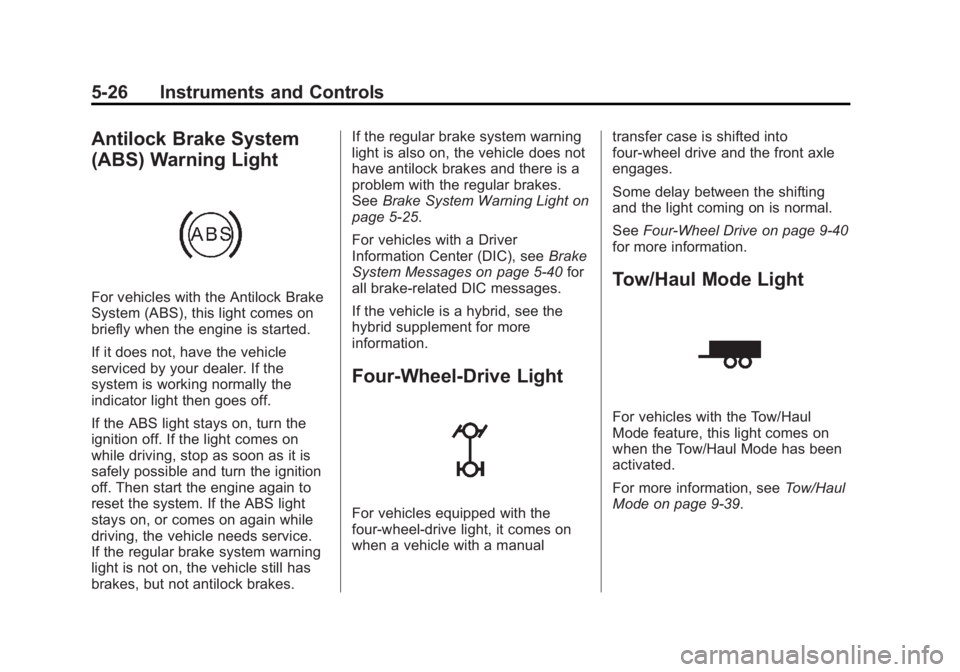
Four-Wheel-Drive Light
For vehicles equipped with the
four-wheel-drive light, it comes on
when a vehicle with a manual transfer case is shifted into
four-wheel drive and the front axle
engages.
Some delay between the shifting
and the light coming on is normal.
See
Four-Wheel Drive on page 9‑40
for more information.
Tow/Haul Mode Light
For vehicles with the Tow/Haul
Mode feature, this light comes on
when the Tow/Haul Mode has been
activated.
For more information, see Tow/Haul
Mode on page 9‑39.
Page 184 of 556
Black plate (46,1)GMC Sierra Owner Manual - 2012 - CRC - 11/15/11
5-46 Instruments and Controls
Several conditions may cause this
message to appear. SeeTire
Pressure Monitor Operation on
page 10‑62 for more information.
If the warning comes on and stays
on, there may be a problem with the
TPMS. See your dealer.
TIRE LEARNING ACTIVE
If the vehicle has the Tire Pressure
Monitor System (TPMS), this
message displays when the system
is re-learning the tire positions on
your vehicle. The tire positions must
be re-learned after rotating the tires
or after replacing a tire or sensor.
See Tire Inspection on page 10‑65,
Tire Rotation on page 10‑65, Tire
Pressure Monitor System on
page 10‑60, and Tire Pressure on
page 10‑58 for more information.
TIRE LOW ADD AIR TO TIRE
If the vehicle has the Tire Pressure
Monitor System (TPMS), this
message displays when the
pressure in one or more of the
vehicle's tires is low. This message also displays LEFT FRT (left front),
RIGHT FRT (right front), LEFT RR
(left rear), or RIGHT RR (right rear)
to indicate the location of the low
tire. The low tire pressure warning
light will also come on. See
Tire
Pressure Light on page 5‑27. You
can receive more than one tire
pressure message at a time. To
read the other messages that may
have been sent at the same time,
press the set/reset button or the
trip odometer reset stem. If a tire
pressure message appears on the
DIC, stop as soon as you can. Have
the tire pressures checked and set
to those shown on the Tire Loading
Information label. See Tires on
page 10‑50, Vehicle Load Limits on
page 9‑16, and Tire Pressure on
page 10‑58. The DIC also shows
the tire pressure values. See Driver
Information Center (DIC) on
page 5‑30.
Transmission Messages
SERVICE 4 WHEEL DRIVE
If the vehicle has four-wheel
drive, this message may display
if a problem occurs with the
four-wheel-drive system. If this
message appears, stop as soon as
possible and turn off the vehicle.
Make sure the key is in the LOCK/
OFF position for at least one minute
and then restart the vehicle and
check for the message on the DIC
display. If the message is still
displayed or appears again
when you begin driving, the
four-wheel-drive system needs
service. See your dealer.
Page 277 of 556
Black plate (1,1)GMC Sierra Owner Manual - 2012 - CRC - 11/15/11
Driving and Operating 9-1
Driving and
Operating
Driving Information
Distracted Driving . . . . . . . . . . . . . 9-2
Defensive Driving . . . . . . . . . . . . . 9-3
Drunk Driving . . . . . . . . . . . . . . . . . 9-3
Control of a Vehicle . . . . . . . . . . . 9-4
Braking . . . . . . . . . . . . . . . . . . . . . . . 9-4
Steering . . . . . . . . . . . . . . . . . . . . . . . 9-4
Off-Road Recovery . . . . . . . . . . . . 9-5
Loss of Control . . . . . . . . . . . . . . . . 9-5
Off-Road Driving . . . . . . . . . . . . . . 9-6
Driving on Wet Roads . . . . . . . . 9-11
Highway Hypnosis . . . . . . . . . . . 9-12
Hill and Mountain Roads . . . . . 9-12
Winter Driving . . . . . . . . . . . . . . . 9-13
If the Vehicle Is Stuck . . . . . . . . 9-15
Vehicle Load Limits . . . . . . . . . . 9-16
Truck-Camper LoadingInformation . . . . . . . . . . . . . . . . . 9-23
Starting and Operating
New Vehicle Break-In . . . . . . . . 9-25
Adjustable Throttle and BrakePedal . . . . . . . . . . . . . . . . . . . . . . . 9-25
Ignition Positions . . . . . . . . . . . . 9-26 Starting the Engine . . . . . . . . . . 9-27
Fast Idle System . . . . . . . . . . . . . 9-29
Retained Accessory
Power (RAP) . . . . . . . . . . . . . . . 9-29
Engine Coolant Heater . . . . . . . 9-30
Shifting Into Park . . . . . . . . . . . . 9-30
Shifting out of Park . . . . . . . . . . 9-32
Parking over Things
That Burn . . . . . . . . . . . . . . . . . . 9-32
Active Fuel Management
®. . . 9-32
Engine Exhaust
Engine Exhaust . . . . . . . . . . . . . . 9-33
Running the Vehicle While Parked . . . . . . . . . . . . . . . . . . . . . 9-34
Automatic Transmission
Automatic Transmission . . . . . 9-35
Manual Mode . . . . . . . . . . . . . . . . 9-38
Tow/Haul Mode . . . . . . . . . . . . . . 9-39
Drive Systems
Four-Wheel Drive . . . . . . . . . . . . 9-40
Brakes
Antilock BrakeSystem (ABS) . . . . . . . . . . . . . . 9-53
Parking Brake . . . . . . . . . . . . . . . 9-54
Brake Assist . . . . . . . . . . . . . . . . . 9-54
Hill Start Assist (HSA) . . . . . . . 9-54
Ride Control Systems
StabiliTrak®System . . . . . . . . . 9-55
Locking Rear Axle . . . . . . . . . . . 9-58
Cruise Control
Cruise Control . . . . . . . . . . . . . . . 9-58
Object Detection Systems
Ultrasonic Parking Assist . . . . 9-61
Rear Vision Camera (RVC) . . . . . . . . . . . . . 9-62
Fuel
Fuel . . . . . . . . . . . . . . . . . . . . . . . . . 9-68
Recommended Fuel . . . . . . . . . 9-68
Gasoline Specifications (U.S.and Canada Only) . . . . . . . . . . 9-69
California Fuel Requirements . . . . . . . . . . . . . . 9-69
Fuels in Foreign Countries . . . 9-69
Fuel Additives . . . . . . . . . . . . . . . 9-70
Fuel E85 (85% Ethanol) . . . . . 9-71
Filling the Tank . . . . . . . . . . . . . . 9-72
Filling a Portable Fuel Container . . . . . . . . . . . . . . . . . . . 9-73
Page 282 of 556
Black plate (6,1)GMC Sierra Owner Manual - 2012 - CRC - 11/15/11
9-6 Driving and Operating
.Try to avoid sudden steering,
acceleration, or braking,
including reducing vehicle speed
by shifting to a lower gear. Any
sudden changes could cause
the tires to slide.
Remember: Antilock brakes help
avoid only the braking skid.
Off-Road Driving
Four-wheel-drive vehicles can be
used for off-road driving. Vehicles
without four-wheel drive and
vehicles not equipped with All
Terrain (AT) or On-Off Road (OOR)
tires must not be driven off-road
except on a level, solid surface. To
contact the tire manufacturer for
more information about the original
equipment tires, see the Limited
Warranty and Owner Assistance
Information manual.
Controlling the vehicle is the key to
successful off-road driving. One of
the best ways to control the vehicle
is to control the speed.
{WARNING
When driving off-road, bouncing
and quick changes in direction
can easily throw you out of
position. This could cause you to
lose control and crash. You and
your passengers should always
wear safety belts.
Before Driving Off-Road
.Have all necessary maintenance
and service work completed.
.Fuel the vehicle, fill fluid levels,
and check inflation pressure in
all tires, including the spare,
if equipped.
.Read all the information about
four-wheel-drive vehicles in this
manual.
.Make sure all underbody
shields, if equipped, are properly
attached.
.Know the local laws that apply to
off-road driving. To gain more ground clearance if
needed, it may be necessary to
remove the front fascia lower
air dam.
Notice:
Operating the vehicle
for extended periods without
the front fascia lower air dam
installed can cause improper air
flow to the engine. Re‐attach the
front fascia air dam after off-road
driving.
Loading the Vehicle for
Off-Road Driving
{WARNING
.Unsecured cargo on the
load floor can be tossed
about when driving over
rough terrain. You or your
passengers can be struck by
flying objects. Secure the
cargo properly.
(Continued)