instrument panel GMC SIERRA 1994 User Guide
[x] Cancel search | Manufacturer: GMC, Model Year: 1994, Model line: SIERRA, Model: GMC SIERRA 1994Pages: 404, PDF Size: 20.91 MB
Page 125 of 404
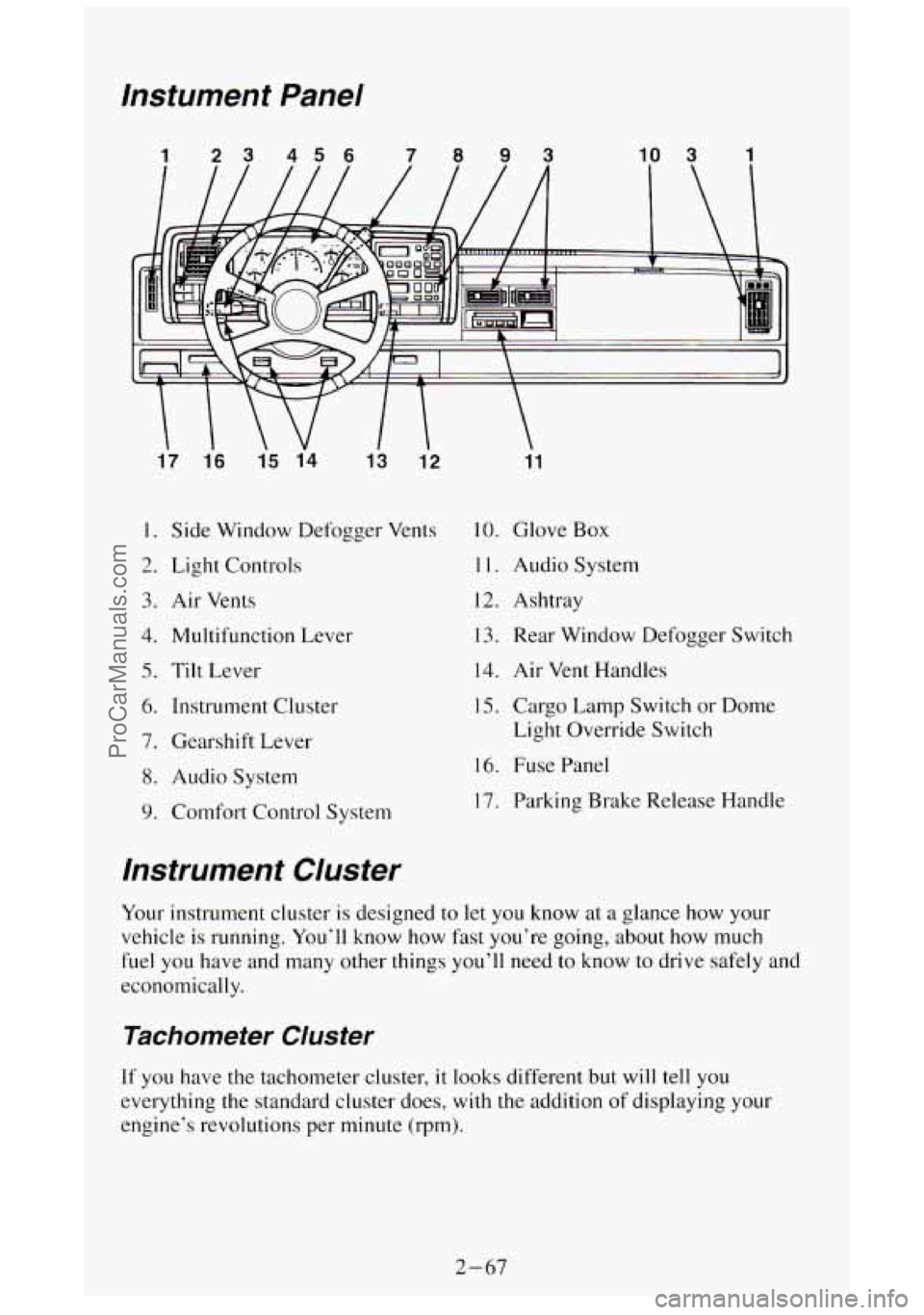
lnstument Panel
1 23 456 7093 10 3 1
17 1.6
15 14
13 12
I. Side Window Defogger Vents
2. Light Controls
3. Air Vents
4. Multifunction Lever
5. Tilt Lever
6. Instrument Cluster
7. Gearshift Lever
8. Audio System
9. Comfort Control System
11
10. Glove Box
1 1. Audio System
12. Ashtray
13. Rear Window Defogger Switch
14. Air Vent Handles
15. Cargo Lamp Switch or Dome
Light Override Switch
16. Fuse Panel
17. Parking Brake Release Handle
lnstrument Cluster
Your instrument cluster is designed to let you know at a glance how your
vehicle is running. You’ll know
how fast you’re going, about how much
fuel you have and many other things you’ll need
to know to drive safely and
economically.
Tachometer Cluster
If you have the tachometer cluster, it looks different but will tell you
everything the standard cluster does, with
the addition of displaying your
engine’s revolutions per minute (rpm).
2-67
ProCarManuals.com
Page 130 of 404
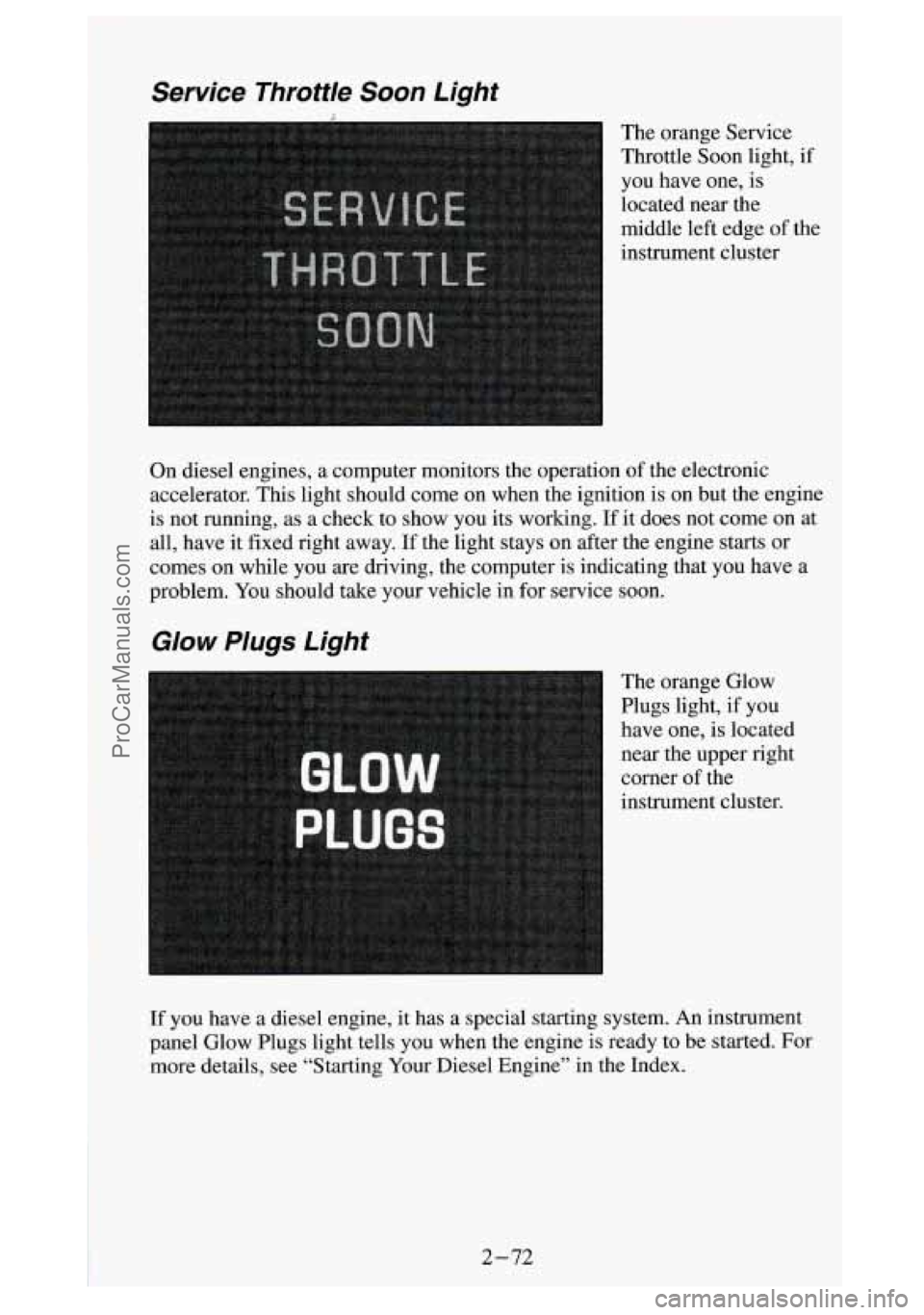
Service Throttle Soon Light
The orange Service
Throttle Soon light,
if
you have one, is
located near the
middle left edge of the
instrument cluster
On diesel engines, a computer monitors the operation of the electronic
accelerator. This light should come on when the ignition is on but the engine
is not running, as a check to show you its working.
If it does not come on at
all, have it fixed right away. If the light stays on after the engine starts or
comes on while you are driving, the computer is indicating that you have a
problem. You should take your vehicle in for service soon.
Glow Plugs Light
The orange Glow
Plugs light, if you
have one, is located
near the upper right
corner
of the
instrument cluster.
If you have a diesel engine,
it has a special starting system. An instrument
panel Glow Plugs light tells you when the engine is ready
to be started. For
more details, see “Starting Your Diesel Engine” in the Index.
2-72
~. . ProCarManuals.com
Page 145 of 404

Air Vents
If your vehicle does not have air conditioning, there are air vents be\
low the
instrument panel.
- Use the handles below
your steering wheel,
with the vent symbols
on them, to open and
close the vents.
If your vehicle has air
conditioning, you will
find air vents in the center and on the sides
of your instrument
panel.
You can move the vents grilles from side to side or up and down to direct
the flow of air,
or close the vents altogether.
When you close a vent, it will increase the flow of air coming out of any
vents that are open.
3-3
ProCarManuals.com
Page 147 of 404
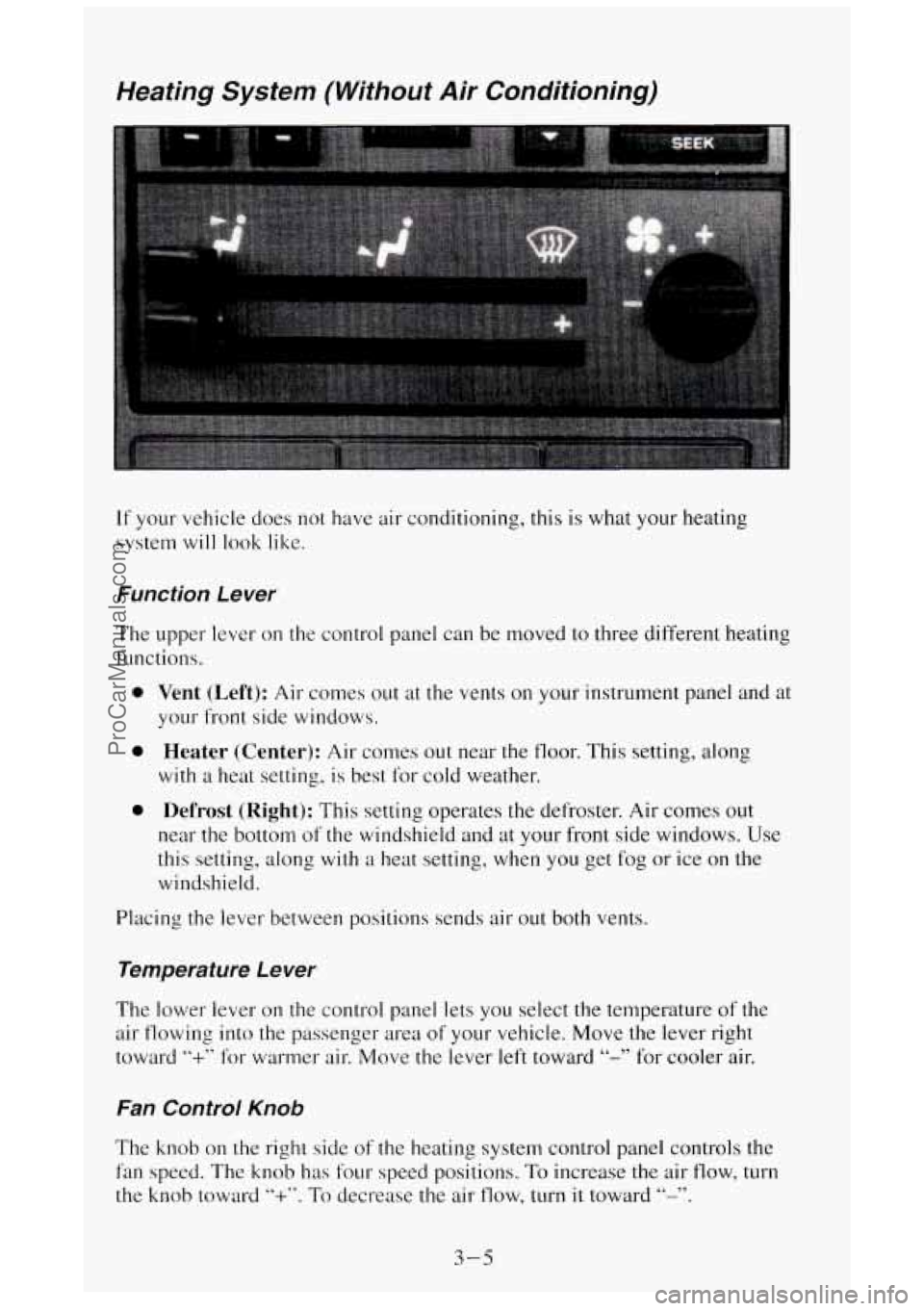
Weating System (Without Air Conditioning)
If your vehicle does not have air conditioning, this is what your heating
system
will look like.
Function Le wer
The upper lever on the control panel can be moved to three different heating
functions.
0
0
0
Vent (Left): Air comes out at the vents on your instrument panel and at
your front side windows.
Heater (Center): Air comes out near the floor. This setting, along
with a heat setting, is best for cold weather.
Defrost (Right): This setting operates the defroster. Air comes out
near the bottom of the windshield and at your front side windows. Use
this setting, along
with a heat setting, when you get fog or ice on the
windshield.
Placing the lever between positions sends air out both vents.
Temperature Le wer
The lower lever on the control panel lets you select the temperature of the
air flowing into the passenger area
of your vehicle. Move the lever right
toward
“+” for warmer air. Move the lever left toward “-” for cooler air.
Fan Control Knob
The knob on the right side of the heating system control panel controls the
fan speed. The knob has four speed positions. To increase the air flow, turn
the knob toward
“+”. To decrease the air flow, turn it toward “-”.
3-5
ProCarManuals.com
Page 149 of 404
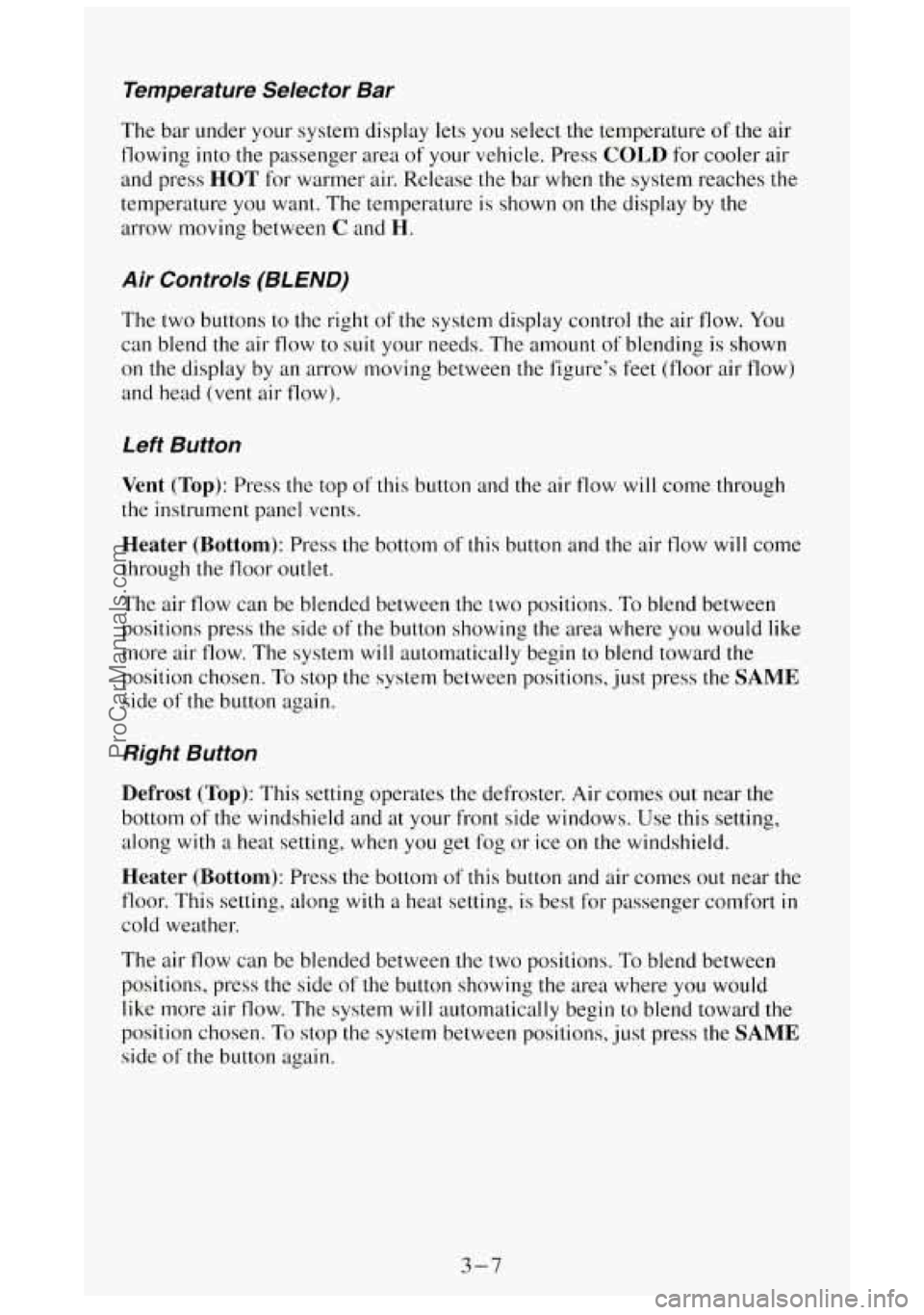
Temperature Selector Bar
The bar under your system display lets you select the temperature of the air
flowing into the passenger area
of your vehicle. Press COLD for cooler air
and press
HOT for warmer air. Release the bar when the system reaches the
temperature you want. The temperature is shown on
the display by the
arrow moving between
C and H.
Air Controls (BLEND)
The two buttons to the right of the system display control the air flow. You
can blend the air flow to suit your needs. The amount
of blending is shown
on the display by an arrow moving between the figure’s feet (floor air flow)
and head (vent air flow).
Left Button
Vent (Top): Press the top of this button and the air flow will come through
the instrument panel vents.
Heater (Bottom): Press the bottom of this button and the air flow will come
through the floor outlet.
The air flow can be blended between the two positions. To blend between
positions press the side of
the button showing the area where you would like
more air flow. The system will automatically begin to blend toward the
position chosen. To stop the system between positions, just press the
SAME
side of the button again.
Right Button
Defrost (Top): This setting operates the defroster. Air comes out near the
bottom
of the windshield and at your front side windows. Use this setting,
along
with a heat setting, when you get fog or ice on the windshield.
Heater (Bottom): Press the bottom of this button and air comes out near the
floor. This setting, along with
a heat setting, is best for passenger comfort in
cold weather.
The air flow can be blended between
the two positions. To blend between
positions, press the side
of the button showing the area where you would
like more air flow. The system
will automatically begin to blend toward the
position chosen. To stop the system between positions, just press the
SAME
side of the button again.
3-7
ProCarManuals.com
Page 150 of 404
A/C Button
Press the button marked A/C to turn your air conditioner on and off. The
A/C symbol will light on your display and air will come out of your
instrument panel vents. The fan
will automatically be set on LOW.
When you press the A/C button to turn the air conditioner off, the system
will operate in the
vent mode. When you turn the air conditioner back on,
the system will operate
in the mode that you last selectcd unless the OFF
button was pressed.
MAX Button
If you press the MAX button, the air in your vehicle will be recirculated.
With the air conditioner on,
MAX will give you maximum cooling. It can
also be used
in all modes to help keep dust out of your vchicle. When MAX
is selected, REC will light on your display.
If your air conditioner develops high system pressure, it will automatically
go into the
MAX mode and REC will light on your display. The A/C
system will remain in the MAX mode, even if you press the MAX button,
until system pressure returns
to a normal level.
Fan Control Button
This button is in the upper right corner of your system control panel. The
fan has four settings
- low, medium low, medium high and high. Press the
top of the button
“+” to increase the air flow. Press the bottom of the button
“-” to decrease the air flow. The setting you select is shown on your display
as LOW, MED LOW, MED HI or HI.
OFF Button
Press this button to turn the air conditioning/heating system off. Pressing
OFF will erase the present mode of operation from the system’s memory.
Outside air will still come out of
the heater outlet whenever the vehicle is
moving forward.
If the OFF button was pressed, you must press A/C, MAX, or one of the
BLEND buttons for the system to come back on.
Rear Window Defogger
You can tell if your vehicle has this option by looking at the rear window. If
you see lines running across the glass, you have it. These are the conductive
wire-like elements which heat your window.
3-8
ProCarManuals.com
Page 151 of 404
I NOTICE:
Scraping the inside of your rear window could cut and damage
the defogger. Your warranty would not cover this damage. And,
don’t put decals there, you might have to scrape them
off.
For best results, clear the window of as much snow or ice as possible first.
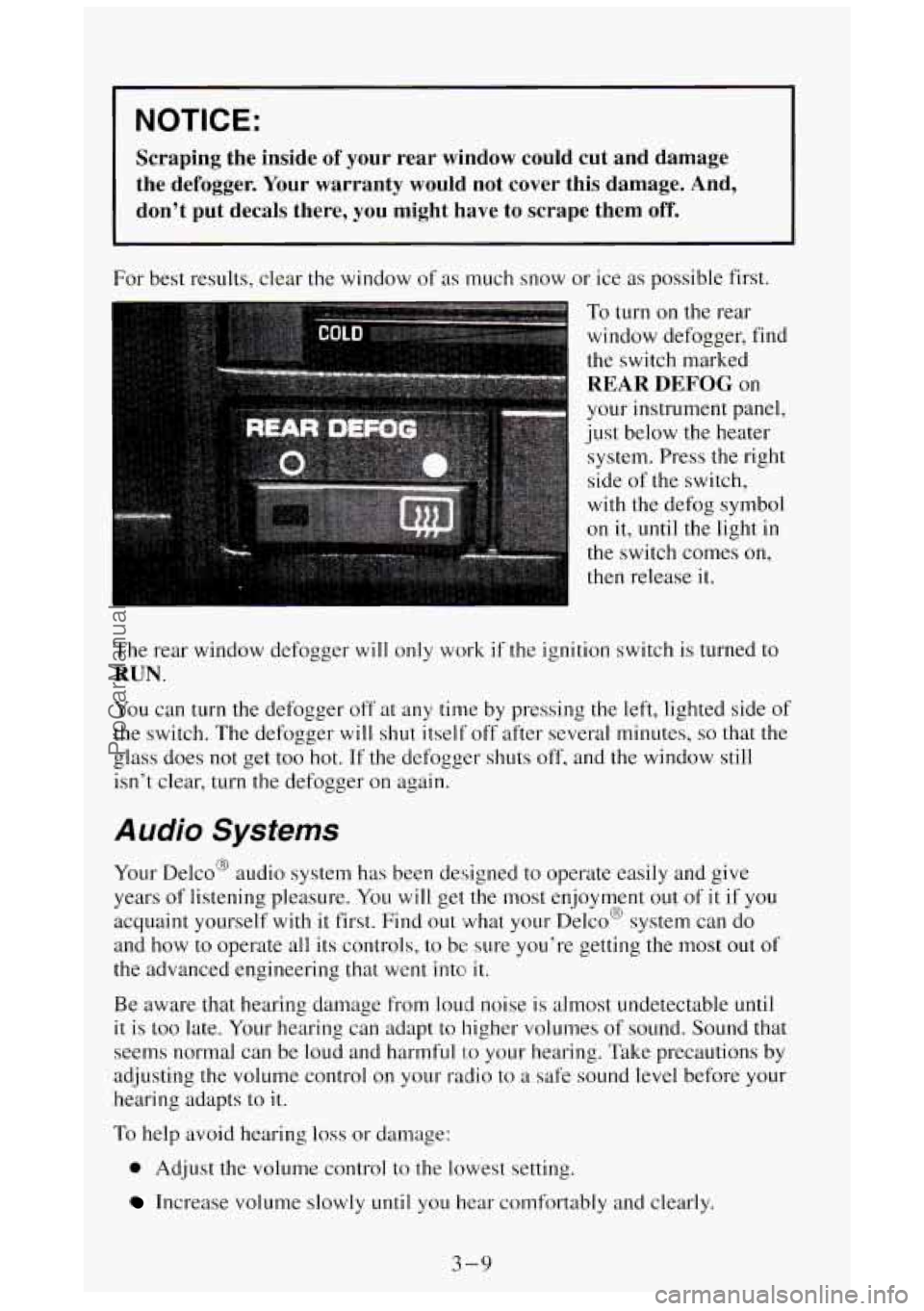
To turn on the rear
window defogger, find
the switch marked
REAR DEFOG on
your instrument panel,
just below the heater
system. Press the right
side
of the switch,
with the defog symbol
on it,
until the light in
the switch comes on,
then release
it.
The rear window defogger will only work if the ignition switch is turned to
RUN.
You can turn the defogger off at any time by pressing the left, lighted side of
the switch. The defogger will shut itself off after several minutes, so that the
isn’t clear, turn
the defogger on again.
a olass does not get too hot. If the defogger shuts off, and the window still
Audio Systems
Your Delco@ audio system has been designed to operate easily and give
years of listening pleasure.
You will get the. most enjoyment out of it if you
acquaint yourself with
it first. Find out what your Delco@ system can do
and
how to operate all its controls, to be sure you’re getting the most out of
the advanced engineering that went into
it.
Be aware that hearing damage from loud noise is almost undetectable until
it is too late. Your hearing can adapt to higher volumes of sound. Sound that
seems normal can be loud and harmful
I:O your hearing. Take precautions by
adjusting the volume control
on your radio to a safe sound level before your
hearing adapts to it.
To help avoid hearing loss or damage:
0 Adjust the volume control to the lowest setting.
Increase volume slowly until you hear comfortably and clearly.
3-9
ProCarManuals.com
Page 206 of 404
Before you start, check the trailer hitch and platform, safety chains,
electrical connector, lights, tires and mirror adjustment. If the trailer has
electric brakes, start your
vehicle and trailer moving and then apply the
trailer brake controller by hand to be sure the brakes are working. This lets
you check your electrical connection at
the same time.
During your trip, check occasionally to be sure that the load is secure, and
that the lights and any trailer brakes are still working.
Following Distance
Stay at least twice as far behind the vehicle ahead as you would when
driving your vehicle without a trailer. This can help
you avoid situations that
require heavy braking and sudden turns.
Passing
You’ll need more passing distance up ahead when you’re towing a trailer.
And, because you’re a good deal longer, you’ll need to
go much farther
beyond the passed vehicle before
you can return to your lane.
Backing Up
Hold the bottom of the steering wheel with one hand. Then, to move the
trailer to the left, just move that hand to the
left. To move the trailer to the
right, move your hand to
the right. Always back up slowly and, if possible?
have someone guide you.
Making Turns
When you’re turning with a trailer, make wider turns than normal. Do this
so your trailer won’t strike soft shoulders, curbs, road signs, trees, or other
objects. Avoid jerky or sudden maneuvers. Signal well in advance.
Turn Signals When Towing a Trailer
When you tow a trailer, your vehicle has to have a different turn signal
flasher and extra wiring. The green arrows
on your instrument panel will
flash whenever you signal a turn or lane change. Properly hooked up, the
trailer lights will also flash, telling other drivers you’re about to turn,
change lanes or stop.
When towing a trailer, the green arrows on your instrument panel will flash
for turns even if the bulbs
on the trailer are burned out. Thus, you may think
drivers behind you are seeing your signal when
they are not. It’s important
to check occasionally
to be sure the trailer bulbs are still working.
4-42
ProCarManuals.com
Page 219 of 404
,ngine Overheating
You will find a coolant temperature gage on your vehicle instrument panel.
If you have a diesel engine, you will also find a low coolant light on your
instrument panel.
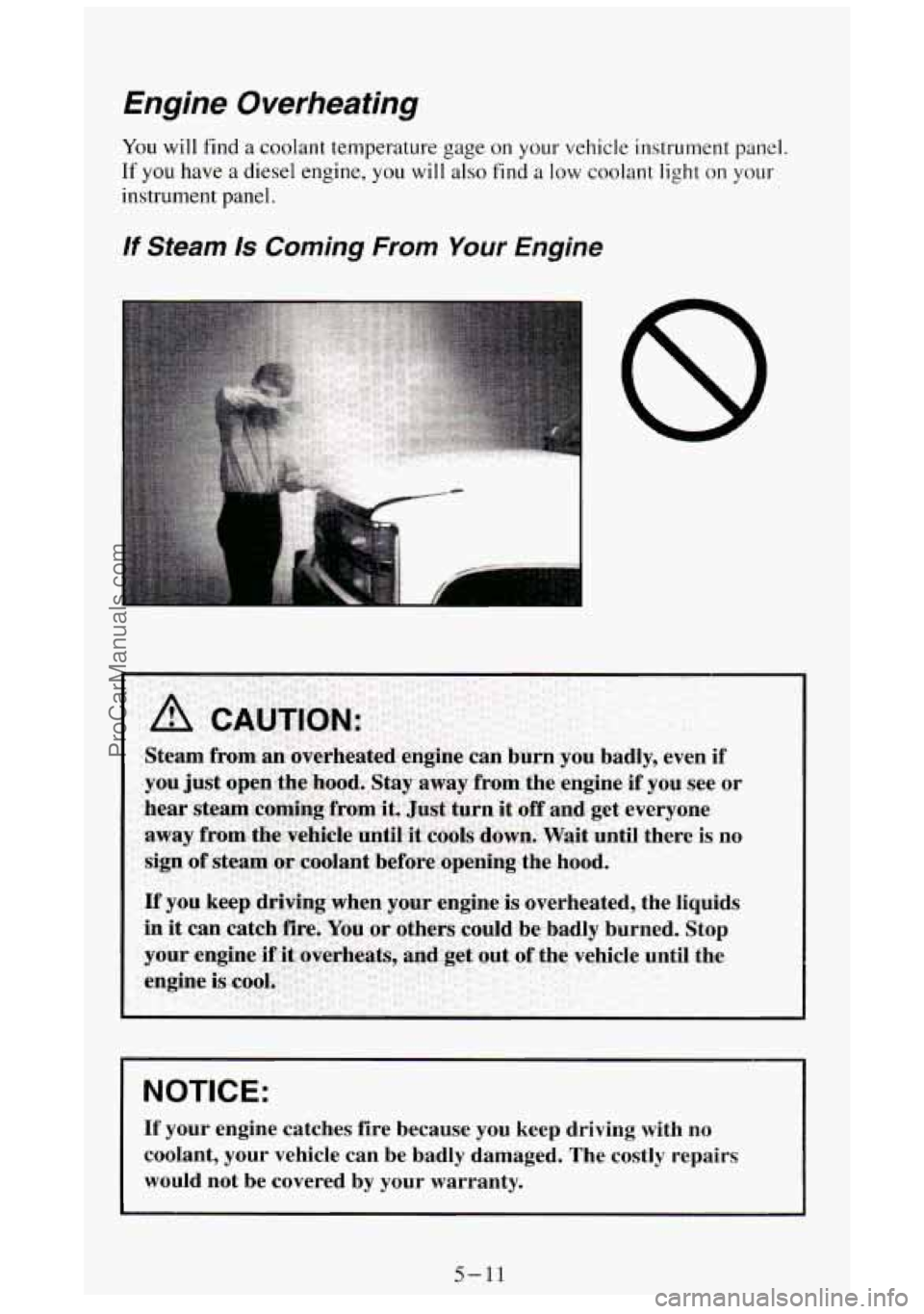
If Steam 1s Coming From Your Engine
NOTICE:
If your engine catches fire because you keep driving with no
coolant, your vehicle can be badly damaged. The costly repairs
would not be covered by your warranty.
5-11
ProCarManuals.com
Page 313 of 404
Trailer Wiring Harness
The optional seven-wire trailer wiring harness is protected by an in-line
fuse
in the battery feed wire. This fuse is near the junction block. See
“Trailer Wiring Harness”
in the Index for more information.
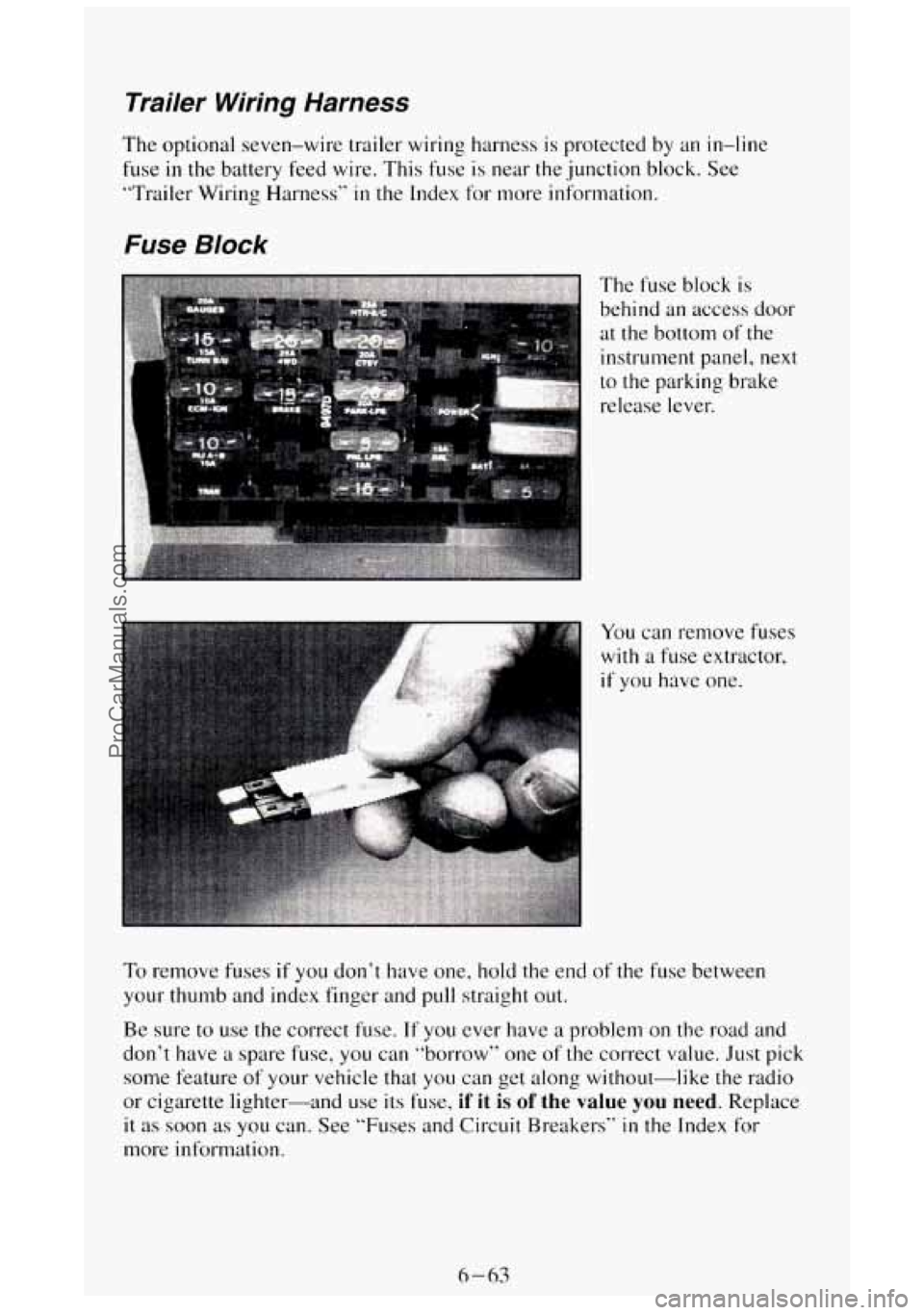
Fuse Block
The fuse block is
behind an access door
at the bottom of the
instrument panel,
next
to the parking brake
release lever.
To remove fuses if you don’t have one, hold the end of the fuse between
your thumb and index finger and pull straight out.
Be, sure to use the correct fuse.
If you ever have a problem on the road and
don’t have a spare fuse, you can “borrow” one of the correct value. Just pick
some feature
of your vehicle that you can get along without-like the radio
or cigarette lighter--and use
its fuse, if it is of the value you need. Replace
it as soon as you can. See “Fuses and Circuit Breakers“ in the Index for
more information.
6-63
ProCarManuals.com