light GMC SIERRA 1994 Owner's Manual
[x] Cancel search | Manufacturer: GMC, Model Year: 1994, Model line: SIERRA, Model: GMC SIERRA 1994Pages: 404, PDF Size: 20.91 MB
Page 109 of 404
Dome Lights
The dome lights will come on when you open the doors. You can also turn
the dome lights
on by turning the interior light dimmer dial all they way up
until it clicks.
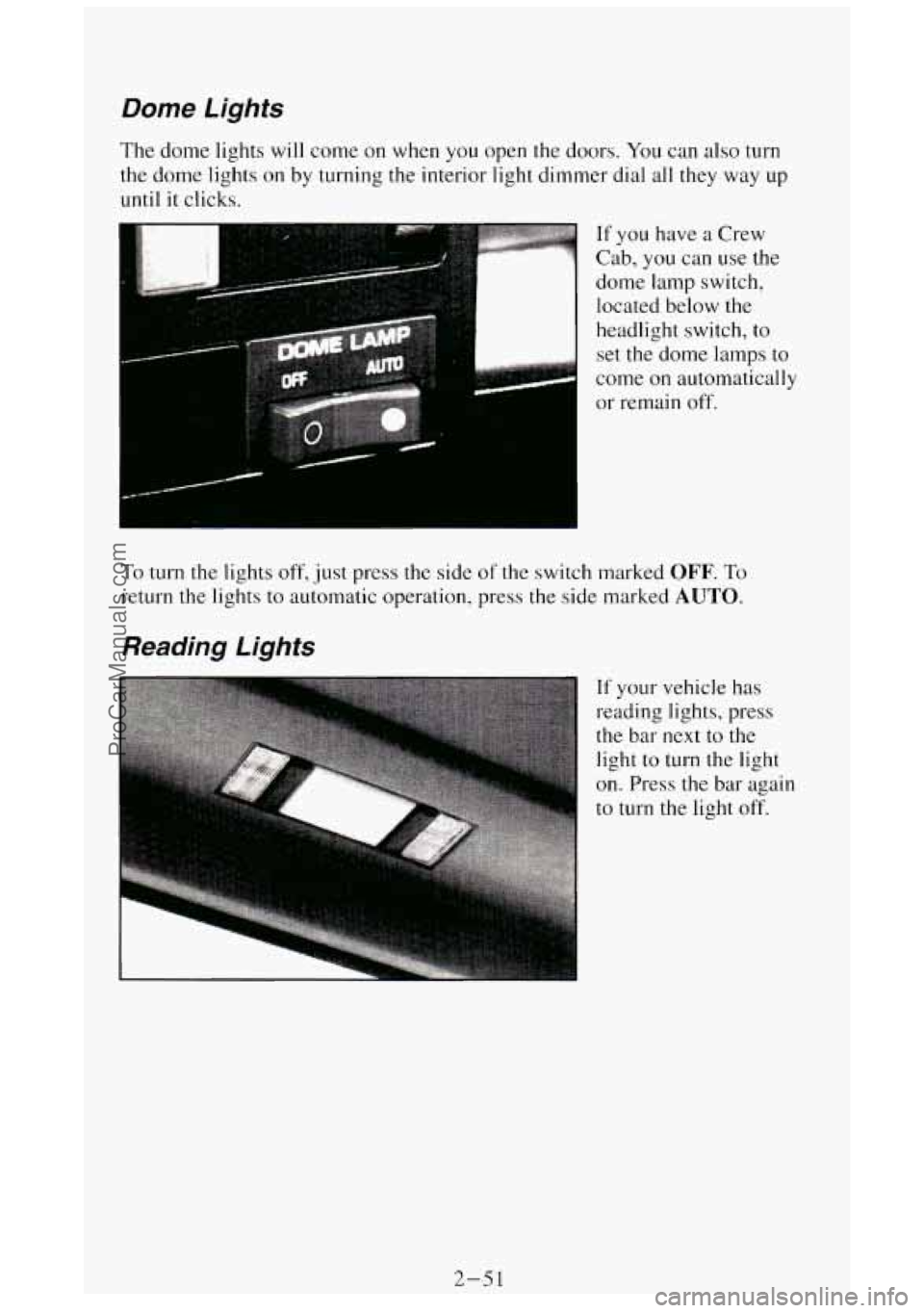
If you have a Crew
Cab, you can use the
dome- lamp switch,
located below the
headlight switch,
to
set the dome lamps to
come on automatically
or remain
off.
To turn the lights off, just press the side of the switch marked OFF. To
return the lights to automatic operation, press the side marked AUTO.
Reading Lights
If your vehicle has
reading lights, press
the bar
next to the
light
to turn the light
on. Press the bar again
to turn the light
off.
2-51
ProCarManuals.com
Page 110 of 404
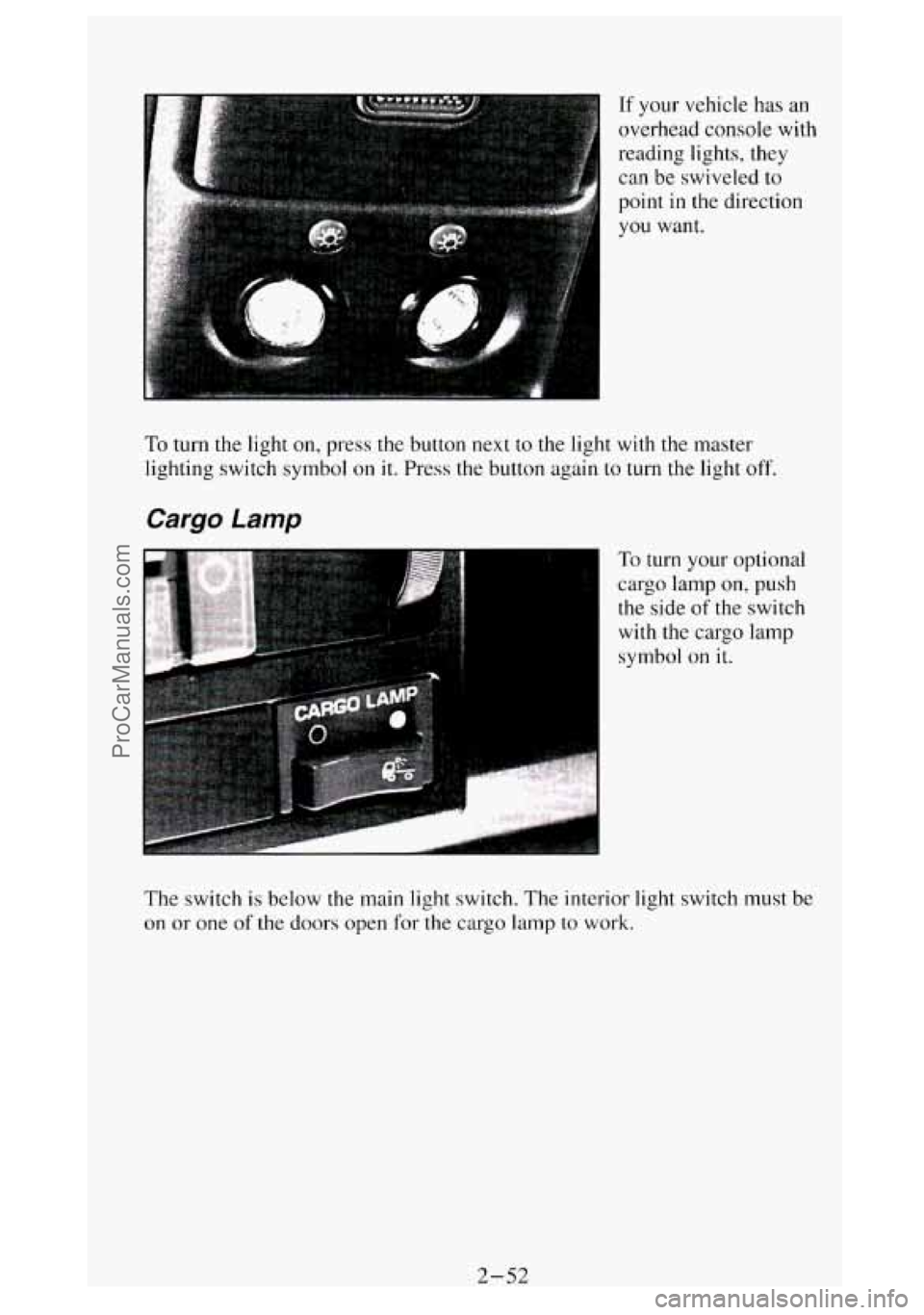
If your vehicle has an
overhead console with
reading lights, they
can be swiveled to
point
in the direction
you want.
To turn the light on, press the button next to the light with the master
lighting switch symbol on it. Press the button again
to turn the light off.
Cargo Lamp
To turn your optional
cargo lamp on,
push
the side of the switch
with the cargo lamp
symbol on it.
The switch is below the main light switch. The interior light switch
must be
on or one of the doors open for the cargo lamp to work.
2-52
ProCarManuals.com
Page 111 of 404
Underhood Reel Light
... .
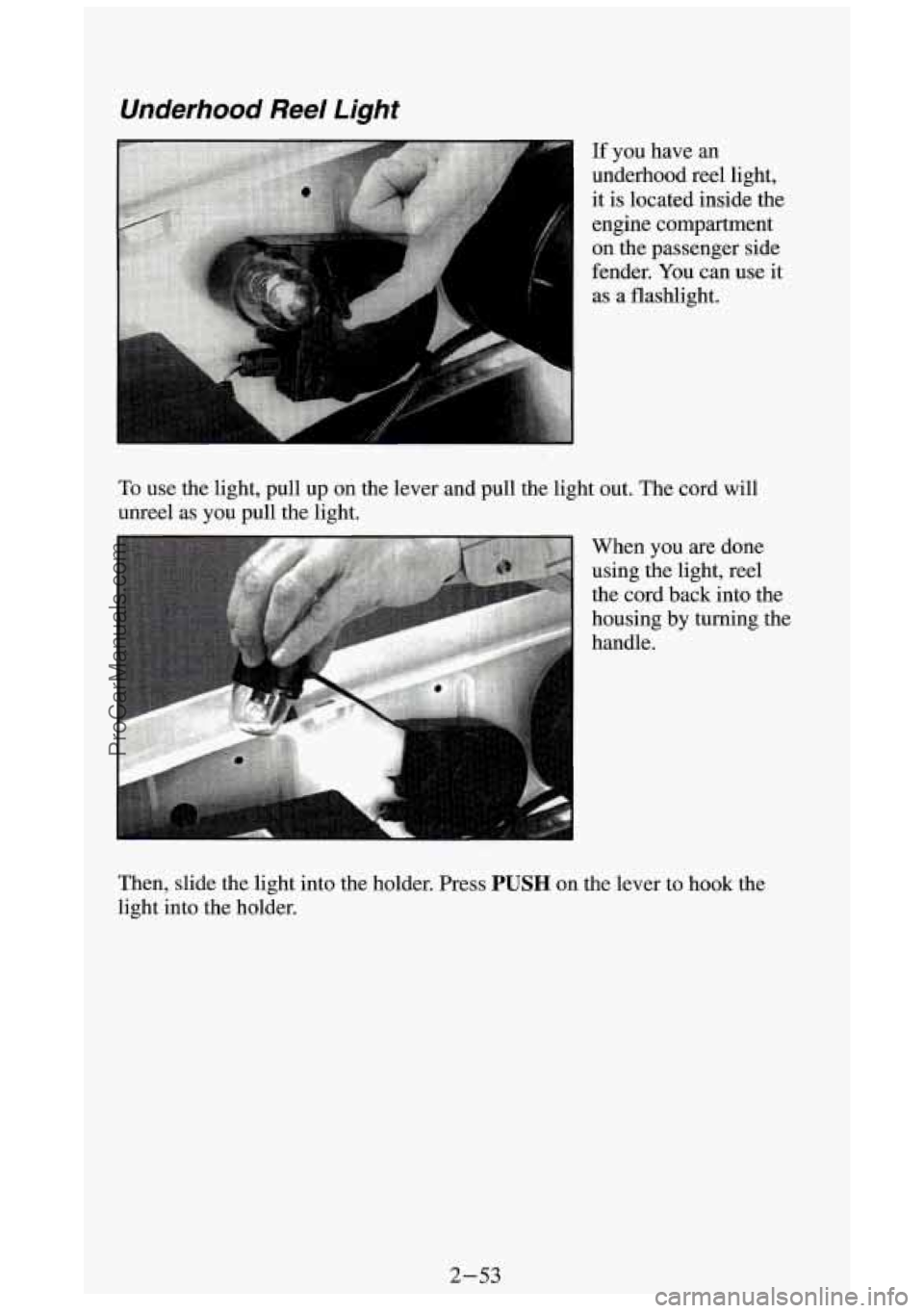
If you have an
underhood reel light,
it is located inside the
engine compartment
on the passenger side
fender. You can use
it
as a flashlight.
To use the light, pull up on the lever and pull the light out. The cord will
unreel as
you pull the light.
When you are done
using the light, reel
the cord back into the
housing by turning the
handle.
Then, slide the light into the holder. Press
PUSH on the lever to hook the
light into the holder.
2-53
ProCarManuals.com
Page 112 of 404
Mirrors
Inside Mirror
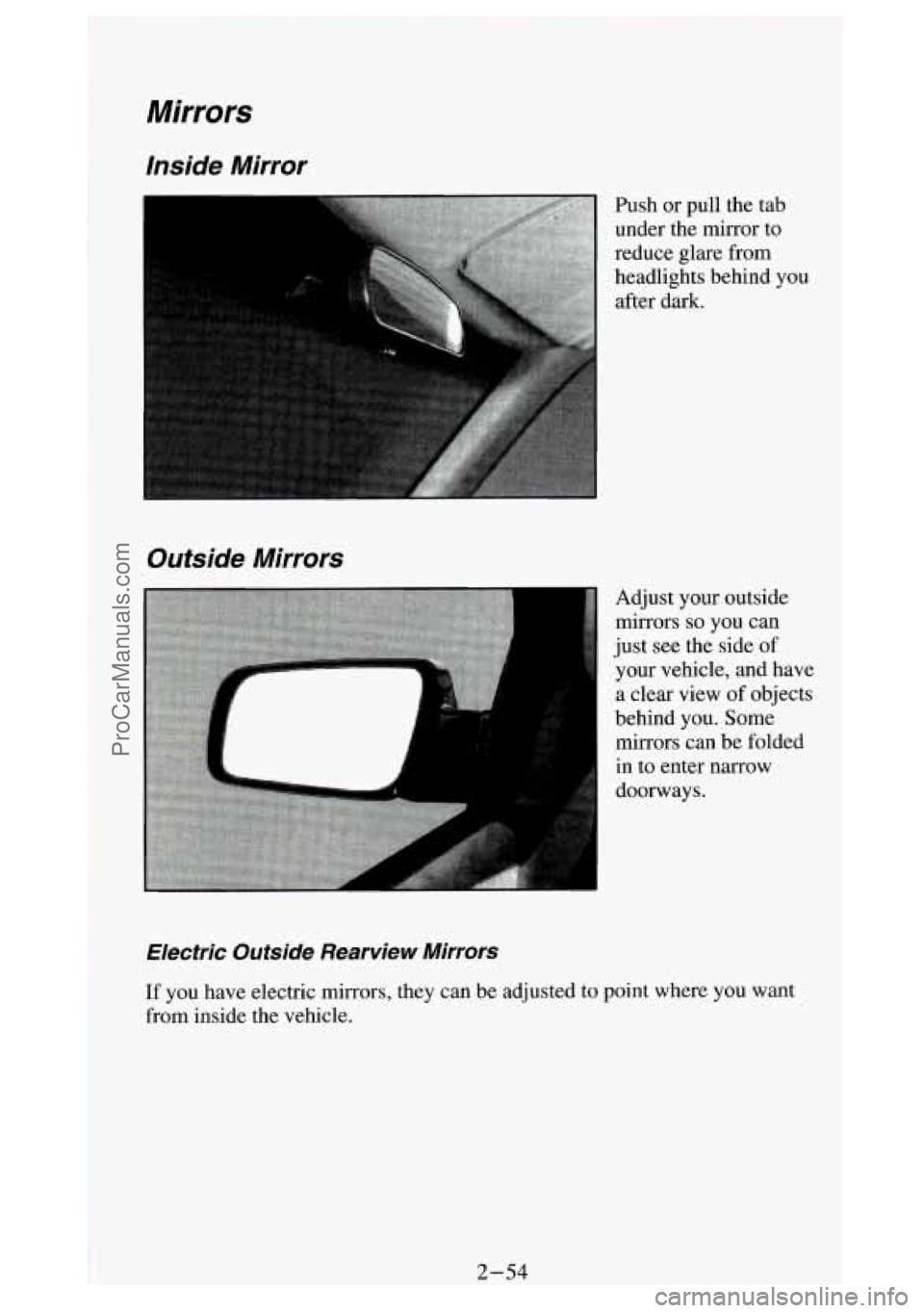
Push or pull the tab
under the mirror to
reduce glare from
headlights behind you
after dark.
Outside Mirrors
1
Electric Outside Rearwie w Mirrors
Adjust your outside
mirrors
so you can
just see the side of
your vehicle, and have
a clear view
of objects
behind you. Some
mirrors can be folded
in to enter narrow
doorways.
If you have electric mirrors, they can be adjusted to point where you want
from inside the vehicle.
ProCarManuals.com
Page 114 of 404
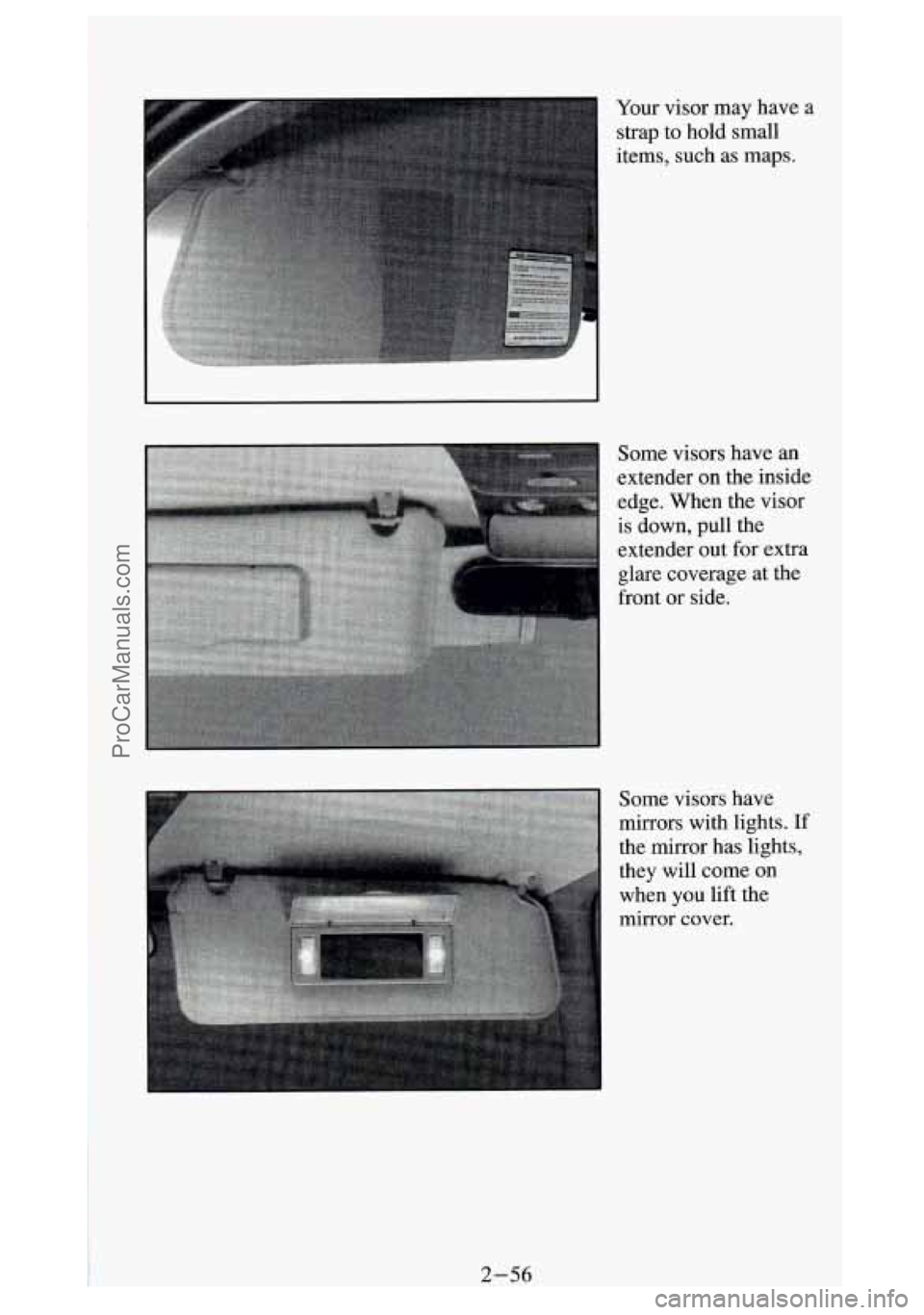
Your visor may have a
strap to hold small
items, such as maps.
Some visors have an
extender on the inside
edge. When
the visor
is down, pull the
extender out for extra
glare coverage at the
front
or side.
Some visors have
mirrors with lights.
If
the &or has lights,
they will come
on
when you lift the
mirror cover.
ProCarManuals.com
Page 115 of 404
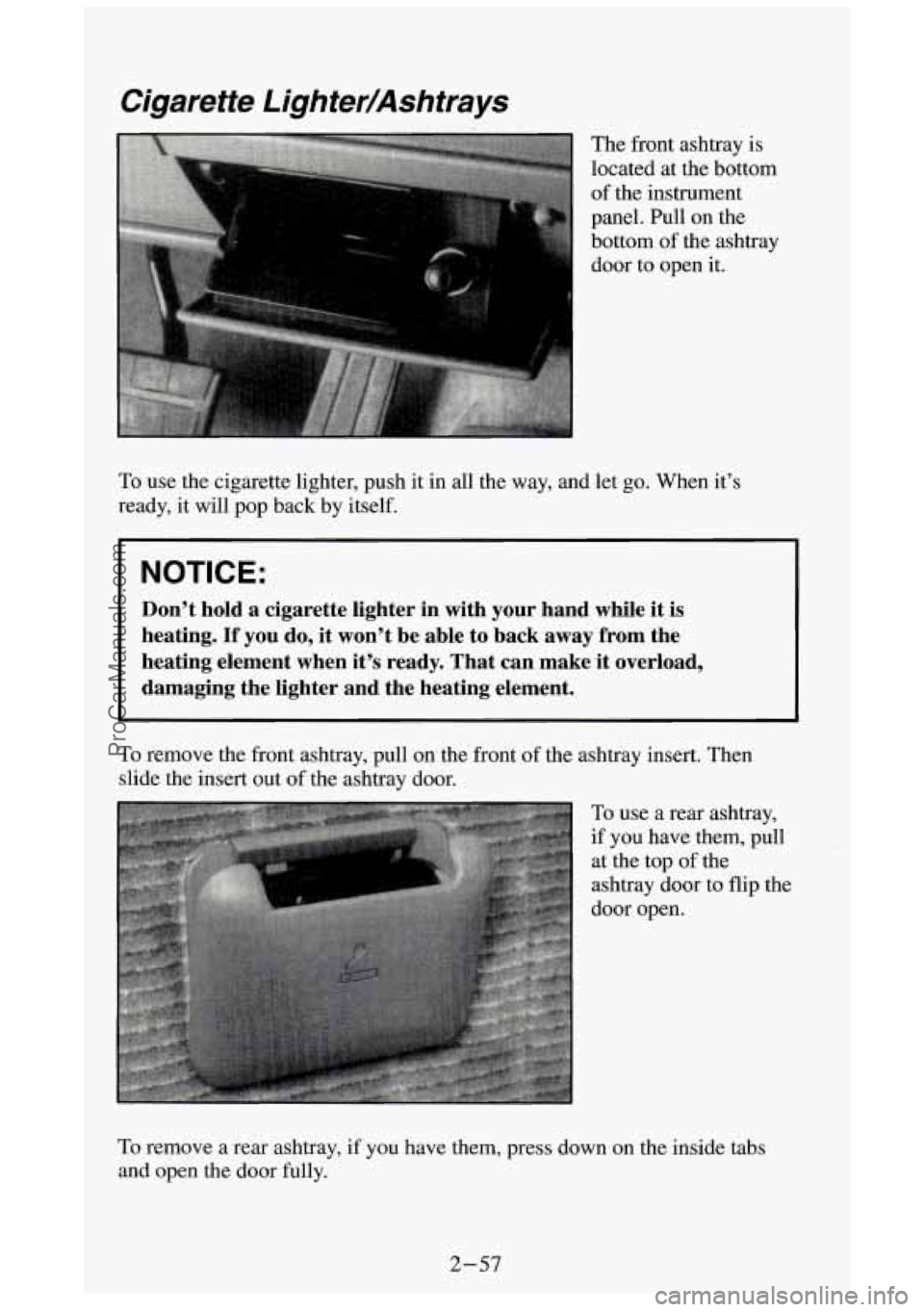
Cigarette Lighter/Ashtrays
The front ashtray is
located at the bottom
of the instrument
panel. Pull on the
bottom of the ashtray
door to open it.
To use the cigarette lighter, push it in all the way, and let go. When it’s
ready, it will pop back by itself.
I NOTICE:
Don’t hold a cigarette lighter in with your hand while it is
heating. If you do, it won’t be able to back away from the
heating element when it’s ready. That can make it overload, \
damaging the lighter and the heating element.
To remove the front ashtray, pull on the front of the ashtray insert. Then
slide the insert out
of the ashtray door.
To use
a rear ashtray,
if you have them, pull at the top
of the
ashtray door to flip the
door open.
To remove a rear ashtray, if you have them, press down on the i\
nside tabs
and open the door fully.
2-57
ProCarManuals.com
Page 121 of 404
L
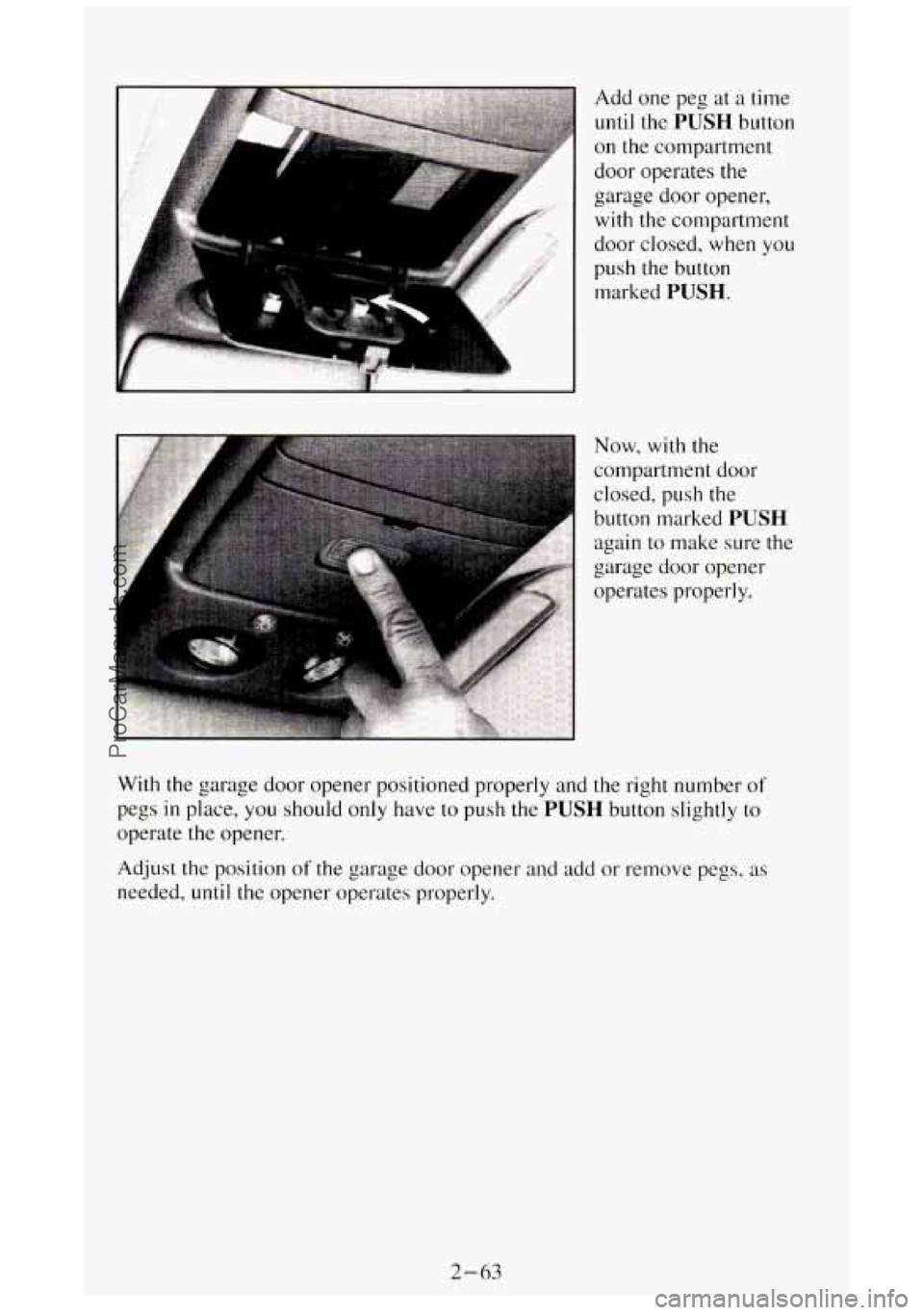
Add one peg at a time
until the PUSH button
on the compartment
door operates the
garage door opener,
with the compartment
door closed,
when you
push
the button
marked
PUSH.
Now, with the
compartment door
closed, push the
button marked
PUSH
again to make sure the
garage door opener
operates properly.
With the garage door opener positioned properly and the right number
of
pegs in place, you should only have to push the PUSH button slightly to
operate
the opener.
Adjust the position
of the garage door opener and add or remove pe,:, 0s as
needed,
until the opener operates properly.
2-63
ProCarManuals.com
Page 125 of 404
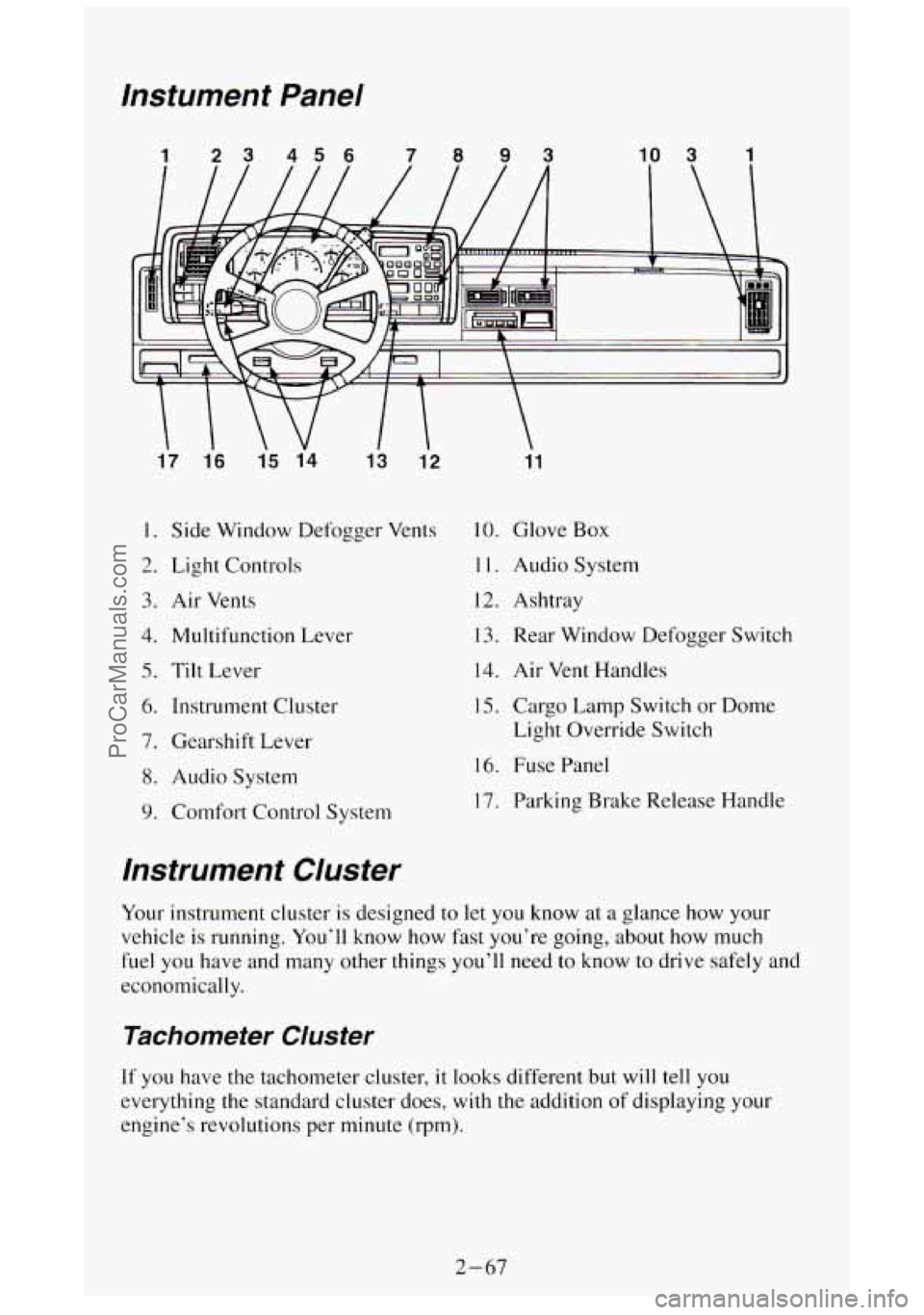
lnstument Panel
1 23 456 7093 10 3 1
17 1.6
15 14
13 12
I. Side Window Defogger Vents
2. Light Controls
3. Air Vents
4. Multifunction Lever
5. Tilt Lever
6. Instrument Cluster
7. Gearshift Lever
8. Audio System
9. Comfort Control System
11
10. Glove Box
1 1. Audio System
12. Ashtray
13. Rear Window Defogger Switch
14. Air Vent Handles
15. Cargo Lamp Switch or Dome
Light Override Switch
16. Fuse Panel
17. Parking Brake Release Handle
lnstrument Cluster
Your instrument cluster is designed to let you know at a glance how your
vehicle is running. You’ll know
how fast you’re going, about how much
fuel you have and many other things you’ll need
to know to drive safely and
economically.
Tachometer Cluster
If you have the tachometer cluster, it looks different but will tell you
everything the standard cluster does, with
the addition of displaying your
engine’s revolutions per minute (rpm).
2-67
ProCarManuals.com
Page 127 of 404

To reset the trip odometer, fully press the reset button located \
near the trip
odometer readout. If the reset button is not fully pressed, the trip odometer
may not go all the way back to zero. If it doesn’t, you may have to press the
reset button again to reset the readout to zero.
Tachometer
If you have a
tachometer, it displays
the engine speed in
revolutions per minute
(rpm).
I NOTICE:
Do not operate the engine with the tachometer in the red area\
,
your engine or other parts could be damaged.
Damage to your engine or vehicle caused by operating the
engine in the red area isn’t covered by your vehicle warranty.
Warning Lights and Indicators
This section describes the warning lights and gages that may b\
e on your
vehicle. The pictures will help you locate them.
Warning lights and gages can signal that something
is wrong before it
becomes serious enough to cause an expensive repair or replacem\
ent.
Paying attention to your warning lights and gages could also s\
ave you or
others from injury.
Warning lights go on when there may be
or is a problem with one of your
vehicle’s functions.
As you will see in the details on the next few pages,
some warning lights come on briefly when you turn the ignition\
key just to
let you know they’re working.
If you are familiar with this section, you
should not be alarmed when this happens.
2-69
ProCarManuals.com
Page 128 of 404
Gages can indicate when there may be or is a problem with one of your
vehicle’s functions. Often gages and warning lights work together to let
you
know when there’s a problem with your vehicle.
When one of the warning lights comes on and stays on when you are
driving,
or when one of the gages shows there may be a problem, check the
section that tells you what to do about
it. Please follow the manual’s advice.
Waiting
to do repairs can be costly - and even dangerous. So please get to
know your warning lights and gages. They’re
a big help.
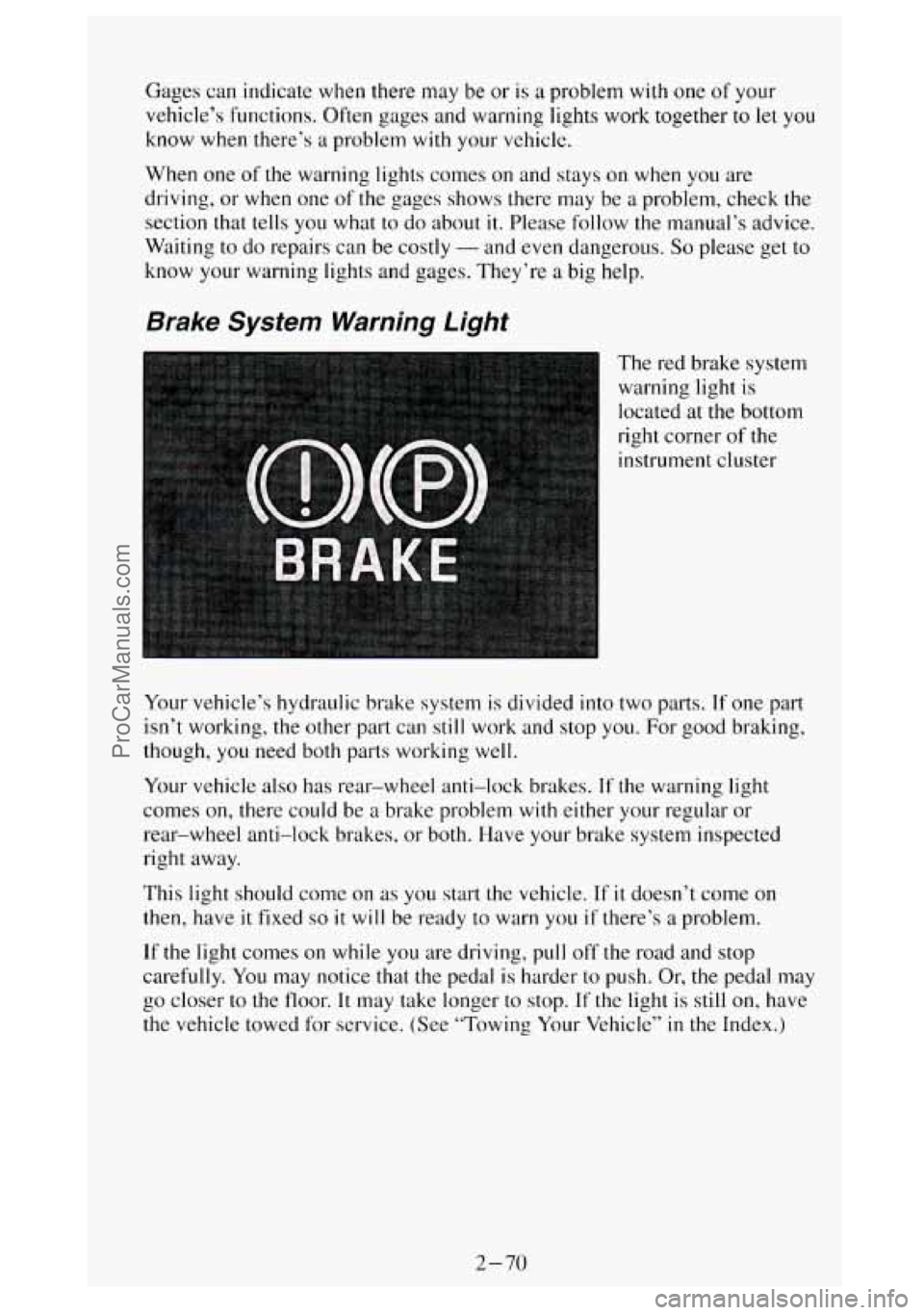
Brake System Warning Light
The red brake system
warning light is
located at the bottom
right corner
of the
instrument cluster
Your vehicle’s hydraulic brake system
is divided into two parts. If one part
isn’t working, the other part can still work and stop you. For good braking,
though, you need both parts working well.
Your vehicle also has rear-wheel anti-lock brakes.
If the warning light
comes on, there could be
a brake problem with either your regular or
rear-wheel anti-lock brakes, or both. Have your brake system inspected
right away.
This light should come on
as you start the vehicle. If it doesn’t come on
then, have it fixed so it will be ready to warn you if there’s a problem.
If the light comes on while you are driving, pull off the road and stop
carefully.
You may notice that the pedal is harder to push. Or, the pedal may
go closer
to the floor. It may take longer to stop. If the light is still on, have
the vehicle towed for service. (See “Towing Your Vehicle”
in the Index.)
2-70
ProCarManuals.com