ECO mode GMC SIERRA 1994 Owners Manual
[x] Cancel search | Manufacturer: GMC, Model Year: 1994, Model line: SIERRA, Model: GMC SIERRA 1994Pages: 404, PDF Size: 20.91 MB
Page 87 of 404
NOTICE:
Driving with the parking brake on can cause your rear brakes to
overheat. You may have
to replace them, and you could also
damage other parts of your vehicle.
If you are towing a trailer and are parking on any hill: See “Towing a
Trailer” in the Index. That section shows what to do first to keep the trailer
from moving.
Propshaft Brake Burnish Procedure
If you have a 3500 HD model, it is recommended that the propshaft
mounted parking brake be burnished
as part of the new vehicle break in.
The parking brake will work best after it has been burnished following these
instructions.
Make
10 (ten) stops, using the parking brake foot pedal, from 20 mph
(32 kdh) about
2 1/2 miles (4 km) apart. In between stops, drive the
vehicle at
20 mph (32 km/h).
Torque Lock
The parking brake should be set first whenever you leave the driver’s seat.
If you are parked on
a hill and the transmission is placed in “P” (Park)
before
the parking brake is set, the weight of the vehicle may put too much
force
on the parking pawl in the transmission. It may be difficult to pull the
selector lever out
of “P’ (Park). This is called “torque lock.” To prevent this,
the parking brake should be set
BEFORE moving the gear selector to “P’
(Park).
When preparing to move
a vehicle parked on a hill, the selector lever should
be moved out of
“P’ (Park) BEFORE releasing the parking brake. Even
when
on level surfaces, its a good idea to set the parking brake first before
shifting
the transmission from “P” (Park).
If torque lock does occur, you may have to have another vehicle nudge your
vehicle uphill a little to take some
of the pressure off the transmission while
you pull the selector lever out of “P” (Park).
2-29
ProCarManuals.com
Page 134 of 404
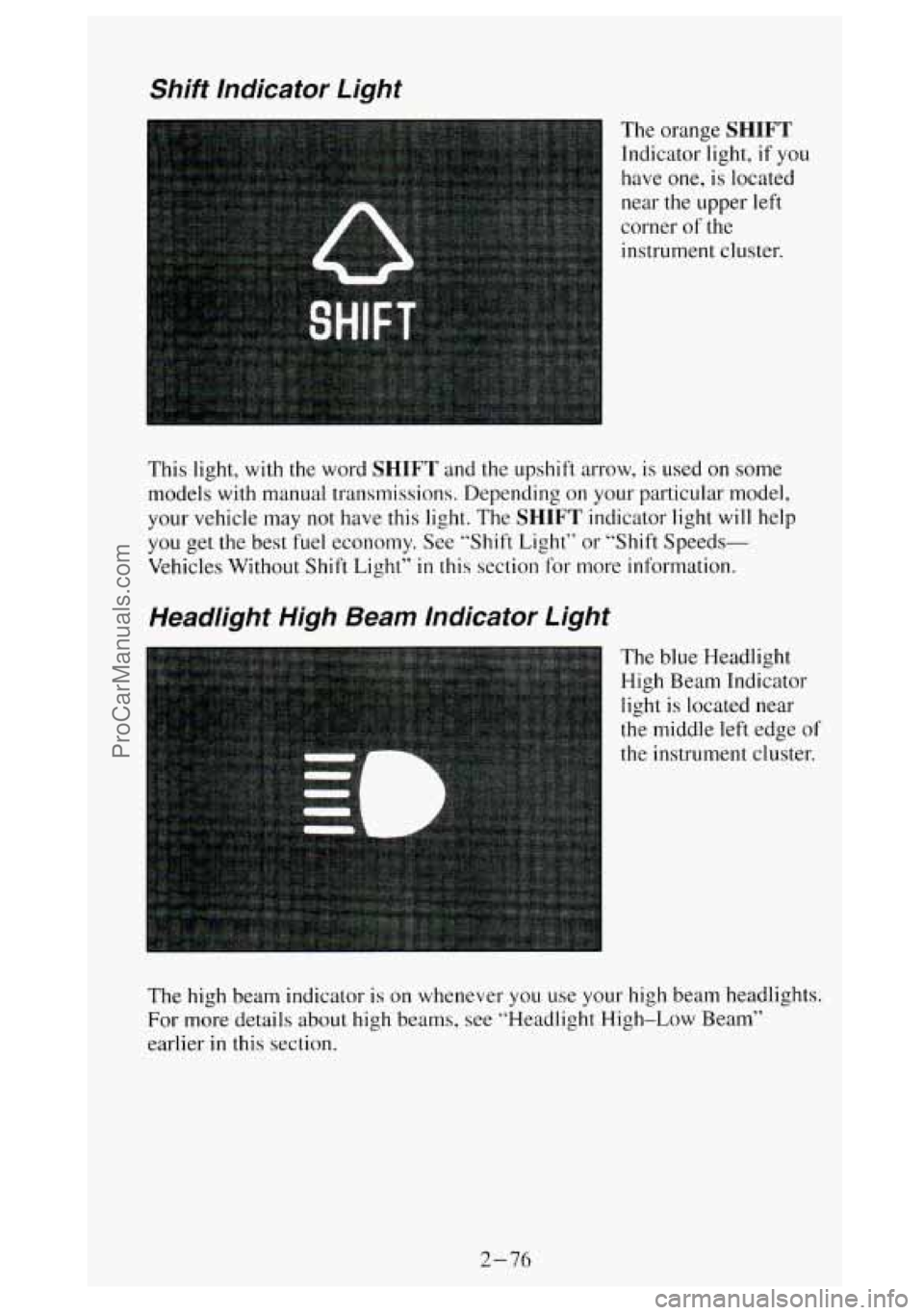
Shift Indicator Light
The orange SHIFT
Indicator light, if you
have one,
is located
near the upper left
corner of the
instrument cluster.
This light, with the word
SHIFT and the upshift arrow, is used on some
models with manual transmissions. Depending on your particular model,
your vehicle may
not have this light. The SHIFT indicator light will help
you get the best fuel economy. See “Shift Light” or “Shift Speeds-
Vehicles Without Shift Light”
in this section for more information.
Headlight High Beam Indicator Light
light is located near
the middle left edge of
the instrument cluster.
The high beam indicator
is on whenever you use your high beam headlights.
For more details about high beams, see “Headlight High-Low Beam”
earlier
in this section.
2-76
.
ProCarManuals.com
Page 154 of 404
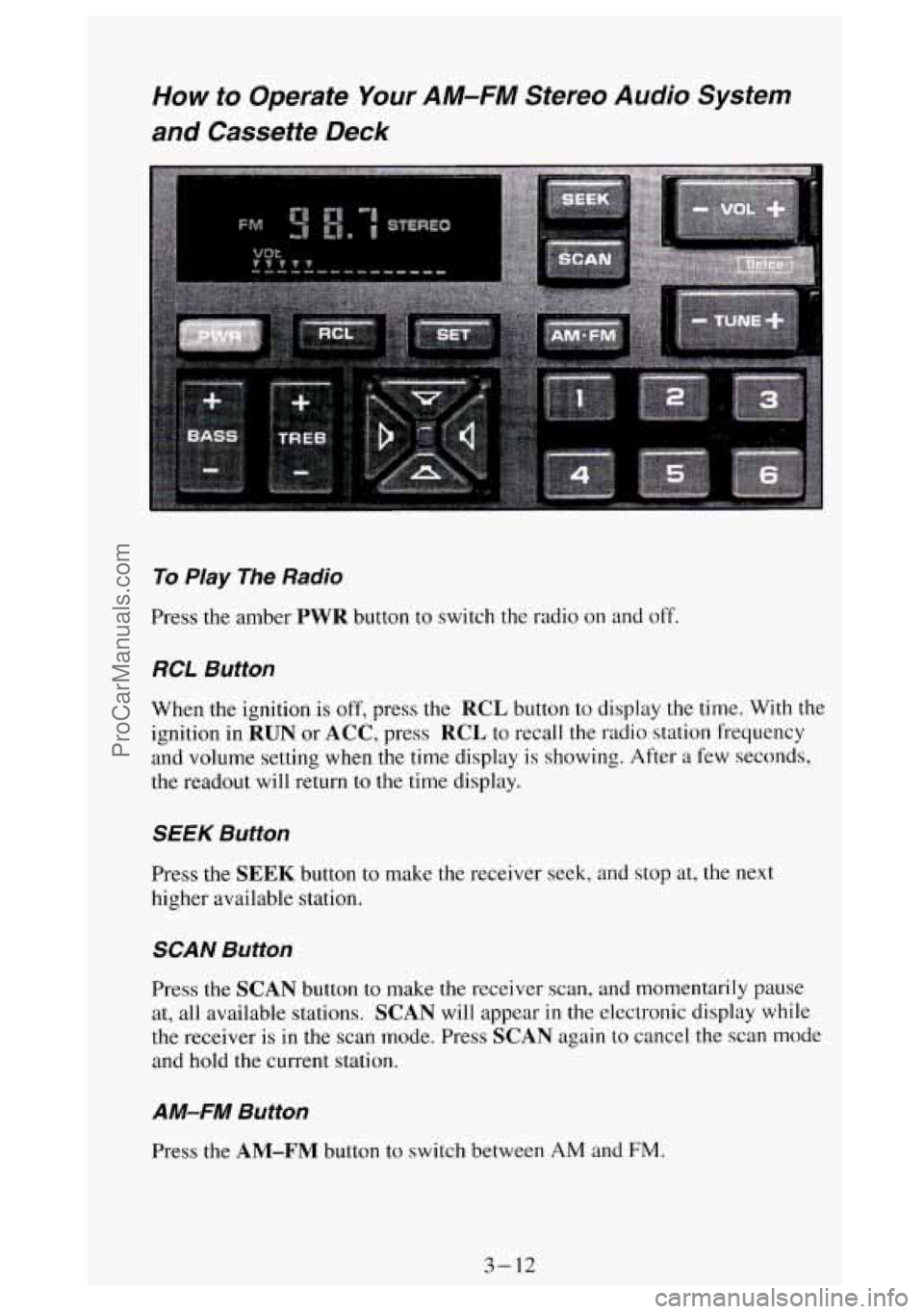
How to Operate Your AM-FM Stereo Audio System
and Cassette Deck
To Play The Radio
Press the amber PWR button to switch the radio on and off.
RCL Button
When the ignition is off, press the RCL button to display the time. With the
ignition in
RUN or ACC, press RCL to recall the radio station frequency
and volume setting when the time display is showing. After
a few seconds,
the readout will return
to the time display.
SEEK Button
Press the SEEK button to make the receiver seek, and stop at, the next
higher available station.
SCAN Button
Press the SCAN button to make the receiver scan, and momentarily pause
at, all available stations.
SCAN will appear in the electronic display while
the receiver is
in the scan mode. Press SCAN again to cancel the scan mode
and hold the current station.
AM-FM Button
Press the AM-FM button to switch between AM and FM.
3-12
ProCarManuals.com
Page 158 of 404
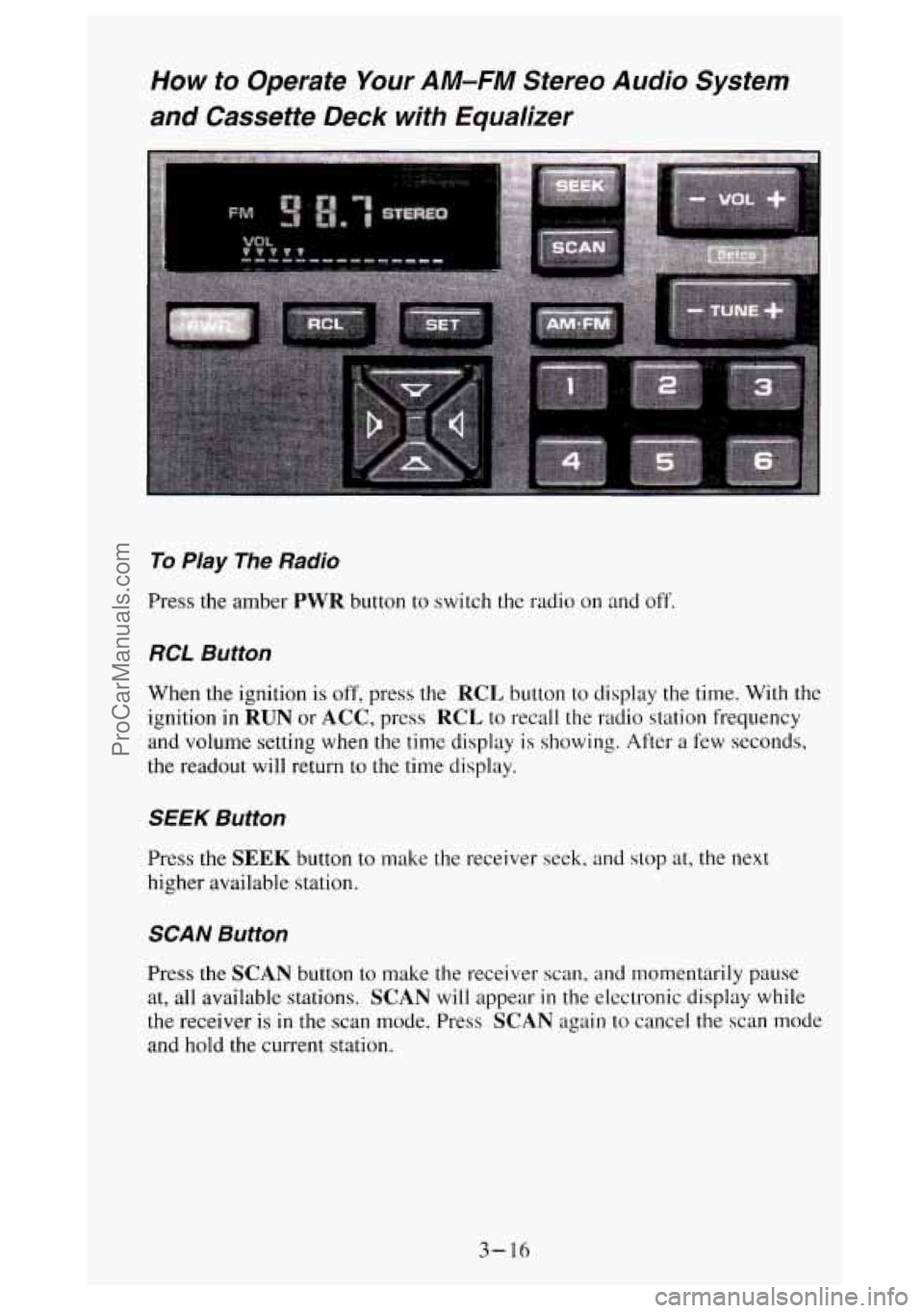
How to Operate Your AM-FM Stereo Audio System
and Cassette Deck with Equalizer
To Play The Radio
Press the amber PWR button to switch the radio on and off.
RCL Button
When the ignition is off, press the RCL button to display the time. With the
ignition
in RUN or ACC, press RCL to recall the radio station frequency
and volume setting when the time display is showing. After a few seconds,
the readout will return to
the time display.
SEEK Button
Press the SEEK button to make the receiver seek, and stop at, the next
higher available station.
SCAN Button
Press the SCAN button to make the receiver scan, and momentarily pause
at, all available stations.
SCAN will appear in the electronic display while
the receiver is
in the scan mode. Press SCAN again to cancel the scan mode
and hold the current station.
3-16
ProCarManuals.com
Page 162 of 404
SEEK Button
To search for the next selection on the tape, press the SEEK button. The
light in the
SEEK button will be lit and the player will seek the beginning
of the next selection. For the seek mode to stop at the next selection, there
must be at least a 4-second gap between selections on the tape.
REV Button
To rapidly rewind the tape, press the REV button. The light in the button
will be lit and the tape will rapidly rewind
until you press the PROG button
or press the
REV buuon again. If the beginning of the tape is reached while
in the
REV mode, play will resume on the same side of the tape.
REPT Button
Press the REPT button to repeat the currently playing selection on the tape.
For the
REPT mode to repeat a selection, there must be at least a 4-second
gap between selections
on the tape.
Care of Your Cassette Tape Player
A tape player that is not cleaned regularly can result in reduced sound
quality, ruined cassettes, or a damaged player mechanism. Cassette tapes
should be stored
in their plastic cases away from contaminants, direct
sunlight, and extreme heat.
If they aren’t, they may not operate properly or
cause failure
of the tape player.
As regular maintenance, your tape player should be cleaned each month or
after every
15 hours of use. If you notice a reduction in sound quality, try a
known good cassette to see
if the tape or the tape player is at fault. If this
other cassette has no improvement
in sound quality, clean the tape player.
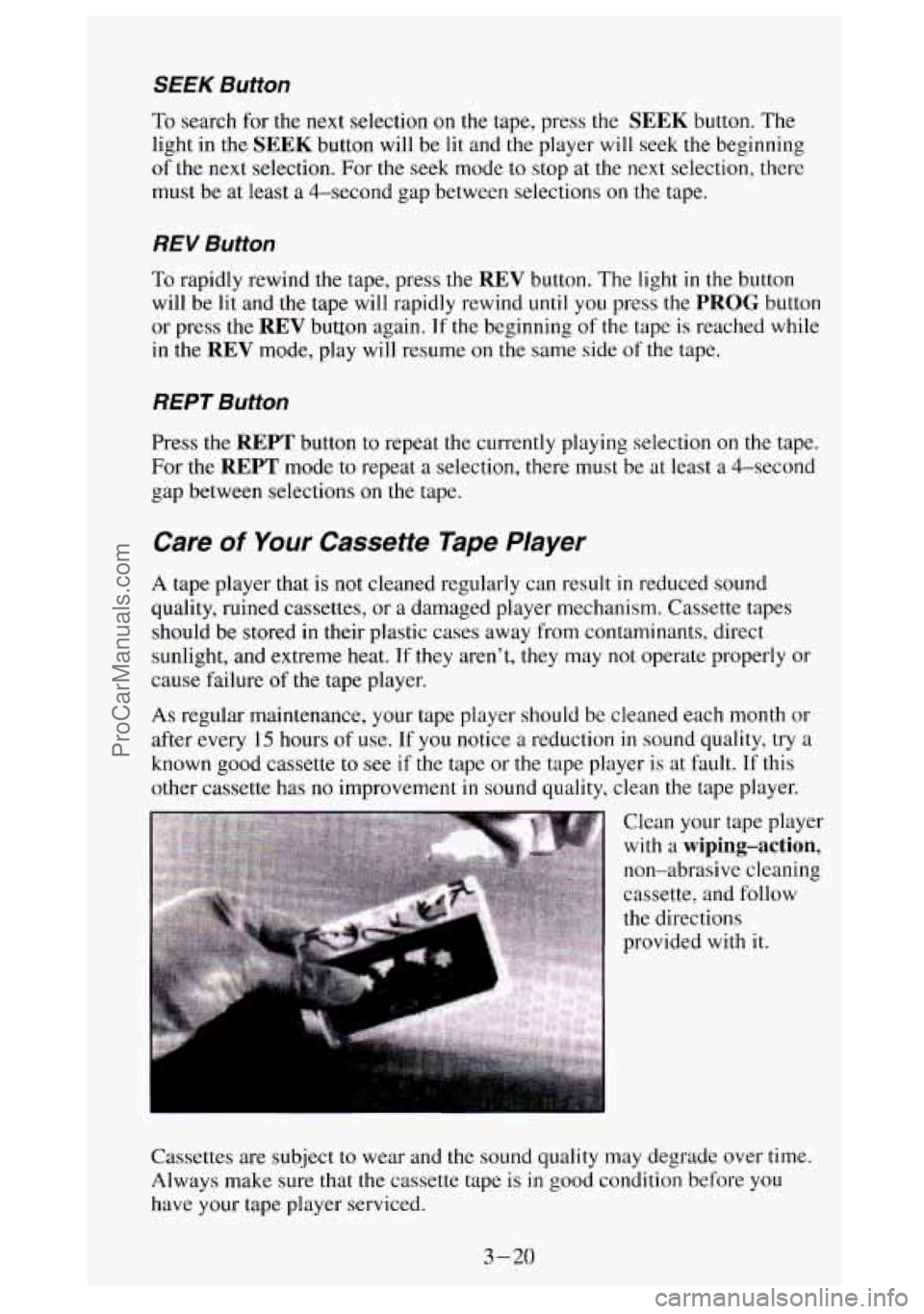
Clean your tape player with a
wiping-action,
non-abrasive cleaning
cassette, and follow
the directions
provided with
it.
Cassettes are subject to wear and the sound quality may degrade over time.
Always make sure that the cassette tape is
in good condition before you
have your tape player serviced.
3-20
ProCarManuals.com
Page 299 of 404
Brake Adjustment
Every time you make a brake stop, your disc brakes adjust for wear.
If your brake pedal goes down farther than normal, your rear drum brakes
may need adjustment. Adjust them by backing up and firmly applying
the
brakes a few times.
Replacing Brake System Parts
The braking system on a modern vehicle is complex. Its many parts have to
be of top quality and work well together if the vehicle is to have really good
braking. Vehicles we design and test have top-quality
GM brake parts in
them, as your vehicle does when it is new. When you replace parts of your
braking system
- for example, when your brake linings wear down and
you have to have new ones put
in - be sure you get new genuine GM
replacement parts. If you don’t, your brakes may no longer work properly.
For example,
if someone puts in brake linings that are wrong for your
vehicle, the balance between your front and rear brakes can change, for
the
worse. The braking performance you’ve come to expect can change in many
other ways if someone puts in the wrong replacement brake parts.
Other Maintenance Hems
Front Suspension and Steering Linkage
Your maintenance schedule will tell you how often to lubricate the fittings.
See “Recommended Fluids and Lubricants”
in the Index for the proper
lubricant to use.
Front Wheel Bearings
Your vehicle has front wheel bearings that must be cleaned and repacked.
Your maintenance schedule
will tell you how often this must be done.
Front Shock Absorbers
The front shock absorbers of your vehicle do many things. They help the
vehicle ride smoothly and also control
the travel of the suspension system.
When the shock absorbers are serviced, any replacement shock absorbers
must be
the same as the original equipment shock absorbers in both
extended length and strength.
NOTICE:
If you use shock absorbers that are not the same as the original
shock absorbers, the shock absorbers
or suspension system
could be damaged.
6-49
ProCarManuals.com
Page 343 of 404
Crankcase Capacity
ENGINE VIN QTY Without Filter*
4.3L Z 4 Quarts (3.8 Liters)
5.7L**
K 4 Quarts (3.8 Liters)
5
.OL
H 4 Quarts (3.8 Liters)
6.5L
Pt -
6.5L st -
6.5L H- -
7 .a* * N 6 Quarts (5.7 Liters)
QTY With Filter*
4.5 Quarts (4.3 Liters)
5 Quarts (4.8 Liters)
5 Quarts (4.8 Liters)
7 Quarts
(6.5 Liters)
7 Quarts (6.5 Liters)
7 Quarts (6.5 Liters)
7 Quarts (6.5 Liters)
After refill, the level MUST be checked as outlined under “\
Engine Oil And
Filter Recommendations’’ in Section
5.
*All quantities are approximate.
**Add one additional quart for C3500
HD Models.
?Oil filter should be changed at EVERY oil change.
Fuel Tank Capacity
TYPE
GasolineDiesel with Short Bed
with Long Bed
Crew Cab Standard
Chassis-Cab Models Standard (Side Tank)
Optional (Rear Tank)
3500
HD Models
Standard (Side Tank)
Optional (Rear Tank)
QUANTITY
26 Gallons (98 Liters) 34 Gallons (128 Liters)
34 Gallons (128 Liters)
23 Gallons (87 Liters)
3 1 Gallons (1 17 Liters)
23 Gallons (87 Liters)
3 1 Gallons (1 17 Liters)
All quantities are for a completely
dry tank and are approximate.
I
6-93
ProCarManuals.com
Page 368 of 404
10.
11.
12.
13.
14.
15.
16.
17.
SPARK PLUG REPLACEMENT* - Replace spark plugs with the
type listed in Section
6. See “Specification Charts” in the Index.
SPARK PLUG WIRE INSPECTION - Clean wires and inspect for
bums, cracks or other damage. Check the wire boot
fit at the distributor
and at the spark plugs. Replace wires
as needed.
-f‘A fluid loss in these systems may indicate a problem. Have them
inspected and repaired at once.
EGR SYSTEM INSPECTION* - Conduct EGR SYSTEM CHECK
as described in the Service Manual.
ELECTRONIC VACUUM REGULATOR VALVE (EVRV)
INSPECTION*
- Inspect filter for excessive contamination or
plugging. If required, clean element with
a solution of biodegradable
soap and water, let dry and reinstall element.
ENGINE TIMING CHECK AND DISTRIBUTOR CHECK
(SOME MODELS)*$
- Adjust timing to underhood label
specifications. Inspect the inside and outside of the distributor cap
and
rotor for cracks, carbon tracking and corrosion. Clean or replace as
needed.
FUEL TANK, CAP AND LINES INSPECTION*$ - Inspect the
fuel tank, cap and lines for damage or leaks. Remove
fuel cap, inspect
gasket for an even filler neck imprint, and any damage. Replace parts
as needed.
THERMOSTATICALLY CONTROLLED AIR CLEANER
INSPECTION*A
- (If so equipped.) Inspect all hoses and ducts for
proper hook-up. Be sure
the valve works properly.
SINGLE ENGINE ACCESSORY DRIVE (SERPENTINE) BELT
INSPECTION*
- Inspect belt. Look for cracks, fraying, wear, and
proper tension. Adjust or replace
as needed.
* An Emission Control Service
ANoise Emission Control Service
$The California Air Resources Board has determined that the failure to
perform this maintenance item will not nullify the emission warranty
or
limit recall liability prior to the completion of the vehicle useful life.
General Motors, however, urges that all recommended maintenance
services be performed at
the indicated intervals and the maintenance be
recorded.
7-20
ProCarManuals.com
Page 370 of 404
24. DRIVE AXLE SERVICE? - Check readfront axle fluid level and
add
as needed. Check constant velocity joints and axle seals for
leaking.
0
0
0
0
Locking differential - Drain fluid at first oil change and refill.
Check fluid level and add
as needed at subsequent oil changes. In
dusty areas, or trailer towing applications drain fluid at every
15,000 miles (24 135 kilometers) and refill.
Standard differential - Check fluid level and add as needed at
every
oil change. In dusty areas, or trailer towing applications,
drain fluid every
15,000 miles (24 I35 kilometers) and refill.
More frequent lubrication may be required on heavy-duty or
off-road use.
3500 HD Models - 3500 HD Models with applications requiring
extreme overload/trdiler tow conditions
and high speed conditions
(above 45 mph (72
kdh)) for extended periods of time must
change drive axle fluid every
3,000 miles (4828 kilometers) or 3
months, whichever comes first, OR must use 75W-140 synthetic
fluid meeting
GM specifications. See “Recommended Fluids and
Lubricants” at the end of this section for the proper fluid to use.
25.
BRAKE SYSTEM INSPECTION-f - When the engine oil is
changed, inspect the lines and hoses for proper hookup, binding, leaks,
cracks, chafing, etc. Check the parking brake adjust, and the fluid level
in the master cylinder. A low fluid level can indicate worn disc brake
pads which may need
to be serviced.
When the wheels are removed for rotation, inspect disc brake pads for
wear and rotors for surfxe condition. Also inspect drum brake linings
for wear and cracks. Inspect other brake parts, including drums, wheel
cylinders, parking brake, etc., at the same time. Remove any
rust or dirt
from the wheel and mounting surfaces before mounting the wheel.
Inspect brakes more often if driving habits or conditions result in
frequent braking.
?A fluid loss in these systems may indicate a problem. Have them
inspected and repaired at once.
7-22
ProCarManuals.com
Page 388 of 404
What You’// Find in the Index;
A list of all PSP’s published by GMC Truck in a model year. PSP’s
covering all models of GMC light trucks are listed in the same index.
Ordering information so you can buy the specific PSP’s you may want.
Price information for the PSP’s you may want to buy.
How You Can Get an Index:
Indexes are published periodically. Most of the PSP’s which could
potentially apply to the most recent GMC Truck models will be listed
in the
most recent publication for that model year. This means you may want
to
wait until the end of the model year before ordering an index, if you are
interested
in buying PSP’s pertaining to a current model year car or truck.
Some
PSP’s pertaining to a particular model year vehicle may be published in
later years, and these would be listed in the later year’s index. When you order
an index for a model year that is not over
yet, we’ll send you the most recently
published issue. Check the ordering form
for indexes for earlier model years.
Cut out the ordering form,
fill it out, and mail it in. We will then see to it
that an index is mailed to you. There is no charge for indexes for the
1939-1 994 model years.
Toll-Free Telephone Number
If you want an additional ordering form for an index or a subscription, just
call toll-free and we’ll be happy to send you one. Automated recording
equipment will take your name and mailing address. The number to call is
1-800-551-4123.
Copies at Participating Dealers
Copies of Indexes and individual PSP’s are at your participating GMC
Truck dealer.
You can ask to see them.
A Very lmportant Reminder
These PSP’s are meant for technicians. They are not meant for the
“do-it-yourselfer”. Technicians have the equipment, tools, safety
instructions, and know-how
to do a job quickly and safely.
GMC Truck reserves
the right to change these procedures without notice
after November, 1992.
GMC Truck Service Publications
You can get these Product Service Publications by using the order form. You
can also get Service Manuals and Owner Publications.
8-8
ProCarManuals.com