ignition GMC SIERRA 1995 Owner's Manual
[x] Cancel search | Manufacturer: GMC, Model Year: 1995, Model line: SIERRA, Model: GMC SIERRA 1995Pages: 488, PDF Size: 26.01 MB
Page 116 of 488
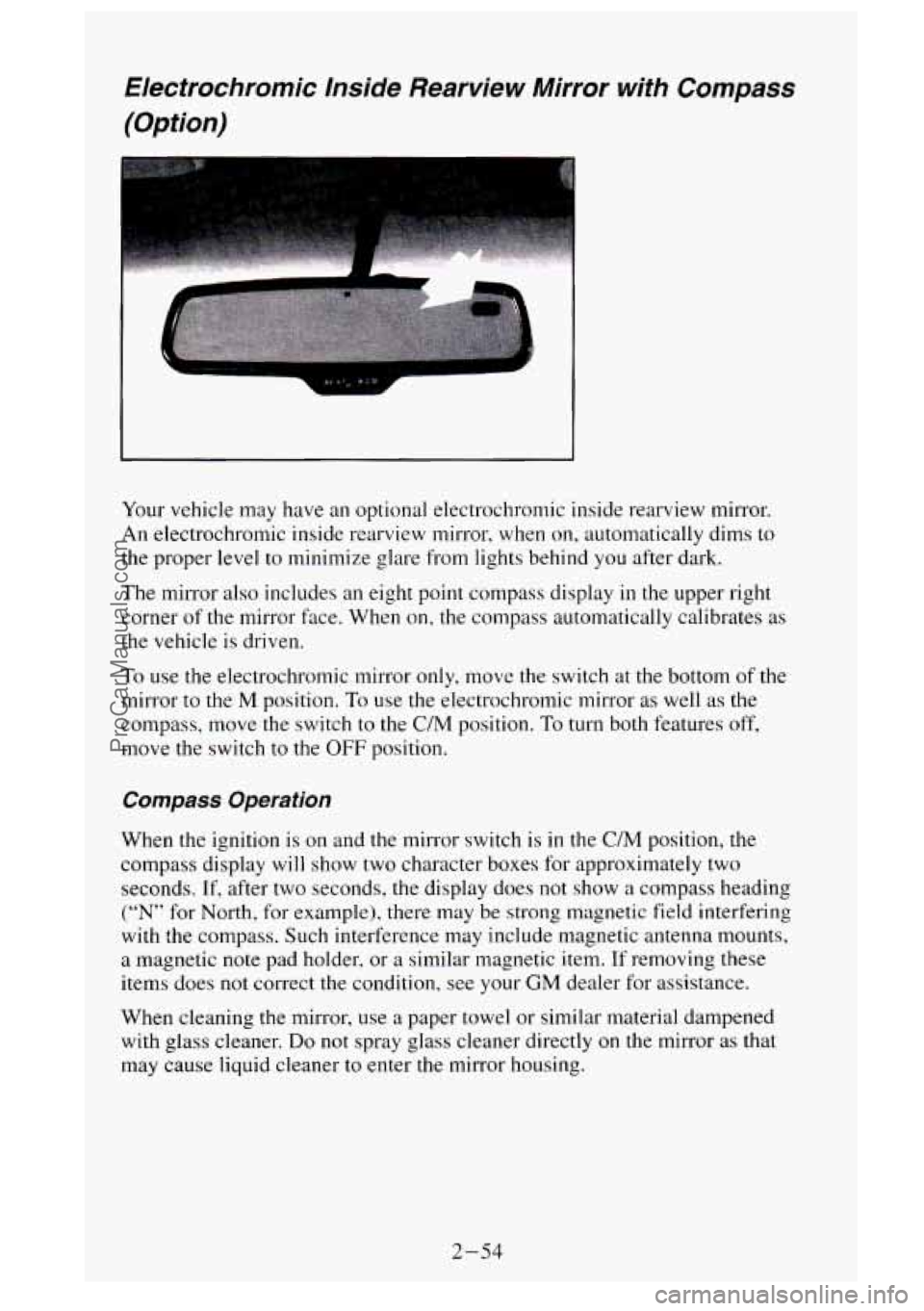
Electrochromic Inside Rearview Mirror with Compass (Option)
Your vehicle may have an optional electrochromic inside rearview mirror.
An electrochromic inside rearview mirror, when
on, automatically dims to
the proper level to minimize glare from lights behind you after dark.
The mirror also includes an eight point compass display in the upper right
corner
of the mirror face. When on, the compass automatically calibrates as
the vehicle is driven.
To use the electrochromic mirror only, move the switch at the bottom of the
mirror to the
M position. To use the electrochromic mirror as well as the
compass, move the switch to the
C/M position. To turn both features off,
move the switch to the OFF position.
Compass Operation
When the ignition is on and the mirror switch is in the C/M position, the
compass display
will show two character boxes for approximately two
seconds.
If, after two seconds, the display does not show a compass heading
(“N” for North, for example), there may be strong magnetic field interfering
with the compass. Such interference may include magnetic antenna mounts,
a magnetic note pad holder, or a similar magnetic item. If removing these
items does not correct the condition, see your
GM dealer for assistance.
When cleaning
the mirror, use a paper towel or similar material dampened
with glass cleaner.
Do not spray glass cleaner directly on the mirror as that
may cause liquid cleaner to enter the mirror housing.
2-54
ProCarManuals.com
Page 134 of 488
You will see this light flash for a few seconds when you turn your ignition
to
RUN or START. Then the light should go out. This means the system is
ready.
If the air bag readiness light doesn’t come on when you start your vehicle,
or stays on, or comes on when you are driving, your air bag system may not
work properly. Have your vehicle serviced right away.
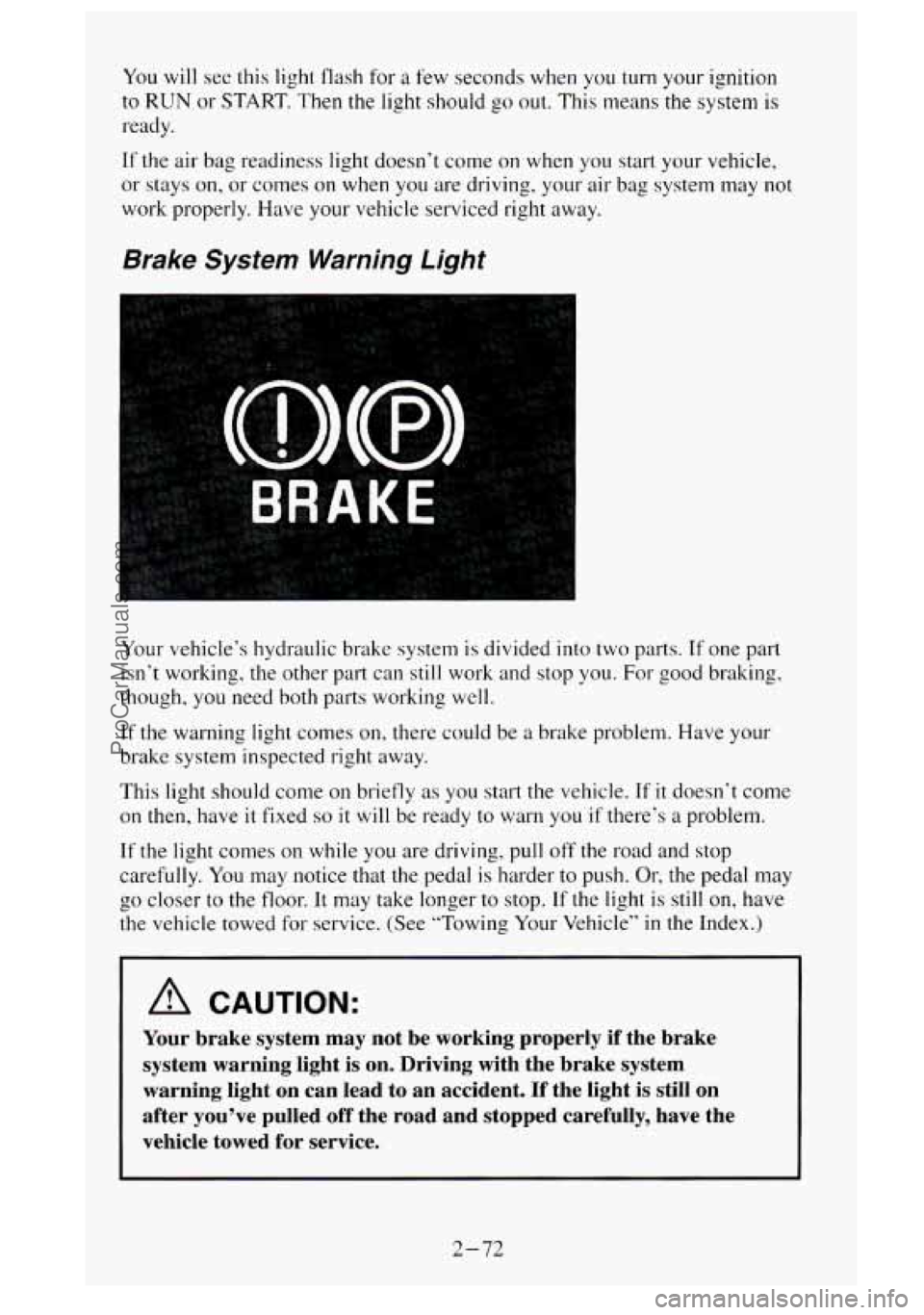
Brake System Warning Light
Your vehicle‘s hydraulic brake system is divided into two parts. If one part
isn’t working, the other part can still work and stop you.
For good braking,
though, you need both parts working well.
If the warning light comes on, there could be a brake problem. Have your
brake system inspected right away.
This light should come
on briefly as you start the vehicle. If it doesn‘t come
on
then, have it fixed so it will be ready to warn you if there’s a problem.
If the light comes on while you are driving, pull off the road and stop
carefully. You may notice that the pedal is harder to push.
Or, the pedal may
the vehicle towed for service. (See “Towing
Your Vehicle’’ in the Index.)
b 00 closer to the floor. It may take longer to stop. If the light is still on, have
A CAUTION:
Your brake system may not be working properly if the brake
system warning light is on. Driving with the brake system
warning light on can lead to an accident. If the light is st\
ill on
after you’ve pulled off the road and stopped carefully, have\
the
vehicle towed for service.
2-72
ProCarManuals.com
Page 136 of 488
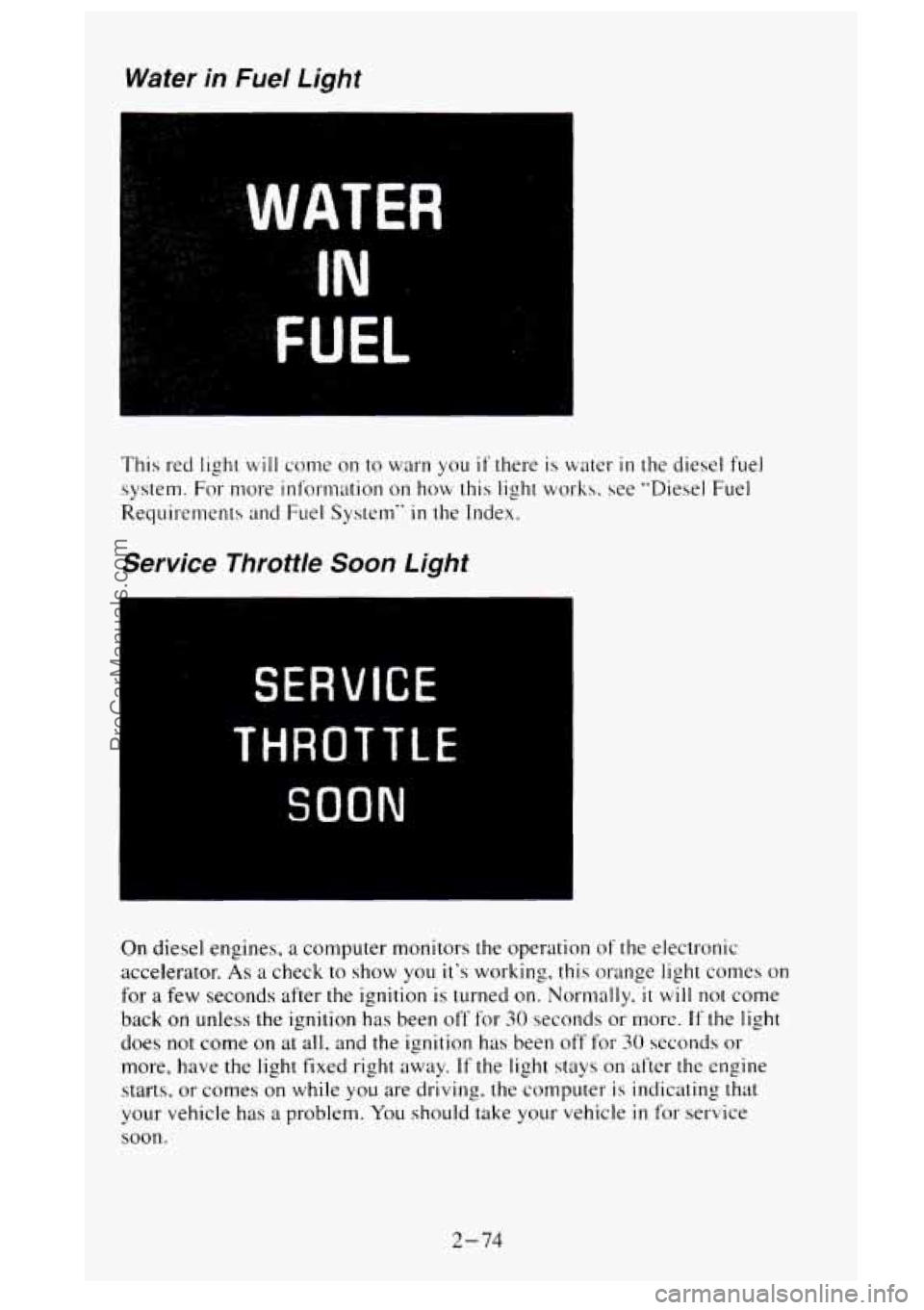
Water in Fuel Light
I.
This red light will come on to warn you if there is water in the diesel fuel
system. For more information on how this light works. see "Diesel Fuel
Requirements
and Fuel System" in the Index.
Service Throttle Soon Light
SERVICE
THROTTLE
SOON
On diesel engines, a computer monitors the operation of the electronic
accelerator.
As a check to show you it's working, this orange light comes on
for
a few seconds after the ignition is turned on. Normally, it will not come
back
on unless the ignition has been off' for SO seconds or more. If the light
does not come on at all, and the ignition has been off for 30 seconds or
more, have the light fixed right away. If the light stays on after the engine
starts, or comes on while you are driving. the computer
is indicating that
your vehicle has
a problem. You should take your vehicle in for service
soon.
2-74
ProCarManuals.com
Page 138 of 488
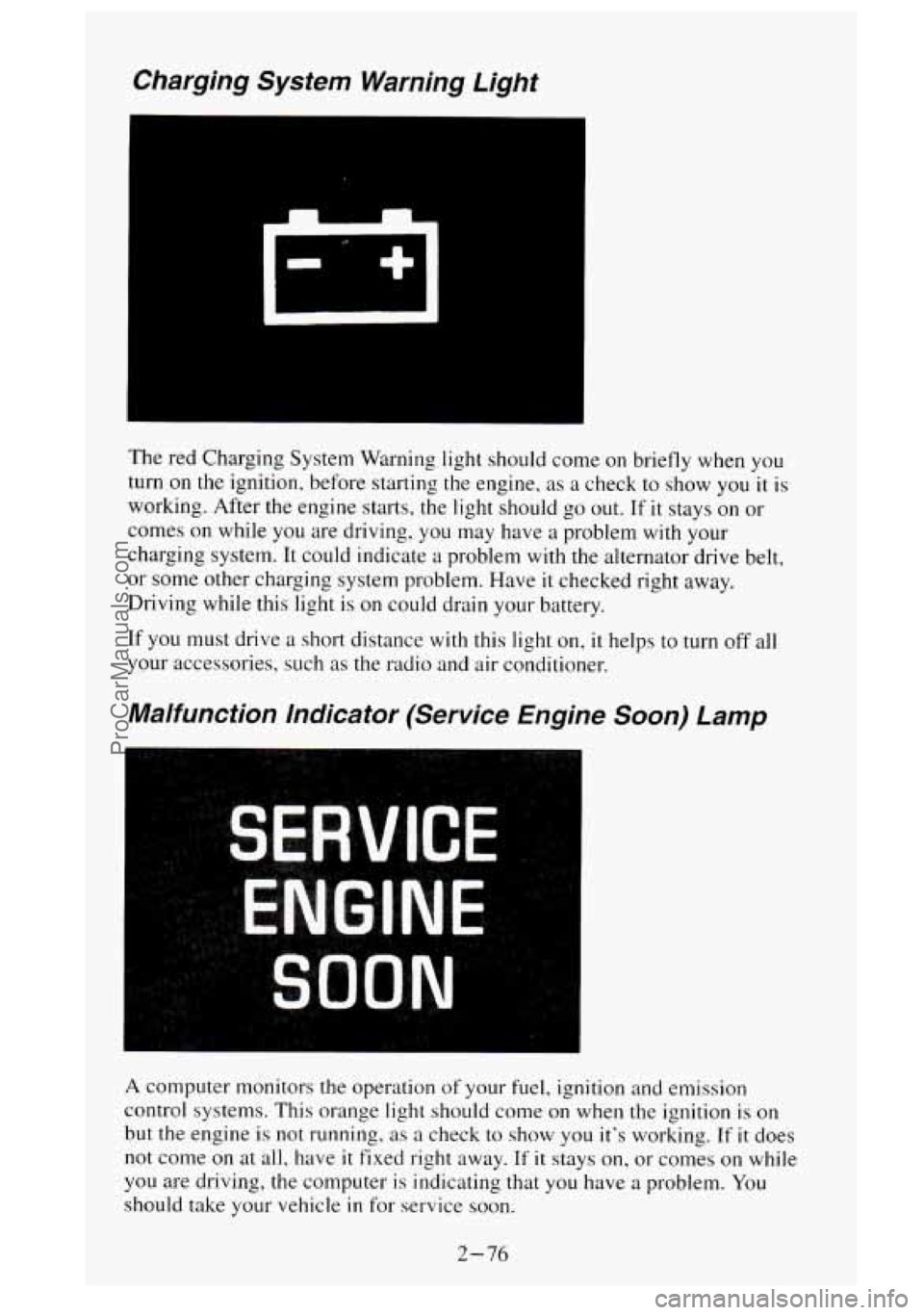
Charging System Warning Light
The red Charging System Warning light should come on briefly when you
turn on
the ignition, before starting the engine, as a check to show you it is
working. After the engine starts, the light should
go out. If it stays on or
comes on while you are driving, you may have a problem
with your
charging system. It could indicate a problem with the alternator drive belt,
or
some other charging system problem. Have it checked right away.
Driving while this light
is on could drain your battery.
If you must drive a short distance
with this light on, it helps to turn off all
your accessories, such
as the radio and air conditioner.
Malfunction Indicator (Service Engine Soon) Lamp
I
A computer monitors the operation of your fuel, ignition and emission
control systems. This orange light should come on when
the ignition is on
but the engine is not running. as a check
to show you it’s working. If it does
not come on at all, have
it fixed right away. If it stays on, or comes on while
you are driving, the computer is indicating that you have
a problem. You
should take your vehicle
in for service soon.
2-76
ProCarManuals.com
Page 141 of 488
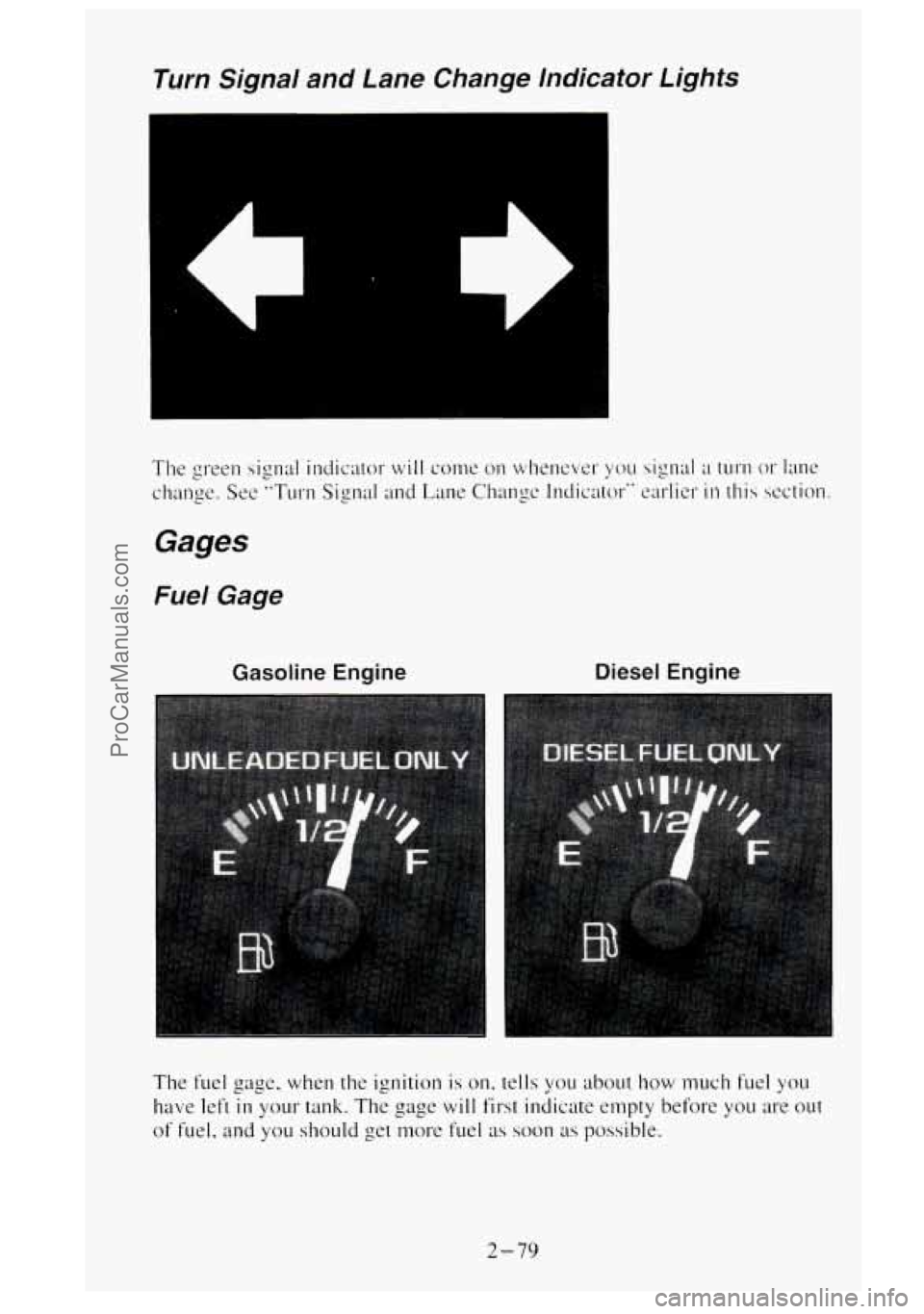
Turn Signal and Lane Change lndicator Lights
Gasoline Engine Diesel Engine
The fuel gage, when the ignition is on. tells you about how much fuel you
have left
in your tank. The gage will first indicate empty before you are out
of fuel. and you should get nmre fuel as soon as possible.
2-79
ProCarManuals.com
Page 142 of 488
Listed are four situations you may experience with your f~~el gage:
At the gas station. the fuel pump shuts off before the gage reads full.
It lakes a little more or less fuel to fill up than the fuel gage indicated.
For example, the gage may have indicated the tank was half
full, but it
actually took a little more or less than half the tank's capacity to fill the
, tank.
The gage moves a little when you turn a corner or speed up.
The gage doesn't go back to empty when you turn off the ignition.
None of these indicate
a problem with the fuel gage.
For information on how to fill your fuel tank, see "Fuel - Filling Your
Tank"
in the Index.
For your fuel tank capacity, see "Fuel -Tank Capacity" in the Index.
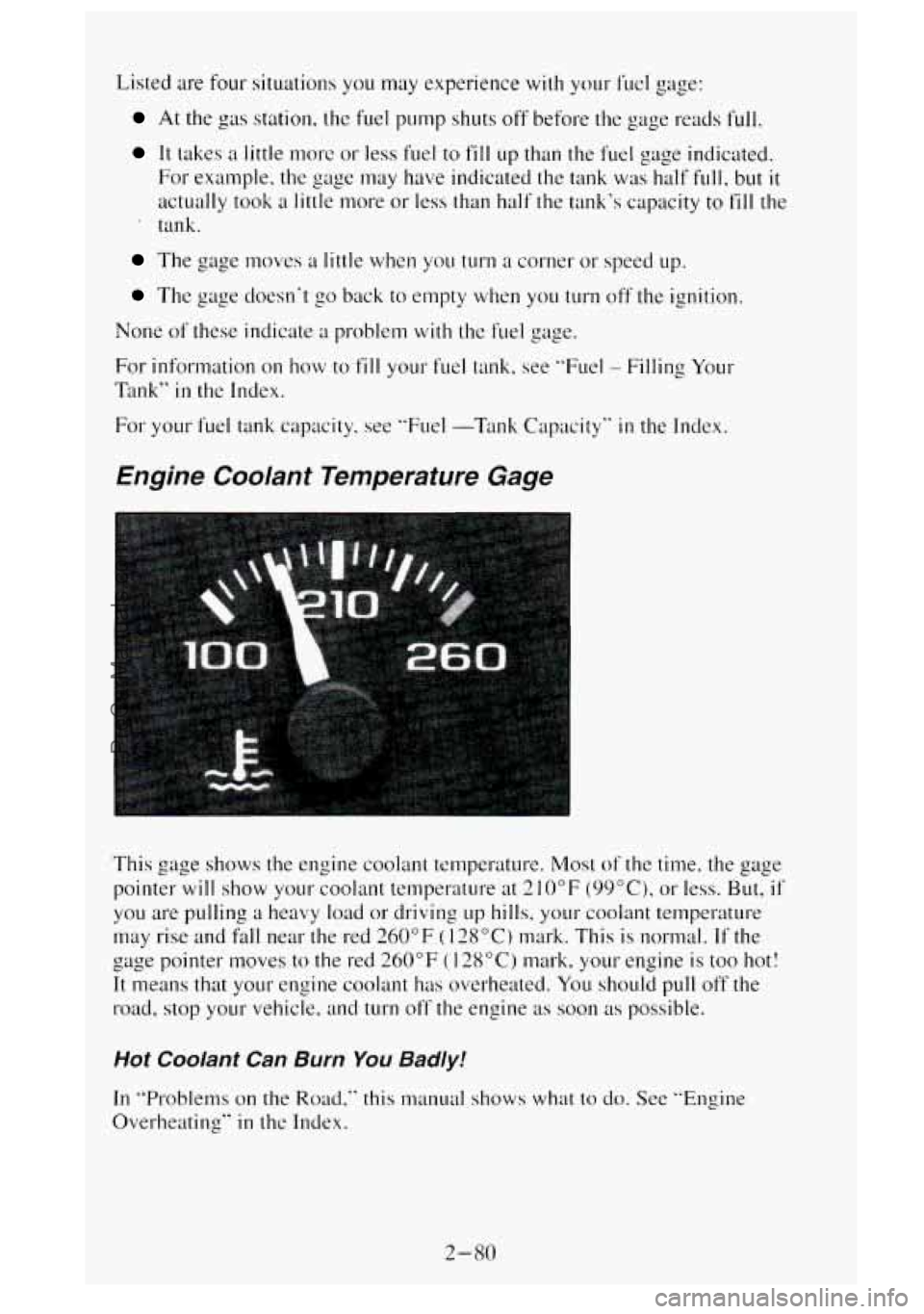
Engine Coolant Temperature Gage
This gage shows the engine coolant temperature. Most of the time. the gage
pointer
will show your coolant temperature at 2 10°F (99"C), or less. But, if
you are pulling a heavy load or driving LIP hills, your coolant temperature
may rise and
fall near the red 260°F ( 128°C) mark. This is normal. If the
gage pointer moves to the red 260°F
(128°C) mark, your engine is too hot!
It means that your engine coolant has overheated. You should pull off the
road,
stop your vehicle. and turn off the engine as soon as possible.
Hot Coolant Can Burn You Badly!
In "Problems on the Road," this manual shows what to do. See "Engine
Overheating"
in thc Index.
2-80
ProCarManuals.com
Page 144 of 488
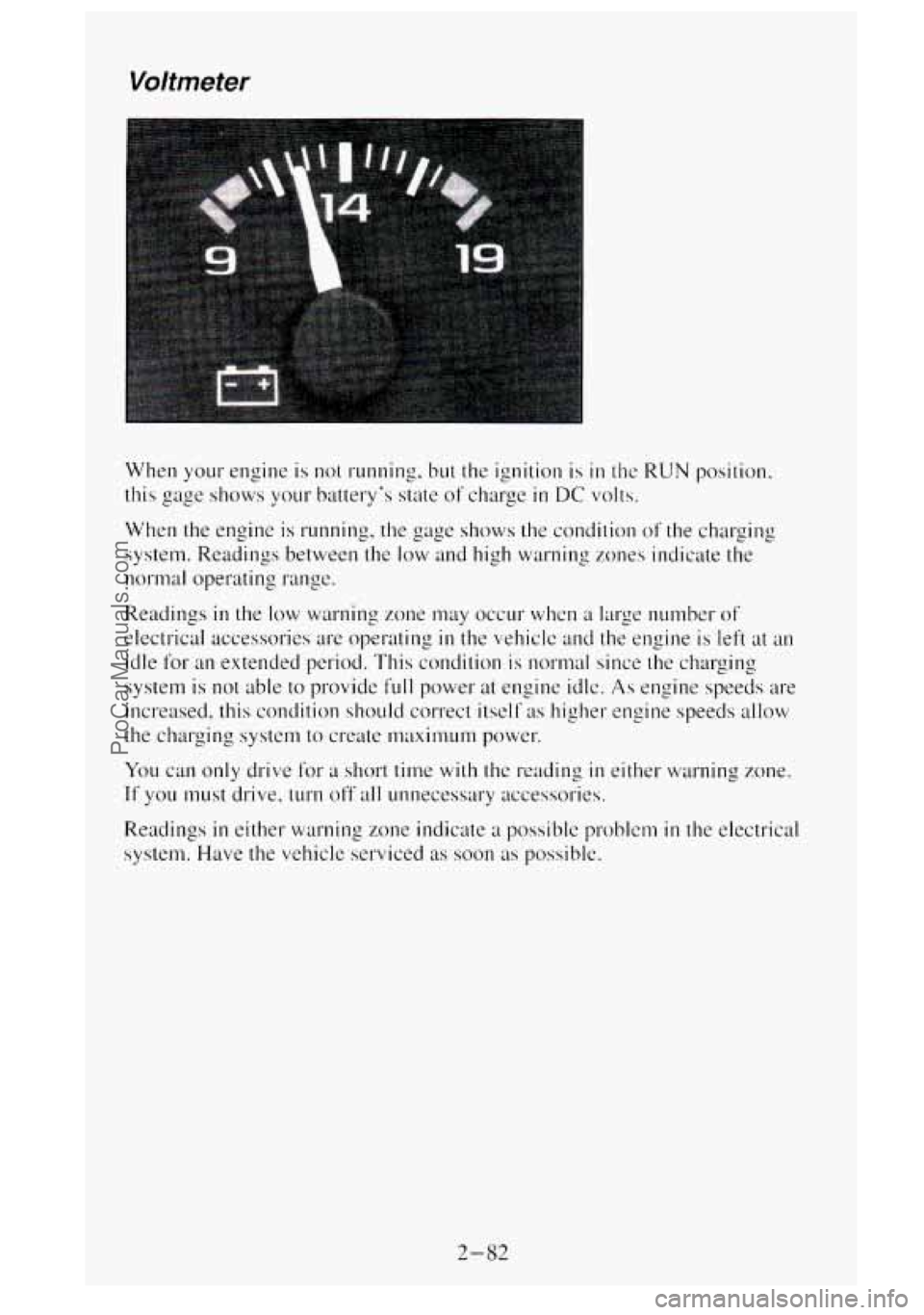
Voltmeter
When your engine is not running. but the ignition is in the RUN position.
this
gage shows your battery’s state of charge in DC volts.
When the engine is running, the gage shows the condition
of the charging
system. Readings between the low and high wat-ning
zones indicate the
normal operating range.
Readings
in the low warning zone may occur when a large number of
electrical accessories are operating in the vehicle and the engine is left at an
idle for an extended period. This condilion is normal since the charging
system is
not able to provide full power at engine idlc. As engine speeds are
increased, this condition should correct itself
;IS higher engine speeds allow
the charging system
to create nwximum power.
You can only drive For a short time with the reading in either warning zone.
If you must drive, turn off all unnecessary accessories.
Readings
in either warning zone indicate a possible problcm in the electrical
system. Have the vehicle serviced
as soon as possible.
2-82
ProCarManuals.com
Page 151 of 488
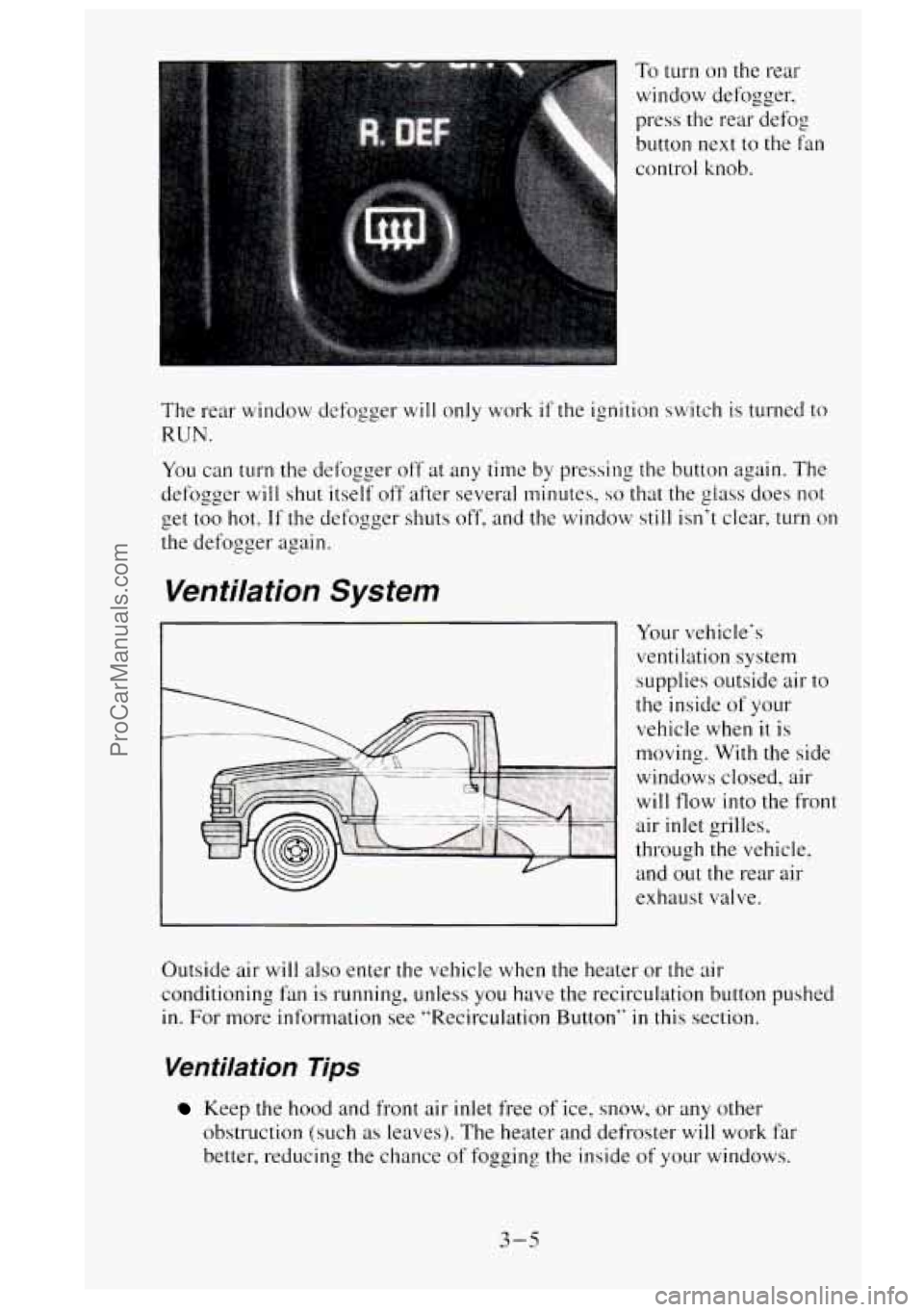
To turn on the rear
window defogger,
press the rear defog
button
next to the fan
control knob.
‘he rear window defogger
will only work if the ignition switch is turned to
:UN.
‘ou can turn the defogger off at any time by pressing the button again. The
efogger
will shut itself off after several minutes, so that the glass does not
et too hot.
If the defogger shuts off, and the window still isn’t clear, turn on
le defogger again.
Ventilation System
Your vehicle‘s
ventilation system
supplies outside air
to
the inside of your
vehicle when
it is
moving. With the side
windows closed, air
will flow into the front
air inlet grilles,
through the vehicle, and out the rear air
exhaust valve.
Outside air
will also enter the vehicle when the heater or the air
conditioning fan is running, unless you have the recirculation button pushed
in.
For more information see “Recirculation Button’‘ in this section.
Ventilation Tips
Keep the hood and front air inlet free of ice, snow, or any other
obstruction (such
as leaves). The heater and defroster will work far
better, reducing the chance
of fogging the inside of your windows.
3-5
ProCarManuals.com
Page 152 of 488
When you enter a vehicle in cold weather, turn the blower fan to HI for
a few moments before driving off. This helps clear the intake ducts of
snow and moisture. and reduces the chance of fogging the inside. of
your windows.
Keep the air path under the front seats clear of objects. This helps air to
circulate throughout your vehicle.
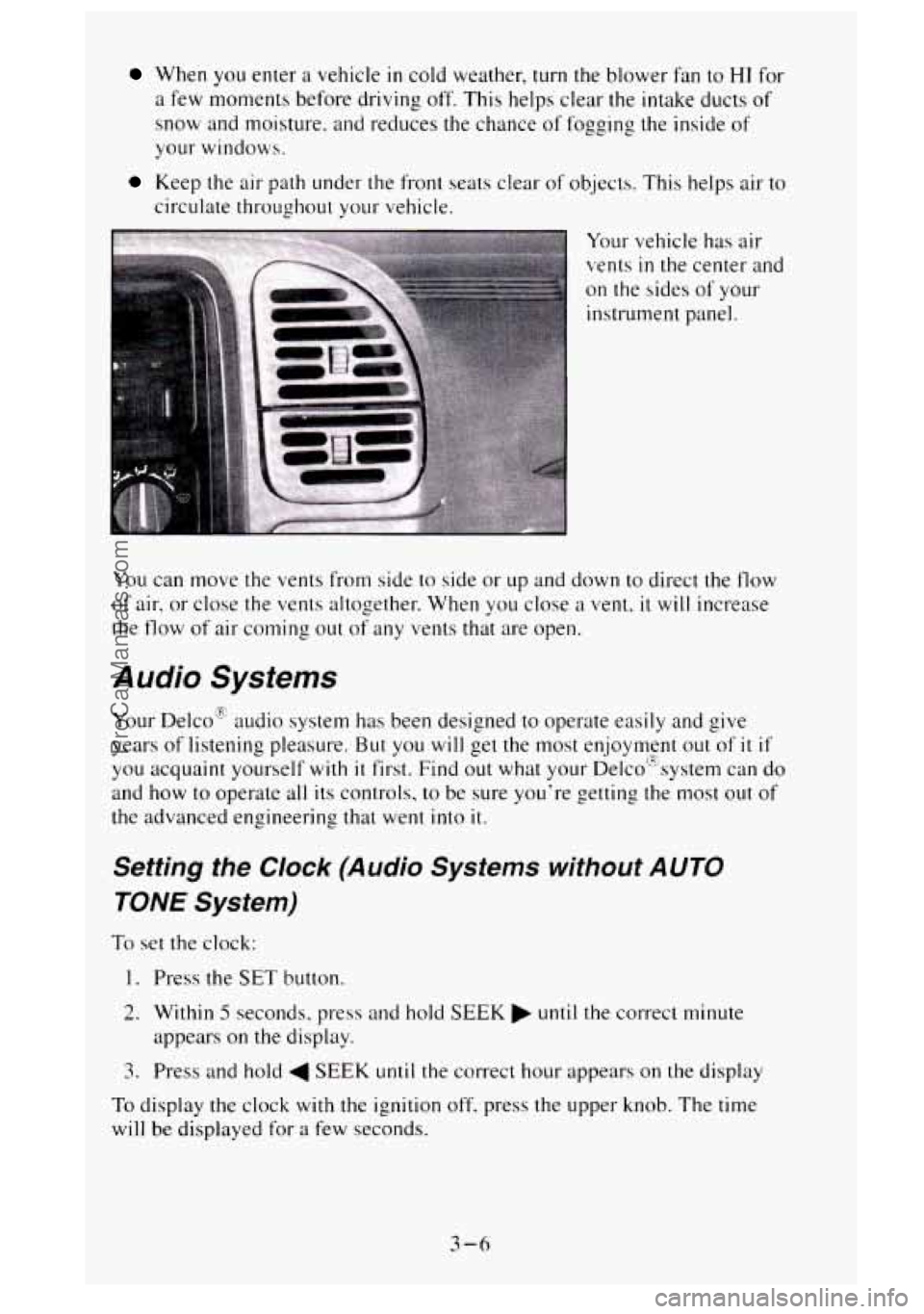
Your vehicle has air
vents
in the center a1
on the sides of your
instrument panel. nd
You can move the vents from side to side or
up and down to direct the flow
of air. or close the vents altogether. When you close a vent, it will increase
the
flow of' air corning out of any vents that are open.
Audio Systems
Your Delco'E audio system has been designed to operate easily and give
years of listening pleasure.
But you will get the most enjoyment out of it if
you acquaint yourself with it first. Find out what your De1co"system can do
and how to operate all its controls, to be sure you're getting the most
out of
the advanced engineering that went into it.
Setting the Clock (Audio Systems without AUTO
TONE System)
To set the clock:
1. Press the SET button.
2. Within 5 seconds, press and hold SEEK until the correct minute
appears
on the display.
3. Press and hold 4 SEEK until the correct hour appears on the display
To display the clock with the ignition off, press the upper knob. The time
will
be displayed for a few seconds.
3-6
ProCarManuals.com
Page 153 of 488
The buttons used to set the clock are located below the AUTO TONE button
in the bottom right corner of your audio system.
To set the clock:
1. Press and hold HR until the correct hour appears on the display.
2. Press and hold MIN until the correct minute appears on the display.
To display the clock with the ignition off, press the recall button. The time
will be displayed for
a few seconds.
There is
an initial two-second delay before the clock goes into the time-set
mode.
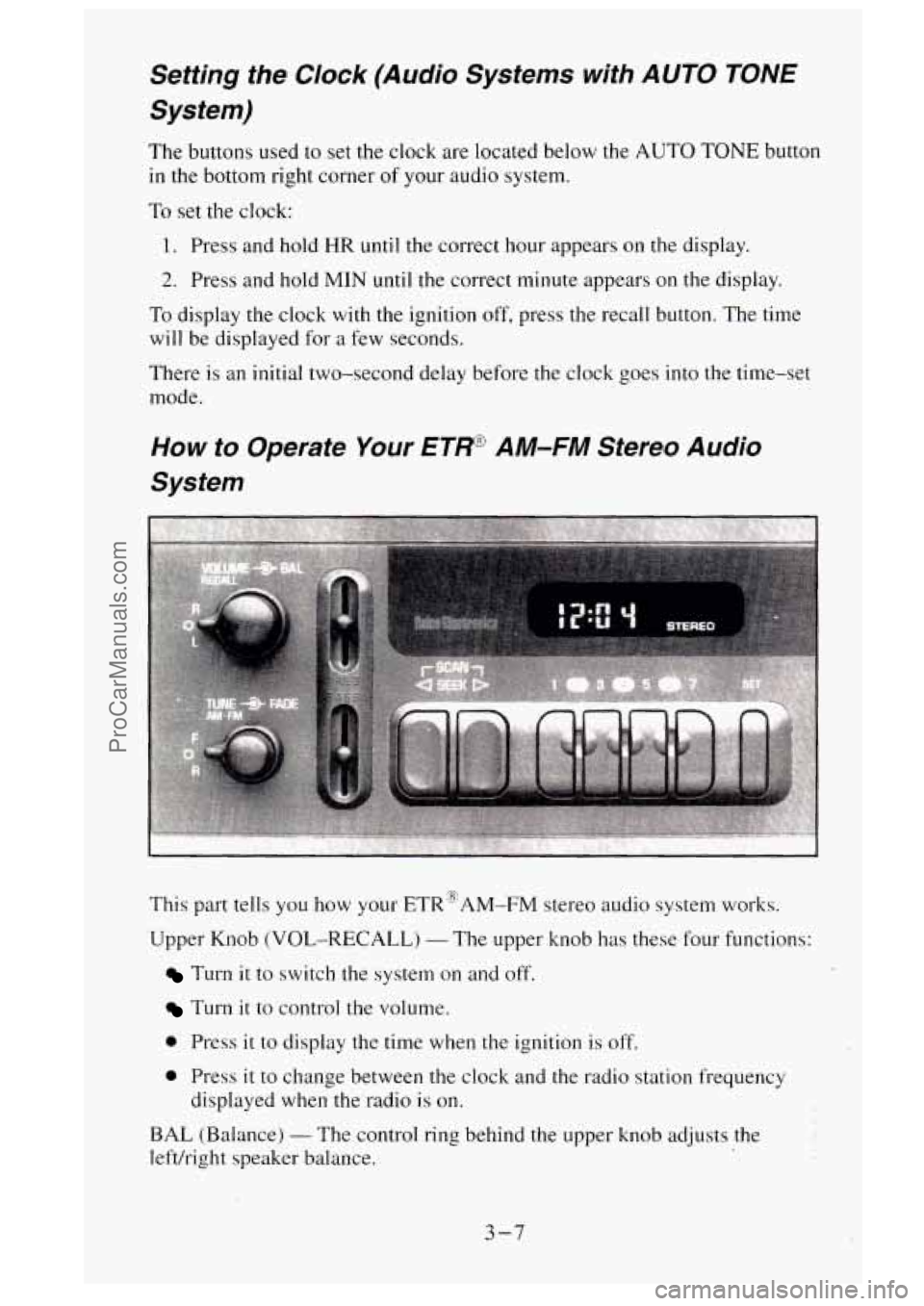
This part tells you how your ETR@AM-FM stereo audio system works.
Upper Knob (VOL-RECALL)
- The upper knob has these four functions:
Turn it to switch the system on and off.
Turn it to control the volume.
0 Press it to display the time when the ignition is off.
0 Press it to change between the clock and the radio station frequency
displayed when the radio
is on.
BAL (Balance)
- The control ring behind the upper knob adjusts the
lefvright speaker balance.
3-7
ProCarManuals.com