wheel GMC SIERRA 1995 Owner's Manual
[x] Cancel search | Manufacturer: GMC, Model Year: 1995, Model line: SIERRA, Model: GMC SIERRA 1995Pages: 488, PDF Size: 26.01 MB
Page 97 of 488
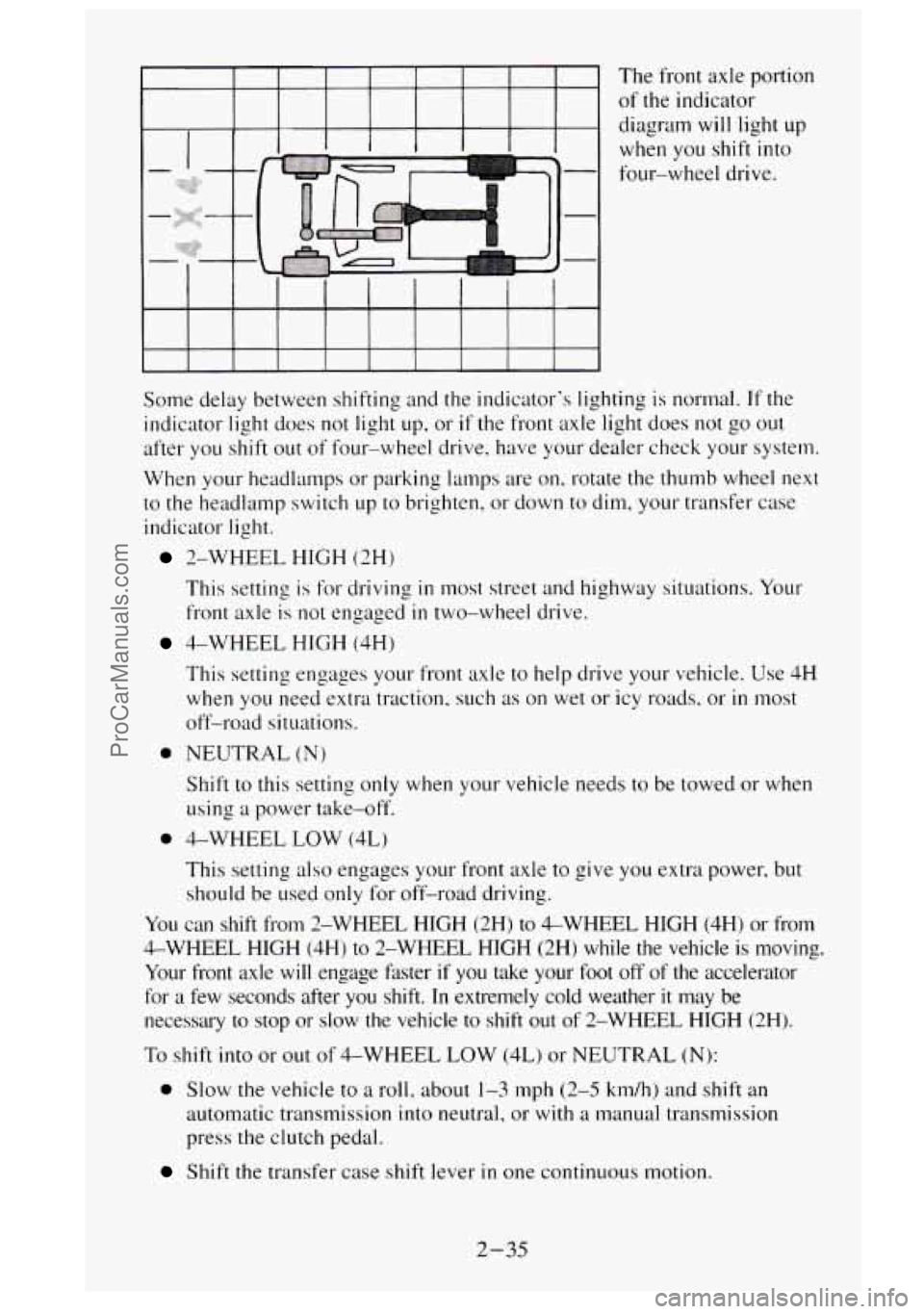
The from axle portion
of the indicator
diagram will light
up
when you shift into
four-wheel drive.
Some delay between shifting and the indicator's lighting is normal.
If the
indicator light does not light
up, or if the front axle light does not go out
after you shift out of four-wheel drive. have your dealer check your system.
When your headlamps or parking lamps are
on, rotate the thumb wheel next
to the headlamp switch up to brighten, or down to dim, your transfer case
indicator light.
2-WHEEL HIGH (2H)
This setting is for driving
in most street and highway situations. Your
front axle is not engaged
in two-wheel drive.
4-WHEEL HIGH (4H)
This setting engages your front axle to help drive your vehicle. Use
4H
when you need extra traction, such as on wet or icy roads. or in most
off-road situations.
0 NEUTRAL (N)
Shift to this setting only when your vehicle needs to be towed or when
using
a power take-off.
0 4-WHEEL LOW (4L)
This setting also engages your front axle to give you extra power, but
should be used only for off-road driving.
You can shift from 2-WHEEL HIGH (2H)
to &WHEEL HIGH (4H) or from
4-WHEEL HIGH (4H) to 2-WHEEL HIGH (2Hj while the vehicle is moving.
Your front axle
will engage faster if you take your foot off of the accelerator
for a few seconds after you shift.
In extremely cold weather it may be
necessary
to stop or slow the vehicle to shift out of 2-WHEEL HIGH (2H).
To shift
into or out of 4-WHEEL LOW (4L) or NEUTRAL (N):
0 Slow the vehicle to a roll. about 1-3 mph (2-5 km/h) and shift an
automatic transmission into neutral,
or with a manual transmission
press the clutch pedal.
Shift the transfer case shift lever in one continuous motion.
2-35
ProCarManuals.com
Page 98 of 488
Don’t pause in NEUTRAL (N) as you shift the transfer case into 4-WHEEL
LOW (4L), or your gears could clash.
Remember that driving in
&WHEEL HIGH (4H) or 4-WHEEL LOW (4L) may
reduce fuel economy.
Also, driving in four-wheel drive on dry pavement could
cause your tires
to wear faster and make your transfer case harder to shift.
Front Axle Locking Feature
The front axle locks and unlocks automatically when you shift the transfer
case. Some delay for the axle to lock or unlock is normal. If the outside
temperature is very hot, or the vehicle has been used under hard driving
conditions, there may be a slight delay for the axle to unlock.
Windows
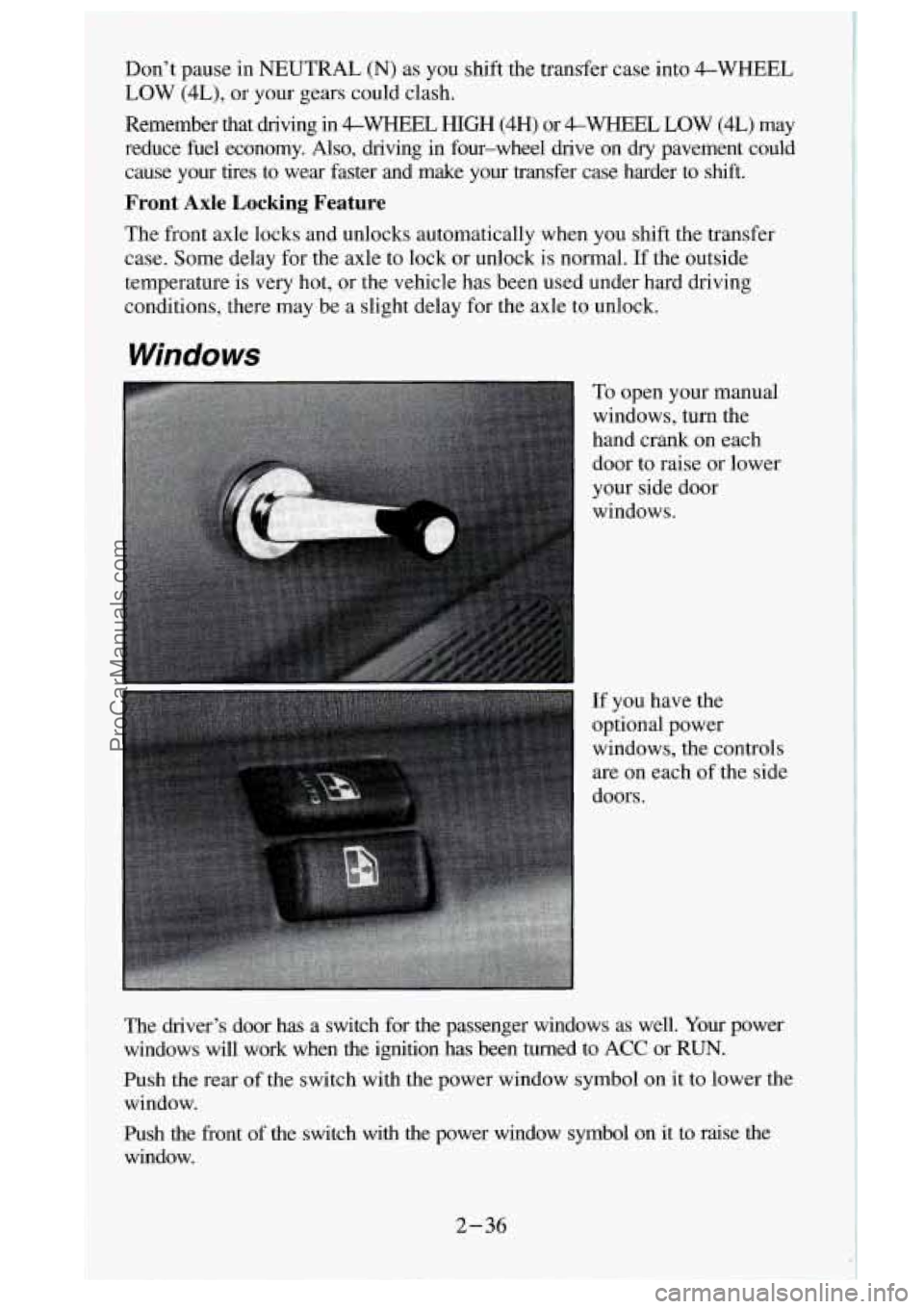
To open your manual
windows, turn the
hand crank on each
door to raise or lower
your side door
windows.
If you have the
optional power
windows, the controls
are on each of the side
doors.
The driver’s door has a switch for the passenger windows as well.
Your power
windows will work when the ignition has been turned to ACC or RUN.
Push the rear
of the switch with the power window symbol on it to lower the
window.
Push the front of the switch with the power window symbol on
it to raise the
window.
2-36
ProCarManuals.com
Page 100 of 488
Horn
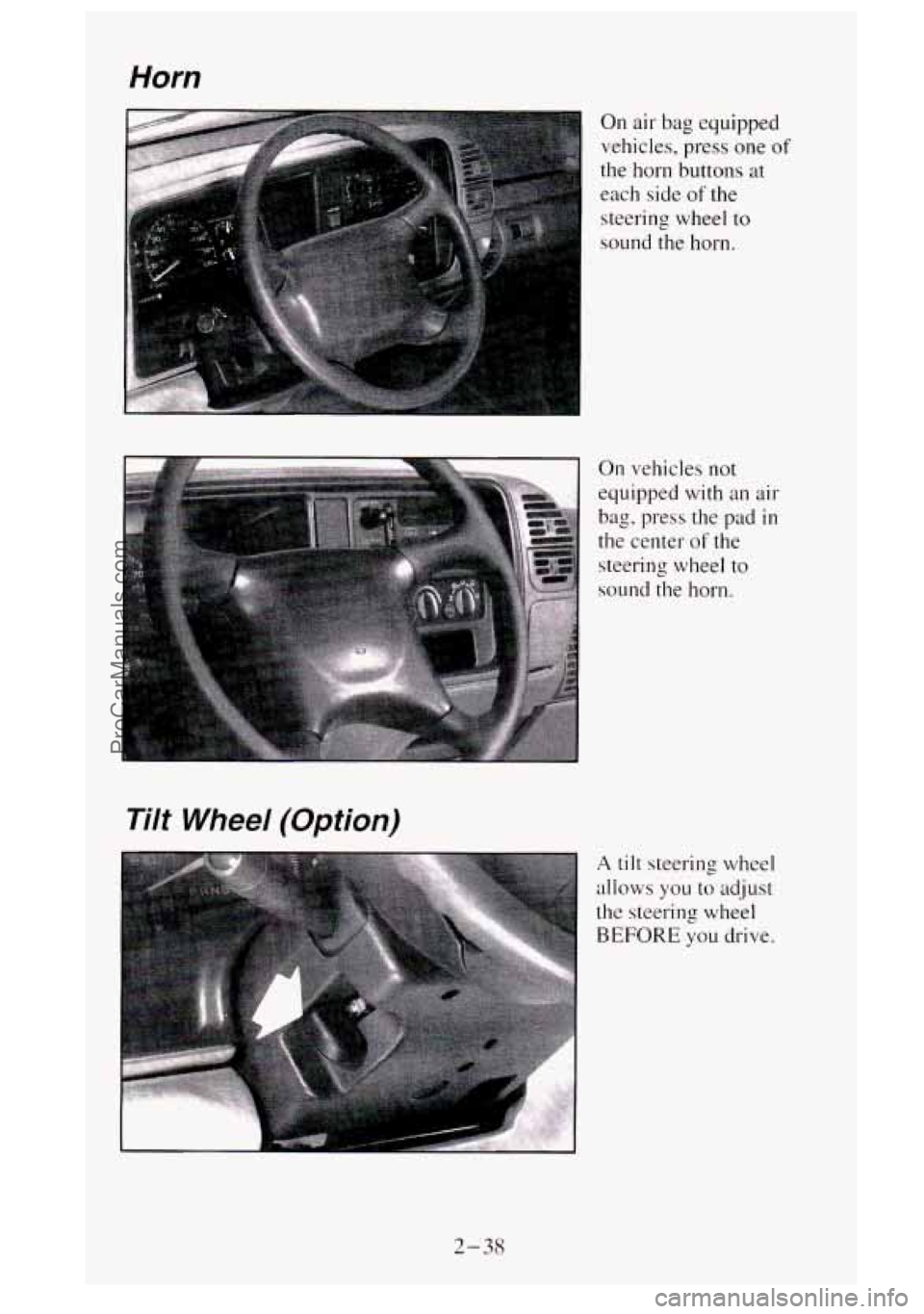
On air- bag equipped
vehicles, press one
of
the horn buttons at
each side of the
steering wheel
to
sound the horn.
On vehicles
not
equipped with an air
bag, press the pad in
the center of the
steering wheel to
sound the horn.
Tilt Wheel (Option)
A tilt steering wheel
allows you
to adjust
the steering
wheel
BEFORE you drive.
2-38
ProCarManuals.com
Page 101 of 488
You can also raise it to the highest level to give your legs more room when
you enter and exit the vehicle.
To tilt the wheel, hold the
steefifqj whe&l~~I-~uU the lever. Move the
steering wheel to a comfortable level, then release the lever to lock the
wheel in place.
Multifunction Lever
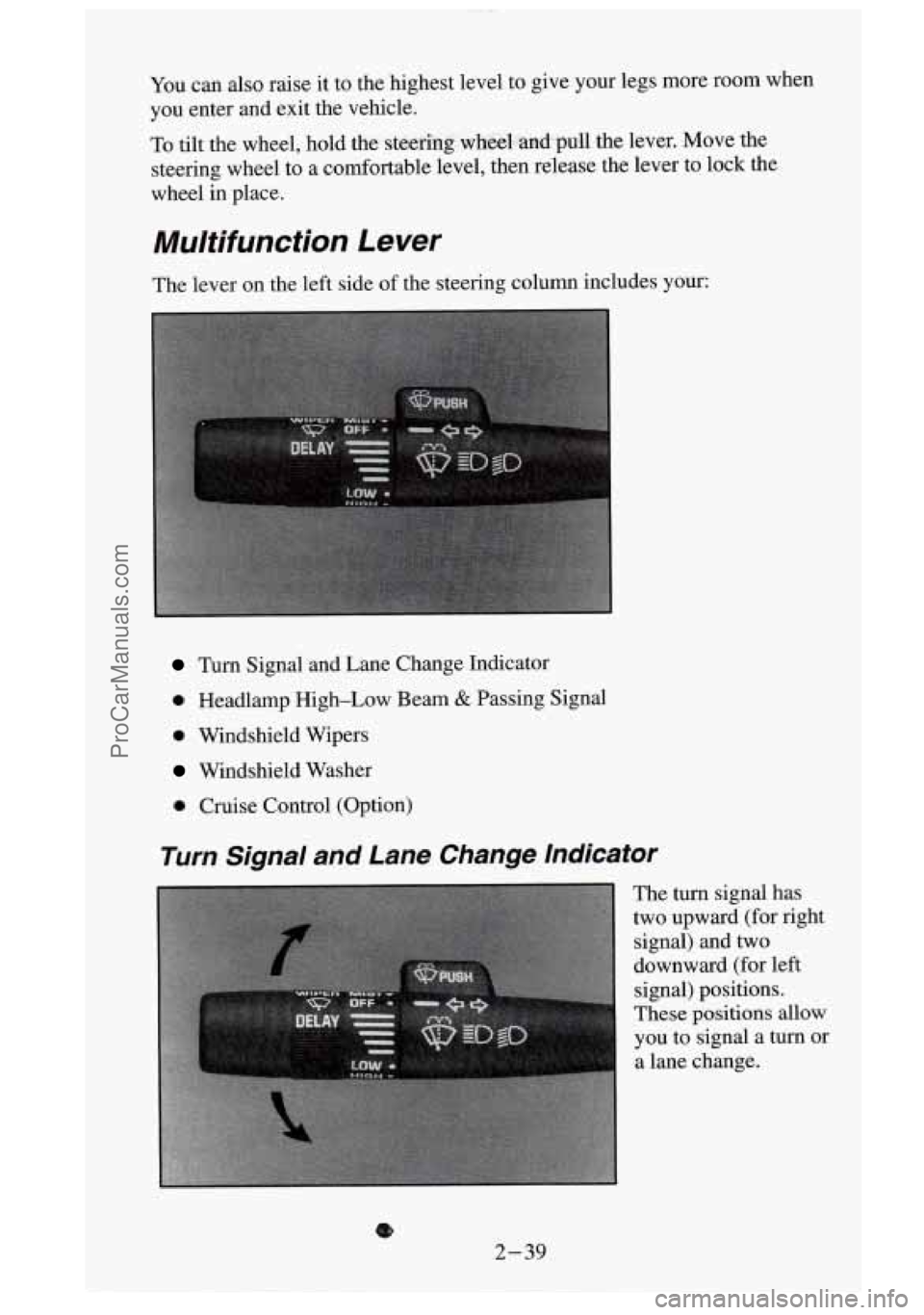
The lever on the left side of the steering column includes your:
Turn Signal and Lane Change Indicator
0 Headlamp High-Low Beam & Passing Signal
0 Windshield Wipers
Windshield Washer
0 Cruise Control (Option)
Turn Signal and Lane Change Indicator
The turn signal has
two upward (for right
signal) and two
downward (for left
signal) positions.
These
positions allow
you to signal a turn or
a lane change.
8
2-39
ProCarManuals.com
Page 110 of 488
To Erase Speed Memory
When you turn off' the Cruise Control or the ignition. your Cruise Control
set speed memory
is erased.
Headlamps and Vehicle Lighting
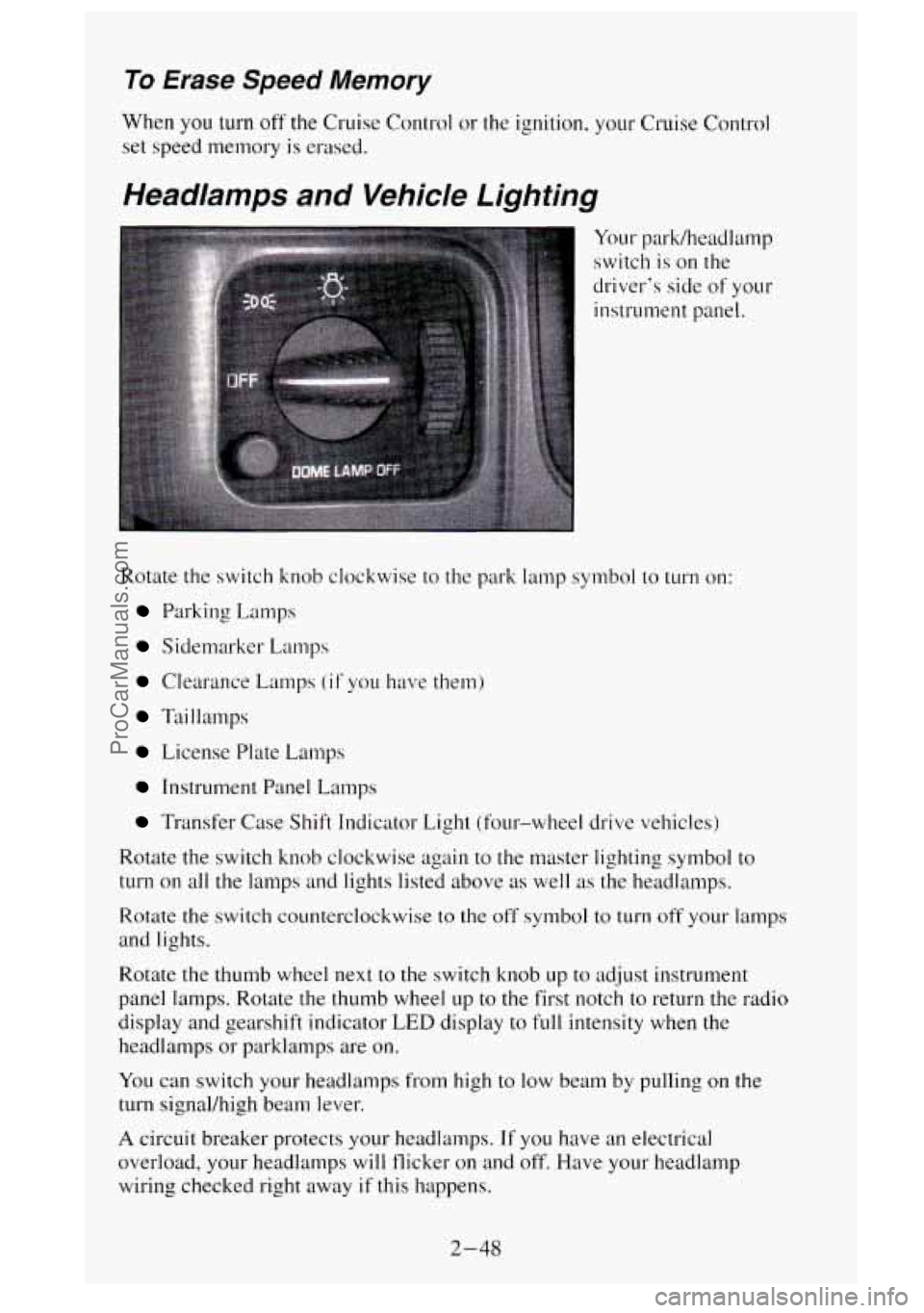
Your park/headlamp
switch is on the
driver's side of your
instrument panel.
Rotate the switch knob clockwise to the park lamp symbol to
turn on:
Parking Lamps
Sidemarker Lamps
Clearance Lamps (if you have them)
Taillamps
License Plate L.amps
Instrument Panel Lamps
Transfer Case Shift Indicator Light (four-wheel drive vehicles)
Rotate the switch knob clockwise again to the master lighting symbol to
turn on all the lamps and lights listed above as well as the headlamps.
Rotate the switch counterclockwise to the off symbol to turn off your lamps
and lights.
Rotate the thumb wheel next to the switch knob up
to adjust instrument
panel lamps. Rotate
the thumb wheel up to the first notch to return the radio
display and gearshift indicator
LED display to full intensity when the
headlamps or parklamps are
on.
You can switch your headlamps from high to low beam by pulling on the
turn signal/high beam lever.
A circuit breaker protects your headlamps. If you have an electrical
overload, your headlamps will flicker on and off. Have your headlamp
wiring checked right away if this happens.
2-48
ProCarManuals.com
Page 111 of 488
Headlamps-On Reminder
A buzzer will sound when your hedamps are turned on and your ignition
is
in OFF, LOCK or ACC. If you need to use your headlamps when the
ignition switch is
in OFF, LOCK or ACC, the buzzer can be turned off by
turning the thumb wheel next to the park/headlamp switch all the way
down.
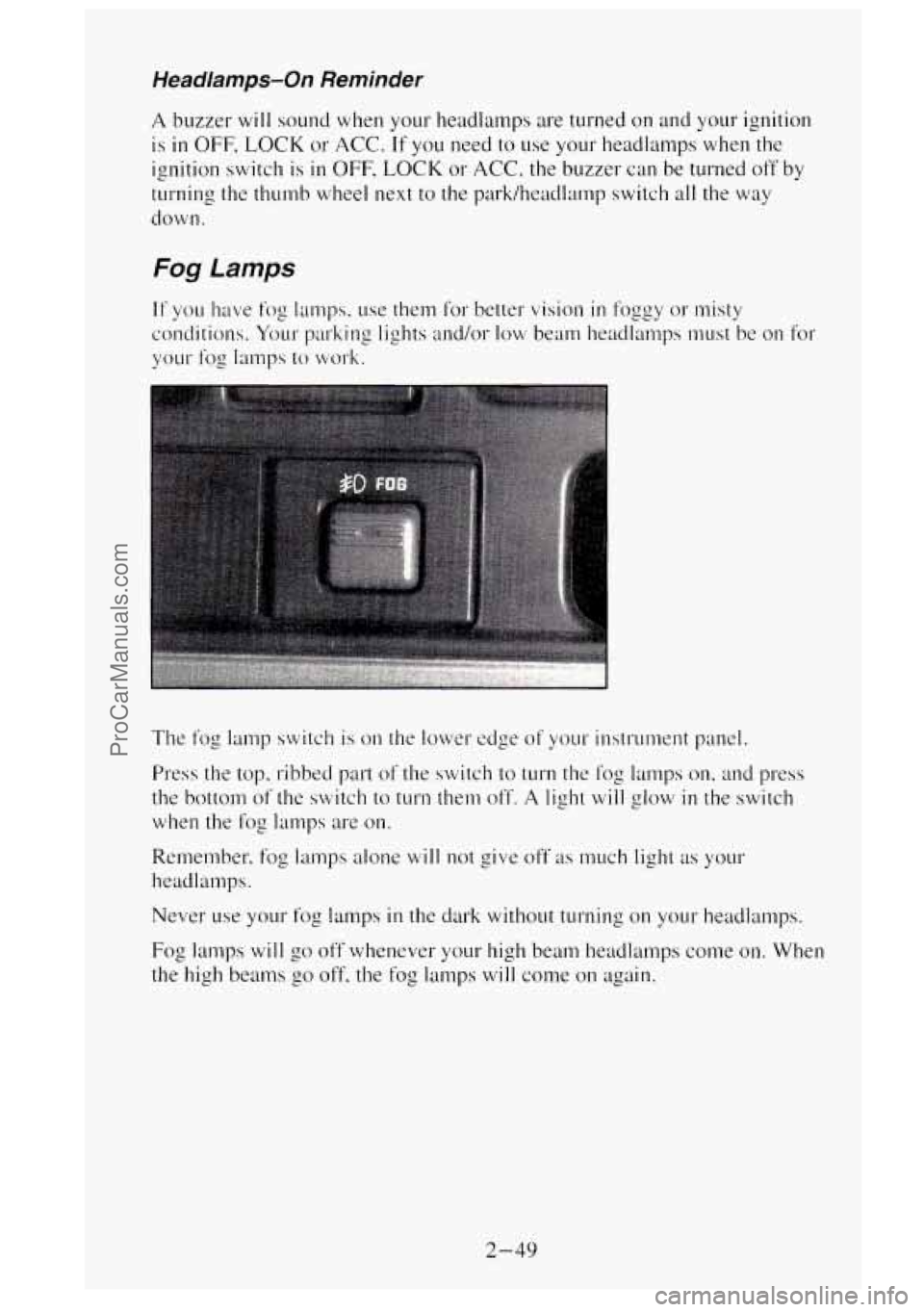
Fog Lamps
The fog lamp switch is on the lower edge of your instrument panel.
Press the top, ribbed part
of the switch to turn the thg lamps on, and press
the bottom of the switch to
turn them off. A light will glow in the switch
when the
fog lamps are on.
Remember, fog lamps alone will not give off as much light as your
headlalnps.
Never
use your fog lamps in the dark without turning on your headlamps.
Fog
lamps will go off whenever your high beam headlamps come on. When
the high
beams go off. the fog lamps will come on again.
2-49
ProCarManuals.com
Page 113 of 488
Dome Lamps
The dome lamps will come on when you open the doors.
you can also turn the dome lamps on by rotating the thumb wheel. located
next
to the park/headlamp switch knob, all the way up to the second notch.
In this position, the dome lamps
will remain on whether the doors are
opened
or closed.
You can use the dome lamp switch button, located below the park/he\
adlamp
switch knob,
to set the dome lamps to come on automatically whcn the doors
are open, or remain OR. To turn the lamps off. press the switch button once.
With the switch button
in this position, the dome lamps will remain off when
the
doors are open. To return the lamps to automatic operation. press the switch
button again and return
it to the '*oui" position. With the switch button in this
position. the dome lamps will come on when you open the doors.
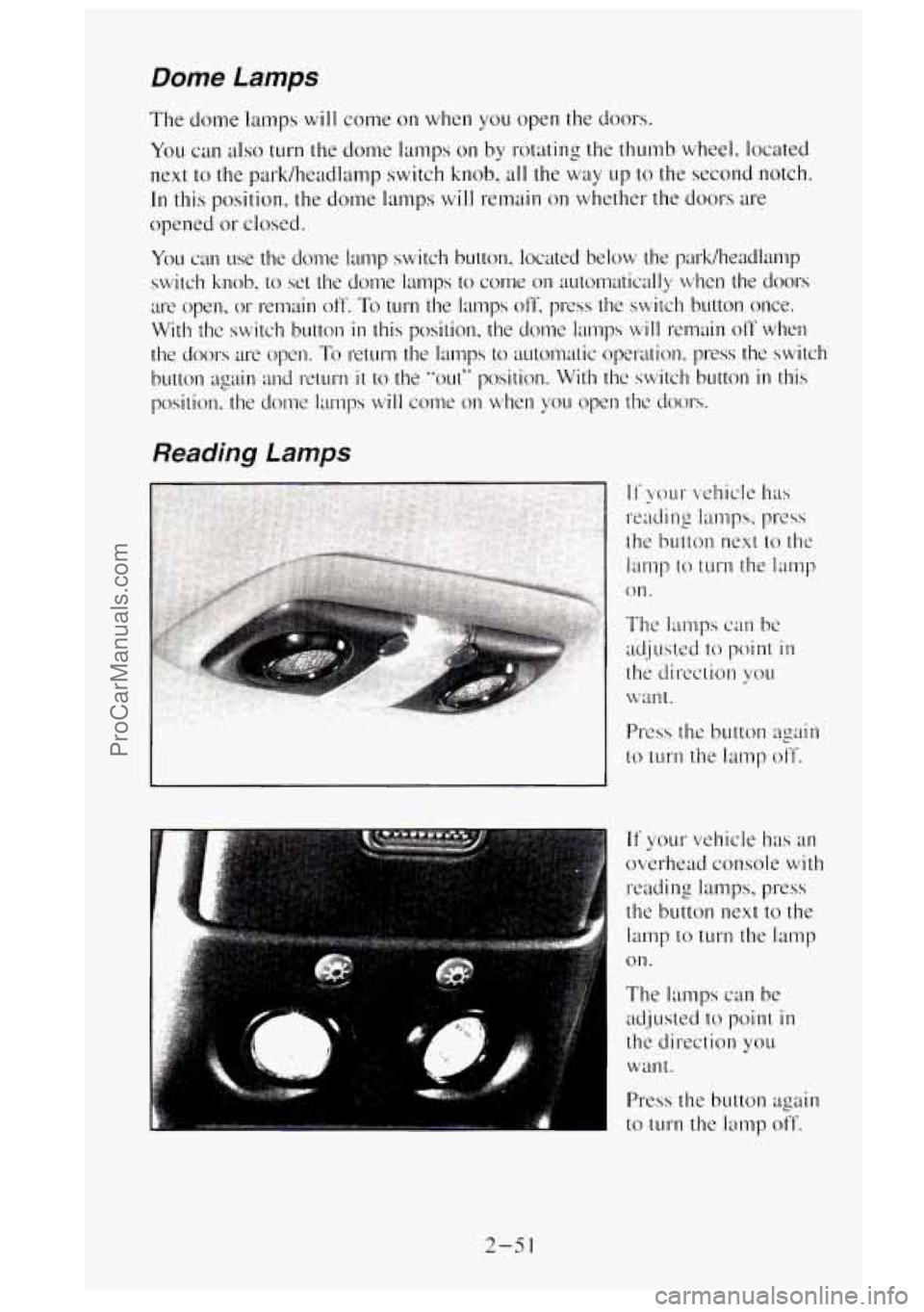
Reading Lamps
~ The lamps can be
adjusted to point in
the direction you
want.
Press the button again
to turn the lamp off.
If your vehicle has an
overhead console
with
reading lamps, press
the button next to the
lamp to
turn the lamp
on.
The lamps can be
adjusted
to point in
thi direction you
wall
t .
Press the button again
to
turn the lamp off.
2-5 1
ProCarManuals.com
Page 180 of 488
Anti-Lock Brakes (ABS)
Your vehicle has an advanced electronic braking system that can help you
keep it under control. When you start your vehicle and begin to drive away,
you may hear a momentary motor or clicking noise. This is the
ABS system
testing itself.
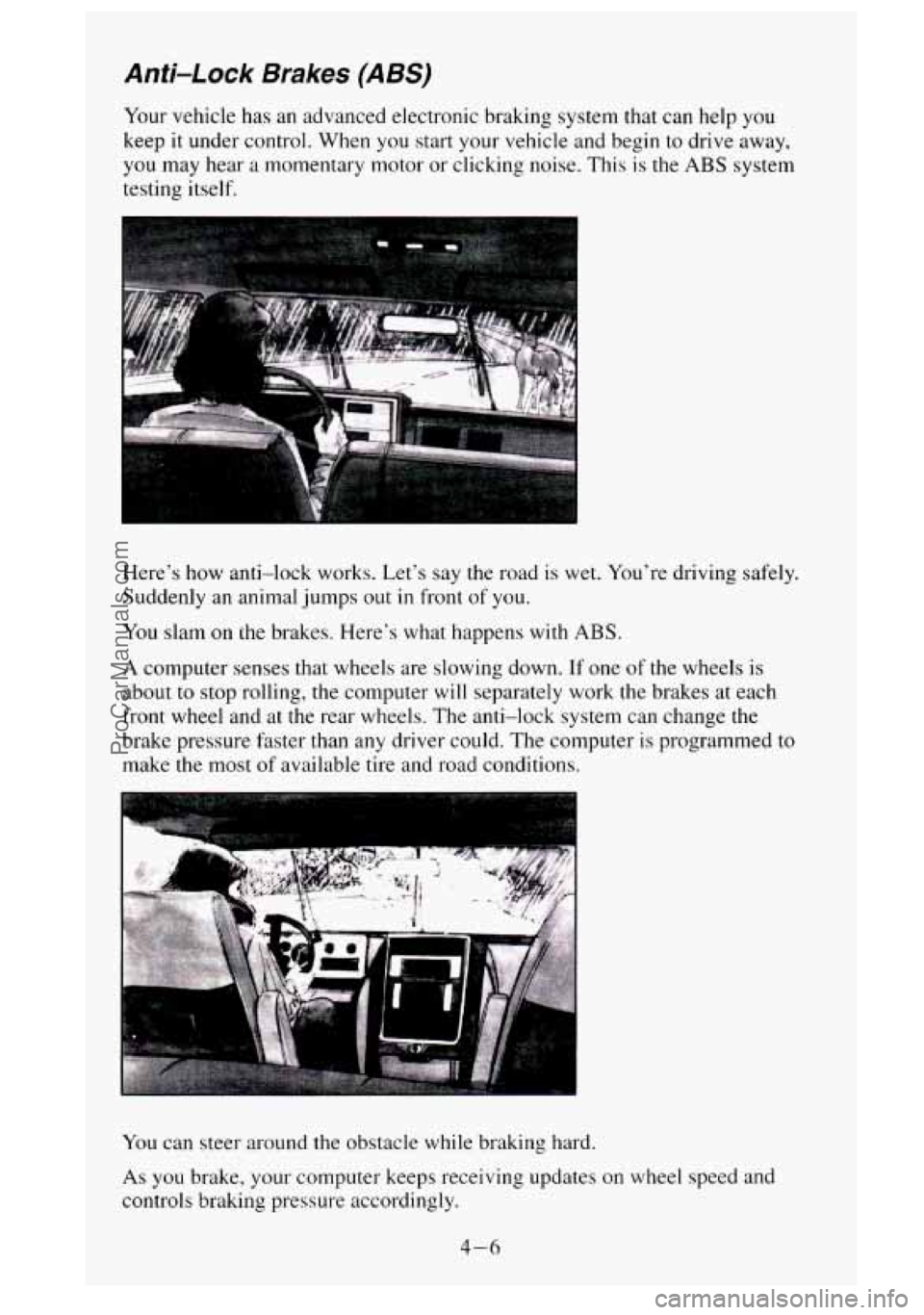
Here's how anti-lock works. Let's say the road is wet. You're driving safely.
Suddenly an animal jumps out
in front of you.
You slam on the brakes. Here's what happens with ABS.
A computer senses that wheels are slowing down. If one of the wheels is
about
to stop rolling, the computer will separately work the brakes at each
front wheel and at the rear wheels. The anti-lock system can change the
brake pressure faster than any driver could. The computer is programmed to
make the most
of available tire and road conditions.
You can steer around the obstacle while braking hard.
As you brake, your computer keeps receiving updates on wheel speed and
controls braking pressure accordingly.
4-6
ProCarManuals.com
Page 181 of 488
Remember: Anti-lock doesn’t change the time you need to get your foot up
to the brake pedal. If you get too close to the vehicle in front of you, you
won’t have time
to apply your brakes if that vehicle suddenly slows or
stops. Always leave enough room up ahead to stop, even though
you have
anti-lock brakes.
To Use Anti-Lock
Don’t pump the brakes. Just hold the brake pedal down and let anti-lock
work for you. You may feel the brakes vibrate, or you may notice some
noise, but this is normal. On vehicles
with four-wheel drive, your anti-lock
brakes work at all times
- whether you are in two-wheel drive or
four-wheel drive.
Braking in Emergencies
Use your anti-lock braking system when you need to. With anti-lock, you
can steer and brake at the same time. In many emergencies, steering can
help you more than even the very best braking.
Steering
Power Steering
If you lose power steering assist because the engine stops or the system is
not functioning, you can steer but it will take much more effort.
Steering Tips
Driving on Curves
It’s important to take curves at a reasonable speed.
A lot of the “driver lost control’’ accidents mentioned on the news happen
on curves. Here’s why:
Experienced driver or beginner, each of
us is subject to the same laws of
physics when driving on curves. The traction of the tires against the road
surface makes
it possible for the vehicle to change its path when you turn
the front wheels.
If there’s no traction, inertia will keep the vehicle going in
the same direction. If you’ve ever tried to steer
a vehicle on wet ice, you’ll
understand this.
The traction
you can get in a curve depends on the condition of your tires
and the road surface, the angle at which the curve is banked, and your
speed. While you’re
in a curve, speed is the one factor you can control.
4-7
ProCarManuals.com
Page 182 of 488
Suppose you’re steering through a sharp curve. Then you suddenly
accelerate.
Both control systems - steering and acceleration - have to do
their work where the tires meet the road. Adding the sudden acceleration
can demand too much of those places. You can lose control.
What should you do if
this ever happens‘? Ease up on the accelerator pedal,
steer the vehicle the way you want
it to go, and slow down.
Speed limit signs near curves warn that you should adjust your speed.
Of
course, the posted speeds are based on good weather and road conditions.
Under less fivorable conditions you’ll want to go slower.
If you need to reduce your speed as
you approach a curve, do it before you
enter the curve, while your front wheels are straight ahead.
Try
to adjust your speed so you can “drive” through the curve. Maintain a
reasonable, steady speed. Wdit to accelerate until you are out of the curve,
and then accelerate gently
into the straightaway.
Steering in Emergencies
There are times when steering can be more effective than braking. For
example, you come over a
hill and find a truck stopped in your lane, or a car
suddenly
pulls out from nowhere, or a child darts out from between parked
cars and stops right in front of you. You can avoid these problems by
braking
- if you can stop in time. But sometimes you can’t; there isn’t
room. That’s the time for evasive action
- steering around the problem.
Your vehicle can perform very
well in emergencies like these. First apply
your brakes. (See “Braking in Emergencies” earlier
in this section.) It is
better to remove
as much speed as you can from a possible collision. Then
steer around the problem, to the left or right depending on the space
available.
An emergency like this requires close attention and a quick decision. If you
are holding the steering wheel at the recommended
9 and 3 o’clock
positions, you can turn
it a full 180 degrees very quickly without removing
either hand. But you have to act fast, steer quickly, and just as quickly
straighten the wheel once you have avoided the object.
4-8
ProCarManuals.com