belt GMC SIERRA 1996 Service Manual
[x] Cancel search | Manufacturer: GMC, Model Year: 1996, Model line: SIERRA, Model: GMC SIERRA 1996Pages: 404, PDF Size: 21.57 MB
Page 57 of 404
en
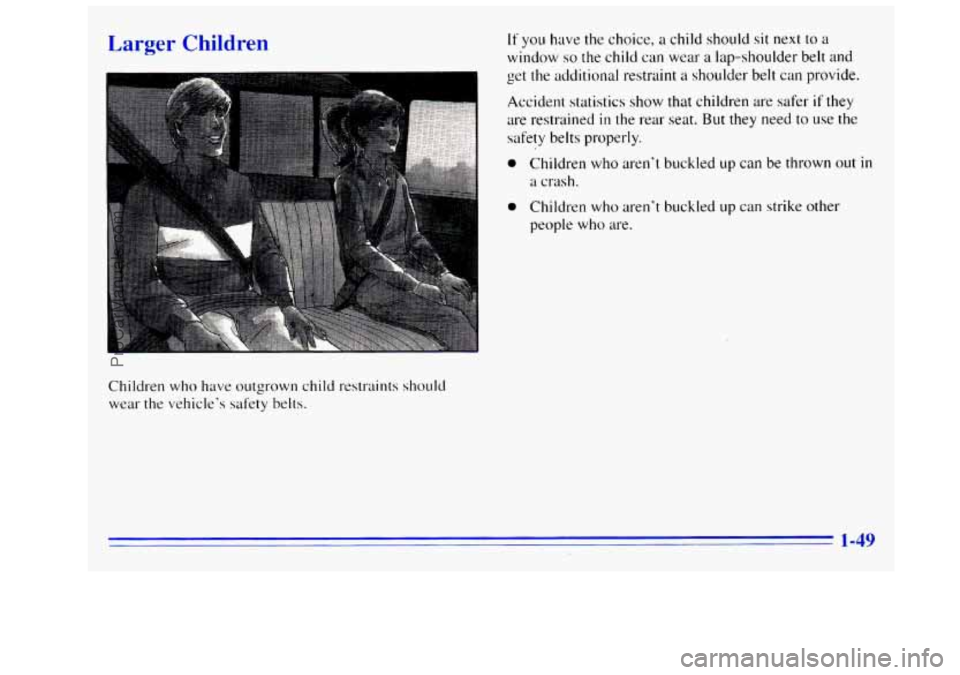
Children who have outgrown child restraints should
wear the vehicle’s safety belts.
If you have the choice, a child should sit next to a
window so the child can wear a lap-shoulder belt and
get the additional restraint
a shoulder belt can provide.
Accident statistics show that children are safer
if they
are restrained in the rear seat. But they need to use the
safety belts properly.
0 Children who aren’t buckled up can be thrown out in
a crash.
0 Children who aren’t buckled up can strike other
people
who are.
1-49
ProCarManuals.com
Page 58 of 404
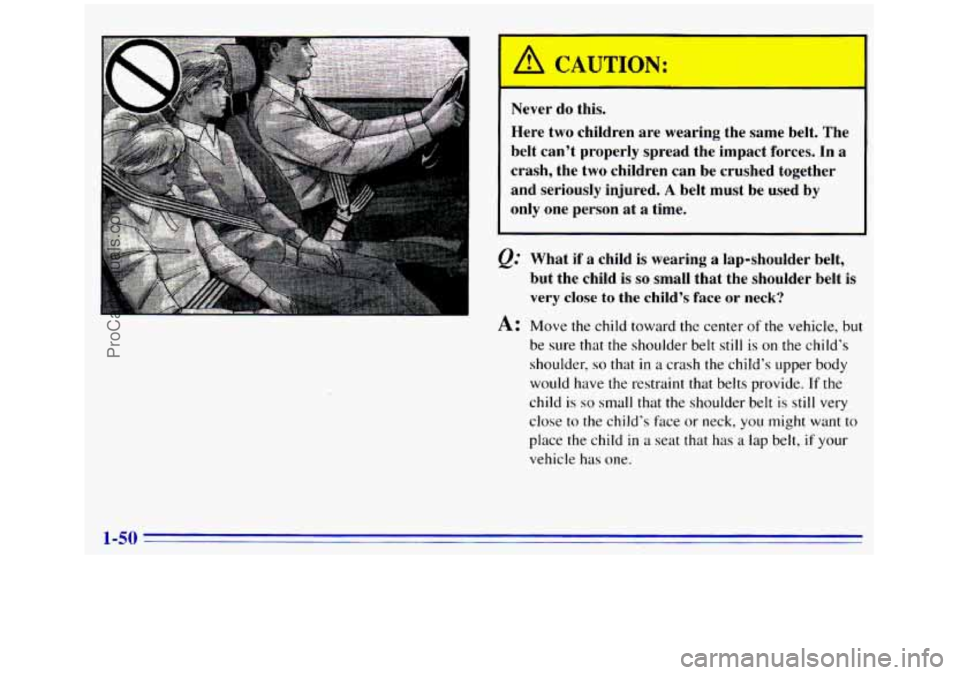
I A CAUTION:
Here two children are wearing the same belt. The
belt can’t properly spread the impact forces. In a
crash, the two children can
be crushed together
and seriously injured.
A belt must be used by
only one person at
a time.
Q=
A:
What if a child is wearing a lap-shoulder belt,
but the child is
so small that the shoulder belt is
very close to the child’s face or neck?
Move the child toward the center
of the vehicle, but
be sure that the shoulder belt still
is on the child’s
shoulder,
so that in a crash the child’s upper body
would have the restraint that belts provide.
If the
child is so small that the shoulder belt is still very
close to the child’s
face or neck, you might want to
place the child
in a seat that has a lap belt, if your
vehicle has one.
1-50
ProCarManuals.com
Page 59 of 404
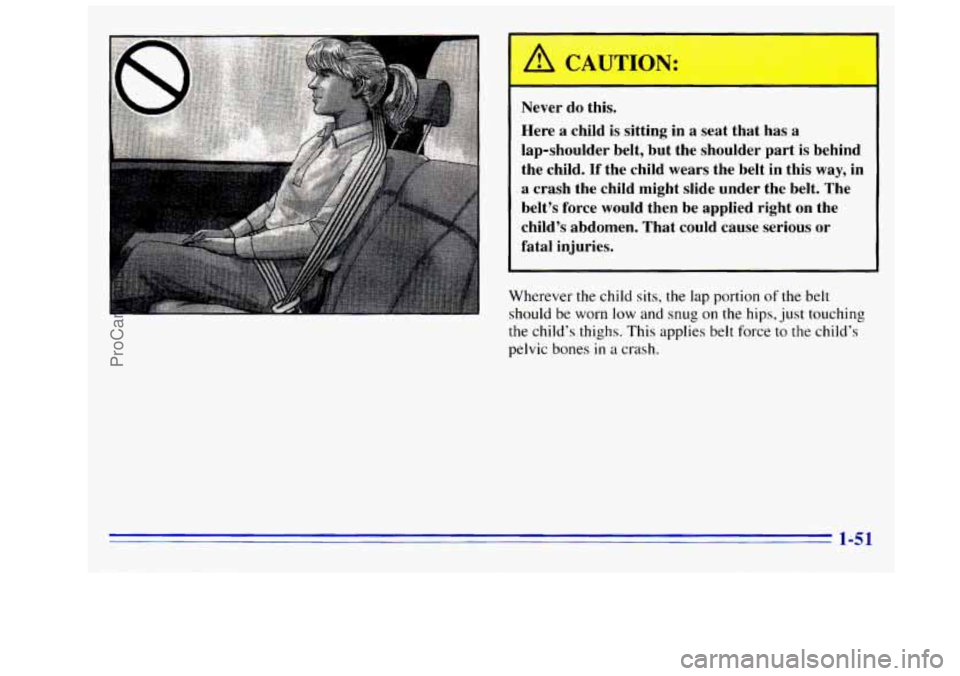
Never do this.
Here a child is sitting in
a seat that has a
lap-shoulder belt, but the shoulder part is behind
the child.
If the child wears the belt in this way, in
I a crash the child might slide under the belt. The
belt’s force would then be applied right
on the
child’s abdomen. That could cause serious
or
fatal injuries.
Wherever
the child sits, the lap portion of the belt
should be worn low and
snug on the hips, just touching
the child’s thighs. This applies belt force to
the child‘s
pelvic bones
in a crash.
1-51
ProCarManuals.com
Page 60 of 404
Safety Belt Extender Checking Your Restraint SI ~tems
If the vehicle‘s safety belt will hsten around you, you
should use
it.
But ifa safety belt isn’t long enough to Faten, your
dealer will order
you an extender. It’s free. When you go
in to order it, take the heaviest coat you will wear, so the
extender will be long enough for you. The extender
will
be just for you, and just for the seat in your vehicle that
you choose. Don’t let someone else use it, and use it
only for the seat it is made to fit. To wear it, just attach it
to the regular safety belt. Now
and then, make sure the safety belt reminder light
and all your belts, buckles, latch plates, retractors and
anchorages are working properly.
Look ,for any other
loose or damaged safety belt system parts.
If you see
anything that might keep a safety belt system from
doing its job, have
it repaired.
Torn or frayed safety belts may
not protect you in a
crash. They can rip apart under impact forces.
If a belt is
torn or frayed, get a new one right away.
Also look for any opened or broken air bag covers, and
have them repaired or replaced. (The air bag system
does not need regular maintenance.)
1-52
ProCarManuals.com
Page 61 of 404
Replacing Restraint System Parts
After a Crash
If you’ve had a crash, do you need new belts‘?
After a very minor collision, nothing may be necessary.
But
if the belts were stretched, as they would be if worn
during a more severe crash, then
you need new belts.
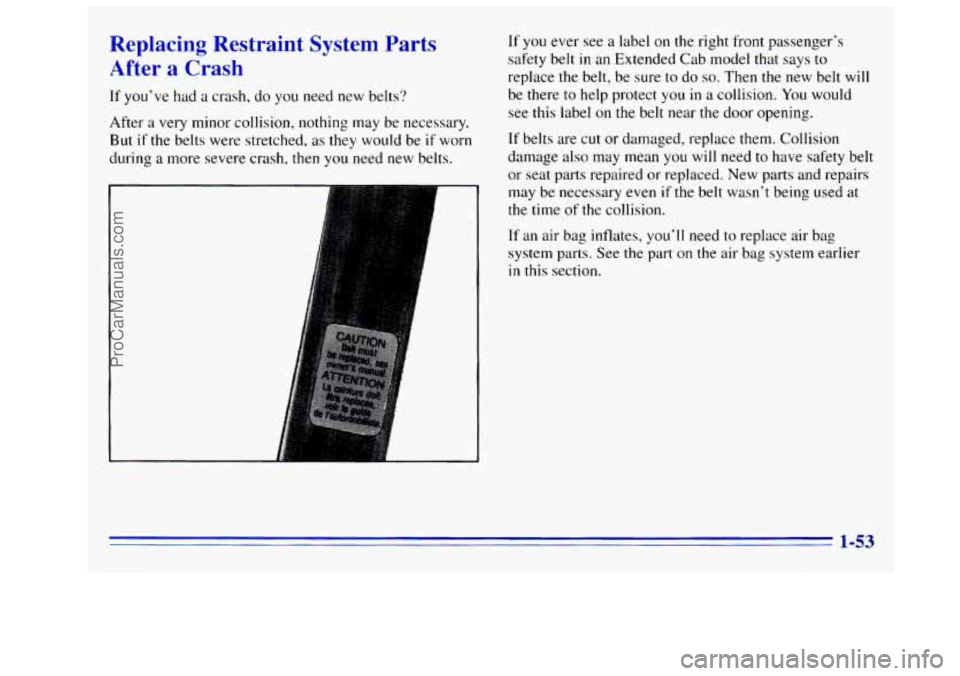
If you ever see a label on the right front passenger’s
safety belt in an Extended Cab model that says
to
replace the belt, be sure to do so. Then the new belt will
be there to help protect
you in a collision. You would
see this label on the belt near the door opening.
If belts are cut or damaged, replace them. Collision
damage also may mean
you will need to have safety belt
or seat parts repaired or replaced. New parts and repairs
may be necessary even
if the belt wasn’t being used at
the time of the collision.
If an air bag inflates, you’ll need to replace air bag
system parts. See the part
on the air bag system earlier
in this section.
1-53
ProCarManuals.com
Page 66 of 404
~ Door Locks There
are several ways to lock and .unlock your vehicle. I
I
Unlocked doors can be dangerous.
Passengers
-- especially children -- can easily
open the doors and fall out. When a door is
locked, the inside handle won't open it.
Outsiders can easily enter through an unlocked
door when you slow down or stop your vehicle.
This may not be so obvious: You increase the
chance of being thrown out of the vehicle in
a
crash if the doors aren't locked. Wear safety belts
properly, lock your doors, and you
will be far
better off whenever you drive your vehicle.
From the outside, use your key or the Keyless Entry
System, if.your vehicle has this option.
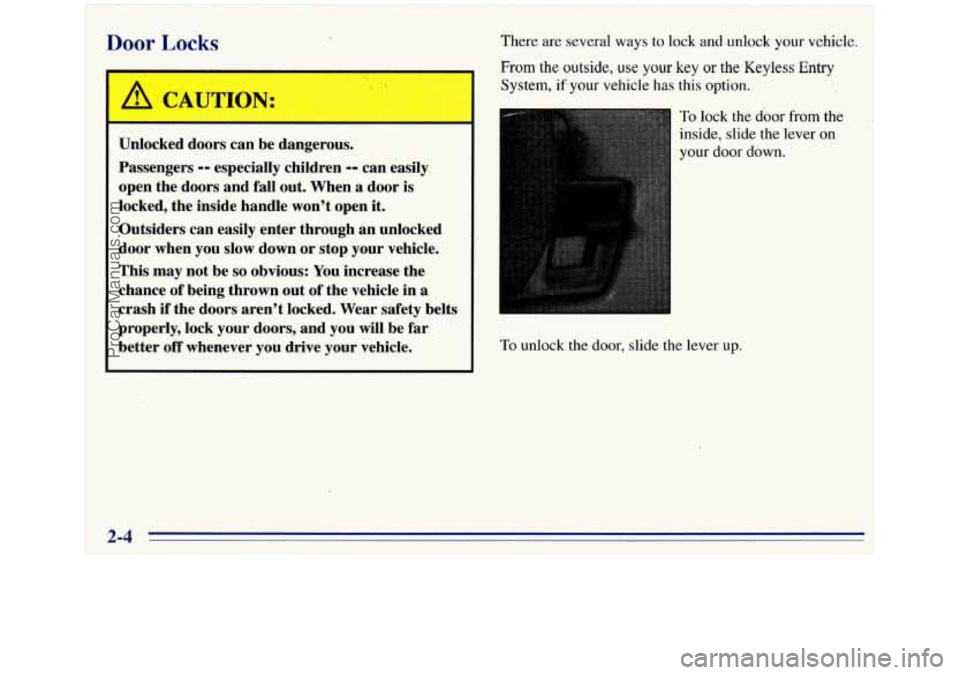
To lock the door from the
inside, slide the lever
on
your door down.
To unlock the door, slide the lever up.
2-4 I' II
ProCarManuals.com
Page 120 of 404
Warning Lights, Gages and Indicators
This part describes the warning lights and gages that
may be on your vehicle. The pictures will help
you
locate them.
Warning lights and gages can signal
that something is
wrong before it becomes serious enough to cause an
expensive repair or replacement. Paying attention to
your warning lights and gages could also save
you or
others from injury.
Warning lights come on when there may be
or is a
problem with one of your vehicle’s functions.
As you
will see in the details on the next few pages, some
warning lights come
on briefly when you start the
engine just
to let you know they’re working. If you are
familiar with this section, you should not be alarmed
when this happens.
Gages can indicate when there may be or is a problem
with one
of your vehicle’s functions. Often gages and
warning lights work together
to let you know when
there’s a problem with your vehicle. When
one of the warning lights comes on and stays on
when
you are driving, or when one of the gages shows
there may be a problem, check the section that
tells you
what to do about it. Please follow this manual’s advice.
Waiting to do repairs can be costly
-- and even
dangerous.
So please get to know your warning lights
and gages. They’re a big help.
Safety Belt Reminder Light
When the key is turned to RUN or START, a tone will
come on for about eight seconds to remind people
to
fasten their safety belts, unless the driver’s safety belt is
already buckled.
-
The safety belt light will
on for about 20 seconds,
also
come
on and stay
then
it will flash for about
belt is already buckled,
55 seconds. If the driver’s
neither the tone nor
the
light will come on.
2-58
-
ProCarManuals.com
Page 121 of 404
Air Bag Readiness Light
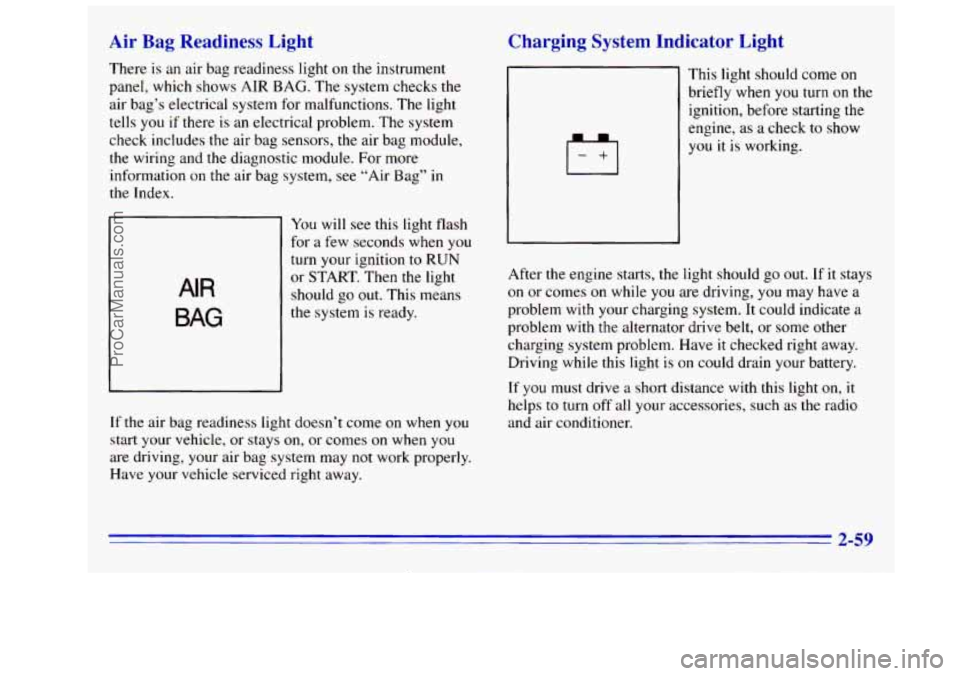
There is an air bag readiness light on the instrument
panel, which shows AIR BAG. The system checks the
air bag’s electrical system for malfunctions. The light
tells
you if there is an electrical problem. The system
check includes the air bag sensors, the air bag module,
the wiring and the diagnostic module. For more
information
on the air bag system, see “Air Bag” in
the Index.
AIR
BAG
You will see this light flash
for a few seconds when you
turn your ignition
to RUN
or START. Then the light
should go out. This means
the system is ready.
Charging System Indicator Light
If the air bag readiness light doesn’t come on when you
start your vehicle, or stays on, or comes on when you
are driving, your air bag system may not work properly.
Have your vehicle serviced right away. This
light should come
on
briefly when you turn on the
ignition, before starting the
engine, as
a check to show
you it is working.
After the engine starts,
the light should go out. If it stays
on or comes on while
you are driving, you may have a
problem with your charging system. It could indicate a
problem with the alternator drive belt,
or some other
charging system problem. Have
it checked right away.
Driving while this light is on could drain your battery.
If
you must drive a short distance with this light on, it
helps to turn off all your accessories, such
as the radio
and air conditioner.
2-59
ProCarManuals.com
Page 154 of 404

Care of Your Cassette Tape Player
A tape player that is not cleaned regularly can cause
reduced sound quality, ruined cassettes
or a damaged
mechanism. Cassette tapes should be stored in their
cases away from contaminants, direct sunlight and
extreme heat. If they aren’t,
they may not operate
properly or may cause failure
of the tape player.
Your tape player should be cleaned regularly after every
50 hours of use. Your radio may display CLN to indicate
that
you have used your tape player for 50 hours without
resetting the tape clean timer.
If you notice a reduction in
sound quality, try a known good cassette to see if the tape
or the tape player is at fault. If this other cassette has no
improvement
in sound quality, clean the tape player.
Cleaning may be done with a scrubbing action,
non-abrasive cleaning cassette with pads which scrub
the tape head as the hubs
of the cleaner cassette turn. It
is normal for the cassette to eject while cleaning because
your unit is equipped with
a cut tape feature. To
temporarily override this feature (for one insertion), turn
the radio off and press and hold TAPE AUX until the
tape symbol flashes on the display, then insert
the
cassette again. Insert the cassette at least three times to
ensure thorough cleaning. A scrubbing action cleaning
cassette
is available through your GM dealer.
You may also choose a non-scrubbing action, wet-type
cleaner which uses a cassette with
a fabric belt to clean the
tape head. This type
of cleaning cassette will not eject. It
may not clean as thoroughly as the scrubbing type cleaner.
Cassettes are subject
to wear and the sound quality may
degrade over time. Always make sure that
the cassette
tape
is in good condition before you have your tape
player serviced.
Care of Your Compact Discs
Handle discs carefully. Store them in their original cases
or other protective cases and away from direct sunlight
and dust.
If the surface of a disc is soiled, dampen a
clean, soft cloth in
a mild, neutral detergent solution and
clean
it, wiping from the center to the edge.
Be sure never
to touch the signal surface when handling
discs. Pick up discs by grasping the outer edges or the
edge of the hole and the outer edge.
Fixed Mast Antenna
The fixed mast antenna can withstand most vehicle
washes without being damaged.
If the mast should ever
become slightly bent, you can straighten
it out by hand.
If the mast is badly bent,
as it might be by vandals, you
should replace it.
Check every once in a while to be sure the mast is still
tightened to the cowl.
3-24
ProCarManuals.com
Page 155 of 404
Section 4 Your Driving and the Road
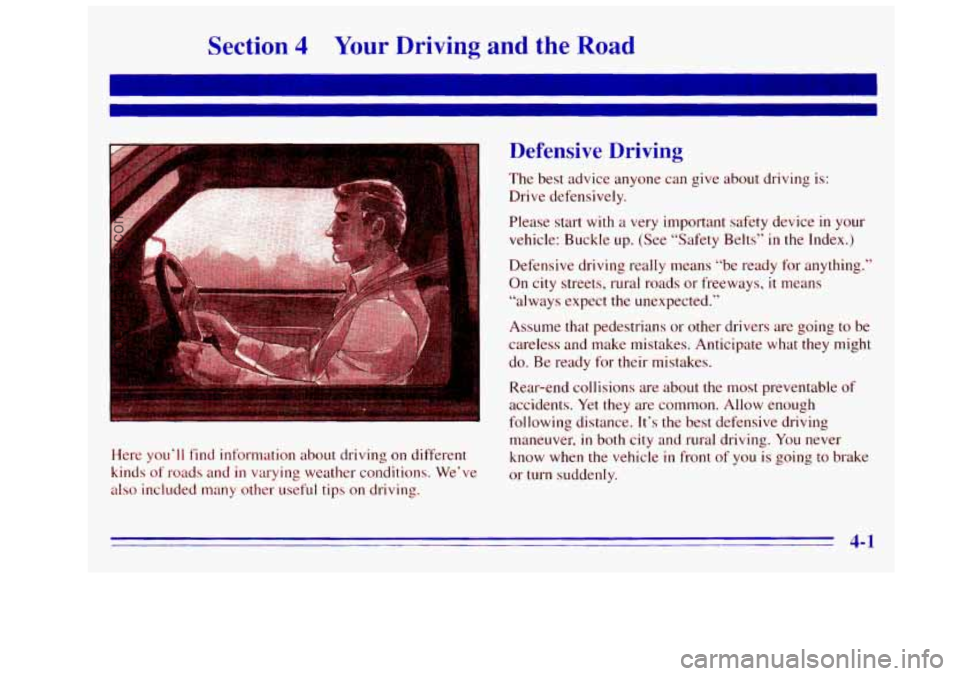
Here you‘ll find information about driving on different
kinds
of roads and in varying weather conditions. We’ve
also included many other useful tips on driving.
Defensive Driving
The best advice anyone can give about driving is:
Drive defensively.
Please start with
a very important safety device in your
vehicle: Buckle up. (See “Safety Belts”
in the Index.)
Defensive driving really means “be ready
for anything.”
On city streets, rural roads or freeways, it means
“always expect the unexpected.”
Assume that pedestrians
or other drivers are going to be
careless and make mistakes. Anticipate what they might
do.
Be ready for their mistakes.
Rear-end collisions are about the most preventable
of
accidents. Yet they are common. Allow enough
following distance. It’s the best defensive driving
maneuver,
in both city and rural driving. You never
know when the vehicle
in front of you is going to brake
or turn suddenly.
4-1
ProCarManuals.com