tow GMC SIERRA 1998 Owner's Manual
[x] Cancel search | Manufacturer: GMC, Model Year: 1998, Model line: SIERRA, Model: GMC SIERRA 1998Pages: 452, PDF Size: 23.65 MB
Page 118 of 452
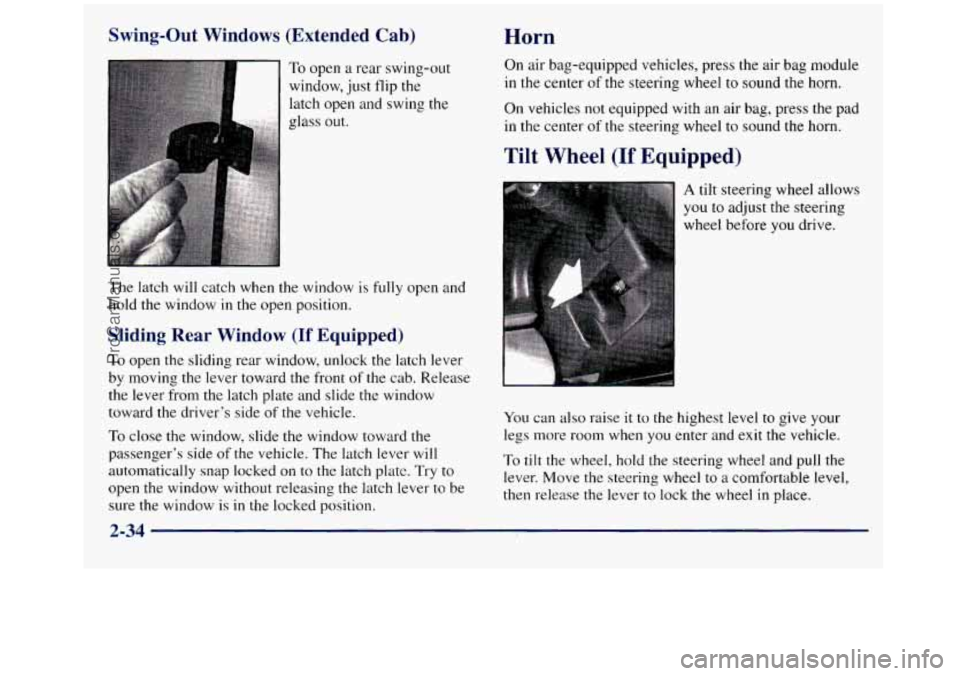
Swing-Out Windows (Extended Cab)
Sliding Rear Window (If Equipped)
To open the sliding rear window, unlock the latch lever
by moving the lever toward the front
of the cab. Release
the lever from the latch plate and slide the window
toward the driver’s side
of the vehicle.
To close the window, slide the window toward the
passenger’s side
of the vehicle. The latch lever will
automatically snap locked on to the latch plate. Try to
open the window without releasing the latch lever to be sure the window is
in the locked position.
Horn
On air bag-equipped vehicles, press the air bag module
in the center
of the steering wheel to sound the horn.
On vehicles not equipped with an air bag, press the pad
in the center of the steering wheel to sound the horn.
Tilt Wheel (If Equipped)
A tilt steering wheel allows
you to adjust the steering
wheel before
you drive.
You can also raise it to the highest level to give your
legs more room when you enter and exit the vehicle.
To tilt the wheel, hold the steering wheel and puli the
lever. Move the steering wheel to
a comfortable level,
then release the lever to lock the wheel
in place.
2-34
ProCarManuals.com
Page 120 of 452
If a bulb is burned out, replace it to help avoid an
accident. If the arrows don’t go on at all when you
signal
a turn, check for burned-out bulbs and a blown
fuse (see “Fuses and Circuit Breakers”
in the Index).
Headlamp HighLow-Beam Changer
To change the headlamps from low to high beam or high
to low beam, pull the multifunction lever all the way
toward
you. Then release it.
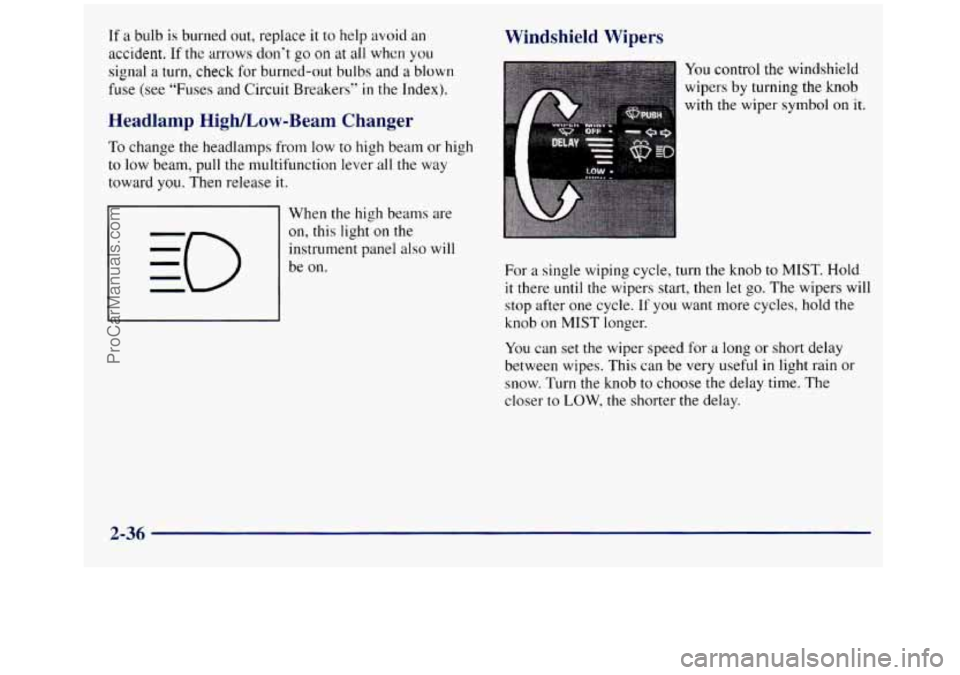
When the high beams are
on, this light
on the
instrument panel also will
be on.
Windshield Wipers
You control the windshield
wipers
by turning the knob
with the wiper
symbol on it.
For a single wiping cycle, turn the knob to MIST. Hold
it there until the wipers start, then let
go. The wipers will
stop after one cycle.
If you want more cycles, hold the
knob on MIST longer.
You can set
the wiper speed for a long or short delay
between wipes. This can be very useful
in light rain or
snow. Turn the knob to choose the delay time. The
closer to
LOW, the shorter the delay.
2-36
ProCarManuals.com
Page 131 of 452
Compass Operation The mirror can be calibrated in one of two ways:
Press the COMP switch once briefly to turn the compass
on or
off.
When the ignition and the compass feature are on, the
compass will show two character boxes for
approximately two seconds. After two seconds, the
mirror will display the compass heading.
When cleaning the mirror, use
a paper towel or similar
material dampened
with glass cleaner. Do not spray
glass cleaner directly on the mirror as that may cause the
liquid cleaner to enter the mirror housing.
Compass Calibration
If, after two seconds, the display does not show a compass
heading
(“N? for North, for example), there may be a
strong magnetic field interfering with the compass. Such
interference may be caused by a magnetic antenna mount,
magnetic note pad holder or
a similar magnetic item. If the
letter
“C” should ever appear in the compass window, the
mirror may need calibration.
0 Drive the vehicle in circles at five mph (8 km/hj or
less until the display reads a direction, or
0 Drive the vehicle on your everyday routine.
Compass Variance
The mirror is set in zone eight upon leaving the fictory.
It will be necessary to adjust the compass to compensate
for compass variance
if you live outside zone eight.
Under certain circumstances, as during
it long distance
cross-country trip,
it will be necessary to adjust for
con~pass variance. Compass variance
is the difference
between earth’s magnetic north and true geographic
north.
If not ad-justed to account for compass variance,
your compass could give false readings.
To adjust for compass variance:
1. Use the COMP button located at the bottom of
the mirror.
2. Press and hold the COMP button for three seconds
until a zone number appears in the display.
3. Find your current location and variance zone number
on the following zone map.
2-47
ProCarManuals.com
Page 133 of 452
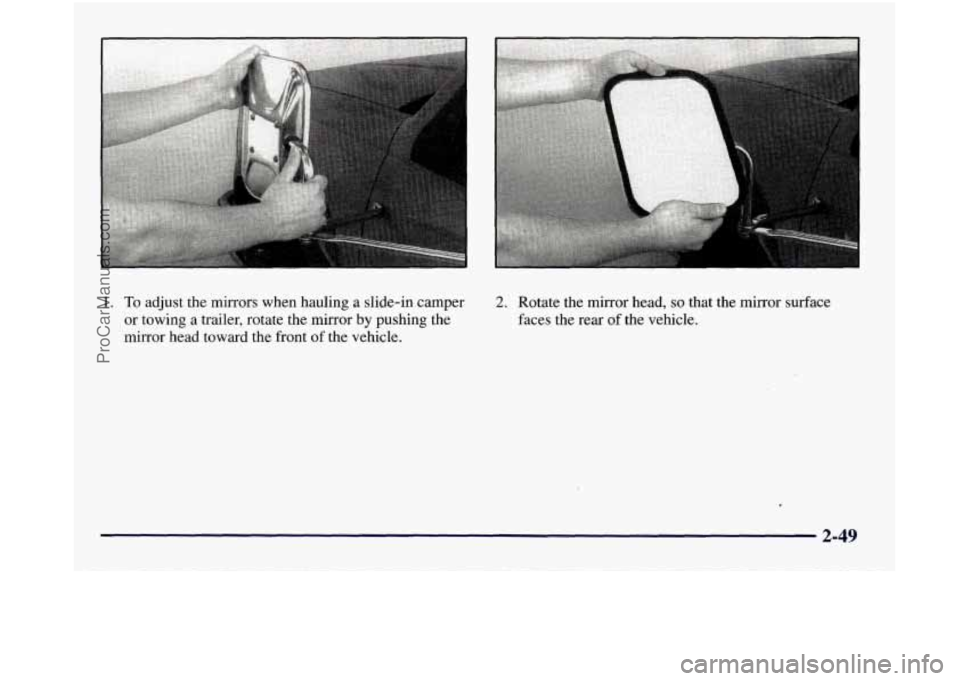
1. To adjust the mirrors when hauling a slide-in camper
or towing
a trailer, rotate the mirror by pushing the
mirror head toward the front
of the vehicle.
2. Rotate the mirror head, so that the mirror surface
faces the rear of the vehicle.
2-49
ProCarManuals.com
Page 135 of 452
A convex mirror can make things (like other
vehicles) look farther away than they really are.
If you cut too sharply into the right lane, you
could hit a vehicle
on your right. Check your
inside mirror or glance over your shoulder before
changing lanes.
Storage Compartments
Your vehicle has a variety of storage compartments
designed to store small items.
Your vehicle includes a number of storage
compartments for storage
of often-used items.
Some vehicles have storage areas
in the instrument panel.
Use these spaces for items such as gloves or small books. Some
models have
a storage pocket on each of the
front doors.
Some vehicles have a storage area behind the seat.
Glove Box
To open your glove box, move the button toward the
passenger’s side and pull the door open.
Center Overhead Console (If Equipped)
Your vehicle may have an overhead console. It has
storage compartments inside it.
Installing a Garage Door Opener
If you have a garage door opener, the front overhead
compartment can be used to conveniently store
the opener.
1. To install the garage door opener, first open the
compartment door by pressing the release
button forward.
2-51
ProCarManuals.com
Page 140 of 452
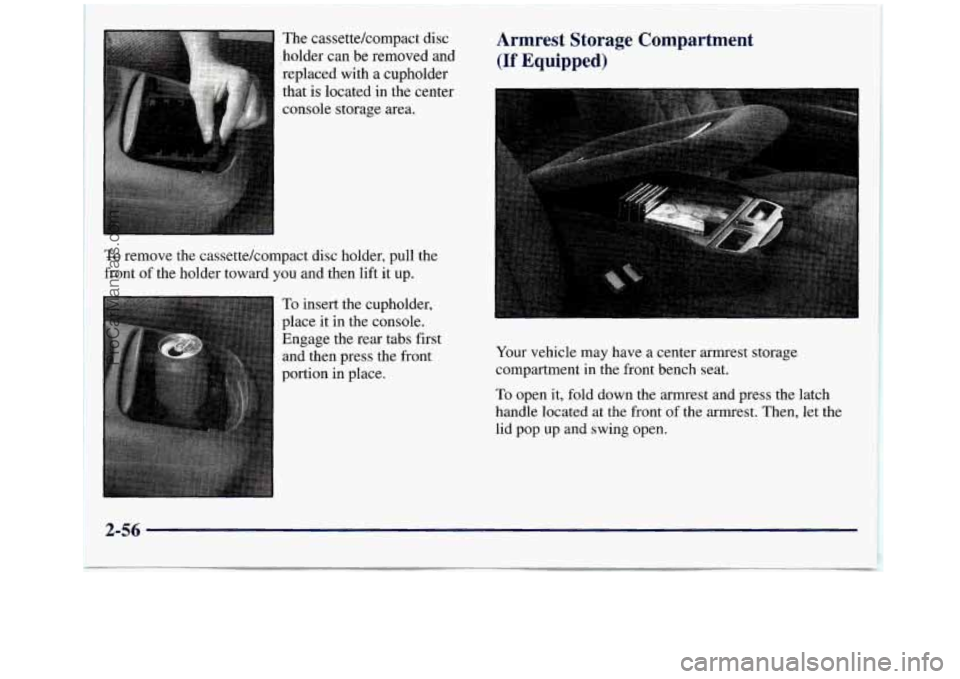
The cassettekompact disc
holder can be removed and
replaced with a cupholder
that is located in the center
console storage area.
To remove the cassettekompact disc holder, pull the
front
of the holder toward vou and then lift it up.
To insert the cupholder,
place it in the console.
Engage the rear tabs first and then press the front
portion in place.
Armrest Storage Compartment
(If Equipped)
Your vehicle may have a center armrest storage
compartment in the front bench seat.
To open it, fold down the armrest and press the latch
handle located at the front of the armrest. Then, let the
lid pop up and swing open.
2-56
ProCarManuals.com
Page 142 of 452
Ashtrays and Cigarette L - ;er
l Front Ashtray
The front ashtray is located at the bottom of the
instrument panel. Pull
on the notch in the ashtray door
to open it.
NOTICE:
If you store paper or other things that burn in
your ashtrays, they could be set on fire by
cigarettes or other smoking materials. That could
cause
a fire and possibly damage your vehicle. Do
not store papers and other things that burn in
your ashtrays.
To remove the front ashtray, press the retainer spring
and pivot the ashtray toward you.
To replace the ashtray,
place the bottom part
of the ashtray on the pivot bar at
the bottom
of its mounting on the instrument panel.
Then rotate the ashtray
back to its original position.
Rear Ashtray (If Equipped)
To use a rear ashtray, if you have them, pull at the top of
the ashtray door to flip the door open.
To remove a rear ashtray, press down on the inside tabs
and open the door fully.
NOTICE:
If you store paper or other things that burn in
your ashtrays, they could be set on fire
by
cigarettes or other smoking materials. That could
cause
a fire and possibly damage your vehicle. Do
not store papers and other things that burn in
your ashtrays.
To use the cigarette lighter, push it in all the way, and let
go. When it's ready, it will pop back by itself.
2-58 !
I
ProCarManuals.com
Page 152 of 452
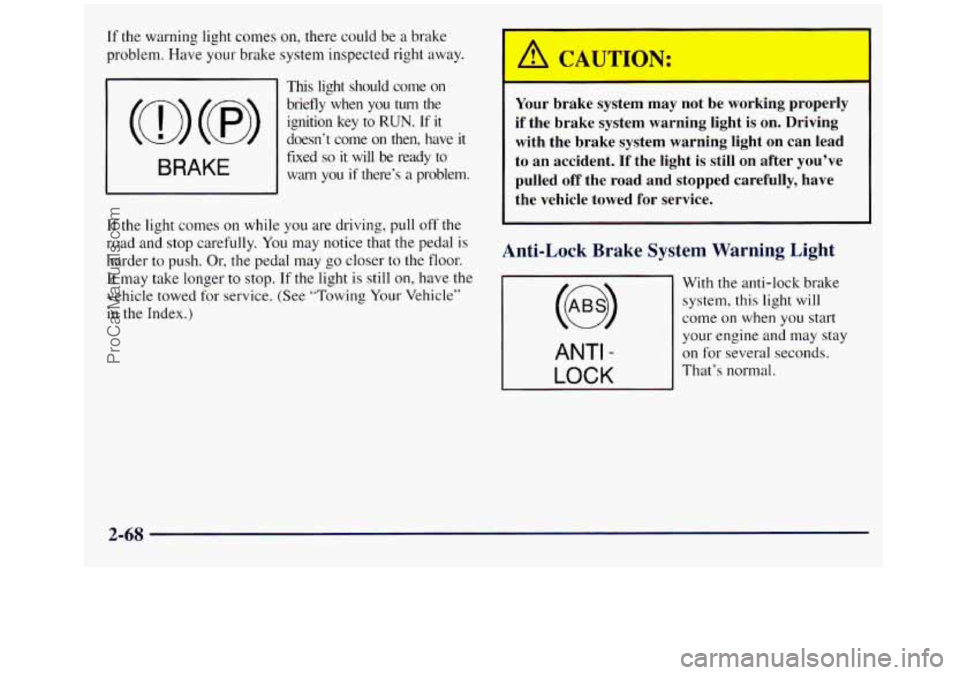
If the warning light comes on, there co11ld be a brake
problem. Have your brake system inspected right away.
This light should come on
(a) (@)
briefly when you turn the
ignition key
to RUN. If it
doesn‘t come on then, have
it
fixed so it will be ready to
warn you if there’s a problem. BRAKE
If the light comes on while you are driving, pull off the
road and
stop carefully. You may notice that the pedal is
harder
to push. Or, the pedal may go closer to the floor.
It may take longer to stop.
If the light is still on, have the
vehicle towed
for service. (See “Towing Your Vehicle”
in the Index.)
Your brake system may not be working properly
if the brake system warning light is
on. Driving
with the brake system warning light on can lead
to an accident.
If the light is still on after you’ve
pulled off the road and stopped carefully, have
the vehicle towed for service.
Anti-Lock Brake System Warning Light
With the anti-lock brake
system,
this light will
come on when you start
ANTI -
LOCK
your engine and may stay
on for several seconds.
That’s normal.
2-68
ProCarManuals.com
Page 154 of 452
This system is called OBD I1 (On-Board
Diagnostics-Second Generation) and is intended to
assure that emissions are at acceptable levels for the life
of the vehicle, helping to produce a cleaner
environment. The
SERVICE ENGINE SOON light
comes on to indicate that there is a problem and service
is required. Malfunctions often will be indicated by the
system before any problem is apparent. This may
prevent more serious damage to your vehicle. This
system is also designed to assist your service technician
in correctly diagnosing any malfunction.
~OTICE:
If you keep driving your vehicle with this light
on, after a while, your emission controls may not
work as well, your fuel economy may not be as
good and your engine may not run as smoothly.
This could lead to costly repairs that may not be
covered by your warranty.
This light should come on, as a check to show you it is
working, when the ignition is on and the engine is not
running. If the light doesn’t come on, have it repaired.
2-70
This light will also come on during a malfunction in one
of two ways:
0 Light Flashing -- A misfire condition has been
detected. A misfire increases vehicle emissions and
may damage the emission control system on your
vehicle. Dealer or qualified service center diagnosis
and service may be required.
0 Light On Steady -- An emission control system
malfunction has been detected on your vehicle.
Dealer or qualified service center diagnosis and
service may be required.
If the Light Is Flashing
The following may prevent’more serious aamage to
your vehicle:
Reducing vehicle speed.
Avoiding hard accelerations.
0 Avoiding steep uphill grades.
0 If you are towing a trailer, reduce the amount of
cargo being hauled as soon as it is possible.
If the light stops flashing
and remains on steady, see “If
the Light Is On Steady” following.
If the light continues
to flash, when it is safe to do so,
stop the vehicle. Find a safe place to park your vehicle.
ProCarManuals.com
Page 162 of 452
Comfort Controls
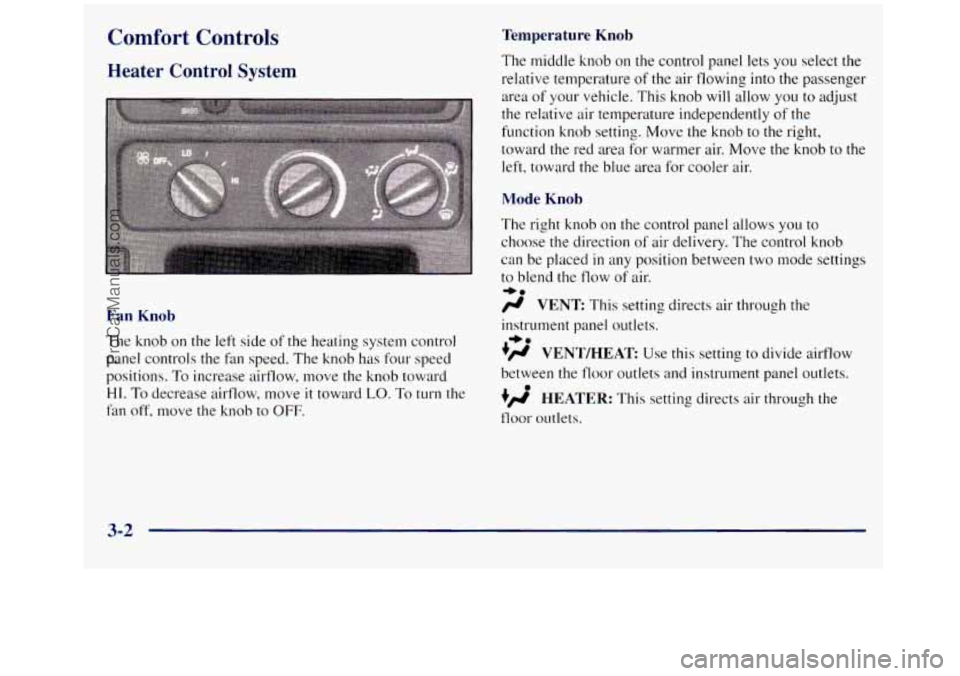
Heater Control System
Fan Knob
The knob on the left side of the heating system control
panel controls the fan speed. The knob has four speed
positions.
To increase airflow, move the knob toward
HI. To decrease airflow, move it toward LO. To turn the
fan off, move the knob to OFF.
Temperature Knob
The middle knob on the control panel lets you select the
relative temperature
of the air flowing into the passenger
area of your vehicle. This knob will allow you to adjust
the relative air temperature independently
of the
function knob setting. Move the knob to the right,
toward the red area for warmer air. Move the knob
to the
left, toward the blue area for cooler air.
Mode Knob
The right knob on the control panel allows you to
choose the direction
of air delivery. The control knob
can be placed
in any position between two mode settings
to blend the flow of air.
/r VENT This setting directs air through the
-bo
instrument panel outlets.
.)rr VENT/HEAT Use this setting to divide ailflow
between the floor outlets and instrument panel outlets.
+/r HEATER: This setting directs air through the
floor outlets.
+e
0
3-2
ProCarManuals.com