instrument panel GMC SIERRA 2005 User Guide
[x] Cancel search | Manufacturer: GMC, Model Year: 2005, Model line: SIERRA, Model: GMC SIERRA 2005Pages: 574, PDF Size: 2.95 MB
Page 85 of 574
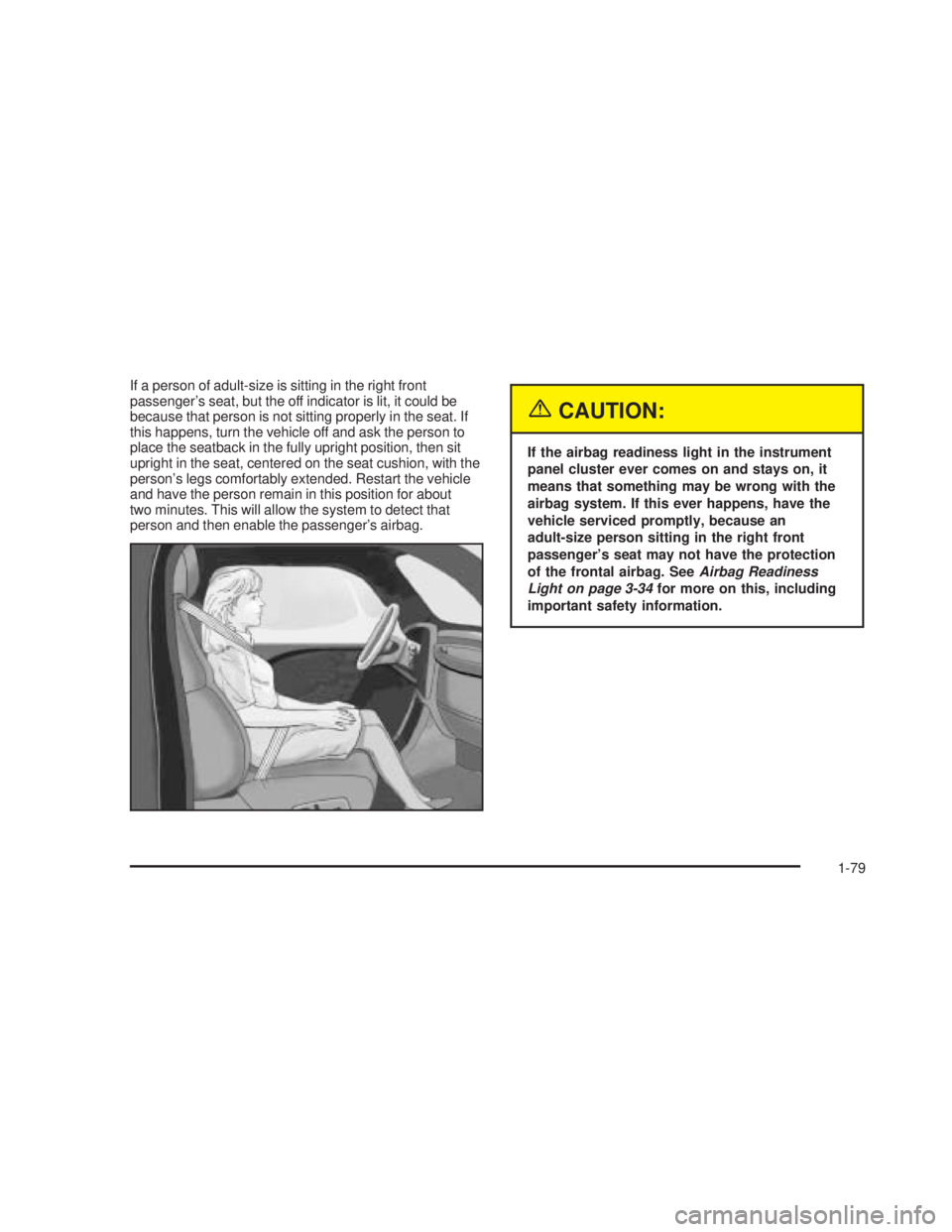
If a person of adult-size is sitting in the right front
passenger’s seat, but the off indicator is lit, it could be
because that person is not sitting properly in the seat. If
this happens, turn the vehicle off and ask the person to
place the seatback in the fully upright position, then sit
upright in the seat, centered on the seat cushion, with the
person’s legs comfortably extended. Restart the vehicle
and have the person remain in this position for about
two minutes. This will allow the system to detect that
person and then enable the passenger’s airbag.
{CAUTION:
If the airbag readiness light in the instrument
panel cluster ever comes on and stays on, it
means that something may be wrong with the
airbag system. If this ever happens, have the
vehicle serviced promptly, because an
adult-size person sitting in the right front
passenger’s seat may not have the protection
of the frontal airbag. SeeAirbag Readiness
Light on page 3-34for more on this, including
important safety information.
1-79
Page 116 of 574
Automatic Transmission Operation
If your vehicle is equipped with an automatic
transmission, it features an electronic shift position
indicator within the instrument panel cluster. This display
must be powered anytime the shift lever is capable of
being moved out of PARK (P). SeeFuses and
Circuit Breakers on page 5-122.
There are several different positions for your shift lever.
PARK (P):This position locks your rear wheels. It is
the best position to use when you start your engine
because your vehicle cannot move easily. If your vehicle
is equipped with the Allison Transmission
®, use
PARK (P) for stationary operation of the Power Takeoff
(PTO), if equipped. The Allison Transmission
®is
equipped with park pawl designed to hold the higher
weight of commercial medium duty trucks. Therefore, the
Allison Transmission
®uses larger parts than other
automatic transmission. These larger parts may
sometimes make a clunk noise when the selector lever
is moved from DRIVE (D) or REVERSE (R) to
PARK (P). This is normal and there is no damage
occurring during these shifts.
{CAUTION:
It is dangerous to get out of your vehicle if the
shift lever is not fully in PARK (P) with the
parking brake rmly set. Your vehicle can roll.
Do not leave your vehicle when the engine is
running unless you have to. If you have left the
engine running, the vehicle can move
suddenly. You or others could be injured. To
be sure your vehicle will not move, even when
you are on fairly level ground, always set your
parking brake and move the shift lever to
PARK (P). SeeShifting Into Park (P) (Automatic
Transmission) on page 2-49. If you are pulling
a trailer, seeTowing a Trailer on page 4-68.
2-26
Page 119 of 574
If you manually select SECOND (2) in a light duty
automatic transmission, the transmission will drive in
second gear. You may use this feature for reducing the
speed of the rear wheels when you are trying to start
your vehicle from a stop on slippery road surfaces.
FIRST (1):This position gives you even more power
(but lower fuel economy) than SECOND (2). You
can use it on very steep hills, or in deep snow or mud.
If the selector lever is put in FIRST (1) while the
vehicle is moving forward, the transmission will not shift
into rst gear until the vehicle is going slowly enough.
Notice:Spinning the tires or holding the vehicle in
one place on a hill using only the accelerator
pedal may damage the transmission. If you are
stuck, do not spin the tires. When stopping on a hill,
use the brakes to hold the vehicle in place.
On cold days, approximately 32°F (0°C) or colder, your
transmission is designed to shift differently. The
transmission uses a warm-up mode shift schedule until
the engine reaches normal operating temperature.
While the transmission is in warm-up mode it is normal
for transmission upshifts to be delayed or held longer.
This feature improves heater performance by giving
quicker vehicle warm-ups.Tow/Haul Mode
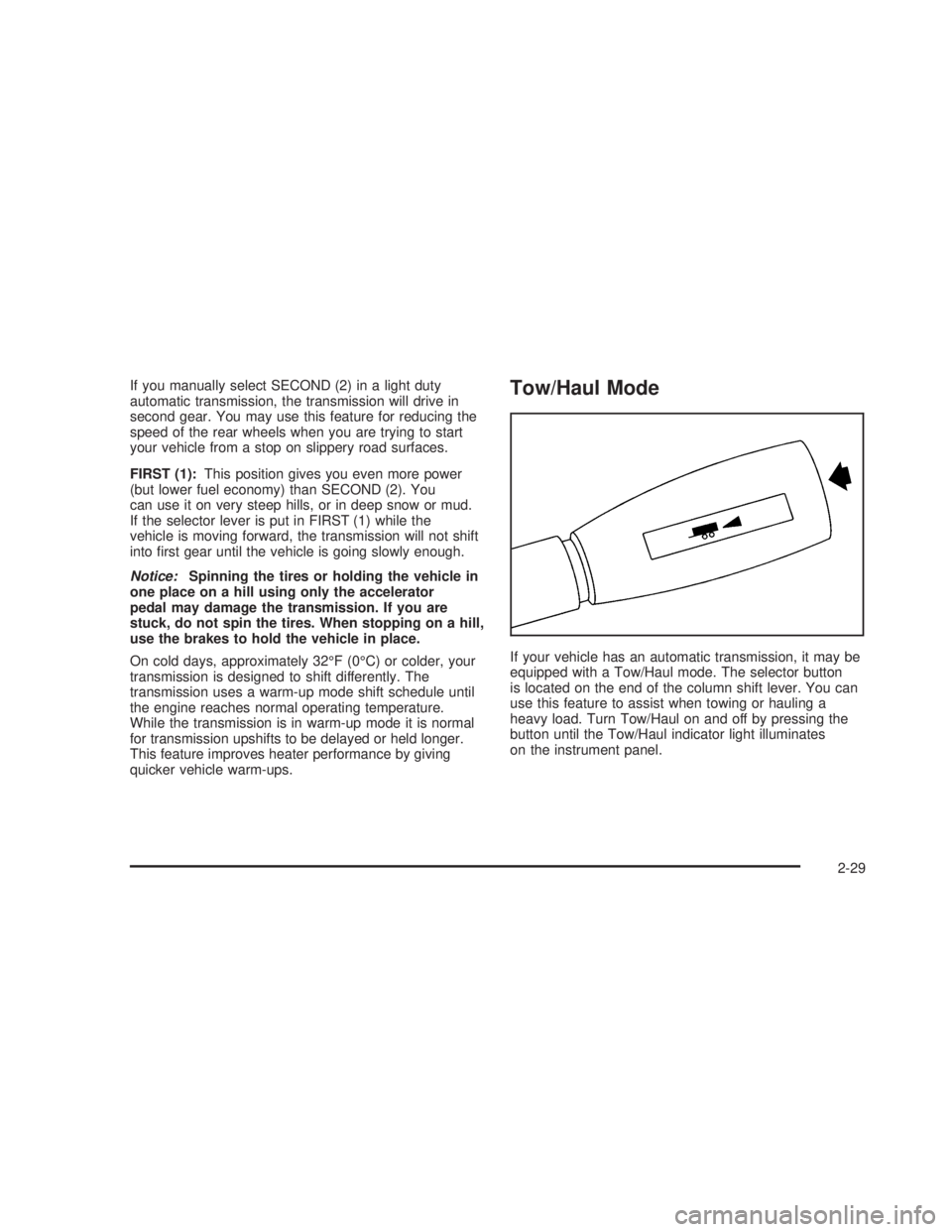
If your vehicle has an automatic transmission, it may be
equipped with a Tow/Haul mode. The selector button
is located on the end of the column shift lever. You can
use this feature to assist when towing or hauling a
heavy load. Turn Tow/Haul on and off by pressing the
button until the Tow/Haul indicator light illuminates
on the instrument panel.
2-29
Page 121 of 574
Overdrive Disable
(Allison®Transmission Only)
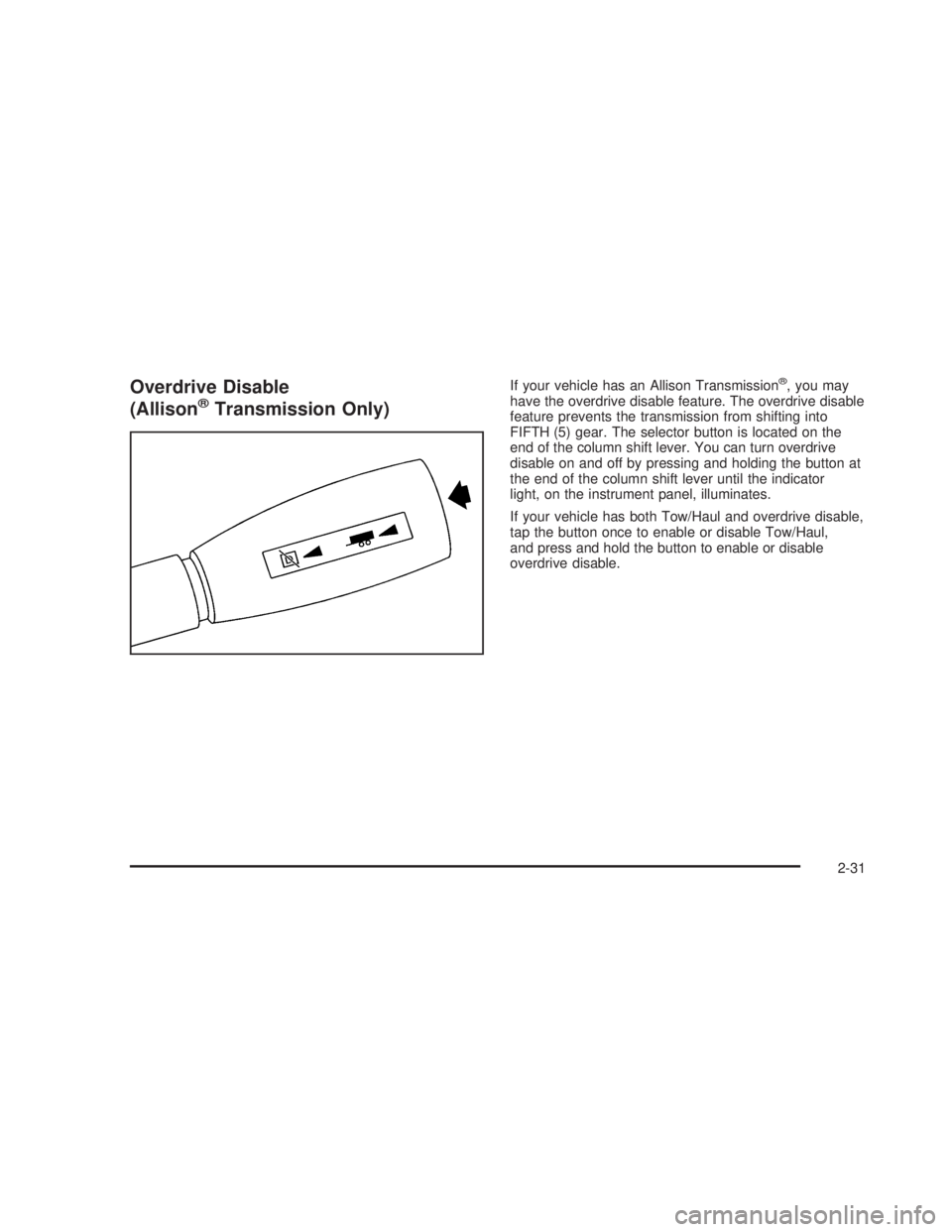
If your vehicle has an Allison Transmission®, you may
have the overdrive disable feature. The overdrive disable
feature prevents the transmission from shifting into
FIFTH (5) gear. The selector button is located on the
end of the column shift lever. You can turn overdrive
disable on and off by pressing and holding the button at
the end of the column shift lever until the indicator
light, on the instrument panel, illuminates.
If your vehicle has both Tow/Haul and overdrive disable,
tap the button once to enable or disable Tow/Haul,
and press and hold the button to enable or disable
overdrive disable.
2-31
Page 130 of 574
Shifting In or Out of 4LO
Notice:Shifting the transfer case into 4LO while
moving at speeds faster than 3 mph (5 km/h)
may cause premature wear to the transfer case, and
may cause the gears to grind. To avoid causing
premature wear, and grinding the gears, do not shift
the transfer case into 4LO while the vehicle is
moving faster than 3 mph (5 km/h).
Shifts into 4LO can be made with the vehicle at a stop,
or while slowly rolling about 1 to 3 mph (2 to 5 km/h).
Shift the automatic transmission into NEUTRAL (N),
or with a manual transmission, press the clutch
pedal, or shift into NEUTRAL.
Shift the transfer case shift lever in one continuous
motion into the 4LO position.
When in 4LO do not drive faster than 45 mph.
This will reduce wear and extend the life of
your transfer case.
Shifting In or Out of NEUTRAL
1. With the vehicle running and the engine at an idle
set the parking brake.
2. Place the transmission into NEUTRAL (N).
Shift the transfer case in one continuous motion into or
out of the NEUTRAL (N) position.
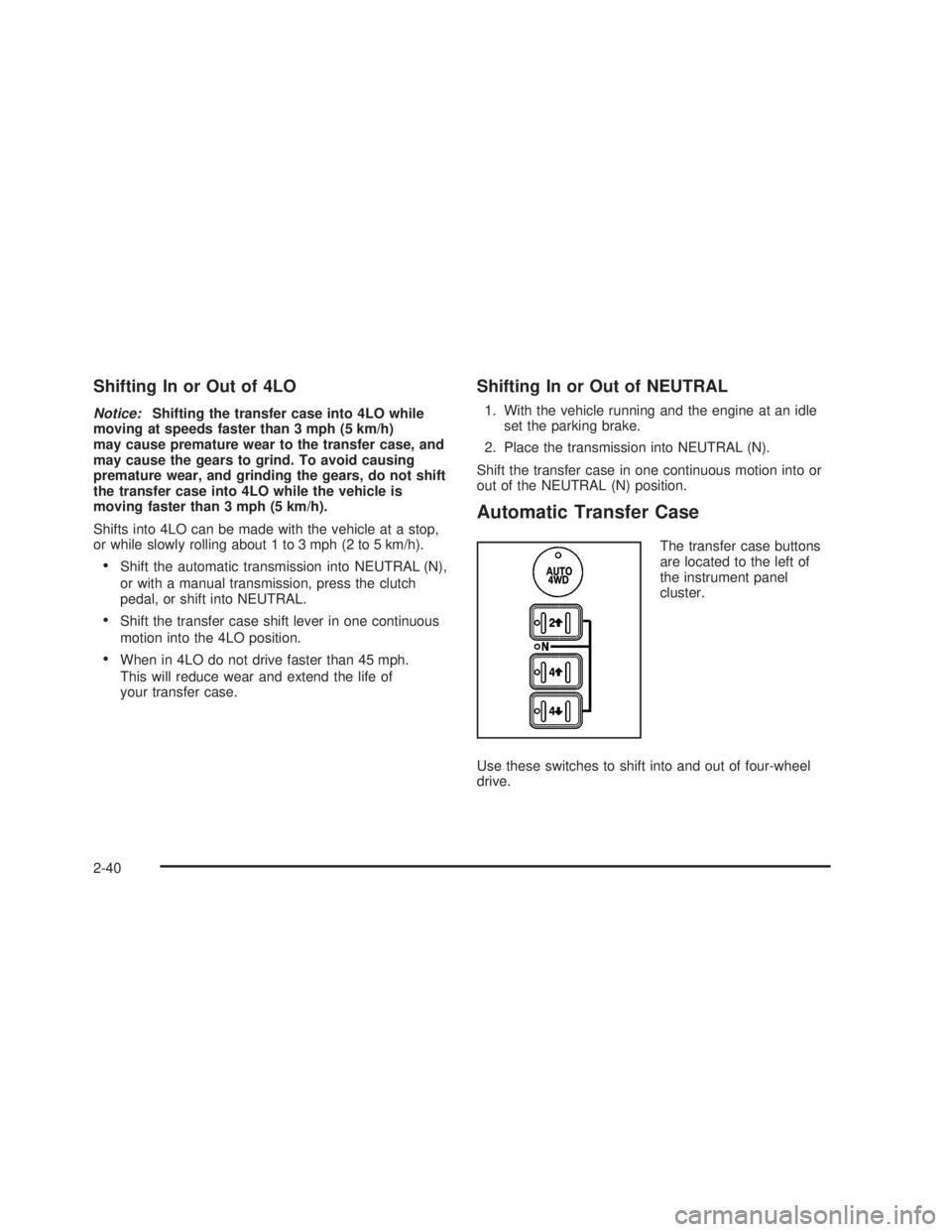
Automatic Transfer Case
The transfer case buttons
are located to the left of
the instrument panel
cluster.
Use these switches to shift into and out of four-wheel
drive.
2-40
Page 134 of 574
5. Shift the transmission to REVERSE (R) for one
second, then shift the transmission to DRIVE (D)
for one second, or FIRST (1) for vehicles equipped
with a manual transmission.
6. Turn the ignition to LOCK.
Shifting Out of NEUTRAL
To shift out of NEUTRAL:
1. Shift the transmission to NEUTRAL (N) and turn the
ignition to RUN with the engine off.
2. Press the button for the desired transfer case shift
position (2HI, 4HI, AUTO 4WD or 4LO).
3. After the transfer case has shifted out of NEUTRAL
the red light will go out.
Excessively shifting the transfer case into or out of the
different modes may cause the transfer case to
enter the shift protection mode. This will protect the
transfer case from possible damage and will only allow
the transfer case to respond to one shift per
10 seconds. The transfer case may stay in this mode for
up to three minutes.
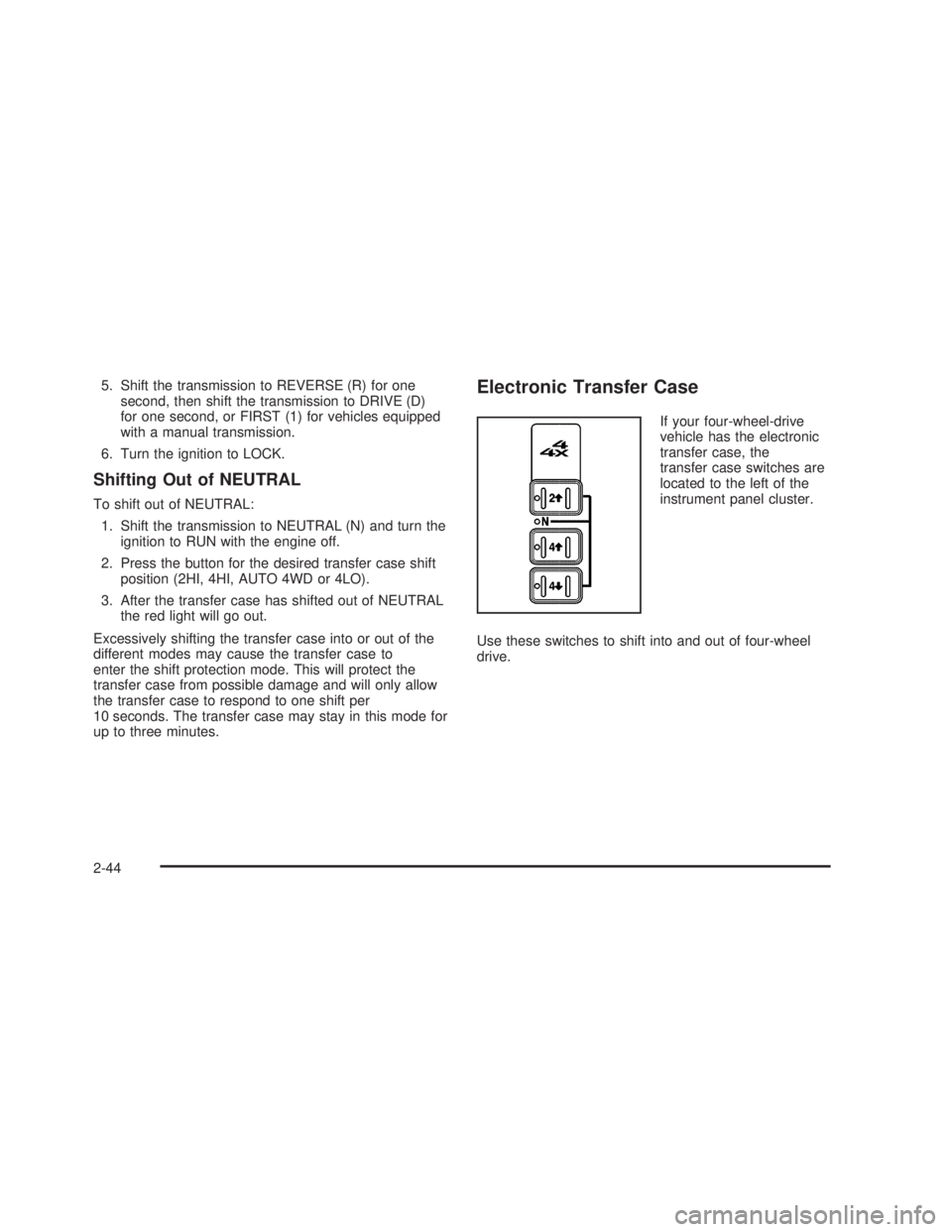
Electronic Transfer Case
If your four-wheel-drive
vehicle has the electronic
transfer case, the
transfer case switches are
located to the left of the
instrument panel cluster.
Use these switches to shift into and out of four-wheel
drive.
2-44
Page 167 of 574
Instrument Panel Overview...............................3-4
Hazard Warning Flashers................................3-6
Other Warning Devices...................................3-6
Horn.............................................................3-6
Tilt Wheel.....................................................3-7
Turn Signal/Multifunction Lever.........................3-7
Turn and Lane-Change Signals........................3-8
Headlamp High/Low-Beam Changer..................3-9
Flash-to-Pass.................................................3-9
Windshield Wipers..........................................3-9
Windshield Washer.......................................3-10
Cruise Control..............................................3-10
Headlamps..................................................3-13
Headlamps on Reminder................................3-14
Daytime Running Lamps (DRL).......................3-14
Automatic Headlamp System..........................3-15
Fog Lamps..................................................3-16
Auxiliary Roof Mounted Lamp.........................3-17
Instrument Panel Brightness...........................3-17
Dome Lamps...............................................3-17
Dome Lamp Override....................................3-18
Entry Lighting...............................................3-18
Exit Lighting.................................................3-18
Front Reading Lamps....................................3-18
Cargo Lamp.................................................3-19
Accessory Power Outlets...............................3-19
Ashtrays and Cigarette Lighter........................3-20Climate Controls............................................3-21
Climate Control System.................................3-21
Dual Climate Control System..........................3-22
Dual Automatic Climate Control System...........3-25
Outlet Adjustment.........................................3-30
Warning Lights, Gages, and Indicators............3-31
Instrument Panel Cluster................................3-32
Speedometer and Odometer...........................3-33
Trip Odometer..............................................3-33
Tachometer.................................................3-33
Safety Belt Reminder Light.............................3-33
Airbag Readiness Light..................................3-34
Airbag Off Light............................................3-34
Passenger Airbag Status Indicator...................3-36
Battery Warning Light....................................3-38
Voltmeter Gage............................................3-38
Up-Shift Light (Manual Transmission)...............3-39
Brake System Warning Light..........................3-39
Anti-Lock Brake System Warning Light.............3-41
Traction Off Light..........................................3-41
Engine Coolant Temperature Gage..................3-42
Transmission Temperature Gage.....................3-43
Malfunction Indicator Lamp.............................3-44
Oil Pressure Gage........................................3-47
Security Light...............................................3-48
Cruise Control Light......................................3-48
Highbeam On Light.......................................3-48
Section 3 Instrument Panel
3-1
Page 168 of 574
Four-Wheel-Drive Light..................................3-48
Tow/Haul Mode Light....................................3-49
Overdrive Disable (Allison Transmission
®Only) . . .3-49
Fuel Gage...................................................3-49
Low Fuel Warning Light.................................3-50
Driver Information Center (DIC).......................3-50
DIC Operation and Displays...........................3-51
DIC Warnings and Messages.........................3-54
DIC Vehicle Customization.............................3-63
Audio System(s).............................................3-69
Setting the Time for Radios without
Radio Data Systems (RDS)........................3-69
Setting the Time for Radios with Radio
Data Systems (RDS)..................................3-70
AM-FM Radio...............................................3-70Radio with CD..............................................3-73
Radio with Cassette and CD..........................3-83
Radio with Six-Disc CD.................................3-98
Rear Seat Entertainment System...................3-111
Rear Seat Audio (RSA)................................3-122
Theft-Deterrent Feature................................3-123
Audio Steering Wheel Controls......................3-124
Radio Reception.........................................3-125
Care of Your Cassette Tape Player...............3-125
Care of Your CDs and DVDs........................3-126
Care of Your CD and DVD Player.................3-126
Fixed Mast Antenna....................................3-127
XM™ Satellite Radio Antenna System............3-127
Chime Level Adjustment...............................3-127
Section 3 Instrument Panel
3-2
Page 170 of 574
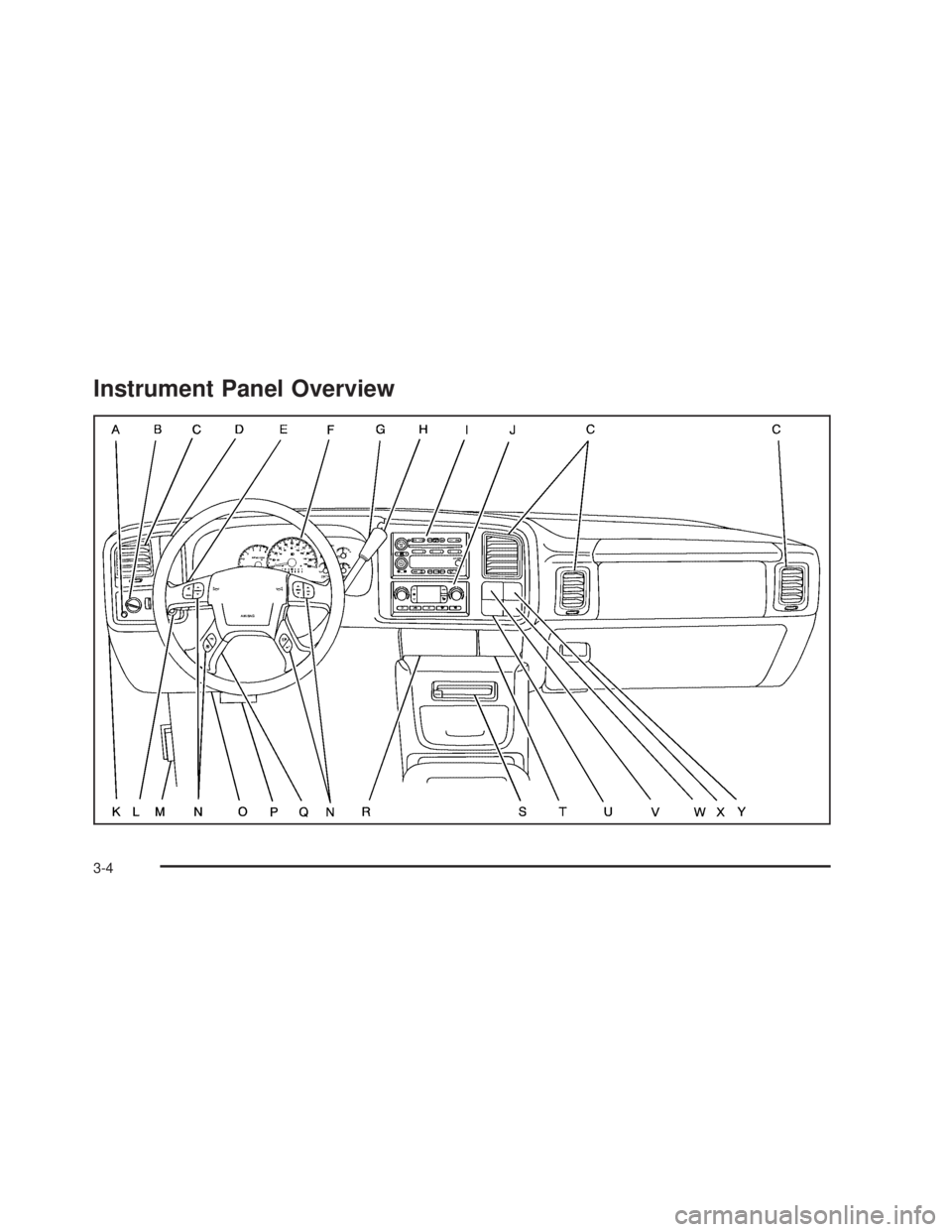
Instrument Panel Overview
3-4
Page 171 of 574
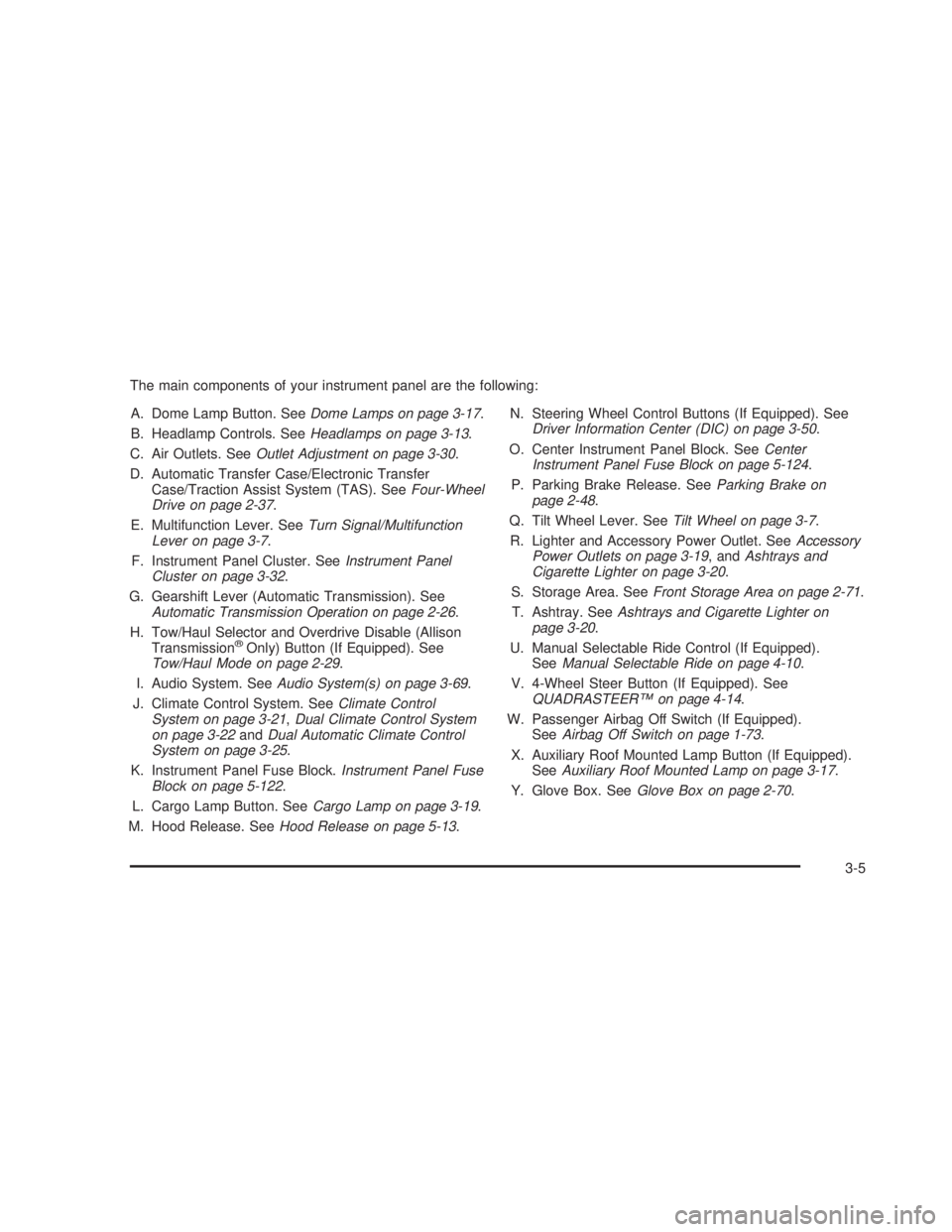
The main components of your instrument panel are the following:
A. Dome Lamp Button. SeeDome Lamps on page 3-17.
B. Headlamp Controls. SeeHeadlamps on page 3-13.
C. Air Outlets. SeeOutlet Adjustment on page 3-30.
D. Automatic Transfer Case/Electronic Transfer
Case/Traction Assist System (TAS). SeeFour-Wheel
Drive on page 2-37.
E. Multifunction Lever. SeeTurn Signal/Multifunction
Lever on page 3-7.
F. Instrument Panel Cluster. SeeInstrument Panel
Cluster on page 3-32.
G. Gearshift Lever (Automatic Transmission). See
Automatic Transmission Operation on page 2-26.
H. Tow/Haul Selector and Overdrive Disable (Allison
Transmission
®Only) Button (If Equipped). See
Tow/Haul Mode on page 2-29.
I. Audio System. SeeAudio System(s) on page 3-69.
J. Climate Control System. SeeClimate Control
System on page 3-21,Dual Climate Control System
on page 3-22andDual Automatic Climate Control
System on page 3-25.
K. Instrument Panel Fuse Block.Instrument Panel Fuse
Block on page 5-122.
L. Cargo Lamp Button. SeeCargo Lamp on page 3-19.
M. Hood Release. SeeHood Release on page 5-13.N. Steering Wheel Control Buttons (If Equipped). See
Driver Information Center (DIC) on page 3-50.
O. Center Instrument Panel Block. SeeCenter
Instrument Panel Fuse Block on page 5-124.
P. Parking Brake Release. SeeParking Brake on
page 2-48.
Q. Tilt Wheel Lever. SeeTilt Wheel on page 3-7.
R. Lighter and Accessory Power Outlet. SeeAccessory
Power Outlets on page 3-19, andAshtrays and
Cigarette Lighter on page 3-20.
S. Storage Area. SeeFront Storage Area on page 2-71.
T. Ashtray. SeeAshtrays and Cigarette Lighter on
page 3-20.
U. Manual Selectable Ride Control (If Equipped).
SeeManual Selectable Ride on page 4-10.
V. 4-Wheel Steer Button (If Equipped). See
QUADRASTEER™ on page 4-14.
W. Passenger Airbag Off Switch (If Equipped).
SeeAirbag Off Switch on page 1-73.
X. Auxiliary Roof Mounted Lamp Button (If Equipped).
SeeAuxiliary Roof Mounted Lamp on page 3-17.
Y. Glove Box. SeeGlove Box on page 2-70.
3-5