service indicator GMC SIERRA 2005 Owner's Manual
[x] Cancel search | Manufacturer: GMC, Model Year: 2005, Model line: SIERRA, Model: GMC SIERRA 2005Pages: 574, PDF Size: 2.95 MB
Page 1 of 574
Seats and Restraint Systems........................... 1-1
Front Seats
............................................... 1-3
Rear Seats
............................................... 1-9
Safety Belts
.............................................1-11
Child Restraints
.......................................1-33
Airbag System
.........................................1-66
Restraint System Check
............................1-82
Features and Controls..................................... 2-1
Keys
........................................................ 2-3
Doors and Locks
....................................... 2-8
Windows
.................................................2-16
Theft-Deterrent Systems
............................2-19
Starting and Operating Your Vehicle
...........2-21
Mirrors
....................................................2-55
OnStar
®System
......................................2-64
HomeLink®Transmitter
.............................2-66
Storage Areas
.........................................2-70
Sunroof
..................................................2-73
Vehicle Personalization
.............................2-74
Instrument Panel............................................. 3-1
Instrument Panel Overview
.......................... 3-4
Climate Controls
......................................3-21
Warning Lights, Gages, and Indicators
........3-31
Driver Information Center (DIC)
..................3-50
Audio System(s)
.......................................3-69Driving Your Vehicle....................................... 4-1
Your Driving, the Road, and Your Vehicle
........ 4-2
Towing
...................................................4-62
Service and Appearance Care.......................... 5-1
Service
..................................................... 5-4
Fuel
......................................................... 5-6
Checking Things Under the Hood
...............5-12
Rear Axle
...............................................5-58
Four-Wheel Drive
.....................................5-58
Front Axle
...............................................5-60
Noise Control System
...............................5-61
Bulb Replacement
....................................5-62
Windshield Wiper Blade Replacement
.........5-72
Tires
......................................................5-72
Appearance Care
...................................5-112
Vehicle Identication
...............................5-120
Electrical System
....................................5-121
Capacities and Specications
...................5-130
Maintenance Schedule..................................... 6-1
Maintenance Schedule
................................ 6-2
Customer Assistance and Information.............. 7-1
Customer Assistance and Information
........... 7-2
Reporting Safety Defects
...........................7-10
Index................................................................ 1
2005 GMC Sierra Owner ManualM
Page 65 of 574
{CAUTION:
If the airbag readiness light in the instrument
panel cluster ever comes on when you have
turned off the airbag, it means that something
may be wrong with the airbag system. The
right front passenger’s airbag could inate
even though the switch is off. If this ever
happens, have the vehicle serviced promptly.
Until you have the vehicle serviced, do not let
anyone whom the national government has
identied as a member of a passenger airbag
risk group sit in the right front passenger’s
position (for example, do not secure a
rear-facing child restraint in the right front
passenger’s seat). SeeAirbag Off Switch on
page 1-73.
If your vehicle is an extended cab and your child
restraint is equipped with the LATCH system, seeLower
Anchorages and Top Tethers for Children (LATCH
System) on page 1-47. SeeTop Strap on page 1-43if
your child restraint has one.You will be using the lap-shoulder belt to secure the
child restraint in this position. Be sure to follow the
instructions that came with the child restraint. Secure
the child in the child restraint when and as the
instructions say.
1. Your vehicle has a right front passenger’s frontal
airbag. SeeAirbag Off Switch on page 1-73.If
your child restraint is forward-facing, move the seat
as far back as it will go before securing the
restraint in this seat. SeeManual Seats on page 1-3
orPower Seats on page 1-4. If you need to use a
rear-facing child restraint in this seat, make sure the
airbag is off once the child restraint has been
installed.
When the airbag off switch has turned off the right
front passenger’s frontal airbag, the off indicator
in the airbag off light should light and stay lit when
you turn the ignition to RUN or START. See
Airbag Off Light on page 3-34.
2. Put the child restraint on the seat.
3. Pick up the latch plate, and run the lap and shoulder
portions of the vehicle’s safety belt through or
around the restraint. The child restraint instructions
will show you how.
1-59
Page 85 of 574
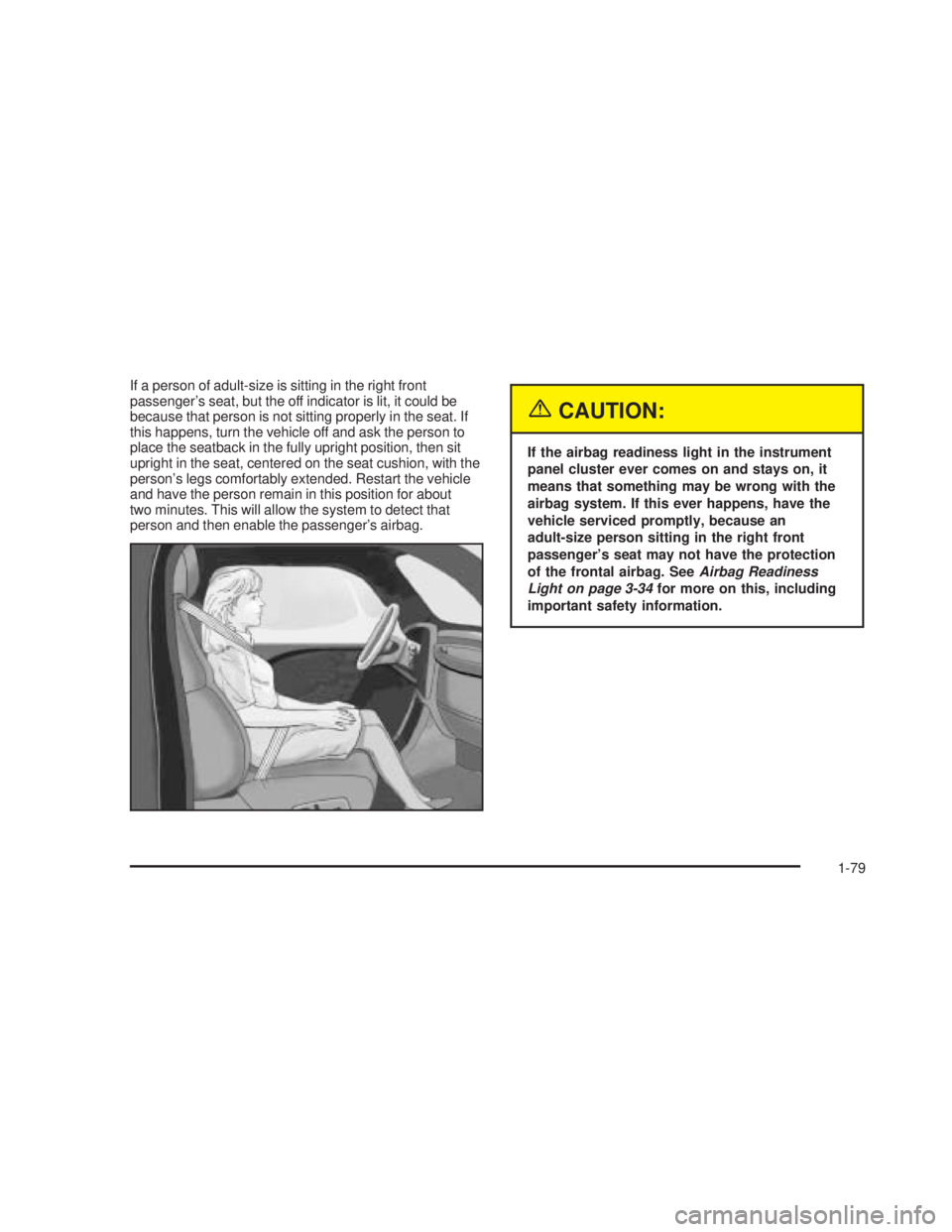
If a person of adult-size is sitting in the right front
passenger’s seat, but the off indicator is lit, it could be
because that person is not sitting properly in the seat. If
this happens, turn the vehicle off and ask the person to
place the seatback in the fully upright position, then sit
upright in the seat, centered on the seat cushion, with the
person’s legs comfortably extended. Restart the vehicle
and have the person remain in this position for about
two minutes. This will allow the system to detect that
person and then enable the passenger’s airbag.
{CAUTION:
If the airbag readiness light in the instrument
panel cluster ever comes on and stays on, it
means that something may be wrong with the
airbag system. If this ever happens, have the
vehicle serviced promptly, because an
adult-size person sitting in the right front
passenger’s seat may not have the protection
of the frontal airbag. SeeAirbag Readiness
Light on page 3-34for more on this, including
important safety information.
1-79
Page 132 of 574
{CAUTION:
Shifting the transfer case to NEUTRAL can
cause your vehicle to roll even if the
transmission is in PARK (P). You or someone
else could be seriously injured. Be sure to set
the parking brake before placing the transfer
case in NEUTRAL. SeeParking Brake on
page 2-48.
NEUTRAL:Shift the vehicle’s transfer case to
NEUTRAL only when towing your vehicle. See
Recreational Vehicle Towing on page 4-62orTowing
Your Vehicle on page 4-62for more information.
Indicator lights in the switches show which setting your
transfer case is in. The indicator lights will come on
briey when you turn on the ignition and one will stay on.
If the lights do not come on, you should take your
vehicle to your dealer for service. An indicator light will
ash while the transfer case is being shifted. It will
remain illuminated when the shift is complete. If
for some reason the transfer case cannot make a
requested shift, it will return to the last chosen setting.If the SERVICE 4WD message stays on, you should
take your vehicle to your dealer for service. See
DIC Warnings and Messages on page 3-54for further
information.Shifting into 4HI or AUTO 4WD
Press and release the 4HI or AUTO 4WD switch. This
can be done at any speed (except when shifting
from 4LO), and the indicator light will ash while shifting.
It will remain illuminated when the shift is completed.
Shifting into 2HI
Press and release the 2HI switch. This can be done at
any speed (except when shifting from 4LO).
Shifting into 4LO
To shift to 4LO, the ignition must be in RUN and the
vehicle must be stopped or moving less than 3 mph
(4.8 km/h) with the transmission in NEUTRAL (N). The
preferred method for shifting into 4LO is to have
your vehicle moving 1 to 2 mph (1.6 to 3.2 km/h). Press
and release the 4LO switch. You must wait for the
4LO indicator light to stop ashing and remain
illuminated before shifting your transmission in gear.
2-42
Page 135 of 574
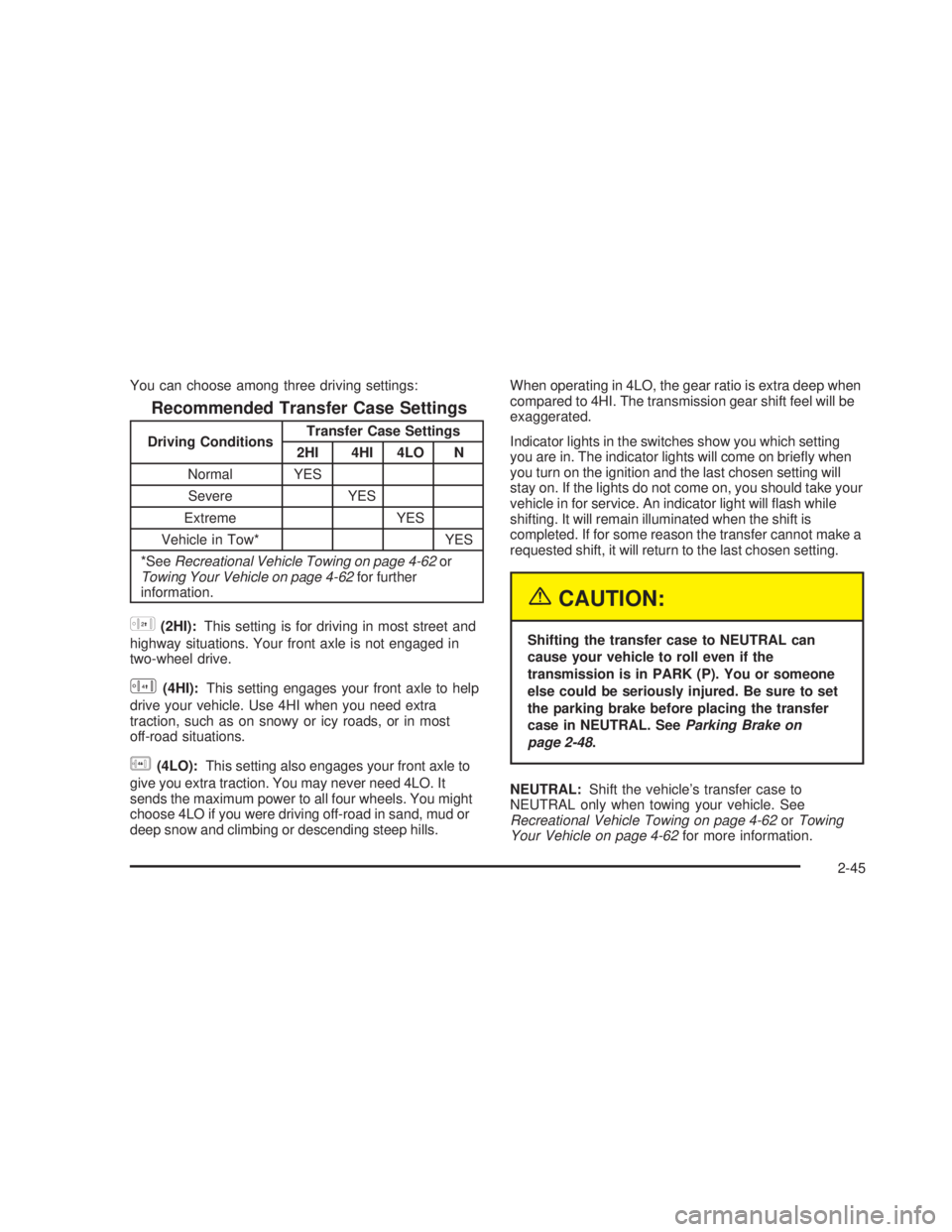
You can choose among three driving settings:
Recommended Transfer Case Settings
Driving ConditionsTransfer Case Settings
2HI 4HI 4LO N
Normal YES
Severe YES
Extreme YES
Vehicle in Tow* YES
*SeeRecreational Vehicle Towing on page 4-62or
Towing Your Vehicle on page 4-62for further
information.
h(2HI):This setting is for driving in most street and
highway situations. Your front axle is not engaged in
two-wheel drive.
G(4HI):This setting engages your front axle to help
drive your vehicle. Use 4HI when you need extra
traction, such as on snowy or icy roads, or in most
off-road situations.
g(4LO):This setting also engages your front axle to
give you extra traction. You may never need 4LO. It
sends the maximum power to all four wheels. You might
choose 4LO if you were driving off-road in sand, mud or
deep snow and climbing or descending steep hills.When operating in 4LO, the gear ratio is extra deep when
compared to 4HI. The transmission gear shift feel will be
exaggerated.
Indicator lights in the switches show you which setting
you are in. The indicator lights will come on briey when
you turn on the ignition and the last chosen setting will
stay on. If the lights do not come on, you should take your
vehicle in for service. An indicator light will ash while
shifting. It will remain illuminated when the shift is
completed. If for some reason the transfer cannot make a
requested shift, it will return to the last chosen setting.
{CAUTION:
Shifting the transfer case to NEUTRAL can
cause your vehicle to roll even if the
transmission is in PARK (P). You or someone
else could be seriously injured. Be sure to set
the parking brake before placing the transfer
case in NEUTRAL. SeeParking Brake on
page 2-48.
NEUTRAL:Shift the vehicle’s transfer case to
NEUTRAL only when towing your vehicle. See
Recreational Vehicle Towing on page 4-62orTowing
Your Vehicle on page 4-62for more information.
2-45
Page 157 of 574
This device complies with RSS-210 of Industry Canada.
Operation is subject to the following two conditions:
(1) this device may not cause interference, and (2) this
device must accept any interference, including
interference that may cause undesired operation of the
device.
Changes and modications to this system by other than
an authorized service facility could void authorization
to use this equipment.
Programming the HomeLink®
Transmitter
Do not use the HomeLink®Transmitter with any garage
door opener that does not have the “stop and reverse”
feature. This includes any garage door opener model
manufactured before April 1, 1982. If you have a newer
garage door opener with rolling codes, please be
sure to follow Steps 6 through 8 to complete the
programming of your HomeLink
®Transmitter.
Read the instructions completely before attempting to
program the HomeLink
®Transmitter. Because of
the steps involved, it may be helpful to have another
person available to assist you in programming the
transmitter.Keep the original transmitter for use in other vehicles as
well as for future HomeLink
®programming. It is also
recommended that upon the sale of the vehicle,
the programmed HomeLink
®buttons should be erased
for security purposes. Refer to “Erasing HomeLink®
Buttons” or, for assistance, contact HomeLink®on the
internet at: www.homelink.com or by calling
1-800-355-3515.
Be sure that people and objects are clear of the garage
door or gate operator you are programming. When
programming a garage door, it is advised to park outside
of the garage.
It is recommended that a new battery be installed in
your hand-held transmitter for quicker and more
accurate transmission of the radio frequency.
Programming HomeLink®
Your vehicle’s engine should be turned off while
programming the transmitter. Follow these steps to
program up to three channels:
1. Press and hold down the two outside buttons,
releasing only when the indicator light begins to
ash, after 20 seconds. Do not hold down the
buttons for longer than 30 seconds and do not
repeat this step to program a second and/or third
transmitter to the remaining two HomeLink
®buttons.
2-67
Page 183 of 574
The fog lamps will be cancelled after the ignition is
turned off. If you still want to use the fog lamps after you
restart the vehicle, you will need to press the fog
lamp button again.
Auxiliary Roof Mounted Lamp
If your vehicle has this feature, this switch includes
wiring provisions for a dealer or a qualied service
center to install an auxiliary roof lamp.
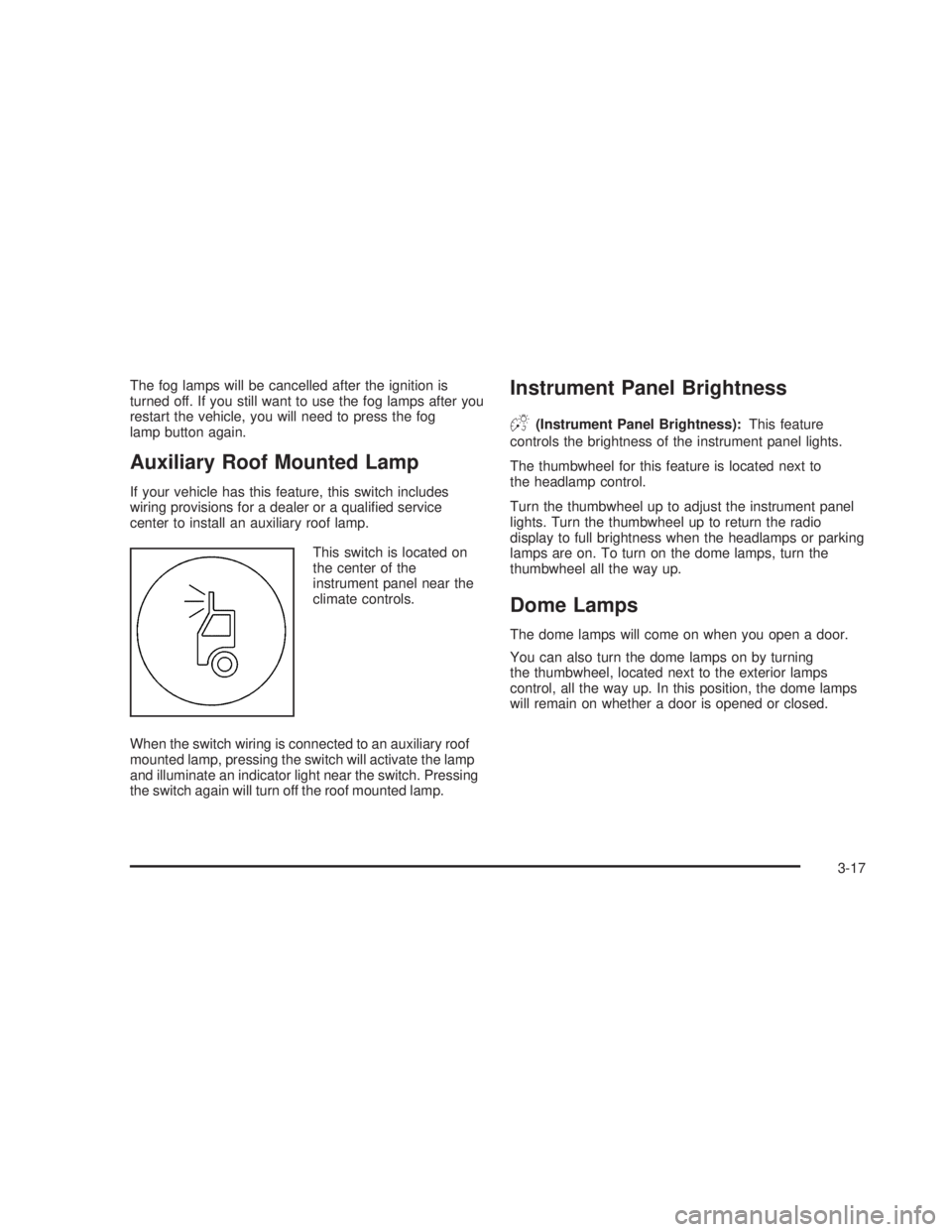
This switch is located on
the center of the
instrument panel near the
climate controls.
When the switch wiring is connected to an auxiliary roof
mounted lamp, pressing the switch will activate the lamp
and illuminate an indicator light near the switch. Pressing
the switch again will turn off the roof mounted lamp.
Instrument Panel Brightness
D(Instrument Panel Brightness):This feature
controls the brightness of the instrument panel lights.
The thumbwheel for this feature is located next to
the headlamp control.
Turn the thumbwheel up to adjust the instrument panel
lights. Turn the thumbwheel up to return the radio
display to full brightness when the headlamps or parking
lamps are on. To turn on the dome lamps, turn the
thumbwheel all the way up.
Dome Lamps
The dome lamps will come on when you open a door.
You can also turn the dome lamps on by turning
the thumbwheel, located next to the exterior lamps
control, all the way up. In this position, the dome lamps
will remain on whether a door is opened or closed.
3-17
Page 203 of 574
If the word OFF or the off symbol is lit on the passenger
airbag status indicator, it means that the passenger
sensing system or the airbag off switch has turned off
the right front passenger’s airbag. SeePassenger
Sensing System on page 1-76orAirbag Off Switch on
page 1-73for more on this, including important
safety information.
{CAUTION:
If the right front passenger’s airbag is turned
off for a person who is not in a risk group
identied by the national government, that
person will not have the extra protection of an
airbag. In a crash, the airbag will not be able to
inate and help protect the person sitting
there. Do not turn off the passenger’s airbag
unless the person sitting there is in a risk
group. SeeAirbag Off Switch on page 1-73for
more on this, including important safety
information.If, after several seconds, all status indicator lights
remain on, or if there are no lights at all, there may be a
problem with the lights or the passenger sensing
system. See your dealer for service.
{CAUTION:
If the airbag off indicator and the airbag
readiness light ever come on together, it
means that something may be wrong with the
airbag system. If this ever happens, have the
vehicle serviced promptly, because an
adult-size person sitting in the right front
passenger seat may not have the protection of
the airbag. SeeAirbag Readiness Light on
page 3-34.
3-37
Page 205 of 574
Readings in the low warning zone may occur when a
large number of electrical accessories are operating in
the vehicle and the engine is left at an idle for an
extended period. This condition is normal since the
charging system is not able to provide full power
at engine idle. As engine speeds are increased, this
condition should correct itself as higher engine speeds
allow the charging system to create maximum power.
You can only drive for a short time with the reading
in either warning zone. If you must drive, turn off
all unnecessary accessories.
Readings in either warning zone indicate a possible
problem in the electrical system. Have the vehicle
serviced as soon as possible.
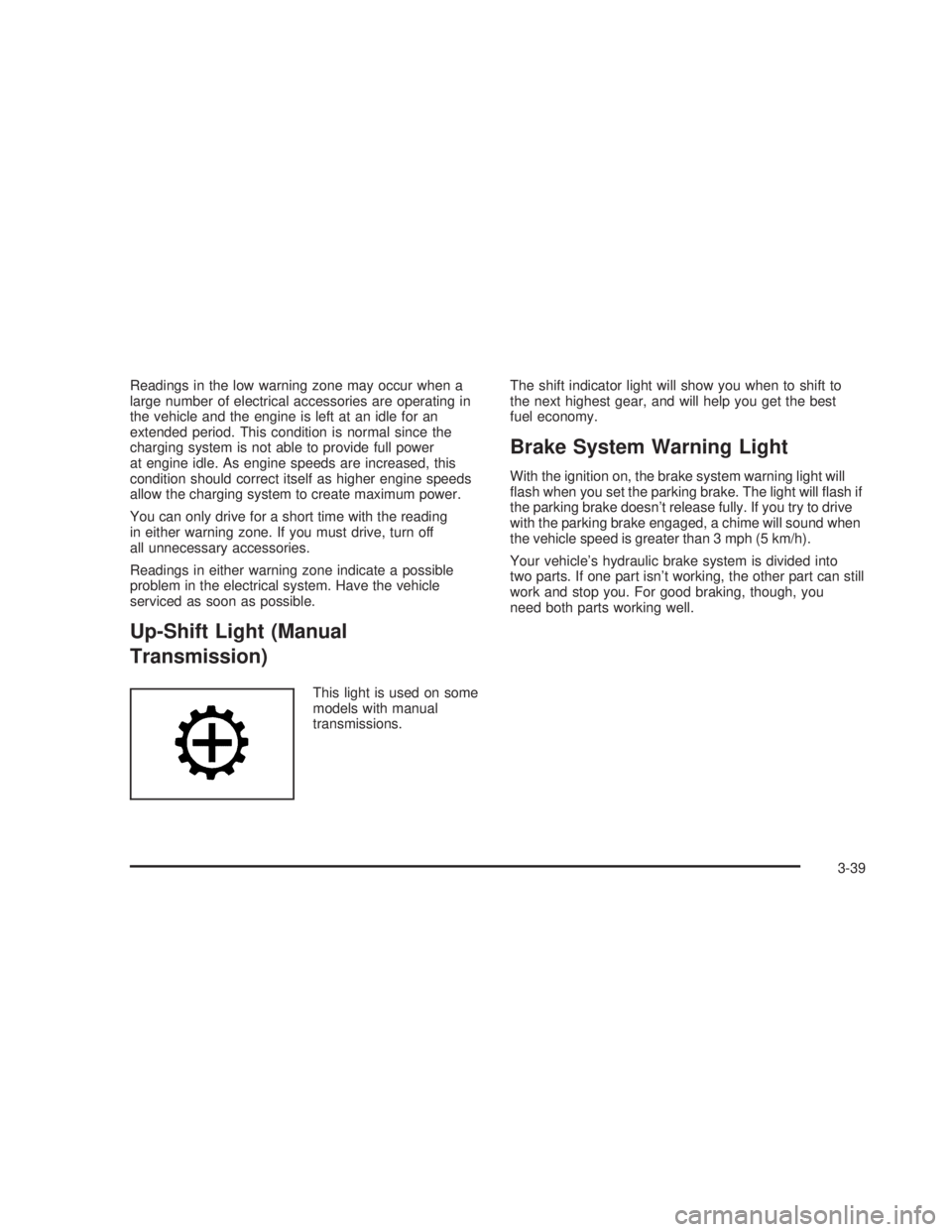
Up-Shift Light (Manual
Transmission)
This light is used on some
models with manual
transmissions.The shift indicator light will show you when to shift to
the next highest gear, and will help you get the best
fuel economy.
Brake System Warning Light
With the ignition on, the brake system warning light will
ash when you set the parking brake. The light will ash if
the parking brake doesn’t release fully. If you try to drive
with the parking brake engaged, a chime will sound when
the vehicle speed is greater than 3 mph (5 km/h).
Your vehicle’s hydraulic brake system is divided into
two parts. If one part isn’t working, the other part can still
work and stop you. For good braking, though, you
need both parts working well.
3-39
Page 208 of 574
The traction off light may come on for the following
reasons:
If you turn the system off by pressing the TAS on/off
button located to the left of the steering wheel, the
light will come on and stay on. To turn the system
back on, press the button again; the light should
go off.
If you move the shift lever to FIRST (1), the light will
come on and stay on to indicate that the traction
system is off. This is normal operation.
To turn the system back on, move the shift lever back
to a position other than FIRST (1); the light should go
off. SeeTraction Assist System (TAS) on page 4-8.
The light will come on and stay on if the TAS
automatic engagement feature has been turned off.
To turn the system on, press the TAS off/on button;
the light should go off. To turn the automatic
engagement feature back on, seeTraction Assist
System (TAS) on page 4-8.
If the Traction Assist System is affected by an
anti-lock brake system, TAS or engine-related
problem, the system will turn off and the light will
come on. Have your vehicle serviced.
If the vehicle is driven over an extremely rough road,
the system will turn off and the light will come on. The
light will go off a few seconds after the rough road
conditions go away or when the vehicle comes to a
complete stop. This is normal operation.
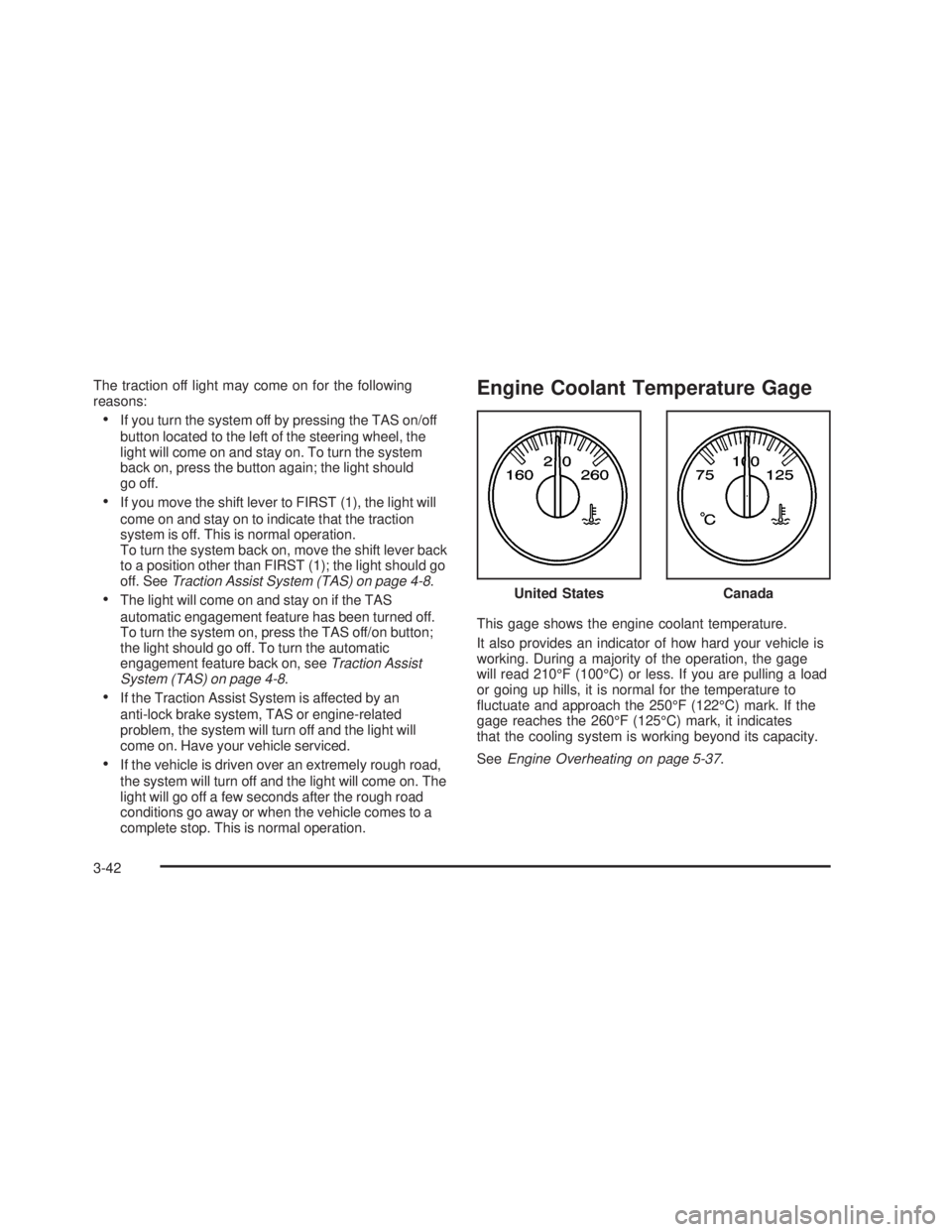
Engine Coolant Temperature Gage
This gage shows the engine coolant temperature.
It also provides an indicator of how hard your vehicle is
working. During a majority of the operation, the gage
will read 210°F (100°C) or less. If you are pulling a load
or going up hills, it is normal for the temperature to
uctuate and approach the 250°F (122°C) mark. If the
gage reaches the 260°F (125°C) mark, it indicates
that the cooling system is working beyond its capacity.
SeeEngine Overheating on page 5-37. United States
Canada
3-42