ECO mode GMC SIERRA 2007 User Guide
[x] Cancel search | Manufacturer: GMC, Model Year: 2007, Model line: SIERRA, Model: GMC SIERRA 2007Pages: 680, PDF Size: 3.42 MB
Page 161 of 680
3. Start the vehicle or turn the ignition to RUN.
4. Put the transmission in NEUTRAL (N).
5. Shift the transfer case to Two-Wheel
Drive High.
6. Turn the transfer case dial clockwise to
NEUTRAL till it stops and hold it for
10 seconds. Then slowly release the dial to
the four low position. The NEUTRAL light will
come on when the transfer case shift to
NEUTRAL is complete.
7. If the engine is running, make sure that the
transmission is in NEUTRAL (N) by shifting
the transmission to REVERSE (R) for
one second, then shift the transmission to
DRIVE (D) for one second.
8. Turn the ignition to ACCESSORY, which will
turn the engine off.
9. Place the transmission shift lever in PARK (P).
10. Release the parking brake prior to moving
the vehicle.
11. Turn the ignition to LOCK.Shifting Out of NEUTRAL
To shift out of NEUTRAL do the following:
1. Set the parking brake and apply the regular
brake pedal.
2. Shift the transmission to NEUTRAL (N) and
turn the ignition to RUN with the engine off.
3. Turn the transfer case dial to Two-Wheel-Drive
High, Four-Wheel-Drive High, AUTO.
After the transfer case has shifted out of
NEUTRAL the NEUTRAL light will go out.
4. Release the parking brake prior to moving
the vehicle.
Notice:Shifting the transmission into gear
before the requested mode indicator light has
stopped ashing could damage the transfer
case. To help avoid damaging your vehicle,
always wait for the mode indicator lights
to stop ashing before shifting the
transmission into gear.
5. Start the engine and shift the transmission to
the desired position.
161
Page 171 of 680
Automatic Dimming Mirror Operation
The automatic dimming mirror function is turned on
automatically each time the ignition is started.
To operate the automatic dimming mirror, do
the following:
1. Make sure the green indicator light, located to
the left of the on/off button, is lit. If it is not,
press and hold the on/off button for
approximately six seconds until the green light
comes on, indicating that the mirror is in
automatic dimming mode.
2. Turn off the automatic dimming mirror function
by pressing and holding the on/off button for
approximately six seconds, until the green
indicator light turns off.
Compass Calibration
The compass may need calibration if one of the
following occurs:
After approximately ve seconds, the display
does not show a compass heading, N for
North, for example, there may be a strong
magnetic eld interfering with the compass.
Such interference may be caused by a
magnetic antenna mount, magnetic note pad
holder, or a similar magnetic item.
The compass does not display the correct
heading and the compass zone variance
is set correctly.
In order to calibrate, CAL must be displayed in the
mirror compass windows. If CAL is not displayed,
push the on/off button for approximately
12 seconds or until CAL is displayed.
The compass can be calibrated by driving the
vehicle in circles at 5 mph (8 km/h) or less until the
display reads a direction.
171
Page 172 of 680
Compass Variance
The mirror is set in zone eight upon leaving the
factory. It will be necessary to adjust the compass
to compensate for compass variance if the
vehicle is outside of zone eight. Under certain
circumstances, as during a long distance
cross-country trip, it will be necessary to adjust for
compass variance. Compass variance is the
difference between earth’s magnetic north and true
geographic north. If not adjusted to account for
compass variance, the compass could give
false readings.
To adjust for compass variance, do the following:
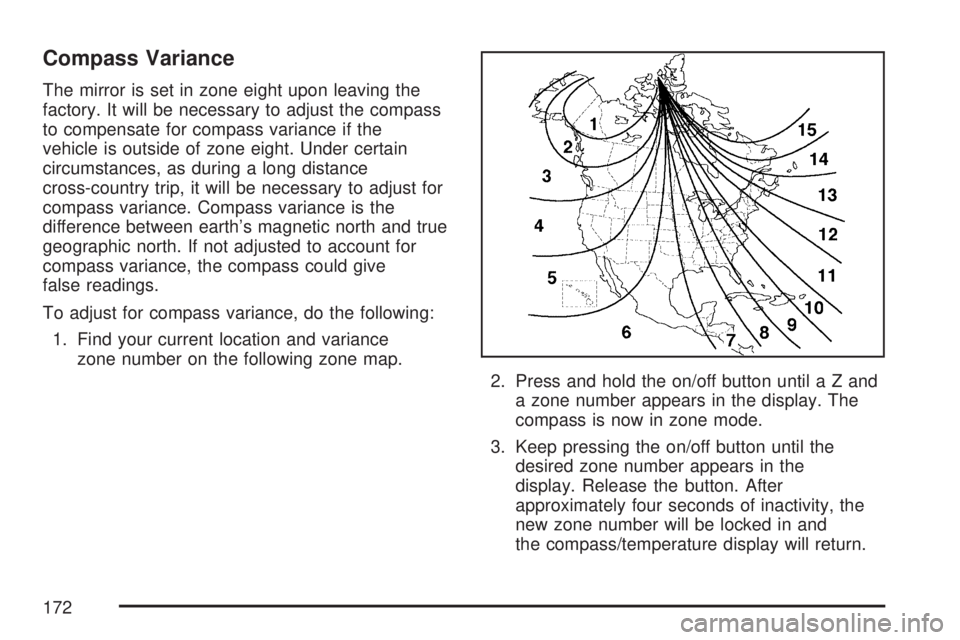
1. Find your current location and variance
zone number on the following zone map.
2. Press and hold the on/off button untilaZand
a zone number appears in the display. The
compass is now in zone mode.
3. Keep pressing the on/off button until the
desired zone number appears in the
display. Release the button. After
approximately four seconds of inactivity, the
new zone number will be locked in and
the compass/temperature display will return.
172
Page 188 of 680
Gate Operator and Canadian
Programming
Canadian radio-frequency laws require transmitter
signals to time out or quit after several seconds
of transmission. This may not be long enough
for Universal Home Remote to pick up the signal
during programming. Similarly, some U.S. gate
operators are manufactured to time out in
the same manner.
If you live in Canada, or you are having difficulty
programming a gate operator or garage door
opener by using the “Programming Universal
Home Remote” procedures, regardless of where
you live, replace Step 3 under “Programming
Universal Home Remote” with the following:
Continue to press and hold the Universal Home
Remote button while you press and release every
two seconds (cycle) the hand-held transmitter
button until the frequency signal has been
successfully accepted by the Universal Home
Remote. The Universal Home Remote indicator
light will ash slowly at rst and then rapidly.
Proceed with Step 4 under “Programming
Universal Home Remote” to complete.
Using Universal Home Remote
Press and hold the appropriate Universal Home
Remote button for at least half of a second.
The indicator light will come on while the signal is
being transmitted.
Erasing Universal Home
Remote Buttons
To erase programming from the three Universal
Home Remote buttons do the following:
1. Press and hold down the two outside buttons
until the indicator light begins to ash, after
20 seconds. Do not hold the two outside
buttons for longer than 30 seconds.
2. Release both buttons.
The Universal Home Remote is now in the training
(learning) mode and can be programmed at any
time beginning with Step 2 under “Programming
Universal Home Remote” shown earlier in
this section.
Individual buttons cannot be erased, but they can
be reprogrammed. See “Reprogramming a
Single Universal Home Remote Button” following
this section.
188
Page 189 of 680
Reprogramming a Single Universal
Home Remote Button
To program a device to Universal Home Remote
using a Universal Home Remote button
previously trained, follow these steps:
1. Press and hold the desired Universal Home
Remote button. Do not release the button.
2. The indicator light will begin to ash after
20 seconds. While still holding the Universal
Home Remote button, proceed with Step
2 under “Programming Universal Home
Remote” shown earlier in this section.
For help or information on the Universal Home
Remote System, call the customer assistance
phone number underCustomer Assistance Offices
on page 648.
Universal Home Remote System
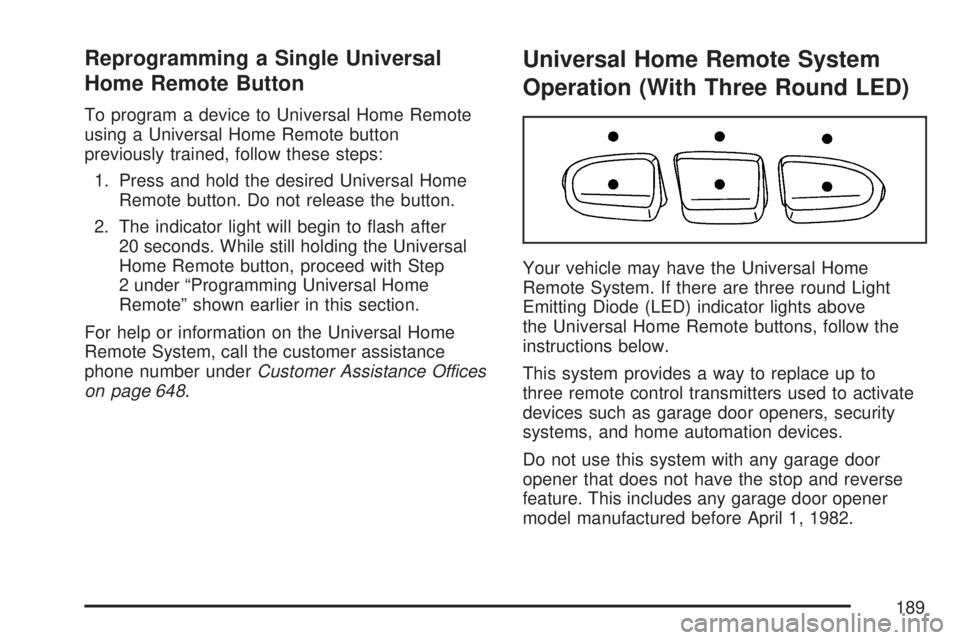
Operation (With Three Round LED)
Your vehicle may have the Universal Home
Remote System. If there are three round Light
Emitting Diode (LED) indicator lights above
the Universal Home Remote buttons, follow the
instructions below.
This system provides a way to replace up to
three remote control transmitters used to activate
devices such as garage door openers, security
systems, and home automation devices.
Do not use this system with any garage door
opener that does not have the stop and reverse
feature. This includes any garage door opener
model manufactured before April 1, 1982.
189
Page 194 of 680
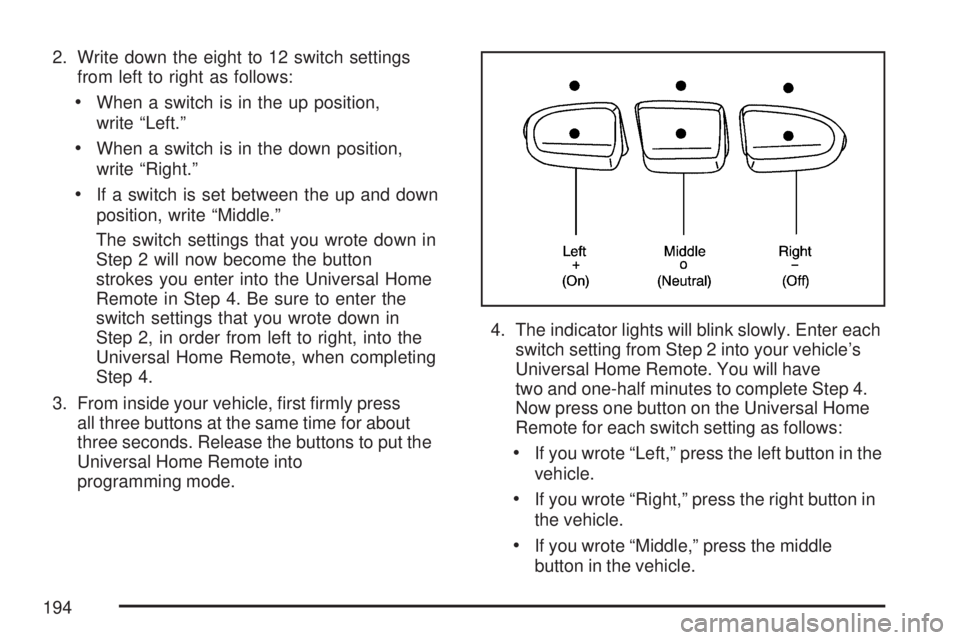
2. Write down the eight to 12 switch settings
from left to right as follows:
When a switch is in the up position,
write “Left.”
When a switch is in the down position,
write “Right.”
If a switch is set between the up and down
position, write “Middle.”
The switch settings that you wrote down in
Step 2 will now become the button
strokes you enter into the Universal Home
Remote in Step 4. Be sure to enter the
switch settings that you wrote down in
Step 2, in order from left to right, into the
Universal Home Remote, when completing
Step 4.
3. From inside your vehicle, rst rmly press
all three buttons at the same time for about
three seconds. Release the buttons to put the
Universal Home Remote into
programming mode.4. The indicator lights will blink slowly. Enter each
switch setting from Step 2 into your vehicle’s
Universal Home Remote. You will have
two and one-half minutes to complete Step 4.
Now press one button on the Universal Home
Remote for each switch setting as follows:
If you wrote “Left,” press the left button in the
vehicle.
If you wrote “Right,” press the right button in
the vehicle.
If you wrote “Middle,” press the middle
button in the vehicle.
194
Page 213 of 680
Turn and Lane-Change Signals
The turn signal has two upward (for right) and
two downward (for left) positions. These positions
allow you to signal a turn or a lane change.
To signal a turn, move the lever all the way up or
down. When the turn is nished, the lever will
return automatically.
To signal a lane change, raise or lower the lever for
less than one second until the arrow starts to ash.
This will cause the turn signals to automatically
ash three times. It will ash six times if tow-haul
mode is active. Holding the turn signal lever for
more than one second will cause the turn signals to
ash until you release the lever. The lever will
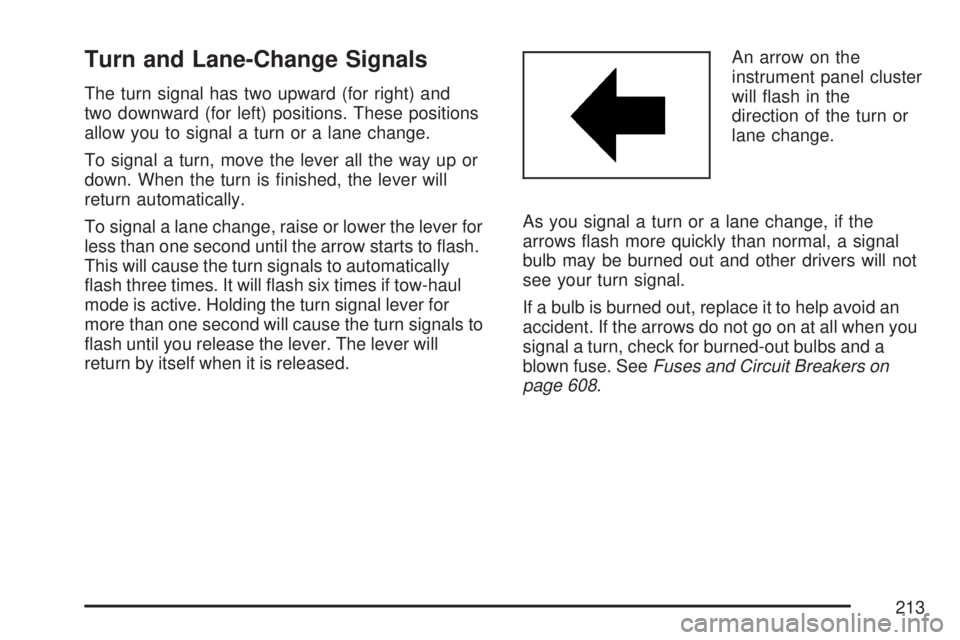
return by itself when it is released.An arrow on the
instrument panel cluster
will ash in the
direction of the turn or
lane change.
As you signal a turn or a lane change, if the
arrows ash more quickly than normal, a signal
bulb may be burned out and other drivers will not
see your turn signal.
If a bulb is burned out, replace it to help avoid an
accident. If the arrows do not go on at all when you
signal a turn, check for burned-out bulbs and a
blown fuse. SeeFuses and Circuit Breakers on
page 608.
213
Page 216 of 680
Rainsense™ II Wipers
If your vehicle has Rainsense™ II windshield
wipers, the moisture sensor is located next to the
inside rearview mirror and is mounted on the
windshield. When active, these sensors are able
to detect moisture on the windshield and
automatically turn on the wipers.
To turn on the Rainsense™ feature, the wipers
must be set to one of the ve delay settings on the
multifunction lever. Each of the ve settings
adjusts the sensitivity of the rainsensor.
Since different drivers have different setting
preferences, it is recommended that the mid-range
setting (position 3) be used initially. For more
wipes, select the higher settings; for fewer wipes,
select the lower settings located closer to the
off position on the multifunction lever.The rainsensor will automatically control the
frequency of the wipes from the off setting to the
high speed setting according to the weather
conditions. The wipers can be left in a rainsense
mode even when it is not raining.
When Rainsense™ is active, the headlamps will
turn on automatically if the exterior lamp control is
in the AUTO position.
Notice:Going through an automatic car wash
with the wipers on can damage them. Turn
the wipers off when going through an
automatic car wash.
216
Page 237 of 680
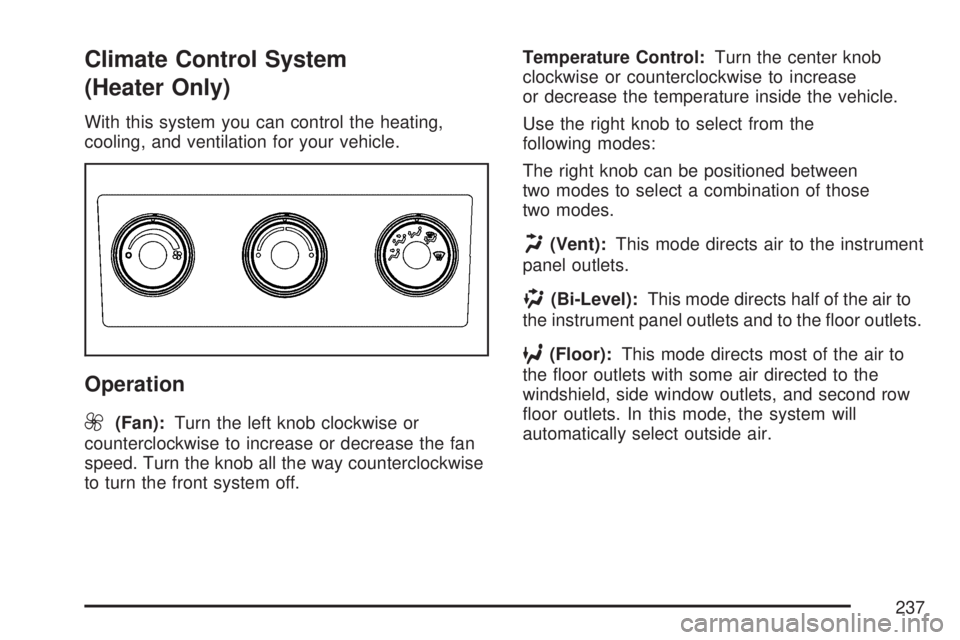
Climate Control System
(Heater Only)
With this system you can control the heating,
cooling, and ventilation for your vehicle.
Operation
9
(Fan):Turn the left knob clockwise or
counterclockwise to increase or decrease the fan
speed. Turn the knob all the way counterclockwise
to turn the front system off.Temperature Control:Turn the center knob
clockwise or counterclockwise to increase
or decrease the temperature inside the vehicle.
Use the right knob to select from the
following modes:
The right knob can be positioned between
two modes to select a combination of those
two modes.
H(Vent):This mode directs air to the instrument
panel outlets.
)(Bi-Level):This mode directs half of the air to
the instrument panel outlets and to the oor outlets.
6(Floor):This mode directs most of the air to
the oor outlets with some air directed to the
windshield, side window outlets, and second row
oor outlets. In this mode, the system will
automatically select outside air.
237
Page 239 of 680
Driver and Passenger Side Temperature
Controls
The driver and passenger side temperature
buttons are used to adjust the temperature of the
air coming through the system on the driver or
passenger’s side of the vehicle. The temperature
can be adjusted even if the system is turned
off. This is possible since outside air will always
ow through the system as the vehicle is moving
forward unless it is set to recirculation mode.
See “Recirculation” later in this section.
Press the + or−buttons to increase or decrease
the cabin temperature. The driver side or
passenger side temperature display will show the
temperature setting decreasing or increasing.
The passenger’s temperature setting can be set to
match the driver’s temperature setting by pressing
the PASS button and turning off the PASS indicator.
When the passenger’s temperature setting is set
different than the driver’s setting, the indicator on
the PASS button will illuminate and both the driver’s
side and passenger’s side temperature displays will
be shown.
Automatic Operation
AUTO (Automatic):When automatic operation is
active the system will control the inside
temperature, the air delivery, and the fan speed.
Use the steps below to place the entire system in
automatic mode:
1. Press the AUTO button.
When AUTO is selected, the display will
change to show the current temperature(s)
and AUTO will be lit on the display. The
current air delivery mode and fan speed will
also be displayed for approximately 5 seconds.
When AUTO is selected, the air conditioning
operation and air inlet will be automatically
controlled. The air conditioning compressor
may run when the outside temperature
is above freezing. The air inlet will normally be
set to outside air. If it is hot outside, the air
inlet may automatically switch to recirculate
inside air to help quickly cool down your
vehicle. The light on the button will illuminate
in recirculation.
239