ECO mode GMC SIERRA 2007 Owner's Guide
[x] Cancel search | Manufacturer: GMC, Model Year: 2007, Model line: SIERRA, Model: GMC SIERRA 2007Pages: 680, PDF Size: 3.42 MB
Page 241 of 680
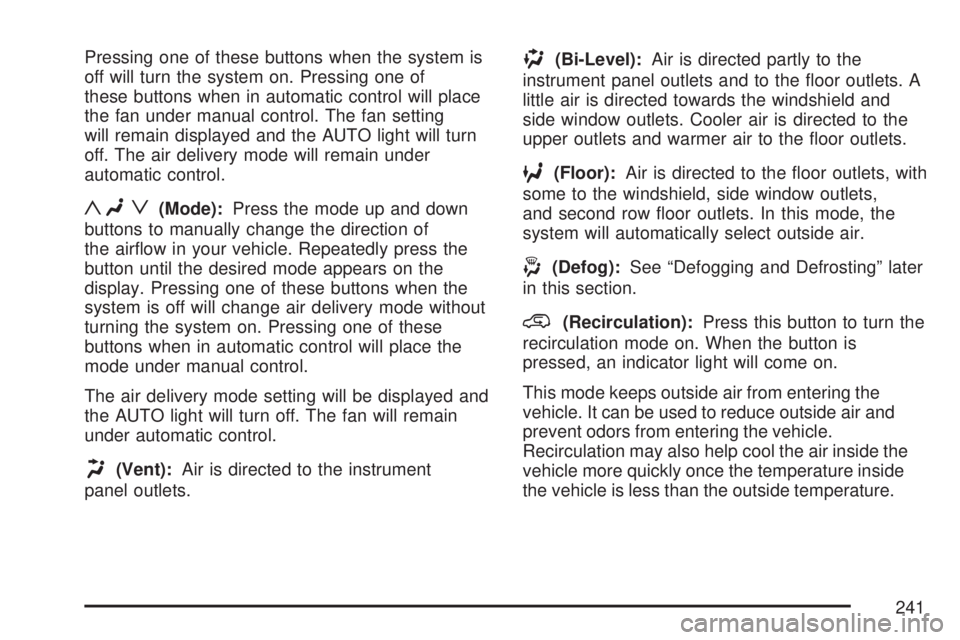
Pressing one of these buttons when the system is
off will turn the system on. Pressing one of
these buttons when in automatic control will place
the fan under manual control. The fan setting
will remain displayed and the AUTO light will turn
off. The air delivery mode will remain under
automatic control.
yNz(Mode):Press the mode up and down
buttons to manually change the direction of
the airow in your vehicle. Repeatedly press the
button until the desired mode appears on the
display. Pressing one of these buttons when the
system is off will change air delivery mode without
turning the system on. Pressing one of these
buttons when in automatic control will place the
mode under manual control.
The air delivery mode setting will be displayed and
the AUTO light will turn off. The fan will remain
under automatic control.
H(Vent):Air is directed to the instrument
panel outlets.
)(Bi-Level):Air is directed partly to the
instrument panel outlets and to the oor outlets. A
little air is directed towards the windshield and
side window outlets. Cooler air is directed to the
upper outlets and warmer air to the oor outlets.
6(Floor):Air is directed to the oor outlets, with
some to the windshield, side window outlets,
and second row oor outlets. In this mode, the
system will automatically select outside air.
-(Defog):See “Defogging and Defrosting” later
in this section.
@(Recirculation):Press this button to turn the
recirculation mode on. When the button is
pressed, an indicator light will come on.
This mode keeps outside air from entering the
vehicle. It can be used to reduce outside air and
prevent odors from entering the vehicle.
Recirculation may also help cool the air inside the
vehicle more quickly once the temperature inside
the vehicle is less than the outside temperature.
241
Page 248 of 680
Speedometer and Odometer
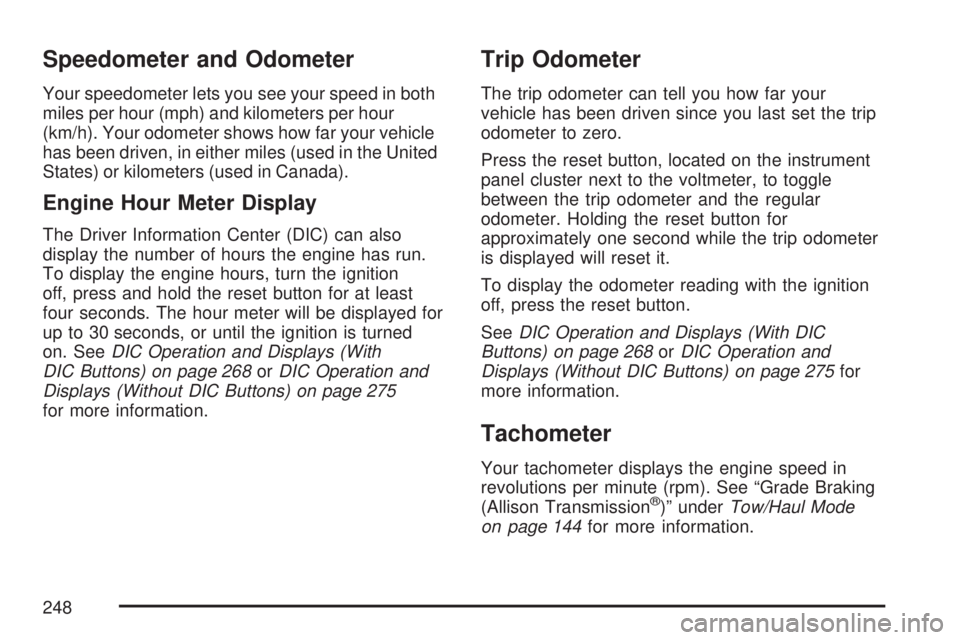
Your speedometer lets you see your speed in both
miles per hour (mph) and kilometers per hour
(km/h). Your odometer shows how far your vehicle
has been driven, in either miles (used in the United
States) or kilometers (used in Canada).
Engine Hour Meter Display
The Driver Information Center (DIC) can also
display the number of hours the engine has run.
To display the engine hours, turn the ignition
off, press and hold the reset button for at least
four seconds. The hour meter will be displayed for
up to 30 seconds, or until the ignition is turned
on. SeeDIC Operation and Displays (With
DIC Buttons) on page 268orDIC Operation and
Displays (Without DIC Buttons) on page 275
for more information.
Trip Odometer
The trip odometer can tell you how far your
vehicle has been driven since you last set the trip
odometer to zero.
Press the reset button, located on the instrument
panel cluster next to the voltmeter, to toggle
between the trip odometer and the regular
odometer. Holding the reset button for
approximately one second while the trip odometer
is displayed will reset it.
To display the odometer reading with the ignition
off, press the reset button.
SeeDIC Operation and Displays (With DIC
Buttons) on page 268orDIC Operation and
Displays (Without DIC Buttons) on page 275for
more information.
Tachometer
Your tachometer displays the engine speed in
revolutions per minute (rpm). See “Grade Braking
(Allison Transmission
®)” underTow/Haul Mode
on page 144for more information.
248
Page 255 of 680
Voltmeter Gage
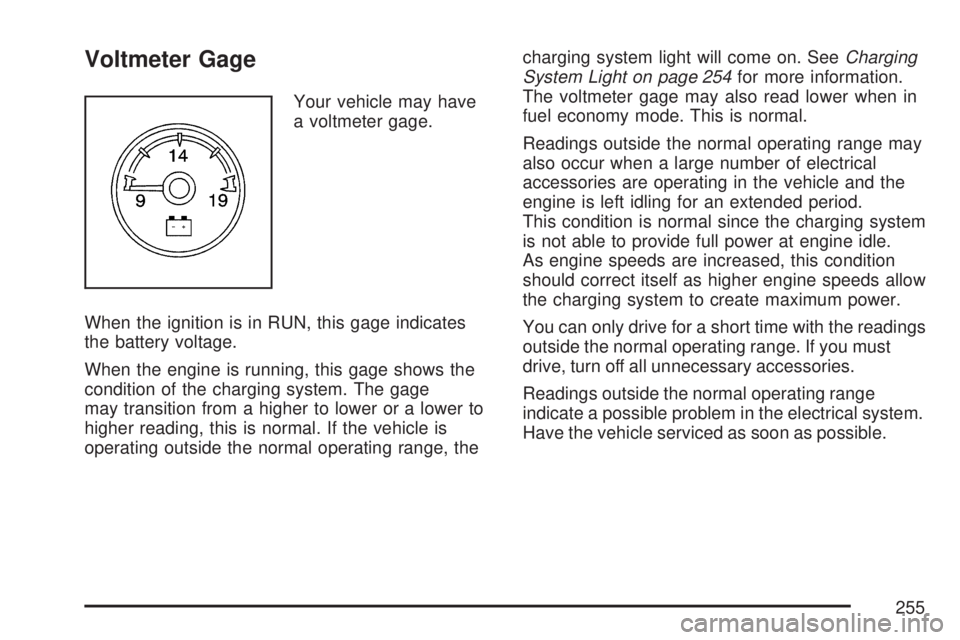
Your vehicle may have
a voltmeter gage.
When the ignition is in RUN, this gage indicates
the battery voltage.
When the engine is running, this gage shows the
condition of the charging system. The gage
may transition from a higher to lower or a lower to
higher reading, this is normal. If the vehicle is
operating outside the normal operating range, thecharging system light will come on. SeeCharging
System Light on page 254for more information.
The voltmeter gage may also read lower when in
fuel economy mode. This is normal.
Readings outside the normal operating range may
also occur when a large number of electrical
accessories are operating in the vehicle and the
engine is left idling for an extended period.
This condition is normal since the charging system
is not able to provide full power at engine idle.
As engine speeds are increased, this condition
should correct itself as higher engine speeds allow
the charging system to create maximum power.
You can only drive for a short time with the readings
outside the normal operating range. If you must
drive, turn off all unnecessary accessories.
Readings outside the normal operating range
indicate a possible problem in the electrical system.
Have the vehicle serviced as soon as possible.
255
Page 272 of 680
Instantaneous Economy and Active Fuel
Management™ Indicator
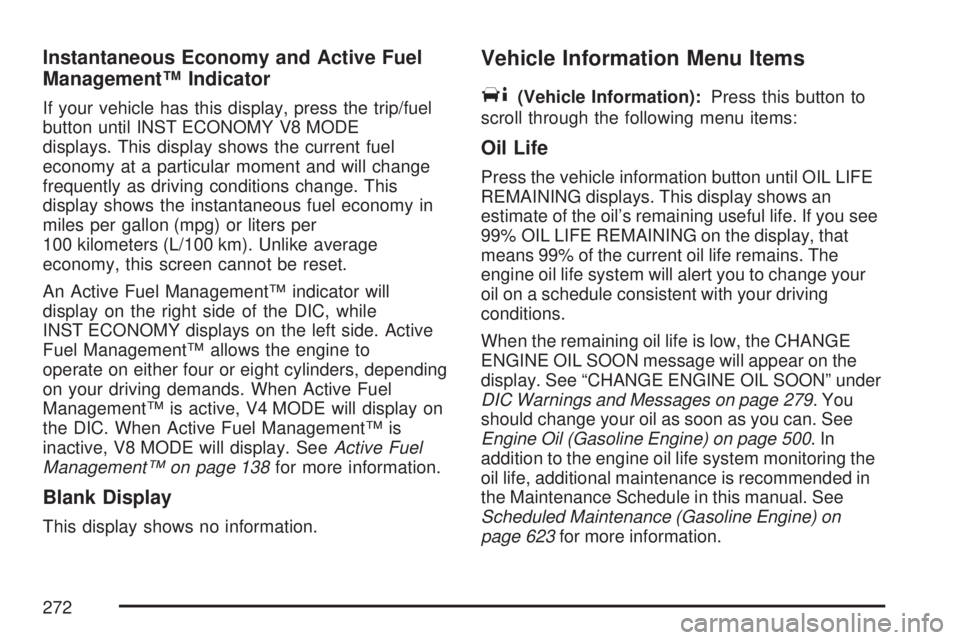
If your vehicle has this display, press the trip/fuel
button until INST ECONOMY V8 MODE
displays. This display shows the current fuel
economy at a particular moment and will change
frequently as driving conditions change. This
display shows the instantaneous fuel economy in
miles per gallon (mpg) or liters per
100 kilometers (L/100 km). Unlike average
economy, this screen cannot be reset.
An Active Fuel Management™ indicator will
display on the right side of the DIC, while
INST ECONOMY displays on the left side. Active
Fuel Management™ allows the engine to
operate on either four or eight cylinders, depending
on your driving demands. When Active Fuel
Management™ is active, V4 MODE will display on
the DIC. When Active Fuel Management™ is
inactive, V8 MODE will display. SeeActive Fuel
Management™ on page 138for more information.
Blank Display
This display shows no information.
Vehicle Information Menu Items
T
(Vehicle Information):Press this button to
scroll through the following menu items:
Oil Life
Press the vehicle information button until OIL LIFE
REMAINING displays. This display shows an
estimate of the oil’s remaining useful life. If you see
99% OIL LIFE REMAINING on the display, that
means 99% of the current oil life remains. The
engine oil life system will alert you to change your
oil on a schedule consistent with your driving
conditions.
When the remaining oil life is low, the CHANGE
ENGINE OIL SOON message will appear on the
display. See “CHANGE ENGINE OIL SOON” under
DIC Warnings and Messages on page 279. You
should change your oil as soon as you can. See
Engine Oil (Gasoline Engine) on page 500.In
addition to the engine oil life system monitoring the
oil life, additional maintenance is recommended in
the Maintenance Schedule in this manual. See
Scheduled Maintenance (Gasoline Engine) on
page 623for more information.
272
Page 274 of 680
OUTPUT shows the power output to the trailer
anytime a trailer with electric brakes is connected.
Output is displayed in 0 to 10 bars. Dashes
may appear in the OUTPUT display. See
“Integrated Trailer Brake Control System” under
Towing a Trailer on page 445for more information.
Engine Hours
Press the vehicle information button until ENGINE
HOURS displays. This display shows the total
number of hours the engine has run.
Relearn Tire Positions
If your vehicle has a Tire Pressure Monitor (TPM)
system, after rotating the tires or after replacing a
tire or sensor, the system must re-learn the tire
positions. To re-learn the tire positions, seeTire
Pressure Monitor System on page 561. SeeTire
Inspection and Rotation on page 565andDIC
Warnings and Messages on page 279for more
information.
Relearn Remote Key
This display allows you to match Remote Keyless
Entry (RKE) transmitters to your vehicle. To
match an RKE transmitter to your vehicle, do the
following:
1. Press the vehicle information button until
PRESS
VTO RELEARN REMOTE KEY
displays.
2. Press the set/reset button until REMOTE KEY
LEARNING ACTIVE is displayed.
3. Press and hold the lock and unlock buttons
on the rst transmitter at the same time for
about 15 seconds.
On vehicles with memory recall seats, the rst
transmitter learned will match driver 1 and
the second will match driver 2.
A chime will sound indicating that the
transmitter is matched.
4. To match additional transmitters at this time,
repeat Step 3.
Each vehicle can have a maximum of
eight transmitters matched to it.
5. To exit the programming mode, you must
cycle the key to LOCK.
274
Page 278 of 680
Relearn Remote Key
To access this display, the vehicle must be in
PARK (P). This display allows you to match
Remote Keyless Entry (RKE) transmitters to your
vehicle. To match an RKE transmitter to your
vehicle, do the following:
1. Press the trip odometer reset stem until
RELEARN REMOTE KEY displays.
2. Press and hold the trip odometer reset stem
for three seconds.
The message REMOTE KEY LEARNING
ACTIVE will display.
3. Press and hold the lock and unlock buttons
on the rst transmitter at the same time for
about 15 seconds.
On vehicles with memory recall seats, the rst
transmitter learned will match driver 1 and
the second will match driver 2.
A chime will sound indicating that the
transmitter is matched.
4. To match additional transmitters at this time,
repeat Step 3.
Each vehicle can have a maximum of
eight transmitters matched to it.
5. To exit the programming mode, you must
cycle the key to LOCK.
Language
This display allows you to select the language in
which the DIC messages will appear. To select
a language, do the following:
1. Press the trip odometer reset stem until
ODOMETER displays.
2. While in the ODOMETER display, press
and hold the trip odometer reset stem for
three seconds until the currently set
language displays.
3. Continue to press and hold the trip odometer
reset stem to scroll through all of the available
languages.
The available languages are ENGLISH
(default), FRANCAIS (French), ESPANOL
(Spanish), and NO CHANGE.
4. Once the desired language is displayed,
release the trip odometer reset stem to
set your choice.
278
Page 304 of 680
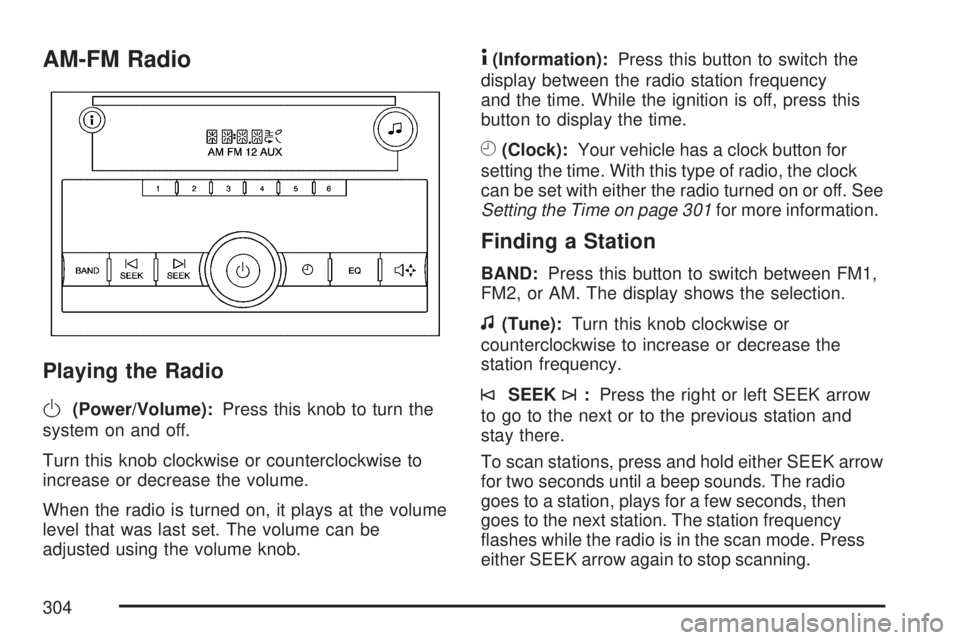
AM-FM Radio
Playing the Radio
O
(Power/Volume):Press this knob to turn the
system on and off.
Turn this knob clockwise or counterclockwise to
increase or decrease the volume.
When the radio is turned on, it plays at the volume
level that was last set. The volume can be
adjusted using the volume knob.
4(Information):Press this button to switch the
display between the radio station frequency
and the time. While the ignition is off, press this
button to display the time.
H(Clock):Your vehicle has a clock button for
setting the time. With this type of radio, the clock
can be set with either the radio turned on or off. See
Setting the Time on page 301for more information.
Finding a Station
BAND:Press this button to switch between FM1,
FM2, or AM. The display shows the selection.
f(Tune):Turn this knob clockwise or
counterclockwise to increase or decrease the
station frequency.
©SEEK¨:Press the right or left SEEK arrow
to go to the next or to the previous station and
stay there.
To scan stations, press and hold either SEEK arrow
for two seconds until a beep sounds. The radio
goes to a station, plays for a few seconds, then
goes to the next station. The station frequency
ashes while the radio is in the scan mode. Press
either SEEK arrow again to stop scanning.
304
Page 305 of 680
The radio seeks and scans stations only with a
strong signal that are in the selected band.
To scan presets within the current selected band,
press and hold either seek arrow for four seconds
until a double beep sounds. The radio goes to a
stored preset, plays for a few seconds if a strong
signal is present, then goes to the next stored
preset. The station frequency ashes while the
radio is in the scan mode.
Setting Preset Stations
Up to 18 stations (six FM1, six FM2, and six AM),
can be programmed on the six numbered
pushbuttons, by performing the following steps:
1. Turn the radio on.
2. Press BAND to select FM1, FM2, or AM.
3. Tune in the desired station.
4. Press and hold one of the six numbered
pushbuttons for three seconds until a beep
sounds. Whenever that pushbutton is pressed
and released, the station that was set, returns.
5. Repeat the Steps 2-4 for each pushbutton.
Setting the Tone (Bass/Treble)
Bass/Treble:To adjust the bass or treble, press
the tune knob or the EQ button until the desired
tone control label displays. Turn the tune
knob clockwise or counterclockwise to increase or
decrease the setting. The display shows the
current bass or treble level. If a station’s frequency
is weak, or if there is static, decrease the treble.
Adjusting the Speakers (Balance/Fade)
`
(Balance/Fade):To adjust the balance or
fade, press this button or the tune knob until the
desired speaker control label displays. Turn
the tune knob clockwise or counterclockwise to
adjust the setting.
The setting can also be adjusted by pressing the
seek arrows.
Radio Messages
Loc (Locked):This message displays while the
THEFTLOCK®system has locked up the radio.
Take the vehicle to your dealer for service.
If any error occurs repeatedly or if an error cannot
be corrected, contact your dealer.
305
Page 306 of 680
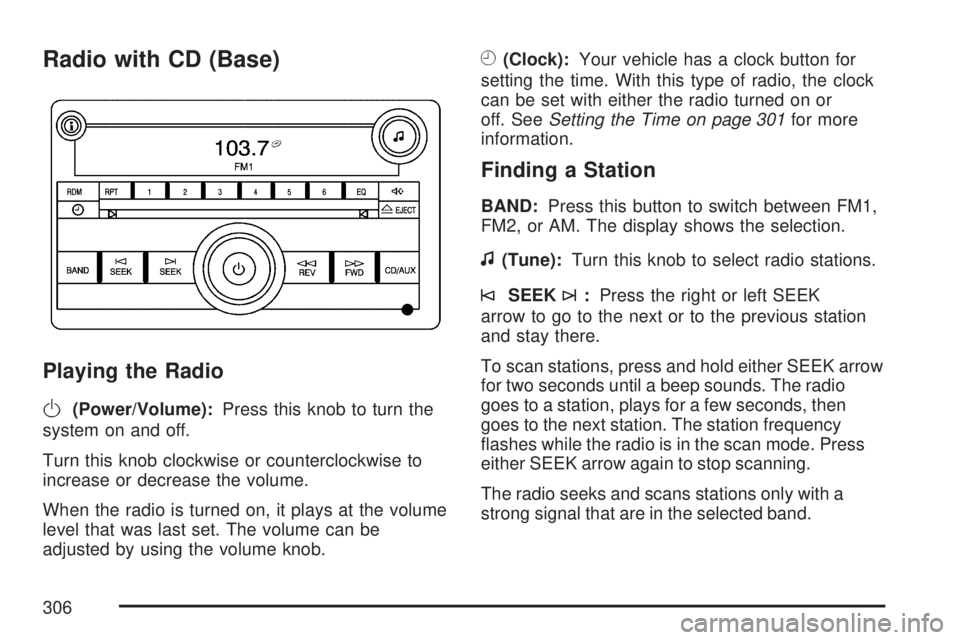
Radio with CD (Base)
Playing the Radio
O
(Power/Volume):Press this knob to turn the
system on and off.
Turn this knob clockwise or counterclockwise to
increase or decrease the volume.
When the radio is turned on, it plays at the volume
level that was last set. The volume can be
adjusted by using the volume knob.
H(Clock):Your vehicle has a clock button for
setting the time. With this type of radio, the clock
can be set with either the radio turned on or
off. SeeSetting the Time on page 301for more
information.
Finding a Station
BAND:Press this button to switch between FM1,
FM2, or AM. The display shows the selection.
f(Tune):Turn this knob to select radio stations.
©SEEK¨:Press the right or left SEEK
arrow to go to the next or to the previous station
and stay there.
To scan stations, press and hold either SEEK arrow
for two seconds until a beep sounds. The radio
goes to a station, plays for a few seconds, then
goes to the next station. The station frequency
ashes while the radio is in the scan mode. Press
either SEEK arrow again to stop scanning.
The radio seeks and scans stations only with a
strong signal that are in the selected band.
306
Page 307 of 680
To scan presets within the current selected band,
press and hold either seek arrow for four seconds
until a double beep sounds. The radio goes to a
stored preset, plays for a few seconds if a strong
signal is present, then goes to the next stored
preset. The station frequency ashes while the
radio is in the scan mode.
4(Information):Press this button to switch the
display between the radio station frequency
and the time. While the ignition is off, press this
button to display the time.
Setting Preset Stations
Up to 18 stations (six FM1, six FM2, and six AM),
can be programmed on the six numbered
pushbuttons, by performing the following steps:
1. Turn the radio on.
2. Press BAND to select FM1, FM2, or AM.
3. Tune in the desired station.
4. Press and hold one of the six numbered
pushbuttons for three seconds until a beep
sounds. Whenever that pushbutton is pressed
and released, the station that was set, returns.
5. Repeat the Steps 2 through 4 for each
pushbutton.
Setting the Tone (Bass/Treble)
BASS/TREB (Bass/Treble):To adjust the bass
or treble, press the tune knob button or the
EQ pushbutton until the desired tone control label
displays. Turn the tune knob clockwise or
counterclockwise to increase or decrease the
setting. The display shows the current bass
or treble level. If a station’s frequency is weak, or
if there is static, decrease the treble.
Unique BASS/TREB settings can be saved for
each source.
Adjusting the Speakers (Balance/Fade)
`
BAL/FADE (Balance/Fade):To adjust the
balance or fade, press this button or the tune knob
until the desired speaker control label displays.
Turn the tune knob clockwise or counterclockwise
to adjust the setting. The setting can also be
adjusted by pressing either the SEEK, FWD
(forward), or REV (reverse) buttons.
307