air condition GMC SIERRA 2007 Owner's Guide
[x] Cancel search | Manufacturer: GMC, Model Year: 2007, Model line: SIERRA, Model: GMC SIERRA 2007Pages: 680, PDF Size: 3.42 MB
Page 244 of 680
Defogging and Defrosting
Fog on the inside of the windows is a result of high
humidity (moisture) condensing on the cool window
glass. This can be minimized if the climate control
system is used properly. There are two modes to
clear fog or frost from the windshield.
Use the mode up and down arrows to select the
defog or defrost modes.
-(Defog):Press this button to clear the
windows of fog or moisture and warm the
passengers. This mode directs air to the
windshield, oor outlets, and side window vents.
When this mode is selected, the system turns
off recirculation and runs the air conditioning
compressor unless the outside temperature is
close to freezing. The recirculation mode cannot
be selected while in the defog mode. Do not drive
the vehicle until all the windows are clear.
0(Defrost):Press this button to remove fog or
frost from the windshield more quickly. This mode
directs a portion of the air to the windshield and side
window vents and some to the oor vents. In this
mode, the system will automatically force outside
air into your vehicle. The recirculation mode cannot
be selected while in the defrost mode. The air
conditioning compressor will run automatically in
this setting, unless the outside temperature is close
to freezing. Do not drive the vehicle until all the
windows are clear.
Rear Window Defogger
The rear window defogger uses a warming grid to
remove fog from the rear window.
<(Rear Window Defogger):If your vehicle
has this feature, press this button to turn the
defogger on or off. It will automatically turn
off several minutes after it has been activated.
The defogger can also be turned off by turning the
engine off. Do not drive the vehicle until all the
windows are clear.
244
Page 245 of 680
Notice:Do not use a razor blade or sharp
object to clear the inside rear window. Do not
adhere anything to the defogger grid lines
in the rear glass. These actions may damage
the rear defogger. Repairs would not be
covered by your warranty.
W(Heated Mirrors):If your vehicle has heated
outside rearview mirrors, the mirrors will heat
to help clear fog or frost from the surface of the
mirror when the rear window defog button is
pressed. SeeOutside Power Mirrors on page 176.
Outlet Adjustment
Use the air outlets located in the center and on
the side of the instrument panel to direct the
airow.
Operation Tips
Keep the hood and front air inlets free of ice,
snow, or any other obstruction, such as
leaves. The heater and defroster will work
better, reducing the chance of fogging
the inside of your windows.
When you enter a vehicle in cold weather, set
the fan speed to maximum airow for a few
moments before driving. This helps clear
the intake ducts of snow and moisture, and
reduces the chance of fogging the inside
of your windows.
Keep the air path under the front seats clear
of objects. This helps air to circulate
throughout your vehicle.
Adding outside equipment to the front of the
vehicle, such as hood-air deectors, may affect
the performance of the heating and air
conditioning system. Check with your dealer
before adding equipment to the outside of
your vehicle.
245
Page 261 of 680
This light should come on, as a check to show
you it is working, when the ignition is on and the
engine is not running. If the light does not
come on, have it repaired. This light will also
come on during a malfunction in one of two ways:
Light Flashing— A misre condition has
been detected. A misre increases vehicle
emissions and may damage the emission
control system on your vehicle. Diagnosis and
service may be required.
Light On Steady— An emission control
system malfunction has been detected on your
vehicle. Diagnosis and service may be
required.
If the Light is Flashing
The following may prevent more serious damage
to your vehicle:
Reducing vehicle speed
Avoiding hard accelerations
Avoiding steep uphill grades
If you are towing a trailer, reduce the amount
of cargo being hauled as soon as it is
possibleIf the light stops ashing and remains on steady,
see “If the Light Is On Steady” following.
If the light continues to ash, when it is safe to do
so, stop the vehicle. Find a safe place to park
your vehicle. Turn the key off, wait at least
10 seconds and restart the engine. If the light
remains on steady, see “If the Light Is On Steady”
following. If the light is still ashing, follow the
previous steps, and see your dealer for service as
soon as possible.
If the Light Is On Steady
You may be able to correct the emission system
malfunction by considering the following:
Did you recently put fuel into your vehicle?
If so, reinstall the fuel cap, making sure to fully
install the cap. SeeFilling the Tank on page 493.
The diagnostic system can determine if the
fuel cap has been left off or improperly installed. A
loose or missing fuel cap will allow fuel to
evaporate into the atmosphere. A few driving trips
with the cap properly installed should turn the
light off.
261
Page 281 of 680
As soon as it is safe to do so, carefully pull your
vehicle over to the side of the road and turn
the ignition off. Check the wiring connection to the
trailer and turn the ignition back on. This
message clears if the trailer is reconnected. This
message also clears if you acknowledge it. If
this message still displays, either your vehicle or
the trailer needs service. See your dealer.
See “Integrated Trailer Brake Control System”
underTowing a Trailer on page 445for more
information.
DRIVER DOOR OPEN
This message displays and a chime sounds if the
driver’s door is not fully closed and the vehicle
is in a drive gear. Stop and turn off the vehicle,
check the door for obstructions, and close the door
again. Check to see if the message still appears
on the DIC.
ENGINE HOT A/C (Air Conditioning)
TURNED OFF
This message displays when the engine coolant
becomes hotter than the normal operating
temperature. SeeEngine Coolant Temperature
Gage on page 258. To avoid added strain on a hot
engine, the air conditioning compressor
automatically turns off. When the coolant
temperature returns to normal, the air conditioning
compressor turns back on. You can continue to
drive your vehicle.
If this message continues to appear, have the
system repaired by your dealer as soon as
possible to avoid damage to the engine.
ENGINE OIL LOW ADD OIL
If your vehicle has an oil level sensor, this
message displays if the oil level in the vehicle is
low. Check the oil level and correct it as
necessary. You may need to let the vehicle cool
or warm up and cycle the ignition to be sure
this message clears.
This message clears itself after 10 seconds, until
the next ignition cycle. SeeEngine Oil (Gasoline
Engine) on page 500for additional information.
281
Page 285 of 680
SERVICE 4 WHEEL DRIVE
This message displays if a problem occurs with
the four-wheel-drive system. If this message
appears, stop as soon as possible and turn off the
vehicle. Restart the vehicle and check for the
message on the DIC display. If the message is still
displayed or appears again when you begin
driving, the four-wheel-drive system needs service.
See your dealer.
SERVICE AIR BAG
This message displays if there is a problem with
the airbag system. Have your dealer inspect
the system for problems. SeeAirbag Readiness
Light on page 250andAirbag System on page 83
for more information.
SERVICE BATTERY CHARGING
SYSTEM
On some vehicles, this message displays if there
is a problem with the battery charging system.
Under certain conditions, the charging system light
may also turn on in the instrument panel cluster.
SeeCharging System Light on page 254.
Driving with this problem could drain the battery.Turn off all unnecessary accessories. Have the
electrical system checked as soon as possible.
See your dealer.
SERVICE BRAKE SYSTEM
This message displays along with the brake
system warning light if there is a problem with the
brake system. SeeBrake System Warning
Light on page 256. If this message appears, stop
as soon as possible and turn off the vehicle.
Restart the vehicle and check for the message on
the DIC display. If the message is still displayed
or appears again when you begin driving, the
brake system needs service as soon as possible.
See your dealer.
SERVICE BRAKES SOON
This message displays if there is a problem with
the brake system. If this message appears, stop as
soon as possible and turn off the vehicle. Restart
the vehicle and check for the message on the
DIC display. If the message is still displayed
or appears again when you begin driving, the
brake system needs service. See your dealer.
285
Page 353 of 680
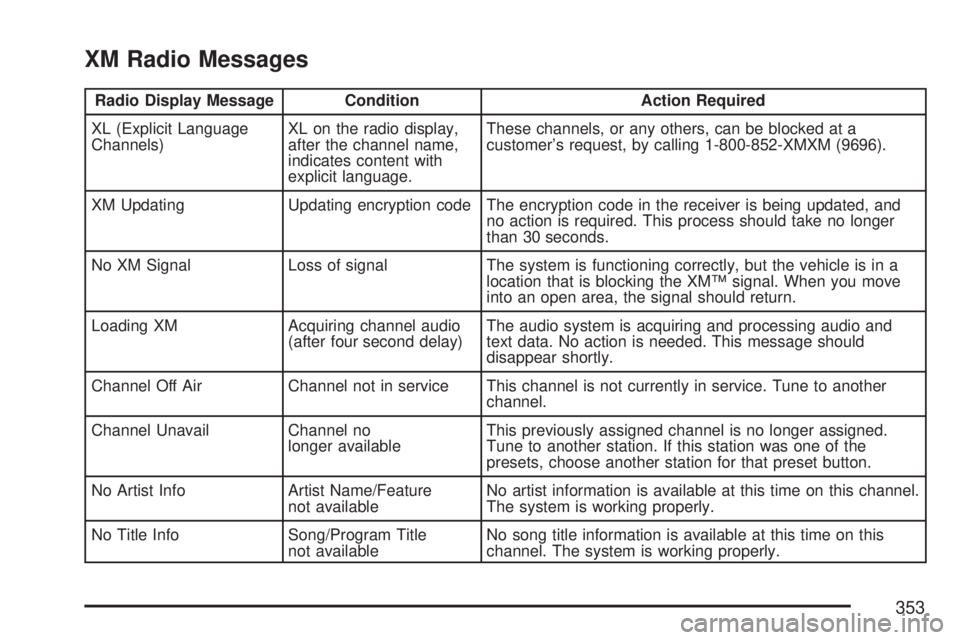
XM Radio Messages
Radio Display Message Condition Action Required
XL (Explicit Language
Channels)XL on the radio display,
after the channel name,
indicates content with
explicit language.These channels, or any others, can be blocked at a
customer’s request, by calling 1-800-852-XMXM (9696).
XM Updating Updating encryption code The encryption code in the receiver is being updated, and
no action is required. This process should take no longer
than 30 seconds.
No XM Signal Loss of signal The system is functioning correctly, but the vehicle is in a
location that is blocking the XM™ signal. When you move
into an open area, the signal should return.
Loading XM Acquiring channel audio
(after four second delay)The audio system is acquiring and processing audio and
text data. No action is needed. This message should
disappear shortly.
Channel Off Air Channel not in service This channel is not currently in service. Tune to another
channel.
Channel Unavail Channel no
longer availableThis previously assigned channel is no longer assigned.
Tune to another station. If this station was one of the
presets, choose another station for that preset button.
No Artist Info Artist Name/Feature
not availableNo artist information is available at this time on this channel.
The system is working properly.
No Title Info Song/Program Title
not availableNo song title information is available at this time on this
channel. The system is working properly.
353
Page 384 of 680
Traction Control Operation
The traction control system is part of the
StabiliTrak®system. Traction control limits wheel
spin by reducing engine power to the wheels
(engine speed management) and by applying
brakes to each individual wheel (brake-traction
control) as necessary.
The traction control system is enabled
automatically when you start your vehicle. It will
activate and the StabiliTrak
®light will ash if
it senses that any of the wheels are spinning or
beginning to lose traction while driving. If you turn
off traction control, only the brake-traction
control portion of traction control will work. The
engine speed management will be disabled. In this
mode, engine power is not reduced automatically
and the driven wheels can spin more freely.
This can cause the brake-traction control to
activate constantly.Notice:If you allow the wheel(s) of one axle
to spin excessively while the StabiliTrak
®, ABS
and brake warning lights and the SERVICE
STABILITRAK message are displayed,
you could damage the transfer case. The
repairs would not be covered by your warranty.
Reduce engine power and do not spin the
wheel(s) excessively while these lights and this
message are displayed.
The traction control system may activate on dry or
rough roads or under conditions such as heavy
acceleration while turning or abrupt
upshifts/downshifts of the transmission. When this
happens, you may notice a reduction in
acceleration, or may hear a noise or vibration.
This is normal.
If your vehicle is in cruise control when the system
activates, the StabiliTrak
®light will ash and the
cruise control will automatically disengage.
When road conditions allow you to use cruise
again, you may re-engage the cruise control. See
Cruise Control on page 218.
StabiliTrak
®may also turn off automatically if it
determines that a problem exists with the system. If
the problem does not clear itself after restarting the
vehicle, you should see your dealer for service.
384
Page 390 of 680
If your vehicle starts to slide, ease your foot off
the accelerator pedal and quickly steer the
way you want the vehicle to go. If you start
steering quickly enough, your vehicle may
straighten out. Always be ready for a second skid
if it occurs.
Of course, traction is reduced when water, snow,
ice, gravel, or other material is on the road.
For safety, you will want to slow down and adjust
your driving to these conditions. It is important
to slow down on slippery surfaces because
stopping distance will be longer and vehicle control
more limited.
While driving on a surface with reduced traction, try
your best to avoid sudden steering, acceleration, or
braking, including reducing vehicle speed by
shifting to a lower gear. Any sudden changes could
cause the tires to slide. You may not realize the
surface is slippery until your vehicle is skidding.
Learn to recognize warning clues — such as
enough water, ice, or packed snow on the road to
make a mirrored surface — and slow down when
you have any doubt.
Remember: Any Anti-Lock Brake System (ABS)
helps avoid only the braking skid.Off-Road Driving
This off-road guide is for vehicles that have
four-wheel drive. Also, seeBraking on page 378.If
your vehicle does not have four-wheel drive or
is equipped with 20-inch tire/wheel assemblies,
you should not drive off-road unless you are on a
level, solid surface.
The airbag system is designed to work properly
under a wide range of conditions, including off-road
usage. Observe safe driving speeds, especially
on rough terrain. As always, wear your safety belt.
Off-road driving can be great fun. But it does
have some denite hazards. The greatest of these
is the terrain itself.
“Off-roading” means you have left the great North
American road system behind. Traffic lanes
are not marked. Curves are not banked. There are
no road signs. Surfaces can be slippery, rough,
uphill, or downhill. In short, you have gone
right back to nature.
Off-road driving involves some new skills. And that
is why it is very important that you read this
guide. You will nd many driving tips and
suggestions. These will help make your off-road
driving safer and more enjoyable.
390
Page 466 of 680
The ITBC system is powered through your
vehicle’s electrical system. Turning the ignition off
will also turn off the ITBC system. The ITBC
system is fully functional only when the ignition is
in ON or in RUN.
The ITBC system can only be used with trailers
with electric brakes.
{CAUTION:
Connecting a trailer that is not compatible
with the ITBC system may result in
reduced or complete loss of trailer
braking. There may be an increase in
stopping distance or trailer instability
which could result in personal injury or
CAUTION: (Continued)
CAUTION: (Continued)
damage to your vehicle, trailer, or other
property. An aftermarket controller may be
available for use with trailers with surge,
air or electric-over-hydraulic trailer brake
systems. To determine the type of brakes
on your trailer and the availability of
controllers, check with your trailer
manufacturer or dealer.
When trailering, make sure of the following:
The ITBC system is used only with trailers that
are equipped with electric brakes.
All applicable local and federal laws and
regulations are followed.
All electrical and mechanical connections to
the trailer are made correctly.
The trailer’s brakes are in proper working
condition.
The trailer and vehicle are properly loaded for
the towing condition.
466
Page 472 of 680
If the disconnect occurs while the vehicle is
moving, this message will continue until the
ignition is turned off. This message will also
turn off if the driver acknowledges this message
off or if the trailer harness is re-connected.
2. There is an electrical fault in the wiring to the
electric trailer brakes. This message will
continue as long as there is an electrical fault in
the trailer wiring. This message will also turn off
if the driver acknowledges this message off.
To determine if the electrical fault is on the vehicle
side or trailer side of the trailer wiring harness
connection, do the following:
1. Disconnect the trailer wiring harness from the
vehicle.
2. Turn the ignition OFF.
3. Wait ten seconds, then turn the ignition back
to RUN.
4. If the CHECK TRAILER WIRING message
re-appears, the electrical fault is on the
vehicle side.
If the CHECK TRAILER WIRING message only
re-appears when you connect the trailer wiring
harness to the vehicle, the electrical fault is on
the trailer side.SERVICE TRAILER BRAKE SYSTEM – This
message will be displayed when there is a problem
with the ITBC system. If this message persists over
multiple ignition cycles there is problem with the
ITBC system. Take your vehicle to an authorized
GM dealer to have the ITBC system diagnosed and
repaired.
If either the CHECK TRAILER WIRING or
SERVICE TRAILER BRAKE SYSTEM message is
displayed while you are driving your vehicle, you no
longer have power available to your trailer brakes.
When traffic conditions allow, carefully pull your
vehicle over to the side of the road and turn the
ignition off. Check the wiring connection to the
trailer and turn the ignition back on. If either of these
messages continues, either your vehicle or your
trailer needs service.
An authorized GM dealer may be able to diagnose
and repair problems with your trailer. However, any
diagnosis and repair of your trailer is not covered
under your GM Warranty. Please contact your
trailer dealer for assistance with trailer repairs and
trailer warranty information.
472