light GMC SIERRA 2008 Owner's Guide
[x] Cancel search | Manufacturer: GMC, Model Year: 2008, Model line: SIERRA, Model: GMC SIERRA 2008Pages: 578, PDF Size: 6.47 MB
Page 110 of 578
Sun Visors
Pull the sun visor down to block glare. Swing the sun
visor to the side to cover the side window.
The passenger’s side sun visor may have a vanity
mirror.
Theft-Deterrent Systems
Vehicle theft is big business, especially in some cities.
Although your vehicle has a number of theft-deterrent
features, we know that nothing we put on it can make it
impossible to steal.
Content Theft-Deterrent
Your vehicle may have a content theft-deterrent alarm
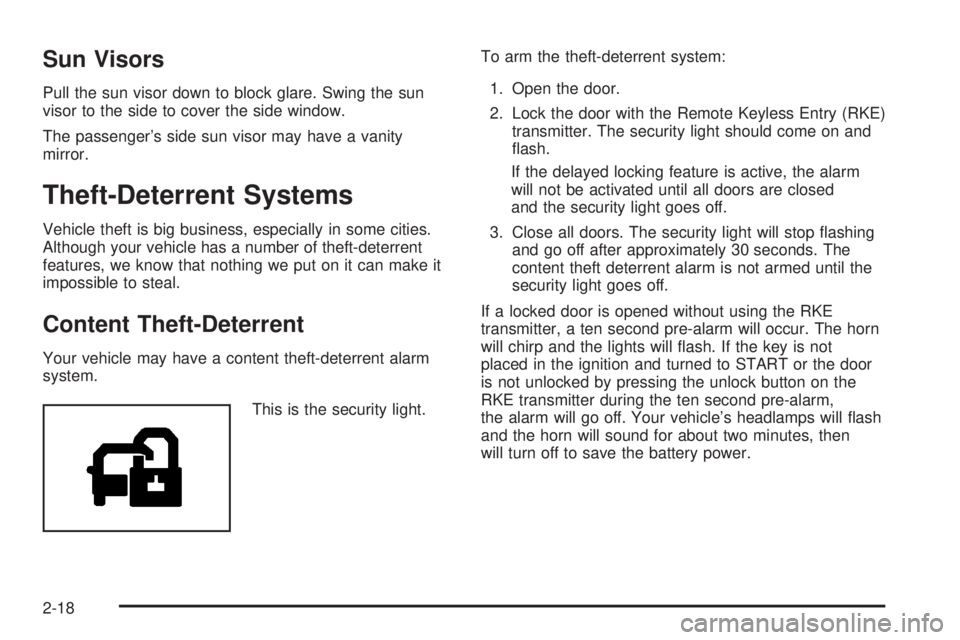
system.
This is the security light.To arm the theft-deterrent system:
1. Open the door.
2. Lock the door with the Remote Keyless Entry (RKE)
transmitter. The security light should come on and
ash.
If the delayed locking feature is active, the alarm
will not be activated until all doors are closed
and the security light goes off.
3. Close all doors. The security light will stop ashing
and go off after approximately 30 seconds. The
content theft deterrent alarm is not armed until the
security light goes off.
If a locked door is opened without using the RKE
transmitter, a ten second pre-alarm will occur. The horn
will chirp and the lights will ash. If the key is not
placed in the ignition and turned to START or the door
is not unlocked by pressing the unlock button on the
RKE transmitter during the ten second pre-alarm,
the alarm will go off. Your vehicle’s headlamps will ash
and the horn will sound for about two minutes, then
will turn off to save the battery power.
2-18
Page 111 of 578
The theft-deterrent system will not activate if the doors
are locked with the vehicle’s key or the manual door
lock. It activates only if you use the power door
lock switch with the door open or the RKE transmitter.
You should also remember that you can start your
vehicle with the correct ignition key if the alarm has been
set off.
To avoid setting off the alarm by accident:
If you do not want to activate the theft-deterrent
system, the vehicle should be locked with the
door key after the doors are closed.
Always unlock a door with the RKE transmitter.
Unlocking a door any other way will set off the alarm
if the system has been armed.
If you set off the alarm by accident, press unlock on the
RKE transmitter or place the key in the ignition and
turn it to START to turn it off.
Testing the Alarm
To test the alarm:
1. From inside the vehicle, lower the driver’s window
and open the driver’s door.
2. Activate the system by locking the doors with the
RKE transmitter.
3. Get out of the vehicle, close the door and wait for
the security light to go out.
4. Then reach in through the window, unlock the door
with the manual door lock and open the door. This
should set off the alarm.
If the alarm does not sound when it should but the
headlamps ash, check to see if the horn works. The
horn fuse may be blown. To replace the fuse, seeFuses
and Circuit Breakers on page 5-123.
If the alarm does not sound or the headlamps do not
ash, see your dealer/retailer for service.
2-19
Page 112 of 578
PASS-Key®III+
The PASS-Key®III+ system operates on a radio
frequency subject to Federal Communications
Commission (FCC) Rules and with Industry Canada.
This device complies with Part 15 of the FCC Rules.
Operation is subject to the following two conditions:
1. This device may not cause harmful interference.
2. This device must accept any interference received,
including interference that may cause undesired
operation.
This device complies with RSS-210 of Industry Canada.
Operation is subject to the following two conditions:
1. This device may not cause interference.
2. This device must accept any interference received,
including interference that may cause undesired
operation of the device.
Changes or modications to this system by other than
an authorized service facility could void authorization to
use this equipment.
PASS-Key
®III+ uses a radio frequency transponder in
the key that matches a decoder in your vehicle.
PASS-Key®III+ Operation
Your vehicle has PASS-Key®III+ (Personalized
Automotive Security System) theft-deterrent system.
PASS-Key
®III+ is a passive theft-deterrent system.
The system is automatically armed when the key
is removed from the ignition.
The system is automatically disarmed when the key is
turned to ON/RUN, ACC/ACCESSORY or START
from the LOCK/OFF position.
You do not have to manually arm or disarm the system.
The security light will come on if there is a problem
with arming or disarming the theft-deterrent system.
When the PASS-Key
®III+ system senses that someone
is using the wrong key, it prevents the vehicle from
starting. Anyone using a trial-and-error method to start
the vehicle will be discouraged because of the high
number of electrical key codes.
If the engine does not start and the security light on the
instrument panel cluster comes on when trying to
start the vehicle, there may be a problem with your
theft-deterrent system. Turn the ignition off and try again.
2-20
Page 113 of 578
If the engine still does not start, and the key appears to
be undamaged, try another ignition key. At this time,
you may also want to check the fuse, seeFuses
and Circuit Breakers on page 5-123. If the engine still
does not start with the other key, your vehicle needs
service. If your vehicle does start, the rst key may be
faulty. See your dealer/retailer who can service the
PASS-Key
®III+ to have a new key made. In an
emergency, contact Roadside Assistance.
It is possible for the PASS-Key
®III+ decoder to learn
the transponder value of a new or replacement key. Up
to 10 keys may be programmed for the vehicle. The
following procedure is for programming additional keys
only. If all the currently programmed keys are lost or
do not operate, you must see your dealer/retailer
or a locksmith who can service PASS-Key
®III+ to have
keys made and programmed to the system.
See your dealer/retailer or a locksmith who can service
PASS-Key
®III+ to get a new key blank that is cut
exactly as the ignition key that operates the system.To program the new additional key:
1. Verify that the new key has a
1stamped on it.
2. Insert the original, already programmed, key in the
ignition and start the engine. If the engine will not
start, see your dealer/retailer for service.
3. After the engine has started, turn the key to
LOCK/OFF, and remove the key.
4. Insert the new key to be programmed and turn it to
the ON/RUN position within ve seconds of turning
the ignition to the LOCK/OFF position in Step 3.
The security light will turn off once the key has been
programmed.
5. Repeat Steps 1 through 4 if additional keys are to
be programmed.
If you lose or damage your PASS-Key
®III+ key, see
your dealer/retailer or a locksmith who can service
PASS-Key
®III+ to have a new key made.
Do not leave the key or device that disarms or
deactivates the theft deterrent system in the vehicle.
2-21
Page 126 of 578
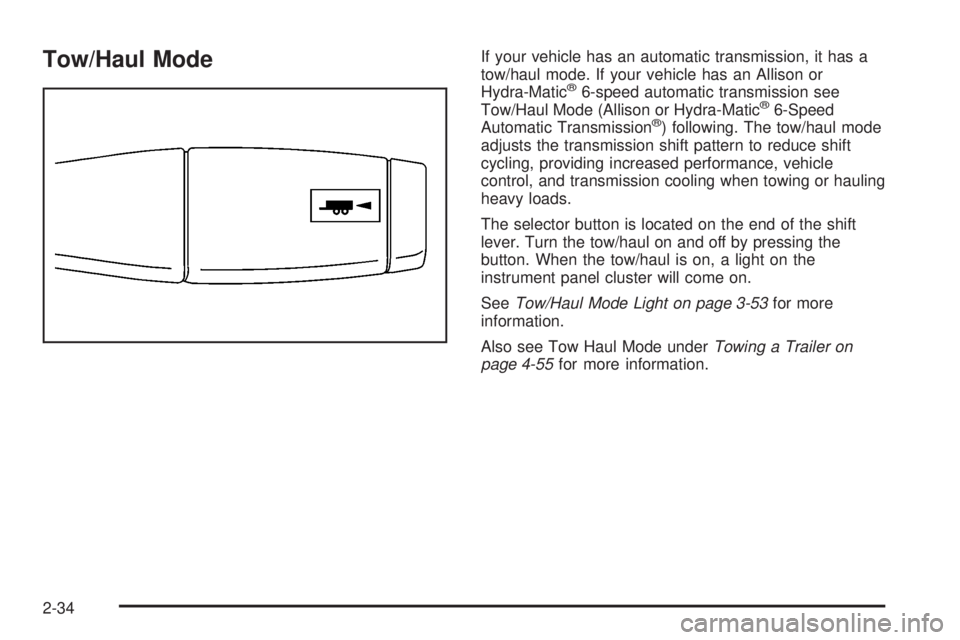
Tow/Haul ModeIf your vehicle has an automatic transmission, it has a
tow/haul mode. If your vehicle has an Allison or
Hydra-Matic
®6-speed automatic transmission see
Tow/Haul Mode (Allison or Hydra-Matic®6-Speed
Automatic Transmission®) following. The tow/haul mode
adjusts the transmission shift pattern to reduce shift
cycling, providing increased performance, vehicle
control, and transmission cooling when towing or hauling
heavy loads.
The selector button is located on the end of the shift
lever. Turn the tow/haul on and off by pressing the
button. When the tow/haul is on, a light on the
instrument panel cluster will come on.
SeeTow/Haul Mode Light on page 3-53for more
information.
Also see Tow Haul Mode underTowing a Trailer on
page 4-55for more information.
2-34
Page 127 of 578
Tow/Haul Mode (Allison Transmission®
or Hydra-Matic®6-Speed Automatic
Transmission)
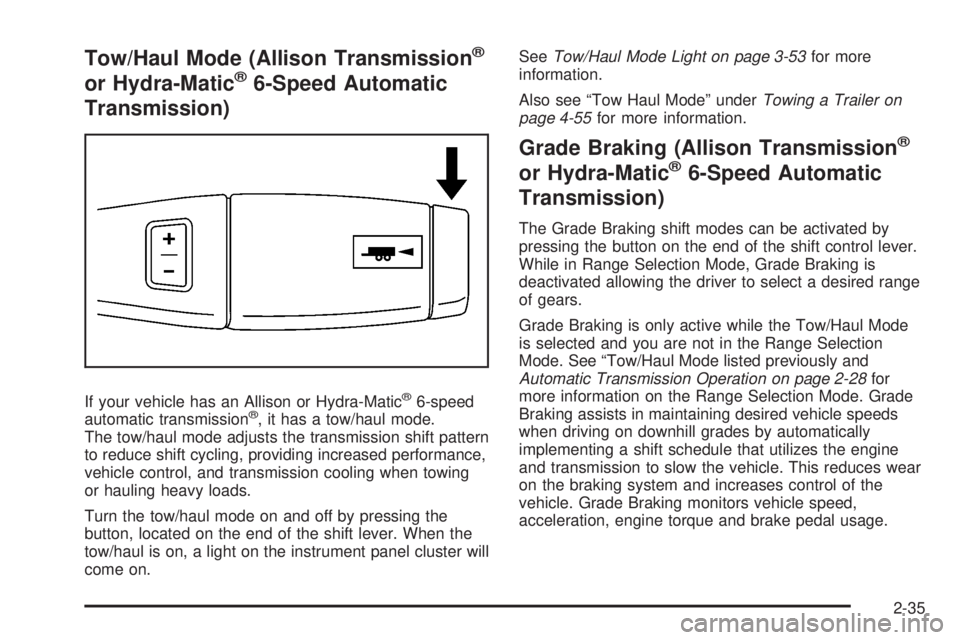
If your vehicle has an Allison or Hydra-Matic®6-speed
automatic transmission®, it has a tow/haul mode.
The tow/haul mode adjusts the transmission shift pattern
to reduce shift cycling, providing increased performance,
vehicle control, and transmission cooling when towing
or hauling heavy loads.
Turn the tow/haul mode on and off by pressing the
button, located on the end of the shift lever. When the
tow/haul is on, a light on the instrument panel cluster will
come on.SeeTow/Haul Mode Light on page 3-53for more
information.
Also see “Tow Haul Mode” underTowing a Trailer on
page 4-55for more information.
Grade Braking (Allison Transmission®
or Hydra-Matic®6-Speed Automatic
Transmission)
The Grade Braking shift modes can be activated by
pressing the button on the end of the shift control lever.
While in Range Selection Mode, Grade Braking is
deactivated allowing the driver to select a desired range
of gears.
Grade Braking is only active while the Tow/Haul Mode
is selected and you are not in the Range Selection
Mode. See “Tow/Haul Mode listed previously and
Automatic Transmission Operation on page 2-28for
more information on the Range Selection Mode. Grade
Braking assists in maintaining desired vehicle speeds
when driving on downhill grades by automatically
implementing a shift schedule that utilizes the engine
and transmission to slow the vehicle. This reduces wear
on the braking system and increases control of the
vehicle. Grade Braking monitors vehicle speed,
acceleration, engine torque and brake pedal usage.
2-35
Page 129 of 578
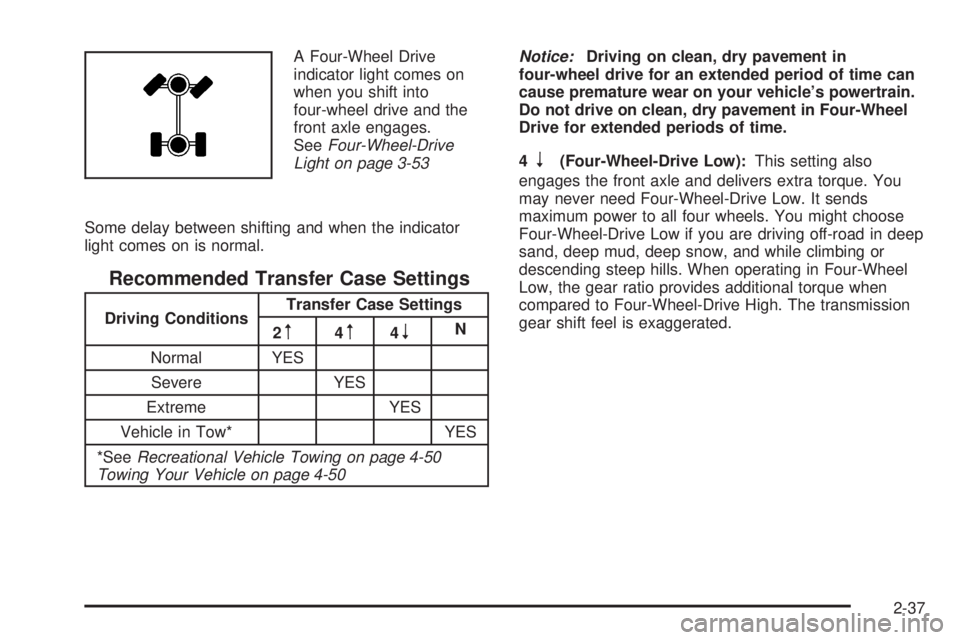
A Four-Wheel Drive
indicator light comes on
when you shift into
four-wheel drive and the
front axle engages.
SeeFour-Wheel-Drive
Light on page 3-53
Some delay between shifting and when the indicator
light comes on is normal.
Recommended Transfer Case Settings
Driving ConditionsTransfer Case Settings
2m4m4nN
Normal YES
Severe YES
Extreme YES
Vehicle in Tow* YES
*SeeRecreational Vehicle Towing on page 4-50
Towing Your Vehicle on page 4-50Notice:Driving on clean, dry pavement in
four-wheel drive for an extended period of time can
cause premature wear on your vehicle’s powertrain.
Do not drive on clean, dry pavement in Four-Wheel
Drive for extended periods of time.
4
n(Four-Wheel-Drive Low):This setting also
engages the front axle and delivers extra torque. You
may never need Four-Wheel-Drive Low. It sends
maximum power to all four wheels. You might choose
Four-Wheel-Drive Low if you are driving off-road in deep
sand, deep mud, deep snow, and while climbing or
descending steep hills. When operating in Four-Wheel
Low, the gear ratio provides additional torque when
compared to Four-Wheel-Drive High. The transmission
gear shift feel is exaggerated.
2-37
Page 132 of 578
Shifting In or Out of Four-Wheel-Drive Low
Notice:Shifting the transfer case into
Four-Wheel-Drive Low while moving at speeds
faster than 3 mph (5 km/h) may cause premature
wear to the transfer case, and may cause the gears
to grind. To avoid causing premature wear, and
grinding the gears, do not shift the transfer case into
Four-Wheel-Drive Low while the vehicle is moving
faster than 3 mph (5 km/h).
Shifting into Four-Wheel-Drive Low should be done, if
possible, with the vehicle at a slight roll, 3 mph (5 km/h)
or less.
Shift the transmission into NEUTRAL (N).
{CAUTION:
Shifting the transfer case to NEUTRAL can
cause your vehicle to roll even if the
transmission is in PARK (P). You or someone
else could be seriously injured. Be sure to set
the parking brake before placing the transfer
case in NEUTRAL. SeeParking Brake on
page 2-49.
Shifting into Four-Wheel-Drive Low with the vehicle
at a stop may be more difficult. You may be unable
to complete the shift to Four-Wheel-Drive Low,
and will end up in NEUTRAL. This is normal, and is
a function of the gear teeth aligning in your
transfer case. When this happens, make sure the
engine is on, shift your transmission momentarily to
drive and back to NEUTRAL, and then complete
the shift.
Shift the transfer case shift lever in one continuous
motion into the Four-Wheel-Drive Low position.
When Four-Wheel-Drive Low do not drive faster
than 45 mph. This will reduce wear and extend
the life of your transfer case.
Shifting In or Out of NEUTRAL
1. With the vehicle running and the engine at an idle
set the parking brake.
2. Place the transmission into NEUTRAL (N).
Shift the transfer case in one continuous motion into or
out of the NEUTRAL position.
2-40
Page 133 of 578
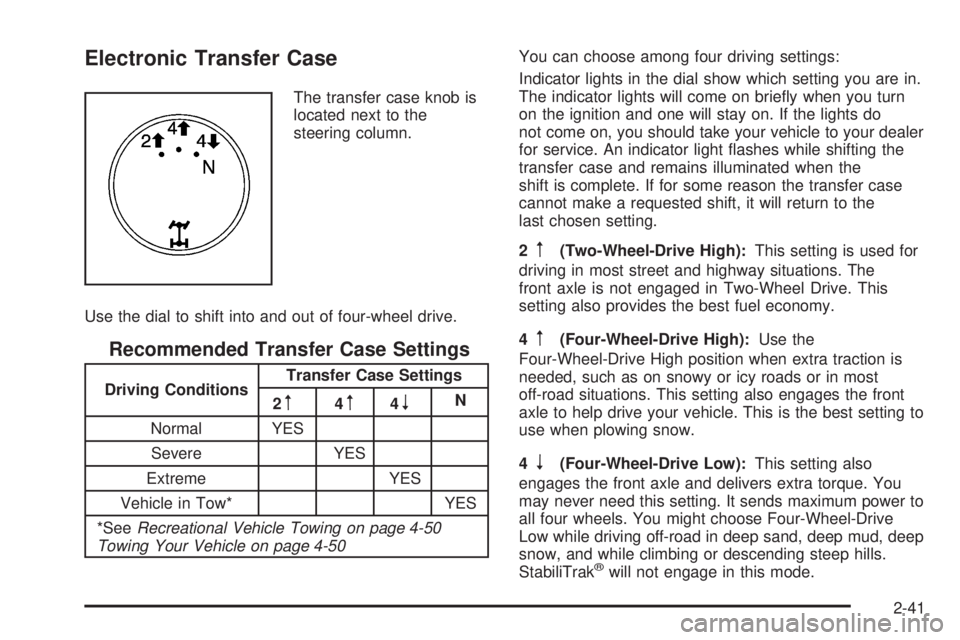
Electronic Transfer Case
The transfer case knob is
located next to the
steering column.
Use the dial to shift into and out of four-wheel drive.
Recommended Transfer Case Settings
Driving ConditionsTransfer Case Settings
2m4m4nN
Normal YES
Severe YES
Extreme YES
Vehicle in Tow* YES
*SeeRecreational Vehicle Towing on page 4-50
Towing Your Vehicle on page 4-50You can choose among four driving settings:
Indicator lights in the dial show which setting you are in.
The indicator lights will come on briey when you turn
on the ignition and one will stay on. If the lights do
not come on, you should take your vehicle to your dealer
for service. An indicator light ashes while shifting the
transfer case and remains illuminated when the
shift is complete. If for some reason the transfer case
cannot make a requested shift, it will return to the
last chosen setting.
2
m(Two-Wheel-Drive High):This setting is used for
driving in most street and highway situations. The
front axle is not engaged in Two-Wheel Drive. This
setting also provides the best fuel economy.
4
m(Four-Wheel-Drive High):Use the
Four-Wheel-Drive High position when extra traction is
needed, such as on snowy or icy roads or in most
off-road situations. This setting also engages the front
axle to help drive your vehicle. This is the best setting to
use when plowing snow.
4
n(Four-Wheel-Drive Low):This setting also
engages the front axle and delivers extra torque. You
may never need this setting. It sends maximum power to
all four wheels. You might choose Four-Wheel-Drive
Low while driving off-road in deep sand, deep mud, deep
snow, and while climbing or descending steep hills.
StabiliTrak
®will not engage in this mode.
2-41
Page 134 of 578
{CAUTION:
Shifting the transfer case to NEUTRAL can
cause your vehicle to roll even if the
transmission is in PARK (P). You or someone
else could be seriously injured. Be sure to set
the parking brake before placing the transfer
case in NEUTRAL. SeeParking Brake on
page 2-49.
N (NEUTRAL):Shift the vehicle’s transfer case to
NEUTRAL only when towing your vehicle. See
Recreational Vehicle Towing on page 4-50orTowing
Your Vehicle on page 4-50for more information.
If the SERVICE 4–Wheel Drive message stays on, you
should take your vehicle to your dealer for service.
See “Service 4–Wheel Drive message” underDIC
Warnings and Messages on page 3-63.
Shifting Into Two-Wheel-Drive High
Turn the knob to the Two-Wheel-Drive High position.
This can be done at any speed, except when shifting
from Four-Wheel-Drive Low. See Shifting Out of
Four-Wheel-Drive Low for more information.
Shifting Into Four-Wheel Drive Low
When Four-Wheel-Drive Low is engaged, vehicle speed
should be kept below 45 mph. Extended high-speed
operation in Four-Wheel-Drive Low may damage
or shorten the life of the drivetrain.
To shift to the Four-Wheel-Drive Low position, the
ignition must be in RUN and the vehicle must be
stopped or moving less than 3 mph (5 km/h) with the
transmission in NEUTRAL (N). The preferred method for
shifting into Four-Wheel-Drive Low is to have your
vehicle moving 1 to 2 mph (1.6 to 3.2 km/h). Turn the
knob to the Four-Wheel-Drive Low position. You
must wait for the Four-Wheel-Drive Low indicator light to
stop ashing and remain on before shifting your
transmission in gear.
Notice:Shifting the transmission into gear before
the requested mode indicator light has stopped
ashing could damage the transfer case. To
help avoid damaging your vehicle, always wait for
the mode indicator lights to stop ashing before
shifting the transmission into gear.
It is typical for your vehicle to exhibit signicant
engagement noise and bump when shifting between
Four-Wheel-Drive Low and Four-Wheel-Drive High
ranges or from NEUTRAL with the engine running.
2-42