climate control GMC SIERRA 2008 Owner's Manual
[x] Cancel search | Manufacturer: GMC, Model Year: 2008, Model line: SIERRA, Model: GMC SIERRA 2008Pages: 578, PDF Size: 6.47 MB
Page 1 of 578
Seats and Restraint Systems........................... 1-1
Front Seats
............................................... 1-3
Rear Seats
..............................................1-12
Safety Belts
.............................................1-14
Child Restraints
.......................................1-35
Airbag System
.........................................1-68
Restraint System Check
............................1-87
Features and Controls..................................... 2-1
Keys
........................................................ 2-3
Doors and Locks
......................................2-10
Windows
.................................................2-15
Theft-Deterrent Systems
............................2-18
Starting and Operating Your Vehicle
...........2-22
Mirrors
....................................................2-55
Object Detection Systems
..........................2-63
OnStar
®System
......................................2-65
Universal Home Remote System
................2-68
Storage Areas
.........................................2-74
Sunroof
..................................................2-79
Instrument Panel............................................. 3-1
Instrument Panel Overview
.......................... 3-4
Climate Controls
......................................3-25
Warning Lights, Gages, and Indicators
........3-34
Driver Information Center (DIC)
..................3-54
Audio System(s)
.......................................3-80Driving Your Vehicle....................................... 4-1
Your Driving, the Road, and Your Vehicle
..... 4-2
Towing
...................................................4-50
Service and Appearance Care.......................... 5-1
Service
..................................................... 5-4
Fuel
......................................................... 5-6
Checking Things Under the Hood
...............5-12
Rear Axle
...............................................5-51
Four-Wheel Drive
.....................................5-52
Front Axle
...............................................5-54
Noise Control System
...............................5-56
Headlamp Aiming
.....................................5-56
Bulb Replacement
....................................5-59
Windshield Wiper Blade Replacement
.........5-65
Tires
......................................................5-66
Appearance Care
...................................5-112
Vehicle Identication
...............................5-121
Electrical System
....................................5-122
Capacities and Specications
...................5-130
Maintenance Schedule..................................... 6-1
Maintenance Schedule
................................ 6-2
Customer Assistance Information.................... 7-1
Customer Assistance and Information
........... 7-2
Reporting Safety Defects
...........................7-14
Vehicle Data Recording and Privacy
...........7-16
Index................................................................ 1
2008 GMC Sierra Owner ManualM
Page 99 of 578
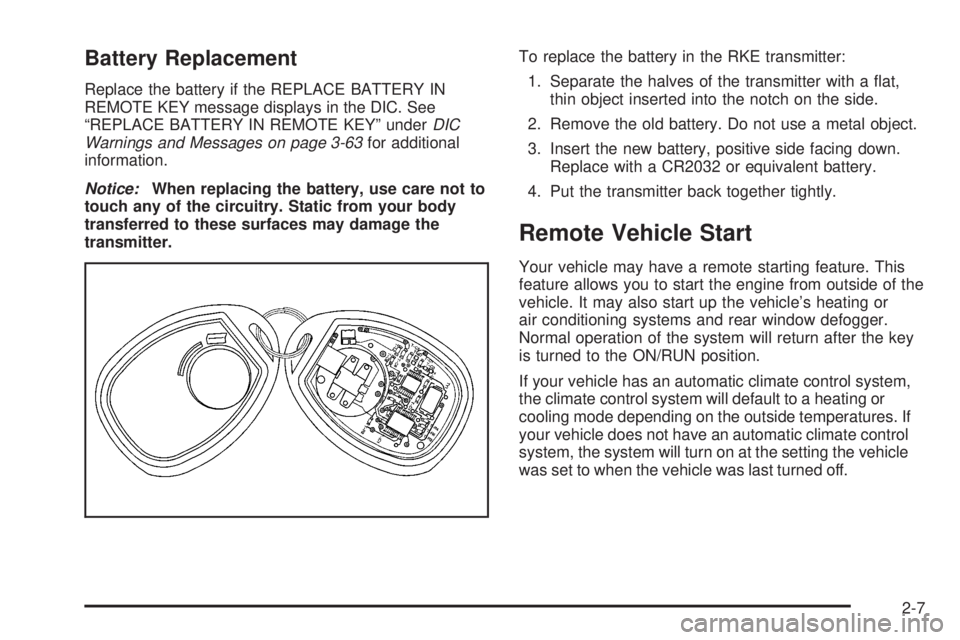
Battery Replacement
Replace the battery if the REPLACE BATTERY IN
REMOTE KEY message displays in the DIC. See
“REPLACE BATTERY IN REMOTE KEY” underDIC
Warnings and Messages on page 3-63for additional
information.
Notice:When replacing the battery, use care not to
touch any of the circuitry. Static from your body
transferred to these surfaces may damage the
transmitter.To replace the battery in the RKE transmitter:
1. Separate the halves of the transmitter with a at,
thin object inserted into the notch on the side.
2. Remove the old battery. Do not use a metal object.
3. Insert the new battery, positive side facing down.
Replace with a CR2032 or equivalent battery.
4. Put the transmitter back together tightly.
Remote Vehicle Start
Your vehicle may have a remote starting feature. This
feature allows you to start the engine from outside of the
vehicle. It may also start up the vehicle’s heating or
air conditioning systems and rear window defogger.
Normal operation of the system will return after the key
is turned to the ON/RUN position.
If your vehicle has an automatic climate control system,
the climate control system will default to a heating or
cooling mode depending on the outside temperatures. If
your vehicle does not have an automatic climate control
system, the system will turn on at the setting the vehicle
was set to when the vehicle was last turned off.
2-7
Page 100 of 578
During a remote start, if your vehicle has an automatic
climate control system and heated seats, the heated
seats will turn on during colder outside temperatures and
will shut off when the key is turned to ON/RUN. If
your vehicle does not have an automatic climate control
system, during remote start, you will need to manually
turn the heated seats on and off. SeeHeated Seats
on page 1-6for additional information.
Laws in some communities may restrict the use of
remote starters. For example, some laws may require a
person using the remote start to have the vehicle in
view when doing so. Check local regulations for
any requirements on remote starting of vehicles.
Do not use the remote start feature if your vehicle is low
on fuel. Your vehicle may run out of fuel.
The RKE transmitter with the remote start button,
provides an increased range of operation. However, the
range may be less while the vehicle is running. As a
result, you may need to be closer to your vehicle to turn
it off, than you were to turn it on.
There are other conditions which can affect the
performance of the transmitter, seeRemote Keyless
Entry (RKE) System on page 2-4for additional
information./(Remote Start):This button will be on the RKE
transmitter if you have remote start.
To start the vehicle using the remote start feature:
1. Aim the transmitter at the vehicle.
2. Press and release the transmitter’s lock button. The
vehicle’s doors will lock. Immediately press and
hold the transmitter’s remote start button until the
turn signal lights ash. If you cannot see the
vehicle’s lights, press and hold the remote start
button for two to four seconds. Pressing the remote
start button again after the vehicle has started
will turn the engine off.
When the vehicle starts, the parking lamps will turn
on and remain on while the vehicle is running.
If the vehicle is left running it will automatically shut
off after 10 minutes unless a time extension has
been done.
3. If it is the rst remote start since the vehicle has
been driven, repeat these steps, while the engine
is still running, to extend the engine running time by
10 minutes. Remote start can be extended
one time.
After entering the vehicle during a remote start, insert
and turn the key to RUN to drive the vehicle.
2-8
Page 118 of 578

Adjustable Throttle and Brake Pedal
On vehicles with this feature, you can change the
position of the throttle and brake pedals.
This feature is designed for shorter drivers, since the
pedals cannot move farther away from the standard
position, but can move toward the driver for better pedal
reach.
No adjustment to the pedals can be made when the
vehicle is in REVERSE (R) or while using the cruise
control.
The switch used to adjust
the pedals is located on
the instrument panel below
the climate control
system.
Press the arrow at the bottom of the switch to move the
pedals closer to your body. Press the arrow at the top of
the switch to move the pedals away from your body.Before you start driving, fully press the brake pedal to
conrm the adjustment is right for you. While driving,
make only small adjustments.
Your vehicle may have a memory function which lets
pedal settings be saved and recalled. SeeMemory Seat,
Mirrors, and Pedals on page 1-6for more information.
Engine Coolant Heater
The engine coolant heater, if available, can help in cold
weather conditions at or below 0°F (−18°C) for easier
starting and better fuel economy during engine warm-up.
Plug in the coolant heater at least four hours before
starting your vehicle. An internal thermostat in the
plug-end of the cord may exist which will prevent
engine coolant heater operation at temperatures
above 0°F (−18°C).
If your vehicle has the DURAMAX
®Diesel engine, see
the DURAMAX®Diesel manual for more information.
To Use the Engine Coolant Heater
1. Turn off the engine.
2. Open the hood and unwrap the electrical cord. The
cord is located on the driver’s side of the engine
compartment, near the power steering uid
reservoir.
3. Plug the cord into a normal, grounded 110-volt AC
outlet.
2-26
Page 146 of 578
Running the Engine While Parked
It is better not to park with the engine running. But if you
ever have to, here are some things to know.
{CAUTION:
Idling the engine with the climate control
system off could allow dangerous exhaust into
your vehicle. See the earlier caution under
Engine Exhaust on page 2-53.
Also, idling in a closed-in place can let deadly
carbon monoxide (CO) into your vehicle even if
the climate control fan is at the highest setting.
One place this can happen is a garage.
Exhaust — with CO — can come in easily.
NEVER park in a garage with the engine
running.
Another closed-in place can be a blizzard. See
Winter Driving on page 4-31.
{CAUTION:
It can be dangerous to get out of your vehicle if
the shift lever is not fully in PARK (P) with the
parking brake rmly set. Your vehicle can roll.
Do not leave your vehicle when the engine is
running unless you have to. If you have left the
engine running, the vehicle can move suddenly.
You or others could be injured. To be sure your
vehicle will not move, even when you are on
fairly level ground, always set the parking brake
and move the shift lever to PARK (P).
{CAUTION:
Four-wheel drive vehicles with the transfer
case in NEUTRAL will allow the vehicle to roll,
even if the shift lever is in PARK (P). So, be
sure the transfer case is in a drive gear — not
in NEUTRAL. Always set the parking brake.
2-54
Page 152 of 578
This mirror has the following features.
Manual Folding
The mirrors can be manually folded inward to prevent
damage when going through an automatic car wash. To
fold, push the mirror toward the vehicle. To return the
mirror to its original position, push outward. Be sure
to return both mirrors to their original unfolded position
before driving.
Heated Mirrors
The button to turn the heated mirrors on or off is located
on the climate control panel. Press this button to
warm the driver’s and passenger’s outside rearview
mirrors to help clear them of ice, snow, and
condensation.
See “Rear Window Defogger” underDual Automatic
Climate Control System on page 3-28for more
information.
Convex Mirror
The passenger’s side mirror may have convex glass. A
convex mirror’s surface is curved so more can be
seen from the driver’s seat.
{CAUTION:
A convex mirror can make things (like other
vehicles) look farther away than they really are.
If you cut too sharply into the right lane, you
could hit a vehicle on your right. Check your
inside mirror or glance over your shoulder
before changing lanes.
2-60
Page 154 of 578
Park Tilt Mirrors
If your vehicle has the memory package, the outside
mirrors are able to perform the park tilt function. This
feature may be useful in allowing the driver to view the
curb when parallel parking. This feature will cause the
passenger’s and/or driver’s mirror to tilt to a preselected
position when the vehicle is in REVERSE (R).
The passenger’s and/or driver’s mirror will return to its
original position when the vehicle is shifted out of
REVERSE (R), or the ignition is turned off or to
OFF/LOCK.
This feature can be turned on or off through the Driver
Information Center (DIC). SeeDIC Vehicle
Customization (With DIC Buttons) on page 3-72.
Heated Mirrors
The button to turn the heated mirrors on or off is located
on the climate control panel. Press this button to
warm the driver’s and passenger’s outside rearview
mirrors to help clear them of ice, snow, and
condensation.
See “Rear Window Defogger” underDual Automatic
Climate Control System on page 3-28for more
information.
Convex Mirror
{CAUTION:
A convex mirror can make things (like other
vehicles) look farther away than they really are.
If you cut too sharply into the right lane, you
could hit a vehicle on your right. Check your
inside mirror or glance over your shoulder
before changing lanes.
The passenger’s side mirror may have convex glass. A
convex mirror’s surface is curved so more can be
seen from the driver’s seat.
Your vehicle may also have a turn signal indicator on
the mirror. An arrow on the mirror will ash in the
direction of the turn or lane change.
2-62
Page 173 of 578
Instrument Panel Overview...............................3-4
Instrument Panel Overview
(Base/Uplevel version).................................3-4
Instrument Panel Overview
(Premium version).......................................3-6
Hazard Warning Flashers................................3-8
Other Warning Devices...................................3-8
Horn.............................................................3-8
Tilt Wheel.....................................................3-9
Turn Signal/Multifunction Lever.........................3-9
Turn and Lane-Change Signals.......................3-10
Headlamp High/Low-Beam Changer.................3-11
Flash-to-Pass...............................................3-11
Windshield Wipers........................................3-12
Rainsense™ II Wipers...................................3-12
Windshield Washer.......................................3-13
Cruise Control..............................................3-14
Exterior Lamps.............................................3-17
Headlamps on Reminder................................3-18
Daytime Running Lamps (DRL).......................3-18
Automatic Headlamp System..........................3-19
Puddle Lamps..............................................3-20
Fog Lamps..................................................3-20
Auxiliary Roof Mounted Lamp.........................3-20Instrument Panel Brightness...........................3-21
Dome Lamps...............................................3-21
Dome Lamp Override....................................3-21
Entry Lighting...............................................3-21
Exit Lighting.................................................3-21
Reading Lamps............................................3-22
Cargo Lamp.................................................3-22
Electric Power Management...........................3-22
Battery Run-Down Protection..........................3-23
Accessory Power Outlet(s).............................3-23
Ashtray(s) and Cigarette Lighter......................3-24
Climate Controls............................................3-25
Climate Control System
(With Air Conditioning)...............................3-25
Climate Control System (Heater Only)..............3-27
Dual Automatic Climate Control System...........3-28
Outlet Adjustment.........................................3-33
Warning Lights, Gages, and Indicators............3-34
Instrument Panel Cluster................................3-35
Speedometer and Odometer...........................3-36
Trip Odometer..............................................3-36
Tachometer.................................................3-36
Safety Belt Reminders...................................3-37
Section 3 Instrument Panel
3-1
Page 177 of 578
C. Driver Information Center (DIC) Buttons. SeeDriver
Information Center (DIC) on page 3-54.
D. Hazard Warning Flasher Button. SeeHazard
Warning Flashers on page 3-8.
E. Instrument Panel Cluster. SeeInstrument Panel
Cluster on page 3-35.
F. Shift Lever. SeeAutomatic Transmission Operation
on page 2-28. Tow/Haul Selector Button (If
Equipped). SeeTow/Haul Mode on page 2-34.
Range Selection Mode (Allison Transmission
®and
Hydra-Matic®6-Speed Button (If Equipped). See
Automatic Transmission Operation on page 2-28.
G. Audio System. SeeAudio System(s) on page 3-80.
H. Instrument Panel Storage Area. SeeInstrument
Panel Storage on page 2-75.
I. Integrated Trailer Brake Controller (If Equipped). See
Towing a Trailer on page 4-55.
J. Exterior Lamp Controls. SeeExterior Lamps on
page 3-17.
K. Hood Release. SeeHood Release on page 5-13.
L. Parking Brake. SeeParking Brake on page 2-49.
M. Dome Lamp Override Button. SeeDome Lamp
Override on page 3-21. Dome Lamp Knob. See
Dome Lamps on page 3-21. Fog Lamp Button
(If Equipped). SeeFog Lamps on page 3-20.
N. Cruise Control Buttons. SeeCruise Control on
page 3-14.
O. Tilt Wheel Lever. SeeTilt Wheel on page 3-9.P. Horn. SeeHorn on page 3-8.
Q. Audio Steering Wheel Controls (If Equipped). See
Audio Steering Wheel Controls on page 3-124.
R. Automatic Transfer Case Control (If Equipped). See
Four-Wheel Drive on page 2-36.
S. Ashtray (If Equipped). SeeAshtray(s) and Cigarette
Lighter on page 3-24.
T. StabiliTrak
®Button (If Equipped). SeeStabiliTrak®
System on page 4-6. Ultrasonic Rear Park Assist
Disable Button (If Equipped). SeeUltrasonic
Rear Parking Assist (URPA) on page 2-63. Pedal
Adjust Button (If Equipped). SeeAdjustable Throttle
and Brake Pedal on page 2-26. Heated Windshield
Washer Fluid Button (If Equipped).Windshield
Washer on page 3-13.
U. Accessory Power Outlet. SeeAccessory Power
Outlet(s) on page 3-23.
V. Climate Control System. SeeClimate Control
System (With Air Conditioning ) on page 3-25or
Climate Control System (Heater Only) on page 3-27
andDual Automatic Climate Control System on
page 3-28.
W. Power Take Off (PTO) Control (If Equipped). See
Power Take Off (PTO) in the DURAMAX
®Diesel
Supplement Index.
X. Passenger Airbag Off Control (If Equipped). See
Airbag Off Switch on page 1-76.
Y. Glove Box. SeeGlove Box on page 2-74.
3-5
Page 179 of 578
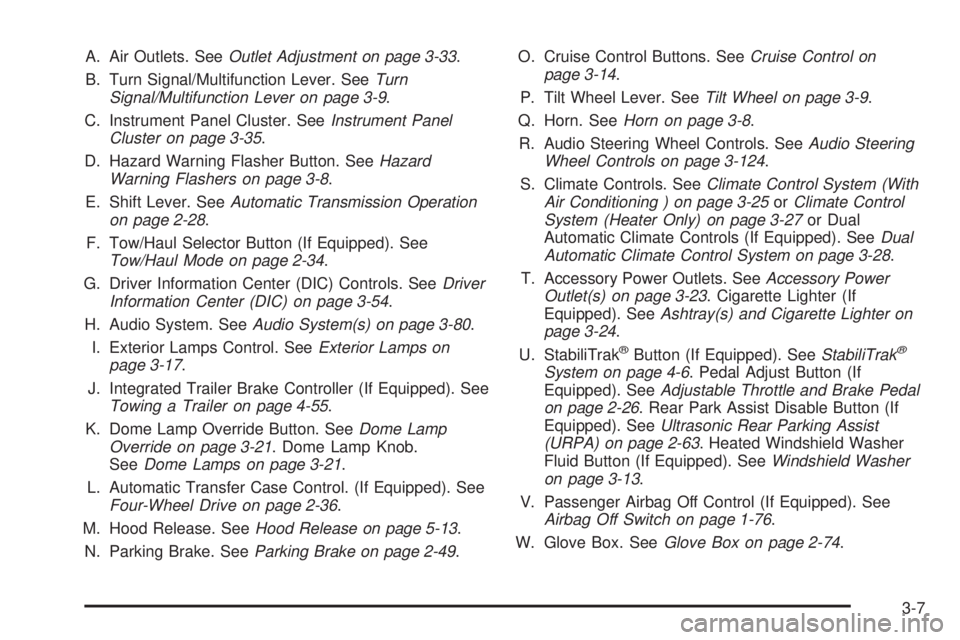
A. Air Outlets. SeeOutlet Adjustment on page 3-33.
B. Turn Signal/Multifunction Lever. SeeTurn
Signal/Multifunction Lever on page 3-9.
C. Instrument Panel Cluster. SeeInstrument Panel
Cluster on page 3-35.
D. Hazard Warning Flasher Button. SeeHazard
Warning Flashers on page 3-8.
E. Shift Lever. SeeAutomatic Transmission Operation
on page 2-28.
F. Tow/Haul Selector Button (If Equipped). See
Tow/Haul Mode on page 2-34.
G. Driver Information Center (DIC) Controls. SeeDriver
Information Center (DIC) on page 3-54.
H. Audio System. SeeAudio System(s) on page 3-80.
I. Exterior Lamps Control. SeeExterior Lamps on
page 3-17.
J. Integrated Trailer Brake Controller (If Equipped). See
Towing a Trailer on page 4-55.
K. Dome Lamp Override Button. SeeDome Lamp
Override on page 3-21. Dome Lamp Knob.
SeeDome Lamps on page 3-21.
L. Automatic Transfer Case Control. (If Equipped). See
Four-Wheel Drive on page 2-36.
M. Hood Release. SeeHood Release on page 5-13.
N. Parking Brake. SeeParking Brake on page 2-49.O. Cruise Control Buttons. SeeCruise Control on
page 3-14.
P. Tilt Wheel Lever. SeeTilt Wheel on page 3-9.
Q. Horn. SeeHorn on page 3-8.
R. Audio Steering Wheel Controls. SeeAudio Steering
Wheel Controls on page 3-124.
S. Climate Controls. SeeClimate Control System (With
Air Conditioning ) on page 3-25orClimate Control
System (Heater Only) on page 3-27or Dual
Automatic Climate Controls (If Equipped). SeeDual
Automatic Climate Control System on page 3-28.
T. Accessory Power Outlets. SeeAccessory Power
Outlet(s) on page 3-23. Cigarette Lighter (If
Equipped). SeeAshtray(s) and Cigarette Lighter on
page 3-24.
U. StabiliTrak
®Button (If Equipped). SeeStabiliTrak®
System on page 4-6. Pedal Adjust Button (If
Equipped). SeeAdjustable Throttle and Brake Pedal
on page 2-26. Rear Park Assist Disable Button (If
Equipped). SeeUltrasonic Rear Parking Assist
(URPA) on page 2-63. Heated Windshield Washer
Fluid Button (If Equipped). SeeWindshield Washer
on page 3-13.
V. Passenger Airbag Off Control (If Equipped). See
Airbag Off Switch on page 1-76.
W. Glove Box. SeeGlove Box on page 2-74.
3-7