service GMC SIERRA 2009 User Guide
[x] Cancel search | Manufacturer: GMC, Model Year: 2009, Model line: SIERRA, Model: GMC SIERRA 2009Pages: 596, PDF Size: 3.25 MB
Page 102 of 596
See your dealer/retailer if a replacement key or
additional key is needed.
Notice:If you ever lock your keys in the vehicle,
you may have to damage the vehicle to get in.
Be sure you have spare keys.
If you are locked out of the vehicle, call the Roadside
Assistance Center. SeeRoadside Assistance Program
on page 7-7.
Remote Keyless Entry (RKE)
System
If this vehicle has the Remote Keyless Entry (RKE)
system, it operates on a radio frequency subject
to Federal Communications Commission (FCC)
Rules and with Industry Canada.
This device complies with Part 15 of the FCC Rules.
Operation is subject to the following two conditions:
1. This device may not cause interference.
2. This device must accept any interference received,
including interference that may cause undesired
operation of the device.This device complies with RSS-210 of Industry Canada.
Operation is subject to the following two conditions:
1. This device may not cause interference.
2. This device must accept any interference received,
including interference that may cause undesired
operation of the device.
Changes or modications to this system by other than
an authorized service facility could void authorization
to use this equipment.
If there is a decrease in the RKE operating range,
try this:Check the distance. The transmitter may be too far
from the vehicle. Stand closer during rainy or snowy
weather.
Check the location. Other vehicles or objects may be
blocking the signal. Take a few steps to the left or
right, hold the transmitter higher, and try again.
Check the transmitter’s battery. See “Battery
Replacement” later in this section.
If the transmitter is still not working correctly,
see your dealer/retailer or a qualied technician
for service.
2-4
Page 117 of 596
The theft-deterrent system will not activate if the doors
are locked with the vehicle’s key or the manual door lock.
It activates only if you use the power door lock switch with
the door open or the RKE transmitter. You should also
remember that you can start your vehicle with the correct
ignition key if the alarm has been set off.
To avoid setting off the alarm by accident:
If you do not want to activate the theft-deterrent
system, the vehicle should be locked with the
door key after the doors are closed.
Always unlock a door with the RKE transmitter.
Unlocking a door any other way will set off the alarm
if the system has been armed.
If you set off the alarm by accident, press unlock on the
RKE transmitter or place the key in the ignition and
turn it to START to turn it off.
Testing the Alarm
To test the alarm:
1. From inside the vehicle, lower the driver’s window
and open the driver’s door.
2. Activate the system by locking the doors with the
RKE transmitter.
3. Get out of the vehicle, close the door and wait for
the security light to go out.
4. Then reach in through the window, unlock the door
with the manual door lock and open the door.
This should set off the alarm.
If the alarm does not sound when it should but the
headlamps ash, check to see if the horn works.
The horn fuse may be blown. To replace the fuse,
seeFuses and Circuit Breakers on page 5-122.
If the alarm does not sound or the headlamps do not
ash, see your dealer/retailer for service.
2-19
Page 118 of 596
PASS-Key®III+ Electronic
Immobilizer
The PASS-Key III+ system operates on a radio
frequency subject to Federal Communications
Commission (FCC) Rules and with Industry Canada.
This device complies with Part 15 of the FCC Rules.
Operation is subject to the following two conditions:
1. This device may not cause harmful interference.
2. This device must accept any interference received,
including interference that may cause undesired
operation.
This device complies with RSS-210 of Industry Canada.
Operation is subject to the following two conditions:
1. This device may not cause interference.
2. This device must accept any interference received,
including interference that may cause undesired
operation of the device.
Changes or modications to this system by other than
an authorized service facility could void authorization to
use this equipment.
PASS-Key III+ uses a radio frequency transponder in
the key that matches a decoder in the vehicle.
PASS-Key®III+ Electronic
Immobilizer Operation
Your vehicle has PASS-Key®III+ (Personalized
Automotive Security System) theft-deterrent system.
PASS-Key
®III+ is a passive theft-deterrent system.
The system is automatically armed when the key
is removed from the ignition.
The system is automatically disarmed when the key
is turned to ON/RUN, ACC/ACCESSORY or START
from the LOCK/OFF position.
You do not have to manually arm or disarm the system.
The security light will come on if there is a problem
with arming or disarming the theft-deterrent system.
When the PASS-Key
®III+ system senses that someone
is using the wrong key, it prevents the vehicle from
starting. Anyone using a trial-and-error method to start
the vehicle will be discouraged because of the high
number of electrical key codes.
If the engine does not start and the security light on
the instrument panel cluster comes on when trying to
start the vehicle, there may be a problem with your
theft-deterrent system. Turn the ignition off and try again.
2-20
Page 119 of 596
If the engine still does not start, and the key appears to
be undamaged, try another ignition key. At this time, you
may also want to check the fuse, seeFuses and Circuit
Breakers on page 5-122. If the engine still does not start
with the other key, your vehicle needs service. If your
vehicle does start, the rst key may be faulty. See your
dealer/retailer who can service the PASS-Key
®III+ to
have a new key made. In an emergency, contact
Roadside Assistance.
It is possible for the PASS-Key
®III+ decoder to learn
the transponder value of a new or replacement key.
Up to 10 keys may be programmed for the vehicle.
The following procedure is for programming additional
keys only. If all the currently programmed keys are lost
or do not operate, you must see your dealer/retailer or
a locksmith who can service PASS-Key
®III+ to have
keys made and programmed to the system.
See your dealer/retailer or a locksmith who can service
PASS-Key
®III+ to get a new key blank that is cut
exactly as the ignition key that operates the system.To program the new additional key:
1. Verify that the new key has a
1stamped on it.
2. Insert the original, already programmed, key in the
ignition and start the engine. If the engine will not
start, see your dealer/retailer for service.
3. After the engine has started, turn the key to
LOCK/OFF, and remove the key.
4. Insert the new key to be programmed and turn it to
the ON/RUN position within ve seconds of turning
the ignition to the LOCK/OFF position in Step 3.
The security light will turn off once the key has been
programmed.
5. Repeat Steps 1 through 4 if additional keys are to
be programmed.
If you lose or damage your PASS-Key
®III+ key, see
your dealer/retailer or a locksmith who can service
PASS-Key
®III+ to have a new key made.
Do not leave the key or device that disarms or
deactivates the theft deterrent system in the vehicle.
2-21
Page 121 of 596
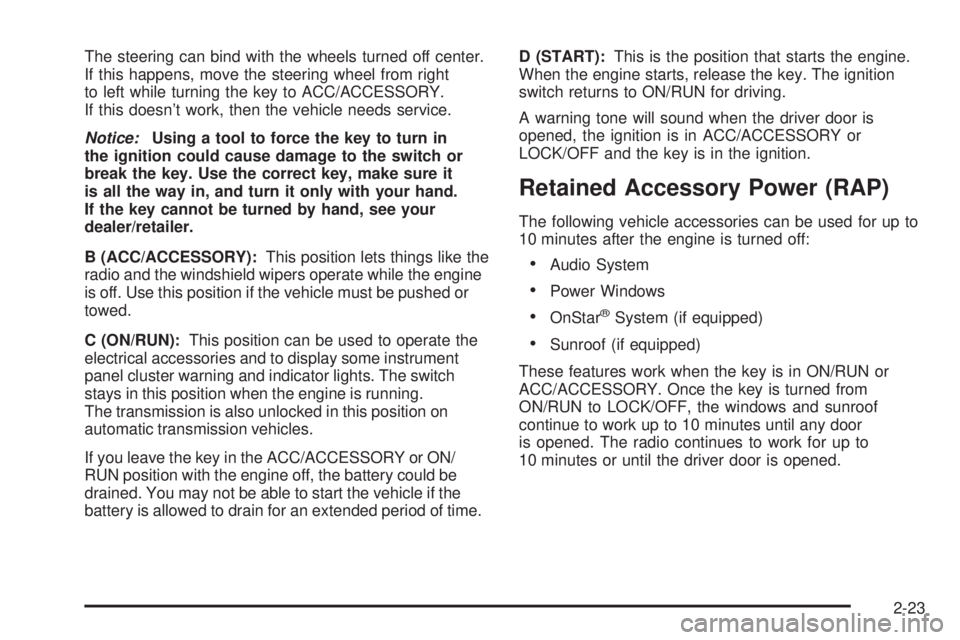
The steering can bind with the wheels turned off center.
If this happens, move the steering wheel from right
to left while turning the key to ACC/ACCESSORY.
If this doesn’t work, then the vehicle needs service.
Notice:Using a tool to force the key to turn in
the ignition could cause damage to the switch or
break the key. Use the correct key, make sure it
is all the way in, and turn it only with your hand.
If the key cannot be turned by hand, see your
dealer/retailer.
B (ACC/ACCESSORY):This position lets things like the
radio and the windshield wipers operate while the engine
is off. Use this position if the vehicle must be pushed or
towed.
C (ON/RUN):This position can be used to operate the
electrical accessories and to display some instrument
panel cluster warning and indicator lights. The switch
stays in this position when the engine is running.
The transmission is also unlocked in this position on
automatic transmission vehicles.
If you leave the key in the ACC/ACCESSORY or ON/
RUN position with the engine off, the battery could be
drained. You may not be able to start the vehicle if the
battery is allowed to drain for an extended period of time.D (START):This is the position that starts the engine.
When the engine starts, release the key. The ignition
switch returns to ON/RUN for driving.
A warning tone will sound when the driver door is
opened, the ignition is in ACC/ACCESSORY or
LOCK/OFF and the key is in the ignition.
Retained Accessory Power (RAP)
The following vehicle accessories can be used for up to
10 minutes after the engine is turned off:
Audio System
Power Windows
OnStar®System (if equipped)
Sunroof (if equipped)
These features work when the key is in ON/RUN or
ACC/ACCESSORY. Once the key is turned from
ON/RUN to LOCK/OFF, the windows and sunroof
continue to work up to 10 minutes until any door
is opened. The radio continues to work for up to
10 minutes or until the driver door is opened.
2-23
Page 139 of 596
Shifting In or Out of Neutral
1. With the vehicle running and the engine at an idle
set the parking brake.
2. Place the transmission into N (Neutral).
Shift the transfer case in one continuous motion into or
out of the N (Neutral) position.
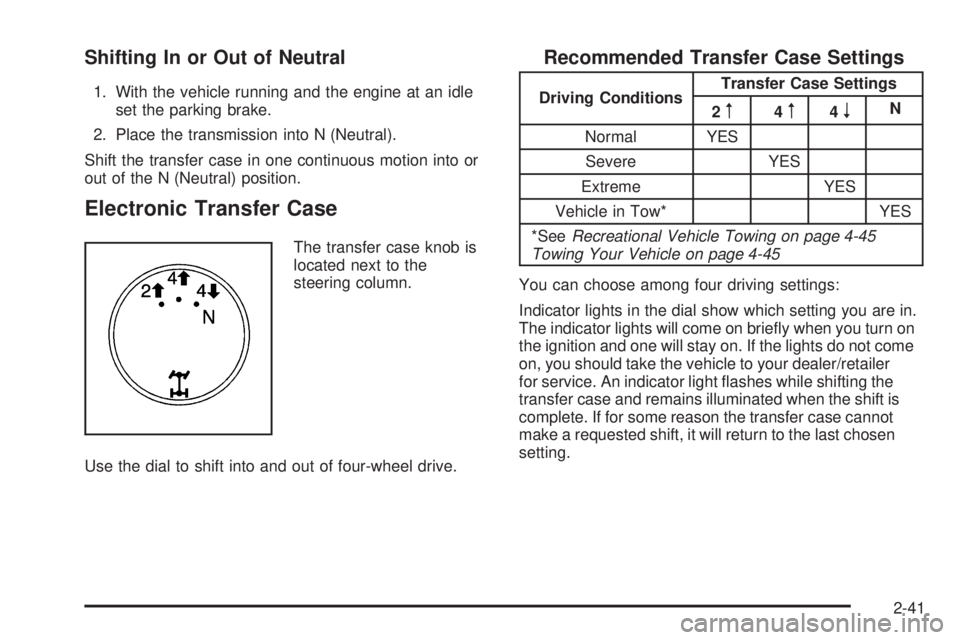
Electronic Transfer Case
The transfer case knob is
located next to the
steering column.
Use the dial to shift into and out of four-wheel drive.
Recommended Transfer Case Settings
Driving ConditionsTransfer Case Settings
2m4m4nN
Normal YES
Severe YES
Extreme YES
Vehicle in Tow* YES
*SeeRecreational Vehicle Towing on page 4-45
Towing Your Vehicle on page 4-45
You can choose among four driving settings:
Indicator lights in the dial show which setting you are in.
The indicator lights will come on briey when you turn on
the ignition and one will stay on. If the lights do not come
on, you should take the vehicle to your dealer/retailer
for service. An indicator light ashes while shifting the
transfer case and remains illuminated when the shift is
complete. If for some reason the transfer case cannot
make a requested shift, it will return to the last chosen
setting.
2-41
Page 140 of 596
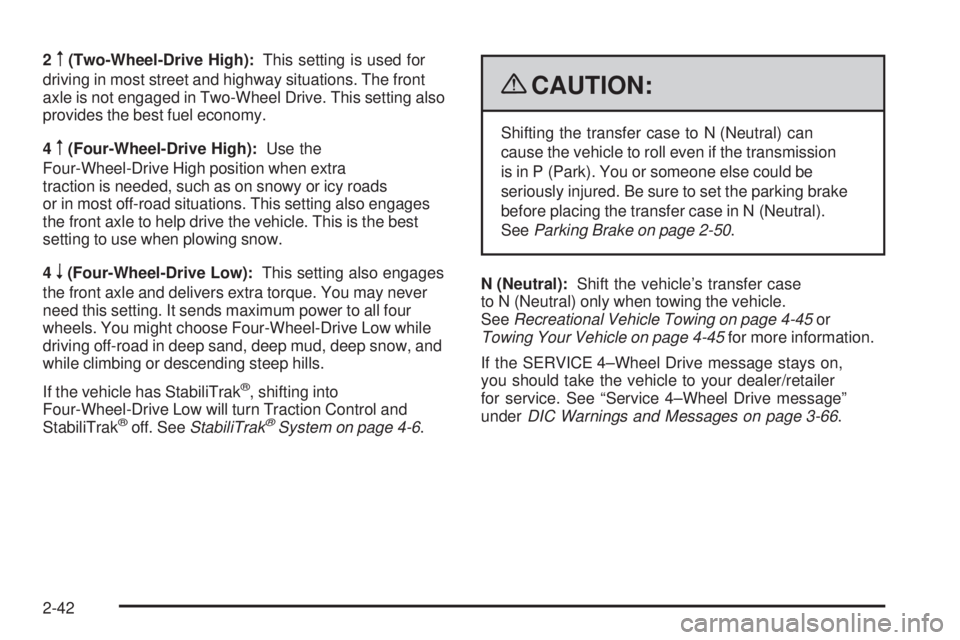
2m(Two-Wheel-Drive High):This setting is used for
driving in most street and highway situations. The front
axle is not engaged in Two-Wheel Drive. This setting also
provides the best fuel economy.
4
m(Four-Wheel-Drive High):Use the
Four-Wheel-Drive High position when extra
traction is needed, such as on snowy or icy roads
or in most off-road situations. This setting also engages
the front axle to help drive the vehicle. This is the best
setting to use when plowing snow.
4
n(Four-Wheel-Drive Low):This setting also engages
the front axle and delivers extra torque. You may never
need this setting. It sends maximum power to all four
wheels. You might choose Four-Wheel-Drive Low while
driving off-road in deep sand, deep mud, deep snow, and
while climbing or descending steep hills.
If the vehicle has StabiliTrak
®, shifting into
Four-Wheel-Drive Low will turn Traction Control and
StabiliTrak
®off. SeeStabiliTrak®System on page 4-6.
{CAUTION:
Shifting the transfer case to N (Neutral) can
cause the vehicle to roll even if the transmission
is in P (Park). You or someone else could be
seriously injured. Be sure to set the parking brake
before placing the transfer case in N (Neutral).
SeeParking Brake on page 2-50.
N (Neutral):Shift the vehicle’s transfer case
to N (Neutral) only when towing the vehicle.
SeeRecreational Vehicle Towing on page 4-45or
Towing Your Vehicle on page 4-45for more information.
If the SERVICE 4–Wheel Drive message stays on,
you should take the vehicle to your dealer/retailer
for service. See “Service 4–Wheel Drive message”
underDIC Warnings and Messages on page 3-66.
2-42
Page 144 of 596
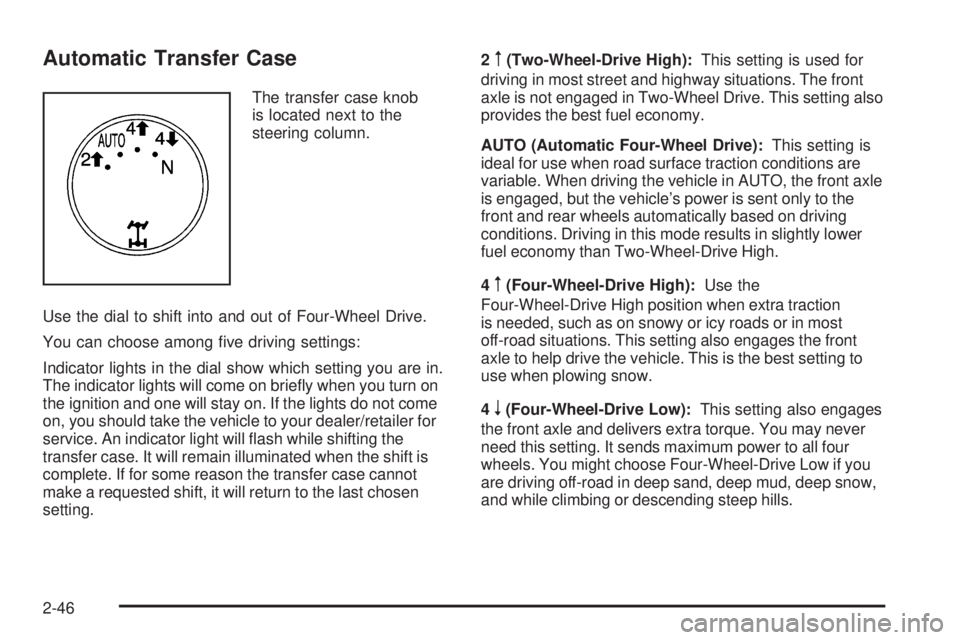
Automatic Transfer Case
The transfer case knob
is located next to the
steering column.
Use the dial to shift into and out of Four-Wheel Drive.
You can choose among ve driving settings:
Indicator lights in the dial show which setting you are in.
The indicator lights will come on briey when you turn on
the ignition and one will stay on. If the lights do not come
on, you should take the vehicle to your dealer/retailer for
service. An indicator light will ash while shifting the
transfer case. It will remain illuminated when the shift is
complete. If for some reason the transfer case cannot
make a requested shift, it will return to the last chosen
setting.2
m(Two-Wheel-Drive High):This setting is used for
driving in most street and highway situations. The front
axle is not engaged in Two-Wheel Drive. This setting also
provides the best fuel economy.
AUTO (Automatic Four-Wheel Drive):This setting is
ideal for use when road surface traction conditions are
variable. When driving the vehicle in AUTO, the front axle
is engaged, but the vehicle’s power is sent only to the
front and rear wheels automatically based on driving
conditions. Driving in this mode results in slightly lower
fuel economy than Two-Wheel-Drive High.
4
m(Four-Wheel-Drive High):Use the
Four-Wheel-Drive High position when extra traction
is needed, such as on snowy or icy roads or in most
off-road situations. This setting also engages the front
axle to help drive the vehicle. This is the best setting to
use when plowing snow.
4
n(Four-Wheel-Drive Low):This setting also engages
the front axle and delivers extra torque. You may never
need this setting. It sends maximum power to all four
wheels. You might choose Four-Wheel-Drive Low if you
are driving off-road in deep sand, deep mud, deep snow,
and while climbing or descending steep hills.
2-46
Page 145 of 596
If the vehicle has StabiliTrak®, shifting into
Four-Wheel-Drive Low will turn Traction Control and
StabiliTrak
®off. SeeStabiliTrak®System on page 4-6.
{CAUTION:
Shifting the transfer case to N (Neutral) can
cause the vehicle to roll even if the transmission
is in P (Park). You or someone else could be
seriously injured. Be sure to set the parking brake
before placing the transfer case in N (Neutral).
SeeParking Brake on page 2-50.
N (Neutral):Shift the vehicle’s transfer case
to N (Neutral) only when towing the vehicle. See
Recreational Vehicle Towing on page 4-45orTowing
Your Vehicle on page 4-45for more information.If the SERVICE 4-Wheel Drive message stays on,
you should take the vehicle to your dealer/retailer
for service. See “Service 4-Wheel Drive message”
underDIC Warnings and Messages on page 3-66.
Shifting Into Four-Wheel-Drive High
or AUTO (Automatic Four-Wheel Drive)
Turn the knob to the Four-Wheel-Drive High or AUTO
position. This can be done at any speed, except when
shifting from Four-Wheel-Drive Low. The indicator light
will ash while shifting. It will remain on when the shift is
completed.
Shifting Into Two-Wheel-Drive High
Turn the knob to the Two-Wheel-Drive High position.
This can be done at any speed, except when shifting
from Four-Wheel-Drive Low. The indicator light will
ash while shifting. It will remain on when the shift
is completed.
2-47
Page 152 of 596
Shifting Out of Park
This vehicle is equipped with an electronic shift lock
release system. The shift lock release is designed to:
Prevent ignition key removal unless the shift
lever is in P (Park) with the shift lever button fully
released, and
Prevent movement of the shift lever out of
P (Park), unless the ignition is in ON/RUN or
ACC/ACCESSORY and the regular brake pedal
is applied.
The shift lock release is always functional except in the
case of an uncharged or low voltage (less than 9 volt)
battery.
If the vehicle has an uncharged battery or a battery with
low voltage, try charging or jump starting the battery.
SeeJump Starting on page 5-44for more information.
To shift out of P (Park) use the following:
1. Apply the brake pedal.
2. Move the shift lever to the desired position.If you still are unable to shift out of P (Park):
1. Ease the pressure on the shift lever.
2. While holding down the brake pedal, press the shift
lever all the way into P (Park).
3. Move the shift lever to the desired position.
If you are still having a problem shifting, then have the
vehicle serviced soon.
Parking Over Things That Burn
{CAUTION:
Things that can burn could touch hot exhaust
parts under the vehicle and ignite. Do not park
over papers, leaves, dry grass, or other things that
can burn.
2-54