wheel GMC SIERRA 2010 Workshop Manual
[x] Cancel search | Manufacturer: GMC, Model Year: 2010, Model line: SIERRA, Model: GMC SIERRA 2010Pages: 630, PDF Size: 4.65 MB
Page 226 of 630
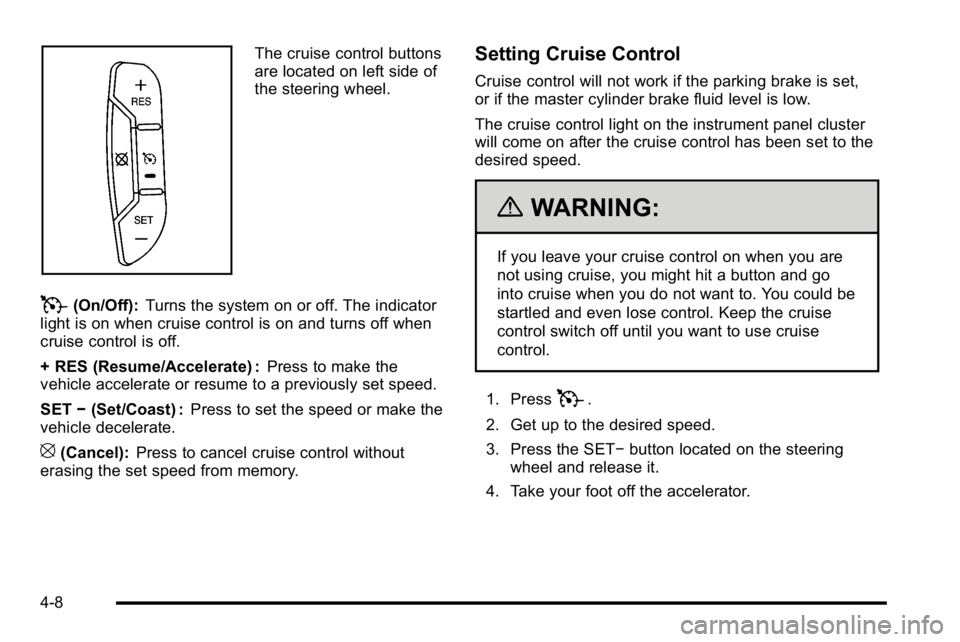
The cruise control buttons
are located on left side of
the steering wheel.
T(On/Off):Turns the system on or off. The indicator
light is on when cruise control is on and turns off when
cruise control is off.
+ RES (Resume/Accelerate) : Press to make the
vehicle accelerate or resume to a previously set speed.
SET −(Set/Coast) : Press to set the speed or make the
vehicle decelerate.
[(Cancel): Press to cancel cruise control without
erasing the set speed from memory.
Setting Cruise Control
Cruise control will not work if the parking brake is set,
or if the master cylinder brake fluid level is low.
The cruise control light on the instrument panel cluster
will come on after the cruise control has been set to the
desired speed.
{WARNING:
If you leave your cruise control on when you are
not using cruise, you might hit a button and go
into cruise when you do not want to. You could be
startled and even lose control. Keep the cruise
control switch off until you want to use cruise
control.
1. Press
T.
2. Get up to the desired speed.
3. Press the SET− button located on the steering
wheel and release it.
4. Take your foot off the accelerator.
4-8
Page 227 of 630
Resuming a Set Speed
If the brakes are applied while the cruise control is set,
the cruise control is disengaged. But it does not need to
be reset.
Once the vehicle speed reaches about 40 km/h
(25 mph) or more, press the +RES button on the
steering wheel. The vehicle will go back to the previous
set speed and stay there.
Increasing Speed While Using Cruise
Control
To increase the cruise speed while using cruise control:
.Press and hold the +RES button on the steering
wheel until the desired speed is reached, then
release it.
.To increase vehicle speed in small increments,
press the +RES button. Each time this is done,
the vehicle goes about 1.6 km/h (1 mph) faster.
Reducing Speed While Using Cruise
Control
To reduce the vehicle speed while using cruise control:
.Press and hold the SET–button on the steering
wheel until the desired lower speed is reached,
then release it.
.To slow down in very small amounts, press the
SET– button on the steering wheel briefly.
Each time this is done, the vehicle goes about
1.6 km/h (1 mph) slower.
Passing Another Vehicle While Using
Cruise Control
Use the accelerator pedal to increase the vehicle
speed. When you take your foot off the pedal, the
vehicle will slow down to the previous set cruise speed.
4-9
Page 228 of 630
Using Cruise Control on Hills
How well the cruise control will work on hills depends
upon the vehicle speed, load, and the steepness of the
hills. While going up steep hills, you might have to
step on the accelerator pedal to maintain the vehicle's
speed. While going downhill, you might have to brake or
shift to a lower gear to keep the vehicle's speed down.
When the brakes are applied the cruise control turns off.
Ending Cruise Control
There are three ways to end cruise control:
.Step lightly on the brake pedal.
.Press[on the steering wheel.
.PressTon the steering wheel.
Erasing Speed Memory
The cruise control set speed memory is erased, when
the cruise control or the ignition is turned off.
Exterior Lamps
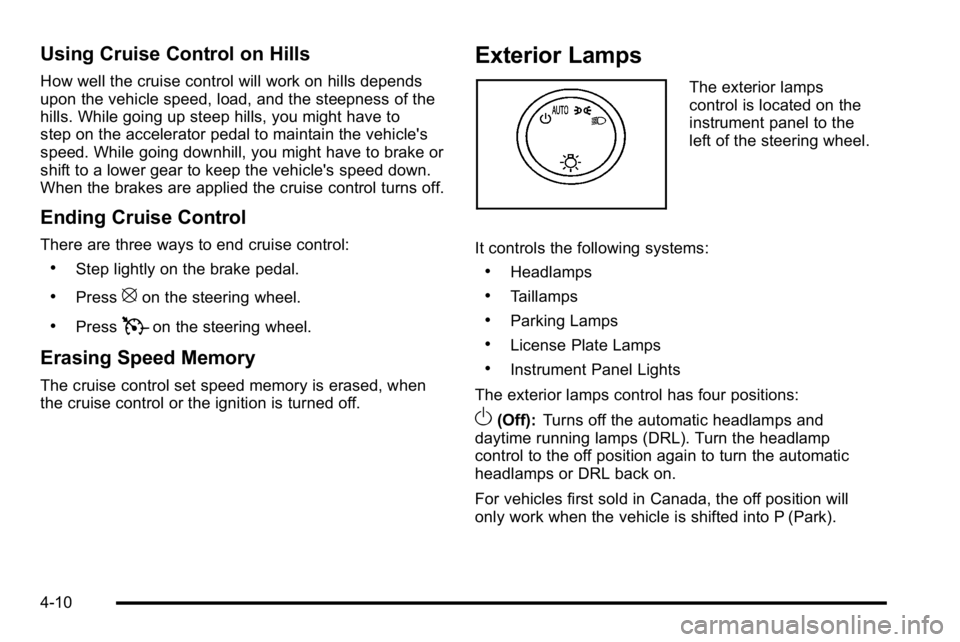
The exterior lamps
control is located on the
instrument panel to the
left of the steering wheel.
It controls the following systems:
.Headlamps
.Taillamps
.Parking Lamps
.License Plate Lamps
.Instrument Panel Lights
The exterior lamps control has four positions:
O(Off): Turns off the automatic headlamps and
daytime running lamps (DRL). Turn the headlamp
control to the off position again to turn the automatic
headlamps or DRL back on.
For vehicles first sold in Canada, the off position will
only work when the vehicle is shifted into P (Park).
4-10
Page 247 of 630
Outlet Adjustment
Use the air outlets located in the center and on the side
of the instrument panel to direct the airflow. Use the
thumbwheels near the air outlets to open or close off
the airflow.
Operation Tips
.Clear away any ice, snow, or leaves from air inlets
at the base of the windshield that could block the
flow of air into the vehicle.
.Keep the path under the front seats clear of
objects to help circulate the air inside of the vehicle
more effectively.
.Use of non‐GM approved hood deflectors can
adversely affect the performance of the system.
Check with your dealer/retailer before adding
equipment to the outside of the vehicle.
Warning Lights, Gages, and
Indicators
Warning lights and gages can signal that something is
wrong before it becomes serious enough to cause an
expensive repair or replacement. Paying attention to the
warning lights and gages could prevent injury.
Warning lights come on when there might be or there is
a problem with one of the vehicle's functions. Some
warning lights come on briefly when the engine is
started to indicate they are working.
Gages can indicate when there might be or there is a
problem with one of the vehicle's functions. Often gages
and warning lights work together to indicate a problem
with the vehicle.
When one of the warning lights comes on and stays on
while driving, or when one of the gages shows there
could be a problem, check the section that explains
what to do. Follow this manual's advice. Waiting to do
repairs can be costly and even dangerous.
4-29
Page 259 of 630
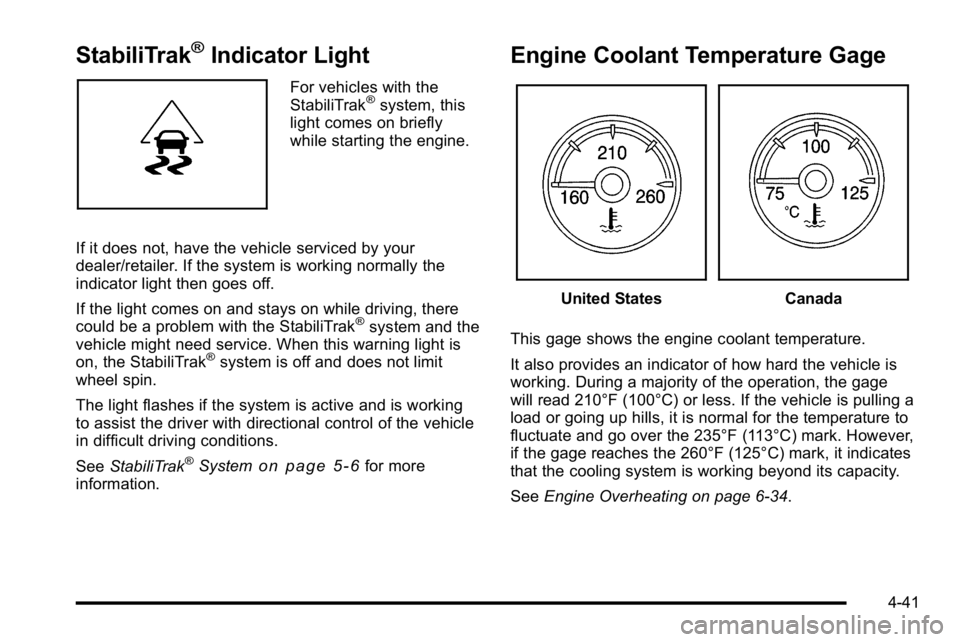
StabiliTrak®Indicator Light
For vehicles with the
StabiliTrak®system, this
light comes on briefly
while starting the engine.
If it does not, have the vehicle serviced by your
dealer/retailer. If the system is working normally the
indicator light then goes off.
If the light comes on and stays on while driving, there
could be a problem with the StabiliTrak
®system and the
vehicle might need service. When this warning light is
on, the StabiliTrak
®system is off and does not limit
wheel spin.
The light flashes if the system is active and is working
to assist the driver with directional control of the vehicle
in difficult driving conditions.
See StabiliTrak
®Systemon page 5‑6for more
information.
Engine Coolant Temperature Gage
United StatesCanada
This gage shows the engine coolant temperature.
It also provides an indicator of how hard the vehicle is
working. During a majority of the operation, the gage
will read 210°F (100°C) or less. If the vehicle is pulling a
load or going up hills, it is normal for the temperature to
fluctuate and go over the 235°F (113°C) mark. However,
if the gage reaches the 260°F (125°C) mark, it indicates
that the cooling system is working beyond its capacity.
See Engine Overheating on page 6‑34.
4-41
Page 267 of 630
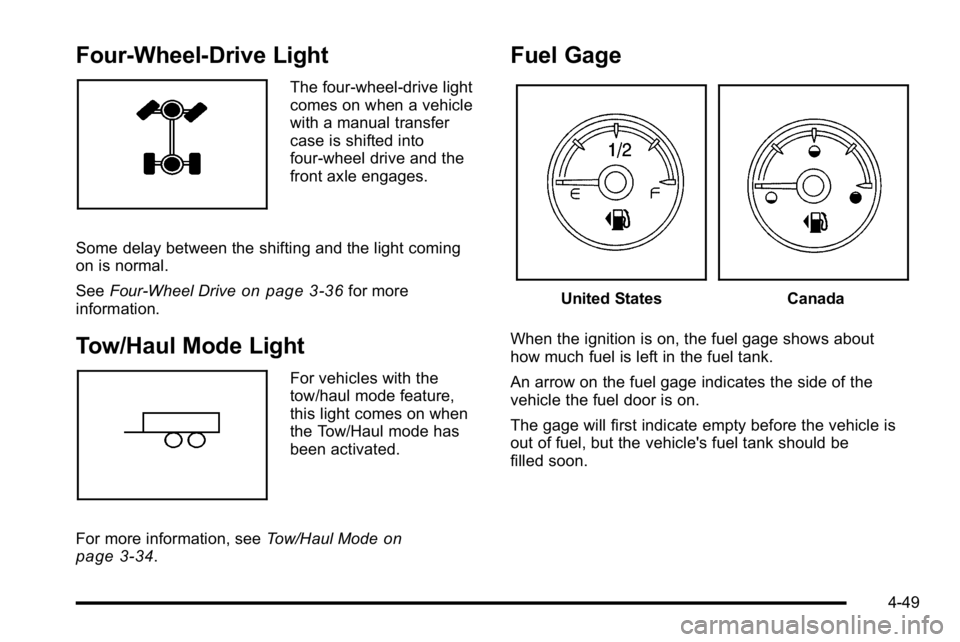
Four-Wheel-Drive Light
The four-wheel-drive light
comes on when a vehicle
with a manual transfer
case is shifted into
four-wheel drive and the
front axle engages.
Some delay between the shifting and the light coming
on is normal.
See Four-Wheel Drive
on page 3‑36for more
information.
Tow/Haul Mode Light
For vehicles with the
tow/haul mode feature,
this light comes on when
the Tow/Haul mode has
been activated.
For more information, see Tow/Haul Mode
on
page 3‑34.
Fuel Gage
United StatesCanada
When the ignition is on, the fuel gage shows about
how much fuel is left in the fuel tank.
An arrow on the fuel gage indicates the side of the
vehicle the fuel door is on.
The gage will first indicate empty before the vehicle is
out of fuel, but the vehicle's fuel tank should be
filled soon.
4-49
Page 269 of 630
Driver Information Center (DIC)
Your vehicle has a Driver Information Center (DIC).
The DIC displays information about your vehicle. It also
displays warning messages if a system problem is
detected.
All messages will appear in the DIC display located
below the tachometer in the instrument panel cluster.
The DIC comes on when the ignition is on. After a short
delay, the DIC will display the information that was last
displayed before the engine was turned off.
If your vehicle has DIC buttons, see“DIC Operation and
Displays (With DIC Buttons)” later in this section and
DIC Vehicle Customization (With DIC Buttons)
on
page 4‑75for the displays available.
If your vehicle does not have DIC buttons, see “DIC
Operation and Displays (Without DIC Buttons)” later in
this section for the displays available.
DIC Operation and Displays
(With DIC Buttons)
If your vehicle has DIC buttons, the information below
explains the operation of this system.
The DIC has different displays which can be accessed
by pressing the DIC buttons located on the instrument
panel, next to the steering wheel.
The DIC displays trip, fuel, and vehicle system
information, and warning messages if a system problem
is detected.
The DIC also allows some features to be customized.
See DIC Vehicle Customization (With DIC Buttons)
on
page 4‑75for more information.
If the vehicle has DIC buttons, you can also use the trip
odometer reset stem to view some of the DIC displays.
See “Trip Odometer Reset Stem Menu Items” later in
this section.
4-51
Page 287 of 630
PASSENGER DOOR OPEN
This message displays and a chime may sound if the
front passenger door is not fully closed and the vehicle
is shifted out of P (Park). Stop and turn off the vehicle,
check the door for obstructions, and close the door
again. Check to see if the message still appears on
the DIC.
REMOTE KEY LEARNING ACTIVE
This message may display while you are matching a
Remote Keyless Entry (RKE) transmitter to your
vehicle. See“Matching Transmitter(s) to Your Vehicle”
under Remote Keyless Entry (RKE) System Operation
on page 3‑4andDIC Operation and Displays (With
DIC Buttons)on page 4‑51or DIC Operation and
Displays (Without DIC Buttons)on page 4‑58for more
information.
REPLACE BATTERY IN REMOTE KEY
This message displays if a Remote Keyless Entry
(RKE) transmitter battery is low. The battery needs to
be replaced in the transmitter. See “Battery
Replacement” underRemote Keyless Entry (RKE)
System Operation on page 3‑4.
RIGHT REAR DOOR OPEN (Crew Cab)
This message displays and a chime may sound if the
passenger side rear door is not fully closed and the
vehicle is shifted out of P (Park). Stop and turn off the
vehicle, check the door for obstructions, and close the
door again. Check to see if the message still appears
on the DIC.
SERVICE 4 WHEEL DRIVE
If the vehicle has four-wheel drive, this message may
display if a problem occurs with the four-wheel-drive
system. If this message appears, stop as soon as
possible and turn off the vehicle. Make sure the key is
in the LOCK/OFF position for at least one minute and
then restart the vehicle and check for the message on
the DIC display. If the message is still displayed or
appears again when you begin driving, the
four-wheel-drive system needs service. See your
dealer/retailer.
SERVICE AIR BAG
This message displays if there is a problem with the
airbag system. Have your dealer/retailer inspect the
system for problems. See Airbag Readiness Light
on
page 4‑33and Airbag Systemon page 2‑73for more
information.
4-69
Page 289 of 630
SERVICE THEFT DETERRENT SYSTEM
This message displays when there is a problem with
the theft-deterrent system. The vehicle may or may not
restart so you may want to take the vehicle to your
dealer/retailer before turning off the engine. See
PASS-Key
®III+ Electronic Immobilizer Operationon
page 3‑19for more information.
SERVICE TIRE MONITOR SYSTEM
If your vehicle has the Tire Pressure Monitor System
(TPMS), this message displays if a part on the system
is not working properly. The tire pressure light also
flashes and then remains on during the same ignition
cycle. See Tire Pressure Light
on page 4‑42. Several
conditions may cause this message to appear. See Tire
Pressure Monitor Operation
on page 6‑76for more
information. If the warning comes on and stays on,
there may be a problem with the TPMS.
See your dealer/retailer.
SERVICE TRACTION CONTROL
If your vehicle has StabiliTrak, this message displays
when there is a problem with the Traction Control
System (TCS). When this message displays, the
system will not limit wheel spin. Adjust your driving
accordingly. See your dealer/retailer for service.
See StabiliTrak
®Systemon page 5‑6for more
information.
SERVICE TRAILER BRAKE SYSTEM
On vehicles with the Integrated Trailer Brake Control
(ITBC) system, this message displays and a chime may
sound when there is a problem with the ITBC system.
When this message displays, power is no longer
available to the trailer brakes.
As soon as it is safe to do so, carefully pull your vehicle
over to the side of the road and turn the ignition off.
Check the wiring connection to the trailer and turn the
ignition back on. If this message still displays, either
your vehicle or the trailer needs service.
See your dealer/retailer.
See “Integrated Trailer Brake Control System” under
Towing a Trailer
on page 5‑50for more information.
4-71
Page 290 of 630
STABILITRAK OFF
If your vehicle has StabiliTrak, this message displays
when you turn off StabiliTrak, or when the stability
control has been automatically disabled. To limit
wheel spin and realize the full benefits of the stability
enhancement system, you should normally leave
StabiliTrak on. However, you should turn StabiliTrak off
if your vehicle gets stuck in sand, mud, ice, or snow and
you want to rock your vehicle to attempt to free it, or if
you are driving in extreme off-road conditions and
require more wheel spin. SeeIf Your Vehicle is Stuck in
Sand, Mud, Ice, or Snow
on page 5‑28. To turn the
StabiliTrak system on or off, see StabiliTrak®Systemon page 5‑6.
There are several conditions that can cause this
message to appear.
.One condition is overheating, which could occur if
StabiliTrak®activates continuously for an extended
period of time.
.The message also displays if the brake system
warning light is on. See Brake System Warning
Light on page 4‑39.
.The message could display if the stability system
takes longer than usual to complete its diagnostic
checks due to driving conditions.
.The message displays if an engine or vehicle
related problem has been detected and the vehicle
needs service. See your dealer/retailer.
.The message also displays if the vehicle is shifted
into 4LO.
The message turns off as soon as the conditions
that caused the message to be displayed are no
longer present.
TIGHTEN GAS CAP
This message may display along with the check engine
light on the instrument panel cluster if the vehicle's fuel
cap is not tightened properly. See Malfunction Indicator
Lamp
on page 4‑42. Reinstall the fuel cap fully. See
Filling the Tankon page 6‑11. The diagnostic system
can determine if the fuel cap has been left off or
improperly installed. A loose or missing fuel cap allows
fuel to evaporate into the atmosphere. A few driving
trips with the cap properly installed should turn this light
and message off.
4-72