display GMC SIERRA 2011 Owners Manual
[x] Cancel search | Manufacturer: GMC, Model Year: 2011, Model line: SIERRA, Model: GMC SIERRA 2011Pages: 594, PDF Size: 6.55 MB
Page 288 of 594
Black plate (6,1)GMC Sierra Owner Manual - 2011
8-6 Climate Controls
O(On/Off):Press to turn the
climate control system on or
off. Outside air still enters the
vehicle, and is directed to the
floor. This direction can be changed
by pressing the mode button.
Recirculation can be selected once
you have selected vent or bi-level
mode. The temperature can also be
adjusted using either temperature
button. If the air delivery mode or
temperature settings are adjusted
with the system off, the display
illuminates briefly to show the
settings and then returns to off.
The system can be turned back
on by pressing either
O,D,C,#,
the defrost or the AUTO button.
Driver and Passenger Side
Temperature Controls
The driver and passenger side
temperature buttons are used to
adjust the temperature of the air
coming through the system on
the driver or passenger side of
the vehicle. The temperature can
be adjusted even if the system is
turned off. This is possible since
outside air always flows through
the system as the vehicle is
moving forward unless it is
set to recirculation mode.
See “Recirculation” later in
this section.
Press the + or −buttons to increase
or decrease the cabin temperature.
The driver side or passenger side temperature display shows the
temperature setting increasing or
decreasing.
The passenger temperature
setting can be set to match the
driver temperature setting by
pressing the PASS button and
turning off the PASS indicator.
When the passenger temperature
setting is set different than the driver
setting, the indicator on the PASS
button illuminates and both the
driver side and passenger side
temperature displays are shown.
When in defrost mode the
passenger temperature setting
cannot be changed.
Page 289 of 594
Black plate (7,1)GMC Sierra Owner Manual - 2011
Climate Controls 8-7
Automatic Operation
AUTO (Automatic):When
automatic operation is active,
the system controls the inside
temperature, the air delivery,
and the fan speed.
Use the steps below to place the
entire system in automatic mode:
1. Press the AUTO button.
When AUTO is selected, the
display changes to show the
current temperature(s) and
AUTO is lit on the display.
The current air delivery mode
and fan speed are also
displayed for about five seconds.
When AUTO is selected, the air
conditioning operation and air
inlet are automatically controlled.
The air conditioning compressor
may run when the outside
temperature is above freezing. The air inlet will normally be set
to outside air. If it is hot outside,
the air inlet may automatically
switch to the recirculate mode to
help quickly cool down the air
inside the vehicle. The light
on the button comes on in
recirculation.
2. Set the driver and passenger temperature.
To find your comfort setting, start
with a 23°C (74°F) temperature
setting and allow about
20 minutes for the system to
regulate. Use the driver or
passenger temperature buttons
to adjust the temperature setting
as necessary. If a temperature
setting of 15°C (60°F) is chosen,
the system remains at the
maximum cooling setting.
If a temperature setting of
32°C (90°F) is chosen, the system remains at the maximum
heat setting. Choosing either
maximum setting will not cause
the vehicle to heat or cool any
faster.
Do not cover the solar sensor
located on the top of the instrument
panel near the windshield.
This sensor regulates air
temperature based on sun load.
For more information on the solar
sensor, see “Sensors”later in this
section.
To avoid blowing cold air in cold
weather, the system delays
turning the fan on until warm air
is available. The length of delay
depends on the engine coolant
temperature. Pressing the fan
switch overrides this delay and
changes the fan to a selected
speed.
Page 290 of 594
Black plate (8,1)GMC Sierra Owner Manual - 2011
8-8 Climate Controls
Manual Operation
D C(Fan Control):Press these
buttons to increase or decrease the
fan speed.
Pressing either fan button while in
automatic control places the fan
under manual control. The fan
setting remains displayed and
the AUTO light turns off. The air
delivery mode remains under
automatic control.
H G(Air Delivery Mode Control):
Press these buttons to change the
direction of the airflow in the vehicle.
Repeatedly press either button until
the desired mode appears on the
display.
Pressing either mode button while
the system is off changes the air
delivery mode without turning the
system on. Pressing either mode button while in
automatic control places the mode
under manual control. The air
delivery mode setting displays and
the AUTO light turns off. The fan
remains under automatic control.
H(Vent):
Air is directed to the
instrument panel outlets.
)(Bi-Level): Air is divided
between the instrument panel and
floor outlets. Some air is directed
toward the windshield and side
window outlets.
6(Floor): Air is directed to the
floor outlets, with some to the
windshield, side window outlets,
and second row floor outlets. In this
mode, the system automatically
selects outside air.
-(Defog): This mode clears
the windows of fog or moisture.
Air is directed to the windshield,
floor outlets, and side window vents.
In this mode, the system turns
off recirculation and runs the air
conditioning compressor unless
the outside temperature is close to
freezing. The recirculation mode
cannot be selected while in the
defrost mode.
0(Defrost): This mode removes
fog or frost from the windshield
more quickly. Air is directed to the
windshield and side window vents,
with some directed to the floor
vents. In this mode, the system
automatically forces outside air
into the vehicle and runs the air
conditioning compressor unless
the outside temperature is close to
freezing. The recirculation mode
cannot be selected while in the
defrost mode.
Page 291 of 594
Black plate (9,1)GMC Sierra Owner Manual - 2011
Climate Controls 8-9
The passenger temperature
control cannot be activated while in
defrost mode. If the PASS button is
pressed, the button indicator flashes
three times and will not work. If the
passenger temperature buttons are
adjusted, the driver temperature
indicator changes. The passenger
temperature will not be displayed.
If vent, bi-level, or floor mode is
selected again, the climate control
system displays the previous
temperature settings.
Do not drive the vehicle until all
windows are clear.
#(Air Conditioning):Press
to turn the air conditioning (A/C)
compressor on and off. An indicator
light comes on to show that the air
conditioning is on. If this button is pressed when
the air conditioning compressor
is unavailable due to outside
conditions, the indicator flashes
three times and then turns off.
If the air conditioning is on and the
outside temperature drops below a
temperature which is too cool for air
conditioning to be effective, the air
conditioning light turns off to show
that the air conditioning mode has
been canceled.
On hot days, open the windows long
enough to let hot inside air escape.
This helps to reduce the time it
takes for the vehicle to cool down.
It also helps the system to operate
more efficiently.
The air conditioning system
removes moisture from the air, so
a small amount of water might
drip under the vehicle while idling
or after turning off the engine.
This is normal.
@(Recirculation):
Press
to turn the recirculation mode on.
An indicator light comes on to show
that recirculation is on.
This mode recirculates and helps
to quickly cool the air inside the
vehicle. It can be used to help
prevent outside air and odors
from entering the vehicle.
The recirculation mode cannot
be used with floor, defog, or
defrost modes. If recirculation is
selected with one of those modes,
the indicator light flashes three
times and then turns off. The air
conditioning compressor also comes
on when this mode is activated.
While in recirculation mode, the
windows may fog when the weather
is cold and damp. To clear the fog,
select either the defog or defrost
mode and increase the fan speed.
Page 293 of 594
Black plate (11,1)GMC Sierra Owner Manual - 2011
Climate Controls 8-11
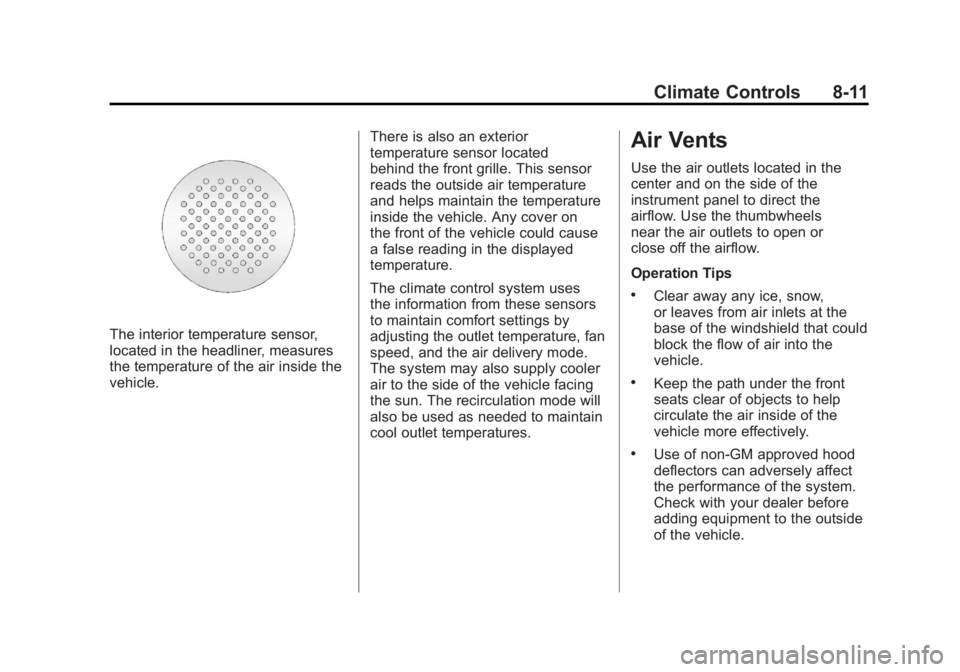
The interior temperature sensor,
located in the headliner, measures
the temperature of the air inside the
vehicle.There is also an exterior
temperature sensor located
behind the front grille. This sensor
reads the outside air temperature
and helps maintain the temperature
inside the vehicle. Any cover on
the front of the vehicle could cause
a false reading in the displayed
temperature.
The climate control system uses
the information from these sensors
to maintain comfort settings by
adjusting the outlet temperature, fan
speed, and the air delivery mode.
The system may also supply cooler
air to the side of the vehicle facing
the sun. The recirculation mode will
also be used as needed to maintain
cool outlet temperatures.
Air Vents
Use the air outlets located in the
center and on the side of the
instrument panel to direct the
airflow. Use the thumbwheels
near the air outlets to open or
close off the airflow.
Operation Tips
.Clear away any ice, snow,
or leaves from air inlets at the
base of the windshield that could
block the flow of air into the
vehicle.
.Keep the path under the front
seats clear of objects to help
circulate the air inside of the
vehicle more effectively.
.Use of non‐GM approved hood
deflectors can adversely affect
the performance of the system.
Check with your dealer before
adding equipment to the outside
of the vehicle.
Page 331 of 594
Black plate (37,1)GMC Sierra Owner Manual - 2011
Driving and Operating 9-37
C (ON/RUN):This position can
be used to operate the electrical
accessories and to display some
instrument panel cluster warning
and indicator lights. The switch
stays in this position when the
engine is running. The transmission
is also unlocked in this position on
automatic transmission vehicles.
If you leave the key in the
ACC/ACCESSORY or ON/RUN
position with the engine off, the
battery could be drained. You may
not be able to start the vehicle if the
battery is allowed to drain for an
extended period of time.
D (START): This is the position that
starts the engine. When the engine
starts, release the key. The ignition
switch returns to ON/RUN for
driving.
A warning tone will sound when
the driver door is opened and the
ignition is in ACC/ACCESSORY or
LOCK/OFF, and the key is in the
ignition.Starting the Engine
If the vehicle has a Duramax diesel
engine, see the Duramax diesel
supplement for more information.
If the vehicle is a hybrid, see
the hybrid supplement for more
information.
Notice: Do not try to shift to
P (Park) if the vehicle is moving.
If you do, you could damage the
transmission. Shift to P (Park)
only when the vehicle is stopped.
Move the shift lever to P (Park) or
N (Neutral). The engine will not start
in any other position. To restart the
engine when the vehicle is already
moving, use N (Neutral) only.
Notice: The engine is designed to
work with the electronics in the
vehicle. If you add electrical parts
or accessories, you could change
the way the engine operates. Before adding electrical
equipment, check with your
dealer. If you do not, the engine
might not perform properly.
Any resulting damage would
not be covered by the vehicle
warranty.
Starting Procedure
1. With your foot off the accelerator
pedal, turn the ignition key to
START. When the engine starts,
let go of the key. The idle speed
will go down as your engine gets
warm. Do not race the engine
immediately after starting it.
Operate the engine and
transmission gently to allow
the oil to warm up and lubricate
all moving parts.
Page 332 of 594
Black plate (38,1)GMC Sierra Owner Manual - 2011
9-38 Driving and Operating
The vehicle has a
Computer-Controlled
Cranking System. This feature
assists in starting the engine
and protects components.
If the ignition key is turned
to the START position, and
then released when the engine
begins cranking, the engine
will continue cranking for a
few seconds or until the vehicle
starts. If the engine does not
start and the key is held in
START for many seconds,
cranking will be stopped after
15 seconds to prevent cranking
motor damage. To prevent
gear damage, this system also
prevents cranking if the engine
is already running. Engine
cranking can be stopped by
turning the ignition switch to
the ACC/ACCESSORY or
LOCK/OFF position.When the Low Fuel warning
lamp is on and the FUEL LEVEL
LOW message is displayed in
the Driver Information Center
(DIC), the Computer‐Controlled
Cranking System is disabled
to prevent possible vehicle
component damage. When
this happens, hold the ignition
switch in the START position
to continue engine cranking.
Notice: Cranking the engine for
long periods of time, by returning
the key to the START position
immediately after cranking has
ended, can overheat and damage
the cranking motor, and drain the
battery. Wait at least 15 seconds
between each try, to let the
cranking motor cool down. 2. If the engine does not start
after 5‐10 seconds, especially
in very cold weather (below
−18°C or 0°F), it could be
flooded with too much gasoline.
Try pushing the accelerator
pedal all the way to the floor
and holding it there as you
hold the key in START for up
to 15 seconds. Wait at least
15 seconds between each try, to
allow the cranking motor to cool
down. When the engine starts,
let go of the key and accelerator.
If the vehicle starts briefly but
then stops again, do the same
thing. This clears the extra
gasoline from the engine. Do not
race the engine immediately
after starting it. Operate the
engine and transmission gently
until the oil warms up and
lubricates all moving parts.
Page 333 of 594
Black plate (39,1)GMC Sierra Owner Manual - 2011
Driving and Operating 9-39
Fast Idle System
If the vehicle has this feature it is
available only with cruise control.
The manual fast idle switch is
operated using the cruise control
buttons located on the left hand
side of the steering wheel.
This system can be used to
increase engine idle speed
whenever the following conditions
are met:
.The park brake is set.
.The brake pedal is not pressed.
.The vehicle must not be moving
and the accelerator must not be
pressed.To control the fast idle:
.To enable the Fast Idle System,
press and release the Cruise
Control On/Off button and
ensure that the switch LED is lit.
.Press and release the Cruise
Control Set switch. Engine
speed will be held at
approximately 1200 RPM.
When the fast idle is active the
Driver Information Center (DIC) will
display “FAST IDLE ON.”
One of the following actions will turn
off the fast idle:
.Pressing the brake.
.Selecting the Cruise Control
Cancel button.
.Releasing the Parking Brake.
.The transmission shifter is
moved out of P (Park) or
N (Neutral).
.Selecting the Cruise Control
On/Off button when it was
previously on.
.Pressing the Cruise Control Set
switch a second time.
.Pressing the accelerator greater
than a quarter of the down.
.Turning the ignition switch to the
LOCK/OFF position.
Page 338 of 594
Black plate (44,1)GMC Sierra Owner Manual - 2011
9-44 Driving and Operating
Active Fuel Management®
Vehicles with V8 engines may
have Active Fuel Management™.
This system allows the engine to
operate on either all or half of its
cylinders, depending on the driving
conditions.
When less power is required, such
as cruising at a constant vehicle
speed, the system will operate in
the half cylinder mode, allowing
the vehicle to achieve better fuel
economy. When greater power
demands are required, such as
accelerating from a stop, passing,
or merging onto a freeway, the
system will maintain full-cylinder
operation.
If the vehicle has an Active
Fuel Management™indicator, see
Driver Information Center (DIC) on
page 5‑33 for more information on
using this display.
Engine Exhaust
{WARNING
Engine exhaust contains Carbon
Monoxide (CO) which cannot be
seen or smelled. Exposure to CO
can cause unconsciousness and
even death.
Exhaust may enter the vehicle if:
.The vehicle idles in areas
with poor ventilation (parking
garages, tunnels, deep snow
that may block underbody
airflow or tail pipes).
.The exhaust smells or
sounds strange or different.
.The exhaust system leaks
due to corrosion or damage.
.The vehicle exhaust system
has been modified, damaged
or improperly repaired.
(Continued)
WARNING (Continued)
.There are holes or openings
in the vehicle body from
damage or after-market
modifications that are not
completely sealed.
If unusual fumes are detected or
if it is suspected that exhaust is
coming into the vehicle:
.Drive it only with the windows
completely down.
.Have the vehicle repaired
immediately.
Never park the vehicle with the
engine running in an enclosed
area such as a garage or a
building that has no fresh air
ventilation.
Page 340 of 594
Black plate (46,1)GMC Sierra Owner Manual - 2011
9-46 Driving and Operating
Automatic
Transmission
If the vehicle is a hybrid, see
the hybrid supplement for more
information.
Vehicles with an automatic
transmission have an electronic
shift position indicator within
the instrument panel cluster.
This display comes on when
the ignition key is turned to
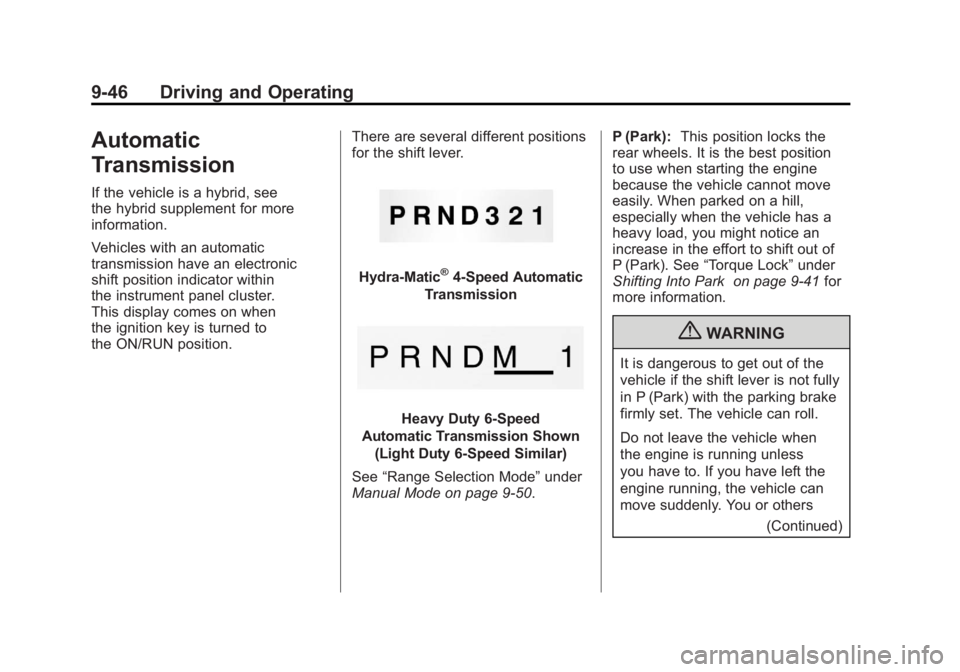
the ON/RUN position.There are several different positions
for the shift lever.
Hydra-Matic®4-Speed Automatic
Transmission
Heavy Duty 6-Speed
Automatic Transmission Shown (Light Duty 6‐Speed Similar)
See “Range Selection Mode” under
Manual Mode on page 9‑50. P (Park):
This position locks the
rear wheels. It is the best position
to use when starting the engine
because the vehicle cannot move
easily. When parked on a hill,
especially when the vehicle has a
heavy load, you might notice an
increase in the effort to shift out of
P (Park). See “Torque Lock” under
Shifting Into Park on page 9‑41 for
more information.
{WARNING
It is dangerous to get out of the
vehicle if the shift lever is not fully
in P (Park) with the parking brake
firmly set. The vehicle can roll.
Do not leave the vehicle when
the engine is running unless
you have to. If you have left the
engine running, the vehicle can
move suddenly. You or others
(Continued)