lock GMC SIERRA 2011 Owner's Manual
[x] Cancel search | Manufacturer: GMC, Model Year: 2011, Model line: SIERRA, Model: GMC SIERRA 2011Pages: 594, PDF Size: 6.55 MB
Page 382 of 594
Black plate (88,1)GMC Sierra Owner Manual - 2011
9-88 Driving and Operating
E85 has less energy per liter
(gallon) than gasoline, so you will
need to refill the fuel tank more
often when using E85 than when
you are using gasoline. SeeFilling
the Tank on page 9‑88.
Notice: Some additives are not
compatible with E85 fuel and can
harm the vehicle's fuel system.
Do not add anything to E85.
Damage caused by additives
would not be covered by the
vehicle warranty.
Notice: This vehicle was not
designed for fuel that contains
methanol. Do not use fuel
containing methanol. It can
corrode metal parts in the fuel
system and also damage plastic
and rubber parts. That damage
would not be covered under the
vehicle warranty.Filling the Tank
If the vehicle has a diesel engine,
see the Duramax diesel supplement
for more information.
{WARNING
Fuel vapor burns violently and a
fuel fire can cause bad injuries.
To help avoid injuries to you and
others, read and follow all the
instructions on the fuel pump
island. Turn off the engine when
refueling. Do not smoke near fuel
or when refueling the vehicle.
Do not use cellular phones. Keep
sparks, flames, and smoking
materials away from fuel. Do not
leave the fuel pump unattended
when refueling the vehicle. This is
against the law in some places.
Do not re-enter the vehicle while
pumping fuel. Keep children away
from the fuel pump; never let
children pump fuel.
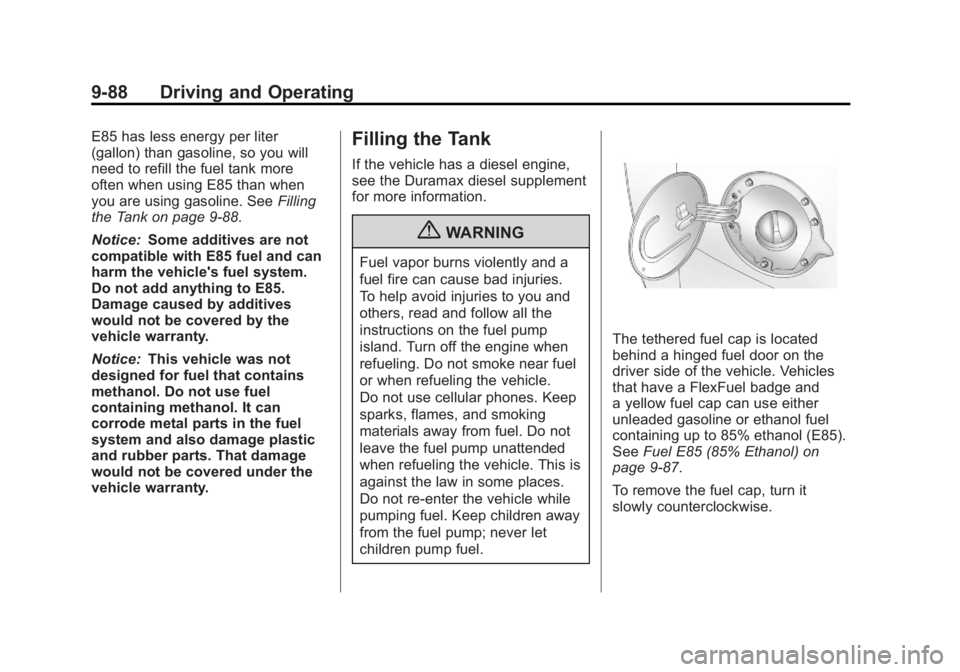
The tethered fuel cap is located
behind a hinged fuel door on the
driver side of the vehicle. Vehicles
that have a FlexFuel badge and
a yellow fuel cap can use either
unleaded gasoline or ethanol fuel
containing up to 85% ethanol (E85).
See Fuel E85 (85% Ethanol) on
page 9‑87.
To remove the fuel cap, turn it
slowly counterclockwise.
Page 383 of 594
Black plate (89,1)GMC Sierra Owner Manual - 2011
Driving and Operating 9-89
{WARNING
Fuel can spray out on you if you
open the fuel cap too quickly.
If you spill fuel and then
something ignites it, you could be
badly burned. This spray can
happen if the tank is nearly full,
and is more likely in hot weather.
Open the fuel cap slowly and wait
for any hiss noise to stop. Then
unscrew the cap all the way.
If the vehicle is a dual fuel tank
chassis cab model, and it runs out
of fuel, refuel the front fuel tank first
to ensure a quick restart.
Be careful not to spill fuel. Do not
top off or overfill the tank and wait a
few seconds after you have finished pumping before removing the
nozzle. Clean fuel from painted
surfaces as soon as possible.
See
Exterior Care on page 10‑108.
When replacing the fuel cap, turn it
clockwise until it clicks. It will require
more effort to turn the fuel cap on
the last turn as you tighten it. Make
sure the cap is fully installed. The
diagnostic system can determine if
the fuel cap has been left off or
improperly installed. This would
allow fuel to evaporate into the
atmosphere. See Malfunction
Indicator Lamp on page 5‑25.
The TIGHTEN GAS CAP message
displays on the Driver Information
Center (DIC) if the fuel cap is not
properly installed. See Fuel System
Messages on page 5‑46 for more
information.
{WARNING
If a fire starts while you are
refueling, do not remove the
nozzle. Shut off the flow of fuel
by shutting off the pump or by
notifying the station attendant.
Leave the area immediately.
Notice: If a new fuel cap is
needed, be sure to get the right
type of cap from your dealer.
The wrong type of fuel cap might
not fit properly, might cause the
malfunction indicator lamp to
light, and could damage the
fuel tank and emissions system.
See Malfunction Indicator Lamp
on page 5‑25.
Page 412 of 594
Black plate (118,1)GMC Sierra Owner Manual - 2011
9-118 Driving and Operating
Integrated Trailer Brake
Control System
The vehicle may have an Integrated
Trailer Brake Control (ITBC) system
for electric trailer brakes.
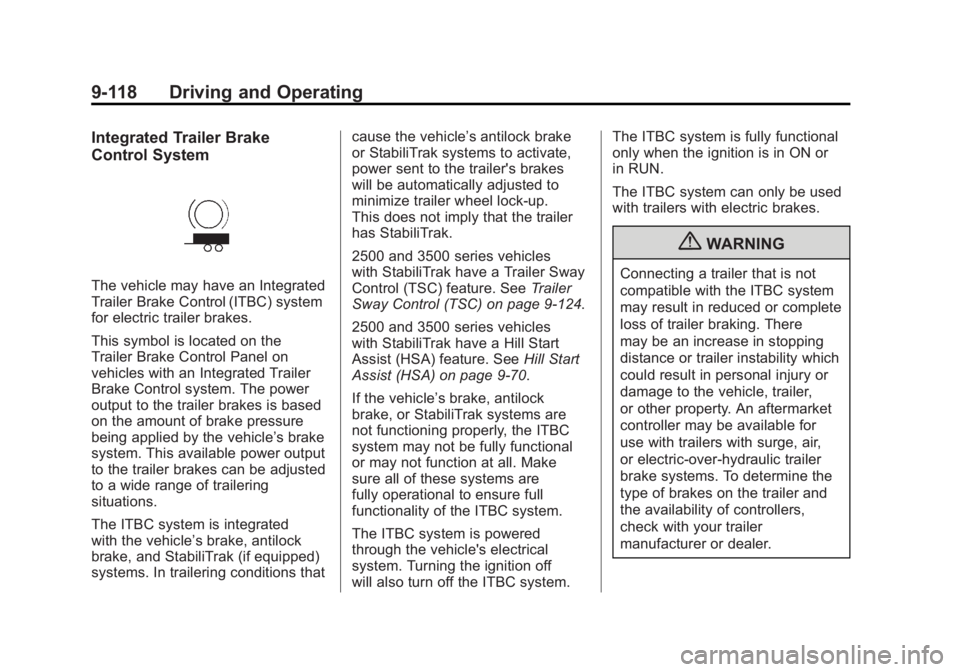
This symbol is located on the
Trailer Brake Control Panel on
vehicles with an Integrated Trailer
Brake Control system. The power
output to the trailer brakes is based
on the amount of brake pressure
being applied by the vehicle’s brake
system. This available power output
to the trailer brakes can be adjusted
to a wide range of trailering
situations.
The ITBC system is integrated
with the vehicle’s brake, antilock
brake, and StabiliTrak (if equipped)
systems. In trailering conditions thatcause the vehicle’s antilock brake
or StabiliTrak systems to activate,
power sent to the trailer's brakes
will be automatically adjusted to
minimize trailer wheel lock-up.
This does not imply that the trailer
has StabiliTrak.
2500 and 3500 series vehicles
with StabiliTrak have a Trailer Sway
Control (TSC) feature. See
Trailer
Sway Control (TSC) on page 9‑124.
2500 and 3500 series vehicles
with StabiliTrak have a Hill Start
Assist (HSA) feature. See Hill Start
Assist (HSA) on page 9‑70.
If the vehicle’s brake, antilock
brake, or StabiliTrak systems are
not functioning properly, the ITBC
system may not be fully functional
or may not function at all. Make
sure all of these systems are
fully operational to ensure full
functionality of the ITBC system.
The ITBC system is powered
through the vehicle's electrical
system. Turning the ignition off
will also turn off the ITBC system. The ITBC system is fully functional
only when the ignition is in ON or
in RUN.
The ITBC system can only be used
with trailers with electric brakes.
{WARNING
Connecting a trailer that is not
compatible with the ITBC system
may result in reduced or complete
loss of trailer braking. There
may be an increase in stopping
distance or trailer instability which
could result in personal injury or
damage to the vehicle, trailer,
or other property. An aftermarket
controller may be available for
use with trailers with surge, air,
or electric‐over‐hydraulic trailer
brake systems. To determine the
type of brakes on the trailer and
the availability of controllers,
check with your trailer
manufacturer or dealer.
Page 415 of 594
Black plate (121,1)GMC Sierra Owner Manual - 2011
Driving and Operating 9-121
The Trailer Output will indicate
“- - - - - -”on the Trailer Brake
Display Page whenever the
following occur:
.No trailer is connected
.A trailer without electric brakes
is connected (no DIC message
is displayed)
.A trailer with electric brakes
has become disconnected
(a CHECK TRAILER WIRING
message will also be displayed
on the DIC)
.There is a fault present in the
wiring to the electric trailer
brakes (a CHECK TRAILER
WIRING message will also be
displayed on the DIC)
.There is a fault in the ITBC
system (a SERVICE TRAILER
BRAKE SYSTEM message will
also be displayed in the DIC) Manual Trailer Brake Apply
The Manual Trailer Brake Apply
Lever is located on the Trailer
Brake Control Panel and is used
to apply the trailer
’s electric brakes
independent of the vehicle’s brakes.
This lever is used in the Trailer Gain
Adjustment Procedure to properly
adjust the power output to the trailer
brakes. Sliding the lever to the left
will apply only the trailer brakes.
The power output to the trailer is
indicated in the Trailer Brake
Display Page on the DIC. If the
vehicle’s service brakes are applied
while using the Manual Trailer Brake
Apply Lever, the trailer output power
will be the greater of the two.
The trailer's and the vehicle's brake
lamps will come on when either
vehicle braking or manual trailer
brakes are applied. Trailer Gain Adjustment Procedure
Trailer Gain should be set for a
specific trailering condition and
must be adjusted any time vehicle
loading, trailer loading, or road
surface conditions change.
Setting the Trailer Gain properly
is needed for the best trailer
stopping performance. A trailer
that is over-gained may result in
locked trailer brakes. A trailer that
is under-gained may result in not
enough trailer braking. Both of
these conditions may result in
poorer stopping and stability of
the vehicle and trailer.
Page 416 of 594
Black plate (122,1)GMC Sierra Owner Manual - 2011
9-122 Driving and Operating
Use the following procedure to
correctly adjust Trailer Gain for
each towing condition:
1. Make sure the trailer brakes arein proper working condition.
2. Connect a properly loaded trailer to the vehicle and make
all necessary mechanical
and electrical connections.
See Vehicle Load Limits on
page 9‑25 for more information.
3. After the electrical connection is made to a trailer equipped with
electric brakes:
.A TRAILER CONNECTED
message will be briefly
displayed on the DIC.
.The Trailer Brake Display
Page will appear on the
DIC showing TRAILER
GAIN and TRAILER
OUTPUT.
.In the Trailer Output display
on the DIC, “- - - - - -”will
disappear if there is no
error present. Connecting
a trailer without electric
brakes will not clear the
six dashed lines.
4. Adjust the Trailer Gain by using the gain adjustment (+ / -)
buttons on the Trailer Brake
Control Panel.
5. Drive the vehicle with the trailer attached on a level road
surface representative of the
towing condition and free of
traffic at about 32 to 40 km/h
(20 to 25 mph) and fully apply
the Manual Trailer Brake Apply
Lever.
Adjusting trailer gain at speeds
lower than 32 to 40 km/h
(20 to 25 mph) may result
in an incorrect gain setting. 6. Adjust the Trailer Gain to just
below the point of trailer wheel
lock-up, indicated by trailer
wheel squeal or tire smoke
when a trailer wheel locks.
Trailer wheel lock-up may not
occur if towing a heavily loaded
trailer. In this case, adjust the
Trailer Gain to the highest
allowable setting for the towing
condition.
7. Re-adjust Trailer Gain any time vehicle loading, trailer loading or
road surface conditions change
or if trailer wheel lock-up is
noticed at any time while towing.
Page 425 of 594
Black plate (1,1)GMC Sierra Owner Manual - 2011
Vehicle Care 10-1
Vehicle Care
General Information
General Information . . . . . . . . . . 10-2
California Proposition65 Warning . . . . . . . . . . . . . . . . . 10-3
California Perchlorate Materials Requirements . . . . 10-3
Accessories and Modifications . . . . . . . . . . . . . . . 10-3
Vehicle Checks
Doing Your OwnService Work . . . . . . . . . . . . . . . 10-4
Hood . . . . . . . . . . . . . . . . . . . . . . . . 10-5
Engine Compartment Overview . . . . . . . . . . . . . . . . . . . 10-6
Engine Oil . . . . . . . . . . . . . . . . . . . 10-7
Engine Oil Life System . . . . . 10-11
Automatic Transmission Fluid (4-Speed
Transmission) . . . . . . . . . . . . . 10-13
Automatic Transmission Fluid (6-Speed
Transmission) . . . . . . . . . . . . . 10-16
Engine Air Cleaner/Filter . . . . 10-19
Cooling System . . . . . . . . . . . . 10-20
Engine Coolant . . . . . . . . . . . . . 10-22 Engine Overheating . . . . . . . . 10-25
Overheated Engine
Protection
Operating Mode . . . . . . . . . . . 10-28
Engine Fan . . . . . . . . . . . . . . . . . 10-28
Power Steering Fluid . . . . . . . 10-29
Washer Fluid . . . . . . . . . . . . . . . 10-29
Brakes . . . . . . . . . . . . . . . . . . . . . 10-30
Brake Fluid . . . . . . . . . . . . . . . . . 10-32
Battery . . . . . . . . . . . . . . . . . . . . . 10-34
Four-Wheel Drive . . . . . . . . . . . 10-34
Front Axle . . . . . . . . . . . . . . . . . . 10-36
Rear Axle . . . . . . . . . . . . . . . . . . 10-37
Noise Control System . . . . . . 10-38
Starter Switch Check . . . . . . . 10-39
Automatic Transmission Shift
Lock Control Function
Check . . . . . . . . . . . . . . . . . . . . . 10-40
Ignition Transmission Lock Check . . . . . . . . . . . . . . . . . . . . . 10-40
Park Brake and P (Park) Mechanism Check . . . . . . . . 10-40
Wiper Blade Replacement . . . . . . . . . . . . . . 10-41
Glass Replacement . . . . . . . . 10-41
Headlamp Aiming
Headlamp Aiming . . . . . . . . . . 10-42
Bulb Replacement
Bulb Replacement . . . . . . . . . . 10-44
Halogen Bulbs . . . . . . . . . . . . . . 10-44
Headlamps . . . . . . . . . . . . . . . . . 10-44
Pick-Up Box Identification and Fender Marker
Lamps . . . . . . . . . . . . . . . . . . . . 10-45
Taillamps (Chassis Cab Models) . . . . . . . . . . . . . . . . . . . 10-46
Taillamps, Turn Signal, Stoplamps, and Back-Up
Lamps . . . . . . . . . . . . . . . . . . . . 10-46
Center High-Mounted Stoplamp (CHMSL) and
Cargo Lamp . . . . . . . . . . . . . . 10-47
License Plate Lamp . . . . . . . . 10-48
Replacement Bulbs . . . . . . . . . 10-48
Electrical System
Electrical System Overload . . . . . . . . . . . . . . . . . . 10-49
Fuses and Circuit Breakers . . . . . . . . . . . . . . . . . . 10-50
Engine Compartment Fuse Block . . . . . . . . . . . . . . . . . . . . . 10-50
Instrument Panel Fuse Block . . . . . . . . . . . . . . . . . . . . . 10-54
Page 427 of 594
Black plate (3,1)GMC Sierra Owner Manual - 2011
Vehicle Care 10-3
California Proposition
65 Warning
Most motor vehicles, including this
one, contain and/or emit chemicals
known to the State of California to
cause cancer and birth defects or
other reproductive harm. Engine
exhaust, many parts and systems,
many fluids, and some component
wear by-products contain and/or
emit these chemicals.
California Perchlorate
Materials Requirements
Certain types of automotive
applications, such as airbag
initiators, seat belt pretensioners,
and lithium batteries contained in
Remote Keyless Entry transmitters,
may contain perchlorate materials.
Special handling may be necessary.
For additional information, see
www.dtsc.ca.gov/hazardouswaste/
perchlorate.
Accessories and
Modifications
Adding non‐dealer accessories
to the vehicle can affect vehicle
performance and safety, including
such things as airbags, braking,
stability, ride and handling,
emissions systems, aerodynamics,
durability, and electronic systems
like antilock brakes, traction control,
and stability control. Some of these
accessories could even cause
malfunction or damage not covered
by the vehicle warranty.
Damage to vehicle components
resulting from the installation or use
of non‐GM certified parts, including
control module modifications, is notcovered under the terms of the
vehicle warranty and may affect
remaining warranty coverage for
affected parts.
GM Accessories are designed to
complement and function with other
systems on the vehicle. Your GM
dealer can accessorize the vehicle
using genuine GM Accessories.
When you go to your GM dealer
and ask for GM Accessories,
you will know that GM-trained and
supported service technicians will
perform the work using genuine
GM Accessories.
Also, see
Adding Equipment to
the Airbag-Equipped Vehicle on
page 3‑46.
Page 431 of 594
Black plate (7,1)GMC Sierra Owner Manual - 2011
Vehicle Care 10-7
A.Engine Air Cleaner/Filter on
page 10‑19.
B. Coolant Surge Tank and Pressure Cap. See Cooling
System on page 10‑20.
C. Positive (+) Terminal. See Jump
Starting on page 10‑98.
D. Battery on page 10‑34.
E. Remote Negative (−) Terminal (Out of View). See Jump
Starting on page 10‑98.
F. Automatic Transmission Dipstick (Out of View).
See “Checking the Fluid Level”
under Automatic Transmission
Fluid (4-Speed Transmission)
on page 10‑13 orAutomatic
Transmission Fluid (6-Speed
Transmission) on page 10‑16.
G. Engine Oil Fill Cap. See “When
to Add Engine Oil” under
Engine Oil on page 10‑7. H. Engine Oil Dipstick (Out of
View). See “Checking Engine
Oil” under Engine Oil on
page 10‑7.
I. Engine Cooling Fan (Out of View). See Cooling System on
page 10‑20.
J. Power Steering Fluid Reservoir. See Power Steering Fluid on
page 10‑29.
K. Brake Master Cylinder Reservoir. See Brake Fluid on
page 10‑32.
L. Engine Compartment Fuse
Block on page 10‑50.
M. Windshield Washer Fluid Reservoir. See “Adding Washer
Fluid” under Washer Fluid on
page 10‑29.
If the vehicle has a diesel engine
and/or an Allison Transmission, see
the Duramax Diesel Supplement.Engine Oil
For diesel engine vehicles, see
“Engine Oil” in the Duramax Diesel
Supplement.
To ensure proper engine
performance and long life, careful
attention must be paid to engine
oil. Following these simple, but
important steps will help protect
your investment:
.Always use engine oil approved
to the proper specification and
of the proper viscosity grade.
See “Selecting the Right Engine
Oil” in this section.
.Check the engine oil level
regularly and maintain the
proper oil level. See “Checking
Engine Oil” and“When to Add
Engine Oil” in this section.
.Change the engine oil at the
appropriate time. See Engine
Oil Life System on page 10‑11.
.Always dispose of engine oil
properly. See “What to Do with
Used Oil” in this section.
Page 439 of 594
Black plate (15,1)GMC Sierra Owner Manual - 2011
Vehicle Care 10-15
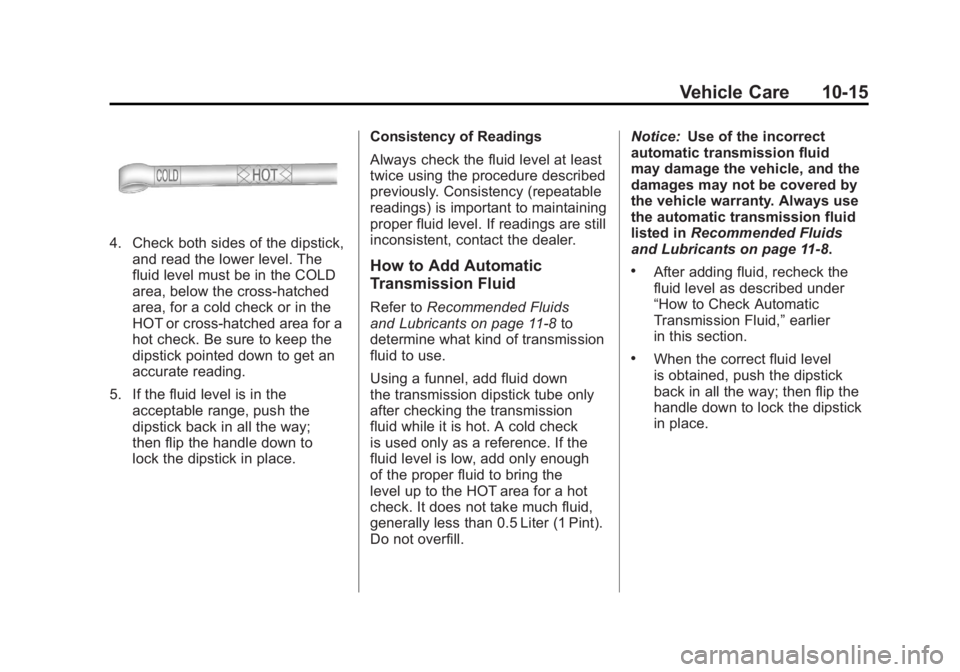
4. Check both sides of the dipstick,and read the lower level. The
fluid level must be in the COLD
area, below the cross-hatched
area, for a cold check or in the
HOT or cross-hatched area for a
hot check. Be sure to keep the
dipstick pointed down to get an
accurate reading.
5. If the fluid level is in the acceptable range, push the
dipstick back in all the way;
then flip the handle down to
lock the dipstick in place. Consistency of Readings
Always check the fluid level at least
twice using the procedure described
previously. Consistency (repeatable
readings) is important to maintaining
proper fluid level. If readings are still
inconsistent, contact the dealer.
How to Add Automatic
Transmission Fluid
Refer to
Recommended Fluids
and Lubricants on page 11‑8 to
determine what kind of transmission
fluid to use.
Using a funnel, add fluid down
the transmission dipstick tube only
after checking the transmission
fluid while it is hot. A cold check
is used only as a reference. If the
fluid level is low, add only enough
of the proper fluid to bring the
level up to the HOT area for a hot
check. It does not take much fluid,
generally less than 0.5 Liter (1 Pint).
Do not overfill. Notice:
Use of the incorrect
automatic transmission fluid
may damage the vehicle, and the
damages may not be covered by
the vehicle warranty. Always use
the automatic transmission fluid
listed in Recommended Fluids
and Lubricants on page 11‑8.
.After adding fluid, recheck the
fluid level as described under
“How to Check Automatic
Transmission Fluid,” earlier
in this section.
.When the correct fluid level
is obtained, push the dipstick
back in all the way; then flip the
handle down to lock the dipstick
in place.
Page 442 of 594
Black plate (18,1)GMC Sierra Owner Manual - 2011
10-18 Vehicle Care
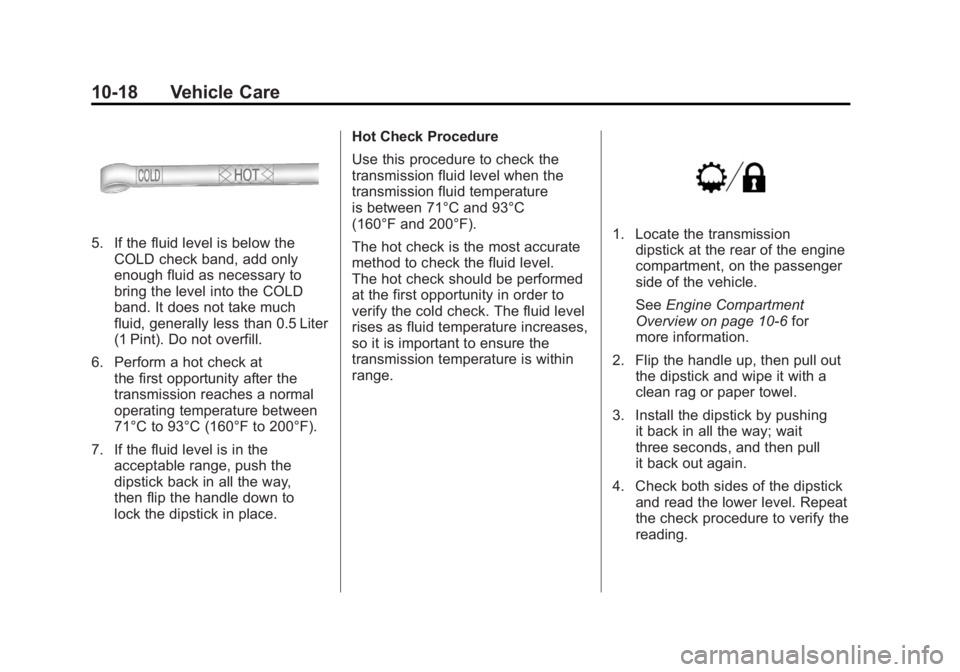
5. If the fluid level is below theCOLD check band, add only
enough fluid as necessary to
bring the level into the COLD
band. It does not take much
fluid, generally less than 0.5 Liter
(1 Pint). Do not overfill.
6. Perform a hot check at the first opportunity after the
transmission reaches a normal
operating temperature between
71°C to 93°C (160°F to 200°F).
7. If the fluid level is in the acceptable range, push the
dipstick back in all the way,
then flip the handle down to
lock the dipstick in place. Hot Check Procedure
Use this procedure to check the
transmission fluid level when the
transmission fluid temperature
is between 71°C and 93°C
(160°F and 200°F).
The hot check is the most accurate
method to check the fluid level.
The hot check should be performed
at the first opportunity in order to
verify the cold check. The fluid level
rises as fluid temperature increases,
so it is important to ensure the
transmission temperature is within
range.1. Locate the transmission
dipstick at the rear of the engine
compartment, on the passenger
side of the vehicle.
See Engine Compartment
Overview on page 10‑6 for
more information.
2. Flip the handle up, then pull out the dipstick and wipe it with a
clean rag or paper towel.
3. Install the dipstick by pushing it back in all the way; wait
three seconds, and then pull
it back out again.
4. Check both sides of the dipstick and read the lower level. Repeat
the check procedure to verify the
reading.