Driving GMC SIERRA 2013 User Guide
[x] Cancel search | Manufacturer: GMC, Model Year: 2013, Model line: SIERRA, Model: GMC SIERRA 2013Pages: 534, PDF Size: 6.47 MB
Page 82 of 534
Black plate (20,1)GMC Sierra Owner Manual - 2013 - crc - 8/14/12
3-20 Seats and Restraints
Replacing Safety Belt
System Parts after a
Crash
{WARNING
A crash can damage the safety
belt system in the vehicle.
A damaged safety belt system
may not properly protect the
person using it, resulting in
serious injury or even death in a
crash. To help make sure the
safety belt systems are working
properly after a crash, have them
inspected and any necessary
replacements made as soon as
possible.After a minor crash, replacement of
safety belts may not be necessary.
But the safety belt assemblies that
were used during any crash may
have been stressed or damaged.
See your dealer to have the safety
belt assemblies inspected or
replaced.
New parts and repairs may be
necessary even if the safety belt
system was not being used at the
time of the crash.
Have the safety belt pretensioners
checked if the vehicle has been in a
crash, or if the airbag readiness light
stays on after you start the vehicle
or while you are driving. See
Airbag
Readiness Light on page 5‑17.
Airbag System
The vehicle has the following
airbags:
.A frontal airbag for the driver.
.A frontal airbag for the right front
passenger.
The vehicle may have the following
airbags:
.A seat‐mounted side impact
airbag for the driver.
.A seat‐mounted side impact
airbag for the right front
passenger.
.A roof-rail airbag for the driver
and the passenger seated
directly behind the driver.
.A roof-rail airbag for the right
front passenger and the person
seated directly behind the right
front passenger.
Page 99 of 534
Black plate (37,1)GMC Sierra Owner Manual - 2013 - crc - 8/14/12
Seats and Restraints 3-37
Satisfaction Procedure in this
manual. SeeCustomer
Satisfaction Procedure (U.S. and
Canada) on page 13‑2 or
Customer Satisfaction
Procedure (Mexico) on
page 13‑4.
In addition, your dealer and the
service manual have information
about the location of the airbag
sensors, sensing and diagnostic
module and airbag wiring.
Airbag System Check
The airbag system does not need
regularly scheduled maintenance or
replacement. Make sure the airbag
readiness light is working. See
Airbag Readiness Light on
page 5‑17. Notice:
If an airbag covering is
damaged, opened, or broken, the
airbag may not work properly. Do
not open or break the airbag
coverings. If there are any
opened or broken airbag covers,
have the airbag covering and/or
airbag module replaced. For the
location of the airbags, see
Where Are the Airbags? on
page 3‑22. See your dealer for
service.
Replacing Airbag System
Parts after a Crash
{WARNING
A crash can damage the airbag
systems in the vehicle.
A damaged airbag system may
not work properly and may not
protect you and your
(Continued)
WARNING (Continued)
passenger(s) in a crash, resulting
in serious injury or even death. To
help make sure the airbag
systems are working properly
after a crash, have them
inspected and any necessary
replacements made as soon as
possible.
If an airbag inflates, you will need to
replace airbag system parts. See
your dealer for service.
If the airbag readiness light stays on
after the vehicle is started or comes
on when you are driving, the airbag
system may not work properly. Have
the vehicle serviced right away. See
Airbag Readiness Light on
page 5‑17.
Page 107 of 534
Black plate (45,1)GMC Sierra Owner Manual - 2013 - crc - 8/14/12
Seats and Restraints 3-45
WARNING (Continued)
Secure rear-facing child restraints
in a rear seat, even if the airbag
is off. If you secure a
forward-facing child restraint in
the right front seat, always move
the front passenger seat as far
back as it will go. It is better to
secure the child restraint in a
rear seat.
{WARNING
A child in a child restraint in the
center front seat can be badly
injured or killed by the frontal
airbags if they inflate. Never
secure a child restraint in the
center front seat. It is always
better to secure a child restraint in
a rear seat.
Do not use child restraints in the
center front seat position. When securing a child restraint in a
rear seating position, study the
instructions that came with your
child restraint to make sure it is
compatible with this vehicle.
Child restraints and booster seats
vary considerably in size, and some
may fit in certain seating positions
better than others. Always make
sure the child restraint is properly
secured.
Depending on where you place the
child restraint and the size of the
child restraint, you may not be able
to access adjacent safety belt
assemblies or LATCH anchors for
additional passengers or child
restraints. Adjacent seating
positions should not be used if the
child restraint prevents access to or
interferes with the routing of the
safety belt.
If the vehicle does not have a rear
seat that will accommodate a
rear-facing child restraint, a
rear-facing child restraint should not
be installed in the vehicle, even if
the airbag is off.
Wherever a child restraint is
installed, be sure to secure the child
restraint properly.
Keep in mind that an unsecured
child restraint can move around in a
collision or sudden stop and injure
people in the vehicle. Be sure to
properly secure any child restraint in
your vehicle
—even when no child
is in it.
Lower Anchors and
Tethers for Children
(LATCH System)
The LATCH system secures a child
restraint during driving or in a crash.
LATCH attachments on the child
restraint are used to attach the child
restraint to the anchors in the
vehicle. This system is designed to
make installation of a child restraint
easier.
Page 108 of 534
Black plate (46,1)GMC Sierra Owner Manual - 2013 - crc - 8/14/12
3-46 Seats and Restraints
Make sure that a LATCH-compatible
child restraint is properly installed
using the anchors, or use the
vehicle's safety belts to secure the
restraint, following the instructions
that came with that restraint, and
also the instructions in this manual.
When installing a child restraint with
a top tether, you must also use
either the lower anchors or the
safety belts to properly secure the
child restraint. A child restraint must
never be installed using only the top
tether and anchor.
In order to use the LATCH system in
your vehicle, you need a child
restraint that has LATCH
attachments. The child restraint
manufacturer will provide you with
instructions on how to use the child
restraint and its attachments. The
following explains how to attach a
child restraint with these
attachments in your vehicle.
Not all vehicle seating positions or
child restraints have lower anchors
and attachments or top tether
anchors and attachments.Lower Anchors
Lower anchors (A) are metal bars
built into the vehicle. There are two
lower anchors for each LATCH
seating position that will
accommodate a child restraint with
lower attachments (B).
Top Tether Anchor
A top tether (A, C) anchors the top
of the child restraint to the vehicle.
A top tether anchor is built into the
vehicle. The top tether
attachment (B) on the child restraint
connects to the top tether anchor in
the vehicle in order to reduce the
forward movement and rotation of
the child restraint during driving or in
a crash.
Your child restraint may have a
single tether (A) or a dual tether (C).
Either will have a single
attachment (B) to secure the top
tether to the anchor.
Page 132 of 534
Black plate (2,1)GMC Sierra Owner Manual - 2013 - crc - 8/14/12
5-2 Instruments and Controls
Transmission Messages . . . . . 5-44
Vehicle ReminderMessages . . . . . . . . . . . . . . . . . . 5-45
Washer Fluid Messages . . . . . 5-46
Vehicle Personalization
Vehicle Personalization (With DIC Buttons) . . . . . . . . . . . . . . . 5-46
Universal Remote System
Universal Remote System . . . 5-54
Universal Remote SystemProgramming . . . . . . . . . . . . . . . 5-54
Universal Remote System Operation . . . . . . . . . . . . . . . . . . 5-58
Controls
Steering Wheel
Adjustment
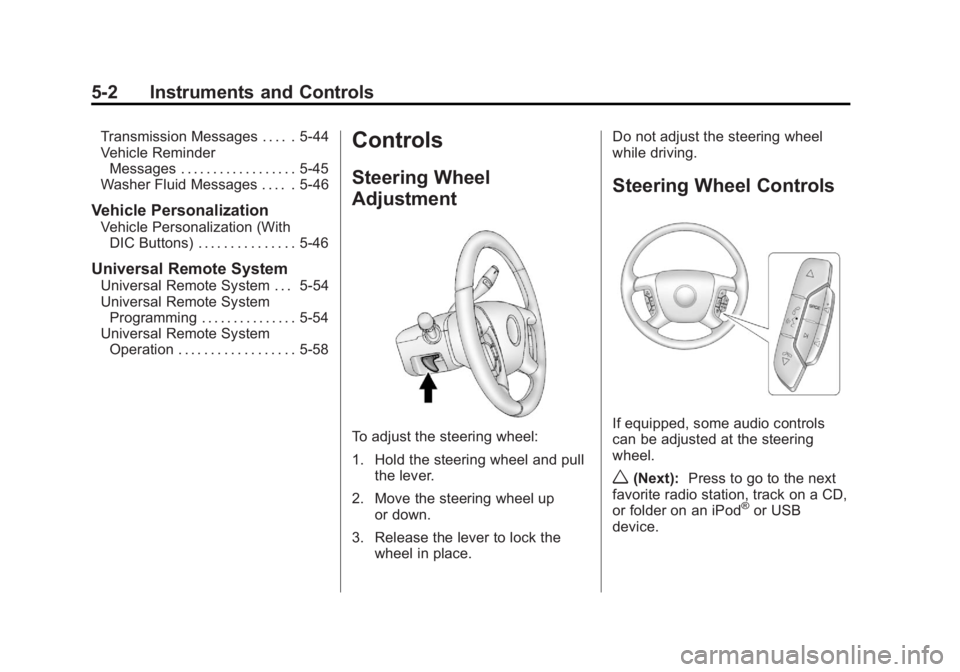
To adjust the steering wheel:
1. Hold the steering wheel and pull
the lever.
2. Move the steering wheel up or down.
3. Release the lever to lock the wheel in place. Do not adjust the steering wheel
while driving.
Steering Wheel Controls
If equipped, some audio controls
can be adjusted at the steering
wheel.
w(Next):
Press to go to the next
favorite radio station, track on a CD,
or folder on an iPod
®or USB
device.
Page 136 of 534
Black plate (6,1)GMC Sierra Owner Manual - 2013 - crc - 8/14/12
5-6 Instruments and Controls
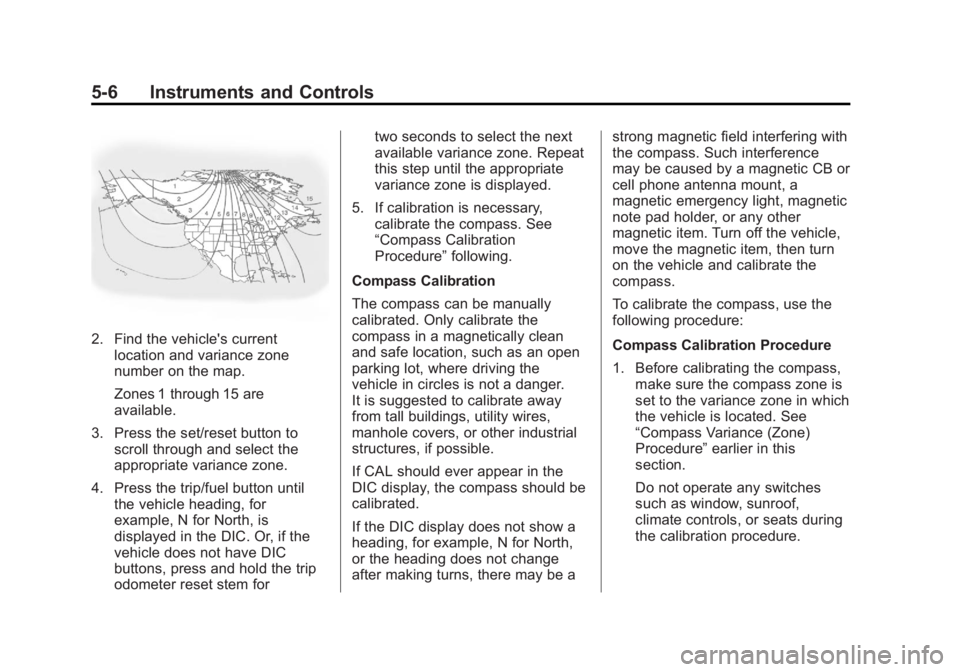
2. Find the vehicle's currentlocation and variance zone
number on the map.
Zones 1 through 15 are
available.
3. Press the set/reset button to scroll through and select the
appropriate variance zone.
4. Press the trip/fuel button until the vehicle heading, for
example, N for North, is
displayed in the DIC. Or, if the
vehicle does not have DIC
buttons, press and hold the trip
odometer reset stem for two seconds to select the next
available variance zone. Repeat
this step until the appropriate
variance zone is displayed.
5. If calibration is necessary, calibrate the compass. See
“Compass Calibration
Procedure” following.
Compass Calibration
The compass can be manually
calibrated. Only calibrate the
compass in a magnetically clean
and safe location, such as an open
parking lot, where driving the
vehicle in circles is not a danger.
It is suggested to calibrate away
from tall buildings, utility wires,
manhole covers, or other industrial
structures, if possible.
If CAL should ever appear in the
DIC display, the compass should be
calibrated.
If the DIC display does not show a
heading, for example, N for North,
or the heading does not change
after making turns, there may be a strong magnetic field interfering with
the compass. Such interference
may be caused by a magnetic CB or
cell phone antenna mount, a
magnetic emergency light, magnetic
note pad holder, or any other
magnetic item. Turn off the vehicle,
move the magnetic item, then turn
on the vehicle and calibrate the
compass.
To calibrate the compass, use the
following procedure:
Compass Calibration Procedure
1. Before calibrating the compass,
make sure the compass zone is
set to the variance zone in which
the vehicle is located. See
“Compass Variance (Zone)
Procedure” earlier in this
section.
Do not operate any switches
such as window, sunroof,
climate controls, or seats during
the calibration procedure.
Page 140 of 534
Black plate (10,1)GMC Sierra Owner Manual - 2013 - crc - 8/14/12
5-10 Instruments and Controls
Damage from overheating can
occur to the lighter or heating
element, or a fuse could be
blown. Do not hold a cigarette
lighter in while it is heating.
Ashtrays
The vehicle may have a front
ashtray located near the center of
the instrument panel. Pull on the
door to open it. The ashtray may
have a cigarette lighter.
Notice:If papers, pins, or other
flammable items are put in the
ashtray, hot cigarettes or other
smoking materials could ignite
them and possibly damage the
vehicle. Never put flammable
items in the ashtray.
To remove the ashtray, open the
door and pull the ashtray bin toward
you. To replace the ashtray, insert
the ashtray bin inside the ashtray
door and press down until it
engages.
Warning Lights,
Gauges, and
Indicators
Warning lights and gauges can
signal that something is wrong
before it becomes serious enough
to cause an expensive repair or
replacement. Paying attention to the
warning lights and gauges could
prevent injury.
Warning lights come on when there
could be a problem with a vehicle
function. Some warning lights come
on briefly when the engine is started
to indicate they are working. Gauges can indicate when there
could be a problem with a vehicle
function. Often gauges and warning
lights work together to indicate a
problem with the vehicle.
When one of the warning lights
comes on and stays on while
driving, or when one of the gauges
shows there may be a problem,
check the section that explains what
to do. Follow this manual's advice.
Waiting to do repairs can be costly
and even dangerous.
Page 144 of 534
Black plate (14,1)GMC Sierra Owner Manual - 2013 - crc - 8/14/12
5-14 Instruments and Controls
Engine Oil Pressure
Gauge
Metric
English
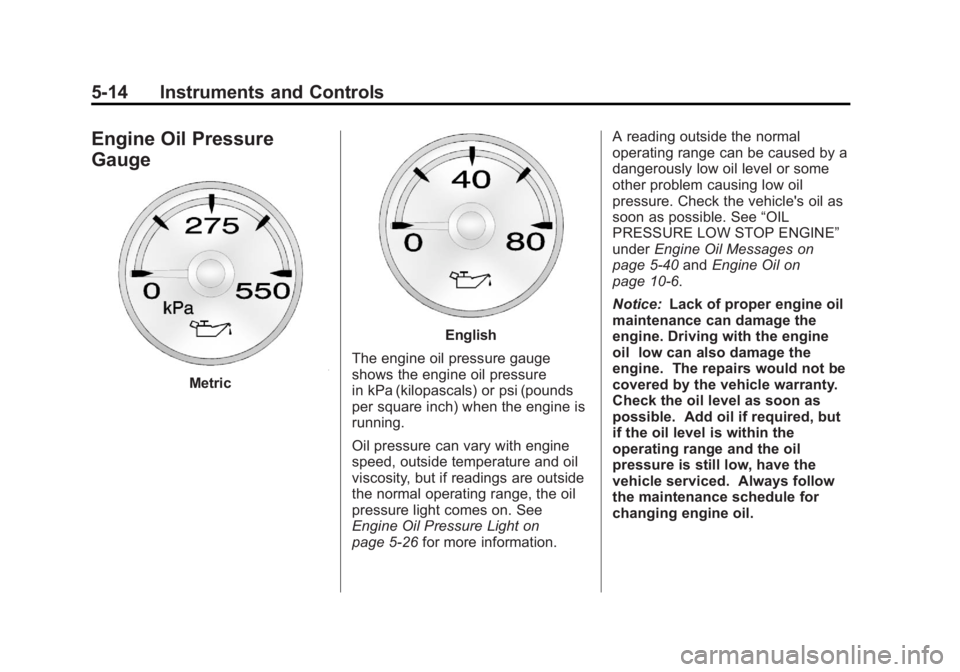
The engine oil pressure gauge
shows the engine oil pressure
in kPa (kilopascals) or psi (pounds
per square inch) when the engine is
running.
Oil pressure can vary with engine
speed, outside temperature and oil
viscosity, but if readings are outside
the normal operating range, the oil
pressure light comes on. See
Engine Oil Pressure Light on
page 5‑26 for more information. A reading outside the normal
operating range can be caused by a
dangerously low oil level or some
other problem causing low oil
pressure. Check the vehicle's oil as
soon as possible. See
“OIL
PRESSURE LOW STOP ENGINE”
under Engine Oil Messages on
page 5‑40 andEngine Oil on
page 10‑6.
Notice: Lack of proper engine oil
maintenance can damage the
engine. Driving with the engine
oil low can also damage the
engine. The repairs would not be
covered by the vehicle warranty.
Check the oil level as soon as
possible. Add oil if required, but
if the oil level is within the
operating range and the oil
pressure is still low, have the
vehicle serviced. Always follow
the maintenance schedule for
changing engine oil.
Page 147 of 534
Black plate (17,1)GMC Sierra Owner Manual - 2013 - crc - 8/14/12
Instruments and Controls 5-17
For vehicles equipped with the
passenger safety belt warning light,
when the vehicle is started this light
flashes and a chime may come on
to remind passengers to fasten their
safety belt. Then the light stays on
solid until the belt is buckled. This
cycle continues several times if the
passenger remains or becomes
unbuckled while the vehicle is
moving.
If the passenger safety belt is
buckled, neither the chime nor the
light comes on.
The front passenger safety belt
warning light and chime may turn on
if an object is put on the seat such
as a briefcase, handbag, grocery
bag, laptop, or other electronic
device. To turn off the warning light
and/or chime, remove the object
from the seat or buckle the
safety belt.Airbag Readiness Light
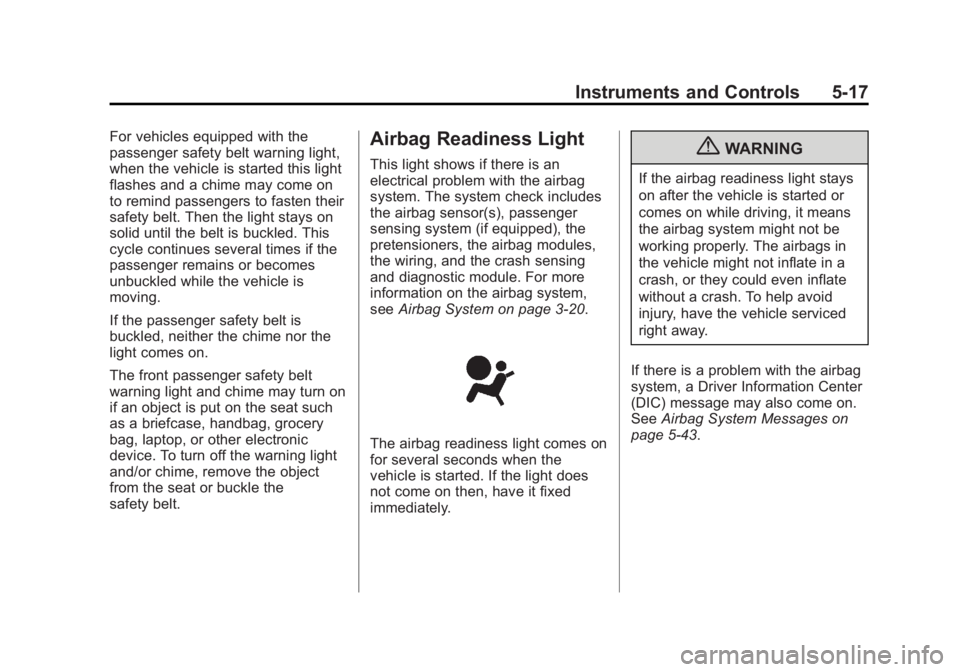
This light shows if there is an
electrical problem with the airbag
system. The system check includes
the airbag sensor(s), passenger
sensing system (if equipped), the
pretensioners, the airbag modules,
the wiring, and the crash sensing
and diagnostic module. For more
information on the airbag system,
seeAirbag System on page 3‑20.
The airbag readiness light comes on
for several seconds when the
vehicle is started. If the light does
not come on then, have it fixed
immediately.
{WARNING
If the airbag readiness light stays
on after the vehicle is started or
comes on while driving, it means
the airbag system might not be
working properly. The airbags in
the vehicle might not inflate in a
crash, or they could even inflate
without a crash. To help avoid
injury, have the vehicle serviced
right away.
If there is a problem with the airbag
system, a Driver Information Center
(DIC) message may also come on.
See Airbag System Messages on
page 5‑43.
Page 151 of 534
Black plate (21,1)GMC Sierra Owner Manual - 2013 - crc - 8/14/12
Instruments and Controls 5-21
The light should go out once the
engine starts. If it stays on,
or comes on while driving, there
could be a problem with the
charging system. A charging system
message in the Driver Information
Center (DIC) can also appear. See
Battery Voltage and Charging
Messages on page 5‑37for more
information. This light could indicate
that there are problems with a
generator drive belt, or that there is
an electrical problem. Have it
checked right away. If the vehicle
must be driven a short distance with
the light on, turn off accessories,
such as the radio and air
conditioner.
If the vehicle is a hybrid, see the
hybrid supplement for more
information.Malfunction
Indicator Lamp
A computer system called OBD II
(On-Board Diagnostics-Second
Generation) monitors the operation
of the vehicle to ensure emissions
are at acceptable levels, helping to
maintain a clean environment. The
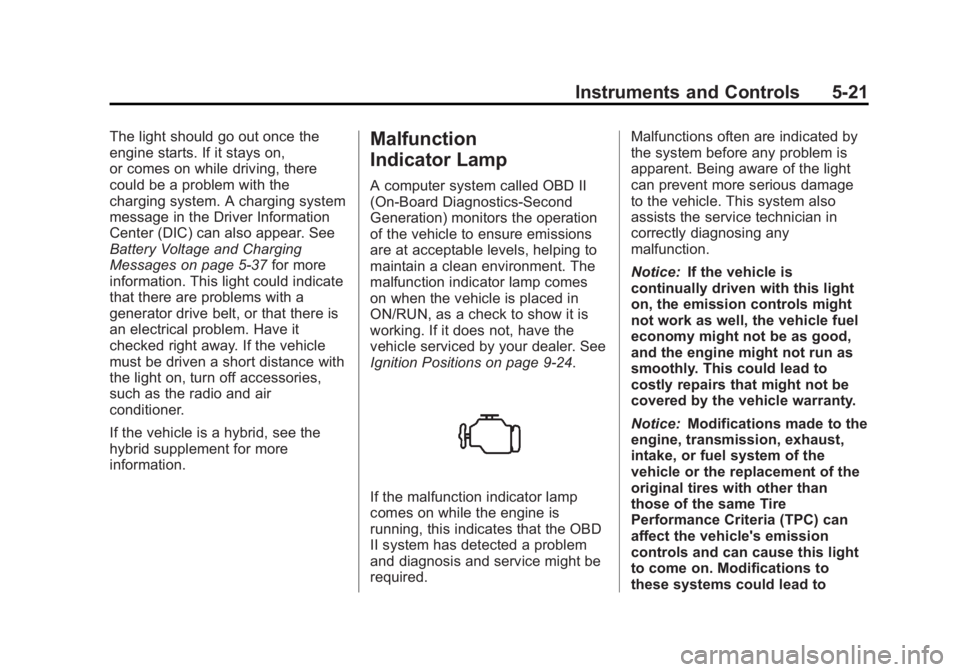
malfunction indicator lamp comes
on when the vehicle is placed in
ON/RUN, as a check to show it is
working. If it does not, have the
vehicle serviced by your dealer. See
Ignition Positions on page 9‑24.
If the malfunction indicator lamp
comes on while the engine is
running, this indicates that the OBD
II system has detected a problem
and diagnosis and service might be
required. Malfunctions often are indicated by
the system before any problem is
apparent. Being aware of the light
can prevent more serious damage
to the vehicle. This system also
assists the service technician in
correctly diagnosing any
malfunction.
Notice:
If the vehicle is
continually driven with this light
on, the emission controls might
not work as well, the vehicle fuel
economy might not be as good,
and the engine might not run as
smoothly. This could lead to
costly repairs that might not be
covered by the vehicle warranty.
Notice: Modifications made to the
engine, transmission, exhaust,
intake, or fuel system of the
vehicle or the replacement of the
original tires with other than
those of the same Tire
Performance Criteria (TPC) can
affect the vehicle's emission
controls and can cause this light
to come on. Modifications to
these systems could lead to