keyless GMC SIERRA 2014 User Guide
[x] Cancel search | Manufacturer: GMC, Model Year: 2014, Model line: SIERRA, Model: GMC SIERRA 2014Pages: 544, PDF Size: 13.79 MB
Page 177 of 544
Black plate (39,1)GMC Sierra Owner Manual (GMNA-Localizing-U.S./Canada/Mexico-
5853626) - 2014 - 3rd crc - 6/6/14
Instruments and Controls 5-39
Key and Lock Messages
REPLACE BATTERY IN
REMOTE KEY
This message displays if a Remote
Keyless Entry (RKE) transmitter
battery is low. The battery needs to
be replaced in the transmitter. See
“Battery Replacement”under
Remote Keyless Entry (RKE)
System Operation on page 2-3.
Lamp Messages
TURN SIGNAL ON
This message displays and a chime
sounds if a turn signal is left on for
1.2 km (0.75 mi). Move the turn
signal lever to the off position.
Object Detection System
Messages
FORWARD COLLISION
ALERT OFF
This message displays when the
Forward Collision Alert has been
turned off.
FRONT CAMERA BLOCKED
CLEAN WINDSHIELD
This message displays when the
camera is blocked. Cleaning the
outside of the windshield behind the
rearview mirror may correct the
issue. The Lane Departure Warning
(LDW) system and Forward
Collision Alert (FCA) will not
operate.
LANE DEPARTURE WARNING
UNAVAILABLE
This message displays when
attempting to activate the Lane
Departure Warning (LDW) system when it is temporarily unavailable.
The LDW system does not need
service.
This message could be due to the
camera being blocked. Cleaning the
outside of the windshield behind the
rearview mirror may correct the
issue.
PARK ASSIST OFF
This message displays when the
Parking Assist system has been
turned off or when there is a
temporary condition causing the
system to be disabled.
SERVICE FRONT CAMERA
If this message remains on after
continued driving, the vehicle needs
service. Do not use the Lane
Departure Warning (LDW) and
Forward Collision Alert (FCA)
features. Take the vehicle to your
dealer.
Page 186 of 544
Black plate (48,1)GMC Sierra Owner Manual (GMNA-Localizing-U.S./Canada/Mexico-
5853626) - 2014 - 3rd crc - 6/6/14
5-48 Instruments and Controls
Comfort and Convenience
Select and the following may
display:
.Auto Memory Recall
.Easy Exit Options
.Chime Volume
.Reverse Tilt Mirror
.Auto Mirror Folding
Auto Memory Recall
This allows the feature to be turned
on or off.
Select On, Off.
Easy Exit Options
This allows the feature to be turned
on or off.
Select On or Off.
Chime Volume
This allows the selection of the
chime volume level.
Press + or −to adjust the volume. Reverse Tilt Mirror
When on, the driver and/or
passenger mirrors will tilt downward
when the vehicle is shifted to
R (Reverse) to improve visibility of
the ground near the rear wheels.
Select Off, On - Driver and
Passenger, On - Driver, or On -
Passenger.
Auto Mirror Folding
When on, the outside rearview
mirrors will automatically fold or
unfold when the Remote Keyless
Entry (RKE) lock or unlock button is
pressed and held.
Select Off or On.
Lighting
Select and the following may
display:
.Vehicle Locator Lights
.Exit Lighting
Vehicle Locator Lights
This feature will flash the exterior
lamps when
Kon the Remote
Keyless Entry (RKE) transmitter is
pressed to locate the vehicle.
Select Off or On.
Exit Lighting
This allows the selection of how
long the exterior lamps stay on
when leaving the vehicle when it is
dark outside.
Select Off, 30 Seconds, 60
Seconds, or 120 Seconds.
Power Door Locks
Select and the following may
display:
.Unlocked Door Anti-lockout
.Auto Door Unlock
.Delayed Door Lock
Page 188 of 544
Black plate (50,1)GMC Sierra Owner Manual (GMNA-Localizing-U.S./Canada/Mexico-
5853626) - 2014 - 3rd crc - 6/6/14
5-50 Instruments and Controls
Select All Doors or Driver
Door Only.
Passive Door Lock
This feature can be turned on or off,
or can be used to select feedback
when using the button on the driver
door to lock the vehicle. See
Remote Keyless Entry (RKE)
System Operation on page 2-3.
Select Off, On with Horn
Chirp, or On.
Remote Left in Vehicle Alert
This feature sounds an alert when
the RKE transmitter is left in the
vehicle.
Select Off or On.
Bluetooth
Select and the following may
display:
.Pair New Device
.Device Management
.Ringtones
.Voice Mail NumbersPair New Device
Select to pair a new device. See
“Pairing”
in“Infotainment Controls”
under Bluetooth (Infotainment
Controls - Base Radio) on
page 7-34 orBluetooth (Voice
Recognition - Base Radio) on
page 7-39 orBluetooth (Voice
Recognition - Base Connected
Radio) on page 7-48 orBluetooth
(Overview) on page 7-32 or
Bluetooth (Infotainment Controls -
Base Connected Radio) on
page 7-44 or“Pairing” in
“Infotainment Controls” under
Bluetooth in the infotainment
manual.
Device Management
Select to connect to a different
phone source, disconnect a phone,
or delete a phone.
Ringtones
Press to change the ring tone for
the specific phone. The phone does
not need to be connected to change
the ring tones. Voice Mail Numbers
This feature displays the voice mail
number for all connected phones.
To change the voice mail number,
select EDIT or press the EDIT
button. Type a new number, then
select SAVE or press the SAVE
button.
Voice
Select and the following may
display:
.Prompt Length
.Audio Feedback Speed
Prompt Length
This feature adjusts the voice
prompt length.
Select Short or Long.
Page 202 of 544
Black plate (8,1)GMC Sierra Owner Manual (GMNA-Localizing-U.S./Canada/Mexico-
5853626) - 2014 - 3rd crc - 6/6/14
6-8 Lighting
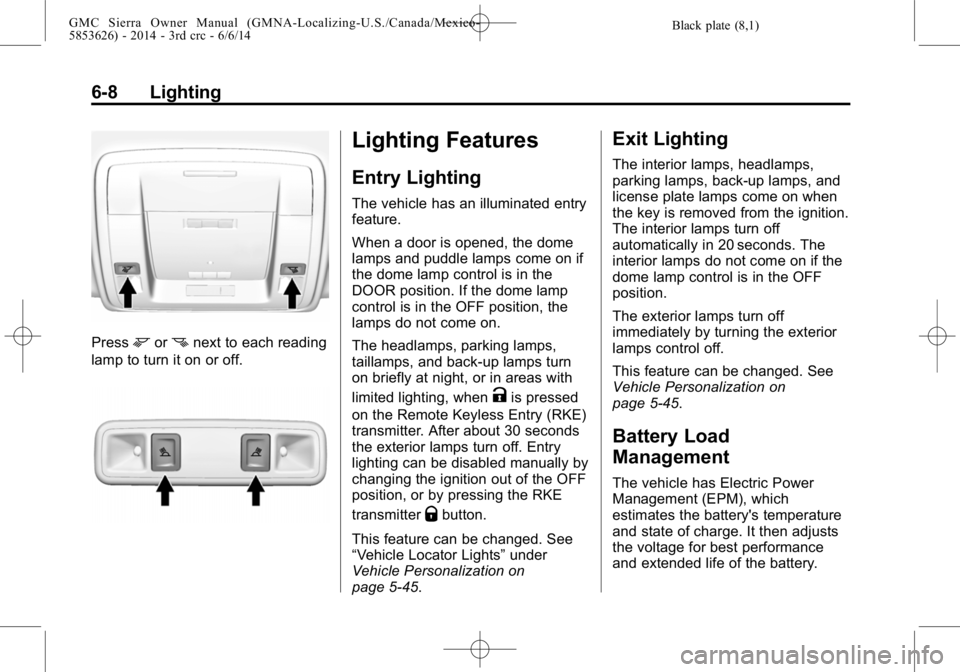
Pressmornnext to each reading
lamp to turn it on or off.
Lighting Features
Entry Lighting
The vehicle has an illuminated entry
feature.
When a door is opened, the dome
lamps and puddle lamps come on if
the dome lamp control is in the
DOOR position. If the dome lamp
control is in the OFF position, the
lamps do not come on.
The headlamps, parking lamps,
taillamps, and back-up lamps turn
on briefly at night, or in areas with
limited lighting, when
Kis pressed
on the Remote Keyless Entry (RKE)
transmitter. After about 30 seconds
the exterior lamps turn off. Entry
lighting can be disabled manually by
changing the ignition out of the OFF
position, or by pressing the RKE
transmitter
Qbutton.
This feature can be changed. See
“Vehicle Locator Lights” under
Vehicle Personalization on
page 5-45.
Exit Lighting
The interior lamps, headlamps,
parking lamps, back-up lamps, and
license plate lamps come on when
the key is removed from the ignition.
The interior lamps turn off
automatically in 20 seconds. The
interior lamps do not come on if the
dome lamp control is in the OFF
position.
The exterior lamps turn off
immediately by turning the exterior
lamps control off.
This feature can be changed. See
Vehicle Personalization on
page 5-45.
Battery Load
Management
The vehicle has Electric Power
Management (EPM), which
estimates the battery's temperature
and state of charge. It then adjusts
the voltage for best performance
and extended life of the battery.
Page 218 of 544
Black plate (14,1)GMC Sierra Owner Manual (GMNA-Localizing-U.S./Canada/Mexico-
5853626) - 2014 - 3rd crc - 6/6/14
7-14 Infotainment System
Pandora Features
Pandora service has features to rate
tracks, skip tracks, or change
stations.
}(Bookmarks):When selected
during a track, a choice displays to
bookmark the artist or track. This
sends the bookmark to the Pandora
account.
,(Thumbs Down): When
selected, Pandora stores this
information, changes to the next
track, and does not play this track
on this station again. This helps
Pandora choose which tracks
should not play on this station. This
feature is only available on user
created stations.
-(Thumbs Up): When selected,
Pandora stores this information and
-is highlighted for the remainder
of the track. This helps Pandora
choose which tracks should play on
this station.
d(Next Track): When selected,
Pandora changes to the next track.
rorj(Play/Pause): Select to play
or pause playback.
Pandora Skip Limit
Pandora limits the number of skips
allowed on their service. When the
skip limit is reached,
,or next
arrow will not skip the currently
playing track, but the
,feedback
will be recorded.
Advertisement on Pandora
Pandora may display
advertisements. The artist name
and track title will not be displayed
and the skip track button will not be
available.
Pandora Troubleshooting
Unable to Connect Device to
Vehicle
If the device is unable to connect to
the USB or Bluetooth:
1. Turn the vehicle off. 2. Take the Remote Keyless Entry
(RKE) transmitter at least 6 m
(20 ft) away from the vehicle.
3. Wait about 30 seconds, and try to connect the device again. See
Auxiliary Jack on page 7-22 or
Bluetooth (Infotainment Controls
- Base Radio) on page 7-34 or
Bluetooth (Voice Recognition -
Base Radio) on page 7-39 or
Bluetooth (Voice Recognition -
Base Connected Radio) on
page 7-48 orBluetooth
(Overview) on page 7-32 or
Bluetooth (Infotainment Controls
- Base Connected Radio) on
page 7-44.
Unable to Start Pandora
If the device is unable to launch
Pandora:
.Check that the latest version of
Pandora is installed.
.Check that there is an active
account logged into Pandora.
.Have at least one station
created.
Page 377 of 544
Black plate (3,1)GMC Sierra Owner Manual (GMNA-Localizing-U.S./Canada/Mexico-
5853626) - 2014 - 3rd crc - 6/6/14
Vehicle Care 10-3
cause cancer and birth defects or
other reproductive harm. Engine
exhaust, many parts and systems,
many fluids, and some component
wear by-products contain and/or
emit these chemicals.
California Perchlorate
Materials Requirements
Certain types of automotive
applications, such as airbag
initiators, safety belt pretensioners,
and lithium batteries contained in
Remote Keyless Entry transmitters,
may contain perchlorate materials.
Special handling may be necessary.
For additional information, see
www.dtsc.ca.gov/hazardouswaste/
perchlorate.
Accessories and
Modifications
Adding non‐dealer accessories or
making modifications to the vehicle
can affect vehicle performance and
safety, including such things as
airbags, braking, stability, ride andhandling, emissions systems,
aerodynamics, durability, and
electronic systems like antilock
brakes, traction control, and stability
control. These accessories or
modifications could even cause
malfunction or damage not covered
by the vehicle warranty.
Damage to vehicle components
resulting from modifications or the
installation or use of non‐GM
certified parts, including control
module or software modifications, is
not covered under the terms of the
vehicle warranty and may affect
remaining warranty coverage for
affected parts.
GM Accessories are designed to
complement and function with other
systems on the vehicle. See your
dealer to accessorize the vehicle
using genuine GM Accessories
installed by a dealer technician.
Also, see
Adding Equipment to the
Airbag-Equipped Vehicle on
page 3-36.
Vehicle Checks
Doing Your Own
Service Work
{Warning
It can be dangerous to work on
your vehicle if you do not have
the proper knowledge, service
manual, tools, or parts. Always
follow owner manual procedures
and consult the service manual
for your vehicle before doing any
service work.
If doing some of your own service
work, use the proper service
manual. It tells you much more
about how to service the vehicle
than this manual can. To order the
proper service manual, see Service
Publications Ordering Information
on page 13-11.
Page 519 of 544
Black plate (15,1)GMC Sierra Owner Manual (GMNA-Localizing-U.S./Canada/Mexico-
5853626) - 2014 - 3rd crc - 6/6/14
Customer Information 13-15
if the vehicle is leased, with the
consent of the lessee; in response
to an official request by police or
similar government office; as part of
GM's defense of litigation through
the discovery process; or, as
required by law. Data that GM
collects or receives may also be
used for GM research needs or may
be made available to others for
research purposes, where a need is
shown and the data is not tied to a
specific vehicle or vehicle owner.
OnStar®
If the vehicle is equipped with
OnStar®and has an active
subscription, additional data may be
collected through the OnStar
system. This includes information
about the vehicle’s operation;
collisions involving the vehicle; the
use of the vehicle and its features;
and, in certain situations, the
location and approximate GPS
speed of the vehicle. Refer to the OnStar Terms and Conditions and
Privacy Statement on the OnStar
website.
Infotainment System
If the vehicle is equipped with a
navigation system as part of the
infotainment system, use of the
system may result in the storage of
destinations, addresses, telephone
numbers, and other trip information.
See the infotainment manual for
information on stored data and for
deletion instructions.
Radio Frequency
Identification (RFID)
RFID technology is used in some
vehicles for functions such as tire
pressure monitoring and ignition
system security, as well as in
connection with conveniences such
as Remote Keyless Entry (RKE)
transmitters for remote door locking/
unlocking and starting, and
in-vehicle transmitters for garage
door openers. RFID technology inGM vehicles does not use or record
personal information or link with any
other GM system containing
personal information.
Radio Frequency
Statement
This vehicle has systems that
operate on a radio frequency that
comply with Part 15 of the Federal
Communications Commission (FCC)
rules and with Industry Canada
Standards RSS‐GEN/210/220/310.
Operation is subject to the following
two conditions:
1. The device may not cause
harmful interference.
2. The device must accept any interference received, including
interference that may cause
undesired operation of the
device.
Changes or modifications to any of
these systems by other than an
authorized service facility could void
authorization to use this equipment.
Page 537 of 544

Black plate (7,1)GMC Sierra Owner Manual (GMNA-Localizing-U.S./Canada/Mexico-
5853626) - 2014 - 3rd crc - 6/6/14
INDEX i-7
J
JackAuxiliary . . . . . . . . . . . . . . . . . . . . . . 7-22
Jump Starting . . . . . . . . . . . . . . . . . 10-89
K
Key and Lock Messages . . . . . . . 5-39
Keyless Entry Remote (RKE) System . . . . . . . . 2-3
Keys . . . . . . . . . . . . . . . . . . . . . . . . . . . . 2-1
L
Labeling, Tire Sidewall . . . . . . . . 10-54
Lamps Auxiliary Roof
Mounted Lamp . . . . . . . . . . . . . . . 6-6
Cargo . . . . . . . . . . . . . . . . . . . . . . . . . . 6-7
Daytime Running (DRL) . . . . . . . 6-3
Dome . . . . . . . . . . . . . . . . . . . . . . . . . . 6-7
Exterior Controls . . . . . . . . . . . . . . . 6-1
Exterior Lamps Off Reminder . . . . . . . . . . . . . . . . . . . . 6-2
License Plate . . . . . . . . . . . . . . . 10-42
Malfunction Indicator . . . . . . . . . 5-22
Messages . . . . . . . . . . . . . . . . . . . . 5-39 Lamps (cont'd)
On Reminder . . . . . . . . . . . . . . . . . 5-29
Reading . . . . . . . . . . . . . . . . . . . . . . . 6-7
Taillamps . . . . . . . . . . . . . . . . . . . 10-40
Lane Departure Warning (LDW) . . . . . . . . . . . . . . . 9-66
Lane Departure Warning Light . . . . . . . . . . . . . . . . . . . . . . . . . 5-26
Lap Belt . . . . . . . . . . . . . . . . . . . . . . . 3-19
Lap-Shoulder Belt . . . . . . . . . . . . . 3-14
LATCH System
Replacing Parts after aCrash . . . . . . . . . . . . . . . . . . . . . . . 3-58
LATCH, Lower Anchors and
Tethers for Children . . . . . . . . . . 3-46
LED Lighting . . . . . . . . . . . . . . . . . . 10-39
Light Hill Decent Control . . . . . . . . . . . 5-26
Lighting Entry . . . . . . . . . . . . . . . . . . . . . . . . . . 6-8
Exit . . . . . . . . . . . . . . . . . . . . . . . . . . . . 6-8
Illumination Control . . . . . . . . . . . . 6-6
LED . . . . . . . . . . . . . . . . . . . . . . . . 10-39 Lights
Airbag On-Off . . . . . . . . . . . . . . . . . 5-18
Airbag Readiness . . . . . . . . . . . . . 5-18
Antilock Brake System
(ABS) Warning . . . . . . . . . . . . . . 5-25
Brake System Warning . . . . . . . 5-24
Charging System . . . . . . . . . . . . . 5-21
Cruise Control . . . . . . . . . . . . . . . . 5-30
Flash-to-Pass . . . . . . . . . . . . . . . . . . 6-3
Four-Wheel-Drive . . . . . . . . . . . . . 5-25
Front Fog Lamp . . . . . . . . . . . . . . 5-29
High-Beam On . . . . . . . . . . . . . . . . 5-29
High/Low Beam Changer . . . . . . 6-2
Lane Departure Warning . . . . . . 5-26
Low Fuel Warning . . . . . . . . . . . . 5-28
Safety Belt Reminders . . . . . . . . 5-17
Security . . . . . . . . . . . . . . . . . . . . . . 5-29
StabiliTrak
®OFF . . . . . . . . . . . . . 5-27
Tire Pressure . . . . . . . . . . . . . . . . . 5-28
Tow/Haul Mode . . . . . . . . . . . . . . . 5-26
Traction Control System (TCS)/StabiliTrak
®. . . . . . . . . . 5-27
Traction Off . . . . . . . . . . . . . . . . . . . 5-27
Locking Rear Axle . . . . . . . . . . . . . 9-57
Page 540 of 544

Black plate (10,1)GMC Sierra Owner Manual (GMNA-Localizing-U.S./Canada/Mexico-
5853626) - 2014 - 3rd crc - 6/6/14
i-10 INDEX
PrivacyRadio Frequency
Identification (RFID) . . . . . . . 13-15
Program Courtesy Transportation . . . . . . 13-8
Proposition 65 Warning, California . . . . . . . . . . . . . . . . . . . . . 10-2
R
Radio Frequency
Identification (RFID) . . . . . . . . 13-15
Statement . . . . . . . . . . . . . . . . . . 13-15
Radios
AM-FM Radio . . . . . . . . . . . . . . . . . . 7-9
Reception . . . . . . . . . . . . . . . . . . . . 7-11
Satellite . . . . . . . . . . . . . . . . . . . . . . . 7-10
Reading Lamps . . . . . . . . . . . . . . . . . 6-7
Rear Axle . . . . . . . . . . . . . . . . . . . . . 10-34 Locking . . . . . . . . . . . . . . . . . . . . . . . 9-57
Rear Seats . . . . . . . . . . . . . . 3-10, 3-11
Rear Windows . . . . . . . . . . . . . . . . . 2-22
Rearview Mirrors . . . . . . . . . . . . . . 2-18 Automatic Dimming . . . . . . . . . . . 2-19
Reclining Seatbacks . . . . . . . . . . . . 3-5
Recommended Fluids and Lubricants . . . . . . . . . . . . . . . . . . . 11-12 Records
Maintenance . . . . . . . . . . . . . . . . .11-16
Recreational Vehicle Towing . . . . . . . . . . . . . . . . . . . . . . 10-94
Reimbursement Program, GM Mobility . . . . . . . . . . . . . . . . . . 13-5
Remote Keyless Entry (RKE)
System . . . . . . . . . . . . . . . . . . . . . . . . 2-3
Remote Vehicle Start . . . . . . . . . . . 2-6
Replacement Glass . . . . . . . . . . . . . . . . . . . . . . . 10-38
Replacement Bulbs . . . . . . . . . . . 10-42
Replacement Parts Airbags . . . . . . . . . . . . . . . . . . . . . . . 3-37
Maintenance . . . . . . . . . . . . . . . . .11-14
Replacing Airbag System . . . . . . 3-37
Replacing LATCH System
Parts after a Crash . . . . . . . . . . . 3-58
Replacing Safety Belt System Parts after a Crash . . . 3-21
Reporting Safety Defects
Canadian Government . . . . . . 13-13
General Motors . . . . . . . . . . . . . 13-13
U.S. Government . . . . . . . . . . . 13-12
Restraints
Where to Put . . . . . . . . . . . . . . . . . 3-44 Retained Accessory
Power (RAP) . . . . . . . . . . . 9-28, 9-29
Reverse Tilt Mirrors . . . . . . . . . . . . 2-18
Ride Control Systems Messages . . . . . . . . . . . . . . . . . . . . 5-40
Roads Driving, Wet . . . . . . . . . . . . . . . . . . 9-11
Roadside Assistance Program . . . . . . . . . . . . . . . . . . . . . . 13-5
Roof Sunroof . . . . . . . . . . . . . . . . . . . . . . . 2-23
Rotation, Tires . . . . . . . . . . . . . . . . 10-67
Routing, Engine Drive Belt . . . . . 12-5
Running the Vehicle While Parked . . . . . . . . . . . 9-33, 9-34
S
Safety Belts . . . . . . . . . . . . . . . . . . . 3-12Care . . . . . . . . . . . . . . . . . . . . . . . . . . 3-20
Extender . . . . . . . . . . . . . . . . . . . . . . 3-20
How to Wear Safety BeltsProperly . . . . . . . . . . . . . . . . . . . . . 3-13
Lap Belt . . . . . . . . . . . . . . . . . . . . . . 3-19
Lap-Shoulder Belt . . . . . . . . . . . . 3-14