light GMC SIERRA 2014 User Guide
[x] Cancel search | Manufacturer: GMC, Model Year: 2014, Model line: SIERRA, Model: GMC SIERRA 2014Pages: 544, PDF Size: 13.79 MB
Page 34 of 544
Black plate (28,1)GMC Sierra Owner Manual (GMNA-Localizing-U.S./Canada/Mexico-
5853626) - 2014 - 3rd crc - 6/6/14
1-28 In Brief
.To turn off both traction
control and StabiliTrak, press
and hold
guntiliandg
illuminate in the instrument
cluster and the appropriate DIC
message displays. SeeRide
Control System Messages on
page 5-40.
.Press and releasegagain to
turn on both systems.
.StabiliTrak will automatically turn
on if the vehicle exceeds
56 km/h (35 mph). Traction
control will remain off.
See Traction Control/Electronic
Stability Control on page 9-54.
Tire Pressure Monitor
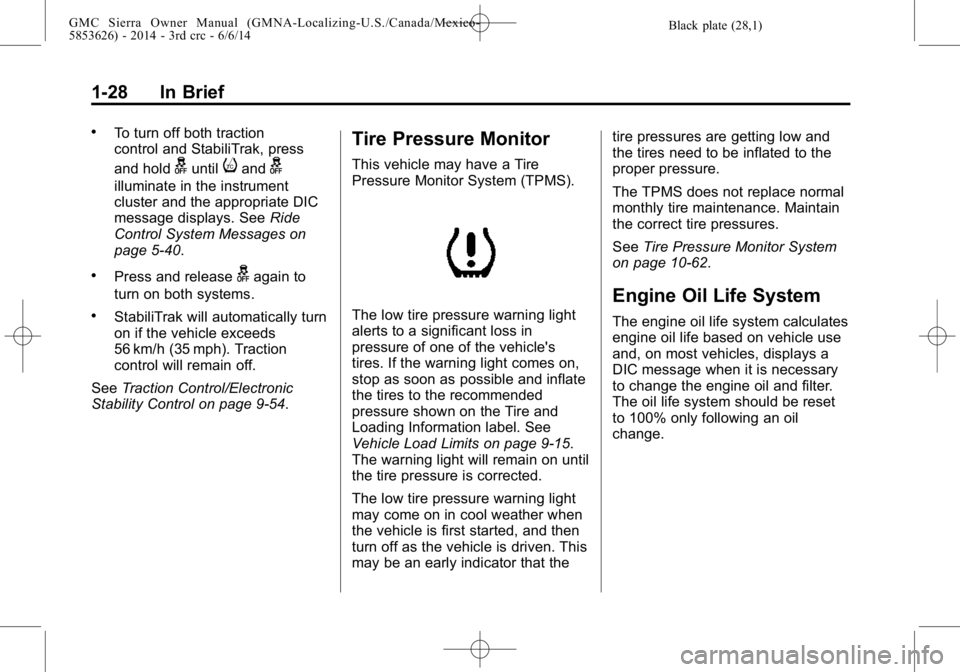
This vehicle may have a Tire
Pressure Monitor System (TPMS).
The low tire pressure warning light
alerts to a significant loss in
pressure of one of the vehicle's
tires. If the warning light comes on,
stop as soon as possible and inflate
the tires to the recommended
pressure shown on the Tire and
Loading Information label. See
Vehicle Load Limits on page 9-15.
The warning light will remain on until
the tire pressure is corrected.
The low tire pressure warning light
may come on in cool weather when
the vehicle is first started, and then
turn off as the vehicle is driven. This
may be an early indicator that the tire pressures are getting low and
the tires need to be inflated to the
proper pressure.
The TPMS does not replace normal
monthly tire maintenance. Maintain
the correct tire pressures.
See
Tire Pressure Monitor System
on page 10-62.
Engine Oil Life System
The engine oil life system calculates
engine oil life based on vehicle use
and, on most vehicles, displays a
DIC message when it is necessary
to change the engine oil and filter.
The oil life system should be reset
to 100% only following an oil
change.
Page 38 of 544
Black plate (2,1)GMC Sierra Owner Manual (GMNA-Localizing-U.S./Canada/Mexico-
5853626) - 2014 - 3rd crc - 6/6/14
2-2 Keys, Doors, and Windows
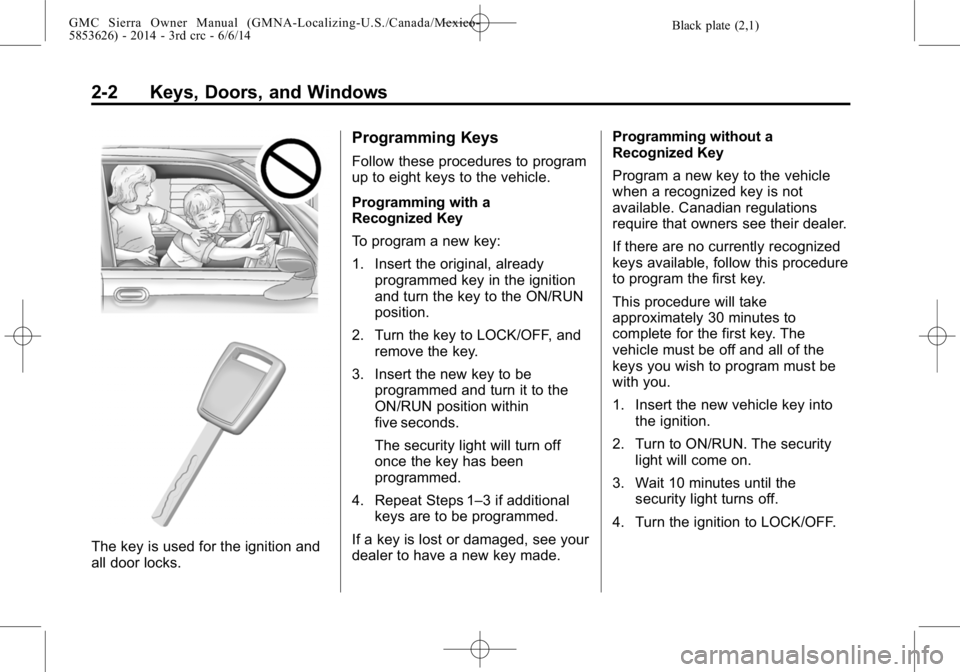
The key is used for the ignition and
all door locks.
Programming Keys
Follow these procedures to program
up to eight keys to the vehicle.
Programming with a
Recognized Key
To program a new key:
1. Insert the original, alreadyprogrammed key in the ignition
and turn the key to the ON/RUN
position.
2. Turn the key to LOCK/OFF, and remove the key.
3. Insert the new key to be programmed and turn it to the
ON/RUN position within
five seconds.
The security light will turn off
once the key has been
programmed.
4. Repeat Steps 1–3 if additional keys are to be programmed.
If a key is lost or damaged, see your
dealer to have a new key made. Programming without a
Recognized Key
Program a new key to the vehicle
when a recognized key is not
available. Canadian regulations
require that owners see their dealer.
If there are no currently recognized
keys available, follow this procedure
to program the first key.
This procedure will take
approximately 30 minutes to
complete for the first key. The
vehicle must be off and all of the
keys you wish to program must be
with you.
1. Insert the new vehicle key into
the ignition.
2. Turn to ON/RUN. The security light will come on.
3. Wait 10 minutes until the security light turns off.
4. Turn the ignition to LOCK/OFF.
Page 42 of 544
Black plate (6,1)GMC Sierra Owner Manual (GMNA-Localizing-U.S./Canada/Mexico-
5853626) - 2014 - 3rd crc - 6/6/14
2-6 Keys, Doors, and Windows
Remote Vehicle Start
If equipped, this feature starts the
engine from outside of the vehicle.
It may also start up the vehicle's
heating or air conditioning systems
and rear window defogger. Normal
operation of the system will return
after the key is turned to the ON/
RUN position.
The climate control system will use
the previous settings during a
remote start. The rear defog may
come on during remote start based
on cold ambient conditions. The
rear fog indicator light does not
come on during remote start.
If the vehicle has heated seats and
the feature is turned on in vehicle
personalization, the heated seats
will turn on during colder outside
temperatures and will shut off when
the key is turned to ON/RUN. See
Heated and Cooled Front Seats on
page 3-8.Laws in some communities may
restrict the use of remote starters.
For example, some laws may
require a person using the remote
start to have the vehicle in view
when doing so. Check local
regulations for any requirements on
remote starting of vehicles.
Do not use the remote start feature
if the vehicle is low on fuel. The
vehicle may run out of fuel.
The RKE transmitter range may be
less while the vehicle is running.
Other conditions can affect the
performance of the transmitter. See
Remote Keyless Entry (RKE)
System on page 2-3
orVehicle
Personalization on page 5-45.
/(Remote Vehicle Start): This
button will be on the RKE
transmitter if the vehicle has remote
start. Starting the Engine Using Remote
Start
1. Aim the RKE transmitter at the
vehicle and press and
release
Q.
2. Immediately press and hold
/
until the turn signal lamps flash
or for at least four seconds.
When the vehicle starts, the
parking lamps will turn on. The
doors will be locked and the
climate control system may
come on.
The engine will continue to run
for 10 minutes. Repeat the steps
for a 10-minute time extension.
Remote start can be extended
only once.
After entering the vehicle during a
remote start, insert and turn the key
to ON/RUN to drive the vehicle.
Page 46 of 544
Black plate (10,1)GMC Sierra Owner Manual (GMNA-Localizing-U.S./Canada/Mexico-
5853626) - 2014 - 3rd crc - 6/6/14
2-10 Keys, Doors, and Windows
Crew/Double Cab PremiumShown, Others Similar
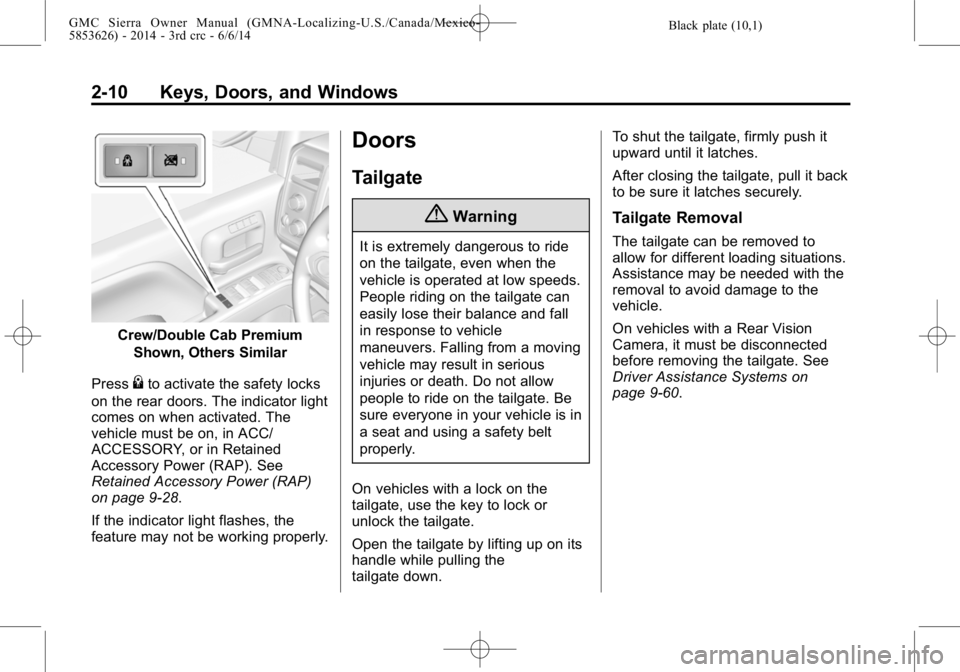
Press
{to activate the safety locks
on the rear doors. The indicator light
comes on when activated. The
vehicle must be on, in ACC/
ACCESSORY, or in Retained
Accessory Power (RAP). See
Retained Accessory Power (RAP)
on page 9-28.
If the indicator light flashes, the
feature may not be working properly.
Doors
Tailgate
{Warning
It is extremely dangerous to ride
on the tailgate, even when the
vehicle is operated at low speeds.
People riding on the tailgate can
easily lose their balance and fall
in response to vehicle
maneuvers. Falling from a moving
vehicle may result in serious
injuries or death. Do not allow
people to ride on the tailgate. Be
sure everyone in your vehicle is in
a seat and using a safety belt
properly.
On vehicles with a lock on the
tailgate, use the key to lock or
unlock the tailgate.
Open the tailgate by lifting up on its
handle while pulling the
tailgate down. To shut the tailgate, firmly push it
upward until it latches.
After closing the tailgate, pull it back
to be sure it latches securely.
Tailgate Removal
The tailgate can be removed to
allow for different loading situations.
Assistance may be needed with the
removal to avoid damage to the
vehicle.
On vehicles with a Rear Vision
Camera, it must be disconnected
before removing the tailgate. See
Driver Assistance Systems on
page 9-60.
Page 47 of 544
Black plate (11,1)GMC Sierra Owner Manual (GMNA-Localizing-U.S./Canada/Mexico-
5853626) - 2014 - 3rd crc - 6/6/14
Keys, Doors, and Windows 2-11
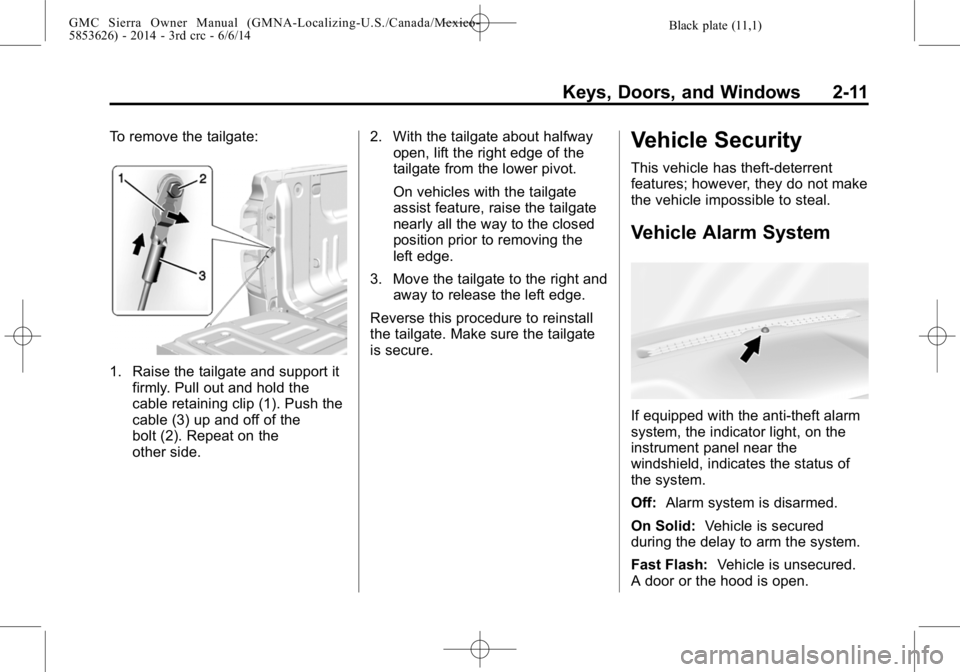
To remove the tailgate:
1. Raise the tailgate and support itfirmly. Pull out and hold the
cable retaining clip (1). Push the
cable (3) up and off of the
bolt (2). Repeat on the
other side. 2. With the tailgate about halfway
open, lift the right edge of the
tailgate from the lower pivot.
On vehicles with the tailgate
assist feature, raise the tailgate
nearly all the way to the closed
position prior to removing the
left edge.
3. Move the tailgate to the right and away to release the left edge.
Reverse this procedure to reinstall
the tailgate. Make sure the tailgate
is secure.
Vehicle Security
This vehicle has theft-deterrent
features; however, they do not make
the vehicle impossible to steal.
Vehicle Alarm System
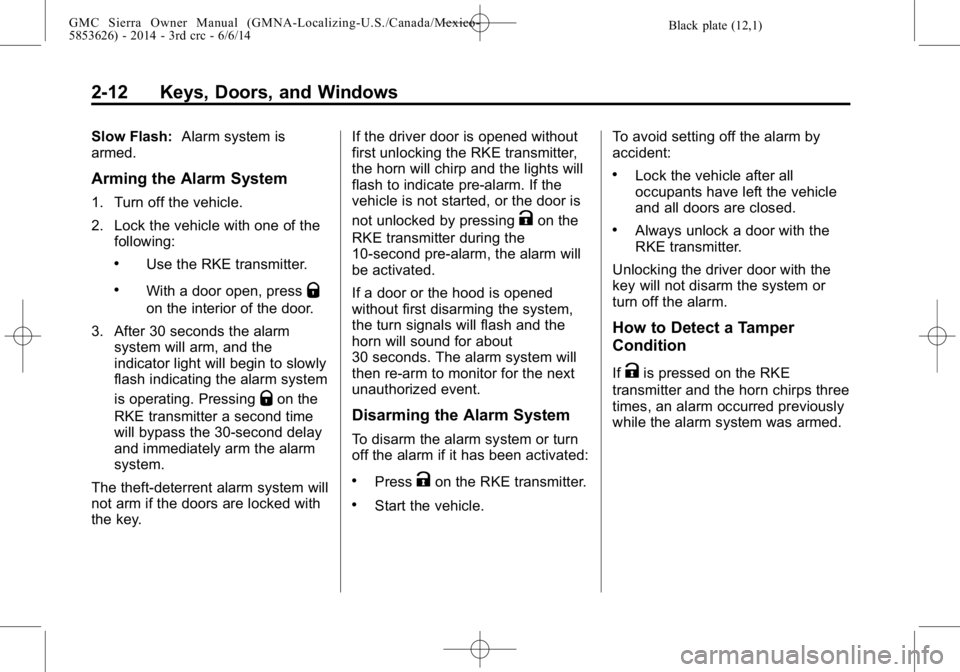
If equipped with the anti-theft alarm
system, the indicator light, on the
instrument panel near the
windshield, indicates the status of
the system.
Off: Alarm system is disarmed.
On Solid: Vehicle is secured
during the delay to arm the system.
Fast Flash: Vehicle is unsecured.
A door or the hood is open.
Page 48 of 544
Black plate (12,1)GMC Sierra Owner Manual (GMNA-Localizing-U.S./Canada/Mexico-
5853626) - 2014 - 3rd crc - 6/6/14
2-12 Keys, Doors, and Windows
Slow Flash:Alarm system is
armed.
Arming the Alarm System
1. Turn off the vehicle.
2. Lock the vehicle with one of the
following:
.Use the RKE transmitter.
.With a door open, pressQ
on the interior of the door.
3. After 30 seconds the alarm system will arm, and the
indicator light will begin to slowly
flash indicating the alarm system
is operating. Pressing
Qon the
RKE transmitter a second time
will bypass the 30-second delay
and immediately arm the alarm
system.
The theft-deterrent alarm system will
not arm if the doors are locked with
the key. If the driver door is opened without
first unlocking the RKE transmitter,
the horn will chirp and the lights will
flash to indicate pre-alarm. If the
vehicle is not started, or the door is
not unlocked by pressing
Kon the
RKE transmitter during the
10-second pre-alarm, the alarm will
be activated.
If a door or the hood is opened
without first disarming the system,
the turn signals will flash and the
horn will sound for about
30 seconds. The alarm system will
then re-arm to monitor for the next
unauthorized event.
Disarming the Alarm System
To disarm the alarm system or turn
off the alarm if it has been activated:
.PressKon the RKE transmitter.
.Start the vehicle. To avoid setting off the alarm by
accident:
.Lock the vehicle after all
occupants have left the vehicle
and all doors are closed.
.Always unlock a door with the
RKE transmitter.
Unlocking the driver door with the
key will not disarm the system or
turn off the alarm.
How to Detect a Tamper
Condition
IfKis pressed on the RKE
transmitter and the horn chirps three
times, an alarm occurred previously
while the alarm system was armed.
Page 49 of 544
Black plate (13,1)GMC Sierra Owner Manual (GMNA-Localizing-U.S./Canada/Mexico-
5853626) - 2014 - 3rd crc - 6/6/14
Keys, Doors, and Windows 2-13
Immobilizer
SeeRadio Frequency Statement on
page 13-15.
Immobilizer Operation
This vehicle has a passive
theft-deterrent system.
The system does not have to be
manually armed or disarmed.
The vehicle is automatically
immobilized when the vehicle is
turned off.
The system is automatically
disarmed when the key is turned to
ON/RUN, ACC/ACCESSORY,
or START from the LOCK/OFF
position. The security light, in the instrument
cluster, comes on if there is a
problem with arming or disarming
the theft-deterrent system.
When trying to start the vehicle, the
security light comes on briefly when
the ignition is turned on.
If the engine does not start and the
security light stays on, there is a
problem with the system. Turn the
ignition off and try again.
If the engine still does not start, and
the key appears to be undamaged,
try another ignition key. It may be
necessary to check the fuse. See
Fuses on page 10-43. If the engine
still does not start with the other key,
the vehicle needs service. If the
vehicle does start, the first key may
be faulty. See your dealer.
It is possible for the immobilizer
system to learn new or replacement
keys. Up to eight keys can be
programmed for the vehicle. To
program additional keys, see
Keys
on page 2-1. To program additional
transmitters, see Remote Keyless
Entry (RKE) System Operation on
page 2-3.
Do not leave the key or device that
disarms or deactivates the vehicle
theft system in the vehicle.
See your dealer to get a new key
blank cut exactly as the ignition key
that operates the system.
Page 51 of 544
Black plate (15,1)GMC Sierra Owner Manual (GMNA-Localizing-U.S./Canada/Mexico-
5853626) - 2014 - 3rd crc - 6/6/14
Keys, Doors, and Windows 2-15
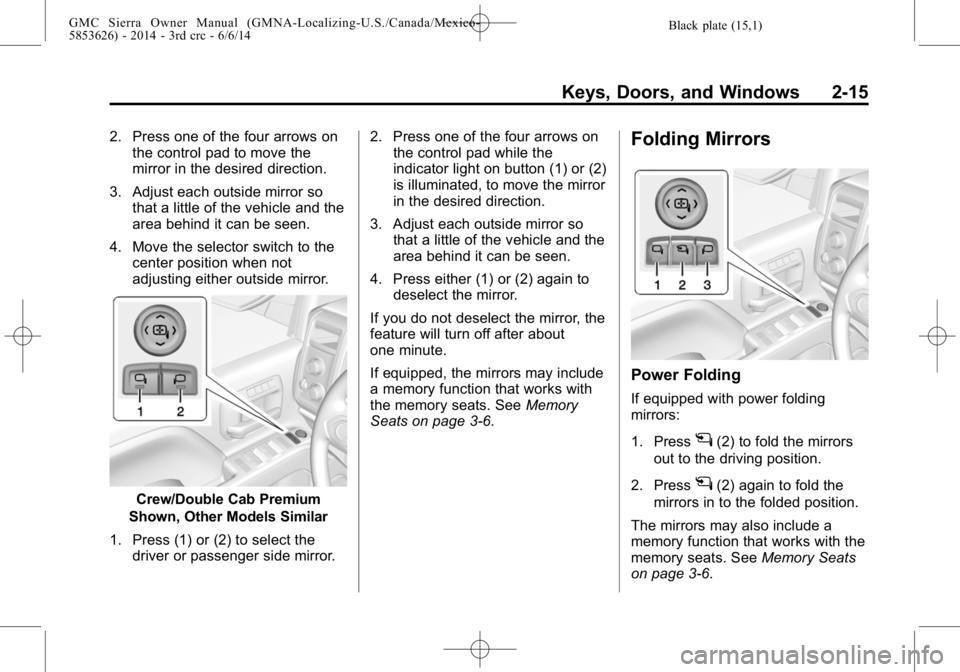
2. Press one of the four arrows onthe control pad to move the
mirror in the desired direction.
3. Adjust each outside mirror so that a little of the vehicle and the
area behind it can be seen.
4. Move the selector switch to the center position when not
adjusting either outside mirror.
Crew/Double Cab Premium
Shown, Other Models Similar
1. Press (1) or (2) to select the driver or passenger side mirror. 2. Press one of the four arrows on
the control pad while the
indicator light on button (1) or (2)
is illuminated, to move the mirror
in the desired direction.
3. Adjust each outside mirror so that a little of the vehicle and the
area behind it can be seen.
4. Press either (1) or (2) again to deselect the mirror.
If you do not deselect the mirror, the
feature will turn off after about
one minute.
If equipped, the mirrors may include
a memory function that works with
the memory seats. See Memory
Seats on page 3-6.
Folding Mirrors
Power Folding
If equipped with power folding
mirrors:
1. Press
g(2) to fold the mirrors
out to the driving position.
2. Press
g(2) again to fold the
mirrors in to the folded position.
The mirrors may also include a
memory function that works with the
memory seats. See Memory Seats
on page 3-6.
Page 52 of 544
Black plate (16,1)GMC Sierra Owner Manual (GMNA-Localizing-U.S./Canada/Mexico-
5853626) - 2014 - 3rd crc - 6/6/14
2-16 Keys, Doors, and Windows
Resetting the Power Folding
Mirrors
Reset the power folding mirrors if:
.The mirrors are accidentally
obstructed while folding.
.They are accidentally manually
folded/unfolded.
.The mirrors will not stay in the
unfolded position.
.The mirrors vibrate at normal
driving speeds.
Fold and unfold the mirrors three
times using the mirror controls to
reset them to their normal position.
A popping noise may be heard. This
sound is normal after a manual
folding operation.
Manual Folding
If equipped, push the mirror toward
the vehicle to fold. Push the mirror
outward to return to its original
position. Manually fold the mirrors inward to
prevent damage when going
through an automatic car wash.
Auto Folding Mirrors
If equipped, with the ignition off,
press and hold
Qon the RKE
transmitter for approximately
one second to fold the mirrors.
Press and hold
Kon the RKE
transmitter to unfold the mirrors.
See Remote Keyless Entry (RKE)
System Operation on page 2-3.
This feature is turned on and off
through Vehicle Personalization.
See Vehicle Personalization on
page 5-45.
Turn Signal Indicator
If equipped, indicator lights on the
mirror flash in the direction of the
turn or lane change.
Heated Mirrors
1
(Rear Window Defogger):
If equipped, the rear window
defogger also heats the side
mirrors.
W(Heated Side Mirrors):
If equipped, press to turn the heated
mirrors on or off.
If the vehicle has trailer-tow mirrors,
only the upper glass of the mirror is
heated. The lower convex part of
the towing mirrors is not heated.
See “Rear Window Defogger” under
Climate Control Systems (with
Heater Only) on page 8-1 orClimate
Control Systems (with Air
Conditioning) on page 8-3 orDual
Automatic Climate Control System
on page 8-5.
Page 58 of 544
Black plate (22,1)GMC Sierra Owner Manual (GMNA-Localizing-U.S./Canada/Mexico-
5853626) - 2014 - 3rd crc - 6/6/14
2-22 Keys, Doors, and Windows
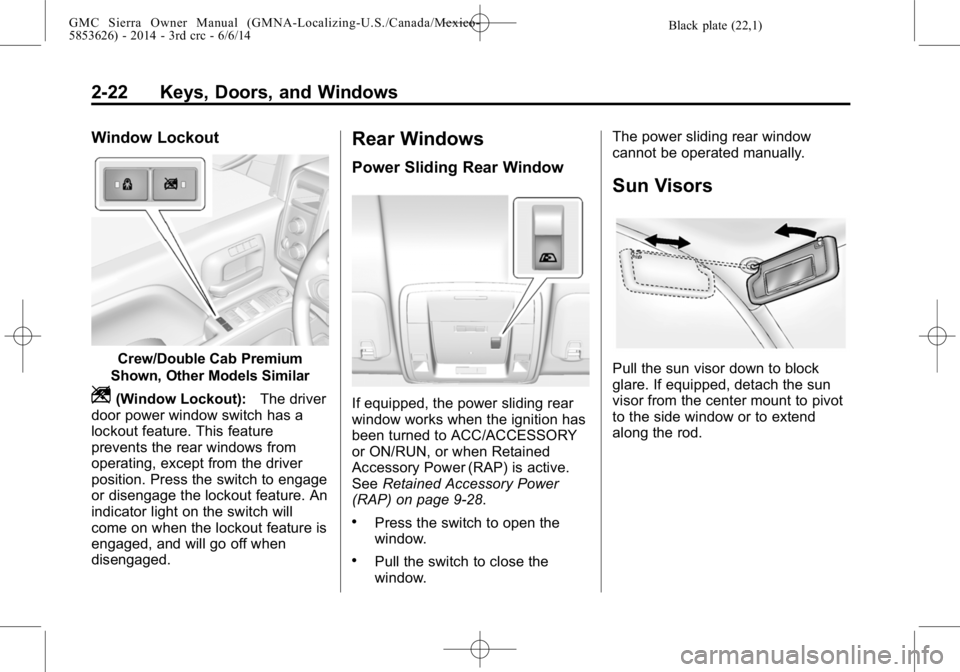
Window Lockout
Crew/Double Cab Premium
Shown, Other Models Similar
Z(Window Lockout): The driver
door power window switch has a
lockout feature. This feature
prevents the rear windows from
operating, except from the driver
position. Press the switch to engage
or disengage the lockout feature. An
indicator light on the switch will
come on when the lockout feature is
engaged, and will go off when
disengaged.
Rear Windows
Power Sliding Rear Window
If equipped, the power sliding rear
window works when the ignition has
been turned to ACC/ACCESSORY
or ON/RUN, or when Retained
Accessory Power (RAP) is active.
See Retained Accessory Power
(RAP) on page 9-28.
.Press the switch to open the
window.
.Pull the switch to close the
window. The power sliding rear window
cannot be operated manually.
Sun Visors
Pull the sun visor down to block
glare. If equipped, detach the sun
visor from the center mount to pivot
to the side window or to extend
along the rod.