center GMC SIERRA 2015 Workshop Manual
[x] Cancel search | Manufacturer: GMC, Model Year: 2015, Model line: SIERRA, Model: GMC SIERRA 2015Pages: 439, PDF Size: 4.6 MB
Page 202 of 439
Black plate (23,1)GMC 2015i Sierra Denali Owner Manual (GMNA-Localizing-U.S./Canada/
Mexico-8431500) - 2015 - crc - 6/20/14
Driving and Operating 9-23
See your dealer for more
information on curb weights,
cargo weights, Cargo Weight
Rating, and the correct center of
gravity zone.Starting and
Operating
New Vehicle Break-In
{Caution
The vehicle does not need an
elaborate break-in. But it will
perform better in the long run if
you follow these guidelines:
.Keep the vehicle speed at
88 km/h (55 mph) or less for
the first 805 km (500 mi).
.Do not drive at any one
constant speed, fast or slow,
for the first 805 km (500 mi).
Do not make full-throttle
starts. Avoid downshifting to
brake or slow the vehicle.
.Avoid making hard stops for
the first 322 km (200 mi) or
so. During this time the new
brake linings are not yet(Continued)
Caution (Continued)
broken in. Hard stops with
new linings can mean
premature wear and earlier
replacement. Follow this
breaking-in guideline every
time you get new brake
linings.
.Do not tow a trailer during
break-in. SeeTrailer Towing
on page 9-71 for the trailer
towing capabilities of the
vehicle and more information.
Following break-in, engine speed
and load can be gradually
increased.
Adjustable Throttle and
Brake Pedal
If equipped, the position of the
throttle and brake pedals can be
changed.
Page 203 of 439
Black plate (24,1)GMC 2015i Sierra Denali Owner Manual (GMNA-Localizing-U.S./Canada/
Mexico-8431500) - 2015 - crc - 6/20/14
9-24 Driving and Operating
No adjustment to the pedals can be
made when the vehicle is in
R (Reverse) or while using cruise
control.
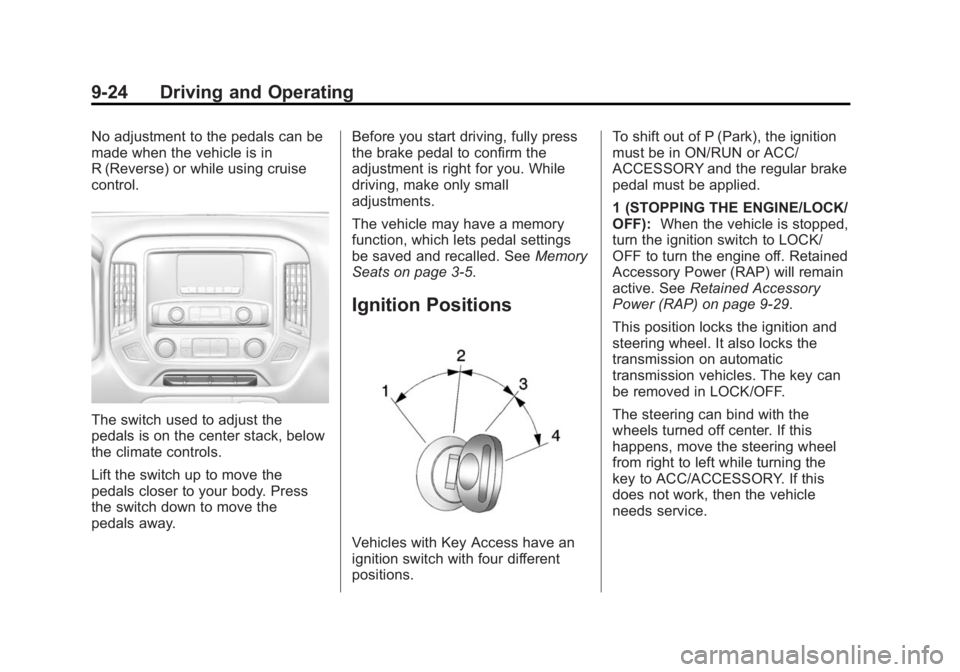
The switch used to adjust the
pedals is on the center stack, below
the climate controls.
Lift the switch up to move the
pedals closer to your body. Press
the switch down to move the
pedals away.Before you start driving, fully press
the brake pedal to confirm the
adjustment is right for you. While
driving, make only small
adjustments.
The vehicle may have a memory
function, which lets pedal settings
be saved and recalled. See
Memory
Seats on page 3-5.
Ignition Positions
Vehicles with Key Access have an
ignition switch with four different
positions. To shift out of P (Park), the ignition
must be in ON/RUN or ACC/
ACCESSORY and the regular brake
pedal must be applied.
1 (STOPPING THE ENGINE/LOCK/
OFF):
When the vehicle is stopped,
turn the ignition switch to LOCK/
OFF to turn the engine off. Retained
Accessory Power (RAP) will remain
active. See Retained Accessory
Power (RAP) on page 9-29.
This position locks the ignition and
steering wheel. It also locks the
transmission on automatic
transmission vehicles. The key can
be removed in LOCK/OFF.
The steering can bind with the
wheels turned off center. If this
happens, move the steering wheel
from right to left while turning the
key to ACC/ACCESSORY. If this
does not work, then the vehicle
needs service.
Page 205 of 439
Black plate (26,1)GMC 2015i Sierra Denali Owner Manual (GMNA-Localizing-U.S./Canada/
Mexico-8431500) - 2015 - crc - 6/20/14
9-26 Driving and Operating
4 (START):This is the position that
starts the engine. When the engine
starts, release the key. The ignition
switch returns to ON/RUN for
driving.
A warning tone will sound when the
driver door is opened and the
ignition is in ACC/ACCESSORY or
LOCK/OFF, and the key is in the
ignition.
Starting the Engine
If the vehicle has a diesel engine,
see the Duramax diesel
supplement.
{Caution
If you add electrical parts or
accessories, you could change
the way the engine operates. Any
resulting damage would not be
covered by the vehicle warranty.
See Add-On Electrical Equipment
on page 9-88.
{Caution
If the steering wheel is turned
until it reaches the end of its
travel, and is held in that position
while starting the vehicle, damage
may occur to the hydraulic power
steering system and there may be
loss of power steering assist.
Move the shift lever to P (Park) or
N (Neutral). To restart the engine
when the vehicle is already moving,
use N (Neutral) only.
{Caution
Do not try to shift to P (Park) if the
vehicle is moving. If you do, you
could damage the transmission.
Shift to P (Park) only when the
vehicle is stopped.
Starting Procedure
1. Turn the ignition key to START. When the engine starts, let go of
the key. The idle speed will go
down as the engine gets warm.
Do not race the engine
immediately after starting it.
Operate the engine and
transmission gently to allow the
oil to warm up and lubricate all
moving parts.
When the low fuel warning light
is on and the FUEL LEVEL LOW
message is displayed in the
Driver Information Center (DIC),
hold the ignition switch in the
START position to continue
engine cranking.
{Caution
Cranking the engine for long
periods of time, by returning the
ignition to the START position
immediately after cranking has
ended, can overheat and damage
(Continued)
Page 208 of 439
Black plate (29,1)GMC 2015i Sierra Denali Owner Manual (GMNA-Localizing-U.S./Canada/
Mexico-8431500) - 2015 - crc - 6/20/14
Driving and Operating 9-29
Warning (Continued)
vehicle. Possible heater cord
and thermostat damage could
occur.
.While in use, do not let the
heater cord touch vehicle
parts or sharp edges. Never
close the hood on the
heater cord.
.Before starting the vehicle,
unplug the cord, reattach the
cover to the plug, and
securely fasten the cord.
Keep the cord away from any
moving parts.
4. Before starting the engine, be sure to unplug and store the
cord as it was before to keep it
away from moving engine parts.
If you do not, it could be
damaged. The length of time the heater should
remain plugged in depends on
several factors. Ask a dealer in the
area where you will be parking the
vehicle for the best advice on this.
Retained Accessory
Power (RAP)
The following vehicle accessories
can be used for up to 10 minutes
after the engine is turned off:
.Audio System
.Power Windows
.OnStar System (if equipped)
.Sunroof (if equipped)
These features work when the key
is in ON/RUN or ACC/
ACCESSORY. Once the key is
turned from ON/RUN to LOCK/OFF,
the windows and sunroof continue
to work up to 10 minutes or until any
door is opened. The radio continues
to work for up to 10 minutes or until
the driver door is opened. Accessory Power Outlets (APOs)
The vehicle may have APOs in
several locations. See
Power
Outlets on page 5-5.
The APOs in the console or center
seat position are powered by RAP.
They will continue to work for up to
10 minutes after the key is turned
from ON/RUN to LOCK/OFF, or until
the driver door is opened.
The APOs on the center stack come
from the factory powered directly
from the vehicle battery, and supply
accessory power at all times,
regardless of ignition key position.
If electronic items are left plugged
into these APOs for long periods of
time with the vehicle off, the vehicle
battery could be drained. The
vehicle may not start if the battery is
allowed to drain for an extended
period of time.
Page 211 of 439

Black plate (32,1)GMC 2015i Sierra Denali Owner Manual (GMNA-Localizing-U.S./Canada/
Mexico-8431500) - 2015 - crc - 6/20/14
9-32 Driving and Operating
Parking over Things
That Burn
{Warning
Things that can burn could touch
hot exhaust parts under the
vehicle and ignite. Do not park
over papers, leaves, dry grass,
or other things that can burn.
Active Fuel Management®
Vehicles with V8 engines may have
Active Fuel Management. This
system allows the engine to operate
on either all or half of its cylinders,
depending on the driving conditions.When less power is required, such
as cruising at a constant vehicle
speed, the system will operate in
the half cylinder mode, allowing the
vehicle to achieve better fuel
economy. When greater power
demands are required, such as
accelerating from a stop, passing,
or merging onto a freeway, the
system will maintain full-cylinder
operation.
If the vehicle has an Active Fuel
Management indicator, see
Driver
Information Center (DIC) on
page 5-27 for more information on
using this display.
Engine Exhaust
{Warning
Engine exhaust contains carbon
monoxide (CO) which cannot be
seen or smelled. Exposure to CO
can cause unconsciousness and
even death.
Exhaust may enter the vehicle if:
.The vehicle idles in areas
with poor ventilation (parking
garages, tunnels, deep snow
that may block underbody
airflow or tail pipes).
.The exhaust smells or
sounds strange or different.
.The exhaust system leaks
due to corrosion or damage.
.The vehicle exhaust system
has been modified, damaged,
or improperly repaired.
(Continued)
Page 229 of 439
Black plate (50,1)GMC 2015i Sierra Denali Owner Manual (GMNA-Localizing-U.S./Canada/
Mexico-8431500) - 2015 - crc - 6/20/14
9-50 Driving and Operating
SeeIf the Vehicle Is Stuck on
page 9-14 and“Turning the
Systems Off and On” later in this
section.
When the transfer case (if equipped)
is in Four-Wheel Drive Low, the
stability system is automatically
disabled,
gcomes on, and the
appropriate message will appear on
the DIC. Both traction control and
StabiliTrak are automatically
disabled in this condition.
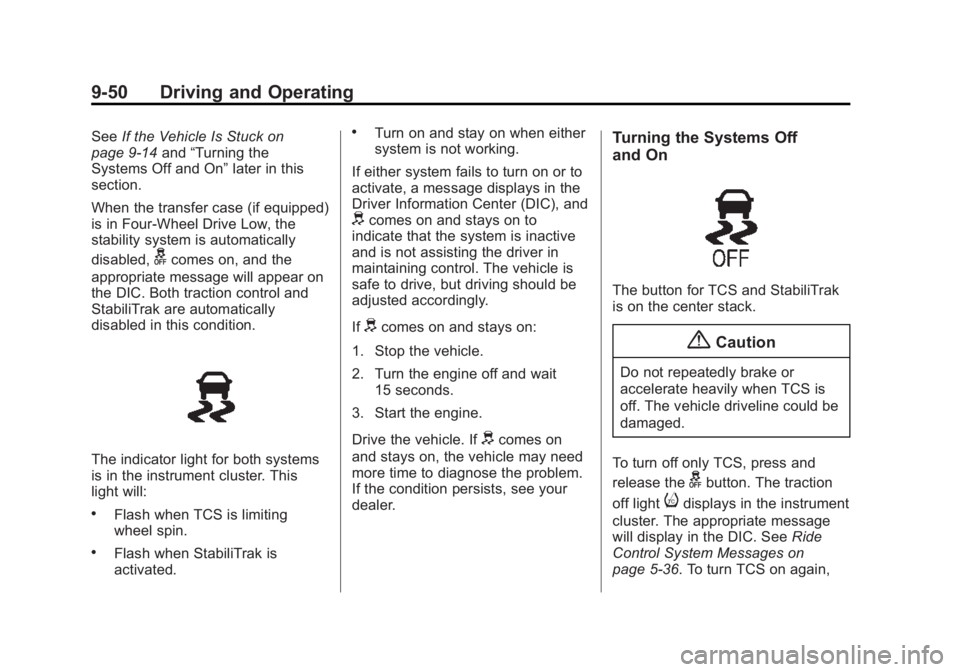
The indicator light for both systems
is in the instrument cluster. This
light will:
.Flash when TCS is limiting
wheel spin.
.Flash when StabiliTrak is
activated.
.Turn on and stay on when either
system is not working.
If either system fails to turn on or to
activate, a message displays in the
Driver Information Center (DIC), and
dcomes on and stays on to
indicate that the system is inactive
and is not assisting the driver in
maintaining control. The vehicle is
safe to drive, but driving should be
adjusted accordingly.
If
dcomes on and stays on:
1. Stop the vehicle.
2. Turn the engine off and wait 15 seconds.
3. Start the engine.
Drive the vehicle. If
dcomes on
and stays on, the vehicle may need
more time to diagnose the problem.
If the condition persists, see your
dealer.
Turning the Systems Off
and On
The button for TCS and StabiliTrak
is on the center stack.
{Caution
Do not repeatedly brake or
accelerate heavily when TCS is
off. The vehicle driveline could be
damaged.
To turn off only TCS, press and
release the
gbutton. The traction
off light
idisplays in the instrument
cluster. The appropriate message
will display in the DIC. See Ride
Control System Messages on
page 5-36. To turn TCS on again,
Page 230 of 439
Black plate (51,1)GMC 2015i Sierra Denali Owner Manual (GMNA-Localizing-U.S./Canada/
Mexico-8431500) - 2015 - crc - 6/20/14
Driving and Operating 9-51
press and release thegbutton. The
traction off light
idisplayed in the
instrument cluster will turn off.
If TCS is limiting wheel spin when
the
gbutton is pressed, the system
will not turn off until the wheels stop
spinning.
To turn off both TCS and StabiliTrak,
press and hold the
gbutton until
the traction off light
iand the
StabiliTrak OFF light
gcome on
and stay on in the instrument
cluster, then release. The
appropriate message will display in
the DIC. See Ride Control System
Messages on page 5-36.
To turn TCS and StabiliTrak on
again, press and release the
g
button. The traction off lightiand
the StabiliTrak OFF light
gin the
instrument cluster turn off. StabiliTrak will automatically turn on
if the vehicle exceeds 56 km/h
(35 mph). Traction control will
remain off.
The vehicle has a Trailer Sway
Control (TSC) feature and a Hill
Start Assist (HSA) feature. See
Trailer Sway Control (TSC) on
page 9-87
orHill Start Assist (HSA)
on page 9-48.
Adding accessories can affect the
vehicle performance. See
Accessories and Modifications on
page 10-3.
Hill Descent
Control (HDC)
If equipped, HDC can be used when
driving downhill. It sets and
maintains vehicle speed while
descending a very steep incline in a
forward or reverse gear.
The HDC switch is on the center
stack, below the climate controls. Press
5to enable or disable HDC.
Vehicle speed must be below
50 km/h (31 mph).
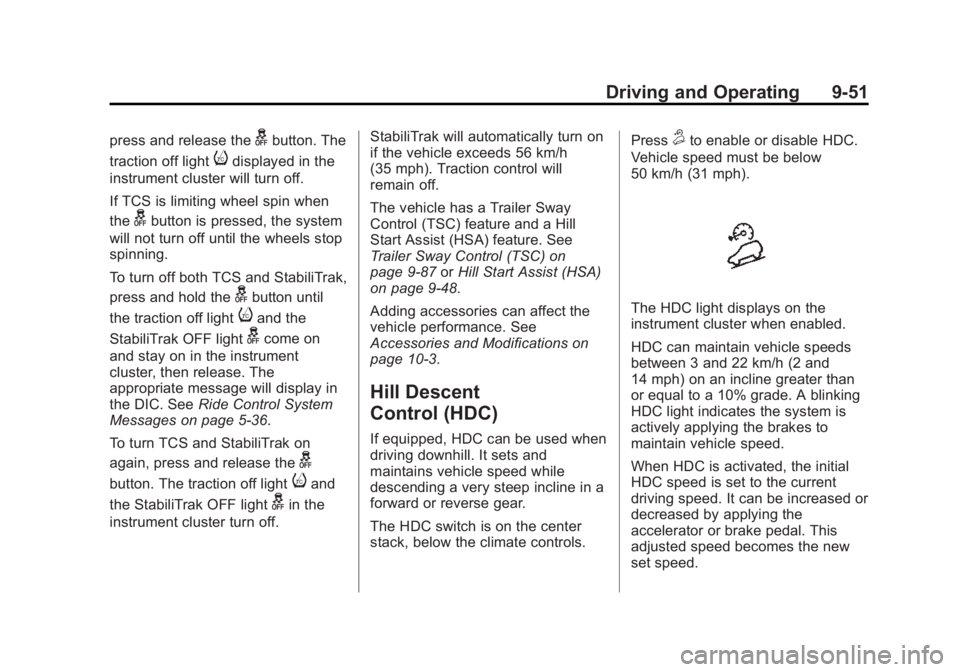
The HDC light displays on the
instrument cluster when enabled.
HDC can maintain vehicle speeds
between 3 and 22 km/h (2 and
14 mph) on an incline greater than
or equal to a 10% grade. A blinking
HDC light indicates the system is
actively applying the brakes to
maintain vehicle speed.
When HDC is activated, the initial
HDC speed is set to the current
driving speed. It can be increased or
decreased by applying the
accelerator or brake pedal. This
adjusted speed becomes the new
set speed.
Page 235 of 439
Black plate (56,1)GMC 2015i Sierra Denali Owner Manual (GMNA-Localizing-U.S./Canada/
Mexico-8431500) - 2015 - crc - 6/20/14
9-56 Driving and Operating
Audible or Safety Alert Seat
Some driver assistance features
alert the driver of obstacles by
beeping. To change the volume of
the warning chime, see“Comfort
and Convenience” underVehicle
Personalization on page 5-42.
If equipped with the Safety Alert
Seat, the driver seat cushion may
provide a vibrating pulse alert
instead of beeping. To change this,
see “Collision/Detection Systems”
under Vehicle Personalization on
page 5-42.
Assistance Systems for
Parking or Backing
If equipped, the Rear Vision Camera
(RVC), Rear Parking Assist (RPA),
and Front Park Assist (FPA) may
help the driver park or avoid objects.
Always check around the vehicle
when parking or backing. The RVC and RPA will not work
properly if the tailgate is down. If the
tailgate is down, do not use these
systems.
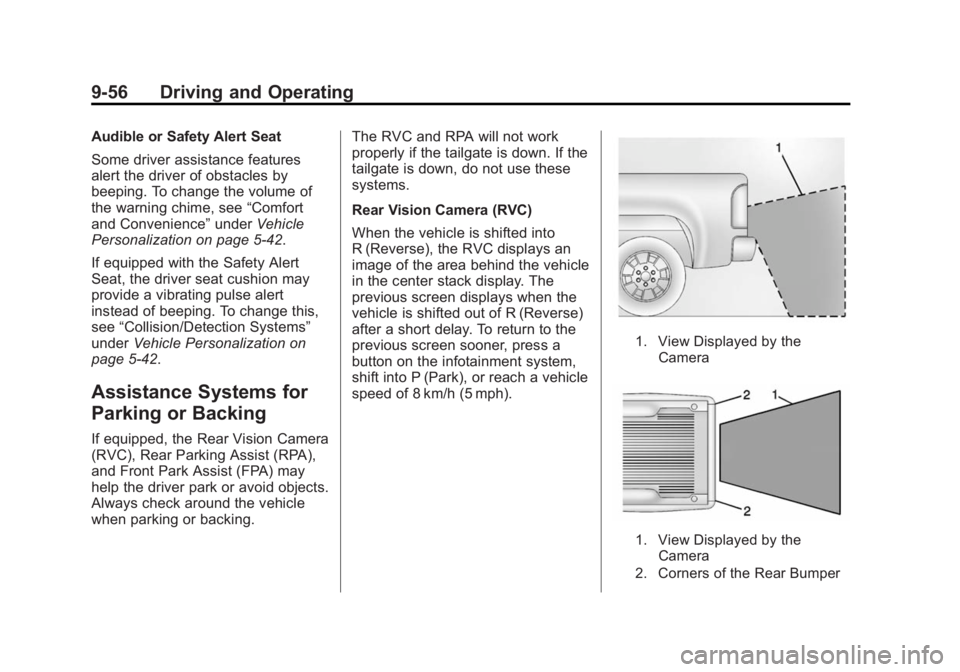
Rear Vision Camera (RVC)
When the vehicle is shifted into
R (Reverse), the RVC displays an
image of the area behind the vehicle
in the center stack display. The
previous screen displays when the
vehicle is shifted out of R (Reverse)
after a short delay. To return to the
previous screen sooner, press a
button on the infotainment system,
shift into P (Park), or reach a vehicle
speed of 8 km/h (5 mph).
1. View Displayed by the
Camera
1. View Displayed by theCamera
2. Corners of the Rear Bumper
Page 237 of 439
Black plate (58,1)GMC 2015i Sierra Denali Owner Manual (GMNA-Localizing-U.S./Canada/
Mexico-8431500) - 2015 - crc - 6/20/14
9-58 Driving and Operating
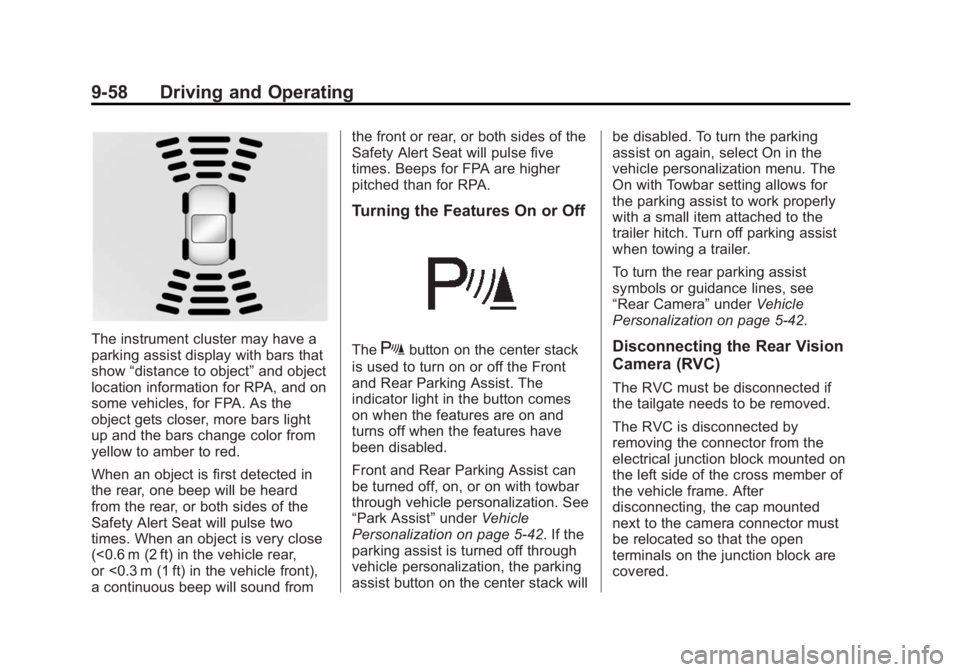
The instrument cluster may have a
parking assist display with bars that
show“distance to object” and object
location information for RPA, and on
some vehicles, for FPA. As the
object gets closer, more bars light
up and the bars change color from
yellow to amber to red.
When an object is first detected in
the rear, one beep will be heard
from the rear, or both sides of the
Safety Alert Seat will pulse two
times. When an object is very close
(<0.6 m (2 ft) in the vehicle rear,
or <0.3 m (1 ft) in the vehicle front),
a continuous beep will sound from the front or rear, or both sides of the
Safety Alert Seat will pulse five
times. Beeps for FPA are higher
pitched than for RPA.
Turning the Features On or Off
TheXbutton on the center stack
is used to turn on or off the Front
and Rear Parking Assist. The
indicator light in the button comes
on when the features are on and
turns off when the features have
been disabled.
Front and Rear Parking Assist can
be turned off, on, or on with towbar
through vehicle personalization. See
“Park Assist” underVehicle
Personalization on page 5-42. If the
parking assist is turned off through
vehicle personalization, the parking
assist button on the center stack will be disabled. To turn the parking
assist on again, select On in the
vehicle personalization menu. The
On with Towbar setting allows for
the parking assist to work properly
with a small item attached to the
trailer hitch. Turn off parking assist
when towing a trailer.
To turn the rear parking assist
symbols or guidance lines, see
“Rear Camera”
underVehicle
Personalization on page 5-42.Disconnecting the Rear Vision
Camera (RVC)
The RVC must be disconnected if
the tailgate needs to be removed.
The RVC is disconnected by
removing the connector from the
electrical junction block mounted on
the left side of the cross member of
the vehicle frame. After
disconnecting, the cap mounted
next to the camera connector must
be relocated so that the open
terminals on the junction block are
covered.
Page 241 of 439

Black plate (62,1)GMC 2015i Sierra Denali Owner Manual (GMNA-Localizing-U.S./Canada/
Mexico-8431500) - 2015 - crc - 6/20/14
9-62 Driving and Operating
Warning (Continued)
proper condition; or if the sun
shines directly into the
camera.
.Detect road edges.
.Detect lanes on winding or
hilly roads.
If LDW only detects lane
markings on one side of the road,
it will only warn you when
departing the lane on the side
where it has detected a lane
marking. Always keep your
attention on the road and
maintain proper vehicle position
within the lane, or vehicle
damage, injury, or death could
occur. Always keep the
windshield, headlamps, and
camera sensors clean and in
good repair. Do not use LDW in
bad weather conditions.
How the System Works
The LDW camera sensor is on the
windshield ahead of the rearview
mirror.
To turn LDW on and off, press
@on
the center stack. The control
indicator will light when LDW is on.
When LDW is on,@is green if
LDW is available to warn of a lane
departure. If the vehicle crosses a
detected lane marking without using
the turn signal in that direction,
@
changes to amber and flashes.
Additionally, there will be three
beeps, or the driver seat will pulse
three times on the right or left,
depending on the lane departure
direction.
When the System Does Not
Seem to Work Properly
The system may not detect lanes as
well when there are:
.Close vehicles ahead.
.Sudden lighting changes, such
as when driving through tunnels.
.Banked roads.
If the LDW system is not functioning
properly when lane markings are
clearly visible, cleaning the
windshield may help.
LDW alerts may occur due to tar
marks, shadows, cracks in the road,
temporary or construction lane
markings, or other road
imperfections. This is normal system
operation; the vehicle does not need
service. Turn LDW off if these
conditions continue.