headlamp GMC SIERRA 2016 Owner's Guide
[x] Cancel search | Manufacturer: GMC, Model Year: 2016, Model line: SIERRA, Model: GMC SIERRA 2016Pages: 509, PDF Size: 6.51 MB
Page 315 of 509
GMC Sierra Owner Manual (GMNA-Localizing-U.S./Canada/Mexico-
9234758) - 2016 - crc - 11/9/15
314 Driving and Operating
Selecting the Alert Timing
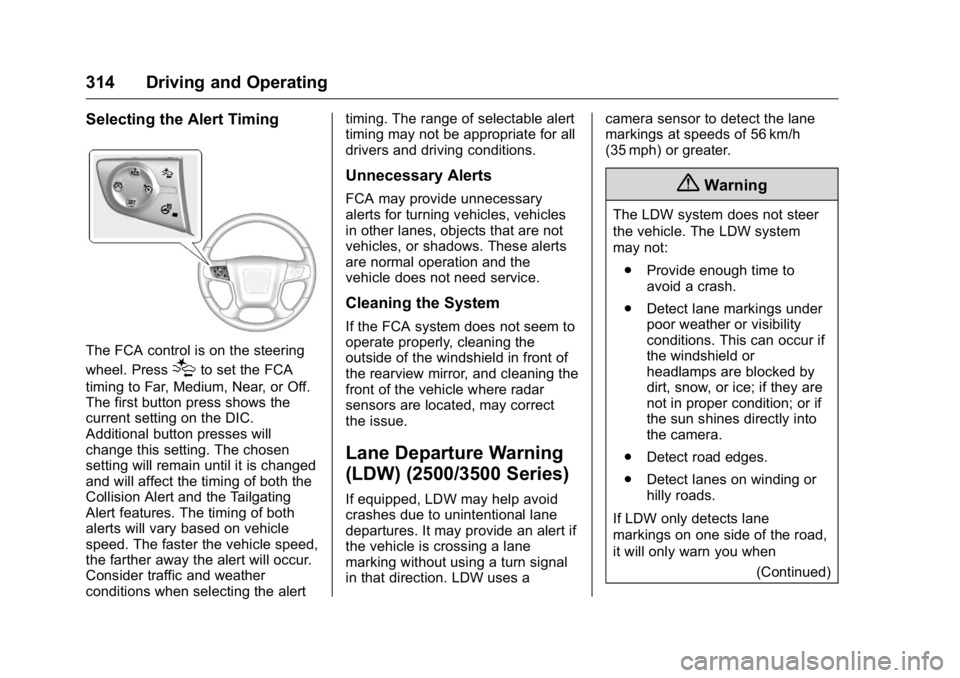
The FCA control is on the steering
wheel. Press
[to set the FCA
timing to Far, Medium, Near, or Off.
The first button press shows the
current setting on the DIC.
Additional button presses will
change this setting. The chosen
setting will remain until it is changed
and will affect the timing of both the
Collision Alert and the Tailgating
Alert features. The timing of both
alerts will vary based on vehicle
speed. The faster the vehicle speed,
the farther away the alert will occur.
Consider traffic and weather
conditions when selecting the alert timing. The range of selectable alert
timing may not be appropriate for all
drivers and driving conditions.
Unnecessary Alerts
FCA may provide unnecessary
alerts for turning vehicles, vehicles
in other lanes, objects that are not
vehicles, or shadows. These alerts
are normal operation and the
vehicle does not need service.
Cleaning the System
If the FCA system does not seem to
operate properly, cleaning the
outside of the windshield in front of
the rearview mirror, and cleaning the
front of the vehicle where radar
sensors are located, may correct
the issue.
Lane Departure Warning
(LDW) (2500/3500 Series)
If equipped, LDW may help avoid
crashes due to unintentional lane
departures. It may provide an alert if
the vehicle is crossing a lane
marking without using a turn signal
in that direction. LDW uses a
camera sensor to detect the lane
markings at speeds of 56 km/h
(35 mph) or greater.
{Warning
The LDW system does not steer
the vehicle. The LDW system
may not:
. Provide enough time to
avoid a crash.
. Detect lane markings under
poor weather or visibility
conditions. This can occur if
the windshield or
headlamps are blocked by
dirt, snow, or ice; if they are
not in proper condition; or if
the sun shines directly into
the camera.
. Detect road edges.
. Detect lanes on winding or
hilly roads.
If LDW only detects lane
markings on one side of the road,
it will only warn you when (Continued)
Page 316 of 509
GMC Sierra Owner Manual (GMNA-Localizing-U.S./Canada/Mexico-
9234758) - 2016 - crc - 11/9/15
Driving and Operating 315
Warning (Continued)
departing the lane on the side
where it has detected a lane
marking. Always keep your
attention on the road and
maintain proper vehicle position
within the lane, or vehicle
damage, injury, or death could
occur. Always keep the
windshield, headlamps, and
camera sensors clean and in
good repair. Do not use LDW in
bad weather conditions.
How the System Works
The LDW camera sensor is on the
windshield ahead of the rearview
mirror.
To turn LDW on and off, press
@on
the center stack. The control
indicator will light when LDW is on.
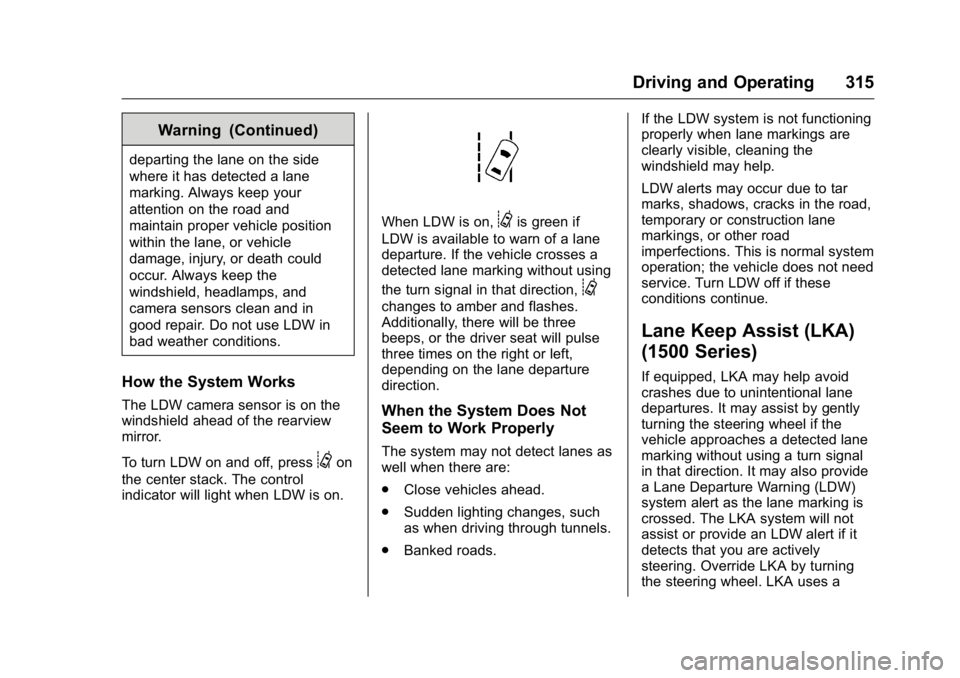
When LDW is on,@is green if
LDW is available to warn of a lane
departure. If the vehicle crosses a
detected lane marking without using
the turn signal in that direction,
@
changes to amber and flashes.
Additionally, there will be three
beeps, or the driver seat will pulse
three times on the right or left,
depending on the lane departure
direction.
When the System Does Not
Seem to Work Properly
The system may not detect lanes as
well when there are:
. Close vehicles ahead.
. Sudden lighting changes, such
as when driving through tunnels.
. Banked roads. If the LDW system is not functioning
properly when lane markings are
clearly visible, cleaning the
windshield may help.
LDW alerts may occur due to tar
marks, shadows, cracks in the road,
temporary or construction lane
markings, or other road
imperfections. This is normal system
operation; the vehicle does not need
service. Turn LDW off if these
conditions continue.
Lane Keep Assist (LKA)
(1500 Series)
If equipped, LKA may help avoid
crashes due to unintentional lane
departures. It may assist by gently
turning the steering wheel if the
vehicle approaches a detected lane
marking without using a turn signal
in that direction. It may also provide
a Lane Departure Warning (LDW)
system alert as the lane marking is
crossed. The LKA system will not
assist or provide an LDW alert if it
detects that you are actively
steering. Override LKA by turning
the steering wheel. LKA uses a
Page 317 of 509
GMC Sierra Owner Manual (GMNA-Localizing-U.S./Canada/Mexico-
9234758) - 2016 - crc - 11/9/15
316 Driving and Operating
camera to detect lane markings
between 60 km/h (37 mph) and
180 km/h (112 mph).
{Warning
The LKA system does not
continuously steer the vehicle.
It may not keep the vehicle in the
lane or give a Lane Departure
Warning (LDW) alert, even if a
lane marking is detected.
The LKA and LDW systems
may not:. Provide an alert or enough
steering assist to avoid a
lane departure or crash.
. Detect lane markings under
poor weather or visibility
conditions. This can occur if
the windshield or
headlamps are blocked by
dirt, snow, or ice, if they are
not in proper condition, or if
the sun shines directly into
the camera.
. Detect road edges.
(Continued)
Warning (Continued)
.Detect lanes on winding or
hilly roads.
If LKA only detects lane markings
on one side of the road, it will
only assist or provide an LDW
alert when approaching the lane
on the side where it has detected
a lane marking. Even with LKA
and LDW, you must steer the
vehicle. Always keep your
attention on the road and
maintain proper vehicle position
within the lane, or vehicle
damage, injury, or death could
occur. Always keep the
windshield, headlamps, and
camera sensors clean and in
good repair. Do not use LKA in
bad weather conditions.
{Warning
Using LKA while towing a trailer
or on slippery roads could cause
loss of control of the vehicle and
a crash. Turn the system off.
How the System Works
The LKA camera sensor is on the
windshield ahead of the rearview
mirror.
To turn LKA on and off, press
A
on the center stack.
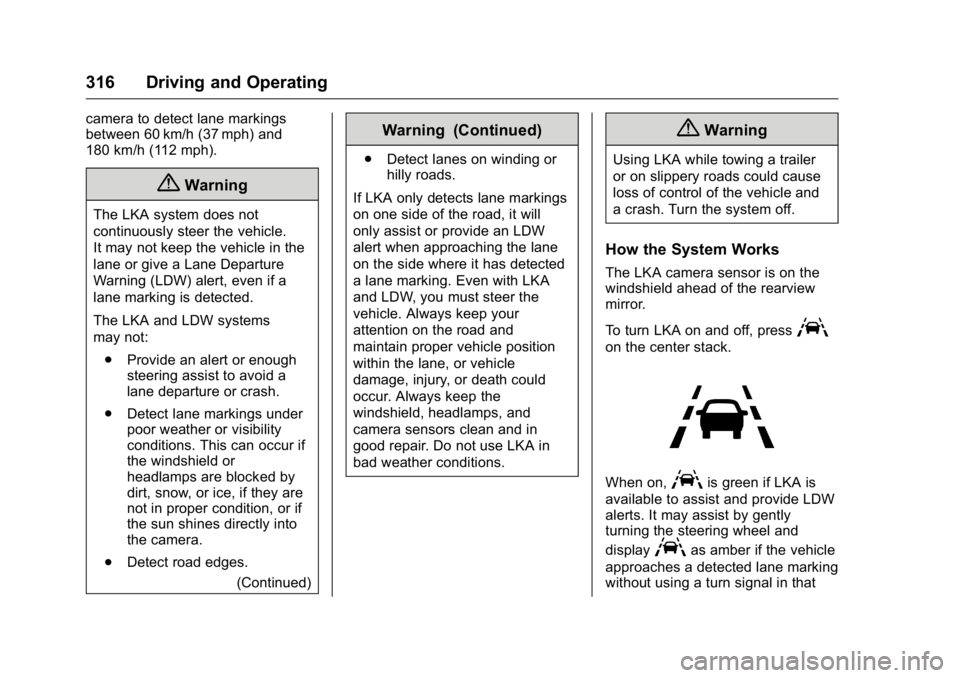
When on,Ais green if LKA is
available to assist and provide LDW
alerts. It may assist by gently
turning the steering wheel and
display
Aas amber if the vehicle
approaches a detected lane marking
without using a turn signal in that
Page 343 of 509
GMC Sierra Owner Manual (GMNA-Localizing-U.S./Canada/Mexico-
9234758) - 2016 - crc - 11/9/15
342 Driving and Operating
behind the spare tire mount. The
harness requires the installation of a
trailer connector, which is available
through your dealer.
Heavy-Duty Trailer Wiring Harness
Package
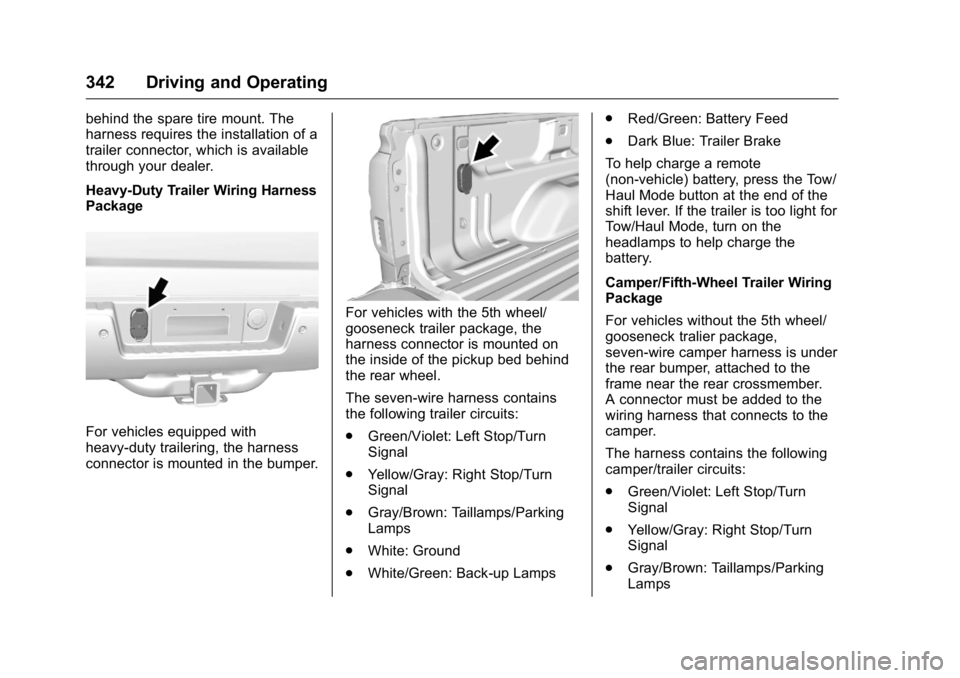
For vehicles equipped with
heavy-duty trailering, the harness
connector is mounted in the bumper.
For vehicles with the 5th wheel/
gooseneck trailer package, the
harness connector is mounted on
the inside of the pickup bed behind
the rear wheel.
The seven-wire harness contains
the following trailer circuits:
.Green/Violet: Left Stop/Turn
Signal
. Yellow/Gray: Right Stop/Turn
Signal
. Gray/Brown: Taillamps/Parking
Lamps
. White: Ground
. White/Green: Back-up Lamps .
Red/Green: Battery Feed
. Dark Blue: Trailer Brake
To help charge a remote
(non-vehicle) battery, press the Tow/
Haul Mode button at the end of the
shift lever. If the trailer is too light for
Tow/Haul Mode, turn on the
headlamps to help charge the
battery.
Camper/Fifth-Wheel Trailer Wiring
Package
For vehicles without the 5th wheel/
gooseneck tralier package,
seven-wire camper harness is under
the rear bumper, attached to the
frame near the rear crossmember.
A connector must be added to the
wiring harness that connects to the
camper.
The harness contains the following
camper/trailer circuits:
. Green/Violet: Left Stop/Turn
Signal
. Yellow/Gray: Right Stop/Turn
Signal
. Gray/Brown: Taillamps/Parking
Lamps
Page 355 of 509
GMC Sierra Owner Manual (GMNA-Localizing-U.S./Canada/Mexico-
9234758) - 2016 - crc - 11/9/15
354 Vehicle Care
Vehicle Care
General Information
General Information . . . . . . . . . . 355
California Proposition65 Warning . . . . . . . . . . . . . . . . . 355
California Perchlorate Materials Requirements . . . . . 356
Accessories and Modifications . . . . . . . . . . . . . . . . 356
Vehicle Checks
Doing Your OwnService Work . . . . . . . . . . . . . . . 357
Hood . . . . . . . . . . . . . . . . . . . . . . . . . 357
Engine Compartment Overview . . . . . . . . . . . . . . . . . . . . 358
Engine Oil . . . . . . . . . . . . . . . . . . . . 363
Engine Oil Life System . . . . . . . 366
Automatic Transmission Fluid (6 Speed Transmission) . . . . . 367
Automatic Transmission Fluid (8 Speed Transmission) . . . . . 370
Engine Air Cleaner/Filter . . . . . . 370
Cooling System . . . . . . . . . . . . . . 371
Engine Coolant . . . . . . . . . . . . . . . 373
Engine Overheating . . . . . . . . . . 375
Overheated Engine Protection Operating Mode . . . . . . . . . . . . . 377
Engine Fan . . . . . . . . . . . . . . . . . . . 377 Power Steering Fluid (1500
Series) . . . . . . . . . . . . . . . . . . . . . . 378
Power Steering Fluid (2500/ 3500 Series) . . . . . . . . . . . . . . . . 378
Washer Fluid . . . . . . . . . . . . . . . . . 379
Brakes . . . . . . . . . . . . . . . . . . . . . . . 380
Brake Fluid . . . . . . . . . . . . . . . . . . . 380
Battery - North America . . . . . . 382
Four-Wheel Drive . . . . . . . . . . . . . 382
Front Axle . . . . . . . . . . . . . . . . . . . . 383
Rear Axle . . . . . . . . . . . . . . . . . . . . 384
Noise Control System . . . . . . . . 385
Starter Switch Check . . . . . . . . . 386
Automatic Transmission Shift
Lock Control Function
Check . . . . . . . . . . . . . . . . . . . . . . . 386
Ignition Transmission Lock Check . . . . . . . . . . . . . . . . . . . . . . . 387
Park Brake and P (Park) Mechanism Check . . . . . . . . . . 387
Wiper Blade Replacement . . . . 387
Glass Replacement . . . . . . . . . . 388
Headlamp Aiming
Headlamp Aiming . . . . . . . . . . . . 388
Bulb Replacement
Bulb Replacement . . . . . . . . . . . . 388
Halogen Bulbs . . . . . . . . . . . . . . . . 388
High Intensity Discharge (HID) Lighting . . . . . . . . . . . . . . . . . . . . . 388 LED Lighting . . . . . . . . . . . . . . . . . 389
Taillamps, Turn Signal,
Stoplamps, and Back-Up
Lamps . . . . . . . . . . . . . . . . . . . . . . 389
Center High-Mounted
Stoplamp (CHMSL) and
Cargo Lamp . . . . . . . . . . . . . . . . . 390
Replacement Bulbs . . . . . . . . . . . 391
Electrical System
High Voltage Devices and Wiring . . . . . . . . . . . . . . . . . . . . . . . 391
Electrical System Overload . . . 391
Fuses . . . . . . . . . . . . . . . . . . . . . . . . 392
Engine Compartment Fuse Block . . . . . . . . . . . . . . . . . . . . . . . . 392
Instrument Panel Fuse Block
(Right) . . . . . . . . . . . . . . . . . . . . . . 395
Instrument Panel Fuse Block (Left) . . . . . . . . . . . . . . . . . 397
Wheels and Tires
Tires . . . . . . . . . . . . . . . . . . . . . . . . . . 399
All-Season Tires . . . . . . . . . . . . . . 400
Winter Tires . . . . . . . . . . . . . . . . . . 400
Low-Profile Tires . . . . . . . . . . . . . 401
All-Terrain Tires . . . . . . . . . . . . . . . 401
Tire Sidewall Labeling . . . . . . . . 401
Tire Designations . . . . . . . . . . . . . 404
Tire Terminology andDefinitions . . . . . . . . . . . . . . . . . . 405
Page 389 of 509
GMC Sierra Owner Manual (GMNA-Localizing-U.S./Canada/Mexico-
9234758) - 2016 - crc - 11/9/15
388 Vehicle Care
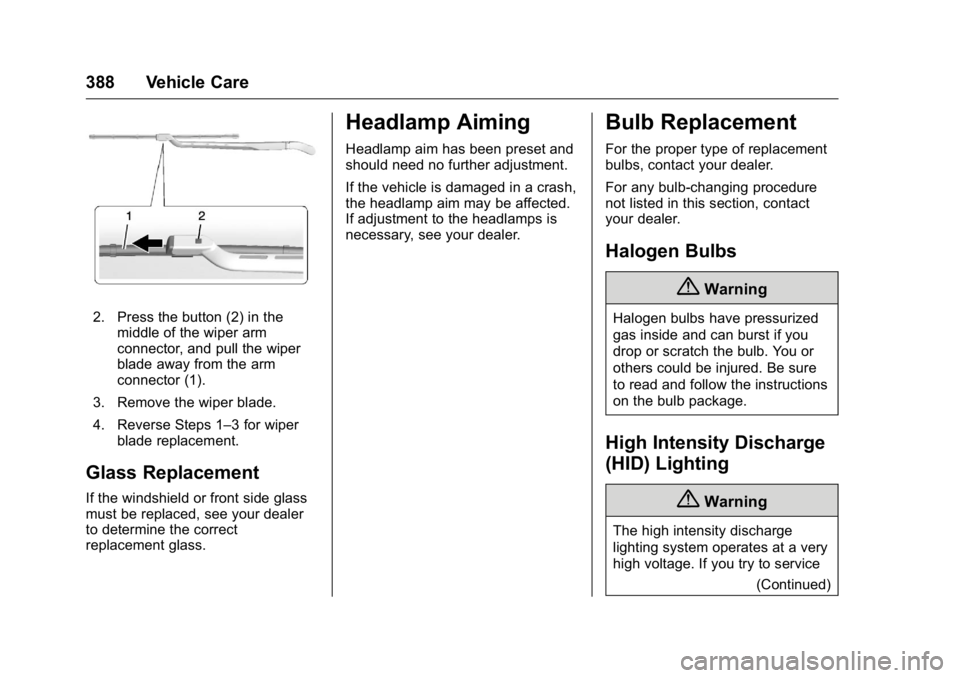
2. Press the button (2) in themiddle of the wiper arm
connector, and pull the wiper
blade away from the arm
connector (1).
3. Remove the wiper blade.
4. Reverse Steps 1–3 for wiper blade replacement.
Glass Replacement
If the windshield or front side glass
must be replaced, see your dealer
to determine the correct
replacement glass.
Headlamp Aiming
Headlamp aim has been preset and
should need no further adjustment.
If the vehicle is damaged in a crash,
the headlamp aim may be affected.
If adjustment to the headlamps is
necessary, see your dealer.
Bulb Replacement
For the proper type of replacement
bulbs, contact your dealer.
For any bulb-changing procedure
not listed in this section, contact
your dealer.
Halogen Bulbs
{Warning
Halogen bulbs have pressurized
gas inside and can burst if you
drop or scratch the bulb. You or
others could be injured. Be sure
to read and follow the instructions
on the bulb package.
High Intensity Discharge
(HID) Lighting
{Warning
The high intensity discharge
lighting system operates at a very
high voltage. If you try to service
(Continued)
Page 390 of 509
GMC Sierra Owner Manual (GMNA-Localizing-U.S./Canada/Mexico-
9234758) - 2016 - crc - 11/9/15
Vehicle Care 389
Warning (Continued)
any of the system components,
you could be seriously injured.
Have your dealer or a qualified
technician service them.
After an HID headlamp bulb has
been replaced, the beam might be a
slightly different shade than it was
originally. This is normal.
LED Lighting
This vehicle has several LED lamps.
For replacement of any LED lighting
assembly, contact your dealer.
Taillamps, Turn Signal,
Stoplamps, and Back-Up
Lamps
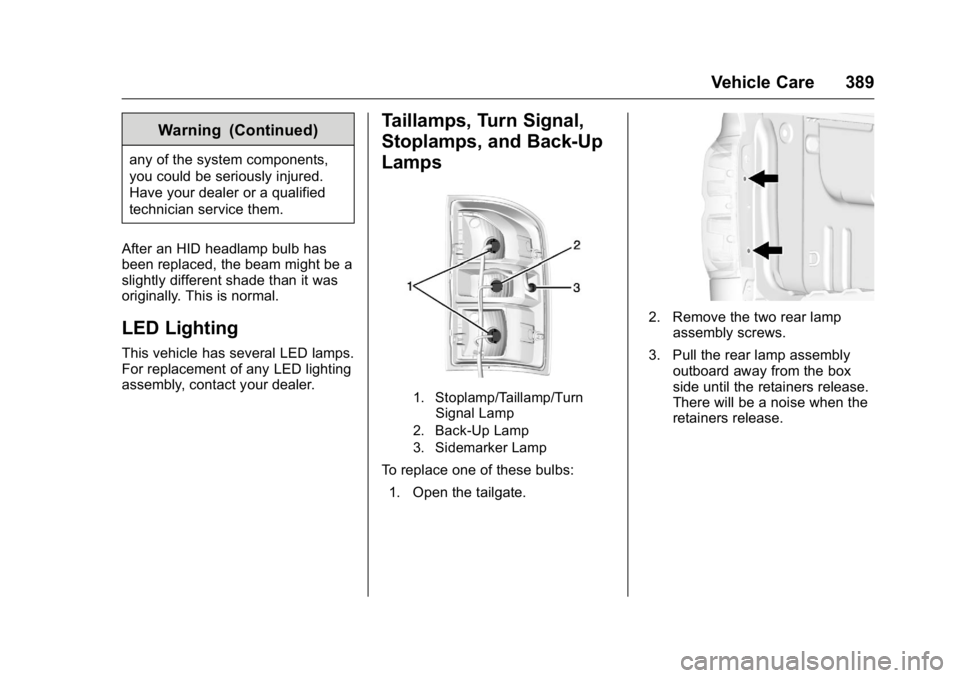
1. Stoplamp/Taillamp/Turn Signal Lamp
2. Back-Up Lamp
3. Sidemarker Lamp
To replace one of these bulbs:
1. Open the tailgate.
2. Remove the two rear lamp assembly screws.
3. Pull the rear lamp assembly outboard away from the box
side until the retainers release.
There will be a noise when the
retainers release.
Page 392 of 509
GMC Sierra Owner Manual (GMNA-Localizing-U.S./Canada/Mexico-
9234758) - 2016 - crc - 11/9/15
Vehicle Care 391
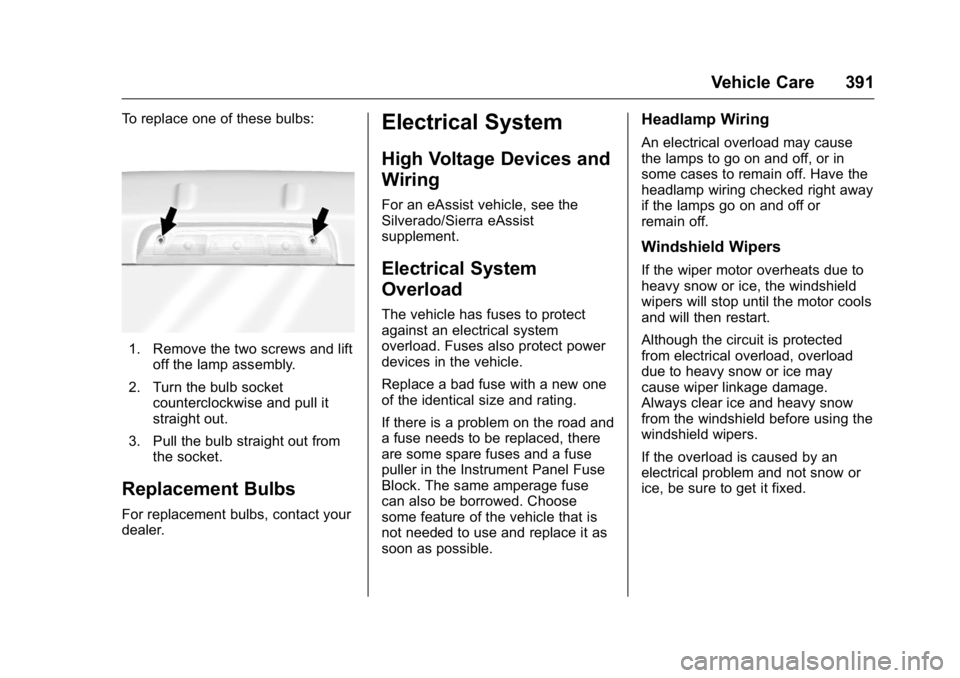
To replace one of these bulbs:
1. Remove the two screws and liftoff the lamp assembly.
2. Turn the bulb socket counterclockwise and pull it
straight out.
3. Pull the bulb straight out from the socket.
Replacement Bulbs
For replacement bulbs, contact your
dealer.
Electrical System
High Voltage Devices and
Wiring
For an eAssist vehicle, see the
Silverado/Sierra eAssist
supplement.
Electrical System
Overload
The vehicle has fuses to protect
against an electrical system
overload. Fuses also protect power
devices in the vehicle.
Replace a bad fuse with a new one
of the identical size and rating.
If there is a problem on the road and
a fuse needs to be replaced, there
are some spare fuses and a fuse
puller in the Instrument Panel Fuse
Block. The same amperage fuse
can also be borrowed. Choose
some feature of the vehicle that is
not needed to use and replace it as
soon as possible.
Headlamp Wiring
An electrical overload may cause
the lamps to go on and off, or in
some cases to remain off. Have the
headlamp wiring checked right away
if the lamps go on and off or
remain off.
Windshield Wipers
If the wiper motor overheats due to
heavy snow or ice, the windshield
wipers will stop until the motor cools
and will then restart.
Although the circuit is protected
from electrical overload, overload
due to heavy snow or ice may
cause wiper linkage damage.
Always clear ice and heavy snow
from the windshield before using the
windshield wipers.
If the overload is caused by an
electrical problem and not snow or
ice, be sure to get it fixed.
Page 395 of 509
GMC Sierra Owner Manual (GMNA-Localizing-U.S./Canada/Mexico-
9234758) - 2016 - crc - 11/9/15
394 Vehicle Care
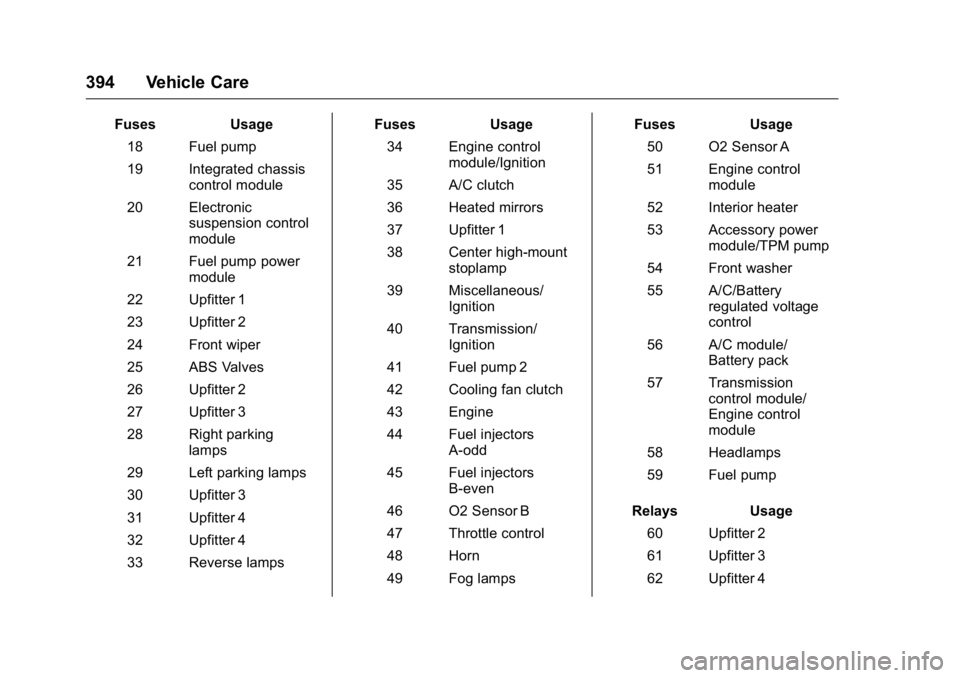
FusesUsage
18 Fuel pump
19 Integrated chassis control module
20 Electronic suspension control
module
21 Fuel pump power module
22 Upfitter 1
23 Upfitter 2
24 Front wiper
25 ABS Valves
26 Upfitter 2
27 Upfitter 3
28 Right parking lamps
29 Left parking lamps
30 Upfitter 3
31 Upfitter 4
32 Upfitter 4
33 Reverse lamps Fuses
Usage
34 Engine control module/Ignition
35 A/C clutch
36 Heated mirrors
37 Upfitter 1
38 Center high-mount stoplamp
39 Miscellaneous/ Ignition
40 Transmission/ Ignition
41 Fuel pump 2
42 Cooling fan clutch
43 Engine
44 Fuel injectors A-odd
45 Fuel injectors B-even
46 O2 Sensor B
47 Throttle control
48 Horn
49 Fog lamps Fuses
Usage
50 O2 Sensor A
51 Engine control module
52 Interior heater
53 Accessory power module/TPM pump
54 Front washer
55 A/C/Battery regulated voltage
control
56 A/C module/ Battery pack
57 Transmission control module/
Engine control
module
58 Headlamps
59 Fuel pump
Relays Usage
60 Upfitter 2
61 Upfitter 3
62 Upfitter 4
Page 422 of 509
GMC Sierra Owner Manual (GMNA-Localizing-U.S./Canada/Mexico-
9234758) - 2016 - crc - 11/9/15
Vehicle Care 421
Wheel Alignment and Tire
Balance
The tires and wheels were aligned
and balanced at the factory to
provide the longest tire life and best
overall performance. Adjustments to
wheel alignment and tire balancing
are not necessary on a regular
basis. Consider an alignment check
if there is unusual tire wear or the
vehicle is significantly pulling to one
side or the other. Some slight pull to
the left or right, depending on the
crown of the road and/or other road
surface variations such as troughs
or ruts, is normal. If the vehicle is
vibrating when driving on a smooth
road, the tires and wheels may need
to be rebalanced. See your dealer
for proper diagnosis.
Wheel Replacement
Replace any wheel that is bent,
cracked, or badly rusted or
corroded. If wheel nuts keep coming
loose, the wheel, wheel bolts and
wheel nuts should be replaced.
If the wheel leaks air, replace it.Some aluminum wheels can be
repaired. See your dealer if any of
these conditions exist.
Your dealer will know the kind of
wheel that is needed.
Each new wheel should have the
same load-carrying capacity,
diameter, width, offset and be
mounted the same way as the one it
replaces.
Replace wheels, wheel bolts, wheel
nuts, or Tire Pressure Monitor
System (TPMS) sensors with new
GM original equipment parts.
{Warning
Using the wrong replacement
wheels, wheel bolts, or wheel
nuts can be dangerous. It could
affect the braking and handling of
the vehicle. Tires can lose air,
and cause loss of control, causing
a crash. Always use the correct
wheel, wheel bolts, and wheel
nuts for replacement.
Caution
The wrong wheel can also cause
problems with bearing life, brake
cooling, speedometer or
odometer calibration, headlamp
aim, bumper height, vehicle
ground clearance, and tire or tire
chain clearance to the body and
chassis.
Whenever a wheel, wheel bolt,
or wheel nut is replaced on a dual
wheel setup, check the wheel nut
torque after 160,1 600, and
10 000 km (100,1,000, and
6,000 mi) of driving. For proper
torque, see “Wheel Nut Torque”
under Capacities and
Specifications 0468.
See If a Tire Goes Flat 0423 for
more information.