Stabil GMC SIERRA 2018 Owner's Guide
[x] Cancel search | Manufacturer: GMC, Model Year: 2018, Model line: SIERRA, Model: GMC SIERRA 2018Pages: 505, PDF Size: 6.59 MB
Page 284 of 505
GMC Sierra/Sierra Denali Owner Manual (GMNA-Localizing-U.S./Canada/
Mexico-11349177) - 2018 - CRC - 10/17/17
Driving and Operating 283
intended path. Trailer Sway Control
(TSC) is also on automatically when
the vehicle is started. SeeTrailer
Sway Control (TSC) 0334.
If cruise control is being used and
traction control or StabiliTrak begins
to limit wheel spin, cruise control will
disengage. Cruise control may be
turned back on when road
conditions allow.
Both systems come on
automatically when the vehicle is
started and begins to move. The
systems may be heard or felt while
they are operating or while
performing diagnostic checks. This
is normal and does not mean there
is a problem with the vehicle.
It is recommended to leave both
systems on for normal driving
conditions, but it may be necessary
to turn TCS off if the vehicle gets
stuck in sand, mud, ice, or snow.
See If the Vehicle Is Stuck 0247
and “Turning the Systems Off and
On” later in this section. When the transfer case (if equipped)
is in Four-Wheel Drive Low, the
stability system is automatically
disabled,
gcomes on, and the
appropriate message will appear on
the DIC. Both traction control and
StabiliTrak are automatically
disabled in this condition.
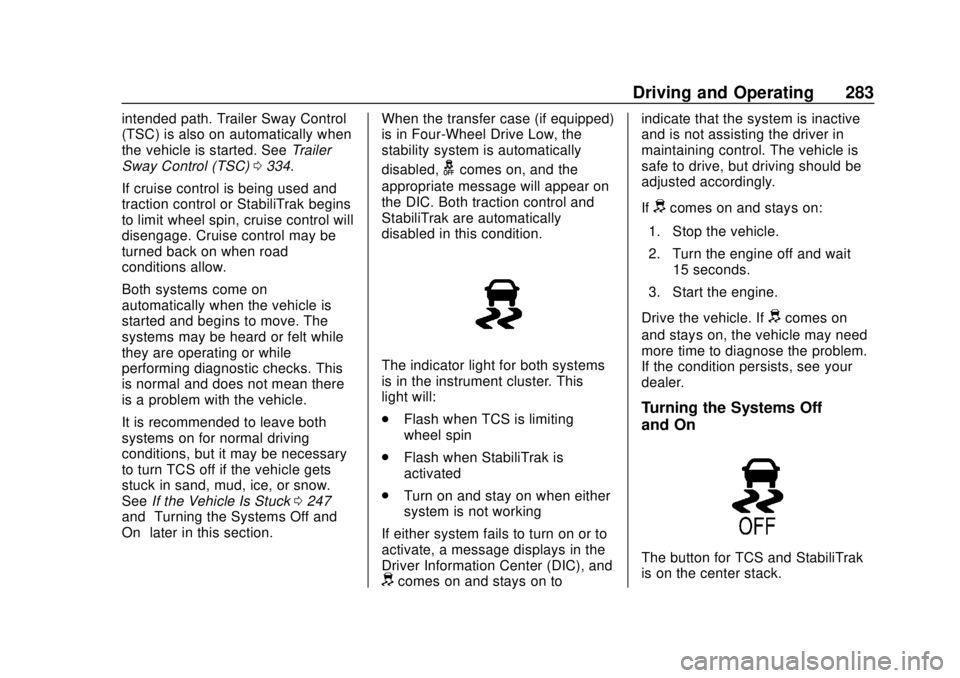
The indicator light for both systems
is in the instrument cluster. This
light will:
. Flash when TCS is limiting
wheel spin
. Flash when StabiliTrak is
activated
. Turn on and stay on when either
system is not working
If either system fails to turn on or to
activate, a message displays in the
Driver Information Center (DIC), and
dcomes on and stays on to indicate that the system is inactive
and is not assisting the driver in
maintaining control. The vehicle is
safe to drive, but driving should be
adjusted accordingly.
If
dcomes on and stays on:
1. Stop the vehicle.
2. Turn the engine off and wait 15 seconds.
3. Start the engine.
Drive the vehicle. If
dcomes on
and stays on, the vehicle may need
more time to diagnose the problem.
If the condition persists, see your
dealer.
Turning the Systems Off
and On
The button for TCS and StabiliTrak
is on the center stack.
Page 285 of 505
GMC Sierra/Sierra Denali Owner Manual (GMNA-Localizing-U.S./Canada/
Mexico-11349177) - 2018 - CRC - 10/17/17
284 Driving and Operating
Caution
Do not repeatedly brake or
accelerate heavily when TCS is
off. The vehicle driveline could be
damaged.
To turn off only TCS, press and
release
g. The traction off lighti
displays in the instrument cluster.
The appropriate message will
display in the DIC. To turn TCS on
again, press and release
g. The
traction off light
idisplayed in the
instrument cluster will turn off.
If TCS is limiting wheel spin when
g
is pressed, the system will not turn
off until the wheels stop spinning.
To turn off both TCS and StabiliTrak,
press and hold
guntil the traction
off light
iand the StabiliTrak OFF
light
gcome on and stay on in the
instrument cluster, then release. The
appropriate message will display in
the DIC. To turn TCS and StabiliTrak on
again, press and release
g. The
traction off light
iand the
StabiliTrak OFF light
gin the
instrument cluster turn off.
StabiliTrak will automatically turn on
if the vehicle exceeds 56 km/h
(35 mph). Traction control will
remain off.
The vehicle has a Trailer Sway
Control (TSC) feature and a Hill
Start Assist (HSA) feature.
See Trailer Sway Control (TSC)
0 334 orHill Start Assist (HSA)
0 282.
Adding accessories can affect the
vehicle performance. See
Accessories and Modifications
0 343.
Hill Descent
Control (HDC)
If equipped, Hill Descent Control
(HDC) sets and maintains vehicle
speed while driving down steep grades in a forward or reverse gear.
The HDC switch is on the center
stack, below the climate controls.
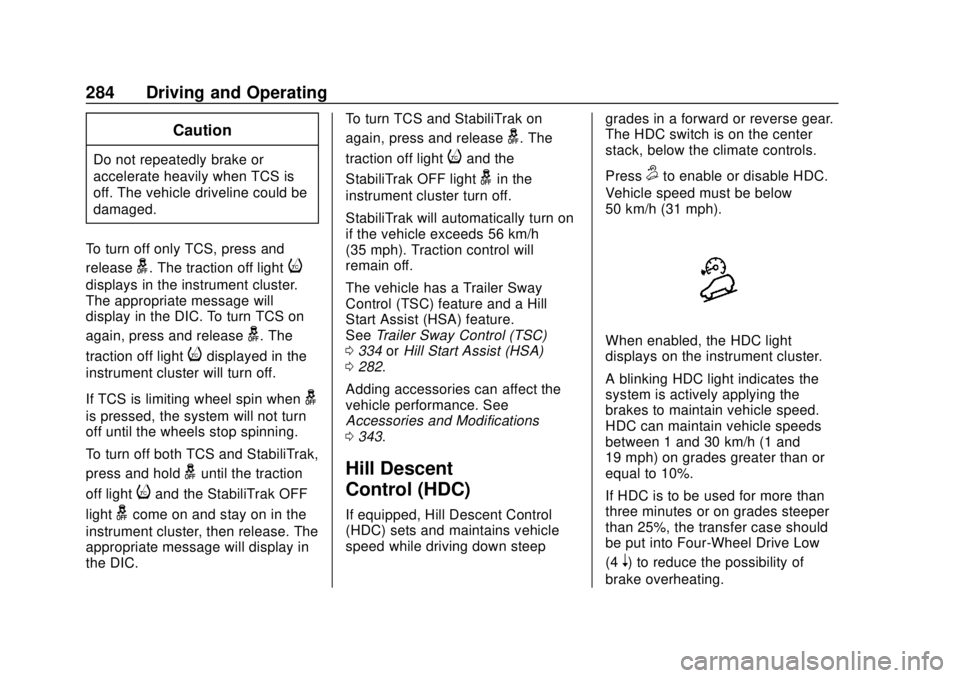
Press
5to enable or disable HDC.
Vehicle speed must be below
50 km/h (31 mph).
When enabled, the HDC light
displays on the instrument cluster.
A blinking HDC light indicates the
system is actively applying the
brakes to maintain vehicle speed.
HDC can maintain vehicle speeds
between 1 and 30 km/h (1 and
19 mph) on grades greater than or
equal to 10%.
If HDC is to be used for more than
three minutes or on grades steeper
than 25%, the transfer case should
be put into Four-Wheel Drive Low
(4
n) to reduce the possibility of
brake overheating.
Page 287 of 505
GMC Sierra/Sierra Denali Owner Manual (GMNA-Localizing-U.S./Canada/
Mexico-11349177) - 2018 - CRC - 10/17/17
286 Driving and Operating
If equipped with an Allison or
Hydra-Matic 6-speed automatic
transmission, see“Tow/Haul Mode
Grade Braking” underTow/Haul
Mode 0271 for an explanation of
how cruise control interacts with the
Range Selection Mode, Tow/Haul
Mode, and Grade Braking systems.
If the cruise control is being used
and the Traction Control System
(TCS) or StabiliTrak begins to limit
wheel spin, the cruise control will
automatically disengage. See
Traction Control/Electronic Stability
Control 0282. If a collision alert
occurs when cruise control is
activated, cruise control is
disengaged. See Forward Collision
Alert (FCA) System 0292. When
road conditions allow you to safely
use it again, cruise control can be
turned back on.
If the brakes are applied, the cruise
control disengages.
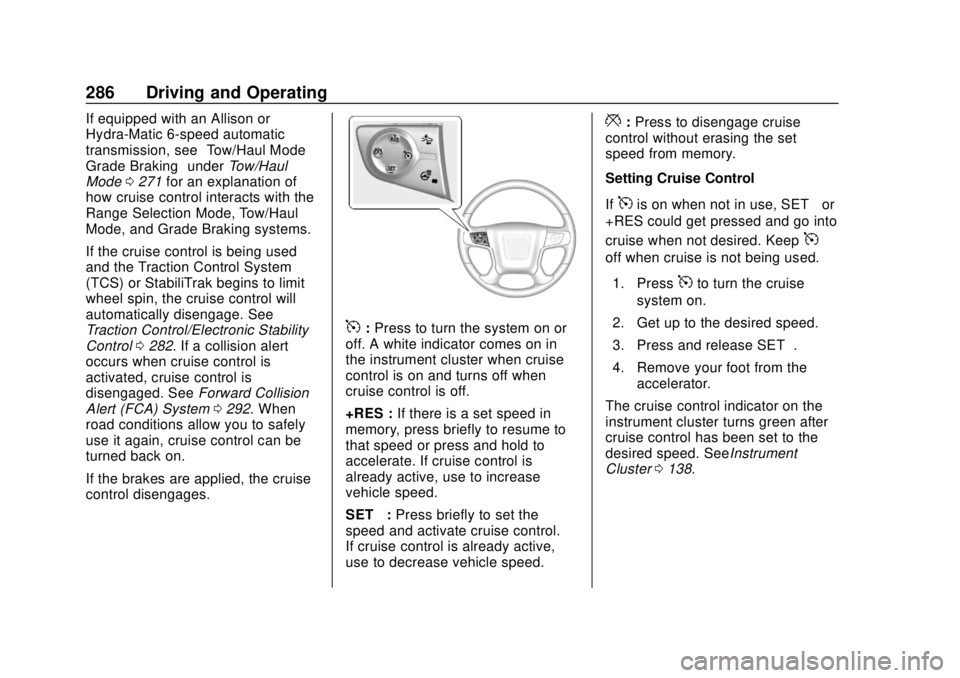
5: Press to turn the system on or
off. A white indicator comes on in
the instrument cluster when cruise
control is on and turns off when
cruise control is off.
+RES : If there is a set speed in
memory, press briefly to resume to
that speed or press and hold to
accelerate. If cruise control is
already active, use to increase
vehicle speed.
SET− :Press briefly to set the
speed and activate cruise control.
If cruise control is already active,
use to decrease vehicle speed.
*: Press to disengage cruise
control without erasing the set
speed from memory.
Setting Cruise Control
If
5is on when not in use, SET− or
+RES could get pressed and go into
cruise when not desired. Keep
5
off when cruise is not being used.
1. Press
5to turn the cruise
system on.
2. Get up to the desired speed.
3. Press and release SET−.
4. Remove your foot from the accelerator.
The cruise control indicator on the
instrument cluster turns green after
cruise control has been set to the
desired speed. SeeInstrument
Cluster 0138.
Page 332 of 505
GMC Sierra/Sierra Denali Owner Manual (GMNA-Localizing-U.S./Canada/
Mexico-11349177) - 2018 - CRC - 10/17/17
Driving and Operating 331
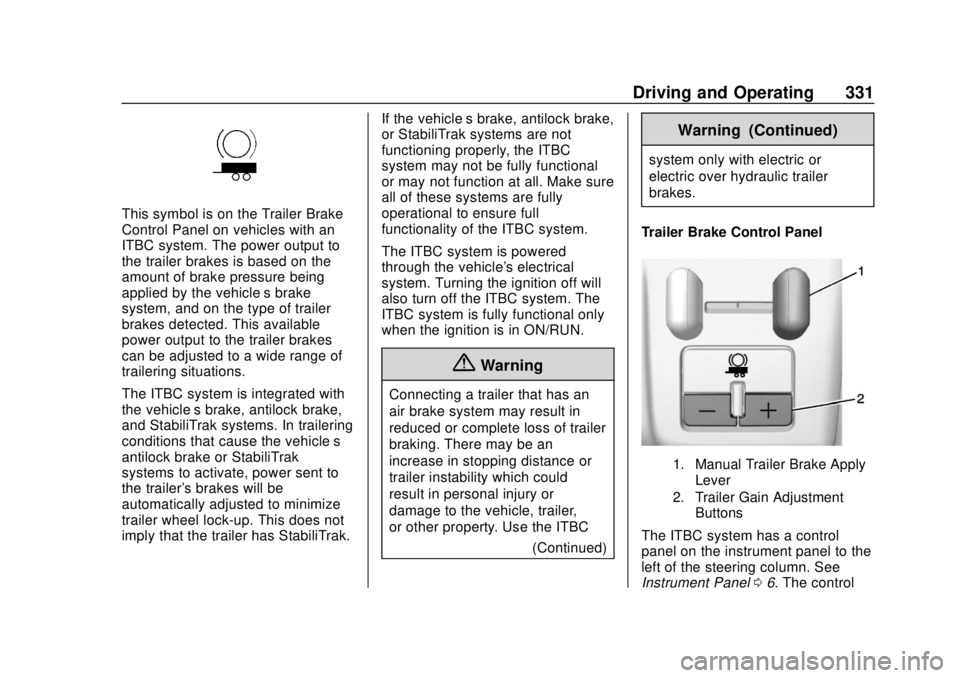
This symbol is on the Trailer Brake
Control Panel on vehicles with an
ITBC system. The power output to
the trailer brakes is based on the
amount of brake pressure being
applied by the vehicle’s brake
system, and on the type of trailer
brakes detected. This available
power output to the trailer brakes
can be adjusted to a wide range of
trailering situations.
The ITBC system is integrated with
the vehicle’s brake, antilock brake,
and StabiliTrak systems. In trailering
conditions that cause the vehicle’s
antilock brake or StabiliTrak
systems to activate, power sent to
the trailer's brakes will be
automatically adjusted to minimize
trailer wheel lock-up. This does not
imply that the trailer has StabiliTrak. If the vehicle’s brake, antilock brake,
or StabiliTrak systems are not
functioning properly, the ITBC
system may not be fully functional
or may not function at all. Make sure
all of these systems are fully
operational to ensure full
functionality of the ITBC system.
The ITBC system is powered
through the vehicle's electrical
system. Turning the ignition off will
also turn off the ITBC system. The
ITBC system is fully functional only
when the ignition is in ON/RUN.
{Warning
Connecting a trailer that has an
air brake system may result in
reduced or complete loss of trailer
braking. There may be an
increase in stopping distance or
trailer instability which could
result in personal injury or
damage to the vehicle, trailer,
or other property. Use the ITBC
(Continued)
Warning (Continued)
system only with electric or
electric over hydraulic trailer
brakes.
Trailer Brake Control Panel
1. Manual Trailer Brake Apply Lever
2. Trailer Gain Adjustment Buttons
The ITBC system has a control
panel on the instrument panel to the
left of the steering column. See
Instrument Panel 06. The control
Page 335 of 505
GMC Sierra/Sierra Denali Owner Manual (GMNA-Localizing-U.S./Canada/
Mexico-11349177) - 2018 - CRC - 10/17/17
334 Driving and Operating
If the disconnect occurs while
the vehicle is moving, this
message will continue until the
ignition is turned off. This
message will also turn off if it is
acknowledged or if the trailer
harness is reconnected.
. There is an electrical fault in the
wiring to the trailer brakes. This
message will continue as long
as there is an electrical fault in
the trailer wiring. This message
will also turn off if it is
acknowledged.
To determine if the electrical fault is
on the vehicle side or trailer side of
the trailer wiring harness
connection: 1. Disconnect the trailer wiring harness from the vehicle.
2. Turn the ignition off.
3. Wait 10 seconds, then turn the ignition back to RUN.
4. If the CHECK TRAILER WIRING message reappears,
the electrical fault is on the
vehicle side. If the CHECK TRAILER
WIRING message only
reappears when connecting the
trailer wiring harness to the
vehicle, the electrical fault is on
the trailer side.
SERVICE TRAILER BRAKE
SYSTEM: This message will display
when there is a problem with the
ITBC system. If this message
continues over multiple ignition
cycles, there is a problem with the
ITBC system. Have the vehicle
serviced.
If either the CHECK TRAILER
WIRING or SERVICE TRAILER
BRAKE SYSTEM message displays
while driving, the ITBC system may
not be fully functional or may not
function at all. When traffic
conditions allow, carefully pull the
vehicle over to the side of the road
and turn the ignition off. Check the
wiring connection to the trailer and
turn the ignition back on. If either of
these messages continues, either
the vehicle or trailer needs service. A GM dealer may be able to
diagnose and repair problems with
the trailer. However, any diagnosis
and repair of the trailer is not
covered under the vehicle warranty.
Contact your trailer dealer for
assistance with trailer repairs and
trailer warranty information.
Trailer Sway
Control (TSC)
Vehicles with StabiliTrak have a
Trailer Sway Control (TSC) feature.
Trailer sway is unintended
side-to-side motion of a trailer while
being towed. If the vehicle is towing
a trailer and the TSC detects that
sway is increasing, the vehicle
brakes are selectively applied at
each wheel, to help reduce
excessive trailer sway. If the vehicle
is equipped with the Integrated
Trailer Brake Control (ITBC) system,
and the trailer has the electric
actuated brake system, StabiliTrak
may also apply the trailer brakes.
Page 336 of 505
GMC Sierra/Sierra Denali Owner Manual (GMNA-Localizing-U.S./Canada/
Mexico-11349177) - 2018 - CRC - 10/17/17
Driving and Operating 335
If TSC is enabled, the Traction
Control System (TCS)/StabiliTrak
warning light will flash on the
instrument cluster. Vehicle speed
must be reduced. If trailer sway
continues, StabiliTrak can reduce
engine torque to help slow the
vehicle. SeeTraction Control/
Electronic Stability Control 0282.
{Warning
Even if the vehicle is equipped
with TSC, trailer sway could result
in loss of control and the vehicle
could crash. If excessive trailer
sway is detected, slow down to a
safe speed. Check the trailer and
vehicle to help correct possible
causes. These could include an
improperly or overloaded trailer,
unrestrained cargo, improper
trailer hitch configuration,
excessive vehicle-trailer speed,
or improperly inflated or incorrect
vehicle or trailer tires. See Towing
Equipment 0325 for trailer
ratings and hitch setup
recommendations. Adding non-dealer accessories can
affect the vehicle performance. See
Accessories and Modifications
0
343.
Electronic Trailer Sway Control
Devices
Some trailers may come equipped
with an electronic device designed
to reduce or control trailer sway.
Aftermarket equipment
manufacturers also offer similar
devices that connect to the wiring
between the trailer and the vehicle.
These devices may interfere with
the vehicle’ s trailer brake or other
systems, including integrated
anti-sway systems, if equipped.
Messages related to trailer
connections or trailer brakes could
appear on the Driver Information
Center (DIC). The effect that these
devices may have on vehicle
handling or trailer brake
performance is unknown.
{Warning
Use of electronic trailer sway
control devices could result in
reduced trailer brake
performance, loss of trailer
brakes, or other malfunctions, and
could cause a crash. You or
others could be injured or killed.
Before using one of these
devices:
. Ask the device or trailer
manufacturer if the device
has been thoroughly tested
for compatibility with the
make, model, and year of
the vehicle as well as
optional equipment installed
on the vehicle.
. Before driving on the open
roads, check that the trailer
brakes are working properly.
Drive the vehicle with the
trailer attached on a level
road surface that is free of
traffic at about 32-40 km/h
(Continued)
Page 344 of 505
GMC Sierra/Sierra Denali Owner Manual (GMNA-Localizing-U.S./Canada/
Mexico-11349177) - 2018 - CRC - 10/17/17
Vehicle Care 343
California Proposition
65 Warning
{Warning
Most motor vehicles, including
this one, as well as many of its
service parts and fluids, contain
and/or emit chemicals known to
the State of California to cause
cancer and birth defects or other
reproductive harm. Engine
exhaust, many parts and
systems, many fluids, and some
component wear by-products
contain and/or emit these
chemicals. For more information
go to www.P65Warnings.ca.gov/
passenger-vehicle.
See Battery - North America 0369
and Jump Starting - North America
0 426 and the back cover.
California Perchlorate
Materials Requirements
Certain types of automotive
applications, such as airbag
initiators, seat belt pretensioners,
and lithium batteries contained in
Remote Keyless Entry transmitters,
may contain perchlorate materials.
Special handling may be necessary.
For additional information, see
www.dtsc.ca.gov/hazardouswaste/
perchlorate.
Accessories and
Modifications
Adding non-dealer accessories or
making modifications to the vehicle
can affect vehicle performance and
safety, including such things as
airbags, braking, stability, ride and
handling, emissions systems,
aerodynamics, durability, and
electronic systems like antilock
brakes, traction control, and stability
control. These accessories or
modifications could even cause
malfunction or damage not covered
by the vehicle warranty. Damage to suspension components
caused by modifying vehicle height
outside of factory settings will not be
covered by the vehicle warranty.
Damage to vehicle components
resulting from modifications or the
installation or use of non-GM
certified parts, including control
module or software modifications, is
not covered under the terms of the
vehicle warranty and may affect
remaining warranty coverage for
affected parts.
GM Accessories are designed to
complement and function with other
systems on the vehicle. See your
dealer to accessorize the vehicle
using genuine GM Accessories
installed by a dealer technician.
Also, see
Adding Equipment to the
Airbag-Equipped Vehicle 090.
Page 410 of 505
GMC Sierra/Sierra Denali Owner Manual (GMNA-Localizing-U.S./Canada/
Mexico-11349177) - 2018 - CRC - 10/17/17
Vehicle Care 409
{Warning
Mixing tires of different sizes,
brands, or types may cause
loss of control of the vehicle,
resulting in a crash or other
vehicle damage. Use the
correct size, brand, and type
of tires on all wheels.
This vehicle may have a
different size spare than the
road tires originally installed
on the vehicle. When new, the
vehicle included a spare tire
and wheel assembly with a
similar overall diameter as the
road tires and wheels, so it is
all right to drive on it. The
spare tire was developed for
use on this vehicle and will not
affect vehicle handling.{Warning
Using bias-ply tires on the
vehicle may cause the wheel
rim flanges to develop cracks
after many miles of driving.
A tire and/or wheel could fail
suddenly and cause a crash.
Use only radial-ply tires with
the wheels on the vehicle.
Winter tires with the same speed
rating as the original equipment
tires may not be available for H,
V, W, Y and ZR speed rated
tires. Never exceed the winter
tires’ maximum speed capability
when using winter tires with a
lower speed rating.
If the vehicle tires must be
replaced with a tire that does not
have a TPC Spec number, make
sure they are the same size,
load range, speed rating, and
construction (radial) as the
original tires. Vehicles that have a tire
pressure monitoring system
could give an inaccurate
low-pressure warning if non-TPC
Spec rated tires are installed.
See
Tire Pressure Monitor
System 0399.
The Tire and Loading
Information label indicates the
original equipment tires on the
vehicle. See Vehicle Load Limits
0 248 for the label location and
more information about the Tire
and Loading Information label.
Different Size Tires and
Wheels
If wheels or tires are installed that
are a different size than the original
equipment wheels and tires, vehicle
performance, including its braking,
ride and handling characteristics,
stability, and resistance to rollover
may be affected. If the vehicle has
electronic systems such as antilock
brakes, rollover airbags, traction
control, electronic stability control,
Page 494 of 505

GMC Sierra/Sierra Denali Owner Manual (GMNA-Localizing-U.S./Canada/
Mexico-11349177) - 2018 - CRC - 10/17/17
Index 493
California (cont'd)Perchlorate Materials
Requirements . . . . . . . . . . . . . . . 343
California
Proposition
65 Warning . . . . . . . . . .343, 369, 426, Back Cover
Canadian Vehicle Owners . . . . . . . . 2
Capacities and Specifications . . . . . . . . . . . . . . . . . 461
Carbon Monoxide Engine Exhaust . . . . . . . . . . . . . . . 264
Tailgate . . . . . . . . . . . . . . . . . . . . . . . . . 43
Winter Driving . . . . . . . . . . . . . . . . 245
Cargo Tie-Downs . . . . . . . . . . . . . . . . . . . . 126
Cargo Lamp . . . . . . . . . . . . . . . . . . . . 183
Caution, Danger, and Warning . . . . 3
CD Player . . . . . . . . . . . . . . . . . . . . . . 195
Center Console Storage . . . . . . . . 125
Center High-Mounted Stoplamp (CHMSL) and
Cargo Lamp . . . . . . . . . . . . . . . . . . . 380
Center Seat . . . . . . . . . . . . . . . . . . . . . 59
Chains, Tire . . . . . . . . . . . . . . . . . . . . 413
Charging Wireless . . . . . . . . . . . . . . . . . . . . . . 134
Charging System Light . . . . . . . . . 149 Check
Engine Light (Malfunction
Indicator) . . . . . . . . . . . . . . . . . . . . 150
Ignition Transmission Lock . . . 374
Child Restraints Infants and Young Children . . . . . 94
Lower Anchors and Tethersfor Children . . . . . . . . . . . . . . . . . . . 99
Older Children . . . . . . . . . . . . . . . . . . 92
Securing . . . . . . . . . . . . . 111, 114, 115
Systems . . . . . . . . . . . . . . . . . . . . . . . . 96
Circuit Breakers . . . . . . . . . . . . . . . . 381
Cleaning Exterior Care . . . . . . . . . . . . . . . . . 435
Interior Care . . . . . . . . . . . . . . . . . . 441
Climate Control
Systems . . . . . . . . . . . . . . . . . 224, 226
Air Conditioning . . . . . . . . . 224, 226
Dual Automatic . . . . . . . . . . . . . . . 228
Heating . . . . . . . . . . . . . . . . . . 224, 226
Clock . . . . . . . . . . . . . . . . . . . . . . . . . . . 132
Cluster, Instrument . . . . . . . . . . . . . 138
Collision Damage Repair . . . . . . . 472
Compartments Storage . . . . . . . . . . . . . . . . . . . . . . . 124
Compass . . . . . . . . . . . . . . . . . . . . . . . 131
Connections OnStar . . . . . . . . . . . . . . . . . . . . . . . 482 Control
Hill Descent . . . . . . . . . . . . . . . . . . 284
Traction and Electronic
Stability . . . . . . . . . . . . . . . . . . . . . 282
Control Light Hill Descent . . . . . . . . . . . . . . . . . . 153
Control of a Vehicle . . . . . . . . . . . . . 236
Convex Mirrors . . . . . . . . . . . . . . . . . . 47
Coolant
Engine Temperature Gauge . . 144
Engine TemperatureWarning Light . . . . . . . . . . . . . . . 155
Cooling . . . . . . . . . . . . . . .224, 226, 228
Cooling System . . . . . . . . . . . . . . . . . 359
Courtesy Transportation Program . . . . . . . . . . . . . . . . . . . . . . . 471
Cruise Control . . . . . . . . . . . . . . . . . . 285 Light . . . . . . . . . . . . . . . . . . . . . . . . . . 158
Cupholders . . . . . . . . . . . . . . . . . . . . . 124
Customer Assistance . . . . . . . . . . . 468 Offices . . . . . . . . . . . . . . . . . . . . . . . . 467
Text Telephone (TTY)
Users . . . . . . . . . . . . . . . . . . . . . . . 468
Customer Information Service Publications
Ordering Information . . . . . . . . 474
Customer Satisfaction Procedure . . . . . . . . . . . . . . . . . . . . . 465
Page 498 of 505

GMC Sierra/Sierra Denali Owner Manual (GMNA-Localizing-U.S./Canada/
Mexico-11349177) - 2018 - CRC - 10/17/17
Index 497
Lamps (cont'd)Exterior Controls . . . . . . . . . . . . . . 176
Exterior Lamps Off
Reminder . . . . . . . . . . . . . . . . . . . 178
Exterior Lighting Battery Saver . . . . . . . . . . . . . . . . . . . . . . . 185
Malfunction Indicator (Check Engine) . . . . . . . . . . . . . 150
On Reminder . . . . . . . . . . . . . . . . . 157
Reading . . . . . . . . . . . . . . . . . . . . . . 183
Lane Departure Warning (LDW) . . . . . . . . . . . . . . . . 295
Lane Departure Warning Light . . . . . . . . . . . . . . . . . . . . . . . . . . 153
Lane Keep Assist (LKA) . . . . . . . . 297
Lane Keep Assist Light . . . . . . . . . 154
Lap Belt . . . . . . . . . . . . . . . . . . . . . . . . . 75
Lap-Shoulder Belt . . . . . . . . . . . . . . . 71
LATCH System Replacing Parts after aCrash . . . . . . . . . . . . . . . . . . . . . . . . 111
LATCH, Lower Anchors and Tethers for Children . . . . . . . . . . . . 99
LED Lighting . . . . . . . . . . . . . . . . . . . . 378
Lighting Entry . . . . . . . . . . . . . . . . . . . . . . . . . 184
Exit . . . . . . . . . . . . . . . . . . . . . . . . . . . 184
Illumination Control . . . . . . . . . . . 182 Lighting (cont'd)
LED . . . . . . . . . . . . . . . . . . . . . . . . . . 378
Lights Airbag On-Off . . . . . . . . . . . . . . . . . 147
Airbag Readiness . . . . . . . . . . . . . 147
Antilock Brake System
(ABS) Warning . . . . . . . . . . . . . . 152
Brake System Warning . . . . . . . 152
Charging System . . . . . . . . . . . . . 149
Check Engine (Malfunction Indicator) . . . . . . . . . . . . . . . . . . . . 150
Cruise Control . . . . . . . . . . . . . . . . 158
Door Ajar . . . . . . . . . . . . . . . . . . . . . 158
Engine Coolant Temperature Warning . . . . . . . 155
Engine Oil Pressure . . . . . . . . . . 156
Flash-to-Pass . . . . . . . . . . . . . . . . . 179
Four-Wheel-Drive . . . . . . . . . . . . . 153
Front Fog Lamp . . . . . . . . . . . . . . 157
High-Beam On . . . . . . . . . . . . . . . . 157
High/Low Beam Changer . . . . . 179
Hill Descent Control . . . . . . . . . . 153
Lane Departure Warning . . . . . . 153
Lane Keep Assist . . . . . . . . . . . . . 154
Low Fuel Warning . . . . . . . . . . . . 156
Seat Belt Reminders . . . . . . . . . . 146
Security . . . . . . . . . . . . . . . . . . . . . . 157
StabiliTrak OFF . . . . . . . . . . . . . . . 154 Lights (cont'd)
Tire Pressure . . . . . . . . . . . . . . . . . 156
Tow/Haul Mode . . . . . . . . . . . . . . . 153
Traction Control System
(TCS)/StabiliTrak . . . . . . . . . . . . 155
Traction Off . . . . . . . . . . . . . . . . . . . 154
Locking Rear Axle . . . . . . . . . . . . . . 285
Locks Automatic Door . . . . . . . . . . . . . . . . . 41
Door . . . . . . . . . . . . . . . . . . . . . . . . . . . . 40
Lockout Protection . . . . . . . . . . . . . . 42
Power Door . . . . . . . . . . . . . . . . . . . . . 41
Safety . . . . . . . . . . . . . . . . . . . . . . . . . . 42
Loss of Control . . . . . . . . . . . . . . . . . 238
Low Fuel Warning Light . . . . . . . . . 156
Low-Profile Tires . . . . . . . . . . . . . . . . 390
Lower Anchors and Tethers for Children (LATCH
System) . . . . . . . . . . . . . . . . . . . . . . . . 99
Lumbar Adjustment . . . . . . . . . . . . . . 60 Front Seats . . . . . . . . . . . . . . . . . . . . . 60
M
MaintenanceRecords . . . . . . . . . . . . . . . . . . . . . . 459
Maintenance and Care Additional . . . . . . . . . . . . . . . . . . . . . 453
Maintenance Schedule . . . . . . . . . 448