fuel GMC SIERRA 2018 Owner's Manual
[x] Cancel search | Manufacturer: GMC, Model Year: 2018, Model line: SIERRA, Model: GMC SIERRA 2018Pages: 505, PDF Size: 6.59 MB
Page 4 of 505
GMC Sierra/Sierra Denali Owner Manual (GMNA-Localizing-U.S./Canada/
Mexico-11349177) - 2018 - CRC - 10/17/17
Introduction 3
Danger, Warning, and
Caution
Warning messages found on vehicle
labels and in this manual describe
hazards and what to do to avoid or
reduce them.
{Danger
Danger indicates a hazard with a
high level of risk which will result
in serious injury or death.
{Warning
Warning indicates a hazard that
could result in injury or death.
Caution
Caution indicates a hazard that
could result in property or vehicle
damage.
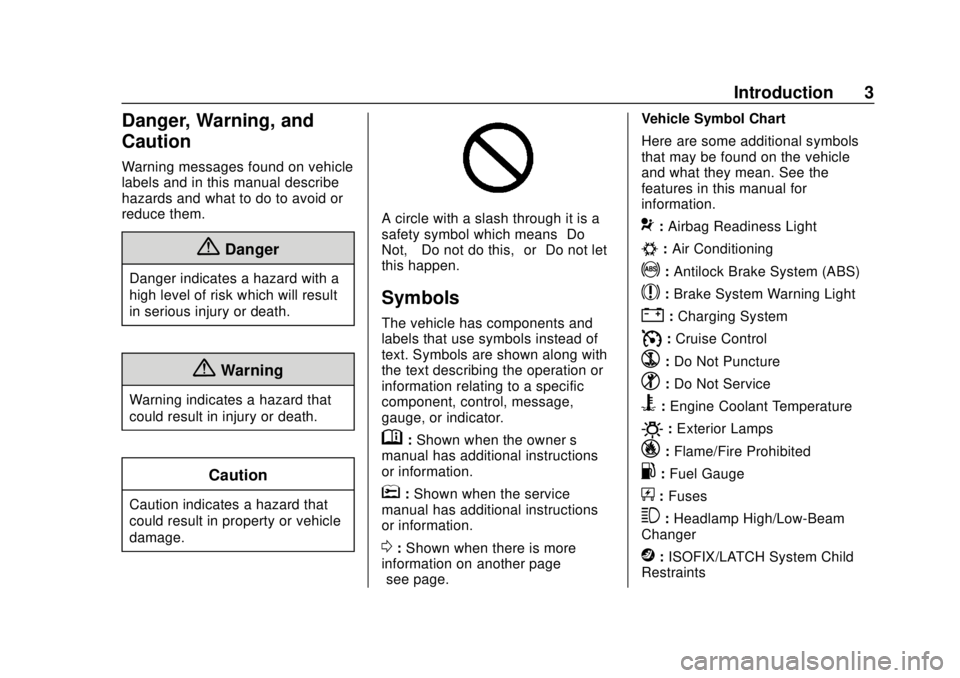
A circle with a slash through it is a
safety symbol which means“Do
Not,” “Do not do this,” or“Do not let
this happen.”
Symbols
The vehicle has components and
labels that use symbols instead of
text. Symbols are shown along with
the text describing the operation or
information relating to a specific
component, control, message,
gauge, or indicator.
M: Shown when the owner ’s
manual has additional instructions
or information.
*: Shown when the service
manual has additional instructions
or information.
0: Shown when there is more
information on another page —
“see page.” Vehicle Symbol Chart
Here are some additional symbols
that may be found on the vehicle
and what they mean. See the
features in this manual for
information.
9:
Airbag Readiness Light
#:Air Conditioning
!:Antilock Brake System (ABS)
$:Brake System Warning Light
":Charging System
I: Cruise Control
`:Do Not Puncture
^:Do Not Service
B:Engine Coolant Temperature
O:Exterior Lamps
_: Flame/Fire Prohibited
.:Fuel Gauge
+: Fuses
3:Headlamp High/Low-Beam
Changer
j: ISOFIX/LATCH System Child
Restraints
Page 6 of 505
GMC Sierra/Sierra Denali Owner Manual (GMNA-Localizing-U.S./Canada/
Mexico-11349177) - 2018 - CRC - 10/17/17
In Brief 5
In Brief
Instrument Panel
Instrument Panel . . . . . . . . . . . . . . . . 6
Initial Drive Information
Initial Drive Information . . . . . . . . . . 8
Remote Keyless Entry (RKE)System . . . . . . . . . . . . . . . . . . . . . . . . 8
Remote Vehicle Start . . . . . . . . . . . 9
Door Locks . . . . . . . . . . . . . . . . . . . . . 9
Windows . . . . . . . . . . . . . . . . . . . . . . . 10
Seat Adjustment . . . . . . . . . . . . . . . 11
Memory Features . . . . . . . . . . . . . . 13
Heated and Ventilated Seats . . . 13
Head Restraint Adjustment . . . . 14
Seat Belts . . . . . . . . . . . . . . . . . . . . . 14
Passenger Sensing System . . . 14
Mirror Adjustment . . . . . . . . . . . . . . 15
Steering Wheel Adjustment . . . . 16
Throttle and Brake Pedal Adjustment . . . . . . . . . . . . . . . . . . . 17
Interior Lighting . . . . . . . . . . . . . . . . 17
Exterior Lighting . . . . . . . . . . . . . . . 18
Windshield Wiper/Washer . . . . . . 19
Climate Controls . . . . . . . . . . . . . . . 20
Transmission . . . . . . . . . . . . . . . . . . 22
Four-Wheel Drive . . . . . . . . . . . . . . 23
Vehicle Features
Infotainment System . . . . . . . . . . . 24
Radio(s) . . . . . . . . . . . . . . . . . . . . . . . 24
Satellite Radio . . . . . . . . . . . . . . . . . 25
Portable Audio Devices . . . . . . . . 25
Bluetooth . . . . . . . . . . . . . . . . . . . . . . 25
Steering Wheel Controls . . . . . . . 26
Cruise Control . . . . . . . . . . . . . . . . . 26
Driver Information Center (DIC) . . . . . . . . . . . . . . . . . 27
Forward Collision Alert (FCA) System . . . . . . . . . . . . . . . . . . . . . . . 27
Forward Automatic Braking (FAB) . . . . . . . . . . . . . . . . 27
Lane Departure Warning (LDW) . . . . . . . . . . . . . . . 28
Lane Keep Assist (LKA) . . . . . . . 28
Rear Vision Camera (RVC) . . . . 28
Parking Assist . . . . . . . . . . . . . . . . . 28
Power Outlets . . . . . . . . . . . . . . . . . 28
Universal Remote System . . . . . 29
Sunroof . . . . . . . . . . . . . . . . . . . . . . . . 29
Performance and Maintenance
Traction Control/Electronic Stability Control . . . . . . . . . . . . . . 30
Tire Pressure Monitor . . . . . . . . . . 31
Fuel (Gasoline - Except L86 6.2L Engine) . . . . . . . . . . . . . 31 Fuel (Gasoline - L86 6.2L
Engine) . . . . . . . . . . . . . . . . . . . . . . . 32
Fuel (Diesel) . . . . . . . . . . . . . . . . . . . 32
E85 or FlexFuel . . . . . . . . . . . . . . . . 32
Engine Oil Life System . . . . . . . . 32
Driving for Better Fuel Economy . . . . . . . . . . . . . . . . . . . . . 33
Roadside Assistance Program . . . . . . . . . . . . . . . . . . . . . . 33
Page 32 of 505
GMC Sierra/Sierra Denali Owner Manual (GMNA-Localizing-U.S./Canada/
Mexico-11349177) - 2018 - CRC - 10/17/17
In Brief 31
.Press and releasegagain to
turn on both systems.
StabiliTrak will automatically turn on
if the vehicle exceeds 56 km/h
(35 mph). Traction control will
remain off.
See Traction Control/Electronic
Stability Control 0282.
Tire Pressure Monitor
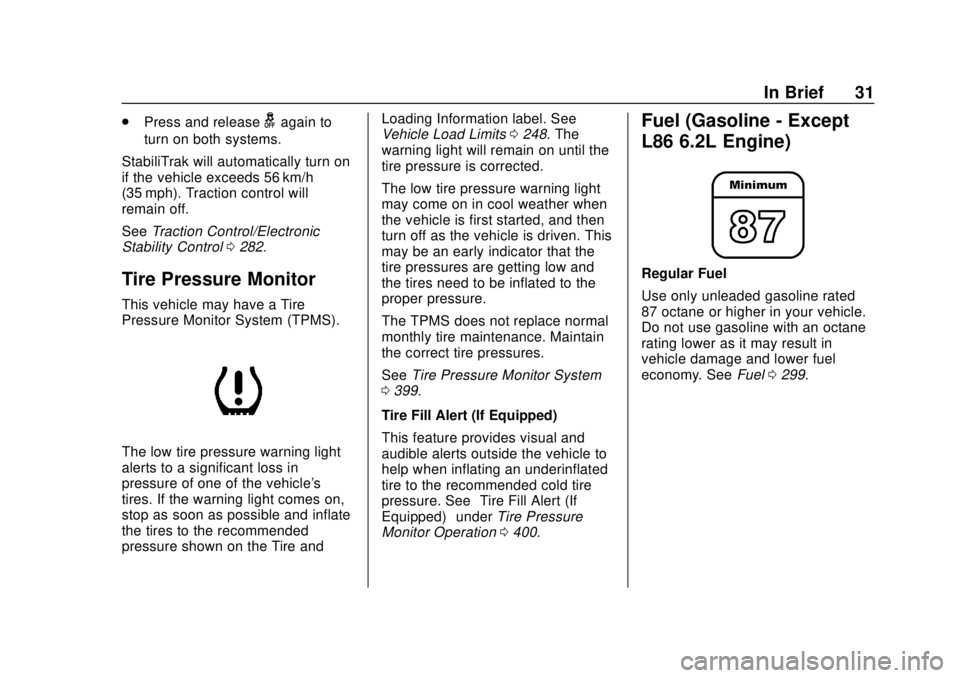
This vehicle may have a Tire
Pressure Monitor System (TPMS).
The low tire pressure warning light
alerts to a significant loss in
pressure of one of the vehicle's
tires. If the warning light comes on,
stop as soon as possible and inflate
the tires to the recommended
pressure shown on the Tire and Loading Information label. See
Vehicle Load Limits
0248. The
warning light will remain on until the
tire pressure is corrected.
The low tire pressure warning light
may come on in cool weather when
the vehicle is first started, and then
turn off as the vehicle is driven. This
may be an early indicator that the
tire pressures are getting low and
the tires need to be inflated to the
proper pressure.
The TPMS does not replace normal
monthly tire maintenance. Maintain
the correct tire pressures.
See Tire Pressure Monitor System
0 399.
Tire Fill Alert (If Equipped)
This feature provides visual and
audible alerts outside the vehicle to
help when inflating an underinflated
tire to the recommended cold tire
pressure. See “Tire Fill Alert (If
Equipped)” underTire Pressure
Monitor Operation 0400.
Fuel (Gasoline - Except
L86 6.2L Engine)
Regular Fuel
Use only unleaded gasoline rated
87 octane or higher in your vehicle.
Do not use gasoline with an octane
rating lower as it may result in
vehicle damage and lower fuel
economy. See Fuel0299.
Page 33 of 505
GMC Sierra/Sierra Denali Owner Manual (GMNA-Localizing-U.S./Canada/
Mexico-11349177) - 2018 - CRC - 10/17/17
32 In Brief
Fuel (Gasoline - L86 6.2L
Engine)
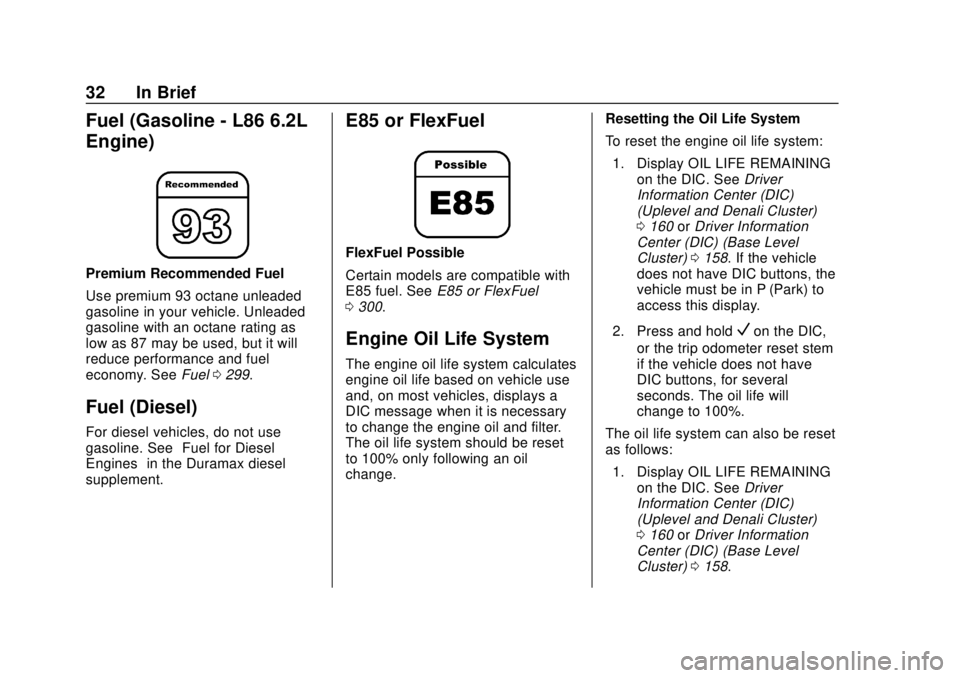
Premium Recommended Fuel
Use premium 93 octane unleaded
gasoline in your vehicle. Unleaded
gasoline with an octane rating as
low as 87 may be used, but it will
reduce performance and fuel
economy. SeeFuel0299.
Fuel (Diesel)
For diesel vehicles, do not use
gasoline. See “Fuel for Diesel
Engines” in the Duramax diesel
supplement.
E85 or FlexFuel
FlexFuel Possible
Certain models are compatible with
E85 fuel. See E85 or FlexFuel
0 300.
Engine Oil Life System
The engine oil life system calculates
engine oil life based on vehicle use
and, on most vehicles, displays a
DIC message when it is necessary
to change the engine oil and filter.
The oil life system should be reset
to 100% only following an oil
change. Resetting the Oil Life System
To reset the engine oil life system:
1. Display OIL LIFE REMAINING on the DIC. See Driver
Information Center (DIC)
(Uplevel and Denali Cluster)
0 160 orDriver Information
Center (DIC) (Base Level
Cluster) 0158. If the vehicle
does not have DIC buttons, the
vehicle must be in P (Park) to
access this display.
2. Press and hold
Von the DIC,
or the trip odometer reset stem
if the vehicle does not have
DIC buttons, for several
seconds. The oil life will
change to 100%.
The oil life system can also be reset
as follows: 1. Display OIL LIFE REMAINING on the DIC. See Driver
Information Center (DIC)
(Uplevel and Denali Cluster)
0 160 orDriver Information
Center (DIC) (Base Level
Cluster) 0158.
Page 34 of 505
GMC Sierra/Sierra Denali Owner Manual (GMNA-Localizing-U.S./Canada/
Mexico-11349177) - 2018 - CRC - 10/17/17
In Brief 33
2. Fully press the acceleratorpedal slowly three times within
five seconds.
3. If the display changes to 100%, the system is reset.
See Engine Oil Life System 0353.
Driving for Better Fuel
Economy
Driving habits can affect fuel
mileage. Here are some driving tips
to get the best fuel economy
possible.
.
Avoid fast starts and accelerate
smoothly.
. Brake gradually and avoid
abrupt stops.
. Avoid idling the engine for long
periods of time.
. When road and weather
conditions are appropriate, use
cruise control.
. Always follow posted speed
limits or drive more slowly when
conditions require. .
Keep vehicle tires properly
inflated.
. Combine several trips into a
single trip.
. Replace the vehicle's tires with
the same TPC Spec number
molded into the tire's sidewall
near the size.
. Follow recommended scheduled
maintenance.
Roadside Assistance
Program
U.S.: 1-888-881-3302
TTY Users (U.S. Only):
1-888-889-2438
Canada: 1-800-268-6800
New GMC owners are automatically
enrolled in the Roadside Assistance
Program.
See Roadside Assistance Program
0 469.
Page 40 of 505
GMC Sierra/Sierra Denali Owner Manual (GMNA-Localizing-U.S./Canada/
Mexico-11349177) - 2018 - CRC - 10/17/17
Keys, Doors, and Windows 39
Caution
When replacing the battery, do
not touch any of the circuitry on
the transmitter. Static from your
body could damage the
transmitter.
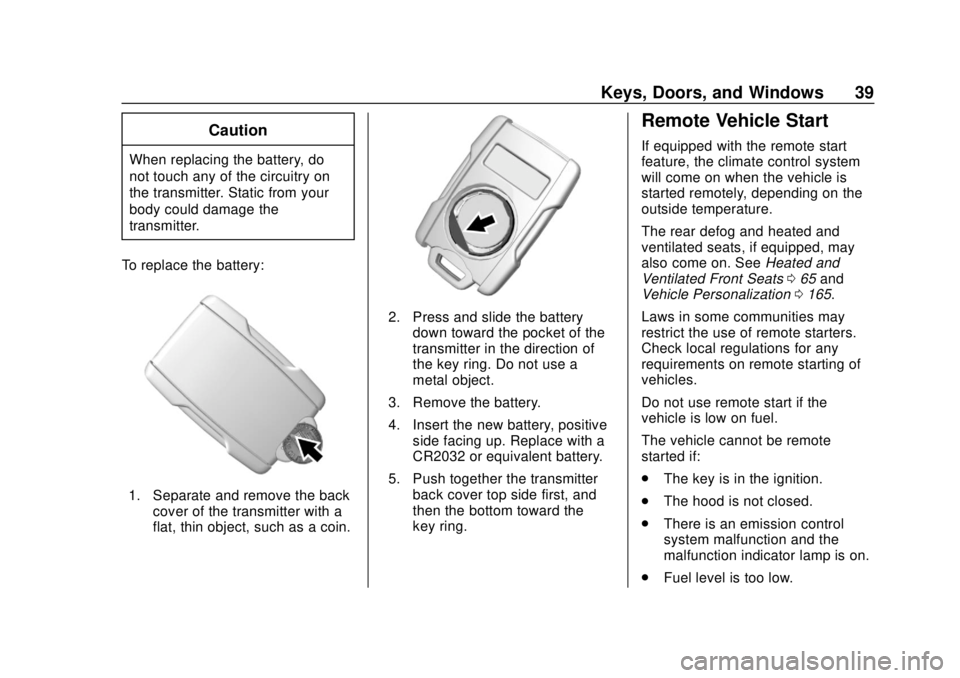
To replace the battery:
1. Separate and remove the back cover of the transmitter with a
flat, thin object, such as a coin.
2. Press and slide the batterydown toward the pocket of the
transmitter in the direction of
the key ring. Do not use a
metal object.
3. Remove the battery.
4. Insert the new battery, positive side facing up. Replace with a
CR2032 or equivalent battery.
5. Push together the transmitter back cover top side first, and
then the bottom toward the
key ring.
Remote Vehicle Start
If equipped with the remote start
feature, the climate control system
will come on when the vehicle is
started remotely, depending on the
outside temperature.
The rear defog and heated and
ventilated seats, if equipped, may
also come on. See Heated and
Ventilated Front Seats 065 and
Vehicle Personalization 0165.
Laws in some communities may
restrict the use of remote starters.
Check local regulations for any
requirements on remote starting of
vehicles.
Do not use remote start if the
vehicle is low on fuel.
The vehicle cannot be remote
started if:
. The key is in the ignition.
. The hood is not closed.
. There is an emission control
system malfunction and the
malfunction indicator lamp is on.
. Fuel level is too low.
Page 53 of 505
GMC Sierra/Sierra Denali Owner Manual (GMNA-Localizing-U.S./Canada/
Mexico-11349177) - 2018 - CRC - 10/17/17
52 Keys, Doors, and Windows
Manual Rearview Mirror
If equipped, push the tab forward for
daytime use and pull it rearward for
nighttime use to avoid glare from
the headlamps from behind.
Automatic Dimming
Rearview Mirror
The mirror will automatically reduce
the glare of the headlamps from
behind. The dimming feature comes
on each time the vehicle is started.
Windows
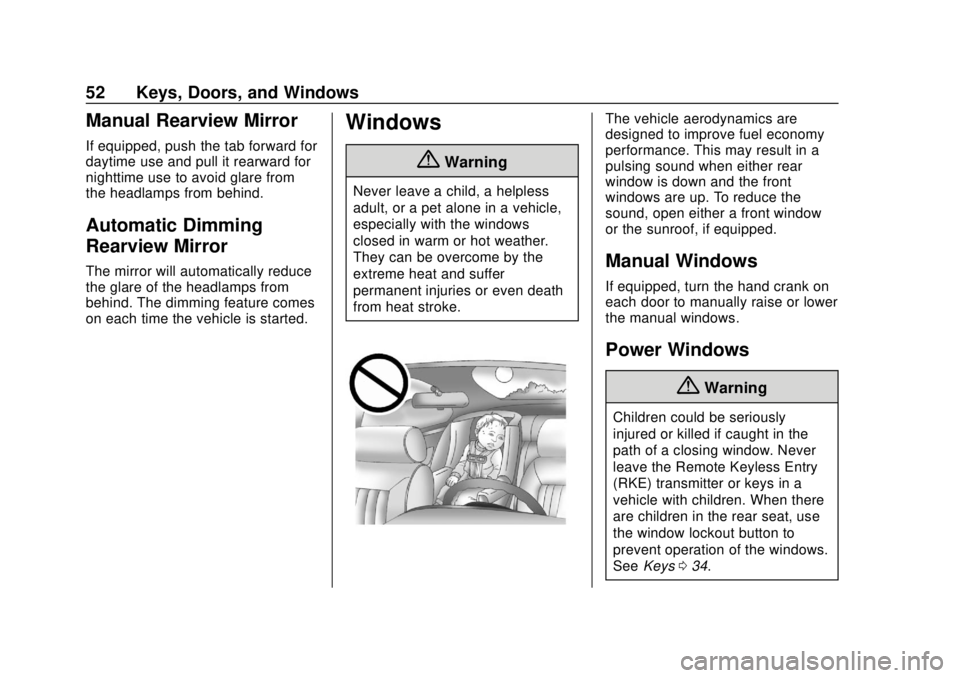
{Warning
Never leave a child, a helpless
adult, or a pet alone in a vehicle,
especially with the windows
closed in warm or hot weather.
They can be overcome by the
extreme heat and suffer
permanent injuries or even death
from heat stroke.
The vehicle aerodynamics are
designed to improve fuel economy
performance. This may result in a
pulsing sound when either rear
window is down and the front
windows are up. To reduce the
sound, open either a front window
or the sunroof, if equipped.
Manual Windows
If equipped, turn the hand crank on
each door to manually raise or lower
the manual windows.
Power Windows
{Warning
Children could be seriously
injured or killed if caught in the
path of a closing window. Never
leave the Remote Keyless Entry
(RKE) transmitter or keys in a
vehicle with children. When there
are children in the rear seat, use
the window lockout button to
prevent operation of the windows.
SeeKeys 034.
Page 84 of 505
GMC Sierra/Sierra Denali Owner Manual (GMNA-Localizing-U.S./Canada/
Mexico-11349177) - 2018 - CRC - 10/17/17
Seats and Restraints 83
{Warning
When an airbag inflates, there
may be dust in the air. This dust
could cause breathing problems
for people with a history of
asthma or other breathing trouble.
To avoid this, everyone in the
vehicle should get out as soon as
it is safe to do so. If you have
breathing problems but cannot
get out of the vehicle after an
airbag inflates, then get fresh air
by opening a window or a door.
If you experience breathing
problems following an airbag
deployment, you should seek
medical attention.
The vehicle has a feature that may
automatically unlock the doors, turn
on the interior lamps and hazard
warning flashers, and shut off the
fuel system after the airbags inflate.
The feature may also activate,
without airbag inflation, after an
event that exceeds a predetermined
threshold. After turning the ignition off and then on again, the fuel
system will return to normal
operation; the doors can be locked,
the interior lamps can be turned off,
and the hazard warning flashers can
be turned off using the controls for
those features. If any of these
systems are damaged in the crash
they may not operate as normal.
{Warning
A crash severe enough to inflate
the airbags may have also
damaged important functions in
the vehicle, such as the fuel
system, brake and steering
systems, etc. Even if the vehicle
appears to be drivable after a
moderate crash, there may be
concealed damage that could
make it difficult to safely operate
the vehicle.
Use caution if you should attempt
to restart the engine after a crash
has occurred.
In many crashes severe enough to
inflate the airbag, windshields are
broken by vehicle deformation.
Additional windshield breakage may
also occur from the front outboard
passenger airbag.
.
Airbags are designed to inflate
only once. After an airbag
inflates, you will need some new
parts for the airbag system.
If you do not get them, the
airbag system will not be there
to help protect you in another
crash. A new system will include
airbag modules and possibly
other parts. The service manual
for the vehicle covers the need
to replace other parts.
. The vehicle has a crash sensing
and diagnostic module which
records information after a
crash. See Vehicle Data
Recording and Privacy 0477
and Event Data Recorders
0 477.
. Let only qualified technicians
work on the airbag systems.
Improper service can mean that
Page 129 of 505
GMC Sierra/Sierra Denali Owner Manual (GMNA-Localizing-U.S./Canada/
Mexico-11349177) - 2018 - CRC - 10/17/17
128 Instruments and Controls
Instruments and
Controls
Controls
Steering Wheel Adjustment . . . 129
Steering Wheel Controls . . . . . . 129
Heated Steering Wheel . . . . . . . 130
Horn . . . . . . . . . . . . . . . . . . . . . . . . . . 130
Windshield Wiper/Washer . . . . 130
Compass . . . . . . . . . . . . . . . . . . . . . 131
Clock . . . . . . . . . . . . . . . . . . . . . . . . . 132
Power Outlets . . . . . . . . . . . . . . . . 133
Wireless Charging . . . . . . . . . . . . 134
Warning Lights, Gauges, and
Indicators
Warning Lights, Gauges, andIndicators . . . . . . . . . . . . . . . . . . . 137
Instrument Cluster . . . . . . . . . . . . 138
Speedometer . . . . . . . . . . . . . . . . . 142
Odometer . . . . . . . . . . . . . . . . . . . . . 142
Trip Odometer . . . . . . . . . . . . . . . . 142
Tachometer . . . . . . . . . . . . . . . . . . . 142
Fuel Gauge . . . . . . . . . . . . . . . . . . . 142
Engine Oil Pressure Gauge . . . . . . . . . . . . . . . . . . . . . . 143
Engine Coolant Temperature Gauge . . . . . . . . . . . . . . . . . . . . . . 144 Transmission Temperature
Gauge . . . . . . . . . . . . . . . . . . . . . . 145
Voltmeter Gauge . . . . . . . . . . . . . 145
Seat Belt Reminders . . . . . . . . . 146
Airbag Readiness Light . . . . . . . 147
Airbag On-Off Light . . . . . . . . . . . 147
Passenger Airbag Status Indicator . . . . . . . . . . . . . . . . . . . . 149
Charging System Light . . . . . . . 149
Malfunction Indicator Lamp (Check Engine Light) . . . . . . . . 150
Brake System Warning Light . . . . . . . . . . . . . . . . . . . . . . . . 152
Antilock Brake System (ABS) Warning Light . . . . . . . . . . . . . . . 152
Four-Wheel-Drive Light . . . . . . . 153
Tow/Haul Mode Light . . . . . . . . . 153
Hill Descent Control Light . . . . 153
Lane Departure Warning (LDW) Light (2500/3500) . . . . 153
Lane Keep Assist (LKA) Light (1500 Series) . . . . . . . . . . . . . . . 154
Vehicle Ahead Indicator . . . . . . 154
Traction Off Light . . . . . . . . . . . . . 154
StabiliTrak OFF Light . . . . . . . . . 154
Traction Control System (TCS)/ StabiliTrak Light . . . . . . . . . . . . . 155
Engine Coolant Temperature Warning Light . . . . . . . . . . . . . . . 155
Tire Pressure Light . . . . . . . . . . . 156 Engine Oil Pressure Light
(Denali Only) . . . . . . . . . . . . . . . . 156
Low Fuel Warning Light . . . . . . 156
Security Light . . . . . . . . . . . . . . . . . 157
High-Beam On Light . . . . . . . . . . 157
Front Fog Lamp Light . . . . . . . . . 157
Lamps On Reminder . . . . . . . . . 157
Cruise Control Light . . . . . . . . . . 158
Door Ajar Light . . . . . . . . . . . . . . . 158
Information Displays
Driver Information Center (DIC) (Base Level Cluster) . . . . . . . . 158
Driver Information Center (DIC) (Uplevel and Denali
Cluster) . . . . . . . . . . . . . . . . . . . . . 160
Vehicle Messages
Vehicle Messages . . . . . . . . . . . . 164
Engine Power Messages . . . . . 164
Vehicle Speed Messages . . . . . 164
Vehicle Personalization
Vehicle Personalization . . . . . . . 165
Universal Remote System
Universal Remote System . . . . 172
Universal Remote SystemProgramming . . . . . . . . . . . . . . . 172
Universal Remote System Operation . . . . . . . . . . . . . . . . . . . 174
Page 143 of 505
GMC Sierra/Sierra Denali Owner Manual (GMNA-Localizing-U.S./Canada/
Mexico-11349177) - 2018 - CRC - 10/17/17
142 Instruments and Controls
Display Themes (Denali) :There
are three instrument cluster display
configurations to choose from:
Standard, Technology, and Media.
Info Pages : Press
pwhile Info
Pages is displayed to enter the Info
Pages menu and select the items to
be displayed in the Info app.
See Driver Information Center (DIC)
(Uplevel and Denali Cluster) 0160
or Driver Information Center (DIC)
(Base Level Cluster) 0158.
Speed Warning : The Speed
Warning display allows the driver to
set a speed that they do not want to
exceed. To set the Speed Warning,
press
pwhen Speed Warning is
displayed. Press
Vwhen Enabled is
highlighted. To set the speed, press
pwhen Set Speed is highlighted.
Press
Vto set the speed.
Press
worxto adjust the value.
Once the speed is set, this feature
can be turned off by pressing
V
while viewing this page. If the selected speed limit is exceeded, a
pop-up warning is displayed with a
chime.
Software Information :
Displays
open source software information.
Speedometer
The speedometer shows the
vehicle's speed in either kilometers
per hour (km/h) or miles per
hour (mph).
Odometer
The odometer shows how far the
vehicle has been driven, in either
kilometers or miles. The odometer
displays on the Speed page of the
Driver Information Center (DIC).
Trip Odometer
The trip odometer shows how far
the vehicle has been driven since
the trip odometer was last reset. The trip odometer is accessed and
reset through the Driver Information
Center (DIC). See
Driver
Information Center (DIC) (Uplevel
and Denali Cluster) 0160 orDriver
Information Center (DIC) (Base
Level Cluster) 0158.
Tachometer
The tachometer displays the engine
speed in revolutions per
minute (rpm).
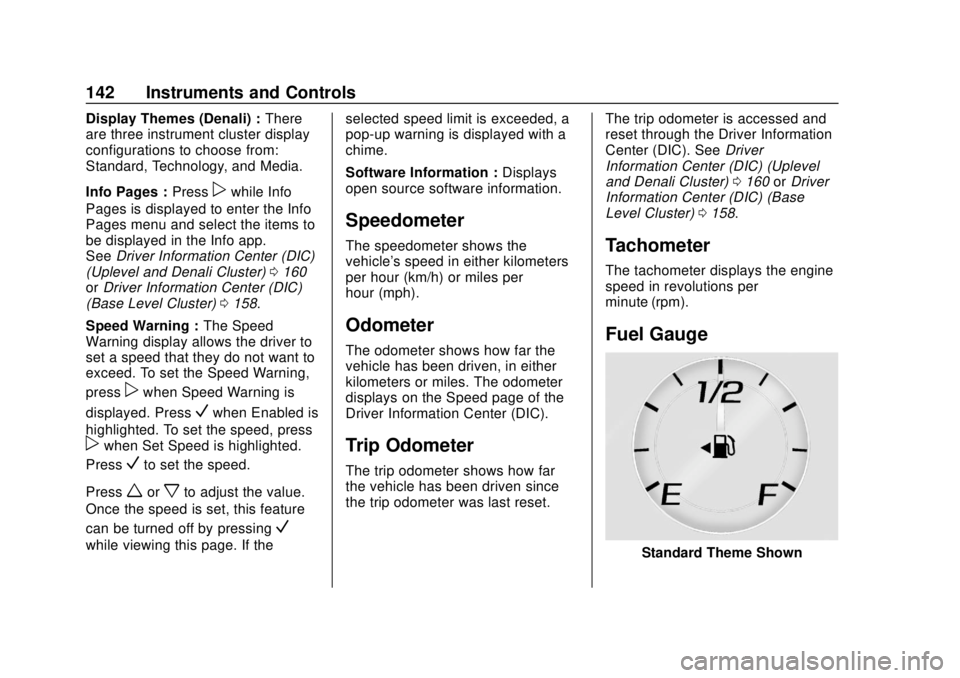
Fuel Gauge
Standard Theme Shown