REMOTE KEYLESS ENTRY GMC SIERRA 2023 User Guide
[x] Cancel search | Manufacturer: GMC, Model Year: 2023, Model line: SIERRA, Model: GMC SIERRA 2023Pages: 430, PDF Size: 18.76 MB
Page 28 of 430
GMC Sierra/Sierra Denali 2500 HD/3500 HD Owner Manual (GMNA-
Localizing-U.S./Canada-16504257) - 2023 - CRC - 5/9/22
Keys, Doors, and Windows 27
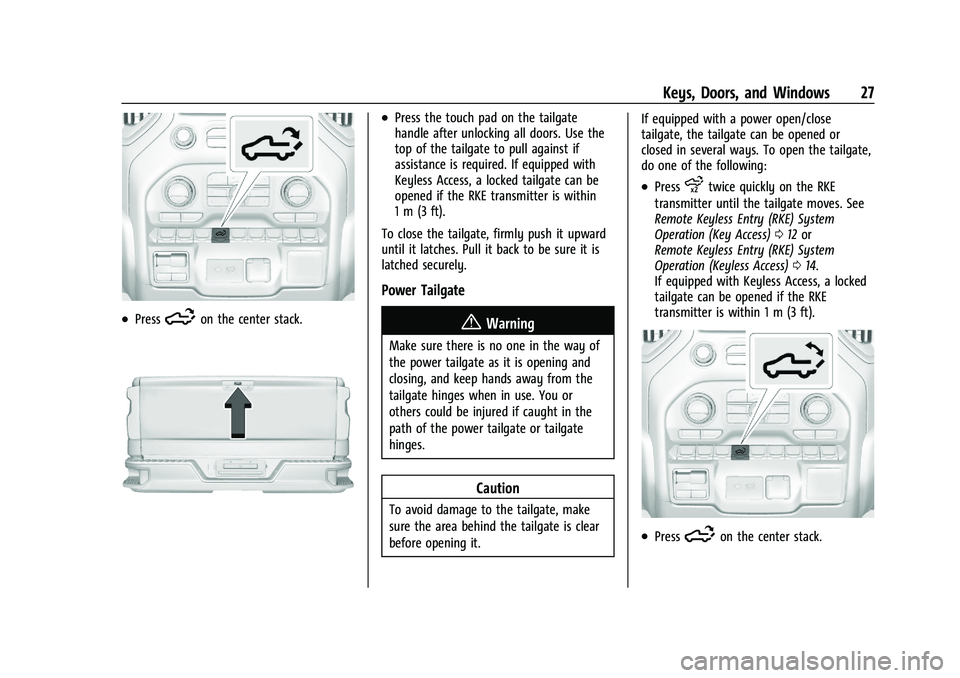
.Press5on the center stack.
.Press the touch pad on the tailgate
handle after unlocking all doors. Use the
top of the tailgate to pull against if
assistance is required. If equipped with
Keyless Access, a locked tailgate can be
opened if the RKE transmitter is within
1 m (3 ft).
To close the tailgate, firmly push it upward
until it latches. Pull it back to be sure it is
latched securely.
Power Tailgate
{Warning
Make sure there is no one in the way of
the power tailgate as it is opening and
closing, and keep hands away from the
tailgate hinges when in use. You or
others could be injured if caught in the
path of the power tailgate or tailgate
hinges.
Caution
To avoid damage to the tailgate, make
sure the area behind the tailgate is clear
before opening it. If equipped with a power open/close
tailgate, the tailgate can be opened or
closed in several ways. To open the tailgate,
do one of the following:
.Pressxtwice quickly on the RKE
transmitter until the tailgate moves. See
Remote Keyless Entry (RKE) System
Operation (Key Access) 012 or
Remote Keyless Entry (RKE) System
Operation (Keyless Access) 014.
If equipped with Keyless Access, a locked
tailgate can be opened if the RKE
transmitter is within 1 m (3 ft).
.Press5on the center stack.
Page 30 of 430
GMC Sierra/Sierra Denali 2500 HD/3500 HD Owner Manual (GMNA-
Localizing-U.S./Canada-16504257) - 2023 - CRC - 5/9/22
Keys, Doors, and Windows 29
If the tailgate encounters multiple obstacles,
the power function will deactivate. After
removing the obstructions, manually close
the tailgate to resume normal power
operation.
Manual Operation
The tailgate can be manually closed from
the full-open position when the tailgate is
lifted in a continuous motion. If the tailgate
motion is stopped between the full-open
and half-closed positions, the lift-to-close
feature can engage and power close the
tailgate. If the touch pad is pressed during
power operation, the tailgate will stop and
allow manual operation. The tailgate must
be held after stopping, or it will continue
to open.
MultiPro Tailgate
{Warning
Make sure there is no one in the way of
the power tailgate as it is opening and
closing, and keep hands away from the
tailgate hinges when in use. You or
others could be injured if caught in the
path of the power tailgate or tailgate
hinges.
Caution
To avoid damage to the tailgate, make
sure the area behind the tailgate is clear
before opening it.
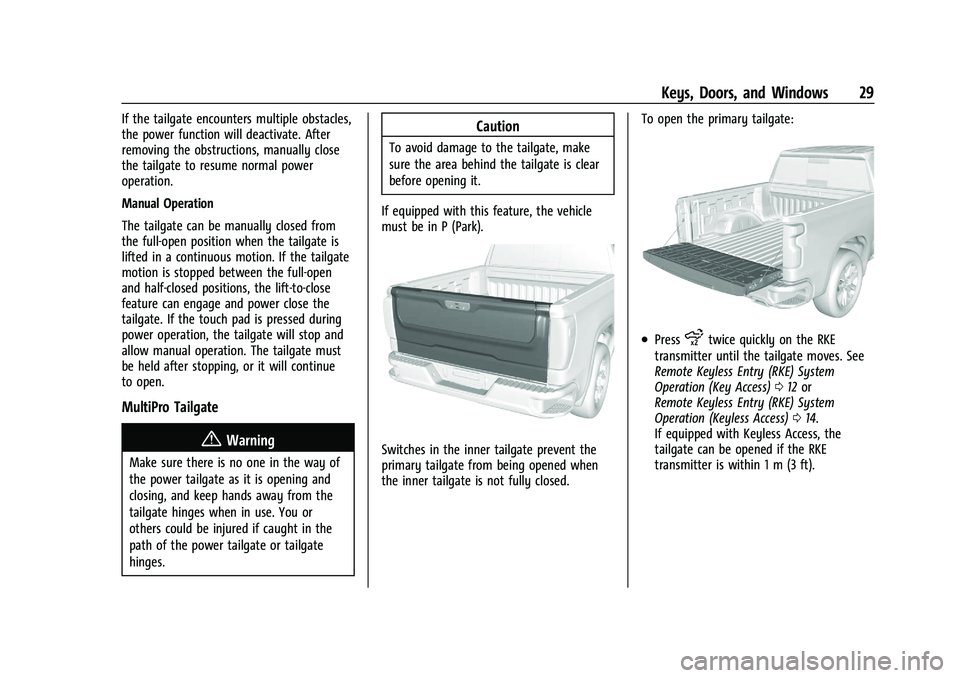
If equipped with this feature, the vehicle
must be in P (Park).
Switches in the inner tailgate prevent the
primary tailgate from being opened when
the inner tailgate is not fully closed. To open the primary tailgate:
.Pressxtwice quickly on the RKE
transmitter until the tailgate moves. See
Remote Keyless Entry (RKE) System
Operation (Key Access) 012 or
Remote Keyless Entry (RKE) System
Operation (Keyless Access) 014.
If equipped with Keyless Access, the
tailgate can be opened if the RKE
transmitter is within 1 m (3 ft).
Page 37 of 430
GMC Sierra/Sierra Denali 2500 HD/3500 HD Owner Manual (GMNA-
Localizing-U.S./Canada-16504257) - 2023 - CRC - 5/9/22
36 Keys, Doors, and Windows
located in the center console. SeeRemote
Keyless Entry (RKE) System Operation (Key
Access) 012 or
Remote Keyless Entry (RKE) System
Operation (Keyless Access) 014.
If the ignition mode will not change with
the other transmitter or with the
transmitter in the transmitter pocket, your
vehicle needs service. If the ignition does
change modes, the first transmitter may be
faulty. See your dealer who can service the
theft-deterrent system and have a new RKE
transmitter programmed to the vehicle.
It is possible for the immobilizer system to
learn new or replacement RKE transmitters.
Up to eight transmitters can be
programmed for the vehicle. To program
additional transmitters, see "Programming
Transmitters to the Vehicle" under Remote
Keyless Entry (RKE) System Operation (Key
Access) 012 or
Remote Keyless Entry (RKE) System
Operation (Keyless Access) 014
Do not leave the transmitter or device that
disarms or deactivates the vehicle theft
system in the vehicle. When equipped with a key, if the engine
still does not start, and the key appears to
be undamaged, try another ignition key.
It may be necessary to check the fuse. See
Fuses and Circuit Breakers
0329. If the
engine still does not start with the other
key, the vehicle needs service. If the vehicle
does start, the first key may be faulty. See
your dealer. It is possible for the
immobilizer system to learn new or
replacement keys. Up to eight keys can be
programmed for the vehicle. To program
additional keys, see Keys (Key Access)08or
Keys (Keyless Access) 011. Do not leave the
key or device that disarms or deactivates
the vehicle theft system in the vehicle.
See your dealer to get a new key blank cut
exactly as the ignition key that operates the
system.Exterior Mirrors
Convex Mirrors
{Warning
A convex mirror can make things, like
other vehicles, look farther away than
they really are. If you cut too sharply
into the right lane, you could hit a
vehicle on the right. Check the inside
mirror or glance over your shoulder
before changing lanes.
Standard Mirrors
The passenger side mirror is convex shaped.
A convex mirror surface is curved so more
can be seen from the driver seat.
Trailer-Tow Mirrors
The upper portion of both the driver and
passenger mirrors is flat.
The lower portion of both the driver and
passenger mirrors is convex. A convex mirror
surface is curved so more can be seen from
the driver seat. The lower portion is
adjusted manually.
Page 40 of 430
GMC Sierra/Sierra Denali 2500 HD/3500 HD Owner Manual (GMNA-
Localizing-U.S./Canada-16504257) - 2023 - CRC - 5/9/22
Keys, Doors, and Windows 39
Folding Mirrors
Manual Folding Mirrors
If equipped, push the mirror toward the
vehicle to fold. Push the mirror outward to
return to its original position.
Manually fold the mirrors inward to prevent
damage when going through an automatic
car wash.
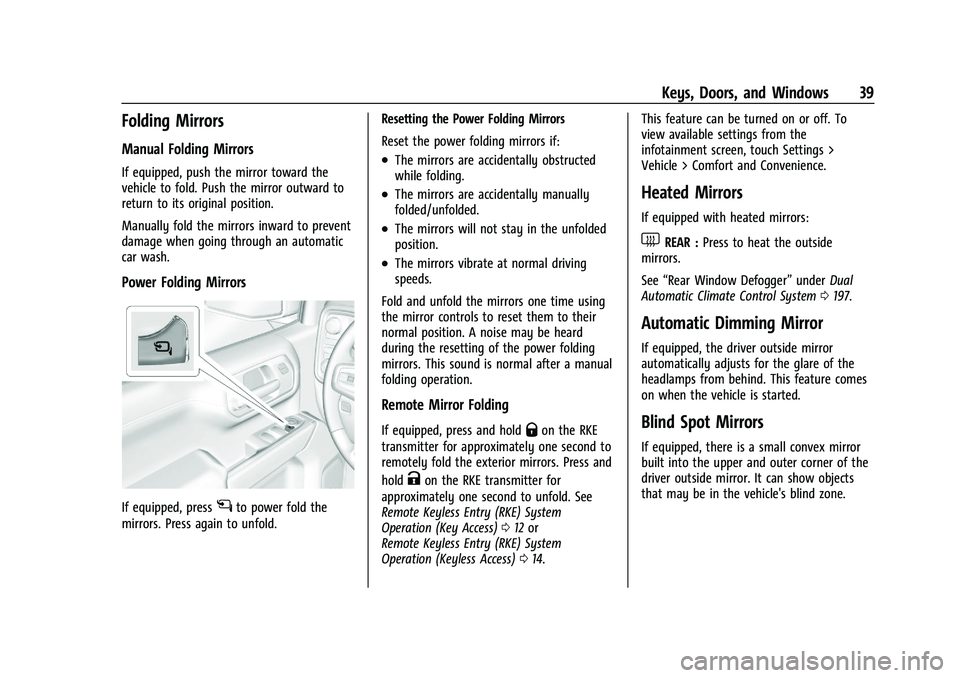
Power Folding Mirrors
If equipped, pressgto power fold the
mirrors. Press again to unfold. Resetting the Power Folding Mirrors
Reset the power folding mirrors if:
.The mirrors are accidentally obstructed
while folding.
.The mirrors are accidentally manually
folded/unfolded.
.The mirrors will not stay in the unfolded
position.
.The mirrors vibrate at normal driving
speeds.
Fold and unfold the mirrors one time using
the mirror controls to reset them to their
normal position. A noise may be heard
during the resetting of the power folding
mirrors. This sound is normal after a manual
folding operation.
Remote Mirror Folding
If equipped, press and holdQon the RKE
transmitter for approximately one second to
remotely fold the exterior mirrors. Press and
hold
Kon the RKE transmitter for
approximately one second to unfold. See
Remote Keyless Entry (RKE) System
Operation (Key Access) 012 or
Remote Keyless Entry (RKE) System
Operation (Keyless Access) 014. This feature can be turned on or off. To
view available settings from the
infotainment screen, touch Settings >
Vehicle > Comfort and Convenience.
Heated Mirrors
If equipped with heated mirrors:
1REAR :
Press to heat the outside
mirrors.
See “Rear Window Defogger” underDual
Automatic Climate Control System 0197.
Automatic Dimming Mirror
If equipped, the driver outside mirror
automatically adjusts for the glare of the
headlamps from behind. This feature comes
on when the vehicle is started.
Blind Spot Mirrors
If equipped, there is a small convex mirror
built into the upper and outer corner of the
driver outside mirror. It can show objects
that may be in the vehicle's blind zone.
Page 45 of 430
GMC Sierra/Sierra Denali 2500 HD/3500 HD Owner Manual (GMNA-
Localizing-U.S./Canada-16504257) - 2023 - CRC - 5/9/22
44 Keys, Doors, and Windows
Once the horizontal guideline is in the
desired location, press and hold the button
for another three seconds and repeat the
above step for the vertical guideline
programing. To readjust the horizontal
location of the guidelines after adjusting the
vertical location, press and hold the button
for three seconds.
After eight seconds since the last button
press, the position of the guidelines is
locked into memory.
Windows{
Warning
Never leave a child, a helpless adult, or a
pet alone in a vehicle, especially with the
windows closed in warm or hot weather.
They can be overcome by the extreme
heat and suffer permanent injuries or
even death from heat stroke.
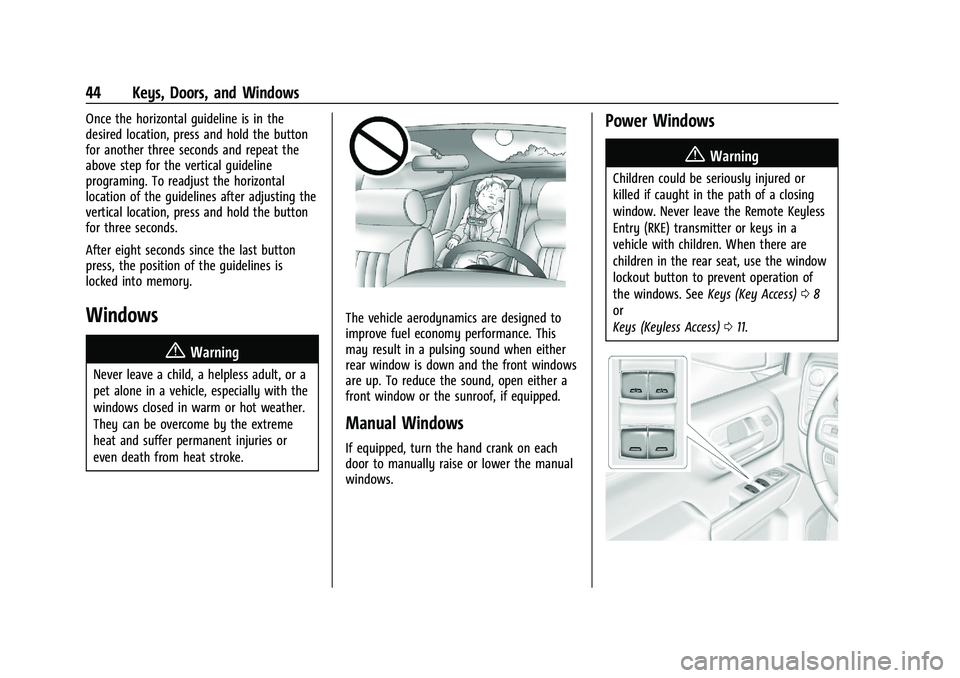
The vehicle aerodynamics are designed to
improve fuel economy performance. This
may result in a pulsing sound when either
rear window is down and the front windows
are up. To reduce the sound, open either a
front window or the sunroof, if equipped.
Manual Windows
If equipped, turn the hand crank on each
door to manually raise or lower the manual
windows.
Power Windows
{Warning
Children could be seriously injured or
killed if caught in the path of a closing
window. Never leave the Remote Keyless
Entry (RKE) transmitter or keys in a
vehicle with children. When there are
children in the rear seat, use the window
lockout button to prevent operation of
the windows. See Keys (Key Access)08
or
Keys (Keyless Access) 011.
Page 187 of 430
GMC Sierra/Sierra Denali 2500 HD/3500 HD Owner Manual (GMNA-
Localizing-U.S./Canada-16504257) - 2023 - CRC - 5/18/22
186 Infotainment System
Vehicle Account
Touch to view the vehicle account
information and to change the account
password.
Delete Profile
Touch to remove the profile from the
vehicle.
Touch Remove or Cancel.
Teen Driver
If equipped, this allows multiple keys to be
registered for beginner drivers to encourage
safe driving habits. When the vehicle is
started with a Teen Driver key, it will
automatically activate certain safety
systems, allow setting of some features, and
limit the use of others. The Report Card will
record vehicle data about driving behavior
that can be viewed later. When the vehicle
is started with a registered key, the Driver
Information Center (DIC) displays a message
that Teen Driver is active.
To access:1. Touch Settings on the Home Page, then touch Vehicle, and then Teen Driver. 2. Create a Personal Identification Number
(PIN) by choosing a four-digit PIN.
Re-enter the PIN to confirm. To change
the PIN, touch Change PIN.
The PIN is required to:
.Set up/Add or remove keys.
.Change Teen Driver settings.
.Change or clear the Teen Driver PIN.
.Access or delete Report Card data.
Set up/Add keys to activate Teen Driver and
assign restrictions to the key:
Any vehicle key can be registered, up to a
maximum of eight keys. Label the key to
tell it apart from the other keys.
For a pushbutton start system: 1. Start the vehicle.
2. For automatic transmissions, the vehicle must be in P (Park). For manual
transmissions, the vehicle must be
stopped with the parking brake set.
3. From the Settings menu, touch Vehicle and then Teen Driver.
4. Enter the PIN.
5. Place the remote key you wish to register in the transmitter pocket. The
key does not need to be the one that started the vehicle. See
Remote Keyless
Entry (RKE) System Operation (Key
Access) 012 or
Remote Keyless Entry (RKE) System
Operation (Keyless Access) 014 for
transmitter pocket location.
6. From the Teen Driver menu, touch Setup Keys or Add/Remove Teen Driver Keys..If the remote key has not previously
been registered, the option to add
the key displays. Touch Add and a
confirmation message displays. Teen
Driver restrictions will be applied
whenever this remote key is used to
operate the vehicle.
.If the remote key has already been
registered, the option to remove the
key displays. If Remove is touched,
the remote key is no longer
registered. A confirmation message
displays, and Teen Driver restrictions
will not be applied if this remote key
is used to operate the vehicle.
In vehicles with a pushbutton start system,
if a Teen Driver and a non-Teen Driver key
are both present at start up, the vehicle will
recognize the non-Teen Driver key to start
the vehicle. The Teen Driver settings will not
be active.
Page 224 of 430
GMC Sierra/Sierra Denali 2500 HD/3500 HD Owner Manual (GMNA-
Localizing-U.S./Canada-16504257) - 2023 - CRC - 5/9/22
Driving and Operating 223
Caution
Use the correct key, make sure it is all
the way in—or pushed all the way in
toward the steering column when turning
off the vehicle —and turn it only with
your hand.
1 (ACC/ACCESSORY) : This position allows
features such as the infotainment system to
operate while the vehicle is off. It also
unlocks the steering column, if equipped
with a locking steering column. Use this
position if the vehicle must be pushed or
towed. See Retained Accessory Power (RAP)
0 227.
From ON/RUN, push the key all the way in
toward the steering column, then turn the
key to ACC/ACCESSORY.
If the key is left in ACC/ACCESSORY with the
engine off, the battery could drain and the
vehicle may not start.
A warning chime will sound when the driver
door is opened and the key is in the
ignition.
2 (ON/RUN) : This position can be used to
operate the electrical accessories and to
display some instrument cluster warning
and indicator lights. This position can also be used for service and diagnostics, and to
verify the proper operation of the
malfunction indicator lamp as may be
required for emission inspection purposes.
The switch stays in this position when the
engine is running. The transmission is also
unlocked in this position.
If the key is left in ON/RUN with the engine
off, the battery could drain and the vehicle
may not start.
3 (START) :
This is the position that starts
the engine. When the engine starts, release
the key. The ignition returns to ON/RUN for
driving.
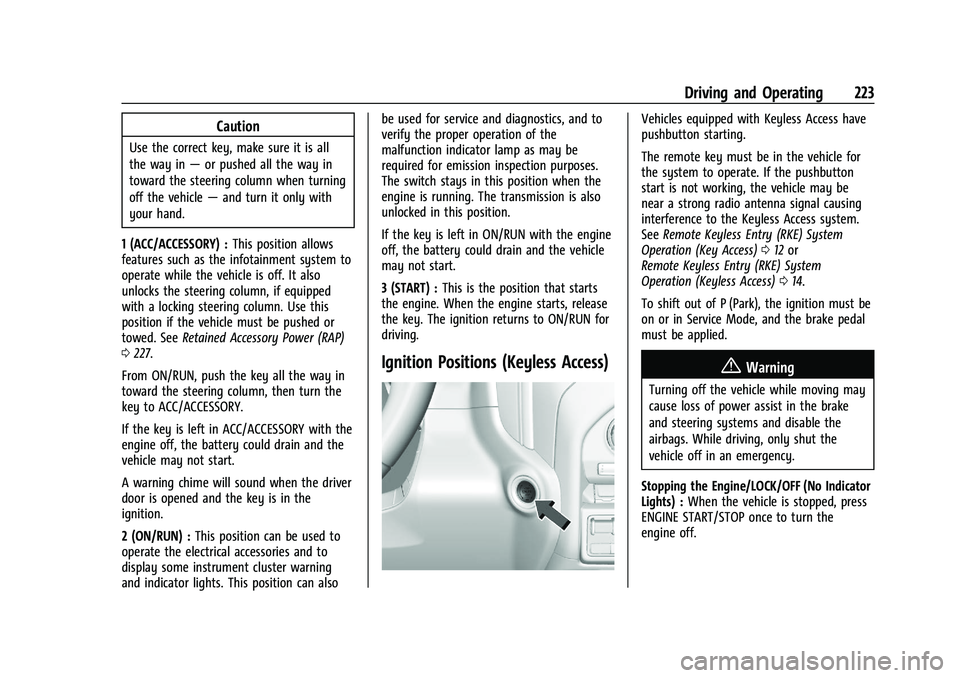
Ignition Positions (Keyless Access)
Vehicles equipped with Keyless Access have
pushbutton starting.
The remote key must be in the vehicle for
the system to operate. If the pushbutton
start is not working, the vehicle may be
near a strong radio antenna signal causing
interference to the Keyless Access system.
See Remote Keyless Entry (RKE) System
Operation (Key Access) 012 or
Remote Keyless Entry (RKE) System
Operation (Keyless Access) 014.
To shift out of P (Park), the ignition must be
on or in Service Mode, and the brake pedal
must be applied.
{Warning
Turning off the vehicle while moving may
cause loss of power assist in the brake
and steering systems and disable the
airbags. While driving, only shut the
vehicle off in an emergency.
Stopping the Engine/LOCK/OFF (No Indicator
Lights) : When the vehicle is stopped, press
ENGINE START/STOP once to turn the
engine off.
Page 422 of 430
GMC Sierra/Sierra Denali 2500 HD/3500 HD Owner Manual (GMNA-
Localizing-U.S./Canada-16504257) - 2023 - CRC - 5/9/22
Index 421
H
Halogen Bulbs . . . . . . . . . . . . . . . . . . . . . . . . . . . 325
Hazard Warning Flashers . . . . . . . . . . . . . . . . .142
HD Radio Technology . . . . . . . . . . . . . . . . . . . . 156
Head Restraints . . . . . . . . . . . . . . . . . . . . . . . . . . . 49
Head-Up Display (HUD) . . . . . . . . . . . . . . . . . . . 132
HeadlampsAiming . . . . . . . . . . . . . . . . . . . . . . . . . . . . . . . . 325
Automatic . . . . . . . . . . . . . . . . . . . . . . . . . . . . . . 141
Bulb Replacement . . . . . . . . . . . . . . . . . . . . . . 325
Daytime Running Lamps (DRL) . . . . . . . . . . 141
Flash-to-Pass . . . . . . . . . . . . . . . . . . . . . . . . . . . . 141
Headlamps, Front Turn Signal,Sidemarker, and Parking Lamps . . . . . . 325
High-Beam On Light . . . . . . . . . . . . . . . . . . . . 127
High/Low Beam Changer . . . . . . . . . . . . . . . 141
Lamps On Reminder . . . . . . . . . . . . . . . . . . . 128
Heated Mirrors . . . . . . . . . . . . . . . . . . . . . . . . . . . . . . . . . 39
Rear Seats . . . . . . . . . . . . . . . . . . . . . . . . . . . . . . 58
Steering Wheel . . . . . . . . . . . . . . . . . . . . . . . . 105
Ventilated Front Seats . . . . . . . . . . . . . . . . . . 56
Heater Engine . . . . . . . . . . . . . . . . . . . . . . . . . . . . . . . . . 226
Heating . . . . . . . . . . . . . . . . . . . . . . . . . . . . . .196, 197
High-Beam On Light . . . . . . . . . . . . . . . . . . . . . . 127 Hill
Descent Control (HDC) . . . . . . . . . . . . . . . . . 242
Descent Control Light . . . . . . . . . . . . . . . . . . 123
Hill and Mountain Roads . . . . . . . . . . . . . . . . . 212
Hill Start Assist (HSA) . . . . . . . . . . . . . . . . . . . . 240
Hood . . . . . . . . . . . . . . . . . . . . . . . . . . . . . . . . . . . . 303
Horn . . . . . . . . . . . . . . . . . . . . . . . . . . . . . . . . . . . . . 106
How to Wear Seat Belts Properly . . . . . . . . . 59
HVAC . . . . . . . . . . . . . . . . . . . . . . . . . . . . . . . .196, 197
I
If the System Needs Service . . . . . . . . . . . . . . 171
Ignition Positions . . . . . . . . . . . . . . . . . . . . 221, 223
Immobilizer . . . . . . . . . . . . . . . . . . . . . . . . . . . . . . . .35
Indicator Vehicle Ahead . . . . . . . . . . . . . . . . . . . . . . . . . 124
Indicators
Warning Lights and Gauges . . . . . . . . . . . . . 111
Infants and Young Children, Restraints . . . . .77
Information Publication Ordering . . . . . . . . . . . . . . . . . . . 404
Infotainment Using the System . . . . . . . . . . . . . . . . . . . . . . 152
Infotainment System . . . . . . . . . . . . . . . . . . . . 407
Inspection Multi-Point Vehicle . . . . . . . . . . . . . . . . . . . . 387
Instrument Cluster . . . . . . . . . . . . . . . . . . . . . . . . 111
Instrument Panel Overview . . . . . . . . . . . . . . . . .5 Interior Rearview Mirrors . . . . . . . . . . . . . . . . . 40
Introduction . . . . . . . . . . . . . . . . . . . . . . . . . . . 2, 148
J
Jack
Auxiliary . . . . . . . . . . . . . . . . . . . . . . . . . . . . . . . 159
Jump
Starting - North America . . . . . . . . . . . . . . . 367
K
Keyless EntryRemote (RKE) System Operation . . . . . 12, 14
Keys . . . . . . . . . . . . . . . . . . . . . . . . . . . . . . . . . . . . 8, 11
L
Labeling, Tire Sidewall . . . . . . . . . . . . . . . . . . . 338
Lamps Auxiliary Roof Mounted Lamp . . . . . . . . . 144
Daytime Running (DRL) . . . . . . . . . . . . . . . . . 141
Dome . . . . . . . . . . . . . . . . . . . . . . . . . . . . . . . . . . 145
Exterior Cargo . . . . . . . . . . . . . . . . . . . . . . . . . 144
Exterior Controls . . . . . . . . . . . . . . . . . . . . . . . 139
Exterior Lamps Off Reminder . . . . . . . . . . . 141
Exterior Lighting Battery Saver . . . . . . . . 147
Flash-to-Pass . . . . . . . . . . . . . . . . . . . . . . . . . . . . 141
Fog . . . . . . . . . . . . . . . . . . . . . . . . . . . . . . . . . . . . 143
High/Low Beam Changer . . . . . . . . . . . . . . . 141
License Plate . . . . . . . . . . . . . . . . . . . . . . . . . . . 327
Page 425 of 430
GMC Sierra/Sierra Denali 2500 HD/3500 HD Owner Manual (GMNA-
Localizing-U.S./Canada-16504257) - 2023 - CRC - 5/9/22
424 Index
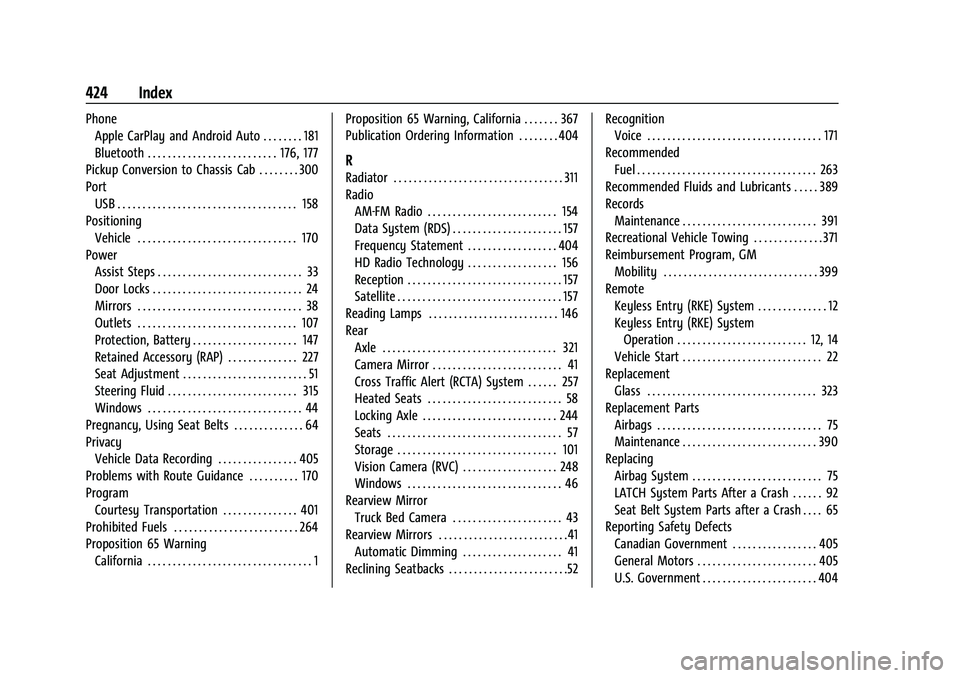
PhoneApple CarPlay and Android Auto . . . . . . . . 181
Bluetooth . . . . . . . . . . . . . . . . . . . . . . . . . . 176, 177
Pickup Conversion to Chassis Cab . . . . . . . . 300
Port USB . . . . . . . . . . . . . . . . . . . . . . . . . . . . . . . . . . . . 158
Positioning
Vehicle . . . . . . . . . . . . . . . . . . . . . . . . . . . . . . . . 170
Power Assist Steps . . . . . . . . . . . . . . . . . . . . . . . . . . . . . 33
Door Locks . . . . . . . . . . . . . . . . . . . . . . . . . . . . . . 24
Mirrors . . . . . . . . . . . . . . . . . . . . . . . . . . . . . . . . . 38
Outlets . . . . . . . . . . . . . . . . . . . . . . . . . . . . . . . . 107
Protection, Battery . . . . . . . . . . . . . . . . . . . . . 147
Retained Accessory (RAP) . . . . . . . . . . . . . . 227
Seat Adjustment . . . . . . . . . . . . . . . . . . . . . . . . . 51
Steering Fluid . . . . . . . . . . . . . . . . . . . . . . . . . . 315
Windows . . . . . . . . . . . . . . . . . . . . . . . . . . . . . . . 44
Pregnancy, Using Seat Belts . . . . . . . . . . . . . . 64
Privacy Vehicle Data Recording . . . . . . . . . . . . . . . . 405
Problems with Route Guidance . . . . . . . . . . 170
Program Courtesy Transportation . . . . . . . . . . . . . . . 401
Prohibited Fuels . . . . . . . . . . . . . . . . . . . . . . . . . 264
Proposition 65 Warning
California . . . . . . . . . . . . . . . . . . . . . . . . . . . . . . . . . 1 Proposition 65 Warning, California . . . . . . . 367
Publication Ordering Information . . . . . . . . 404
R
Radiator . . . . . . . . . . . . . . . . . . . . . . . . . . . . . . . . . . 311
Radio
AM-FM Radio . . . . . . . . . . . . . . . . . . . . . . . . . . 154
Data System (RDS) . . . . . . . . . . . . . . . . . . . . . . 157
Frequency Statement . . . . . . . . . . . . . . . . . . 404
HD Radio Technology . . . . . . . . . . . . . . . . . . 156
Reception . . . . . . . . . . . . . . . . . . . . . . . . . . . . . . . 157
Satellite . . . . . . . . . . . . . . . . . . . . . . . . . . . . . . . . . 157
Reading Lamps . . . . . . . . . . . . . . . . . . . . . . . . . . 146
Rear Axle . . . . . . . . . . . . . . . . . . . . . . . . . . . . . . . . . . . 321
Camera Mirror . . . . . . . . . . . . . . . . . . . . . . . . . . 41
Cross Traffic Alert (RCTA) System . . . . . . 257
Heated Seats . . . . . . . . . . . . . . . . . . . . . . . . . . . 58
Locking Axle . . . . . . . . . . . . . . . . . . . . . . . . . . . 244
Seats . . . . . . . . . . . . . . . . . . . . . . . . . . . . . . . . . . . 57
Storage . . . . . . . . . . . . . . . . . . . . . . . . . . . . . . . . 101
Vision Camera (RVC) . . . . . . . . . . . . . . . . . . . 248
Windows . . . . . . . . . . . . . . . . . . . . . . . . . . . . . . . 46
Rearview Mirror Truck Bed Camera . . . . . . . . . . . . . . . . . . . . . . 43
Rearview Mirrors . . . . . . . . . . . . . . . . . . . . . . . . . .41
Automatic Dimming . . . . . . . . . . . . . . . . . . . . 41
Reclining Seatbacks . . . . . . . . . . . . . . . . . . . . . . . .52 Recognition
Voice . . . . . . . . . . . . . . . . . . . . . . . . . . . . . . . . . . . 171
Recommended Fuel . . . . . . . . . . . . . . . . . . . . . . . . . . . . . . . . . . . . 263
Recommended Fluids and Lubricants . . . . . 389
Records Maintenance . . . . . . . . . . . . . . . . . . . . . . . . . . . 391
Recreational Vehicle Towing . . . . . . . . . . . . . . 371
Reimbursement Program, GM Mobility . . . . . . . . . . . . . . . . . . . . . . . . . . . . . . . 399
Remote
Keyless Entry (RKE) System . . . . . . . . . . . . . . 12
Keyless Entry (RKE) SystemOperation . . . . . . . . . . . . . . . . . . . . . . . . . . 12, 14
Vehicle Start . . . . . . . . . . . . . . . . . . . . . . . . . . . . 22
Replacement
Glass . . . . . . . . . . . . . . . . . . . . . . . . . . . . . . . . . . 323
Replacement Parts Airbags . . . . . . . . . . . . . . . . . . . . . . . . . . . . . . . . . 75
Maintenance . . . . . . . . . . . . . . . . . . . . . . . . . . . 390
Replacing
Airbag System . . . . . . . . . . . . . . . . . . . . . . . . . . 75
LATCH System Parts After a Crash . . . . . . 92
Seat Belt System Parts after a Crash . . . . 65
Reporting Safety Defects
Canadian Government . . . . . . . . . . . . . . . . . 405
General Motors . . . . . . . . . . . . . . . . . . . . . . . . 405
U.S. Government . . . . . . . . . . . . . . . . . . . . . . . 404