seat GMC SIERRA 2024 Owners Manual
[x] Cancel search | Manufacturer: GMC, Model Year: 2024, Model line: SIERRA, Model: GMC SIERRA 2024Pages: 440, PDF Size: 9.21 MB
Page 264 of 440
GMC Sierra/Sierra Denali 2500 HD/3500 HD Owner Manual (GMNA-
Localizing-U.S./Canada-16908340) - 2024 - CRC - 12/13/22
262 Driving and Operating
.The accessory trailer cameras were
plugged in when the vehicle was running.
The vehicle needs to be off, with all doors
closed, for at least five minutes prior to
plugging in a trailer camera.
A view may switch automatically if:
.The vehicle is shifted to another gear.
Park Assist
The vehicle may be equipped with Rear Park
Assist (RPA) or Front and Rear Park Assist
(FRPA). Under certain conditions, the Park
Assist system can assist the driver as the
vehicle moves at speeds of less than 8 km/h
(5 mph). The sensors on the bumpers may
detect objects up to 1.2 m (4 ft) in front and
1.8 m (6 ft) behind the vehicle within a zone
25 cm (10 in) high off the ground and below
bumper level. These detection distances may
be shorter during warmer or humid weather.
Blocked sensors will not detect objects and
can also cause false detections. Keep the
sensors clean of mud, dirt, snow, ice, and
slush; and clean sensors after a car wash in
freezing temperatures.
{Warning
The Park Assist system does not detect
children, pedestrians, bicyclists, animals,
or objects located below the bumper or
that are too close or too far from the
vehicle. It is not available at speeds
greater than 8 km/h (5 mph). To prevent
injury, death, or vehicle damage, even
with Park Assist, always check the area
around the vehicle and check all mirrors
before moving forward or backing.
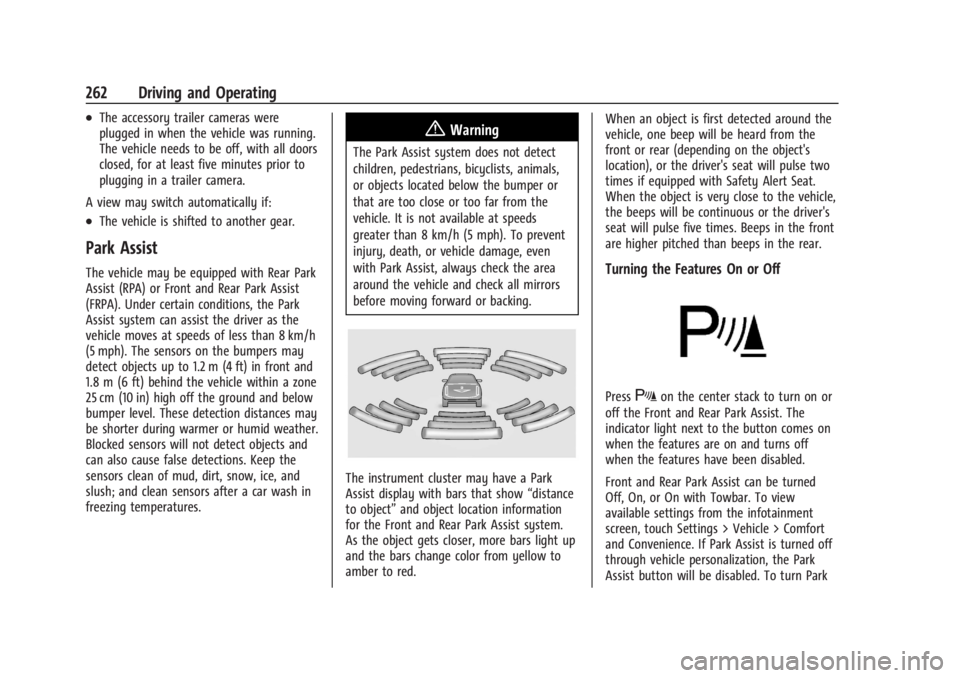
The instrument cluster may have a Park
Assist display with bars that show “distance
to object” and object location information
for the Front and Rear Park Assist system.
As the object gets closer, more bars light up
and the bars change color from yellow to
amber to red. When an object is first detected around the
vehicle, one beep will be heard from the
front or rear (depending on the object's
location), or the driver's seat will pulse two
times if equipped with Safety Alert Seat.
When the object is very close to the vehicle,
the beeps will be continuous or the driver's
seat will pulse five times. Beeps in the front
are higher pitched than beeps in the rear.
Turning the Features On or Off
PressXon the center stack to turn on or
off the Front and Rear Park Assist. The
indicator light next to the button comes on
when the features are on and turns off
when the features have been disabled.
Front and Rear Park Assist can be turned
Off, On, or On with Towbar. To view
available settings from the infotainment
screen, touch Settings > Vehicle > Comfort
and Convenience. If Park Assist is turned off
through vehicle personalization, the Park
Assist button will be disabled. To turn Park
Page 265 of 440
GMC Sierra/Sierra Denali 2500 HD/3500 HD Owner Manual (GMNA-
Localizing-U.S./Canada-16908340) - 2024 - CRC - 12/13/22
Driving and Operating 263
Assist on again, select On in vehicle
personalization. The On with Towbar setting
allows Park Assist to work properly with a
trailer hitch. Some larger trailer hitches may
not be compatible.
Turn off Park Assist when towing a trailer.
To turn the RPA symbols on or off, from the
infotainment screen, touch Settings >
Vehicle > Comfort and Convenience > Rear
Park Assist Symbols.
Rear Cross Traffic Alert (RCTA)
System
If equipped, when the vehicle is shifted into
R (Reverse), RCTA shows a red warning
triangle with a left or right pointing arrow
on the infotainment display to warn of
traffic coming from the left or right. This
system detects objects coming from up to
20 m (65 ft) from the left or right side of
the vehicle. When an object is detected,
either three beeps sound from the left or
right or three Safety Alert Seat pulses occur
on the left or right side, depending on the
direction of the detected vehicle.Use caution while backing up when towing
a trailer, as the RCTA detection zones that
extend out from the back of the vehicle do
not move further back when a trailer is
towed.
RCTA is disabled when the trailer connection
status is displayed.
RCTA can be turned off. To view available
settings from the infotainment screen, touch
Settings > Vehicle > Collision/Detection
Systems.
Assistance Systems for Driving
If equipped, when driving the vehicle in a
forward gear, Forward Collision Alert (FCA),
Front Pedestrian Braking, (FPB), Lane
Departure Warning (LDW), Side Blind Zone
Alert (SBZA), Lane Change Alert (LCA), and/or
the Automatic Emergency Braking (AEB) can
help to avoid a crash or reduce crash
damage.
Forward Collision Alert (FCA)
System
If equipped, the FCA system may help to
avoid or reduce the harm caused by
front-end crashes. When approaching a
vehicle ahead too quickly, FCA provides ared flashing alert on the windshield and
rapidly beeps or pulses the drivers seat (if
equipped). FCA also lights an amber visual
alert if following another vehicle much too
closely.
FCA detects vehicles within a distance of
approximately 60 m (197 ft) and operates at
speeds above 8 km/h (5 mph).
{Warning
FCA is a warning system and does not
apply the brakes. When approaching a
slower-moving or stopped vehicle ahead
too rapidly, or when following a vehicle
too closely, FCA may not provide a
warning with enough time to help avoid
a crash. It also may not provide any
warning at all. FCA does not warn of
pedestrians, animals, signs, guardrails,
bridges, construction barrels, or other
objects. Be ready to take action and
apply the brakes. See
Defensive Driving
0 200.
FCA can be disabled. To view available
settings from the infotainment screen, touch
Settings > Vehicle > Collision/Detection
Systems.
Page 266 of 440
GMC Sierra/Sierra Denali 2500 HD/3500 HD Owner Manual (GMNA-
Localizing-U.S./Canada-16908340) - 2024 - CRC - 12/13/22
264 Driving and Operating
Detecting the Vehicle Ahead
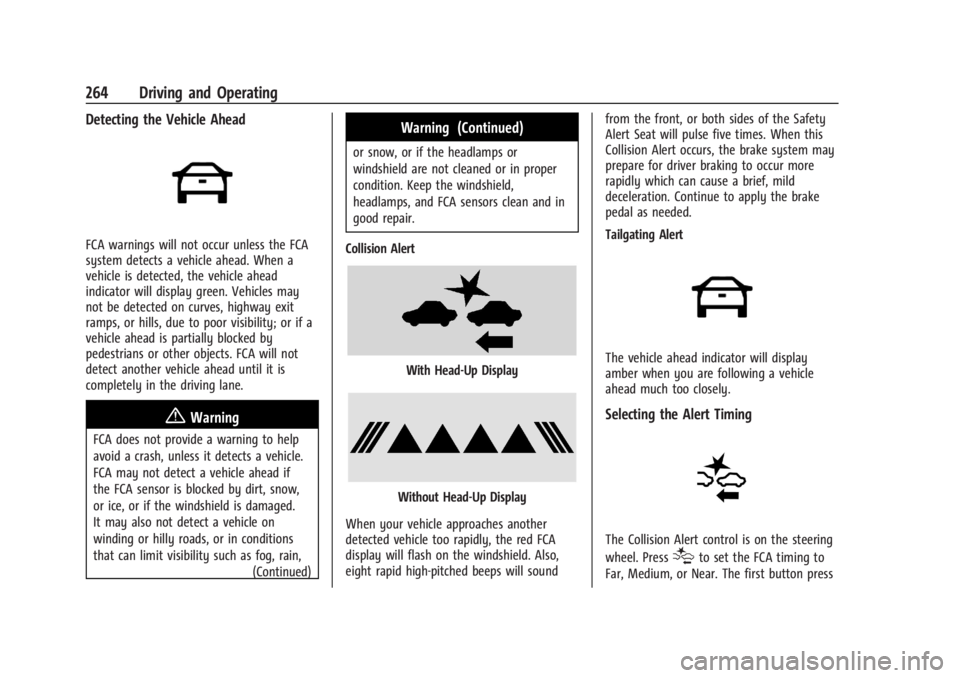
FCA warnings will not occur unless the FCA
system detects a vehicle ahead. When a
vehicle is detected, the vehicle ahead
indicator will display green. Vehicles may
not be detected on curves, highway exit
ramps, or hills, due to poor visibility; or if a
vehicle ahead is partially blocked by
pedestrians or other objects. FCA will not
detect another vehicle ahead until it is
completely in the driving lane.
{Warning
FCA does not provide a warning to help
avoid a crash, unless it detects a vehicle.
FCA may not detect a vehicle ahead if
the FCA sensor is blocked by dirt, snow,
or ice, or if the windshield is damaged.
It may also not detect a vehicle on
winding or hilly roads, or in conditions
that can limit visibility such as fog, rain,(Continued)
Warning (Continued)
or snow, or if the headlamps or
windshield are not cleaned or in proper
condition. Keep the windshield,
headlamps, and FCA sensors clean and in
good repair.
Collision Alert
With Head-Up Display
Without Head-Up Display
When your vehicle approaches another
detected vehicle too rapidly, the red FCA
display will flash on the windshield. Also,
eight rapid high-pitched beeps will sound from the front, or both sides of the Safety
Alert Seat will pulse five times. When this
Collision Alert occurs, the brake system may
prepare for driver braking to occur more
rapidly which can cause a brief, mild
deceleration. Continue to apply the brake
pedal as needed.
Tailgating Alert
The vehicle ahead indicator will display
amber when you are following a vehicle
ahead much too closely.
Selecting the Alert Timing
The Collision Alert control is on the steering
wheel. Press
[to set the FCA timing to
Far, Medium, or Near. The first button press
Page 268 of 440
GMC Sierra/Sierra Denali 2500 HD/3500 HD Owner Manual (GMNA-
Localizing-U.S./Canada-16908340) - 2024 - CRC - 12/13/22
266 Driving and Operating
Warning (Continued)
.Detect a vehicle when weather limits
visibility, such as in fog, rain, or snow.
.Detect a vehicle ahead if it is partially
blocked by pedestrians or other
objects.
Complete attention is always required
while driving, and you should be ready to
take action and apply the brakes and/or
steer the vehicle to avoid crashes.
AEB may slow the vehicle to a complete
stop to try to avoid a potential crash. If this
happens, AEB may stop the vehicle
momentarily. Firmly press the accelerator to
continue driving.
{Warning
AEB may automatically brake the vehicle
suddenly in situations where it is
unexpected and undesired. It could
respond to a turning vehicle ahead,
guardrails, signs, and other non-moving
objects. To override AEB, firmly press the
accelerator pedal, if it is safe to do so.
Intelligent Brake Assist (IBA)
IBA may activate when the brake pedal is
applied quickly by providing a boost to
braking based on the speed of approach and
distance to a vehicle ahead.
Minor brake pedal pulsations or pedal
movement during this time is normal and
the brake pedal should continue to be
applied as needed. IBA will automatically
disengage only when the brake pedal is
released.
{Warning
IBA may increase vehicle braking in
situations when it may not be necessary.
You could block the flow of traffic. If this
occurs, take your foot off the brake pedal
and then apply the brakes as needed.
AEB and IBA can be disabled. To view
available settings from the infotainment
screen, touch Settings > Vehicle >
Collision/Detection Systems.
A system unavailable message may
display if:
.The front of the vehicle or windshield is
not clean.
.Heavy rain or snow is interfering with
object detection.
.There is a problem with the StabiliTrak/
Electronic Stability Control (ESC) system.
The AEB system does not need service.
Front Pedestrian Braking (FPB)
System
If equipped, the FPB system may help avoid
or reduce the harm caused by front-end
crashes with pedestrians near the forward
path of the vehicle when driving in a
forward gear. FPB displays an amber
~
when a nearby pedestrian is detected ahead.
When approaching a detected pedestrian too
quickly, FPB provides a red flashing alert on
the windshield and rapidly beeps or pulses
the driver seat (if equipped with Safety Alert
Seat). FPB can provide a boost to braking or
automatically brake the vehicle. This system
includes Intelligent Brake Assist (IBA), and
the Automatic Emergency Braking (AEB)
system may also respond to pedestrians.
See Automatic Emergency Braking (AEB)
0 265.
The FPB system can detect and alert to
pedestrians in a forward gear at speeds
between 8 km/h (5 mph) and 80 km/h
Page 269 of 440
GMC Sierra/Sierra Denali 2500 HD/3500 HD Owner Manual (GMNA-
Localizing-U.S./Canada-16908340) - 2024 - CRC - 12/13/22
Driving and Operating 267
(50 mph). During daytime driving, the
system detects pedestrians up to a distance
of approximately 40 m (131 ft). During
nighttime driving, system performance is
very limited.
{Warning
FPB does not provide an alert or
automatically brake the vehicle, unless it
detects a pedestrian. FPB may not detect
pedestrians, including children:
.When the pedestrian is not directly
ahead, fully visible, or standing
upright, or when part of a group.
.Due to poor visibility, including
nighttime conditions, fog, rain,
or snow.
.If the FPB sensor is blocked by dirt,
snow, or ice.
.If the headlamps or windshield are not
cleaned or in proper condition.
Be ready to take action and apply the
brakes. For more information, see
Defensive Driving 0200. Keep the
windshield, headlamps, and FPB sensor
clean and in good repair. FPB can be set to Off, Alert, or Alert and
Brake through vehicle personalization.
To view available settings from the
infotainment screen, touch Settings >
Vehicle > Collision/Detection Systems.
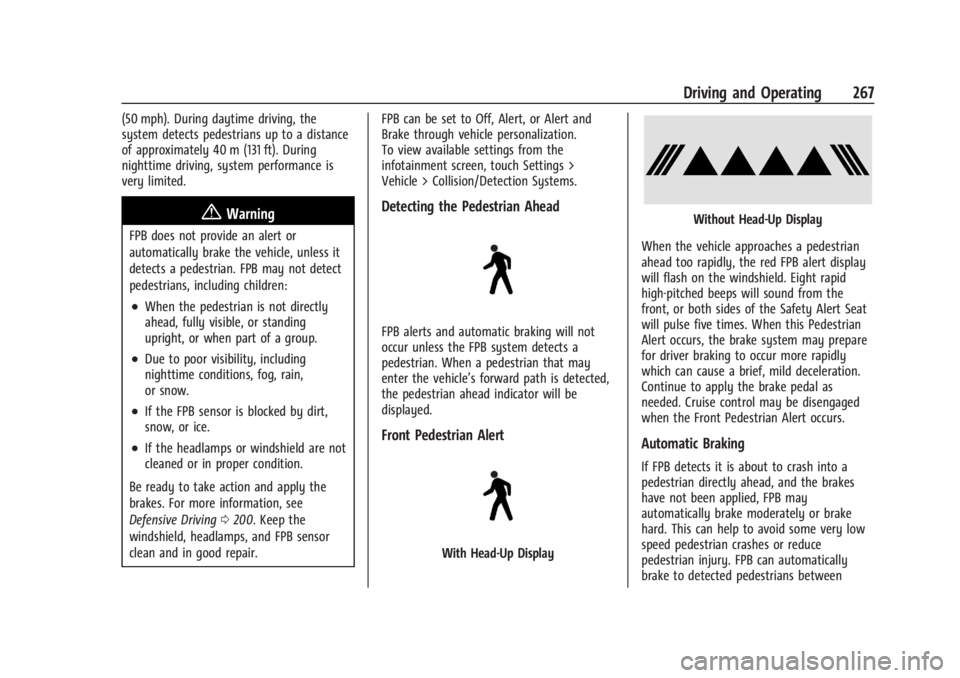
Detecting the Pedestrian Ahead
FPB alerts and automatic braking will not
occur unless the FPB system detects a
pedestrian. When a pedestrian that may
enter the vehicle’s forward path is detected,
the pedestrian ahead indicator will be
displayed.
Front Pedestrian Alert
With Head-Up Display
Without Head-Up Display
When the vehicle approaches a pedestrian
ahead too rapidly, the red FPB alert display
will flash on the windshield. Eight rapid
high-pitched beeps will sound from the
front, or both sides of the Safety Alert Seat
will pulse five times. When this Pedestrian
Alert occurs, the brake system may prepare
for driver braking to occur more rapidly
which can cause a brief, mild deceleration.
Continue to apply the brake pedal as
needed. Cruise control may be disengaged
when the Front Pedestrian Alert occurs.
Automatic Braking
If FPB detects it is about to crash into a
pedestrian directly ahead, and the brakes
have not been applied, FPB may
automatically brake moderately or brake
hard. This can help to avoid some very low
speed pedestrian crashes or reduce
pedestrian injury. FPB can automatically
brake to detected pedestrians between
Page 284 of 440
GMC Sierra/Sierra Denali 2500 HD/3500 HD Owner Manual (GMNA-
Localizing-U.S./Canada-16908340) - 2024 - CRC - 12/13/22
282 Driving and Operating
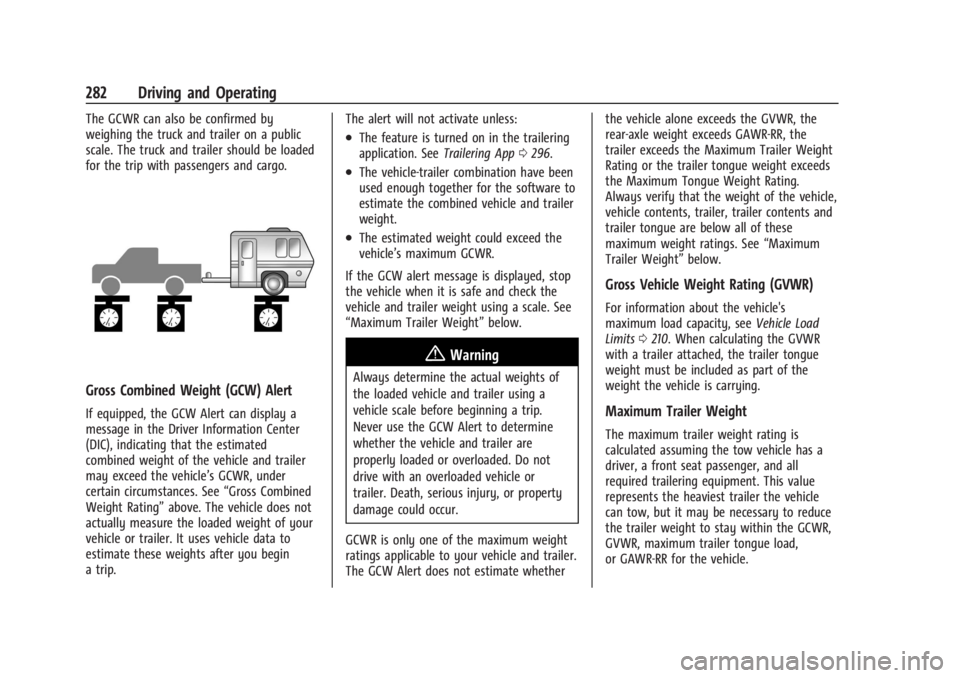
The GCWR can also be confirmed by
weighing the truck and trailer on a public
scale. The truck and trailer should be loaded
for the trip with passengers and cargo.
Gross Combined Weight (GCW) Alert
If equipped, the GCW Alert can display a
message in the Driver Information Center
(DIC), indicating that the estimated
combined weight of the vehicle and trailer
may exceed the vehicle’s GCWR, under
certain circumstances. See“Gross Combined
Weight Rating” above. The vehicle does not
actually measure the loaded weight of your
vehicle or trailer. It uses vehicle data to
estimate these weights after you begin
a trip. The alert will not activate unless:
.The feature is turned on in the trailering
application. See
Trailering App0296.
.The vehicle-trailer combination have been
used enough together for the software to
estimate the combined vehicle and trailer
weight.
.The estimated weight could exceed the
vehicle’s maximum GCWR.
If the GCW alert message is displayed, stop
the vehicle when it is safe and check the
vehicle and trailer weight using a scale. See
“Maximum Trailer Weight” below.
{Warning
Always determine the actual weights of
the loaded vehicle and trailer using a
vehicle scale before beginning a trip.
Never use the GCW Alert to determine
whether the vehicle and trailer are
properly loaded or overloaded. Do not
drive with an overloaded vehicle or
trailer. Death, serious injury, or property
damage could occur.
GCWR is only one of the maximum weight
ratings applicable to your vehicle and trailer.
The GCW Alert does not estimate whether the vehicle alone exceeds the GVWR, the
rear-axle weight exceeds GAWR-RR, the
trailer exceeds the Maximum Trailer Weight
Rating or the trailer tongue weight exceeds
the Maximum Tongue Weight Rating.
Always verify that the weight of the vehicle,
vehicle contents, trailer, trailer contents and
trailer tongue are below all of these
maximum weight ratings. See
“Maximum
Trailer Weight” below.
Gross Vehicle Weight Rating (GVWR)
For information about the vehicle's
maximum load capacity, see Vehicle Load
Limits 0210. When calculating the GVWR
with a trailer attached, the trailer tongue
weight must be included as part of the
weight the vehicle is carrying.
Maximum Trailer Weight
The maximum trailer weight rating is
calculated assuming the tow vehicle has a
driver, a front seat passenger, and all
required trailering equipment. This value
represents the heaviest trailer the vehicle
can tow, but it may be necessary to reduce
the trailer weight to stay within the GCWR,
GVWR, maximum trailer tongue load,
or GAWR-RR for the vehicle.
Page 312 of 440
GMC Sierra/Sierra Denali 2500 HD/3500 HD Owner Manual (GMNA-
Localizing-U.S./Canada-16908340) - 2024 - CRC - 12/7/22
310 Vehicle Care
Towing the Vehicle
Transporting a Disabled Vehicle . . . . . . . 379
Recreational Vehicle Towing . . . . . . . . . . . 380
Appearance Care
Exterior Care . . . . . . . . . . . . . . . . . . . . . . . . . . 383
Interior Care . . . . . . . . . . . . . . . . . . . . . . . . . . 388
Floor Mats . . . . . . . . . . . . . . . . . . . . . . . . . . . . . 391
General Information
For service and parts needs, visit your
dealer. You will receive genuine GM parts
and GM-trained and supported service
people.
Genuine GM parts have one of these marks:
California Perchlorate Materials
Requirements
Certain types of automotive applications,
such as airbag initiators, seat belt
pretensioners, and lithium batteries
contained in electronic keys, may contain
perchlorate materials. Perchlorate Material–
special handling may apply. See
www.dtsc.ca.gov/hazardouswaste/
perchlorate.
Accessories and Modifications
Adding non-dealer accessories or making
modifications to the vehicle can affect
vehicle performance and safety, including
such things as airbags, braking, stability,
ride and handling, emissions systems,
aerodynamics, durability, Advanced Driver
Assistance Systems, and electronic systems
like antilock brakes, traction control, and
stability control. These accessories or
modifications could even cause malfunction
or damage not covered by the vehicle
warranty.
Page 341 of 440
GMC Sierra/Sierra Denali 2500 HD/3500 HD Owner Manual (GMNA-
Localizing-U.S./Canada-16908340) - 2024 - CRC - 12/7/22
Vehicle Care 339
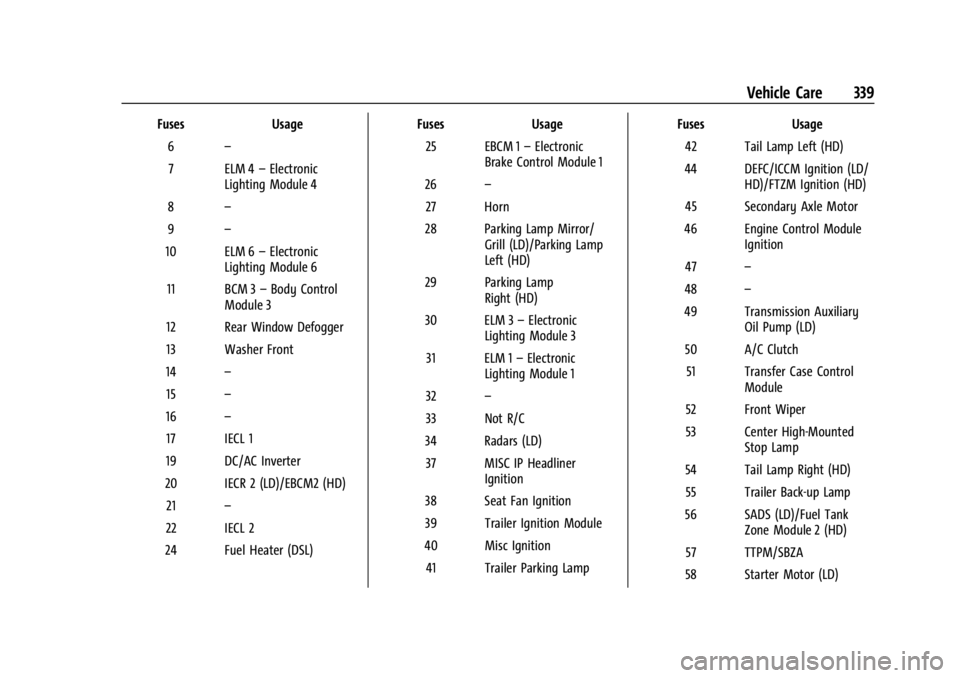
FusesUsage
6 –
7 ELM 4 –Electronic
Lighting Module 4
8 –
9 –
10 ELM 6 –Electronic
Lighting Module 6
11 BCM 3 –Body Control
Module 3
12 Rear Window Defogger
13 Washer Front
14 –
15 –
16 –
17 IECL 1
19 DC/AC Inverter
20 IECR 2 (LD)/EBCM2 (HD) 21 –
22 IECL 2
24 Fuel Heater (DSL) Fuses
Usage
25 EBCM 1 –Electronic
Brake Control Module 1
26 –
27 Horn
28 Parking Lamp Mirror/ Grill (LD)/Parking Lamp
Left (HD)
29 Parking Lamp Right (HD)
30 ELM 3 –Electronic
Lighting Module 3
31 ELM 1 –Electronic
Lighting Module 1
32 –
33 Not R/C
34 Radars (LD) 37 MISC IP Headliner Ignition
38 Seat Fan Ignition
39 Trailer Ignition Module
40 Misc Ignition 41 Trailer Parking Lamp Fuses
Usage
42 Tail Lamp Left (HD)
44 DEFC/ICCM Ignition (LD/ HD)/FTZM Ignition (HD)
45 Secondary Axle Motor
46 Engine Control Module Ignition
47 –
48 –
49 Transmission Auxiliary Oil Pump (LD)
50 A/C Clutch 51 Transfer Case Control Module
52 Front Wiper
53 Center High-Mounted Stop Lamp
54 Tail Lamp Right (HD) 55 Trailer Back-up Lamp
56 SADS (LD)/Fuel Tank Zone Module 2 (HD)
57 TTPM/SBZA
58 Starter Motor (LD)
Page 343 of 440
GMC Sierra/Sierra Denali 2500 HD/3500 HD Owner Manual (GMNA-
Localizing-U.S./Canada-16908340) - 2024 - CRC - 12/7/22
Vehicle Care 341
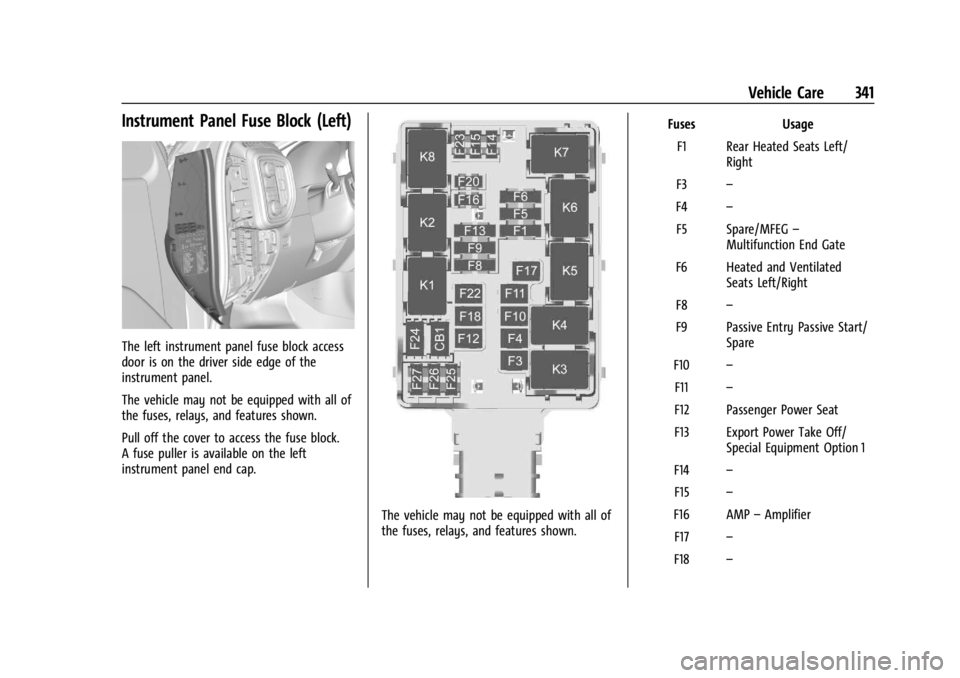
Instrument Panel Fuse Block (Left)
The left instrument panel fuse block access
door is on the driver side edge of the
instrument panel.
The vehicle may not be equipped with all of
the fuses, relays, and features shown.
Pull off the cover to access the fuse block.
A fuse puller is available on the left
instrument panel end cap.
The vehicle may not be equipped with all of
the fuses, relays, and features shown.Fuses Usage
F1 Rear Heated Seats Left/ Right
F3 –
F4 –
F5 Spare/MFEG –
Multifunction End Gate
F6 Heated and Ventilated Seats Left/Right
F8 –
F9 Passive Entry Passive Start/ Spare
F10 –
F11 –
F12 Passenger Power Seat
F13 Export Power Take Off/ Special Equipment Option 1
F14 –
F15 –
F16 AMP –Amplifier
F17 –
F18 –
Page 346 of 440
GMC Sierra/Sierra Denali 2500 HD/3500 HD Owner Manual (GMNA-
Localizing-U.S./Canada-16908340) - 2024 - CRC - 12/7/22
344 Vehicle Care
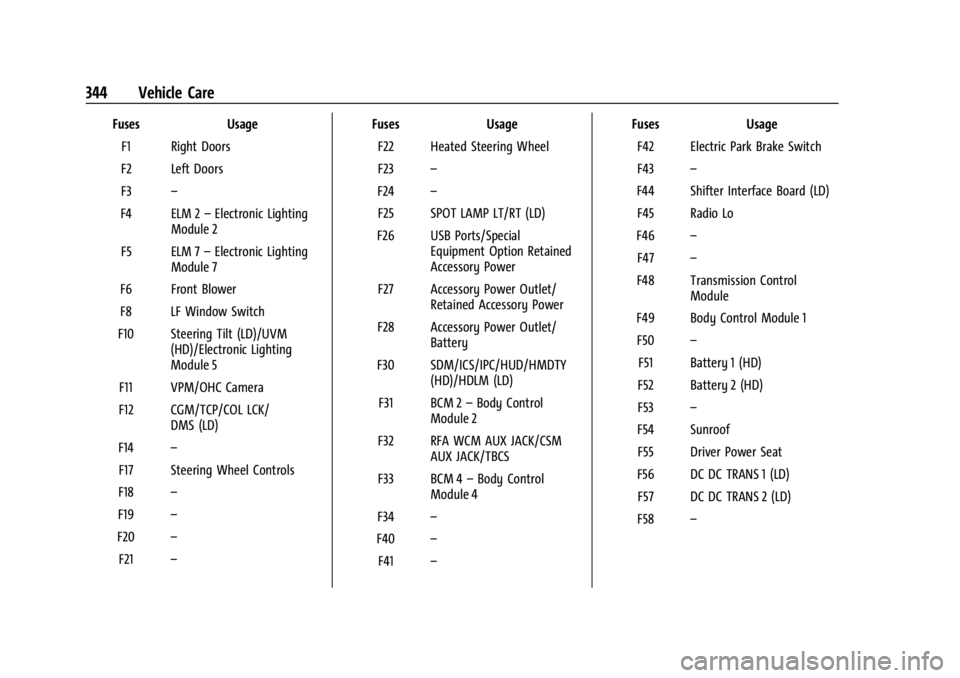
FusesUsage
F1 Right Doors
F2 Left Doors
F3 –
F4 ELM 2 –Electronic Lighting
Module 2
F5 ELM 7 –Electronic Lighting
Module 7
F6 Front Blower
F8 LF Window Switch
F10 Steering Tilt (LD)/UVM (HD)/Electronic Lighting
Module 5
F11 VPM/OHC Camera
F12 CGM/TCP/COL LCK/ DMS (LD)
F14 –
F17 Steering Wheel Controls
F18 –
F19 –
F20 –
F21 – Fuses
Usage
F22 Heated Steering Wheel
F23 –
F24 –
F25 SPOT LAMP LT/RT (LD)
F26 USB Ports/Special Equipment Option Retained
Accessory Power
F27 Accessory Power Outlet/ Retained Accessory Power
F28 Accessory Power Outlet/ Battery
F30 SDM/ICS/IPC/HUD/HMDTY (HD)/HDLM (LD)
F31 BCM 2 –Body Control
Module 2
F32 RFA WCM AUX JACK/CSM AUX JACK/TBCS
F33 BCM 4 –Body Control
Module 4
F34 –
F40 –
F41 – Fuses
Usage
F42 Electric Park Brake Switch
F43 –
F44 Shifter Interface Board (LD) F45 Radio Lo
F46 –
F47 –
F48 Transmission Control Module
F49 Body Control Module 1 F50 –
F51 Battery 1 (HD)
F52 Battery 2 (HD)
F53 –
F54 Sunroof F55 Driver Power Seat
F56 DC DC TRANS 1 (LD) F57 DC DC TRANS 2 (LD)
F58 –