instrument cluster GMC SIERRA DENALI 2003 User Guide
[x] Cancel search | Manufacturer: GMC, Model Year: 2003, Model line: SIERRA DENALI, Model: GMC SIERRA DENALI 2003Pages: 428, PDF Size: 20.35 MB
Page 137 of 428
Automatic Headlamp System
When it is dark enough outside, your automatic
headlamp system will turn on your headlamps at the
normal brightness along with other lamps such as
the taillamps, sidemarker, parking lamps and the
instrument panel lights. The radio lights will also be dim.
Your vehicle is equipped with a headlamp off delay,
which will keep the headlamps on for a short time after
the ignition is turned
off. For more information see
DIC Operation and Displays on page 3-43.
Your vehicle has a light sensor located on the top of the
instrument panel in the defroster grille. Be sure it is
not covered, or the system will be on whenever
the ignition is on.
The system may also turn on your headlamps when
driving through a parking garage, heavy overcast
weather or a tunnel. This is normal.
There is a delay in the transition between the daytime
and nighttime operation of the Daytime Running
Lamps (DRL) and the automatic headlamp systems
so
that driving under bridges or bright overhead street
lights does not affect the system. The DRL and
automatic headlamp system will only be affected when
the light sensor sees a change in lighting lasting
longer than the delay. one
minute for the automatic headlamp system to
change to DRL
if it is bright enough outside. During that
delay, your instrument panel cluster may not be as
bright as usual. Make sure your instrument panel
brightness control is in the full bright position. See
“Instrument Panel Brightness Control’’ under
Interior
Lamps on page
3-15.
To idle your vehicle with the automatic headlamp
system off, turn the control to the
off position.
You may be able to turn off your automatic headlamp
system. See Daytime Running Lamps (DRL) later in this
section for more information.
Your headlamps will also stay on after you exit the
vehicle. You can program this feature using the Driver
lnforrnation Center. See
Driver lnforrnation Center @IC)
on page
3-43
As with any vehicle, you should turn on the regular
headlamps
if you need them.
Lamps On Reminder
A reminder chime will sound when your headlamps or
parking lamps are manually turned on and your
ignition is off, in LOCK, ACCESSORY, or your door is
open. To disable the chime, turn the light
off, then
back on.
If you start your vehicle in a dark garage, the automatic
headlamp system will come on immediately. Once
you leave the garage, it will take approximately
3-1 2
Page 139 of 428
Fog Lamps
You can use your vehicle’s fog lamps for better vision in
foggy or misty conditions.
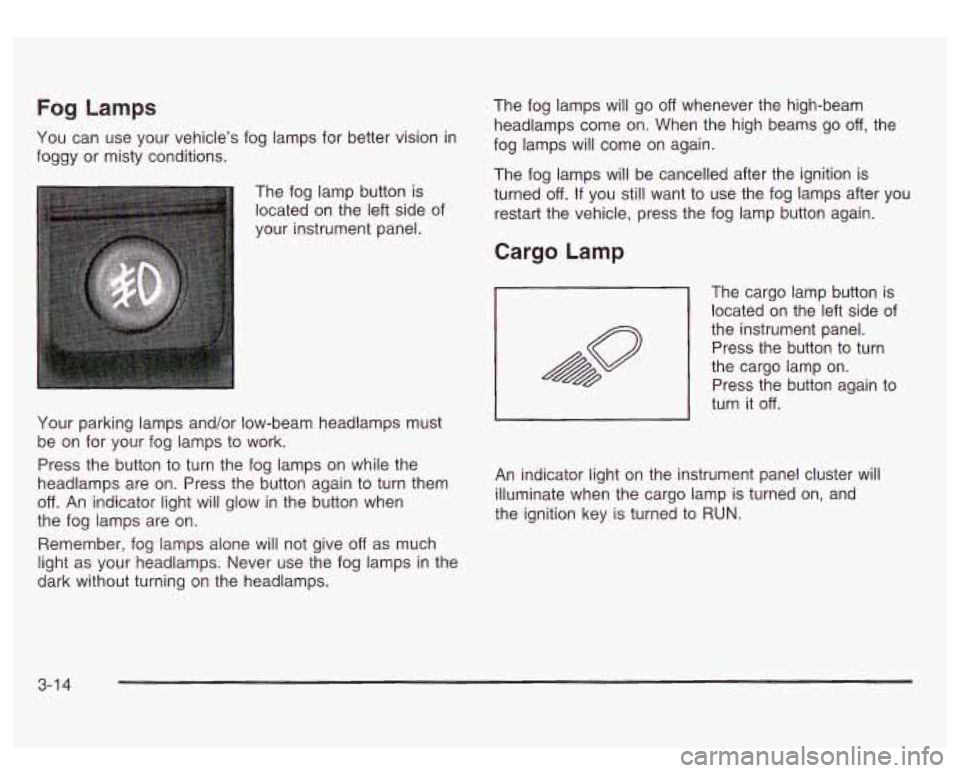
The fog lamp button is
located on the left side of
your instrument panel.
Your parking lamps and/or low-beam headlamps must
be on for your fog lamps to work.
Press the button to turn the fog lamps on while the
headlamps are on. Press the button again to turn them
off. An indicator light will glow in the button when
the fog lamps are on.
Remember, fog lamps alone will not give
off as much
light as your headlamps. Never use the fog lamps in the
dark without turning on the headlamps. The
fog lamps will go
off whenever the high-beam
headlamps come on. When the high beams go
off, the
fog lamps will come on again.
The fog lamps will be cancelled after the ignition is
turned
off. If you still want to use the fog lamps after you
restart the vehicle, press the fog lamp button again.
Cargo Lamp
The cargo lamp button is
located on the left side of
the instrument panel.
~ Press the button to turn
the cargo lamp on.
Press the button again to
turn it
off.
An indicator light on the instrument panel cluster will
illuminate when the cargo lamp is turned on, and
the ignition key is turned to RUN.
3-1 4
Page 150 of 428
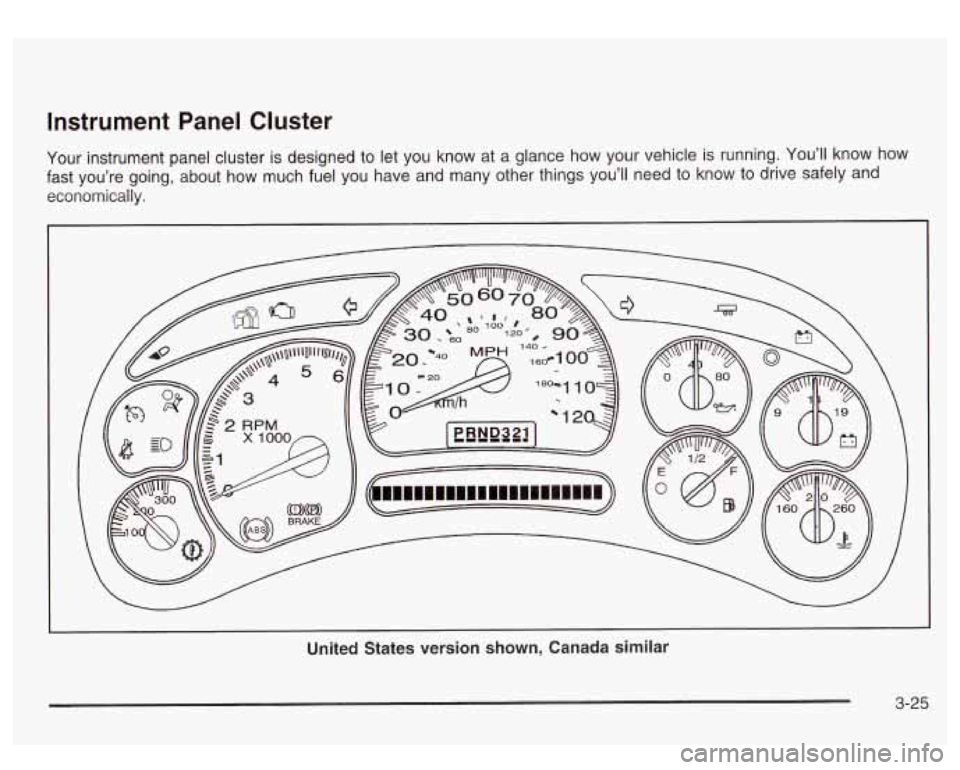
Instrument Panel Cluster
Your instrument panel cluster is designed to let you know at a glance how your vehicle is running. You’ll know how
fast you’re going, about how much fuel you have and many other things you’ll need to know to drive safely and
economically.
United States version shown, Canada similar
3-25
Page 151 of 428
Speedometer and Odometer
Your speedometer lets you see your speed in both
miles per hour (mph) and kilometers per hour (km/h).
Your odometer shows how far your vehicle has
been driven, in either miles (used in the United States)
or kilometers (used in Canada).
Trip Odometer
The trip odometer can tell you how far your vehicle has
been driven since you last set the trip odometer
to zero.
Press the reset button, located on the instrument panel
cluster next to the trip odometer display, to toggle
between the trip odometer and the regular odometer.
Holding the reset button for two seconds while the
trip odometer is displayed will reset it.
To display the odometer reading with the ignition
off,
press the reset button.
Engine Hour Meter Display
The odometer can also display the number of hours the
engine has run. To display the hour meter, turn the
ignition
off, press and hold the reset button for at least
four seconds. The hour meter will be displayed for
up to
30 seconds, or until the ignition is turned on.
Tachometer
Your tachometer displays the engine speed ip
revolutions per minute (rpm).
Notice: Do not operate the engine with the
tachometer in the red area,
or engine damage may
occur.
Safety Belt Reminder Light
When the key is turned to RUN or START, a chime will
come on for several seconds to remind people to
fasten their safety belts, unless the driver’s safety belt is
already buckled.
The safety belt light will also come on and stay on
for several seconds, then it will flash for
several more.
If the driver’s belt is already buckled, neither the chime
nor the light will come on.
3-26
Page 152 of 428
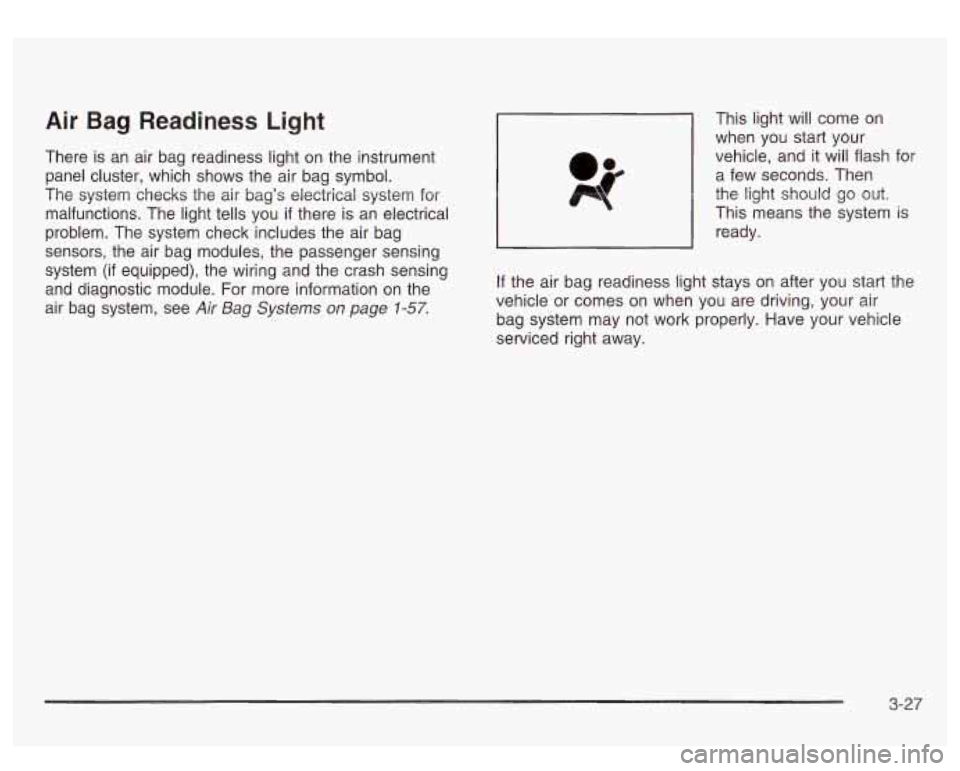
Air Bag Readiness Light
There is an air bag readiness light on the instrument
panel cluster, which shows the air bag symbol.
The system checks the air bag’s electrical system for
malfunctions. The light tells you
if there is an electrical
problem. The system check includes the air bag
sensors, the air bag modules, the passenger sensing
system
(if equipped), the wiring and the crash sensing
and diagnostic module. For more information on the
air bag system, see
Air Bag Systems on page 1-57.
This light will come on
when you start your
vehicle, and it will flash for
a few seconds. Then
the light should go out.
This means the system
is
ready.
If the air bag readiness light stays on after you start the
vehicle or comes on when you are driving, your air
bag system may not work properly. Have your vehicle
serviced right away.
3-27
Page 168 of 428
Driver Information Center (DIC)
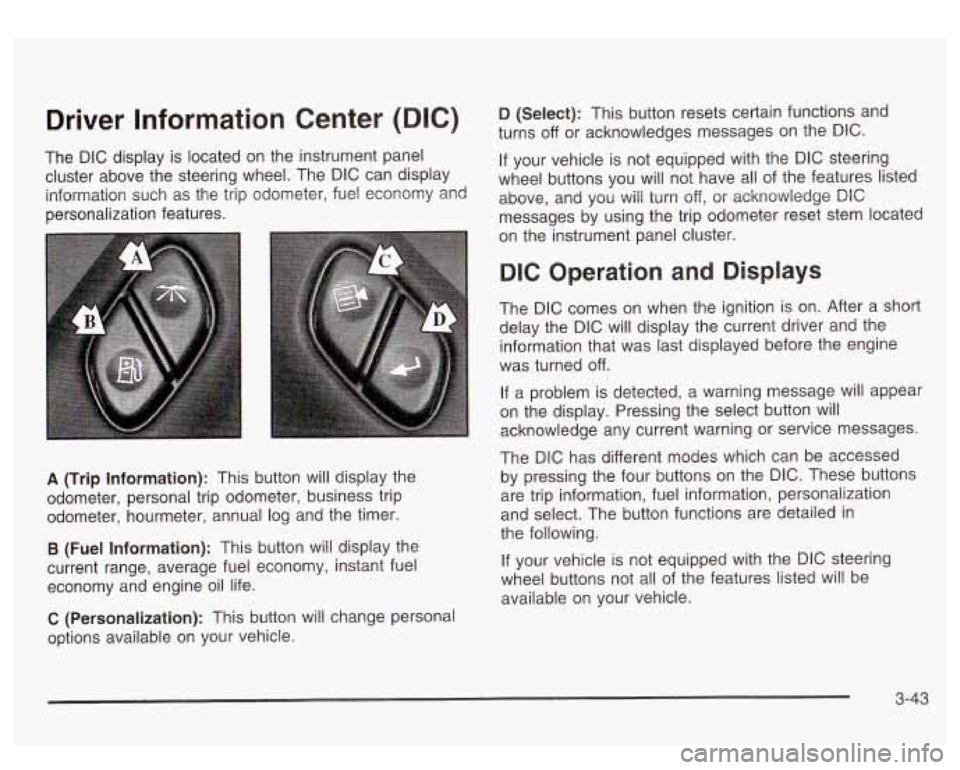
The DIC display is located on the instrument panel
cluster above the steering wheel. The DIC can display
information such as the trip odometer, fuel economy and
personalization features.
A (Trip Information): This button will display the
odometer, personal trip odometer, business trip
odometer, hourmeter, annual log and the timer.
B (Fuel Information): This button will display the
current range, average fuel economy, instant fuel
economy and engine oil life.
C (Personalization): This button will change personal
options available on your vehicle.
D (Select): This button resets certain functions and
turns
off or acknowledges messages on the DIC.
If your vehicle is not equipped with the DIC steering
wheel buttons you will not have all of the features listed
above, and you will turn off,
or acknowledge DIC
messages by using the trip odometer reset stem located
on the instrument panel cluster.
DIC Operation and Displays
The DIC comes on when the ignition is on. After a short
delay the DIC will display the current driver and the
information that was last displayed before the engine
was turned
off.
If a problem is detected, a warning message will appear
on the display. Pressing the select button will
acknowledge any current warning or service messages.
The DIC has different modes which can be accessed
by pressing the four buttons on the DIC. These buttons
are trip information, fuel information, personalization
and select. The button functions are detailed in
the following.
If your vehicle is not equipped with the DIC steering
wheel buttons not all of the features listed will be
available on your vehicle.
3-43
Page 169 of 428
Trip Information Button
Use the trip information button to scroll through the
SEASON ODOMETER, PERSONAL TRIP ON/OFF,
BUSINESS TRIP ON/OFF, HOURMETER, ANNUAL
LOG and TIMER.
If the personal trip and/or the business
trip are set to ON, you will also be able to scroll
through more messages. See
Personal Trip and
Business Trip next for more information.
If your vehicle is not equipped with the DIC steering
wheel buttons you can select the trip information
by pressing the trip odometer reset stem
on the
instrument panel cluster.
Personal Trip
If the PERSONAL TRIP is on (turn it on or off by
pressing the select button) you will also be able to scroll
through the following:
e
e
e
PERSONAL: XX MI - This shows the current
distance traveled since the last reset for the
personal trip odometer in either miles or kilometers.
PERSONAL: XX.X MPG
- This shows the amount
of fuel used for the personal trip.
PERSONAL: AVG ECONOMY
- This shows how
many miles per gallon of fuel your vehicle is
getting for the personal trip based on current and
past driving conditions.
PERSONAL: AVG MPH - This shows the vehicle’s
average speed for the personal trip.
PERSONAL: % ANNUAL - This shows the ratio of
personal trip miles to annual miles as a percent.
You can reset the personal trip odometer by pressing
and holding the trip odometer reset stem.
Business Trip
If the BUSINESS TRIP is on (turn it on or off by
pressing the select button) you will also be able
to scroll
through the following:
e
e
e
BUSINESS: XX MI - This shows the current
distance traveled since the last reset for the
business trip odometer in either miles or kilometers.
BUSINESS: XX.X MPG
- This shows the amount
of fuel used for the business trip.
BUSINESS: AVG ECONOMY
- This shows how
many miles per gallon
of fuel your vehicle is
getting for the business trip based on current and
past driving conditions.
BUSINESS: AVG MPH
- This shows the vehicle’s
average speed for the business trip.
BUSINESS:
Yo ANNUAL - This shows the ratio of
business trip miles to annual miles as a percent.
3-44
Page 170 of 428
To reset the personal or business trip information, do
the following: press and hold select button for two
seconds while in one of the personal or business trip
modes. This will reset all of the information for the
personal or business trip, or
if your vehicle does not
have the DIC steering wheel control buttons, press the
reset stem on the instrument panel cluster.
You can also reset the PERSONAL:
XX MI, or
BUSINESS:
XX MI, while they are displayed by pressing
the reset stem on the cluster.
If you press and hold
the reset stem or select button for four seconds,
the display
will show the distance traveled since the last
ignition cycle for the personal or business trip.
Season Odometer
Press the trip information button, or the trip odometer
reset step, until SEASON ODOMETER appears on
the display. This shows the total distance the vehicle has
been driven in either miles or kilometers. Pressing the
reset stem located on the instrument cluster with
the vehicle
off will also display the season odometer.
Hourmeter
Press the trip button to scroll to the hourmeter. The
hourmeter shows the total number of hours the engine
has run. Pressing the reset stem on the instrument
cluster will also display the hourmeter after the season
odometer is displayed.
Annual Log
Press the trip button, or the reset stem on the instrument
panel cluster, to scroll to the annual
log. The annual
log shows the mileage accumulated since
it was
last reset.
Po reset the annual log, press and hold the
select button, or the trip odometer reset stem for
approximately two seconds.
Timer
The DIC can be used as a stopwatch. Press the select
button, or the trip odometer reset stem, while TIMER
is displayed to start the timer. The display will show the
amount of time that has passed since the timer was
last reset (not including time the ignition is
off). Time will
continue to be counted as long as the ignition is on,
even
if another display is being shown on the DIC. The
timer will record up to 99 hours, 59 minutes and
59 seconds (99:59:59) after which the display will roll
back to zero.
To stop the counting of time, press the select button
briefly while TIMER is displayed.
To reset the timer to zero, press and hold the select
button, or the trip odometer reset stem, while TIMER is
displayed.
3-45
Page 282 of 428
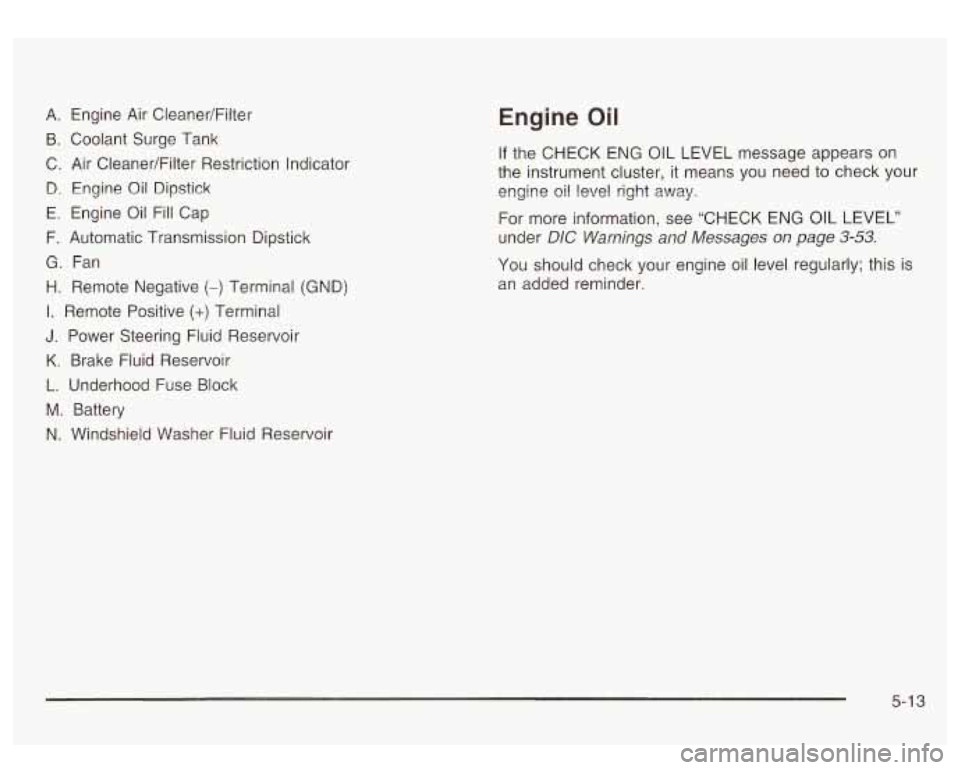
A. Engine Air CleanedFilter
B. Coolant Surge Tank
C. Air CleanerlFilter Restriction Indicator
B. Engine Oil Dipstick
E. Engine Oil Fill Cap
F. Automatic Transmission Dipstick
G. Fan
H. Remote Negative
(-) Terminal (GND)
I. Remote Positive (+) Terminal
J. Power Steering Fluid Reservoir
K. Brake Fluid Reservoir
L. Underhood Fuse Block
M. Battery
N. Windshield Washer Fluid Reservoir
Engine Oil
If the CHECK ENG OIL LEVEL message appears on
the instrument cluster, it means you need to check your
engine
oil level right away.
For more information, see “CHECK ENG
OIL LEVEL”
under
DIC Warnings and Messages on page 3-53.
You should check your engine oil level regularly; this is
an added reminder.
5-1 3
Page 371 of 428
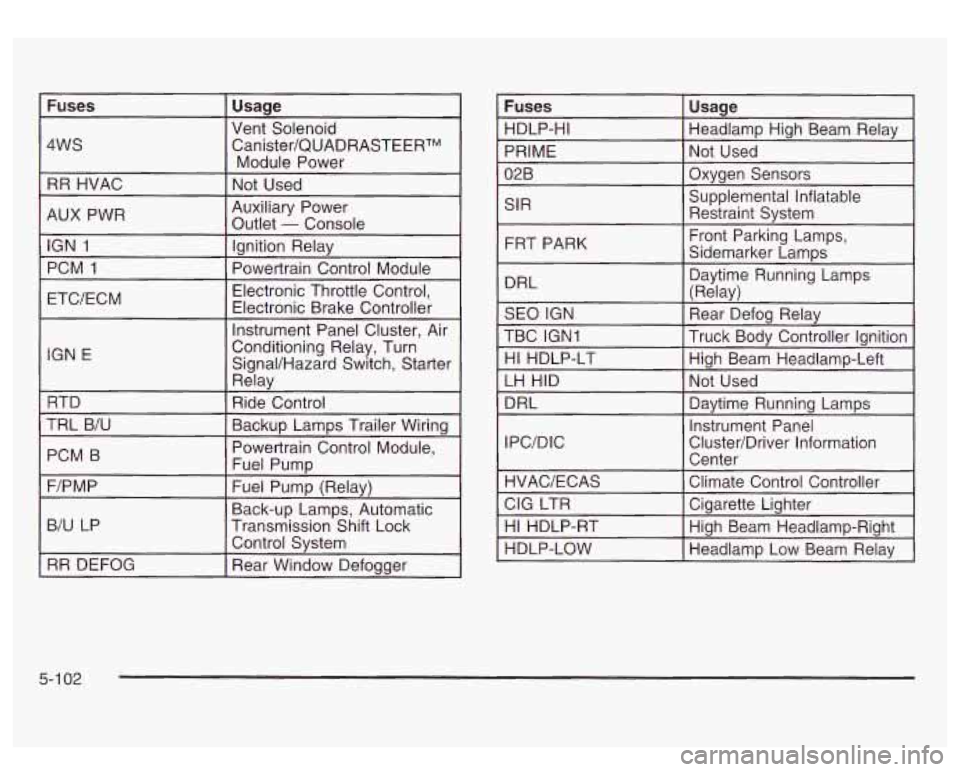
Fuses Usage
4WS Canister/QUADRASTEERTM
RR HVAC Not Used
Vent
Solenoid
Module Power
AUX PWR IGN
1 Ignition Relay
PCM
1
Auxiliary Power
Outlet
- Console
Electronic Throttle Control,
IGN E
Rday
RTD Ride Control
TRL B/U
PCM B
~~ ~-
Backup Lamps Trailer Wiring
Powertrain Control Module,
Fuel Pump
-. - . . -. . . .
F/PM P
B/U LP Transmission Shift Lock
r
Fuel Pump (Relay)
Back-up Lamps, Automatic
Control System
RR DEFOG Rear Window Defogger SIR
FRT PARK
DRL Daytime Running Lamps
I (Relav)
SEO IGN
TBC IGNI Truck Body Controller Ignition \~ ------I
Rear Defog Relay
HI HDLP-LT High Beam Headlamp-Left
LH HID Not Used
DRL Daytime Running Lamps
IPC/DIC Instrument
Panel
Cluster/Driver Information Center
5-1 02