lock GMC SIERRA DENALI 2003 Owner's Manual
[x] Cancel search | Manufacturer: GMC, Model Year: 2003, Model line: SIERRA DENALI, Model: GMC SIERRA DENALI 2003Pages: 428, PDF Size: 20.35 MB
Page 95 of 428
Here’s how to avoid setting off the alarm by accident:
If you don’t want to activate the theft-deterrent
system, the vehicle should be locked with the door
key after the doors are closed.
Always unlock a door with a key, or use the remote
keyless entry transmitter. Unlocking a door any
other way will set
off the alarm if the system
has been armed.
If you set off the alarm by accident, unlock any door
with the key. You can also turn
off the alarm by pressing
UNLOCK on the remote keyless entry transmitter or
by placing the key in the ignition and turning it to
START.
Testing the Alarm
The alarm can be tested by following these steps:
1. From inside the vehicle, lower the driver’s window
and open the driver’s door.
2. Activate the system by locking the doors with the
power door lock switch while the door is open, or
with the remote keyless entry transmitter.
3. Get out of the vehicle, close the door and wait for
the security message
to go out.
4. Then reach in through the window, unlock the door
with the manual door lock and open the door. This
should set
off the alarm. If the
alarm does not sound and the headlamps do not
flash, you may have the feature turned
off. See DIC
Operation and Displays on page 3-43 for more
information.
Passlock@
Your vehicle is equipped with the
Passlock@ theft-deterrent system.
Passlock@ is a passive theft-deterrent system.
Passlock@ enables fuel
if the ignition lock cylinder is
turned with a valid key.
If a correct key is not used or the
ignition lock cylinder is tampered with, fuel is disabled.
If the engine stalls and the security light flashes,
wait until the light stops flashing before trying to restart
the engine. Remember
to release the key from
START as soon as the engine starts.
If the engine is running and the security light comes on,
you will be able
to restart the engine if you turn the
engine
off. However, your Passlock@ system is
not working properly and must be serviced by your
dealer. Your vehicle is not protected by Passlock@ at this
time. You may also want to check the fuse (see
Fuses and Circuit Breakers on page 5-95.) See your
dealer for service.
In an emergency, call the GM Roadside Assistance
Center. See
Roadside Assistance Program on page 7-5
under Customer Assistance Information.
2-1 4
Page 96 of 428
Starting and Operating Your
Vehicle
New Vehicle Break-In
Notices Your vehicle doesn’t need an elaborate
“break-in.” But
it will perform better in the long run
if you follow these guidelines:
* Keep your speed at 55 mph (88 km/h) or less for
the first
500 miles (805 km).
Don’t drive at any one speed - fast or slow - for
the first
500 miles (805 km). Don’t make
full-throttle starts.
Avoid making hard stops for the first 200 miles
(322 km) or so. During this time your new brake
linings aren’t yet broken
in. Hard stops with new
linings can mean premature wear and earlier
replacement. Follow this breaking-in guideline
every time you get new brake linings.
Don’t tow a trailer during break-in. See “Towing a
Trailer” in the Index for more information.
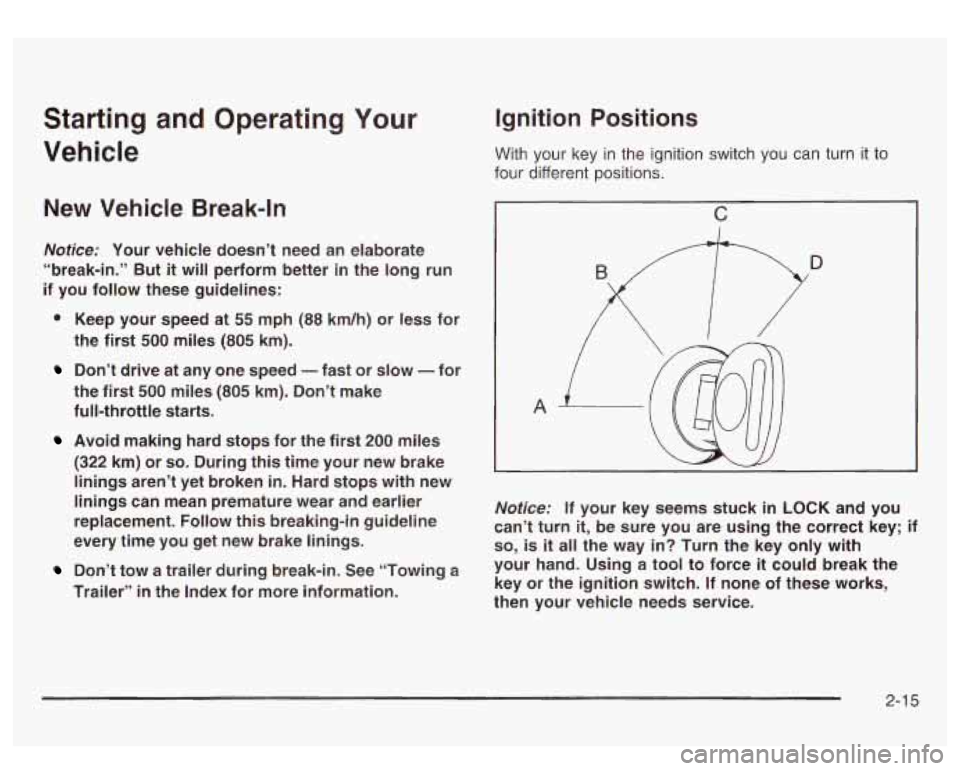
Ignition Positions
With your key in the ignition switch you can turn it to
four different positions.
c
A
~~~ ~
Notice: If your key seems stuck in LOCK and you
can’t turn
it, be sure you are using the correct key; if
so, is it all the way in? Turn the key only with
your hand. Using a tool to force
it could break the
key or the ignition switch. If none of these works,
then your vehicle needs service.
2-1 5
Page 97 of 428
LOCK (A): This position locks your ignition and
transmission. It’s a theft-deterrent feature. You will only
be able to remove your key when the ignition is
turned to
LOCK.
ACCESSORY (B): This position lets you use things like
the radio, power windows and the windshield wipers
when the engine is
off.
RUN (C): This position is for driving.
START
(D): This position starts your engine.
Retained Accessory Power (RAP)
The Retained Accessory Power (RAP) feature will allow
certain features on your vehicle to continue to work
up to
10 minutes after the ignition key is turned to OFF.
Starting Your Engine
Move your shift lever to PARK (P) or NEUTRAL (N).
Your engine won’t start in any other position - that’s a
safety feature. To restart when you’re already moving,
use NEUTRAL (N) only.
Notice: Don’t try to shift to PARK (P) if your
vehicle is moving. If you do, you could damage the
transmission. Shift to PARK (P) only when your
vehicle
is stopped.
1. With your foot off the accelerator pedal, turn the
ignition key to START. When the engine starts,
let go of the key. The idle speed will go down as
your engine gets warm.
Notice: Holding your key in START for longer than
15 seconds at a time will cause your battery to
be drained much sooner. And the excessive heat
can damage your starter motor. Wait about
15
seconds between each try to help avoid draining
your battery or damaging your starter.
2. If it doesn’t start within 10 seconds, push the
accelerator pedal all the way
to the floor, while you
hold the ignition key in START. When the engine
starts, let
go of the key and let up on the accelerator
pedal. Wait about
15 seconds between each try.
2-1 6
Page 99 of 428
To Use the Engine Coolant Heater
1. Turn off the engine.
2. Open the hood and unwrap the electrical cord. The
cord is located on the driver’s side of the engine
compartment, near the power steering fluid
reservoir. If you have a diesel engine, refer to
diesel supplement for location.
3. Plug it into a normal, grounded 11 0-volt AC outlet.
Plugging the cord into an ungrounded outlet
could cause an electrical shock. Also, the
wrong kind of extension cord could overheat
and cause a fire. You could
be seriously
injured. Plug the cord into a properly grounded
three-prong
11 0-volt AC outlet. If the cord
won’t reach, use a heavy-duty three-prong
extension cord rated for at least
15 amps.
4. Before starting the engine, be sure to unplug ana
store the cord as it was before to keep it away
from moving engine parts.
If you don’t, it could be
damaged.
How long should you keep the coolant heater plugged
in? The answer depends on the outside temperature, the
kind of oil you have, and some other things. Instead
of trying to list everything here, we ask that you contact
your dealer in the area where you’ll be parking your
vehicle. The dealer can give you the best advice for that
particular area.
Automatic Transmission Operation
Your vehicle is equipped with an automatic transmission
that features an electronic shift position indicator
located within the instrument panel cluster. This display
is powered anytime the shift lever
is capable of being
moved out
of PARK (P). See Fuses and Circuit Breakers
on page
5-95.
There are several different positions for your shift lever.
PARK
(P): This position locks your wheels. It’s the
best position to use when you start your engine because
your vehicle can’t move easily.
2-1 8
Page 105 of 428
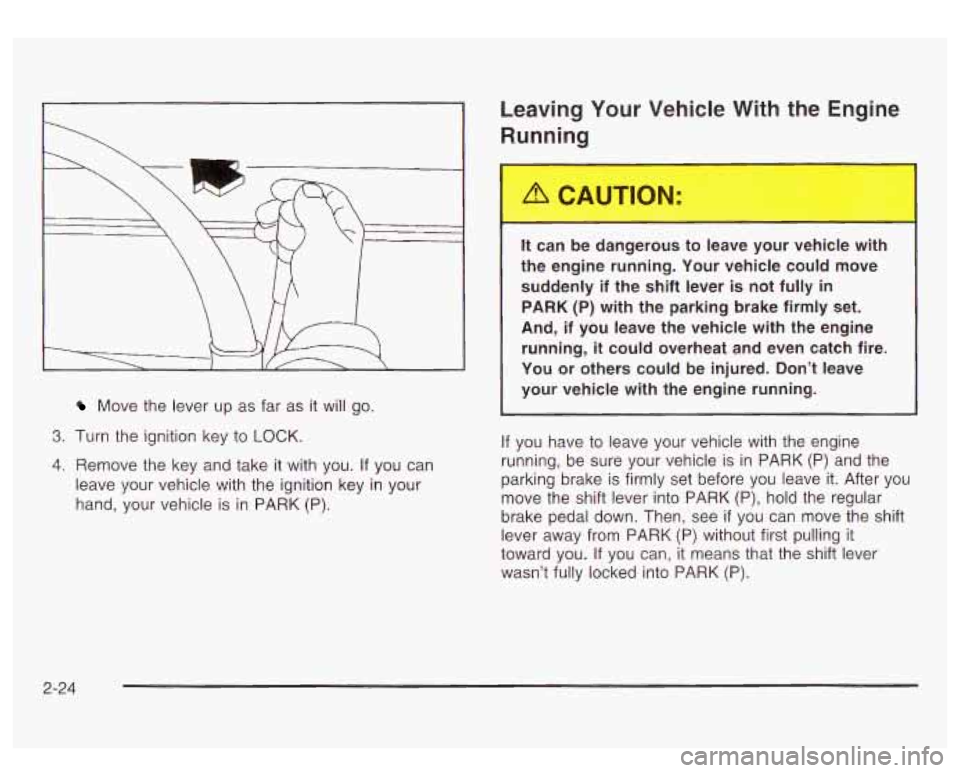
Move the lever up as far as it will go.
3. Turn the ignition key to LOCK.
4. Remove the key and take it with you. If you can
leave your vehicle with the ignition key in your
hand, your vehicle is
in PARK (P).
Leaving Your Vehicle With the Engine
Running
It can be dangerous to leave your vehicle with
the engine running. Your vehicle could move
suddenly if the shift lever is not fully
in
PARK (P) with the parking brake firmly set.
And, if you leave the vehicle with the engine
running,
it could overheat and even catch fire.
You or others could be injured. Don’t leave
your vehicle with the engine running.
If you have to leave your vehicle with the engine
running, be sure your vehicle is in PARK
(P) and the
parking brake
is firmly set before you leave it. After you
move the shift lever into PARK
(P), hold the regular
brake pedal down. Then, see
if you can move the shift
lever away from PARK
(P) without first pulling it
toward you.
If you can, it means that the shift lever
wasn’t fully locked into PARK (P).
2-24
Page 106 of 428
Torque Lock
If you are parking on a hill and you don’t shift your
transmission into PARK
(P) properly, the weight of the
vehicle may put too much force on the parking pawl
in the transmission. You may find it difficult to pull the
shift lever out of PARK
(P). This is called ”torque
lock.” To prevent torque lock, set the parking brake and
then shift into PARK (P) properly before you leave
the driver’s seat.
To find out how, see Shifting lnto
Park
(P) on page 2-23.
When you are ready to drive, move the shift lever out of
PARK
(P) before you release the parking brake.
If torque lock does occur, you may need to have another
vehicle push yours a little uphill to take some of the
pressure from the parking pawl in the transmission,
so
you can pull the shift lever out of PARK (P).
Shifting Out of Park (P)
Your vehicle has an automatic transmission shift lock
control system. You have to fully apply your regular
brakes before you can shift from PARK (P) when the
ignition
is in RUN. See Automatic Transmission
Operation on page
2- 18.
If you cannot shift out of PARK (P), ease pressure on
the shift lever and push the shift lever all the way up into
PARK
(P) as you maintain brake application. Then,
move the shift lever into the gear you want.
If you ever hold the brake pedal down but still can’t shift
out of PARK (P), try this:
1. Turn the key to LOCK.
2. Apply and hold the brake until the end of Step 4.
3. Shift the vehicle to NEUTRAL (N).
4. Start the vehicle and then shift to the drive gear
5. Have the system fixed as soon as you can.
you want.
2-25
Page 109 of 428
Mirrors
Automatic Dimming Rearview Mirror
with Onstar@, Compass and
Temperature Display
Your vehicle may have this feature. When on, an
electrochromic mirror automatically dims to the proper
level to minimize glare from lights behind you after dark.
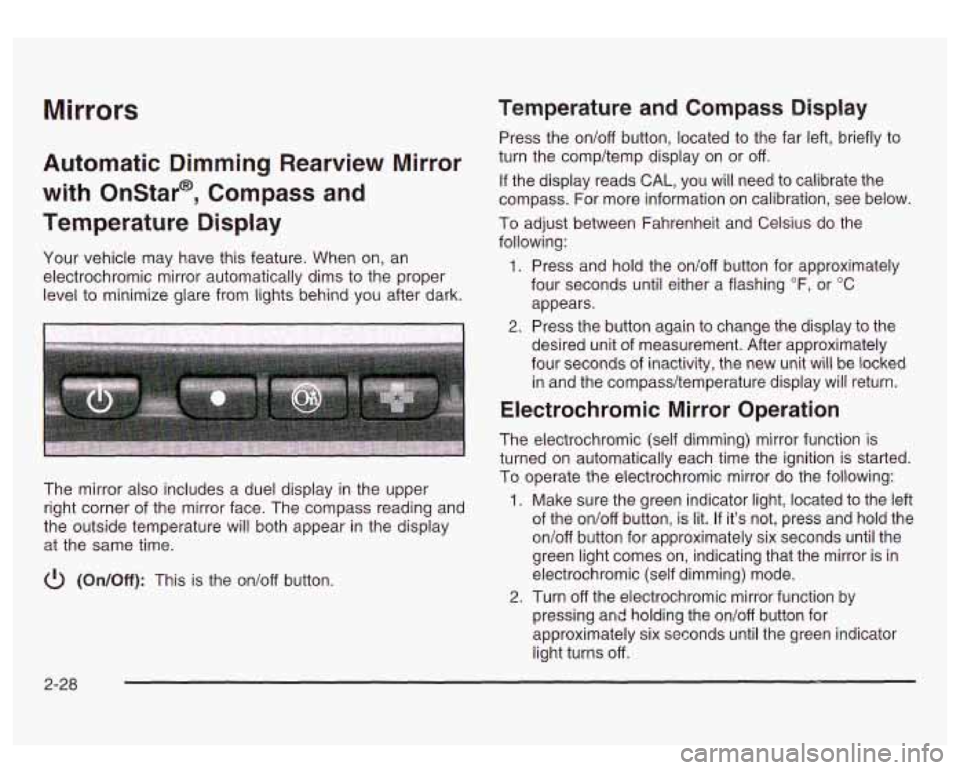
The mirror also includes a duel display in the upper
right corner of the mirror face. The compass reading and
the outside temperature will both appear in the display
at the same time.
cl) (On/Off): This is the on/off button.
Temperature and Compass Display
Press the on/off button, located to the far left, briefly to
turn the comp/temp display on or off.
If the display reads CAL, you will need to calibrate the
compass. For more information on calibration, see below.
To adjust between Fahrenheit and Celsius do the
following:
1. Press and hold the on/off button for approximately
four seconds until either a flashing
OF, or "C
appears.
desired unit of measurement. After approximately
four seconds of inactivity, the new unit will be locked
in and the compass/temperature display will return.
2. Press the button again to change the display to the
Electrochromic Mirror Operation
The electrochromic (self dimming) mirror function is
turned on automatically each time the ignition is started.
To operate the electrochromic mirror do the following:
1. Make sure the green indicator light, located to the left
of the on/off button, is lit.
If it's not, press and hold the
on/off button for approximately six seconds until the
green light comes on, indicating that the mirror is in
electrochromic (self dimming) mode.
2. Turn off the electrochromic mirror function by
pressing and holding the on/off button for
approximately six seconds until the green indicator
light turns off.
2-28
Page 110 of 428
Compass Variance
The mirror is set in zone eight upon leaving the factory. It
will be necessary to adjust the compass to compensate
for compass variance
if you live outside of zone eight.
Under certain circumstances, as during a long distance
cross-country trip, it will be necessary to adjust for
compass variance. Compass variance is the difference
between earth’s magnetic north and true geographic
north. If not adjusted to account for compass variance,
your compass could give false readings.
To adjust for compass variance do the following:
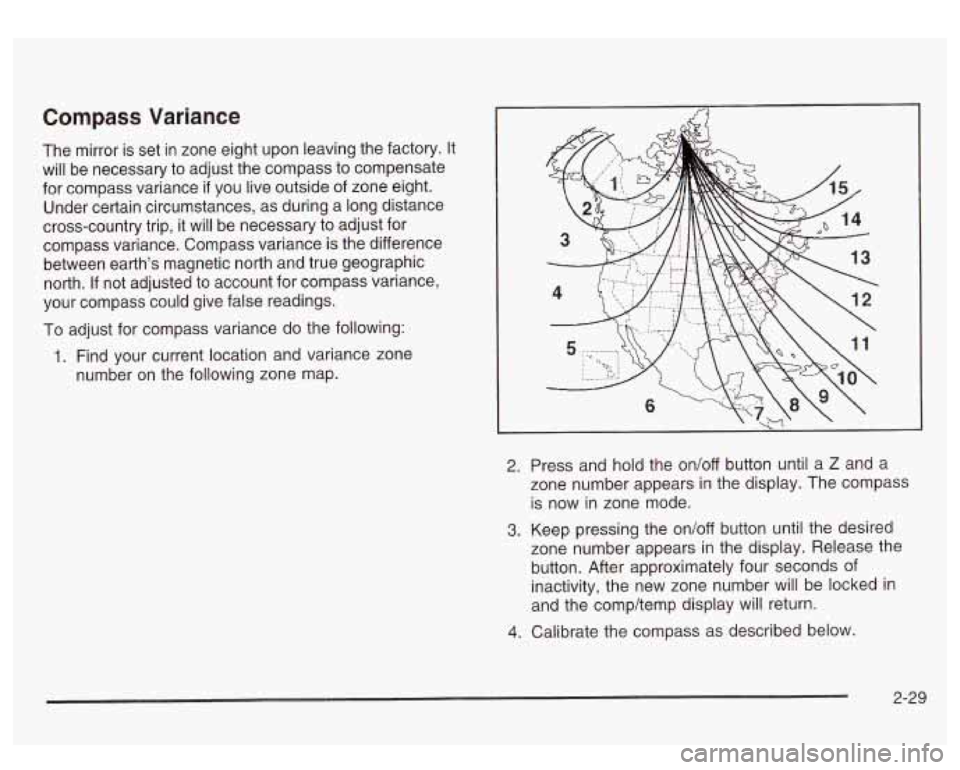
1. Find your current location and variance zone
number on the following zone map.
2. Press and hold the on/off button until a Z and a
zone number appears in the display. The compass
is now in zone mode.
3. Keep pressing the on/off button until the desired
zone number appears in the display. Release the
button. After approximately four seconds of
inactivity, the new zone number will be locked in
and the comp/temp display will return.
4. Calibrate the compass as described below.
2-29
Page 114 of 428
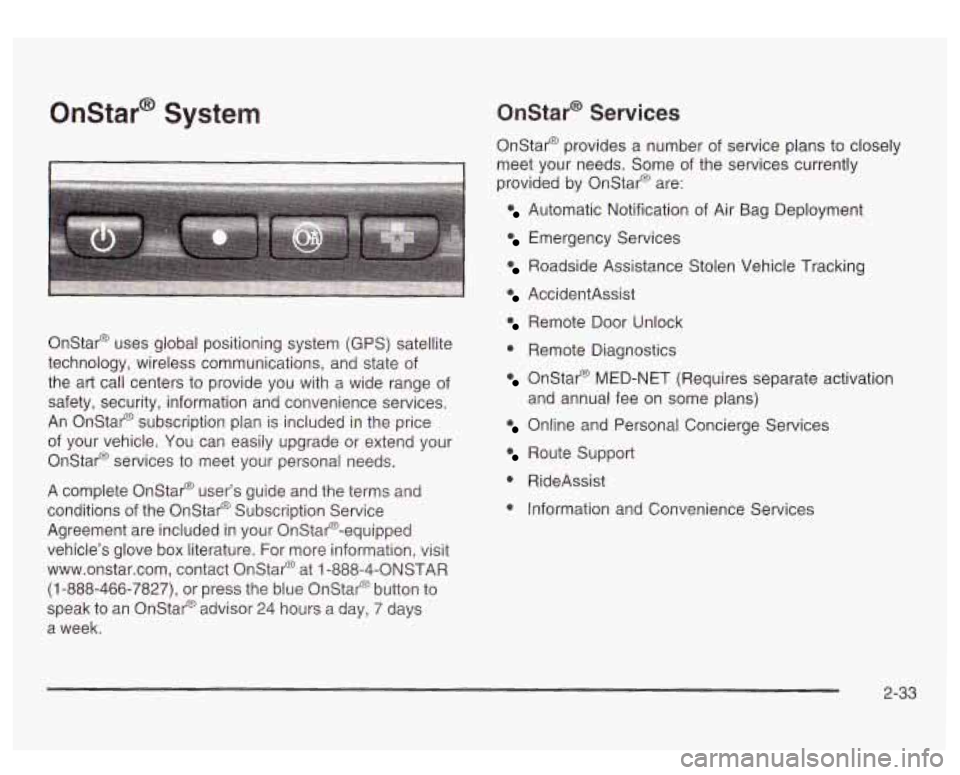
Onstar@ System
I I
Onstar@ uses global positioning system (GPS) satellite
technology, wireless communications, and state of
the art call centers to provide you with a wide range of
safety, security, information and convenience services.
An Onstar@ subscription plan is included in the price
of your vehicle. You can easily upgrade or extend your
Onstar@ services to meet your personal needs.
A complete Onstar@ user’s guide and the terms and
conditions of the Onstar@ Subscription Service
Agreement are included in your Onstar@-equipped
vehicle’s glove box literature. For more information, visit
www.onstar.com, contact Onstar@ at
1 -888-4-ONSTAR
(1-888-466-7827), or press the blue Onstar@ button to
speak to an Onstat@ advisor 24 hours a day, 7 days
a week.
Onstar@ Services
Onstar@ provides a number of service plans to closely
meet your needs. Some of the services currently
provided by OnStar@ are:
Automatic Notification of Air Bag Deployment
Emergency Services
Roadside Assistance Stolen Vehicle Tracking
AccidentAssist
Remote Door Unlock
0 Remote Diagnostics
Onstar@ MED-NET (Requires separate activation
Online and Personal Concierge Services
and
annual fee on some plans)
Route Support
0 RideAssist
0 Information and Convenience Services
2-33
Page 116 of 428
HomeLink@ Transmitter
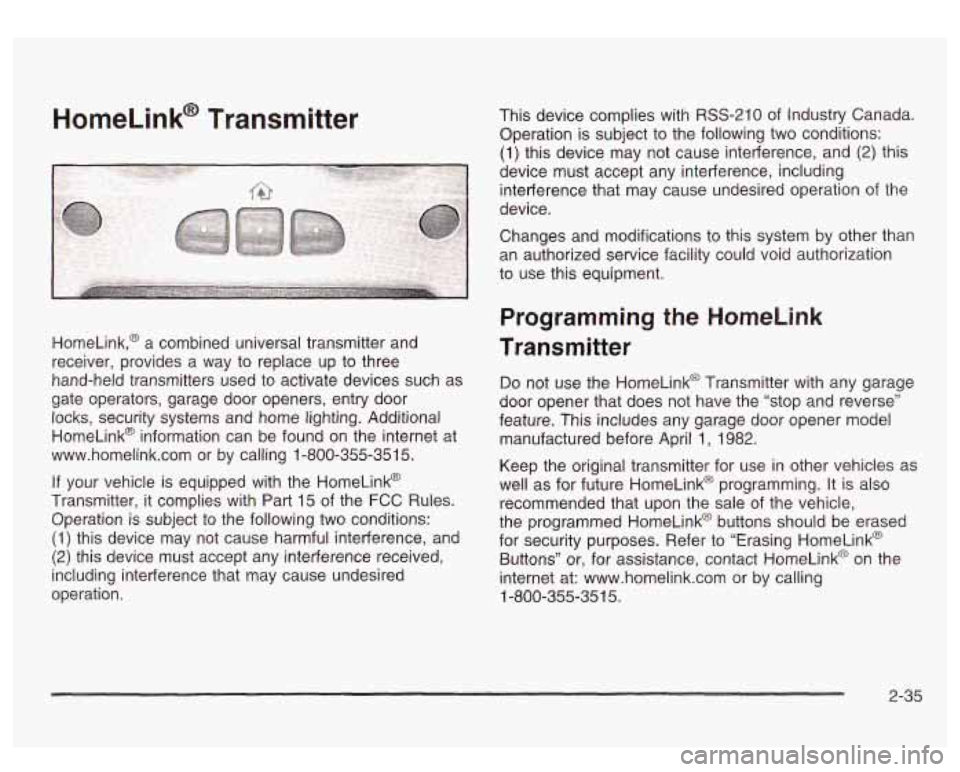
HomeLink,@ a combined universal transmitter and
receiver, provides a way to replace up to three
hand-held transmitters used to activate devices such as
gate operators, garage door openers, entry door locks, security systems and home lighting. Additional
HomeLink@ information can be found on the internet at
www.homelink.com or by calling 1-800-355-351
5.
If your vehicle is equipped with the HomeLink@
Transmitter, it complies with Part
15 of the FCC Rules.
Operation is subject to the following two conditions:
(1) this device may not cause harmful interference, and
(2) this device must accept any interference received,
including interference that may cause undesired
operation. This device complies
with RSS-210 of Industry Canada.
Operation
is subject to the following two conditions:
(1) this device may not cause interference, and (2) this
device must accept any interference, including
interference that may cause undesired operation of the
device.
Changes and modifications to this system by other than
an authorized service facility could void authorization
to use this equipment.
Programming the HomeLink
Transmitter
Do not use the HomeLink@ Transmitter with any garage
door opener that does not have the “stop and reverse”
feature. This includes any garage door opener model
manufactured before April
1, 1982.
Keep the original transmitter for use in other vehicles as
well as for future HomeLink@ programming. It is also
recommended that upon the sale of the vehicle,
the programmed HomeLink@ buttons should be erased
for security purposes. Refer to “Erasing HomeLink@
Buttons” or, for assistance, contact HomeLinkO on the
internet at: www.homelink.com or by calling
1-800-355-351
5.
2-35