instrument panel GMC SIERRA DENALI 2004 User Guide
[x] Cancel search | Manufacturer: GMC, Model Year: 2004, Model line: SIERRA DENALI, Model: GMC SIERRA DENALI 2004Pages: 452, PDF Size: 3.02 MB
Page 70 of 452
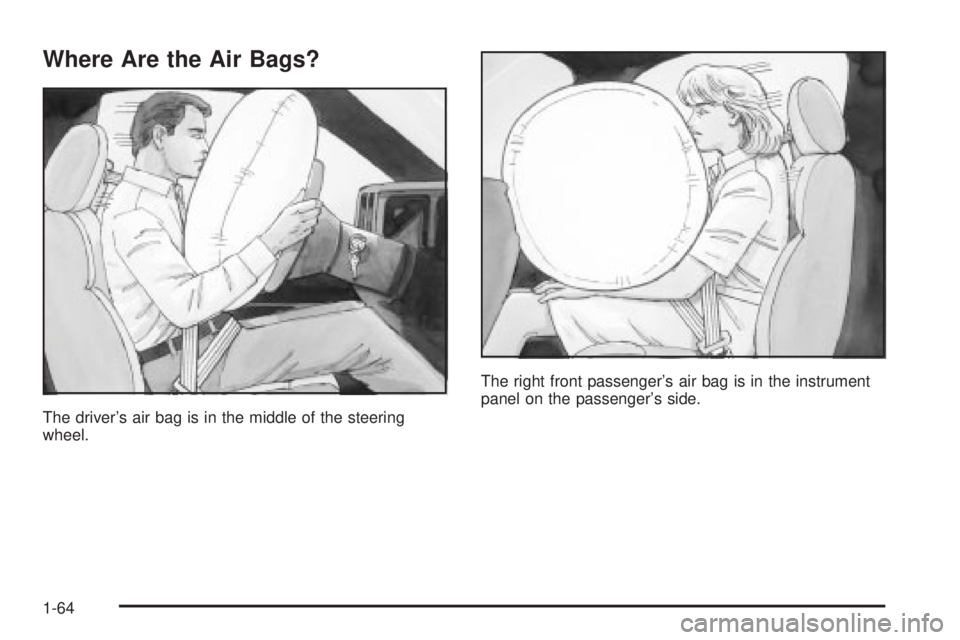
Where Are the Air Bags?
The driver's air bag is in the middle of the steering
wheel.The right front passenger's air bag is in the instrument
panel on the passenger's side.
1-64
Page 72 of 452
Seat Position Sensors
Vehicle's with dual stage air bags are also equipped
with special sensors which enable the sensing system to
monitor the position of both the driver and passenger
front seats. The seat position sensor provides
information which is used to determine if the air bags
should deploy at a reduced level or at full depoyment.
What Makes an Air Bag In¯ate?
In an impact of sufficient severity, the air bag sensing
system detects that the vehicle is in a crash. The
sensing system triggers a release of gas from the
in¯ator, which in¯ates the air bag. The in¯ator, air bag,
and related hardware are all part of the air bag
modules inside the steering wheel and in the instrument
panel in front of the right front passenger.
How Does an Air Bag Restrain?
In moderate to severe frontal or near-frontal collisions,
even belted occupants can contact the steering wheel or
the instrument panel. Air bags supplement the
protection provided by safety belts. Air bags distribute
the force of the impact more evenly over the occupant's
upper body, stopping the occupant more gradually.But air bags would not help you in many types of
collisions, including rollovers, rear impacts and many
side impacts, primarily because an occupant's motion is
not toward those air bags. Air bags should never be
regarded as anything more than a supplement to safety
belts, and then only in moderate to severe frontal or
near-frontal collisions.
What Will You See After an Air Bag
In¯ates?
After an air bag in¯ates, it quickly de¯ates, so quickly
that some people may not even realize the air bag
in¯ated. Some components of the air bag module ± the
steering wheel hub for the driver's air bag, or the
instrument panel for the right front passenger's
bag ± will be hot for a short time. The parts of the bag
that come into contact with you may be warm, but
not too hot to touch. There will be some smoke and dust
coming from the vents in the de¯ated air bags. Air
bag in¯ation does not prevent the driver from seeing or
being able to steer the vehicle, nor does it stop
people from leaving the vehicle.
1-66
Page 73 of 452
{CAUTION:
When an air bag in¯ates, there is dust in the
air. This dust could cause breathing problems
for people with a history of asthma or other
breathing trouble. To avoid this, everyone in
the vehicle should get out as soon as it is safe
to do so. If you have breathing problems but
can't get out of the vehicle after an air bag
in¯ates, then get fresh air by opening a
window or a door. If you experience breathing
problems following an air bag deployment, you
should seek medical attention.
In many crashes severe enough to in¯ate the air bag,
windshields are broken by vehicle deformation.
Additional windshield breakage may also occur from the
right front passenger air bag.
·Air bags are designed to in¯ate only once. After
they in¯ate, you will need some new parts for
your air bag system. If you do not get them, the air
bag system will not be there to help protect you
in another crash. A new system will include air bagmodules and possibly other parts. The service
manual for your vehicle covers the need to replace
other parts.
·Your vehicle is equipped with electronic frontal
sensors which help the sensing system distinguish
between a moderate and a more severe frontal
impact. Your vehicle is also equipped with a crash
sensing and diagnostic module, which records
information about the frontal air bag system. The
module records information about the readiness of
the system and when the system commands air
bag in¯ation. It records the status of the driver's
safety belt usage in a crash in which the air
bag deploys or a crash in which the air bag nearly
deploys. The module also records speed, engine
rpm, brake and throttle data.
·Let only quali®ed technicians work on your air bag
systems. Improper service can mean that an air
bag system will not work properly. See your dealer
for service.
Notice:If you damage the covering for the driver's
or the right front passenger's air bag, the bag
may not work properly. You may have to replace the
air bag module in the steering wheel or both the
air bag module and the instrument panel for
the right front passenger's air bag. Do not open or
break the air bag coverings.
1-67
Page 74 of 452
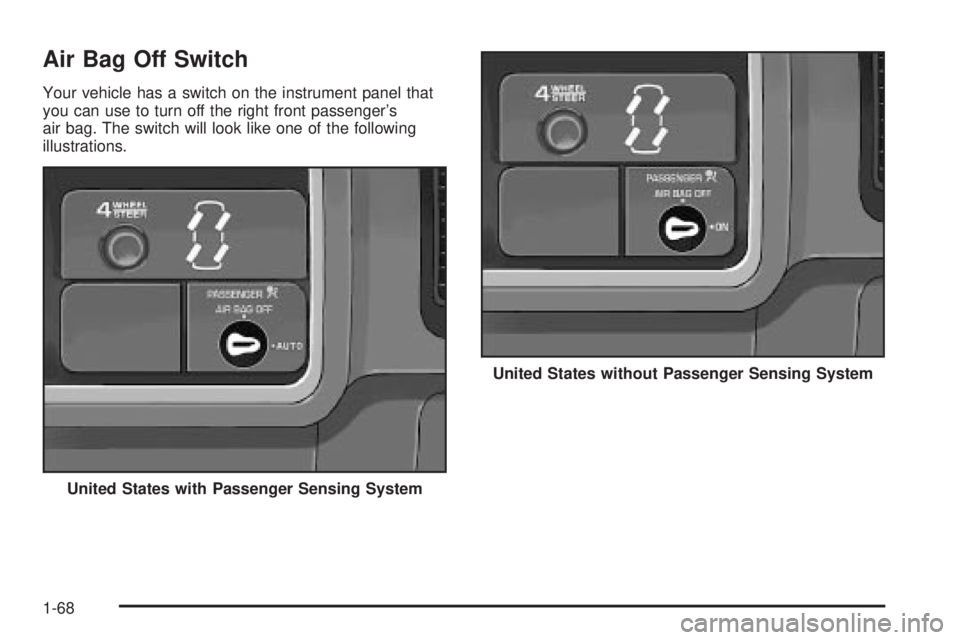
Air Bag Off Switch
Your vehicle has a switch on the instrument panel that
you can use to turn off the right front passenger's
air bag. The switch will look like one of the following
illustrations.
United States with Passenger Sensing System
United States without Passenger Sensing System
1-68
Page 79 of 452
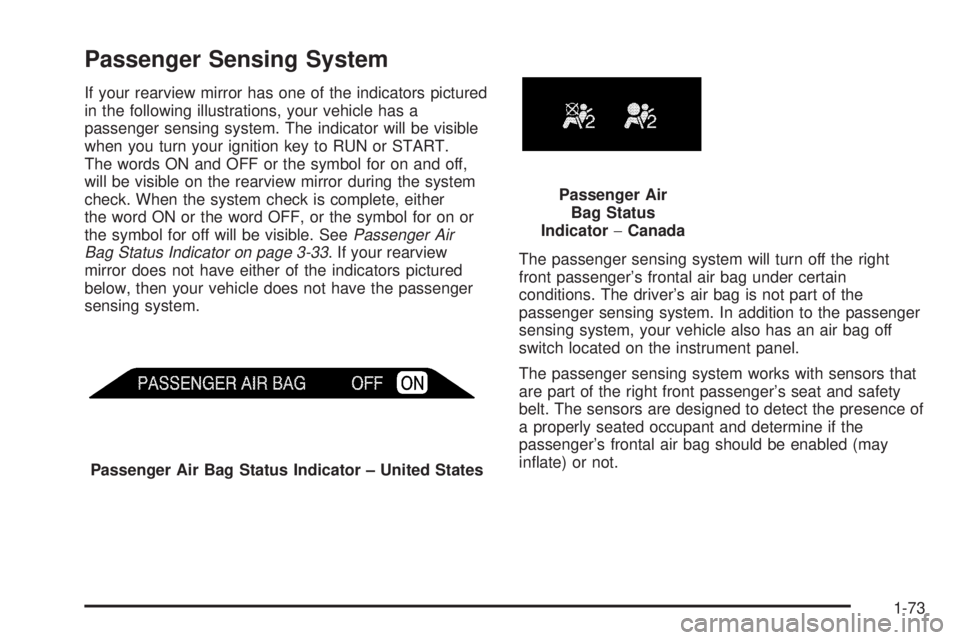
Passenger Sensing System
If your rearview mirror has one of the indicators pictured
in the following illustrations, your vehicle has a
passenger sensing system. The indicator will be visible
when you turn your ignition key to RUN or START.
The words ON and OFF or the symbol for on and off,
will be visible on the rearview mirror during the system
check. When the system check is complete, either
the word ON or the word OFF, or the symbol for on or
the symbol for off will be visible. See
Passenger Air
Bag Status Indicator on page 3-33. If your rearview
mirror does not have either of the indicators pictured
below, then your vehicle does not have the passenger
sensing system.The passenger sensing system will turn off the right
front passenger's frontal air bag under certain
conditions. The driver's air bag is not part of the
passenger sensing system. In addition to the passenger
sensing system, your vehicle also has an air bag off
switch located on the instrument panel.
The passenger sensing system works with sensors that
are part of the right front passenger's seat and safety
belt. The sensors are designed to detect the presence of
a properly seated occupant and determine if the
passenger's frontal air bag should be enabled (may
in¯ate) or not.
Passenger Air Bag Status Indicator ± United States
Passenger Air
Bag Status
Indicator-Canada
1-73
Page 83 of 452
{CAUTION:
If the air bag readiness light in the instrument
panel cluster ever comes on and stays on, it
means that something may be wrong with the
air bag system. If this ever happens, have the
vehicle serviced promptly, because an
adult-size person sitting in the right front
passenger's seat may not have the protection
of the frontal air bag. See ªAir Bag Readiness
Lightº in the Index for more on this, including
important safety information.Aftermarket equipment, such as seat covers, can affect
how well the passenger sensing system operates.
You may want to consider not using seat covers or other
aftermarket equipment if your vehicle has the passenger
sensing system. SeeAdding Equipment to Your Air
Bag-Equipped Vehicle on page 1-78for more
information about modi®cations that can affect how the
system operates.
{CAUTION:
Stowing of articles under the passenger's seat
or between the passenger's seat cushion and
seatback may interfere with the proper
operation of the passenger sensing system.
1-77
Page 108 of 452
Automatic Transmission Operation
Your vehicle is equipped with an automatic transmission
that features an electronic shift position indicator
located within the instrument panel cluster. This display
is powered anytime the shift lever is capable of being
moved out of PARK (P). See
Fuses and Circuit Breakers
on page 5-105.
There are several different positions for your shift lever.
PARK (P):This position locks your wheels. It's the
best position to use when you start your engine because
your vehicle can't move easily.
{CAUTION:
It is dangerous to get out of your vehicle if the
shift lever is not fully in PARK (P) with the
parking brake ®rmly set. Your vehicle can roll.
Do not leave your vehicle when the engine is
running unless you have to. If you have left
the engine running, the vehicle can move
suddenly. You or others could be injured.
CAUTION: (Continued)
CAUTION: (Continued)
To be sure your vehicle will not move, even
when you are on fairly level ground, always set
your parking brake and move the shift lever to
PARK (P). See
Shifting Into Park (P) on
page 2-26
. If you are pulling a trailer, see
Towing a Trailer on page 4-58.
REVERSE (R):Use this gear to back up.
Notice:Shifting to REVERSE (R) while your vehicle
is moving forward could damage the transmission.
The repairs would not be covered by your warranty.
Shift to REVERSE (R) only after your vehicle is
stopped.
To rock your vehicle back and forth to get out of snow,
ice or sand without damaging your transmission,
see If You Are Stuck: In Sand, Mud, Ice or Snow on
page 4-46.
2-22
Page 111 of 452
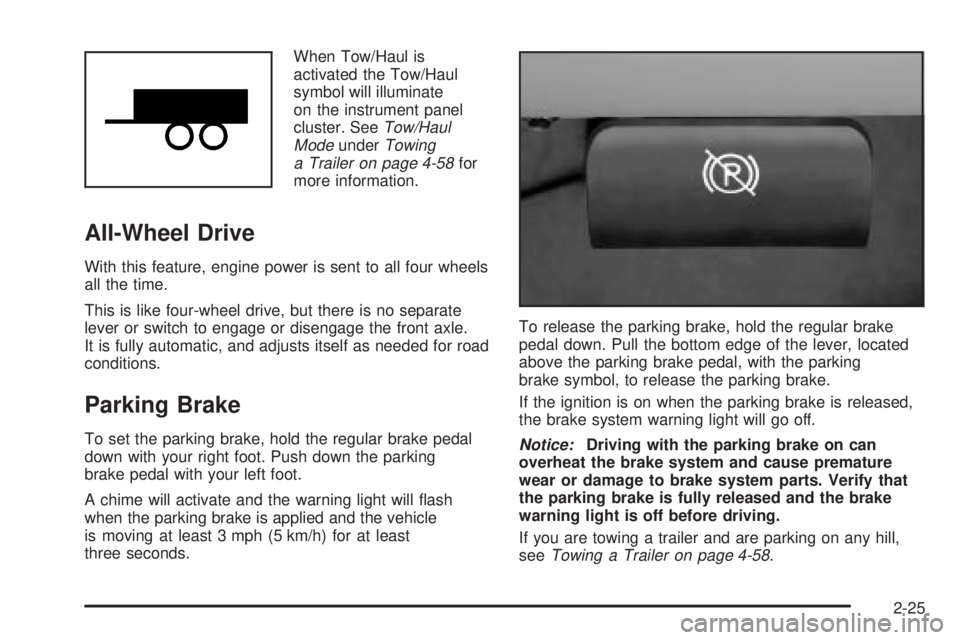
When Tow/Haul is
activated the Tow/Haul
symbol will illuminate
on the instrument panel
cluster. See
Tow/Haul
ModeunderTowing
a Trailer on page 4-58for
more information.
All-Wheel Drive
With this feature, engine power is sent to all four wheels
all the time.
This is like four-wheel drive, but there is no separate
lever or switch to engage or disengage the front axle.
It is fully automatic, and adjusts itself as needed for road
conditions.
Parking Brake
To set the parking brake, hold the regular brake pedal
down with your right foot. Push down the parking
brake pedal with your left foot.
A chime will activate and the warning light will ¯ash
when the parking brake is applied and the vehicle
is moving at least 3 mph (5 km/h) for at least
three seconds.To release the parking brake, hold the regular brake
pedal down. Pull the bottom edge of the lever, located
above the parking brake pedal, with the parking
brake symbol, to release the parking brake.
If the ignition is on when the parking brake is released,
the brake system warning light will go off.Notice:Driving with the parking brake on can
overheat the brake system and cause premature
wear or damage to brake system parts. Verify that
the parking brake is fully released and the brake
warning light is off before driving.
If you are towing a trailer and are parking on any hill,
see
Towing a Trailer on page 4-58.
2-25
Page 133 of 452
Instrument Panel Overview...............................3-2
Hazard Warning Flashers................................3-4
Other Warning Devices...................................3-4
Horn.............................................................3-5
Tilt Wheel.....................................................3-5
Turn Signal/Multifunction Lever.........................3-5
Exterior Lamps.............................................3-12
Interior Lamps..............................................3-16
Accessory Power Outlets...............................3-18
Ashtrays and Cigarette Lighter........................3-19
Climate Controls............................................3-19
Dual Automatic Climate Control System...........3-19
Warning Lights, Gages and Indicators.............3-27
Warning Lights, Gages, and Indicators.............3-27
Instrument Panel Cluster................................3-28
Speedometer and Odometer...........................3-29
Tachometer.................................................3-29
Safety Belt Reminder Light.............................3-29
Air Bag Readiness Light................................3-30
Air Bag Off Light..........................................3-30
Passenger Air Bag Status Indicator.................3-33
Battery Warning Light....................................3-35
Voltmeter Gage............................................3-36
Brake System Warning Light..........................3-37
Anti-Lock Brake System Warning Light.............3-38
Engine Coolant Temperature Gage..................3-38Transmission Temperature Gage.....................3-39
Malfunction Indicator Lamp.............................3-40
Oil Pressure Gage........................................3-43
Cruise Control Light......................................3-44
Tow/Haul Mode Light....................................3-44
Fuel Gage...................................................3-45
Low Fuel Warning Light.................................3-45
Driver Information Center (DIC).......................3-46
DIC Operation and Displays...........................3-46
DIC Warnings and Messages.........................3-57
Audio System(s).............................................3-64
Setting the Time...........................................3-64
Radio with Cassette and CD..........................3-65
Navigation/Radio System...............................3-79
Rear Seat Audio (RSA).................................3-80
CD Changer................................................3-82
Theft-Deterrent Feature..................................3-85
Audio Steering Wheel Controls.......................3-85
Radio Reception...........................................3-86
Care of Your Cassette Tape Player.................3-87
Care of Your CDs.........................................3-88
Care of Your CD Player................................3-88
Fixed Mast Antenna......................................3-88
XMŸ Satellite Radio Antenna System
(48 Contiguous US States).........................3-88
Chime Level Adjustment................................3-88
Section 3 Instrument Panel
3-1
Page 134 of 452

Instrument Panel Overview
3-2