tow GMC SIERRA DENALI 2004 Owner's Manual
[x] Cancel search | Manufacturer: GMC, Model Year: 2004, Model line: SIERRA DENALI, Model: GMC SIERRA DENALI 2004Pages: 452, PDF Size: 3.02 MB
Page 130 of 452
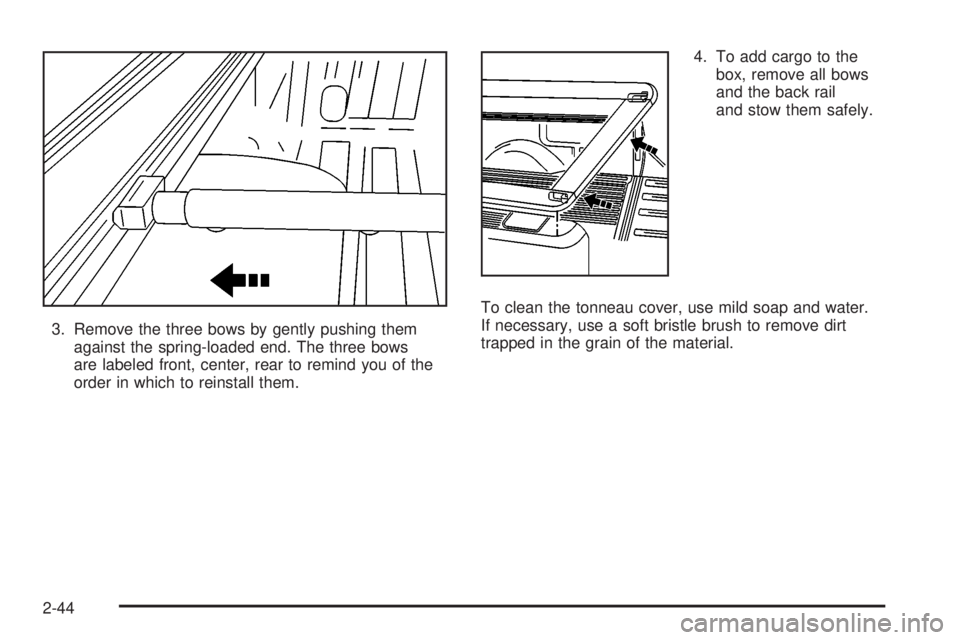
3. Remove the three bows by gently pushing them
against the spring-loaded end. The three bows
are labeled front, center, rear to remind you of the
order in which to reinstall them.4. To add cargo to the
box, remove all bows
and the back rail
and stow them safely.
To clean the tonneau cover, use mild soap and water.
If necessary, use a soft bristle brush to remove dirt
trapped in the grain of the material.
2-44
Page 133 of 452
Instrument Panel Overview...............................3-2
Hazard Warning Flashers................................3-4
Other Warning Devices...................................3-4
Horn.............................................................3-5
Tilt Wheel.....................................................3-5
Turn Signal/Multifunction Lever.........................3-5
Exterior Lamps.............................................3-12
Interior Lamps..............................................3-16
Accessory Power Outlets...............................3-18
Ashtrays and Cigarette Lighter........................3-19
Climate Controls............................................3-19
Dual Automatic Climate Control System...........3-19
Warning Lights, Gages and Indicators.............3-27
Warning Lights, Gages, and Indicators.............3-27
Instrument Panel Cluster................................3-28
Speedometer and Odometer...........................3-29
Tachometer.................................................3-29
Safety Belt Reminder Light.............................3-29
Air Bag Readiness Light................................3-30
Air Bag Off Light..........................................3-30
Passenger Air Bag Status Indicator.................3-33
Battery Warning Light....................................3-35
Voltmeter Gage............................................3-36
Brake System Warning Light..........................3-37
Anti-Lock Brake System Warning Light.............3-38
Engine Coolant Temperature Gage..................3-38Transmission Temperature Gage.....................3-39
Malfunction Indicator Lamp.............................3-40
Oil Pressure Gage........................................3-43
Cruise Control Light......................................3-44
Tow/Haul Mode Light....................................3-44
Fuel Gage...................................................3-45
Low Fuel Warning Light.................................3-45
Driver Information Center (DIC).......................3-46
DIC Operation and Displays...........................3-46
DIC Warnings and Messages.........................3-57
Audio System(s).............................................3-64
Setting the Time...........................................3-64
Radio with Cassette and CD..........................3-65
Navigation/Radio System...............................3-79
Rear Seat Audio (RSA).................................3-80
CD Changer................................................3-82
Theft-Deterrent Feature..................................3-85
Audio Steering Wheel Controls.......................3-85
Radio Reception...........................................3-86
Care of Your Cassette Tape Player.................3-87
Care of Your CDs.........................................3-88
Care of Your CD Player................................3-88
Fixed Mast Antenna......................................3-88
XMŸ Satellite Radio Antenna System
(48 Contiguous US States).........................3-88
Chime Level Adjustment................................3-88
Section 3 Instrument Panel
3-1
Page 135 of 452
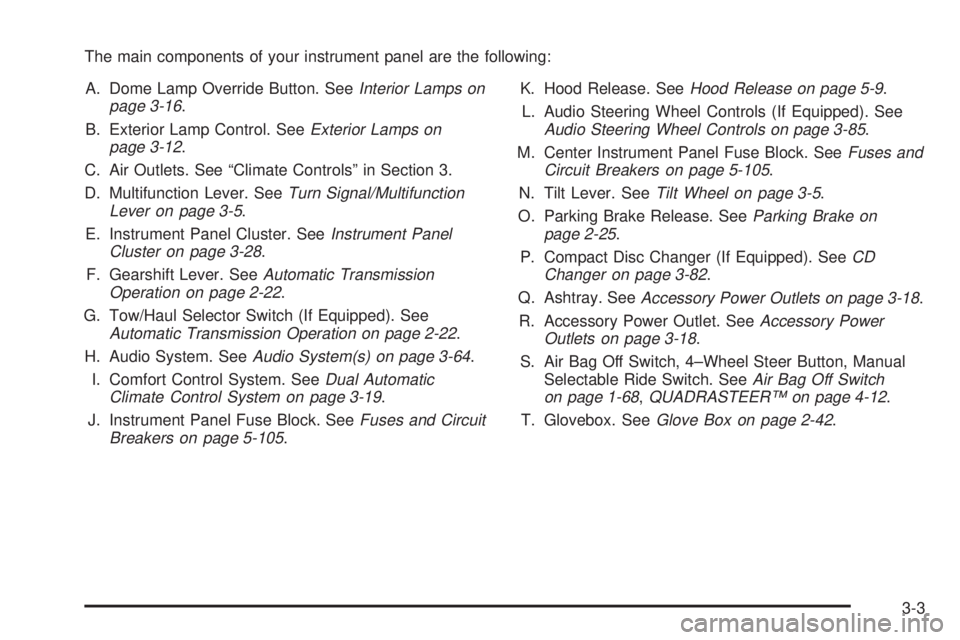
The main components of your instrument panel are the following:
A. Dome Lamp Override Button. See
Interior Lamps on
page 3-16.
B. Exterior Lamp Control. See
Exterior Lamps on
page 3-12.
C. Air Outlets. See ªClimate Controlsº in Section 3.
D. Multifunction Lever. See
Turn Signal/Multifunction
Lever on page 3-5.
E. Instrument Panel Cluster. See
Instrument Panel
Cluster on page 3-28.
F. Gearshift Lever. See
Automatic Transmission
Operation on page 2-22.
G. Tow/Haul Selector Switch (If Equipped). See
Automatic Transmission Operation on page 2-22.
H. Audio System. See
Audio System(s) on page 3-64.
I. Comfort Control System. See
Dual Automatic
Climate Control System on page 3-19.
J. Instrument Panel Fuse Block. See
Fuses and Circuit
Breakers on page 5-105.K. Hood Release. See
Hood Release on page 5-9.
L. Audio Steering Wheel Controls (If Equipped). See
Audio Steering Wheel Controls on page 3-85.
M. Center Instrument Panel Fuse Block. See
Fuses and
Circuit Breakers on page 5-105.
N. Tilt Lever. See
Tilt Wheel on page 3-5.
O. Parking Brake Release. See
Parking Brake on
page 2-25.
P. Compact Disc Changer (If Equipped). See
CD
Changer on page 3-82.
Q. Ashtray. See
Accessory Power Outlets on page 3-18.
R. Accessory Power Outlet. See
Accessory Power
Outlets on page 3-18.
S. Air Bag Off Switch, 4±Wheel Steer Button, Manual
Selectable Ride Switch. See
Air Bag Off Switch
on page 1-68,QUADRASTEERŸ on page 4-12.
T. Glovebox. See
Glove Box on page 2-42.
3-3
Page 138 of 452
Turn and Lane Change Signals
The turn signal has two upward (for right) and
two downward (for left) positions. These positions
allow you to signal a turn or a lane change.
To signal a turn, move the lever all the way up
or down. When the turn is ®nished, the lever will
return automatically.
To signal a lane change, just raise or lower the lever
until the arrow starts to ¯ash. Hold it there until you
complete your lane change. The lever will return by itself
when you release it.
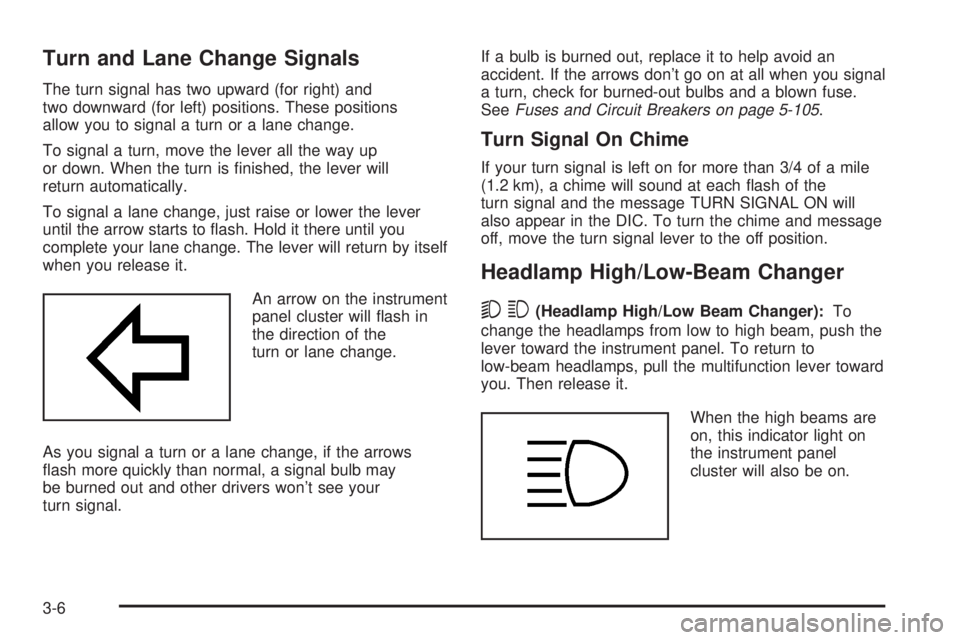
An arrow on the instrument
panel cluster will ¯ash in
the direction of the
turn or lane change.
As you signal a turn or a lane change, if the arrows
¯ash more quickly than normal, a signal bulb may
be burned out and other drivers won't see your
turn signal.If a bulb is burned out, replace it to help avoid an
accident. If the arrows don't go on at all when you signal
a turn, check for burned-out bulbs and a blown fuse.
See
Fuses and Circuit Breakers on page 5-105.
Turn Signal On Chime
If your turn signal is left on for more than 3/4 of a mile
(1.2 km), a chime will sound at each ¯ash of the
turn signal and the message TURN SIGNAL ON will
also appear in the DIC. To turn the chime and message
off, move the turn signal lever to the off position.
Headlamp High/Low-Beam Changer
53
(Headlamp High/Low Beam Changer):To
change the headlamps from low to high beam, push the
lever toward the instrument panel. To return to
low-beam headlamps, pull the multifunction lever toward
you. Then release it.
When the high beams are
on, this indicator light on
the instrument panel
cluster will also be on.
3-6
Page 139 of 452
Flash-to-Pass
This feature lets you use your high-beam headlamps to
signal a driver in front of you that you want to pass.
It works even if your headlamps are in the automatic
position.
To use it, pull the turn signal lever toward you, then
release it.
If your headlamps are in the automatic position or on
low beam, your high-beam headlamps will turn on.
They'll stay on as long as you hold the lever toward you.
The high-beam indicator on the instrument panel
cluster will come on. Release the lever to return to
normal operation.
Windshield Wipers
You control the windshield wipers by turning the band
with the wiper symbol on it.
8(Mist):For a single wiping cycle, turn the band to
mist. Hold it there until the wipers start. Then let go. The
wipers will stop after one wipe. If you want more
wipes, hold the band on mist longer.
N(Delay):You can set the wiper speed for a long or
short delay between wipes. This can be very useful
in light rain or snow. Turn the band to choose the delay
time. The closer to the top of the lever, the shorter
the delay.
6(Low Speed):For steady wiping at low speed,
turn the band away from you to the ®rst solid band past
the delay settings. For high-speed wiping, turn the
band further, to the second solid band past the delay
settings. To stop the wipers, move the band to off.
1(High Speed):For high-speed wiping, turn
the band further, to the second solid band past the
delay settings.
9(Off):To stop the wipers, move the band to off.
Be sure to clear ice and snow from the wiper blades
before using them. If they're frozen to the windshield,
carefully loosen or thaw them. If your blades do become
worn or damaged, get new blades or blade inserts.
3-7
Page 144 of 452
Exterior Lamps
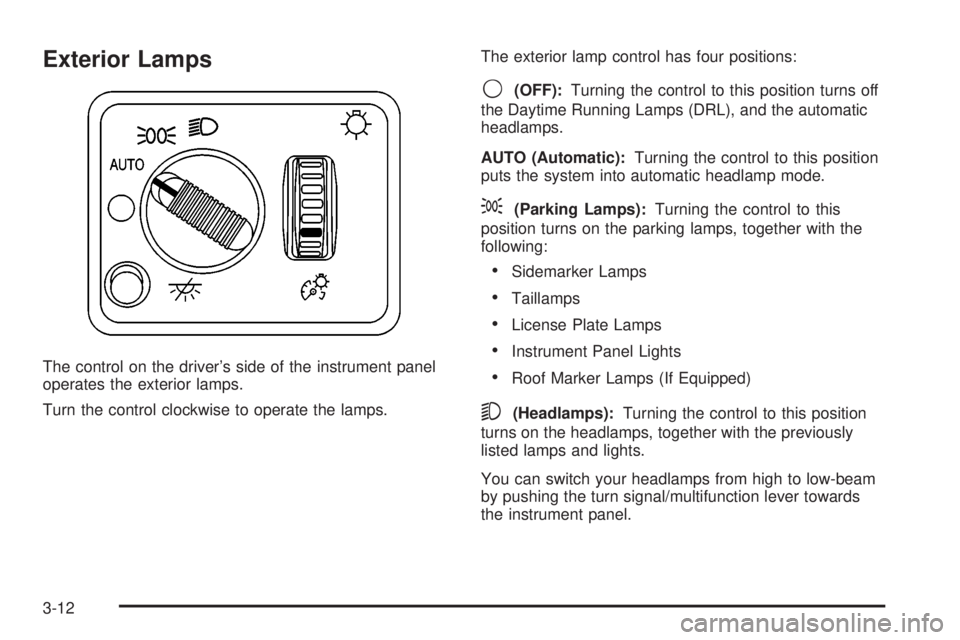
The control on the driver's side of the instrument panel
operates the exterior lamps.
Turn the control clockwise to operate the lamps.The exterior lamp control has four positions:
9(OFF):Turning the control to this position turns off
the Daytime Running Lamps (DRL), and the automatic
headlamps.
AUTO (Automatic):Turning the control to this position
puts the system into automatic headlamp mode.
;(Parking Lamps):Turning the control to this
position turns on the parking lamps, together with the
following:
·Sidemarker Lamps
·Taillamps
·License Plate Lamps
·Instrument Panel Lights
·Roof Marker Lamps (If Equipped)
5(Headlamps):Turning the control to this position
turns on the headlamps, together with the previously
listed lamps and lights.
You can switch your headlamps from high to low-beam
by pushing the turn signal/multifunction lever towards
the instrument panel.
3-12
Page 158 of 452
Outlet Adjustment
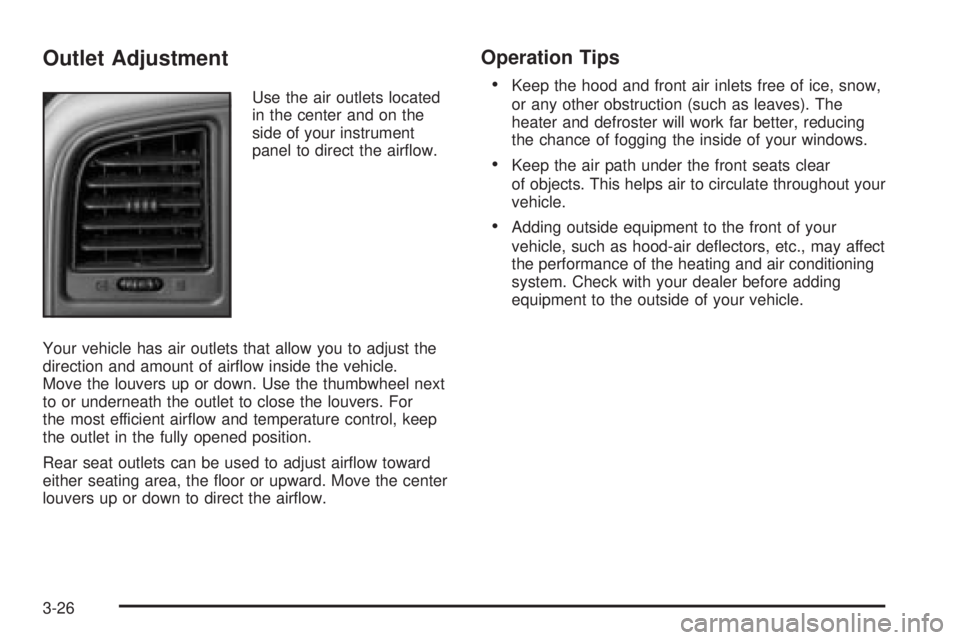
Use the air outlets located
in the center and on the
side of your instrument
panel to direct the air¯ow.
Your vehicle has air outlets that allow you to adjust the
direction and amount of air¯ow inside the vehicle.
Move the louvers up or down. Use the thumbwheel next
to or underneath the outlet to close the louvers. For
the most efficient air¯ow and temperature control, keep
the outlet in the fully opened position.
Rear seat outlets can be used to adjust air¯ow toward
either seating area, the ¯oor or upward. Move the center
louvers up or down to direct the air¯ow.
Operation Tips
·
Keep the hood and front air inlets free of ice, snow,
or any other obstruction (such as leaves). The
heater and defroster will work far better, reducing
the chance of fogging the inside of your windows.
·Keep the air path under the front seats clear
of objects. This helps air to circulate throughout your
vehicle.
·Adding outside equipment to the front of your
vehicle, such as hood-air de¯ectors, etc., may affect
the performance of the heating and air conditioning
system. Check with your dealer before adding
equipment to the outside of your vehicle.
3-26
Page 169 of 452
Brake System Warning Light
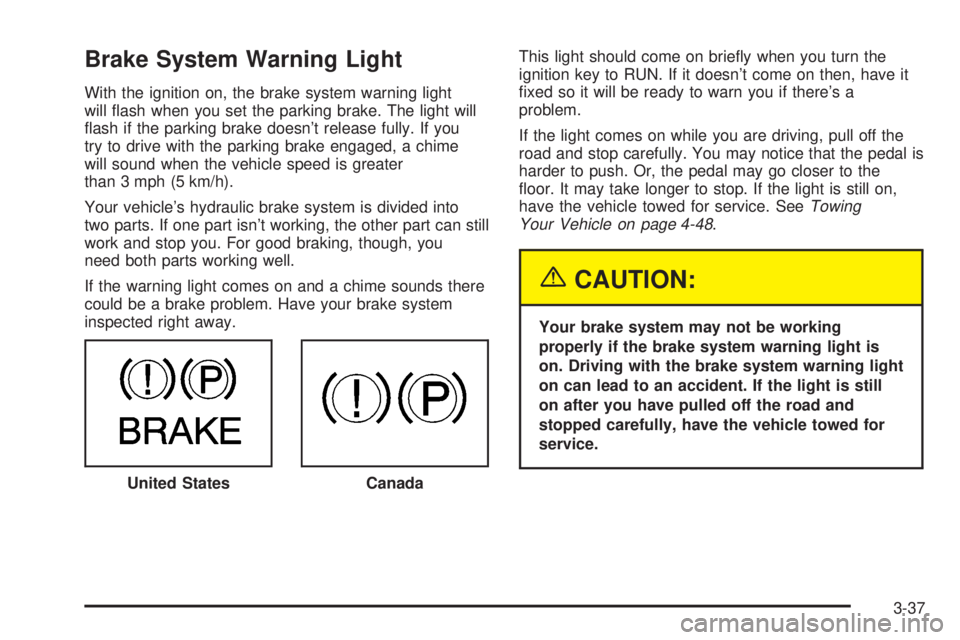
With the ignition on, the brake system warning light
will ¯ash when you set the parking brake. The light will
¯ash if the parking brake doesn't release fully. If you
try to drive with the parking brake engaged, a chime
will sound when the vehicle speed is greater
than 3 mph (5 km/h).
Your vehicle's hydraulic brake system is divided into
two parts. If one part isn't working, the other part can still
work and stop you. For good braking, though, you
need both parts working well.
If the warning light comes on and a chime sounds there
could be a brake problem. Have your brake system
inspected right away.This light should come on brie¯y when you turn the
ignition key to RUN. If it doesn't come on then, have it
®xed so it will be ready to warn you if there's a
problem.
If the light comes on while you are driving, pull off the
road and stop carefully. You may notice that the pedal is
harder to push. Or, the pedal may go closer to the
¯oor. It may take longer to stop. If the light is still on,
have the vehicle towed for service. See
Towing
Your Vehicle on page 4-48.
{CAUTION:
Your brake system may not be working
properly if the brake system warning light is
on. Driving with the brake system warning light
on can lead to an accident. If the light is still
on after you have pulled off the road and
stopped carefully, have the vehicle towed for
service.
United States
Canada
3-37
Page 172 of 452
Notice:If you drive your vehicle with the
transmission temperature gage above normal
operating range, you can damage the transmission.
This could lead to costly repairs that would not
be covered by your warranty. Do not drive your
vehicle while the transmission temperature gage
reading is above normal. See your dealer for service.
The following situations can cause the transmission to
operate at higher temperatures:
·Towing a trailer
·Hot outside air temperatures
·Hauling a large or heavy load
·Low transmission ¯uid level
·High transmission ¯uid level
·Restricted air ¯ow to the radiator and the auxiliary
transmission oil cooler (if equipped).
A temporary solution to hotter transmission operating
temperatures may be to let the transmission cool down.
If the transmission is operated at higher temperatures
on a frequent basis, see
Scheduled Maintenance
on page 6-4for the proper transmission maintenance
intervals.
Malfunction Indicator Lamp
Check Engine Light
Your vehicle is equipped
with a computer which
monitors operation of the
fuel, ignition and emission
control systems.
This system is called OBD II (On-Board
Diagnostics-Second Generation) and is intended to
assure that emissions are at acceptable levels for the
life of the vehicle, helping to produce a cleaner
environment. The Check Engine light comes on to
indicate that there is a problem and service is required.
Malfunctions often will be indicated by the system
before any problem is apparent. This may prevent more
serious damage to your vehicle. This system is also
designed to assist your service technician in correctly
diagnosing any malfunction.
3-40
Page 173 of 452
Notice:If you keep driving your vehicle with this
light on, after a while, your emission controls
may not work as well, your fuel economy may not
be as good and your engine may not run as
smoothly. This could lead to costly repairs that may
not be covered by your warranty.
Notice:Modi®cations made to the engine,
transmission, exhaust, intake or fuel system of your
vehicle or the replacement of the original tires
with other than those of the same Tire Performance
Criteria (TPC) can affect your vehicle's emission
controls and may cause this light to come on.
Modi®cations to these systems could lead to costly
repairs not covered by your warranty. This may
also result in a failure to pass a required Emission
Inspection/Maintenance test.
This light should come on, as a check to show you it is
working, when the ignition is on and the engine is
not running. If the light does not come on, have it
repaired. This light will also come on during a
malfunction in one of two ways:
·Light FlashingÐ A mis®re condition has been
detected. A mis®re increases vehicle emissions
and may damage the emission control system on
your vehicle. Diagnosis and service may be
required.
·Light On SteadyÐ An emission control system
malfunction has been detected on your vehicle.
Diagnosis and service may be required.
If the Light is Flashing
The following may prevent more serious damage to
your vehicle:
·Reducing vehicle speed.
·Avoiding hard accelerations.
·Avoiding steep uphill grades.
·If you are towing a trailer, reduce the amount of
cargo being hauled as soon as it is possible.
If the light stops ¯ashing and remains on steady, see ªIf
the Light Is On Steadyº following.
If the light continues to ¯ash, when it is safe to do so,
stop the vehicle.Find a safe place to park your vehicle.
Turn the key off, wait at least 10 seconds and restart
the engine. If the light remains on steady, see ªIf
the Light Is On Steadyº following. If the light is still
¯ashing, follow the previous steps, and see your dealer
for service as soon as possible.
3-41