light GMC SIERRA DENALI 2004 Owners Manual
[x] Cancel search | Manufacturer: GMC, Model Year: 2004, Model line: SIERRA DENALI, Model: GMC SIERRA DENALI 2004Pages: 452, PDF Size: 3.02 MB
Page 1 of 452
Seats and Restraint Systems........................... 1-1
Front Seats
............................................... 1-3
Rear Seats
............................................... 1-8
Safety Belts
.............................................. 1-8
Child Restraints
.......................................1-29
Air Bag Systems
......................................1-62
Restraint System Check
............................1-79
Features and Controls..................................... 2-1
Keys
........................................................ 2-2
Doors and Locks
....................................... 2-6
Windows
.................................................2-13
Theft-Deterrent Systems
............................2-15
Starting and Operating Your Vehicle
...........2-18
Mirrors
....................................................2-31
OnStar
žSystem
......................................2-36
HomeLinkžTransmitter
.............................2-38
Storage Areas
.........................................2-42
Vehicle Personalization
.............................2-45
Instrument Panel............................................. 3-1
Instrument Panel Overview
.......................... 3-2
Climate Controls
......................................3-19
Warning Lights, Gages and Indicators
.........3-27
Driver Information Center (DIC)
..................3-46
Audio System(s)
.......................................3-64Driving Your Vehicle....................................... 4-1
Your Driving, the Road, and Your Vehicle
..... 4-2
Towing
...................................................4-48
Service and Appearance Care.......................... 5-1
Service
..................................................... 5-3
Fuel
......................................................... 5-4
Checking Things Under the Hood
................. 5-8
All-Wheel Drive
........................................5-46
Rear Axle
...............................................5-47
Front Axle
...............................................5-48
Bulb Replacement
....................................5-49
Windshield Wiper Blade Replacement
.........5-58
Tires
......................................................5-59
Appearance Care
.....................................5-96
Vehicle Identi®cation
...............................5-104
Electrical System
....................................5-105
Capacities and Speci®cations
...................5-114
Maintenance Schedule..................................... 6-1
Maintenance Schedule
................................ 6-2
Customer Assistance and Information.............. 7-1
Customer Assistance and Information
........... 7-2
Reporting Safety Defects
...........................7-10
Index................................................................ 1
2004 GMC Sierra Denali Owner ManualM
Page 4 of 452
Vehicle Damage Warnings
Also, in this book you will ®nd these notices:
Notice:These mean there is something that could
damage your vehicle.
A notice will tell you about something that can damage
your vehicle. Many times, this damage would not be
covered by your warranty, and it could be costly. But the
notice will tell you what to do to help avoid the
damage.
When you read other manuals, you might see CAUTION
and NOTICE warnings in different colors or in different
words.
You'll also see warning labels on your vehicle. They use
the same words, CAUTION or NOTICE.
Vehicle Symbols
Your vehicle has components and labels that use
symbols instead of text. Symbols, used on your vehicle,
are shown along with the text describing the operation
or information relating to a speci®c component, control,
message, gage or indicator.
If you need help ®guring out a speci®c name of a
component, gage or indicator, reference the following
topics:
·Seats and Restraint Systems in Section 1
·Features and Controls in Section 2
·Instrument Panel Overview in Section 3
·Climate Controls in Section 3
·Warning Lights, Gages and Indicators in Section 3
·Audio System(s) in Section 3
·Engine Compartment Overview in Section 5
iv
Page 10 of 452
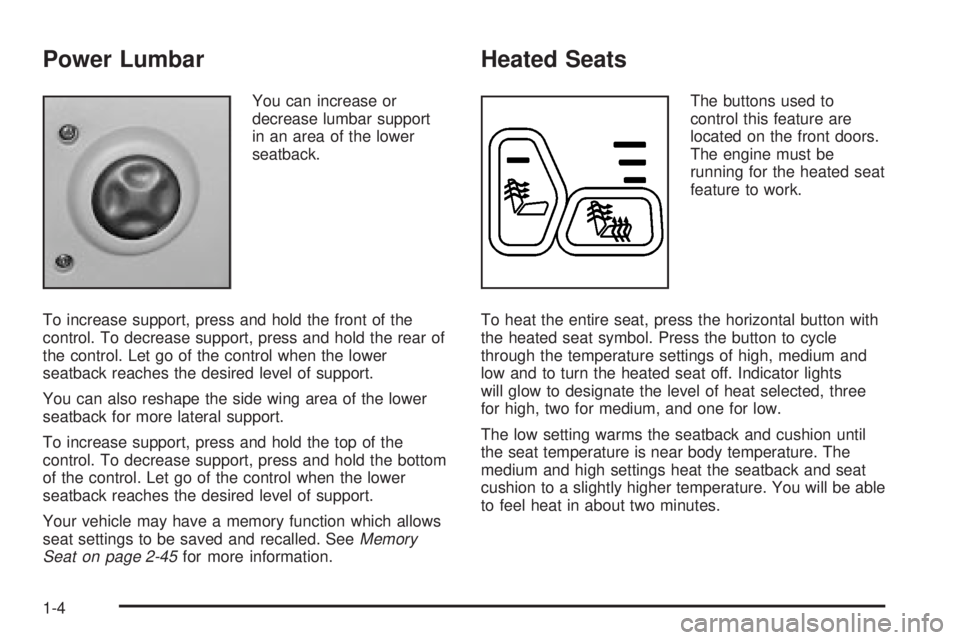
Power Lumbar
You can increase or
decrease lumbar support
in an area of the lower
seatback.
To increase support, press and hold the front of the
control. To decrease support, press and hold the rear of
the control. Let go of the control when the lower
seatback reaches the desired level of support.
You can also reshape the side wing area of the lower
seatback for more lateral support.
To increase support, press and hold the top of the
control. To decrease support, press and hold the bottom
of the control. Let go of the control when the lower
seatback reaches the desired level of support.
Your vehicle may have a memory function which allows
seat settings to be saved and recalled. See
Memory
Seat on page 2-45for more information.
Heated Seats
The buttons used to
control this feature are
located on the front doors.
The engine must be
running for the heated seat
feature to work.
To heat the entire seat, press the horizontal button with
the heated seat symbol. Press the button to cycle
through the temperature settings of high, medium and
low and to turn the heated seat off. Indicator lights
will glow to designate the level of heat selected, three
for high, two for medium, and one for low.
The low setting warms the seatback and cushion until
the seat temperature is near body temperature. The
medium and high settings heat the seatback and seat
cushion to a slightly higher temperature. You will be able
to feel heat in about two minutes.
1-4
Page 11 of 452
To heat only the seatback, press the vertical button with
the heated seatback symbol. An indicator light on the
seatback button will glow to designate that only the
seatback is being heated. Additional presses of
the seatback button will cycle through the heat levels for
the seatback only. Press the horizontal button again
to heat the whole seat.
The heated front seats will shut off automatically when
the ignition is turned off.Reclining Seatbacks
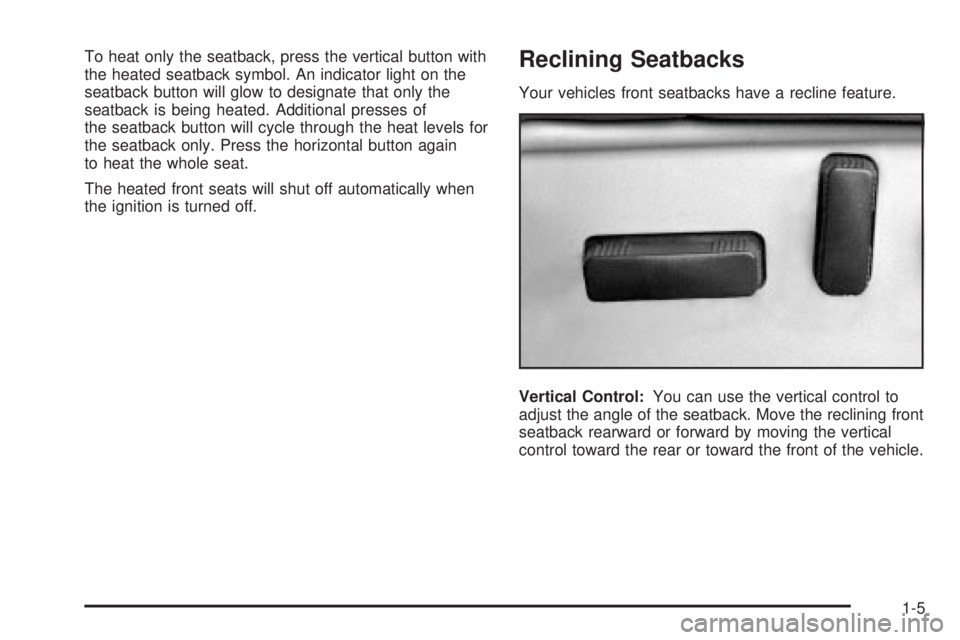
Your vehicles front seatbacks have a recline feature.
Vertical Control:You can use the vertical control to
adjust the angle of the seatback. Move the reclining front
seatback rearward or forward by moving the vertical
control toward the rear or toward the front of the vehicle.
1-5
Page 15 of 452
CAUTION: (Continued)
You can hit things inside the vehicle or be
ejected from it. You can be seriously injured or
killed. In the same crash, you might not be, if
you are buckled up. Always fasten your safety
belt, and check that your passengers' belts are
fastened properly too.
{CAUTION:
It is extremely dangerous to ride in a cargo
area, inside or outside of a vehicle. In a
collision, people riding in these areas are more
likely to be seriously injured or killed. Do not
allow people to ride in any area of your vehicle
that is not equipped with seats and safety
belts. Be sure everyone in your vehicle is in a
seat and using a safety belt properly.Your vehicle has a light
that comes on as a
reminder to buckle up. See
Safety Belt Reminder
Light on page 3-29.
In most states and in all Canadian provinces, the law
says to wear safety belts. Here's why:
They work.
You never know if you'll be in a crash. If you do have a
crash, you don't know if it will be a bad one.
A few crashes are mild, and some crashes can be so
serious that even buckled up, a person wouldn't survive.
But most crashes are in between. In many of them,
people who buckle up can survive and sometimes walk
away. Without belts they could have been badly hurt
or killed.
After more than 30 years of safety belts in vehicles, the
facts are clear. In most crashes buckling up does
matter... a lot!
1-9
Page 20 of 452
How to Wear Safety Belts Properly
This part is only for people of adult size.
Be aware that there are special things to know about
safety belts and children. And there are different
rules for smaller children and babies. If a child will be
riding in your vehicle, see
Older Children on page 1-29orInfants and Young Children on page 1-32. Follow
those rules for everyone's protection.
First, you'll want to know which restraint systems your
vehicle has.
We'll start with the driver position.
Driver Position
This part describes the driver's restraint system.
Lap-Shoulder Belt
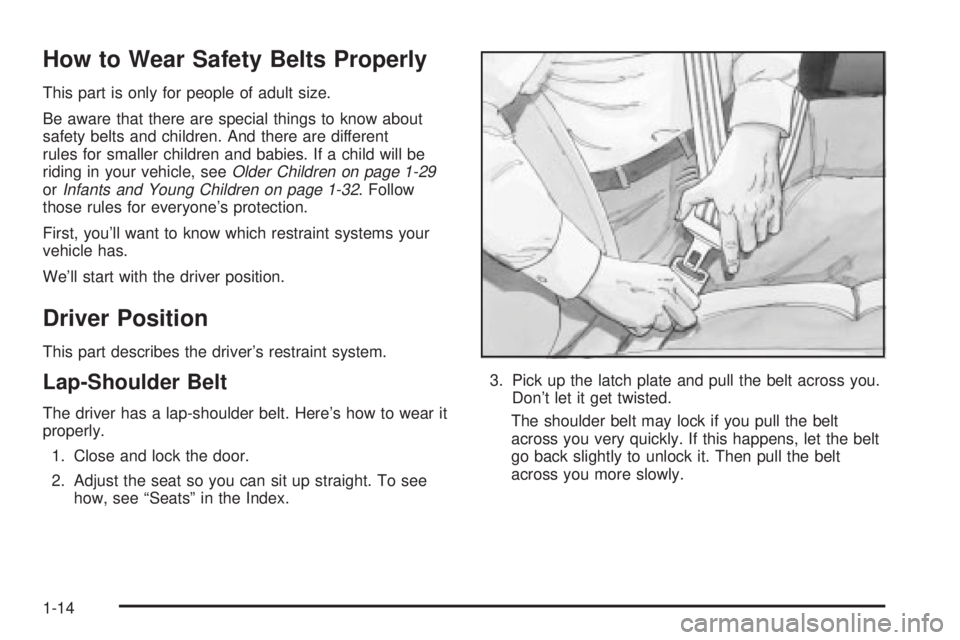
The driver has a lap-shoulder belt. Here's how to wear it
properly.
1. Close and lock the door.
2. Adjust the seat so you can sit up straight. To see
how, see ªSeatsº in the Index.3. Pick up the latch plate and pull the belt across you.
Don't let it get twisted.
The shoulder belt may lock if you pull the belt
across you very quickly. If this happens, let the belt
go back slightly to unlock it. Then pull the belt
across you more slowly.
1-14
Page 30 of 452
Rear Seat Passengers
It's very important for rear seat passengers to buckle
up! Accident statistics show that unbelted people in the
rear seat are hurt more often in crashes than those
who are wearing safety belts.
Rear passengers who aren't safety belted can be
thrown out of the vehicle in a crash. And they can strike
others in the vehicle who are wearing safety belts.
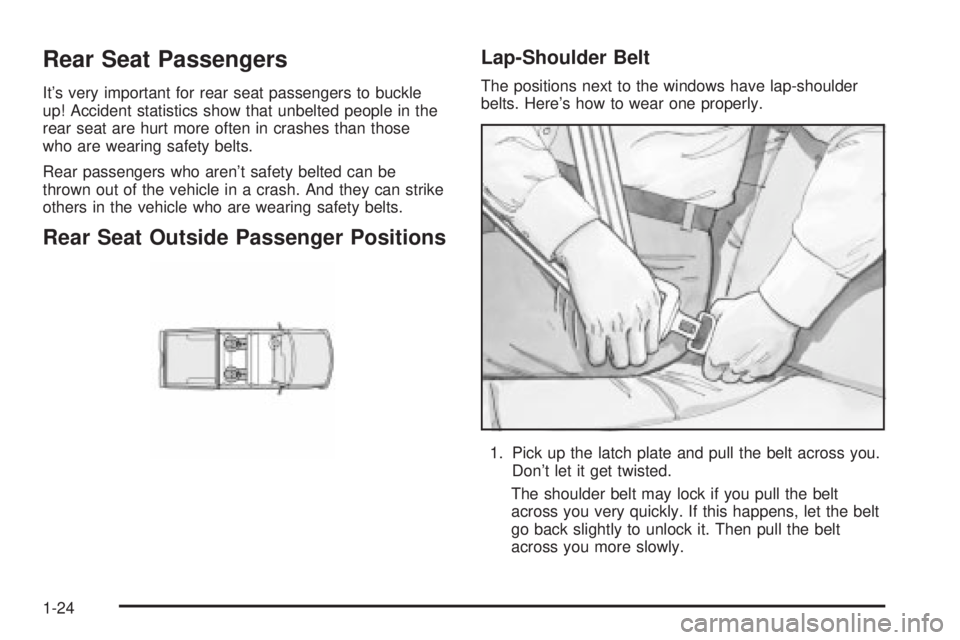
Rear Seat Outside Passenger Positions
Lap-Shoulder Belt
The positions next to the windows have lap-shoulder
belts. Here's how to wear one properly.
1. Pick up the latch plate and pull the belt across you.
Don't let it get twisted.
The shoulder belt may lock if you pull the belt
across you very quickly. If this happens, let the belt
go back slightly to unlock it. Then pull the belt
across you more slowly.
1-24
Page 52 of 452
Securing a Child Restraint Designed
for the LATCH System (Rear)
1. Find the LATCH anchorages for the seating
position you want to use, where the bottom of the
seatback meets the back of the seat cushion.
2. Put the child restraint on the seat.
3. Attach and tighten the LATCH attachments on the
child restraint to the LATCH anchorages in the
vehicle. The child restraint instructions will show
you how.
4. If the child restraint is forward-facing, attach and
tighten the top tether to the top tether anchorage.
The child restraint instructions will show you
how. Also see
Top Strap on page 1-40.
5. Push and pull the child restraint in different
directions to be sure it is secure.
To remove the child restraint, simply unhook the top
tether from the top tether anchorage and then
disconnect the LATCH attachments from the LATCH
anchorages.
Securing a Child Restraint Designed
for the LATCH System (Front)
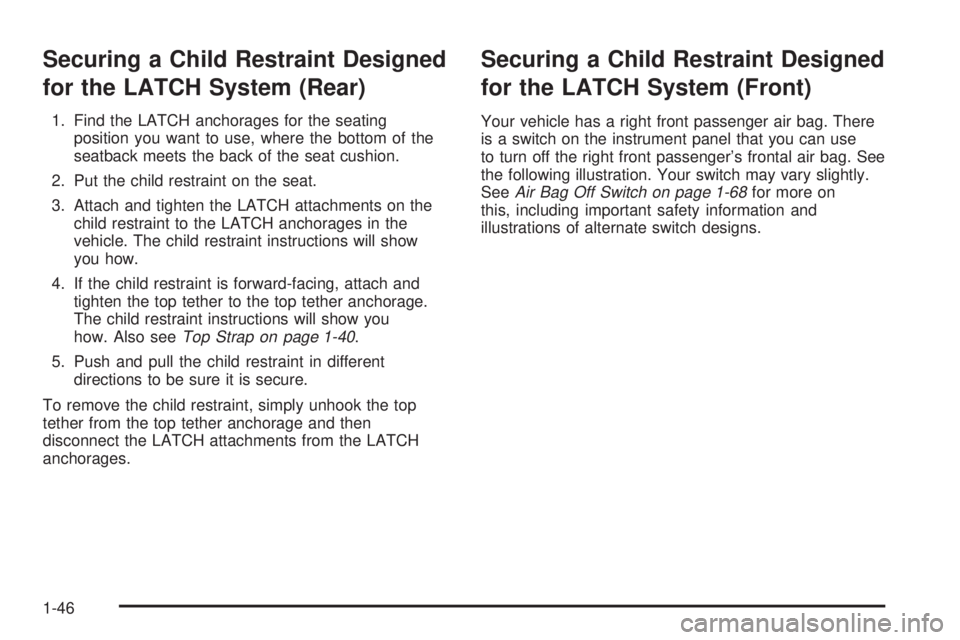
Your vehicle has a right front passenger air bag. There
is a switch on the instrument panel that you can use
to turn off the right front passenger's frontal air bag. See
the following illustration. Your switch may vary slightly.
See
Air Bag Off Switch on page 1-68for more on
this, including important safety information and
illustrations of alternate switch designs.
1-46
Page 54 of 452
Never put a rear facing child restraint in the right front
passenger's seat unless the air bag is off. Here is why:
{CAUTION:
A child in a rear-facing child restraint can be
seriously injured or killed if the right front
passenger's air bag in¯ates. This is because
the back of the rear-facing child restraint
would be very close to the in¯ating air bag.
Be sure the air bag is off before using a
rear-facing child restraint in the right front seat
position. If you secure a forward-facing child
restraint in the right front seat, always move
the right front passenger seat as far back as it
will go.
A rear seat is a safer place to secure a forward facing
child restraint. See
Where to Put the Restraint on
page 1-39. If you need to secure a forward-facing child
restraint in the right front seat position, move the
seat as far back as it will go before securing a
forward-facing child restraint. See
Power Seats on
page 1-3.
{CAUTION:
If the air bag readiness light in the instrument
panel cluster ever comes on when you have
turned off the air bag, it means that something
may be wrong with the air bag system. The
right front passenger's air bag could in¯ate
even though the switch is off. If this ever
happens, have the vehicle serviced promptly.
Until you have the vehicle serviced, do not let
anyone whom the national government has
identi®ed as a member of a passenger air bag
risk group sit in the right front passenger's
position (for example, do not secure a
rear-facing child restraint in the right front
passenger's seat). See ªAir Bag Off Switchº in
the Index.
1-48
Page 55 of 452
1. Your vehicle has a right front passenger's frontal air
bag. SeeAir Bag Off Switch on page 1-68andPassenger Sensing System on page 1-73. If your
child restraint is forward-facing, move the seat as far
back as it will go before securing the restraint in
this seat. See
Power Seats on page 1-3. If you need
to use a rear-facing child restraint in this seat,
make sure the air bag is off once the child restraint
has been installed.
When the passenger sensing system or the air bag
off switch has turned off the right front passenger's
frontal air bag, the off indicator in the passenger
air bag status indicator should light and stay lit when
you turn the ignition to RUN or START. See
Passenger Air Bag Status Indicator on page 3-33.
2. Find the LATCH anchorages where the bottom of
the seatback meets the back of the cushion.
3. Put the child restraint on the seat.
4. Attach and tighten the LATCH attachments on the
child restraint to the LATCH anchorages in the
vehicle. The child restraint instructions will show
you how.
5. If the child restraint is forward-facing, attach and
tighten the top tether to the top tether anchorage.
The child restraint instructions will show you
how. Also see
Top Strap on page 1-40.6. Push and pull the child restraint in different
directions to be sure it is secure.
7. If your vehicle has the passenger sensing system
and the air bag is off, the off indicator will be lit and
stay lit in the inside rearview mirror when the key
is turned to RUN or START. Never put a rear-facing
child restraint in the right front passenger seat
unless the air bag is off.
If a child restraint has been installed and the on
indicator is lit, turn the vehicle off. Remove the child
restraint from the vehicle and reinstall the restraint.
If after reinstalling the child restraint and restarting the
vehicle, the on indicator is still lit, check to make
sure that the vehicle's seatback is not pressing the child
restraint into the seat cushion. If this happens, slightly
recline the vehicle's seatback and adjust the seat
cushion if possible. Also make sure the child restraint is
not trapped under the vehicle head restraint. If this
happens, adjust the head restraint.
If the on indicator is still lit, use the air bag off switch to
turn off the air bag or secure the child in the child
restraint in a rear seat position in the vehicle if one is
available and check with your dealer. See
Air Bag
Off Switch on page 1-68for more on this, including
important safety information.
1-49