change wheel GMC SIERRA DENALI 2018 User Guide
[x] Cancel search | Manufacturer: GMC, Model Year: 2018, Model line: SIERRA DENALI, Model: GMC SIERRA DENALI 2018Pages: 505, PDF Size: 8.27 MB
Page 142 of 505
GMC Sierra/Sierra Denali Owner Manual (GMNA-Localizing-U.S./Canada/
Mexico-11349177) - 2018 - CRC - 10/17/17
Instruments and Controls 141Cluster Menu (Uplevel and
Denali Cluster) There is an interactive display area
in the center of the instrument
cluster.
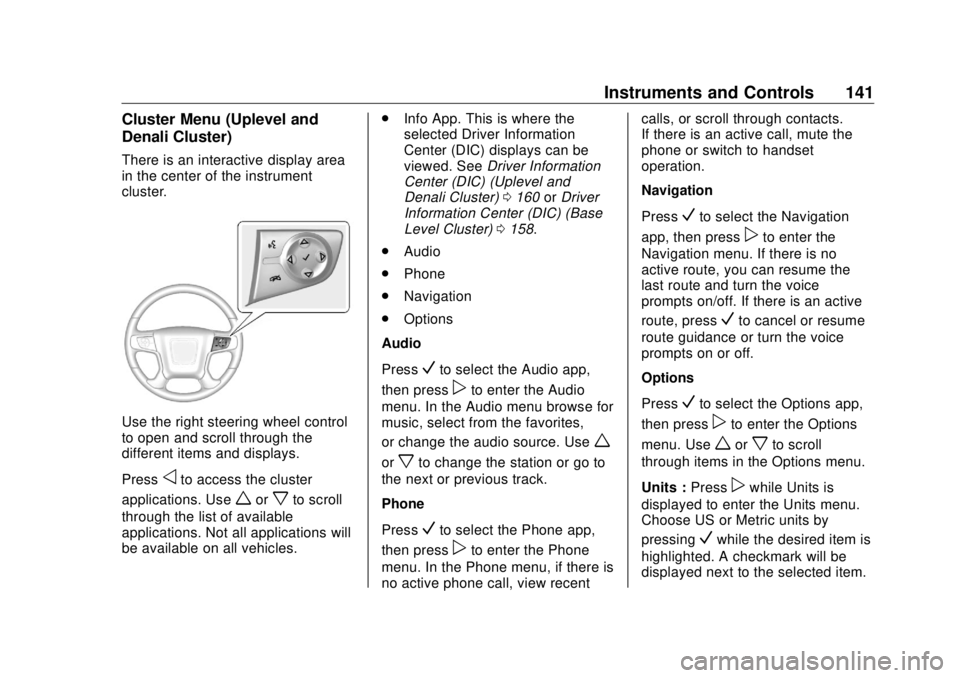
Use the right steering wheel control
to open and scroll through the
different items and displays.
Press
o to access the cluster
applications. Use
w or
x to scroll
through the list of available
applications. Not all applications will
be available on all vehicles. .
Info App. This is where the
selected Driver Information
Center (DIC) displays can be
viewed. See Driver Information
Center (DIC) (Uplevel and
Denali Cluster) 0 160 or Driver
Information Center (DIC) (Base
Level Cluster) 0 158 .
.
Audio
.
Phone
.
Navigation
.
Options
Audio
Press
V to select the Audio app,
then press
p to enter the Audio
menu. In the Audio menu browse for
music, select from the favorites,
or change the audio source. Use
wor
x to change the station or go to
the next or previous track.
Phone
Press
V to select the Phone app,
then press
p to enter the Phone
menu. In the Phone menu, if there is
no active phone call, view recent calls, or scroll through contacts.
If there is an active call, mute the
phone or switch to handset
operation.
Navigation
Press
V to select the Navigation
app, then press
p to enter the
Navigation menu. If there is no
active route, you can resume the
last route and turn the voice
prompts on/off. If there is an active
route, press
V to cancel or resume
route guidance or turn the voice
prompts on or off.
Options
Press
V to select the Options app,
then press
p to enter the Options
menu. Use
w or
x to scroll
through items in the Options menu.
Units : Press
p while Units is
displayed to enter the Units menu.
Choose US or Metric units by
pressing
V while the desired item is
highlighted. A checkmark will be
displayed next to the selected item.
Page 152 of 505
GMC Sierra/Sierra Denali Owner Manual (GMNA-Localizing-U.S./Canada/
Mexico-11349177) - 2018 - CRC - 10/17/17
Instruments and Controls 151If towing a trailer, reduce the
amount of cargo being hauled as
soon as possible.
If the light continues to flash, find a
safe place to park. Turn the vehicle
off and wait at least 10 seconds
before restarting the engine. If the
light is still flashing, follow the
previous guidelines and see your
dealer for service as soon as
possible.
If the light is on steady : A
malfunction has been detected.
Diagnosis and service may be
required.
Check the following:
.
A loose or missing fuel cap may
cause the light to come on. See
Filling the Tank 0 301 . A few
driving trips with the cap
properly installed may turn the
light off.
.
Poor fuel quality can cause
inefficient engine operation and
poor driveability, which may go
away once the engine is warmed
up. If this occurs, change the
fuel brand. It may require at least one full tank of the proper
fuel to turn the light off. See Fuel
0 299 .
If the light remains on, see your
dealer.
Emissions Inspection and
Maintenance Programs If the vehicle requires an Emissions
Inspection/Maintenance test, the
test equipment will likely connect to
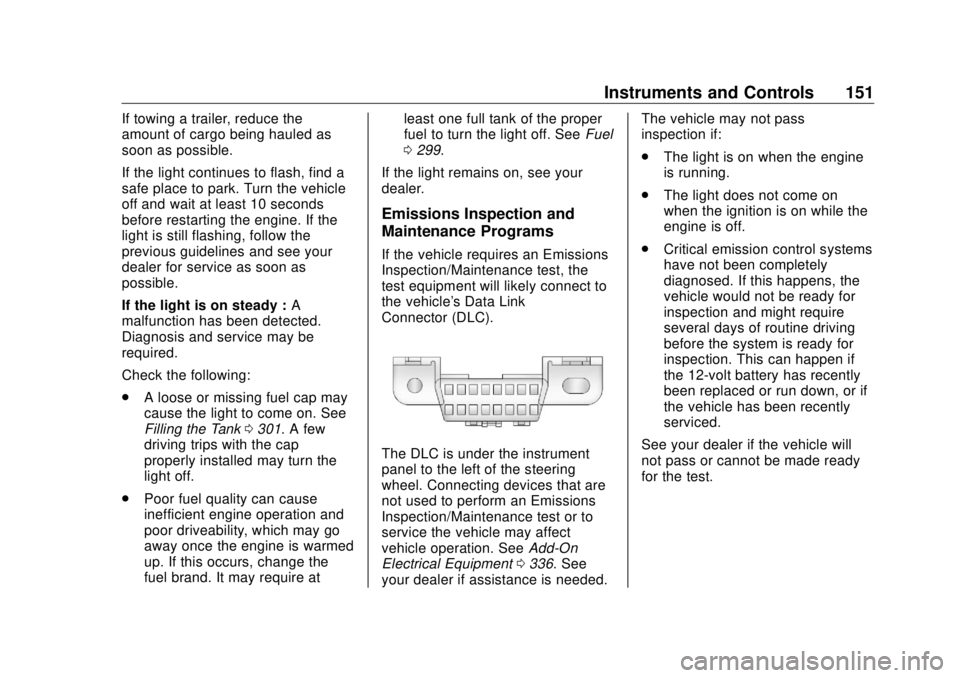
the vehicle's Data Link
Connector (DLC).
The DLC is under the instrument
panel to the left of the steering
wheel. Connecting devices that are
not used to perform an Emissions
Inspection/Maintenance test or to
service the vehicle may affect
vehicle operation. See Add-On
Electrical Equipment 0 336 . See
your dealer if assistance is needed. The vehicle may not pass
inspection if:
.
The light is on when the engine
is running.
.
The light does not come on
when the ignition is on while the
engine is off.
.
Critical emission control systems
have not been completely
diagnosed. If this happens, the
vehicle would not be ready for
inspection and might require
several days of routine driving
before the system is ready for
inspection. This can happen if
the 12-volt battery has recently
been replaced or run down, or if
the vehicle has been recently
serviced.
See your dealer if the vehicle will
not pass or cannot be made ready
for the test.
Page 154 of 505
GMC Sierra/Sierra Denali Owner Manual (GMNA-Localizing-U.S./Canada/
Mexico-11349177) - 2018 - CRC - 10/17/17
Instruments and Controls 153If both the ABS and the brake
system warning light are on, the
vehicle's antilock brakes are not
functioning and there is a problem
with the regular brakes. See your
dealer for service.
See Brake System Warning Light
0 152 .
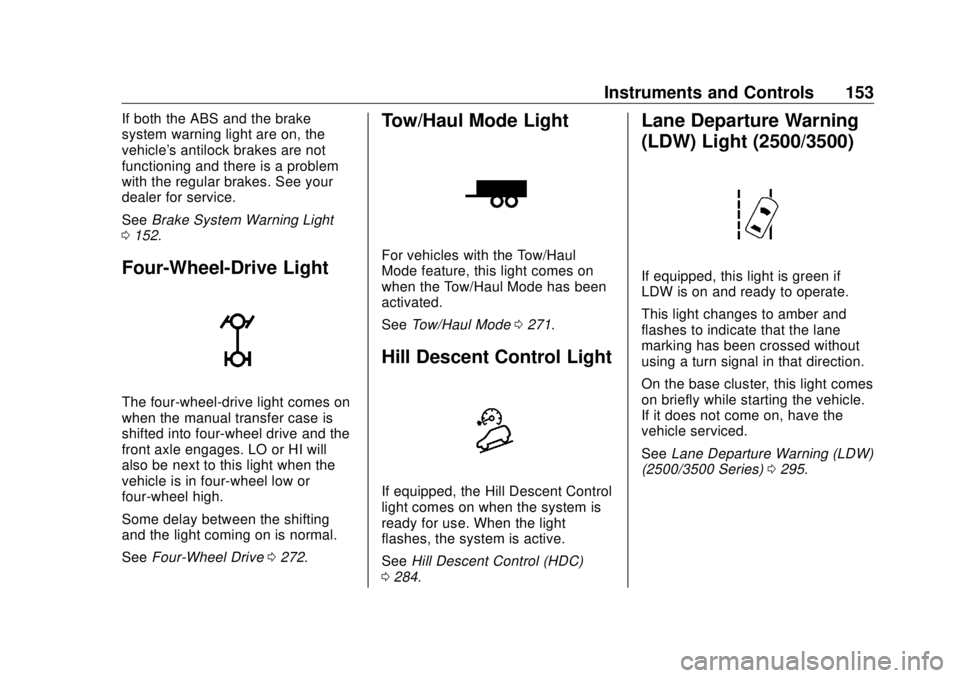
Four-Wheel-Drive Light
The four-wheel-drive light comes on
when the manual transfer case is
shifted into four-wheel drive and the
front axle engages. LO or HI will
also be next to this light when the
vehicle is in four-wheel low or
four-wheel high.
Some delay between the shifting
and the light coming on is normal.
See Four-Wheel Drive 0 272 .Tow/Haul Mode Light For vehicles with the Tow/Haul
Mode feature, this light comes on
when the Tow/Haul Mode has been
activated.
See Tow/Haul Mode 0 271 .
Hill Descent Control Light
If equipped, the Hill Descent Control
light comes on when the system is
ready for use. When the light
flashes, the system is active.
See Hill Descent Control (HDC)
0 284 . Lane Departure Warning
(LDW) Light (2500/3500)
If equipped, this light is green if
LDW is on and ready to operate.
This light changes to amber and
flashes to indicate that the lane
marking has been crossed without
using a turn signal in that direction.
On the base cluster, this light comes
on briefly while starting the vehicle.
If it does not come on, have the
vehicle serviced.
See Lane Departure Warning (LDW)
(2500/3500 Series) 0 295 .
Page 161 of 505
GMC Sierra/Sierra Denali Owner Manual (GMNA-Localizing-U.S./Canada/
Mexico-11349177) - 2018 - CRC - 10/17/17
160 Instruments and Controls Transmission Fluid Temperature
The temperature of the automatic
transmission fluid displays in either
degrees Celsius (°C) or degrees
Fahrenheit (°F).
Trailer Brake
On vehicles with the Integrated
Trailer Brake Control (ITBC) system,
turn the trip odometer reset stem
until TRAILER GAIN and TRAILER
OUTPUT displays.
TRAILER GAIN shows the Trailer
Gain setting. This setting can be
adjusted from 0.0 to 10.0 with either
a trailer connected or disconnected.
TRAILER OUTPUT shows the
power output to the trailer anytime a
trailer with electric brakes is
connected. Output is displayed as a
bar graph. Dashes may appear in
the TRAILER OUTPUT display if a
trailer is not connected.
Hourmeter
This display shows the total number
of hours the engine has run. Unit
This will change the displays on
the instrument cluster and DIC to
either metric or English (US)
measurements. To change the units,
press the trip odometer reset stem
when UNITS is displayed to enter
the Unit menu. Turn the trip
odometer reset stem to switch
between English and metric. Press
the trip odometer reset stem when
the desired setting is displayed.
Compass The vehicle may have a compass in
the Driver Information Center (DIC).
See Compass 0 131 .
Driver Information Center
(DIC) (Uplevel and Denali
Cluster) The DIC displays are shown in the
center of the instrument cluster in
the Info App. See Instrument Cluster
0 138 . The displays show the status
of many vehicle systems. The
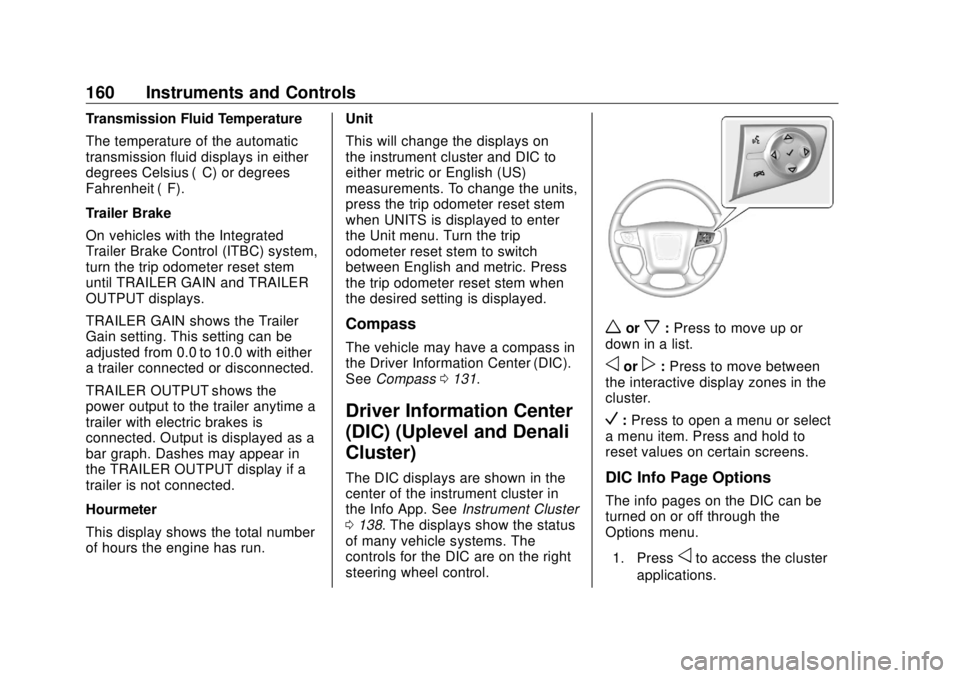
controls for the DIC are on the right
steering wheel control. w or
x : Press to move up or
down in a list.
o or
p : Press to move between
the interactive display zones in the
cluster.
V : Press to open a menu or select
a menu item. Press and hold to
reset values on certain screens.
DIC Info Page Options
The info pages on the DIC can be
turned on or off through the
Options menu.
1. Press
o to access the cluster
applications.
Page 169 of 505
GMC Sierra/Sierra Denali Owner Manual (GMNA-Localizing-U.S./Canada/
Mexico-11349177) - 2018 - CRC - 10/17/17
168 Instruments and Controls Comfort and Convenience Select and the following may
display:
.
Auto Memory Recall
.
Easy Exit Options
.
Chime Volume
.
Reverse Tilt Mirror
.
Auto Mirror Folding
Auto Memory Recall
This feature automatically recalls
the previously stored 1 or 2 button
positions when the ignition is
changed from off to on or ACC/
ACCESSORY. See Memory Seats
0 62 .
Select Off orOn.
Easy Exit Options
This feature automatically recalls
the previously stored Exit button
position when exiting the vehicle.
See Memory Seats 0 62 .
Select Off or On. Chime Volume
This allows the selection of the
chime volume level.
Touch + or − to adjust the volume.
Reverse Tilt Mirror
When on, both the driver and
passenger, driver, or passenger
outside mirrors will tilt downward
when the vehicle is shifted to
R (Reverse) to improve visibility of
the ground near the rear wheels.
They will return to their previous
driving position when the vehicle is
shifted out of R (Reverse) or the
engine is turned off. See Reverse
Tilt Mirrors 0 51 .
Select Off, On - Driver and
Passenger, On - Driver, or On -
Passenger.
Auto Mirror Folding
When on, the outside mirrors will
automatically fold or unfold when
the Remote Keyless Entry (RKE)
transmitter lock or unlock button is
pressed and held. See Folding
Mirrors 0 49 . Select Off or On.
Lighting Select and the following may
display:
.
Vehicle Locator Lights
.
Exit Lighting
Vehicle Locator Lights
This feature will flash the exterior
lamps and allows some of the
exterior lamps and most of the
interior lamps to turn on briefly
when
K on the Remote Keyless
Entry (RKE) transmitter is pressed
to locate the vehicle.
Select Off or On.
Exit Lighting
This allows the selection of how
long the exterior lamps stay on
when leaving the vehicle when it is
dark outside.
Select Off, 30 Seconds, 60 Seconds,
or 120 Seconds.
Page 177 of 505
GMC Sierra/Sierra Denali Owner Manual (GMNA-Localizing-U.S./Canada/
Mexico-11349177) - 2018 - CRC - 10/17/17
176 Lighting
Lighting Exterior Lighting Exterior Lamp Controls . . . . . . . 176
Exterior Lamps Off
Reminder . . . . . . . . . . . . . . . . . . . 178
Headlamp High/Low-Beam
Changer . . . . . . . . . . . . . . . . . . . . 179
Flash-to-Pass . . . . . . . . . . . . . . . . 179
Daytime Running
Lamps (DRL) . . . . . . . . . . . . . . . 179
Automatic Headlamp
System . . . . . . . . . . . . . . . . . . . . . . 179
Hazard Warning Flashers . . . . . 180
Turn and Lane-Change
Signals . . . . . . . . . . . . . . . . . . . . . . 181
Fog Lamps . . . . . . . . . . . . . . . . . . . 181
Auxiliary
Roof-Mounted Lamp . . . . . . . . 182
Interior Lighting Instrument Panel Illumination
Control . . . . . . . . . . . . . . . . . . . . . . 182
Cargo Lamp . . . . . . . . . . . . . . . . . . 183
Dome Lamps . . . . . . . . . . . . . . . . . 183
Reading Lamps . . . . . . . . . . . . . . 183 Lighting Features Entry Lighting . . . . . . . . . . . . . . . . 184
Exit Lighting . . . . . . . . . . . . . . . . . . 184
Battery Load Management . . . 184
Battery Power Protection . . . . . 185
Exterior Lighting Battery
Saver . . . . . . . . . . . . . . . . . . . . . . . 185
Exterior Lighting Exterior Lamp Controls
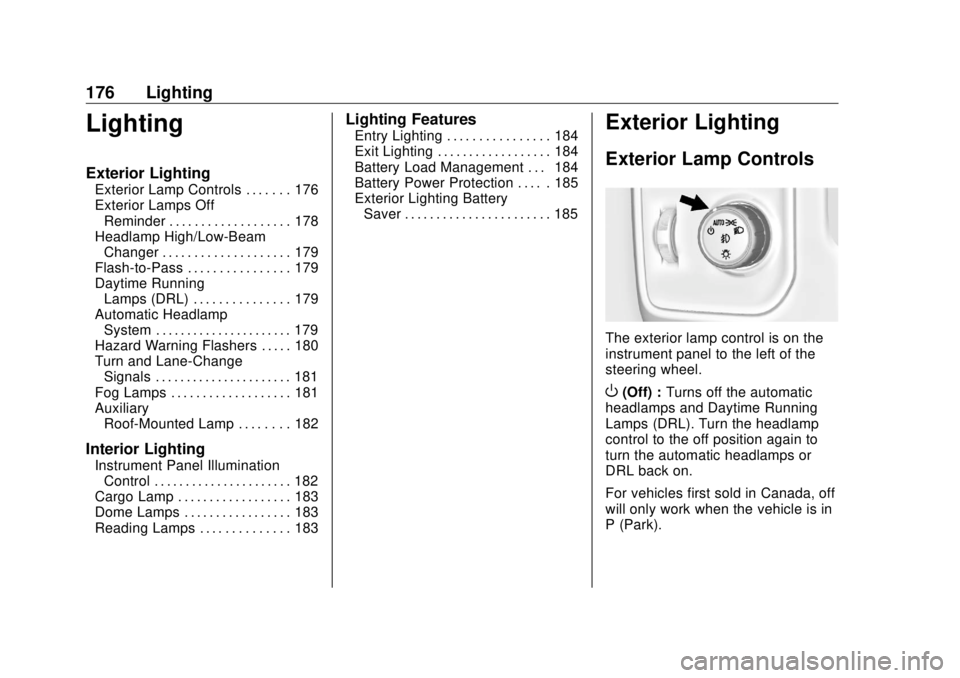
The exterior lamp control is on the
instrument panel to the left of the
steering wheel.
O (Off) : Turns off the automatic
headlamps and Daytime Running
Lamps (DRL). Turn the headlamp
control to the off position again to
turn the automatic headlamps or
DRL back on.
For vehicles first sold in Canada, off
will only work when the vehicle is in
P (Park).
Page 213 of 505
GMC Sierra/Sierra Denali Owner Manual (GMNA-Localizing-U.S./Canada/
Mexico-11349177) - 2018 - CRC - 10/17/17
212 Infotainment System Vehicles with a Bluetooth system
can use a Bluetooth-capable cell
phone with a Hands-Free Profile to
make and receive phone calls. The
infotainment system and voice
recognition are used to control the
system. The system can be used
with the ignition on or in ACC/
ACCESSORY. The range of the
Bluetooth system can be up to 9.1 m
(30 ft). Not all phones support all
functions and not all phones work
with the Bluetooth system. For U.S.
and Canada only, see www.gm.com/
bluetooth for more information about
compatible phones.
Bluetooth Controls Use the buttons on the center stack,
infotainment display, and the
steering wheel to operate the
Bluetooth system.
Steering Wheel Controls
g : Press to answer incoming calls,
confirm system information, and
start voice recognition. i : Press to end a call, reject a
call, or cancel an operation. Press
to mute or unmute the infotainment
system.
Infotainment System Controls
For information about how to
navigate the menu system using the
infotainment controls, see Overview
0 188 .
MENU : Turn to scroll through a list.
Press to select the highlighted list
option.
{ : Press to go to the Home Page.
See Home Page 0 189 .
PHONE or
# : Select to enter the
phone main menu. See Bluetooth
(Overview) 0 211 or Bluetooth
(Infotainment Controls) 0 213 .
Voice Recognition
If equipped, the voice recognition
system uses commands to control
the system and dial phone numbers. Noise : The system may not
recognize voice commands if there
is too much background noise, such
as noise from open windows or loud
talking inside the vehicle.
When to Speak : A tone sounds to
indicate that the system is ready for
a voice command. Wait for the tone
and then speak.
How to Speak : Speak clearly in a
calm and natural voice.
Audio System When using the Bluetooth system,
sound comes through the vehicle's
front audio system speakers and
overrides the audio system. Use the
O knob during a call to change the
volume level. The system maintains
a minimum volume level.
Bluetooth Audio Quality
Turn off the Echo and Noise
cancellation feature on your phone,
if supported, for the best hands-free
performance.
See www.gm.com/bluetooth for U.S.
and Canada only.
Page 214 of 505
GMC Sierra/Sierra Denali Owner Manual (GMNA-Localizing-U.S./Canada/
Mexico-11349177) - 2018 - CRC - 10/17/17
Infotainment System 213
Bluetooth (Infotainment
Controls) To use infotainment controls to
access the menu system, see
Overview 0 188 .
Pairing A Bluetooth-enabled cell phone
must be paired to the Bluetooth
system and then connected to the
vehicle before it can be used. See
your cell phone manufacturer's user
guide for Bluetooth functions before
pairing the cell phone. If a Bluetooth
phone is not connected, calls will be
made using OnStar Hands-Free
Calling, if available. See OnStar
Overview 0 479 .
Pairing Information
.
A Bluetooth phone with MP3
capability cannot be paired to
the vehicle as a phone and an
MP3 player at the same time.
.
Up to 10 cell phones can be
paired to the Bluetooth system. .
The pairing process is disabled
when the vehicle is moving.
.
Pairing only needs to be
completed once, unless the
pairing information on the cell
phone changes or the cell phone
is deleted from the system.
.
Only one paired cell phone can
be connected to the Bluetooth
system at a time.
.
If multiple paired cell phones are
within range of the system, the
system connects to the first
available paired cell phone in the
order that they were first paired
to the system.
When the Bluetooth device and
infotainment system are
successfully paired, the phone book
is downloaded automatically. This is
dependent on the type of the phone
paired. If the automatic download
does not occur, proceed with the
phone book download on the
phone. Pairing a Phone - SSP and No
Paired Device
When there is no paired device on
the infotainment system and Simple
Secure Pairing (SSP) is supported:
1. Press
{ .
2. Touch PHONE, press
# on the
center stack, or press
g on the
steering wheel without OnStar.
3. Touch Search Device.
4. Touch the desired device to
pair on the searched list
screen.
5. Touch Yes on the pop-up
screen of the Bluetooth device
and infotainment system.
6. When the Bluetooth device and
infotainment system are
successfully paired, the phone
screen is displayed on the
infotainment system.
Page 240 of 505
GMC Sierra/Sierra Denali Owner Manual (GMNA-Localizing-U.S./Canada/
Mexico-11349177) - 2018 - CRC - 10/17/17
Driving and Operating 239.
Acceleration Skid — too much
throttle causes the driving
wheels to spin.
Defensive drivers avoid most skids
by taking reasonable care suited to
existing conditions, and by not
overdriving those conditions. But
skids are always possible.
If the vehicle starts to slide, follow
these suggestions:
.
Ease your foot off the
accelerator pedal and steer the
way you want the vehicle to go.
The vehicle may straighten out.
Be ready for a second skid if it
occurs.
.
Slow down and adjust your
driving according to weather
conditions. Stopping distance
can be longer and vehicle
control can be affected when
traction is reduced by water,
snow, ice, gravel, or other
material on the road. Learn to
recognize warning clues — such
as enough water, ice, or packed snow on the road to make a
mirrored surface — and slow
down when you have any doubt.
.
Try to avoid sudden steering,
acceleration, or braking,
including reducing vehicle speed
by shifting to a lower gear. Any
sudden changes could cause
the tires to slide.
Remember: Antilock brakes help
avoid only the braking skid.
Off-Road Driving Four-wheel-drive vehicles can be
used for off-road driving. Vehicles
without four-wheel drive and
vehicles not equipped with All
Terrain (AT) or On-Off Road (OOR)
tires must not be driven off-road
except on a level, solid surface. For
contact information about the
original equipment tires, see the
warranty manual.
One of the best ways for successful
off-road driving is to control the
speed. { WarningWhen driving off-road, bouncing
and quick changes in direction
can easily throw you out of
position. This could cause you to
lose control and crash. You and
your passengers should always
wear seat belts.
Before Driving Off-Road .
Have all necessary maintenance
and service work completed.
.
Fuel the vehicle, fill fluid levels,
and check inflation pressure in
all tires, including the spare,
if equipped.
.
Read all the information about
four-wheel-drive vehicles in this
manual.
.
Remove any underbody air
deflector, if equipped. Re-attach
the air deflector after off-road
driving.
.
Know the local laws that apply to
off-road driving.
Page 244 of 505
GMC Sierra/Sierra Denali Owner Manual (GMNA-Localizing-U.S./Canada/
Mexico-11349177) - 2018 - CRC - 10/17/17
Driving and Operating 243
{ WarningGetting out of the vehicle on the
downhill side when stopped
across an incline is dangerous.
If the vehicle rolls over, you could
be crushed or killed. Always get
out on the uphill side of the
vehicle and stay well clear of the
rollover path.
Driving in Mud, Sand, Snow,
or Ice Use a low gear when driving in mud
— the deeper the mud, the lower
the gear. Keep the vehicle moving
to avoid getting stuck.
Traction changes when driving on
sand. On loose sand, such as on
beaches or sand dunes, the tires
tend to sink into the sand. This
affects steering, accelerating, and
braking. Drive at a reduced speed
and avoid sharp turns or abrupt
maneuvers. Traction is reduced on hard packed
snow and ice and it is easy to lose
control. Reduce vehicle speed when
driving on hard packed snow
and ice.
{ WarningDriving on frozen lakes, ponds,
or rivers can be dangerous. Ice
conditions vary greatly and the
vehicle could fall through the ice;
you and your passengers could
drown. Drive your vehicle on safe
surfaces only.
Driving in Water
{ Warning
Driving through rushing water can
be dangerous. Deep water can
sweep your vehicle downstream
and you and your passengers
could drown. If it is only shallow
water, it can still wash away the
ground from under your tires.
(Continued) Warning (Continued) Traction could be lost, and the
vehicle could roll over. Do not
drive through rushing water.
CautionDo not drive through standing
water if it is deep enough to cover
the wheel hubs, axles, or exhaust
pipe. Deep water can damage the
axle and other vehicle parts.
If the standing water is not too deep,
drive through it slowly. At faster
speeds, water can get into the
engine and cause it to stall. Stalling
can occur if the exhaust pipe is
under water. Do not turn off the
ignition when driving through water.
If the exhaust pipe is under water,
the engine will not start. When going
through water, the brakes get wet
and it may take longer to stop. See
“ Driving on Wet Roads ” later in this
section.