instrument cluster GMC SIERRA DENALI 2019 User Guide
[x] Cancel search | Manufacturer: GMC, Model Year: 2019, Model line: SIERRA DENALI, Model: GMC SIERRA DENALI 2019Pages: 472, PDF Size: 8.98 MB
Page 141 of 472
GMC Sierra/Sierra Denali Owner Manual (GMNA-Localizing-U.S./Canada/
Mexico-1500-11698638) - 2019 - crc - 5/15/18
140 Instruments and Controls
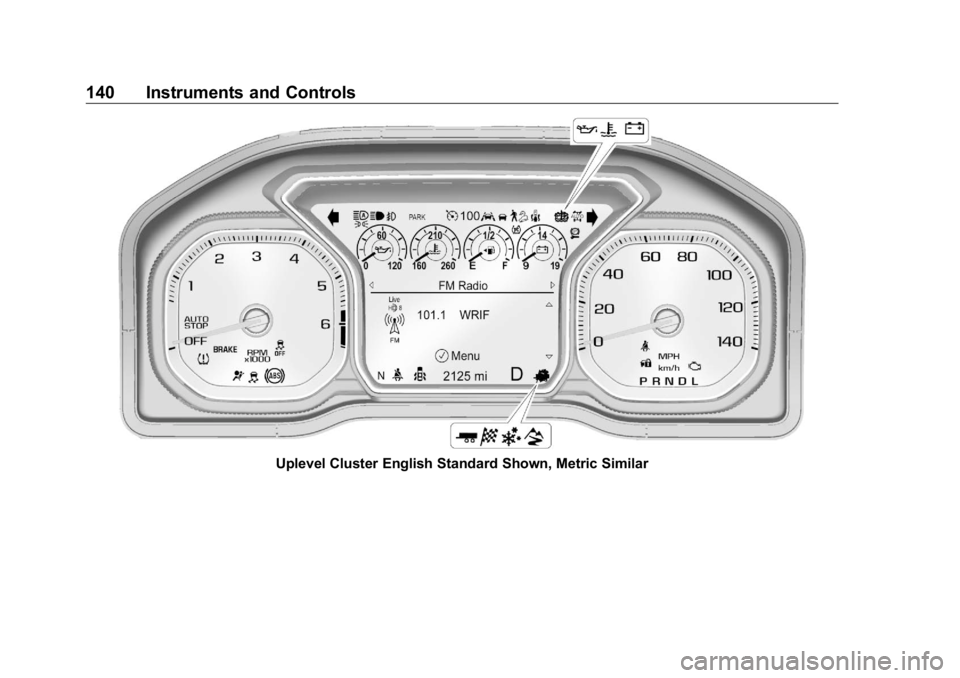
Uplevel Cluster English Standard Shown, Metric Similar
Page 142 of 472
GMC Sierra/Sierra Denali Owner Manual (GMNA-Localizing-U.S./Canada/
Mexico-1500-11698638) - 2019 - crc - 5/15/18
Instruments and Controls 141Cluster Menu (Midlevel and
Uplevel) There is an interactive display area
in the center of the instrument
cluster.
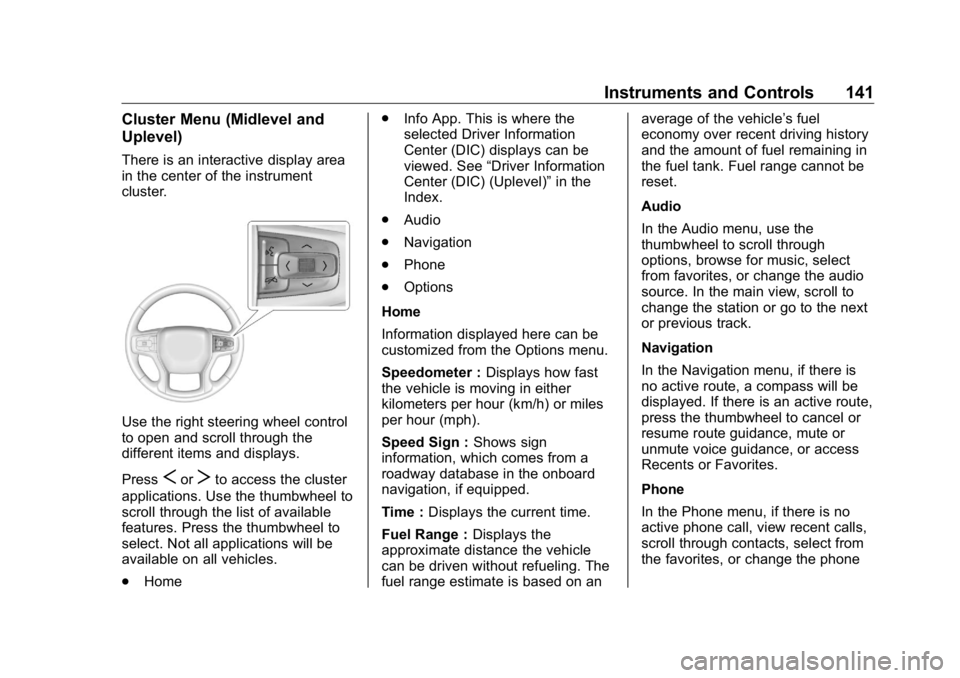
Use the right steering wheel control
to open and scroll through the
different items and displays.
Press
S or
T to access the cluster
applications. Use the thumbwheel to
scroll through the list of available
features. Press the thumbwheel to
select. Not all applications will be
available on all vehicles.
.
Home .
Info App. This is where the
selected Driver Information
Center (DIC) displays can be
viewed. See “ Driver Information
Center (DIC) (Uplevel) ” in the
Index.
.
Audio
.
Navigation
.
Phone
.
Options
Home
Information displayed here can be
customized from the Options menu.
Speedometer : Displays how fast
the vehicle is moving in either
kilometers per hour (km/h) or miles
per hour (mph).
Speed Sign : Shows sign
information, which comes from a
roadway database in the onboard
navigation, if equipped.
Time : Displays the current time.
Fuel Range : Displays the
approximate distance the vehicle
can be driven without refueling. The
fuel range estimate is based on an average of the vehicle ’ s fuel
economy over recent driving history
and the amount of fuel remaining in
the fuel tank. Fuel range cannot be
reset.
Audio
In the Audio menu, use the
thumbwheel to scroll through
options, browse for music, select
from favorites, or change the audio
source. In the main view, scroll to
change the station or go to the next
or previous track.
Navigation
In the Navigation menu, if there is
no active route, a compass will be
displayed. If there is an active route,
press the thumbwheel to cancel or
resume route guidance, mute or
unmute voice guidance, or access
Recents or Favorites.
Phone
In the Phone menu, if there is no
active phone call, view recent calls,
scroll through contacts, select from
the favorites, or change the phone
Page 147 of 472
GMC Sierra/Sierra Denali Owner Manual (GMNA-Localizing-U.S./Canada/
Mexico-1500-11698638) - 2019 - crc - 5/15/18
146 Instruments and Controls
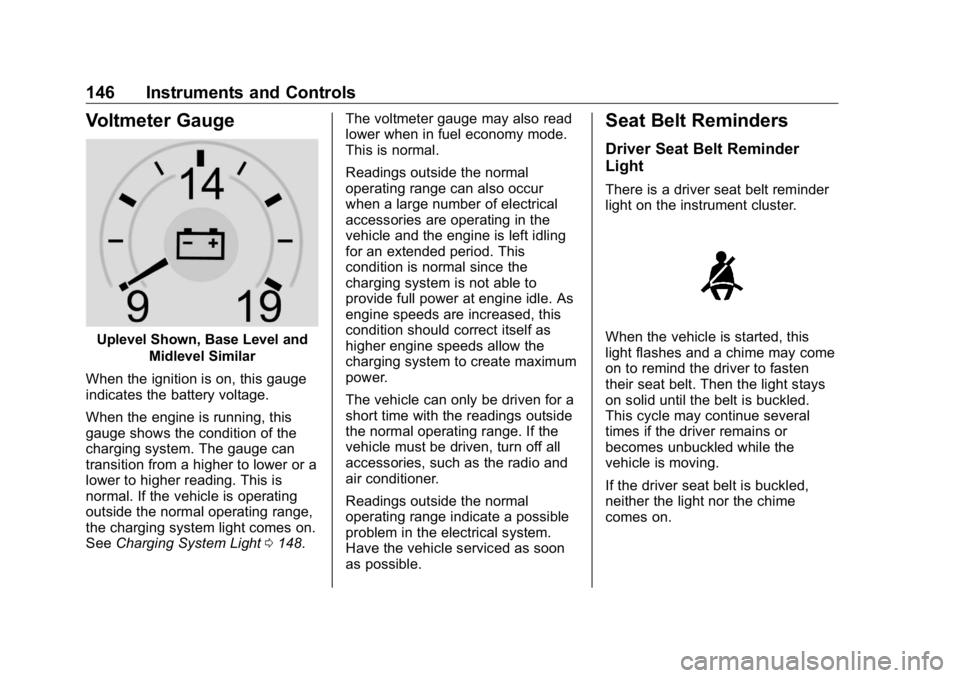
Voltmeter Gauge
Uplevel Shown, Base Level and
Midlevel Similar
When the ignition is on, this gauge
indicates the battery voltage.
When the engine is running, this
gauge shows the condition of the
charging system. The gauge can
transition from a higher to lower or a
lower to higher reading. This is
normal. If the vehicle is operating
outside the normal operating range,
the charging system light comes on.
See Charging System Light 0 148 . The voltmeter gauge may also read
lower when in fuel economy mode.
This is normal.
Readings outside the normal
operating range can also occur
when a large number of electrical
accessories are operating in the
vehicle and the engine is left idling
for an extended period. This
condition is normal since the
charging system is not able to
provide full power at engine idle. As
engine speeds are increased, this
condition should correct itself as
higher engine speeds allow the
charging system to create maximum
power.
The vehicle can only be driven for a
short time with the readings outside
the normal operating range. If the
vehicle must be driven, turn off all
accessories, such as the radio and
air conditioner.
Readings outside the normal
operating range indicate a possible
problem in the electrical system.
Have the vehicle serviced as soon
as possible. Seat Belt Reminders Driver Seat Belt Reminder
Light There is a driver seat belt reminder
light on the instrument cluster.
When the vehicle is started, this
light flashes and a chime may come
on to remind the driver to fasten
their seat belt. Then the light stays
on solid until the belt is buckled.
This cycle may continue several
times if the driver remains or
becomes unbuckled while the
vehicle is moving.
If the driver seat belt is buckled,
neither the light nor the chime
comes on.
Page 156 of 472
GMC Sierra/Sierra Denali Owner Manual (GMNA-Localizing-U.S./Canada/
Mexico-1500-11698638) - 2019 - crc - 5/15/18
Instruments and Controls 155If equipped, the Electronic Stability
Control (ESC) or TCS indicator/
warning light comes on briefly when
the engine is started.
If the light does not come on, have
the vehicle serviced by your dealer.
If the system is working normally,
the indicator light turns off.
If the light is on and not flashing, the
TCS, and potentially the ESC
system have been disabled.
If the indicator/warning light is on
and flashing, the TCS and/or the
ESC system is actively working.
See Traction Control/Electronic
Stability Control 0 243 .
Trailer Sway Control Light
(Uplevel Cluster) This light will flash when Trailer
Sway Control is active. See Trailer
Sway Control (TSC) 0 293 .
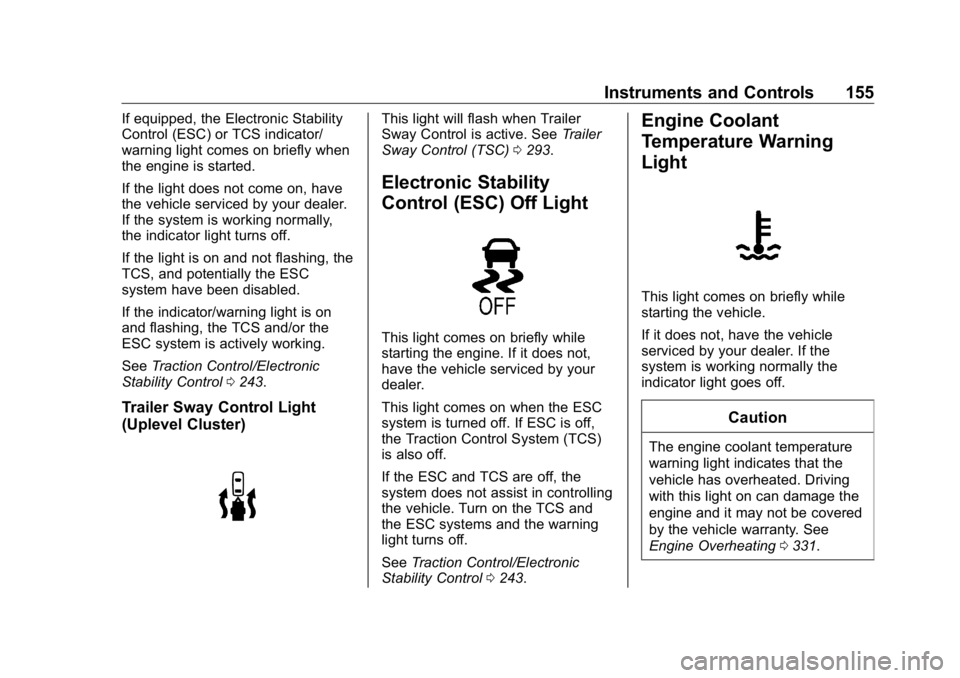
Electronic Stability
Control (ESC) Off Light
This light comes on briefly while
starting the engine. If it does not,
have the vehicle serviced by your
dealer.
This light comes on when the ESC
system is turned off. If ESC is off,
the Traction Control System (TCS)
is also off.
If the ESC and TCS are off, the
system does not assist in controlling
the vehicle. Turn on the TCS and
the ESC systems and the warning
light turns off.
See Traction Control/Electronic
Stability Control 0 243 .Engine Coolant
Temperature Warning
Light
This light comes on briefly while
starting the vehicle.
If it does not, have the vehicle
serviced by your dealer. If the
system is working normally the
indicator light goes off.
Caution
The engine coolant temperature
warning light indicates that the
vehicle has overheated. Driving
with this light on can damage the
engine and it may not be covered
by the vehicle warranty. See
Engine Overheating 0 331 .
Page 158 of 472
GMC Sierra/Sierra Denali Owner Manual (GMNA-Localizing-U.S./Canada/
Mexico-1500-11698638) - 2019 - crc - 5/15/18
Instruments and Controls 157
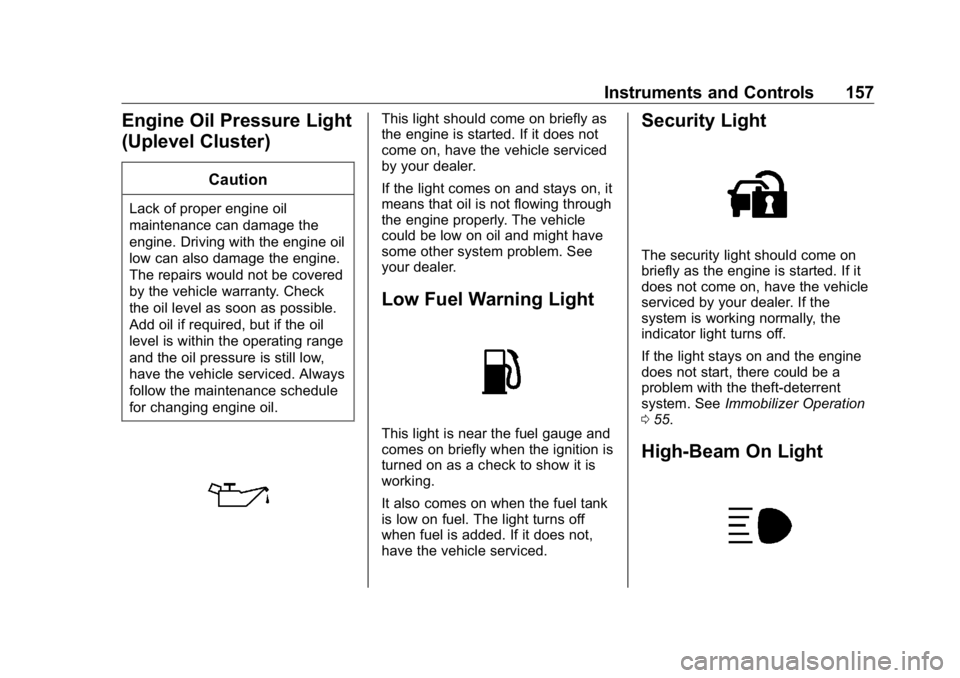
Engine Oil Pressure Light
(Uplevel Cluster) CautionLack of proper engine oil
maintenance can damage the
engine. Driving with the engine oil
low can also damage the engine.
The repairs would not be covered
by the vehicle warranty. Check
the oil level as soon as possible.
Add oil if required, but if the oil
level is within the operating range
and the oil pressure is still low,
have the vehicle serviced. Always
follow the maintenance schedule
for changing engine oil. This light should come on briefly as
the engine is started. If it does not
come on, have the vehicle serviced
by your dealer.
If the light comes on and stays on, it
means that oil is not flowing through
the engine properly. The vehicle
could be low on oil and might have
some other system problem. See
your dealer.
Low Fuel Warning Light
This light is near the fuel gauge and
comes on briefly when the ignition is
turned on as a check to show it is
working.
It also comes on when the fuel tank
is low on fuel. The light turns off
when fuel is added. If it does not,
have the vehicle serviced. Security Light The security light should come on
briefly as the engine is started. If it
does not come on, have the vehicle
serviced by your dealer. If the
system is working normally, the
indicator light turns off.
If the light stays on and the engine
does not start, there could be a
problem with the theft-deterrent
system. See Immobilizer Operation
0 55 .
High-Beam On Light
Page 160 of 472
GMC Sierra/Sierra Denali Owner Manual (GMNA-Localizing-U.S./Canada/
Mexico-1500-11698638) - 2019 - crc - 5/15/18
Instruments and Controls 159
Information Displays Driver Information Center
(DIC) (Base Level) The DIC displays are shown in the
center of the instrument cluster. The
displays show the status of many
vehicle systems. The trip odometer
reset stem in the instrument cluster
is used to access the DIC menu
items.
If the vehicle has a diesel engine,
see the Duramax diesel supplement
for more information.
DIC Menu Items Turn the trip odometer reset stem to
scroll through the following menu
items:
.
Digital Speedometer
.
Trip 1/2
.
Fuel Range
.
Tire Pressure
.
Remaining Oil Life
.
Air Filter Life .
Brake Pad Life
.
Units
Digital Speedometer
The speedometer shows how fast
the vehicle is moving in either
kilometers per hour (km/h) or miles
per hour (mph). The speedometer
cannot be reset.
Trip 1 or 2 and Average Fuel
Economy
Turn the trip odometer reset stem
until TRIP 1 or TRIP 2 displays. The
current distance traveled, in either
kilometers (km) or miles (mi), since
the last reset for the trip odometer is
shown, as well as the average fuel
economy. The trip odometer and the
average fuel economy can be reset
by pressing and holding the trip
odometer reset stem.
Fuel Range
This display shows the approximate
distance the vehicle can be driven
without refueling. The fuel range
estimate is based on an average of
the vehicle's fuel economy over recent driving history and the
amount of fuel remaining in the fuel
tank. Fuel range cannot be reset.
Tire Pressure
Turn the trip odometer reset stem
until a vehicle with the approximate
pressures of all four tires displays.
Tire pressure is displayed in either
kilopascal (kPa) or in pounds per
square inch (psi).
See Tire Pressure Monitor System
0 369 and Tire Pressure Monitor
Operation 0 370 .
Remaining Oil Life
Turn the trip odometer reset stem
until REMAINING OIL LIFE
displays. An estimate of the oil's
remaining useful life is shown.
REMAINING OIL LIFE 99% means
99% of the current oil life remains.
When the remaining oil life is low,
the CHANGE ENGINE OIL SOON
message will appear on the display.
The oil should be changed as soon
as possible. See Engine Oil 0 321 .
In addition to the engine oil life
system monitoring the oil life,
Page 161 of 472
GMC Sierra/Sierra Denali Owner Manual (GMNA-Localizing-U.S./Canada/
Mexico-1500-11698638) - 2019 - crc - 5/15/18
160 Instruments and Controls additional maintenance is
recommended. See Maintenance
Schedule 0 415 .
The Oil Life display must be reset
after each oil change. It will not
reset itself. Do not reset the Oil Life
display at any time other than when
the oil has just been changed.
It cannot be reset accurately until
the next oil change. To reset the
engine oil life system, see Engine
Oil Life System 0 323 .
Air Filter Life
Turn the trip odometer reset stem
until AIR FILTER LIFE displays.
This displays an estimate of the
engine air filter ’ s remaining useful
life and the state of the system.
Engine Air Filter Life 95% means
95% of the current air filter life
remains. Messages will display
based on the engine air filter life and
the state of the system.
When the REPLACE AT NEXT OIL
CHANGE message displays, the
engine air filter should be replaced
at the time of the next oil change.
When the REPLACE NOW message displays, the engine air
filter should be replaced as soon as
possible.
The Air Filter Life display must be
reset after the engine air filter
replacement. To reset, see Engine
Air Filter Life System 0 325 .
Brake Pad Life
This displays an estimate of the
remaining life of the front and rear
brake pads. Messages will display
based on brake pad wear and the
state of the system. Reset the Brake
Pad Life display after replacing the
brake pads. See Brake Pad Life
System 0 335 .
Driver Information Center
(DIC) (Midlevel and
Uplevel) The DIC displays are shown in the
center of the instrument cluster in
the Info app. See Instrument Cluster
0 138 . The displays show the status
of many vehicle systems. If the vehicle has a diesel engine,
see the Duramax diesel
supplement.
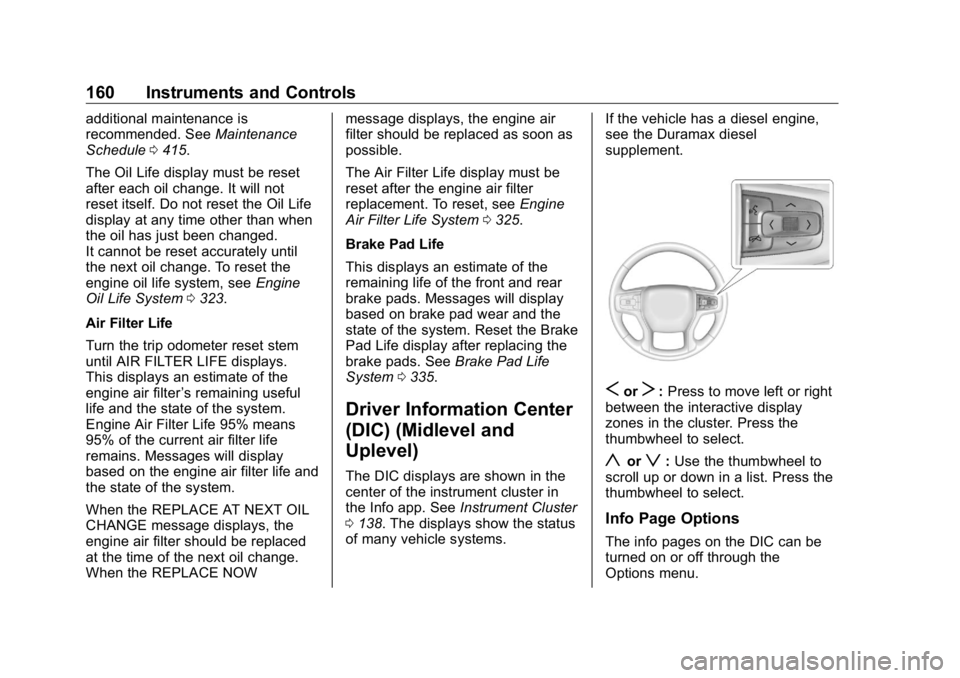
S or
T : Press to move left or right
between the interactive display
zones in the cluster. Press the
thumbwheel to select.
y or
z : Use the thumbwheel to
scroll up or down in a list. Press the
thumbwheel to select.
Info Page Options
The info pages on the DIC can be
turned on or off through the
Options menu.
Page 164 of 472
GMC Sierra/Sierra Denali Owner Manual (GMNA-Localizing-U.S./Canada/
Mexico-1500-11698638) - 2019 - crc - 5/15/18
Instruments and Controls 163TRAILER GAIN shows the trailer
gain setting. This setting can be
adjusted from 0.0 to 10.0 with either
a trailer connected or disconnected.
OUTPUT shows the power output to
the trailer any time a trailer with
electric brakes is connected. Output
is displayed as a bar graph. Dotted
lines may appear in the OUTPUT
display if a trailer is not connected.
Off Road : Displays vehicle pitch
and roll information, road wheel
angle, and four-wheel drive (4WD)
status.
Follow Distance : If equipped, the
current follow time to the vehicle
ahead is displayed as a time value
on this page.
Driver Assistance : If equipped,
shows information for Lane Keep
Assist (LKA) and Forward Collision
Alert (FCA).
Info Page Options : Scroll to
choose which info pages appear on
the DIC. Press the thumbwheel to
select or deselect. Blank Page : Shows no
information.
Head-Up Display (HUD)
{ WarningIf the HUD image is too bright or
too high in your field of view, it
may take you more time to see
things you need to see when it is
dark outside. Be sure to keep the
HUD image dim and placed low in
your field of view.
If equipped with HUD, some
information about the operation of
the vehicle is projected onto the
windshield. The image is projected
through the HUD lens on top of the
instrument panel. The information
appears as an image focused out
toward the front of the vehicle. CautionIf you try to use the HUD image
as a parking aid, you may
misjudge the distance and
damage your vehicle. Do not use
the HUD image as a parking aid.
The HUD information can be
displayed in various languages. The
speedometer reading and other
numerical values can be displayed
in either English or metric units.
The language selection is changed
through the radio, and the units of
measurement is changed through
the instrument cluster. See
“ Settings ” in the infotainment
manual and “ Options ” under
Instrument Cluster 0 138 .
Page 167 of 472
GMC Sierra/Sierra Denali Owner Manual (GMNA-Localizing-U.S./Canada/
Mexico-1500-11698638) - 2019 - crc - 5/15/18
166 Instruments and Controls Navigation Turn-by-Turn Alerts
shown in the instrument cluster may
also be displayed in any HUD view.
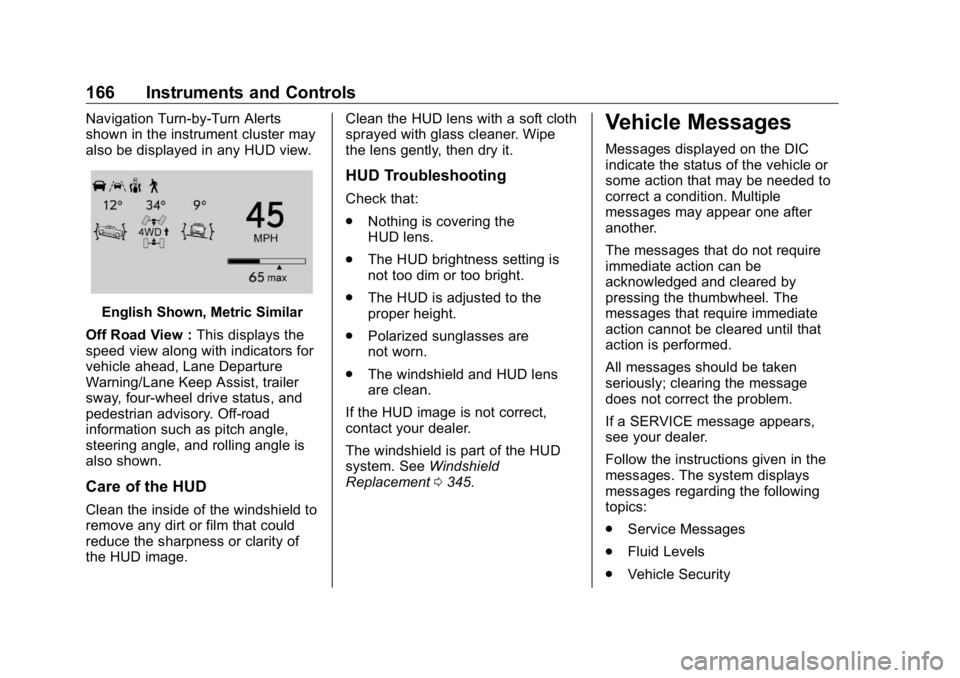
English Shown, Metric Similar
Off Road View : This displays the
speed view along with indicators for
vehicle ahead, Lane Departure
Warning/Lane Keep Assist, trailer
sway, four-wheel drive status, and
pedestrian advisory. Off-road
information such as pitch angle,
steering angle, and rolling angle is
also shown.
Care of the HUD
Clean the inside of the windshield to
remove any dirt or film that could
reduce the sharpness or clarity of
the HUD image. Clean the HUD lens with a soft cloth
sprayed with glass cleaner. Wipe
the lens gently, then dry it.
HUD Troubleshooting Check that:
.
Nothing is covering the
HUD lens.
.
The HUD brightness setting is
not too dim or too bright.
.
The HUD is adjusted to the
proper height.
.
Polarized sunglasses are
not worn.
.
The windshield and HUD lens
are clean.
If the HUD image is not correct,
contact your dealer.
The windshield is part of the HUD
system. See Windshield
Replacement 0 345 .Vehicle Messages Messages displayed on the DIC
indicate the status of the vehicle or
some action that may be needed to
correct a condition. Multiple
messages may appear one after
another.
The messages that do not require
immediate action can be
acknowledged and cleared by
pressing the thumbwheel. The
messages that require immediate
action cannot be cleared until that
action is performed.
All messages should be taken
seriously; clearing the message
does not correct the problem.
If a SERVICE message appears,
see your dealer.
Follow the instructions given in the
messages. The system displays
messages regarding the following
topics:
.
Service Messages
.
Fluid Levels
.
Vehicle Security
Page 178 of 472
GMC Sierra/Sierra Denali Owner Manual (GMNA-Localizing-U.S./Canada/
Mexico-1500-11698638) - 2019 - crc - 5/15/18
Lighting 177For vehicles first sold in Canada, off
will only work when the vehicle is in
P (Park).
AUTO : Automatically turns on the
headlamps, parking lamps,
taillamps, instrument panel lights,
roof marker lamps (if equipped),
front/rear sidemarker lamps, and
license plate lamps.
; : Turns on the parking lamps
including all lamps, except the
headlamps and fog lamps,
if equipped.
2 : Turns on the headlamps
together with the parking lamps,
taillamps, instrument panel lights,
roof marker lamps (if equipped),
front/rear sidemarker lamps, and
license plate lamps.
When the headlamps are turned on
while the vehicle is on, the
headlamps turn off automatically
10 minutes after the ignition is
turned off. When the headlamps are
turned on while the vehicle is off,
the headlamps will stay on for
10 minutes before turning off to
prevent the battery from being drained. Turn the headlamp control
off and then back to the headlamp
on position to make the headlamps
stay on for an additional 10 minutes.
To keep the lamps on for more than
10 minutes, the ignition must be on
or in ACC/ACCESSORY.
K : If equipped, turns on the task
lighting. See Task Lighting 0 182 .
IntelliBeam System If equipped, this system turns the
vehicle's high-beam headlamps on
and off according to surrounding
traffic conditions.
The system turns the high-beam
headlamps on when it is dark
enough and there is no other traffic
present.
This light
b comes on in the
instrument cluster when the
IntelliBeam system is enabled. Turning On and Enabling
IntelliBeam
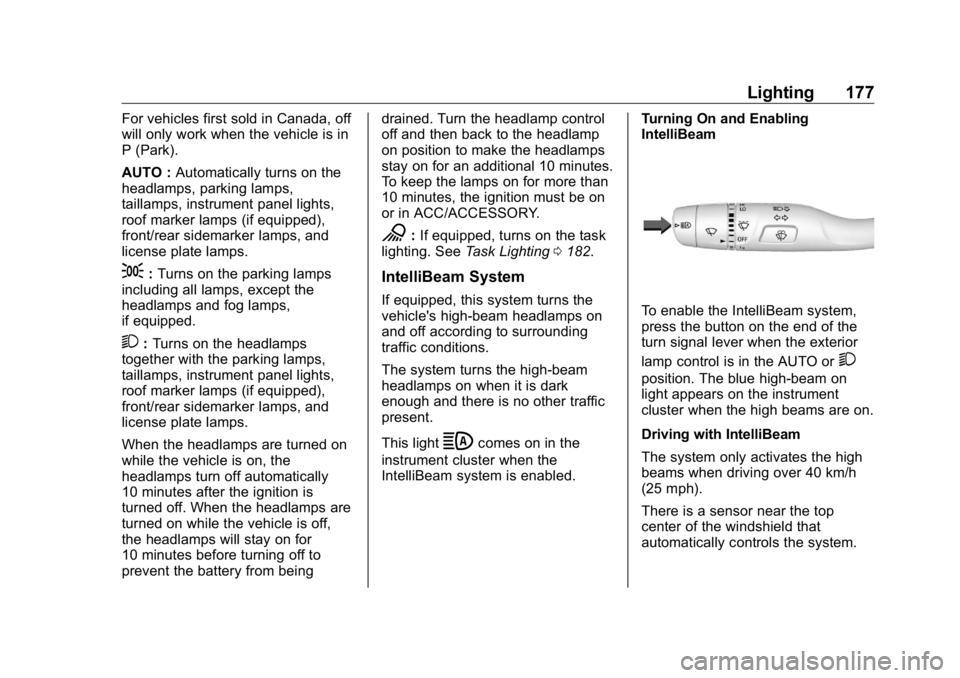
To enable the IntelliBeam system,
press the button on the end of the
turn signal lever when the exterior
lamp control is in the AUTO or
2 position. The blue high-beam on
light appears on the instrument
cluster when the high beams are on.
Driving with IntelliBeam
The system only activates the high
beams when driving over 40 km/h
(25 mph).
There is a sensor near the top
center of the windshield that
automatically controls the system.