instrument cluster GMC SIERRA DENALI 2019 Owner's Manual
[x] Cancel search | Manufacturer: GMC, Model Year: 2019, Model line: SIERRA DENALI, Model: GMC SIERRA DENALI 2019Pages: 472, PDF Size: 8.98 MB
Page 179 of 472
GMC Sierra/Sierra Denali Owner Manual (GMNA-Localizing-U.S./Canada/
Mexico-1500-11698638) - 2019 - crc - 5/15/18
178 Lighting Keep this area of the windshield
clear of debris to allow for best
system performance.
The high-beam headlamps remain
on, under the automatic control,
until one of the following situations
occurs:
.
The system detects an
approaching vehicle's
headlamps.
.
The system detects a preceding
vehicle's taillamps.
.
The outside light is bright
enough that high-beam
headlamps are not required.
.
The vehicle's speed drops below
20 km/h (12 mph).
.
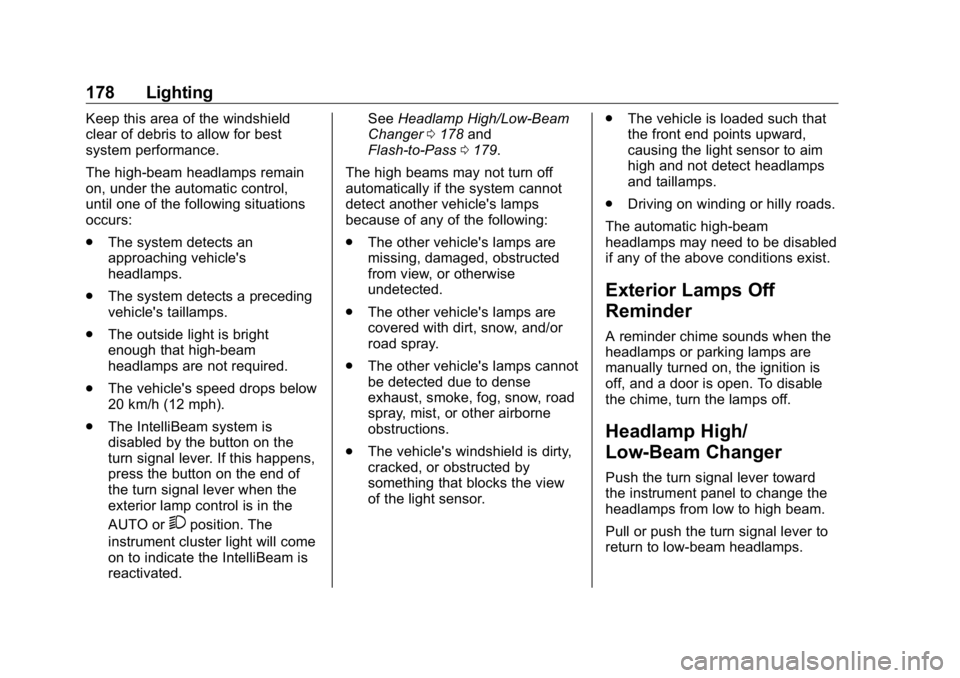
The IntelliBeam system is
disabled by the button on the
turn signal lever. If this happens,
press the button on the end of
the turn signal lever when the
exterior lamp control is in the
AUTO or
2 position. The
instrument cluster light will come
on to indicate the IntelliBeam is
reactivated. See Headlamp High/Low-Beam
Changer 0 178 and
Flash-to-Pass 0 179 .
The high beams may not turn off
automatically if the system cannot
detect another vehicle's lamps
because of any of the following:
.
The other vehicle's lamps are
missing, damaged, obstructed
from view, or otherwise
undetected.
.
The other vehicle's lamps are
covered with dirt, snow, and/or
road spray.
.
The other vehicle's lamps cannot
be detected due to dense
exhaust, smoke, fog, snow, road
spray, mist, or other airborne
obstructions.
.
The vehicle's windshield is dirty,
cracked, or obstructed by
something that blocks the view
of the light sensor. .
The vehicle is loaded such that
the front end points upward,
causing the light sensor to aim
high and not detect headlamps
and taillamps.
.
Driving on winding or hilly roads.
The automatic high-beam
headlamps may need to be disabled
if any of the above conditions exist.
Exterior Lamps Off
Reminder A reminder chime sounds when the
headlamps or parking lamps are
manually turned on, the ignition is
off, and a door is open. To disable
the chime, turn the lamps off.
Headlamp High/
Low-Beam Changer Push the turn signal lever toward
the instrument panel to change the
headlamps from low to high beam.
Pull or push the turn signal lever to
return to low-beam headlamps.
Page 180 of 472
GMC Sierra/Sierra Denali Owner Manual (GMNA-Localizing-U.S./Canada/
Mexico-1500-11698638) - 2019 - crc - 5/15/18
Lighting 179
When the high-beam headlamps are
on, this indicator light on the
instrument cluster will also be on.
Flash-to-Pass This feature lets you use the
high-beam headlamps to signal a
driver in front of you that you want
to pass. It works even if the
headlamps are in the automatic
position.
To use it, pull the turn signal lever
toward you, then release it.
If the headlamps are in the
automatic position or on low beam,
the high-beam headlamps will turn
on. Depending on the type of
headlamp, they will either turn off
after a short duration or stay on as
long as you hold the lever toward
you. The high-beam indicator on the instrument cluster will come on.
Release the lever to return to
normal operation.
Daytime Running
Lamps (DRL) DRL can make it easier for others to
see the front of the vehicle during
the day. Fully functional DRL are
required on all vehicles first sold in
Canada.
The DRL system comes on when
the following conditions are met:
.
The ignition is on.
.
The exterior lamp control is
in AUTO.
.
The transmission is not in
P (Park).
.
The light sensor determines it is
daytime.
When the DRL system is on, only
the DRL are on. The taillamps,
sidemarker lamps, instrument panel
lights, and other lamps will not
be on. When it begins to get dark, the
automatic headlamp system
switches from DRL to the
headlamps.
To turn off the DRL, turn the exterior
lamp control to
O and then release.
For vehicles first sold in Canada, off
will only work when the vehicle is
parked.
Automatic Headlamp
System When the exterior lamp control is
set to AUTO and it is dark enough
outside, the headlamps come on
automatically.
Page 181 of 472
GMC Sierra/Sierra Denali Owner Manual (GMNA-Localizing-U.S./Canada/
Mexico-1500-11698638) - 2019 - crc - 5/15/18
180 Lighting
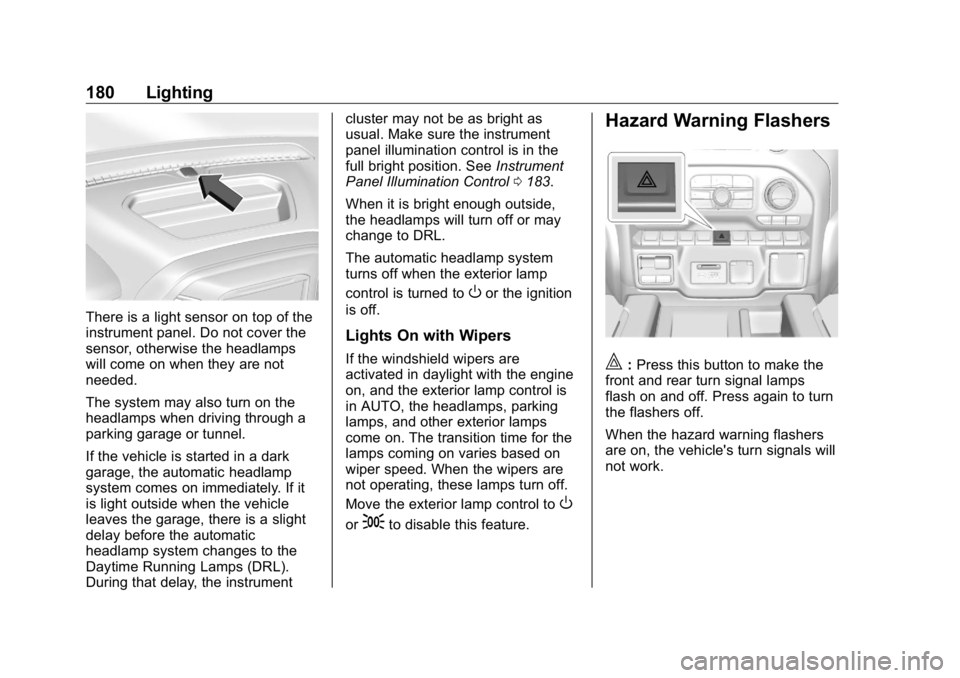
There is a light sensor on top of the
instrument panel. Do not cover the
sensor, otherwise the headlamps
will come on when they are not
needed.
The system may also turn on the
headlamps when driving through a
parking garage or tunnel.
If the vehicle is started in a dark
garage, the automatic headlamp
system comes on immediately. If it
is light outside when the vehicle
leaves the garage, there is a slight
delay before the automatic
headlamp system changes to the
Daytime Running Lamps (DRL).
During that delay, the instrument cluster may not be as bright as
usual. Make sure the instrument
panel illumination control is in the
full bright position. See Instrument
Panel Illumination Control 0 183 .
When it is bright enough outside,
the headlamps will turn off or may
change to DRL.
The automatic headlamp system
turns off when the exterior lamp
control is turned to
O or the ignition
is off.
Lights On with Wipers If the windshield wipers are
activated in daylight with the engine
on, and the exterior lamp control is
in AUTO, the headlamps, parking
lamps, and other exterior lamps
come on. The transition time for the
lamps coming on varies based on
wiper speed. When the wipers are
not operating, these lamps turn off.
Move the exterior lamp control to
Oor
; to disable this feature. Hazard Warning Flashers
| : Press this button to make the
front and rear turn signal lamps
flash on and off. Press again to turn
the flashers off.
When the hazard warning flashers
are on, the vehicle's turn signals will
not work.
Page 182 of 472
GMC Sierra/Sierra Denali Owner Manual (GMNA-Localizing-U.S./Canada/
Mexico-1500-11698638) - 2019 - crc - 5/15/18
Lighting 181
Turn and Lane-Change
Signals
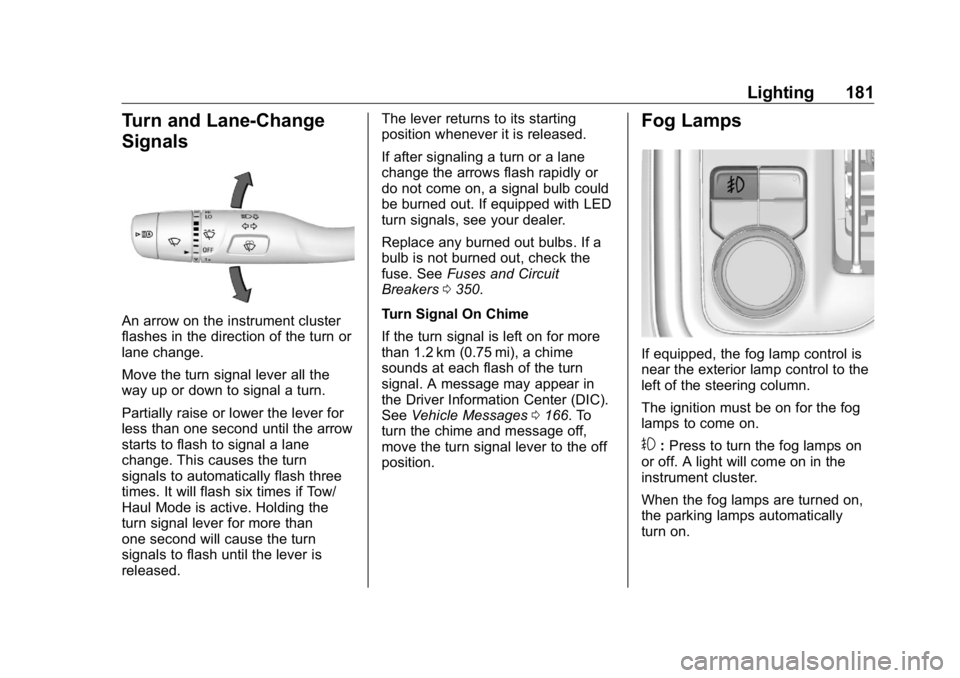
An arrow on the instrument cluster
flashes in the direction of the turn or
lane change.
Move the turn signal lever all the
way up or down to signal a turn.
Partially raise or lower the lever for
less than one second until the arrow
starts to flash to signal a lane
change. This causes the turn
signals to automatically flash three
times. It will flash six times if Tow/
Haul Mode is active. Holding the
turn signal lever for more than
one second will cause the turn
signals to flash until the lever is
released. The lever returns to its starting
position whenever it is released.
If after signaling a turn or a lane
change the arrows flash rapidly or
do not come on, a signal bulb could
be burned out. If equipped with LED
turn signals, see your dealer.
Replace any burned out bulbs. If a
bulb is not burned out, check the
fuse. See Fuses and Circuit
Breakers 0 350 .
Turn Signal On Chime
If the turn signal is left on for more
than 1.2 km (0.75 mi), a chime
sounds at each flash of the turn
signal. A message may appear in
the Driver Information Center (DIC).
See Vehicle Messages 0 166 . To
turn the chime and message off,
move the turn signal lever to the off
position. Fog Lamps
If equipped, the fog lamp control is
near the exterior lamp control to the
left of the steering column.
The ignition must be on for the fog
lamps to come on.
# : Press to turn the fog lamps on
or off. A light will come on in the
instrument cluster.
When the fog lamps are turned on,
the parking lamps automatically
turn on.
Page 220 of 472
GMC Sierra/Sierra Denali Owner Manual (GMNA-Localizing-U.S./Canada/
Mexico-1500-11698638) - 2019 - crc - 5/16/18
Driving and Operating 219while the vehicle is off. It also
unlocks the steering column,
if equipped with a locking steering
column. Use this position if the
vehicle must be pushed or towed.
See Retained Accessory Power
(RAP) 0 225 .
From ON/RUN, push the key all the
way in toward the steering column,
then turn the key to ACC/
ACCESSORY.
If the key is left in ACC/
ACCESSORY with the engine off,
the battery could drain and the
vehicle may not start.
A warning chime will sound when
the driver door is opened and the
key is in the ignition.
2 (ON/RUN) : This position can be
used to operate the electrical
accessories and to display some
instrument cluster warning and
indicator lights. This position can
also be used for service and
diagnostics, and to verify the proper
operation of the malfunction
indicator lamp as may be required
for emission inspection purposes. The switch stays in this position
when the engine is running. The
transmission is also unlocked in this
position on automatic transmission
vehicles.
If the key is left in ON/RUN with the
engine off, the battery could drain
and the vehicle may not start.
3 (START) : This is the position that
starts the engine. When the engine
starts, release the key. The ignition
returns to ON/RUN for driving.
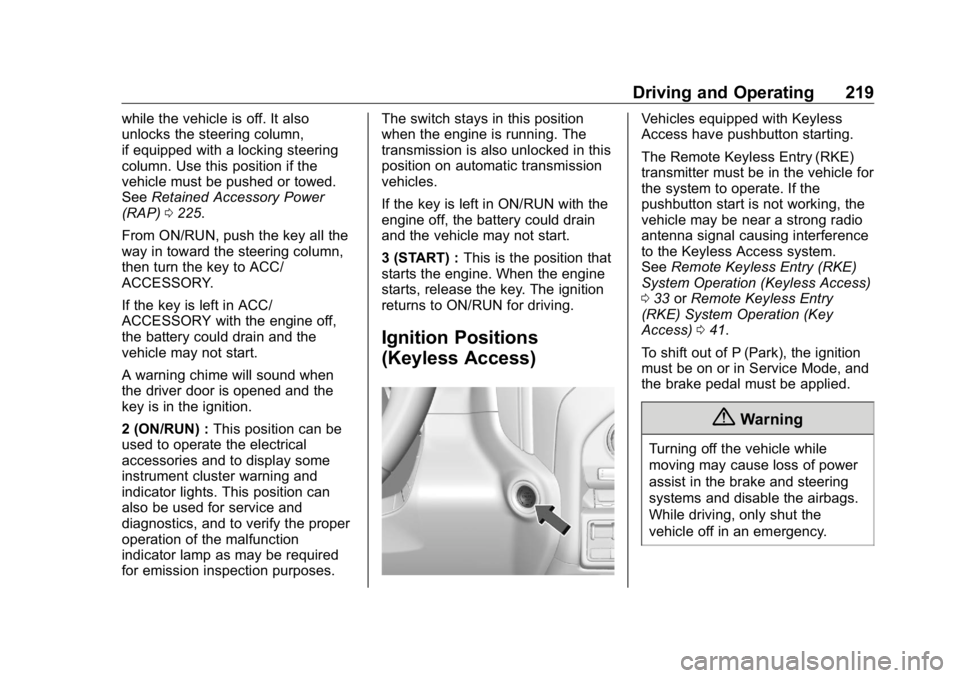
Ignition Positions
(Keyless Access) Vehicles equipped with Keyless
Access have pushbutton starting.
The Remote Keyless Entry (RKE)
transmitter must be in the vehicle for
the system to operate. If the
pushbutton start is not working, the
vehicle may be near a strong radio
antenna signal causing interference
to the Keyless Access system.
See Remote Keyless Entry (RKE)
System Operation (Keyless Access)
0 33 or Remote Keyless Entry
(RKE) System Operation (Key
Access) 0 41 .
To shift out of P (Park), the ignition
must be on or in Service Mode, and
the brake pedal must be applied.
{ Warning
Turning off the vehicle while
moving may cause loss of power
assist in the brake and steering
systems and disable the airbags.
While driving, only shut the
vehicle off in an emergency.
Page 230 of 472
GMC Sierra/Sierra Denali Owner Manual (GMNA-Localizing-U.S./Canada/
Mexico-1500-11698638) - 2019 - crc - 5/16/18
Driving and Operating 229Warning (Continued).
There are holes or openings
in the vehicle body from
damage or aftermarket
modifications that are not
completely sealed.
If unusual fumes are detected or
if it is suspected that exhaust is
coming into the vehicle:
.
Drive it only with the
windows completely down.
.
Have the vehicle repaired
immediately.
Never park the vehicle with the
engine running in an enclosed
area such as a garage or a
building that has no fresh air
ventilation. Running the Vehicle
While Parked It is better not to park with the
engine running.
If the vehicle is left with the engine
running, follow the proper steps to
be sure the vehicle will not move.
See Shifting Into Park 0 225 and
Engine Exhaust 0 228 .
If parking on a hill and pulling a
trailer, see Driving Characteristics
and Towing Tips 0 276 .Automatic
Transmission If equipped, there is an electronic
shift lever position indicator within
the instrument cluster. This display
comes on when the ignition is in
ACC/ACCESSORY, on or
service mode.
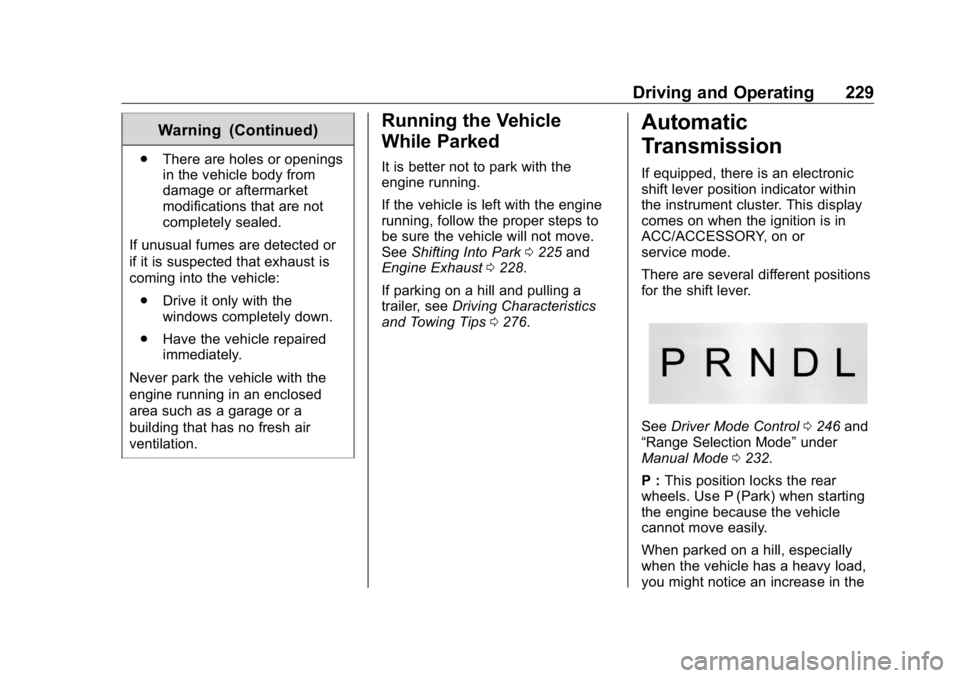
There are several different positions
for the shift lever.
See Driver Mode Control 0 246 and
“ Range Selection Mode ” under
Manual Mode 0 232 .
P : This position locks the rear
wheels. Use P (Park) when starting
the engine because the vehicle
cannot move easily.
When parked on a hill, especially
when the vehicle has a heavy load,
you might notice an increase in the
Page 237 of 472
GMC Sierra/Sierra Denali Owner Manual (GMNA-Localizing-U.S./Canada/
Mexico-1500-11698638) - 2019 - crc - 5/16/18
236 Driving and Operating Shifting into 4
n will turn Traction
Control and StabiliTrak/Electronic
Stability Control (ESC) off. See
Traction Control/Electronic Stability
Control 0 243 .
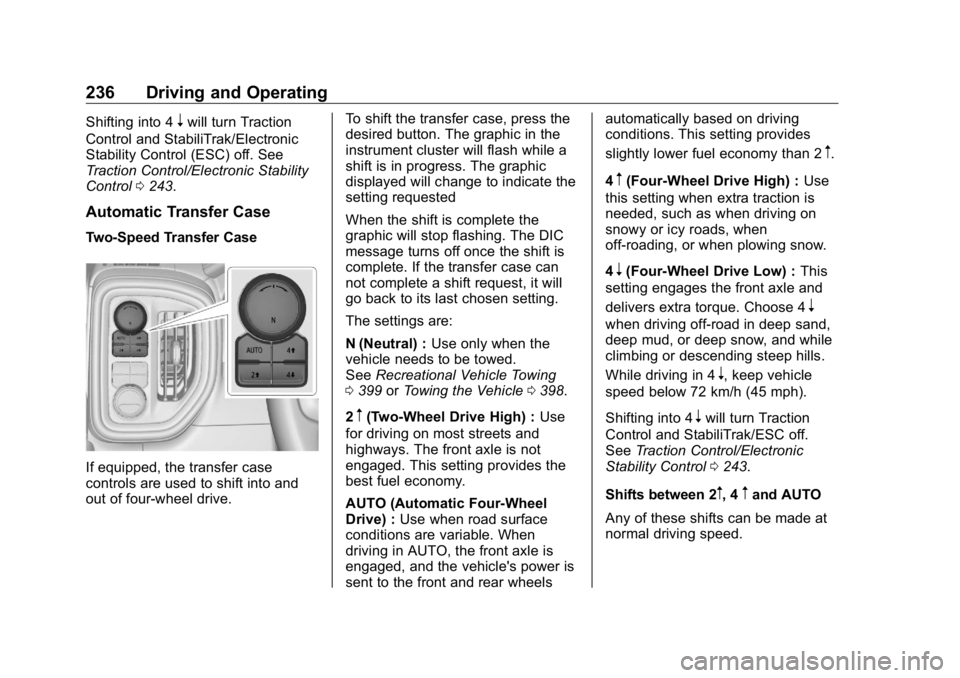
Automatic Transfer Case Two-Speed Transfer Case
If equipped, the transfer case
controls are used to shift into and
out of four-wheel drive. To shift the transfer case, press the
desired button. The graphic in the
instrument cluster will flash while a
shift is in progress. The graphic
displayed will change to indicate the
setting requested
When the shift is complete the
graphic will stop flashing. The DIC
message turns off once the shift is
complete. If the transfer case can
not complete a shift request, it will
go back to its last chosen setting.
The settings are:
N (Neutral) : Use only when the
vehicle needs to be towed.
See Recreational Vehicle Towing
0 399 or Towing the Vehicle 0 398 .
2
m (Two-Wheel Drive High) : Use
for driving on most streets and
highways. The front axle is not
engaged. This setting provides the
best fuel economy.
AUTO (Automatic Four-Wheel
Drive) : Use when road surface
conditions are variable. When
driving in AUTO, the front axle is
engaged, and the vehicle's power is
sent to the front and rear wheels automatically based on driving
conditions. This setting provides
slightly lower fuel economy than 2
m .
4
m (Four-Wheel Drive High) : Use
this setting when extra traction is
needed, such as when driving on
snowy or icy roads, when
off-roading, or when plowing snow.
4
n (Four-Wheel Drive Low) : This
setting engages the front axle and
delivers extra torque. Choose 4
nwhen driving off-road in deep sand,
deep mud, or deep snow, and while
climbing or descending steep hills.
While driving in 4
n , keep vehicle
speed below 72 km/h (45 mph).
Shifting into 4
n will turn Traction
Control and StabiliTrak/ESC off.
See Traction Control/Electronic
Stability Control 0 243 .
Shifts between 2
m , 4
m and AUTO
Any of these shifts can be made at
normal driving speed.
Page 238 of 472
GMC Sierra/Sierra Denali Owner Manual (GMNA-Localizing-U.S./Canada/
Mexico-1500-11698638) - 2019 - crc - 5/16/18
Driving and Operating 237The actual 4x4 shift request is only
made after the button is released.
The 4x4 graphic will remain flashing
until the shift request has
completed. A DIC message displays
to indicate that the 4x4 transfer case
has been requested to shift to the
new desired state.
Once the 4x4 shift has completed,
the DIC message disappears, the
4x4 graphic stops flashing, and the
current setting is indicated.
When a shift to 2
m is completed
successfully while in P (park), the
parking brake will engage. To
resume driving, shift the
transmission to the desired gear
and manually release the parking
brake or press the accelerator pedal
to begin driving. See Electric
Parking Brake 0 241 .
If equipped, use 4
n , AUTO, or 4
m to
provide additional traction when
parking on a steep grade with poor
traction such as ice, snow, mud,
or gravel. Shifting Into 4
n 1. The ignition must be on and
the vehicle must be stopped or
moving less than 5 km/h
(3 mph) with the transmission
in N (Neutral). It is best for the
vehicle to be moving
1.6 to 3.2 km/h (1 to 2 mph).
2. Press 4
n . The actual 4x4 shift
request is only made after the
button is released. The 4x4
graphic will remain flashing
until the shift request has
completed. A DIC message
displays to indicate that the 4x4
transfer case has been
requested to shift to the new
desired state.
Once the 4x4 shift has
completed, the DIC message
disappears, the 4x4 graphic
stops flashing and the current
setting is indicated.
If vehicle speed is higher when shift
request occurs, a DIC message
displays. Reduce vehicle speed. If transmission is not in N (Neutral)
when shift request occurs, a DIC
message displays. The vehicle will
allow 20 seconds for the shift to
occur. After this time, a graphic in
the instrument cluster will indicate
that the transfer case is in 4
n .
CautionShifting the transmission into gear
before the requested mode
indicator light has stopped
flashing could damage the
transfer case.
If the transmission is not shifted into
N (Neutral) or the vehicle has not
slowed to 5 km/h (3 mph) within
20 seconds, the transfer case will
remain in its original state. This will
be indicated in the instrument
cluster.
With the vehicle moving less than
5 km/h (3 mph) and the transmission
in N (Neutral), attempt the shift
again.
Page 239 of 472
GMC Sierra/Sierra Denali Owner Manual (GMNA-Localizing-U.S./Canada/
Mexico-1500-11698638) - 2019 - crc - 5/16/18
238 Driving and Operating Shifting Out of 4
n1. The vehicle must be
stopped or moving less than
5 km/h (3 mph) with the
transmission in N (Neutral) and
the ignition on. It is best for the
vehicle to be moving
1.6 to 3.2 km/h (1 to 2 mph).
2. Press 4
m , AUTO or 2
m . The
actual 4x4 shift request is only
made after the button is
released. The 4x4 graphic will
remain flashing until the shift
request has completed. A DIC
message displays to indicate
the state of the request.
Once the 4x4 shift has
completed, the DIC message
disappears, the 4x4 graphic
stops flashing, and the current
setting is indicated.
If vehicle speed is higher when
shift request occurs, a DIC
message displays. Reduce
vehicle speed. If transmission is not in N (Neutral)
when shift request occurs, DIC
messages will display. The vehicle
will allow 20 seconds for this shift to
occur. After this time, a graphic in
the instrument cluster will indicate
that the transfer case is in 4
n .
CautionShifting the transmission into gear
before the requested mode
indicator light has stopped
flashing could damage the
transfer case.
If the transmission is not shifted into
N (Neutral) or the vehicle has not
slowed to 5 km/h (3 mph) within
20 seconds, the transfer case will
remain in its original state. This will
be indicated in the instrument
cluster.
With the vehicle moving less than
5 km/h (3 mph), and the
transmission in N (Neutral), attempt
the shift again. Shifting Into N (Neutral)
To shift into N (Neutral):
1. Start the vehicle.
2. Shift the transmission to
N (Neutral).
3. Shift the transfer case to 2
m .
4. Apply the park brake and/or
service brake.
5. Press 2
m five times in
10 seconds until the N (Neutral)
graphic starts flashing in the
instrument cluster. When the
shift is complete, the graphic
stops flashing. If the park brake
and/or service brake is not
applied within 20 seconds, the
transfer case will remain in the
original state.
6. If the transmission is not
shifted into N (Neutral) or the
vehicle has not slowed to
5 km/h (3 mph) within
20 seconds, the transfer case
will remain in its original state.
This will be indicated in the
instrument cluster.
Page 240 of 472
GMC Sierra/Sierra Denali Owner Manual (GMNA-Localizing-U.S./Canada/
Mexico-1500-11698638) - 2019 - crc - 5/16/18
Driving and Operating 239Shifting Out of N (Neutral)
To shift out of N (Neutral):
1. Turn the ignition on with engine
off.
See Ignition Positions (Key
Access) 0 217 or Ignition
Positions (Keyless Access)
0 219 .
2. Set the Parking Brake. See
Electric Parking Brake 0 241 .
3. Shift the transmission to
N (Neutral)
4. Shift the transfer case to 2
m .
Transfer case shifts out of
N (Neutral) can only be made
when the transfer case is in 2
m . When the shift to 2
m is
complete, the graphic in the
instrument cluster will stop
flashing. If the transfer case
cannot complete a shift, the
graphic will return to the
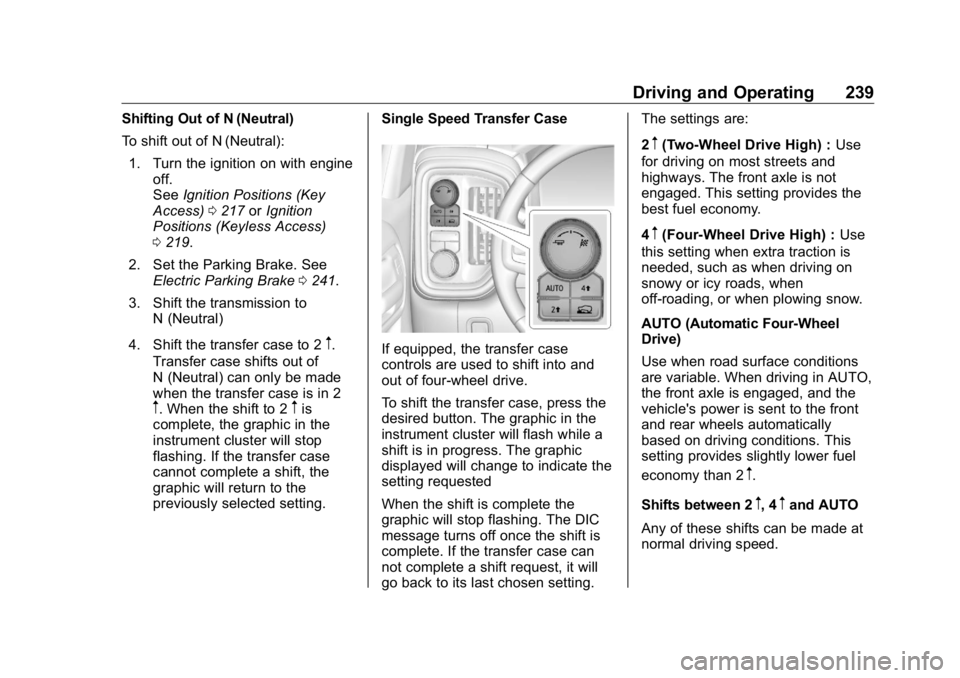
previously selected setting. Single Speed Transfer Case
If equipped, the transfer case
controls are used to shift into and
out of four-wheel drive.
To shift the transfer case, press the
desired button. The graphic in the
instrument cluster will flash while a
shift is in progress. The graphic
displayed will change to indicate the
setting requested
When the shift is complete the
graphic will stop flashing. The DIC
message turns off once the shift is
complete. If the transfer case can
not complete a shift request, it will
go back to its last chosen setting. The settings are:
2
m (Two-Wheel Drive High) : Use
for driving on most streets and
highways. The front axle is not
engaged. This setting provides the
best fuel economy.
4
m (Four-Wheel Drive High) : Use
this setting when extra traction is
needed, such as when driving on
snowy or icy roads, when
off-roading, or when plowing snow.
AUTO (Automatic Four-Wheel
Drive)
Use when road surface conditions
are variable. When driving in AUTO,
the front axle is engaged, and the
vehicle's power is sent to the front
and rear wheels automatically
based on driving conditions. This
setting provides slightly lower fuel
economy than 2
m .
Shifts between 2
m , 4
m and AUTO
Any of these shifts can be made at
normal driving speed.