remote control GMC SIERRA DENALI 2019 User Guide
[x] Cancel search | Manufacturer: GMC, Model Year: 2019, Model line: SIERRA DENALI, Model: GMC SIERRA DENALI 2019Pages: 472, PDF Size: 8.98 MB
Page 130 of 472
GMC Sierra/Sierra Denali Owner Manual (GMNA-Localizing-U.S./Canada/
Mexico-1500-11698638) - 2019 - crc - 5/15/18
Instruments and Controls 129
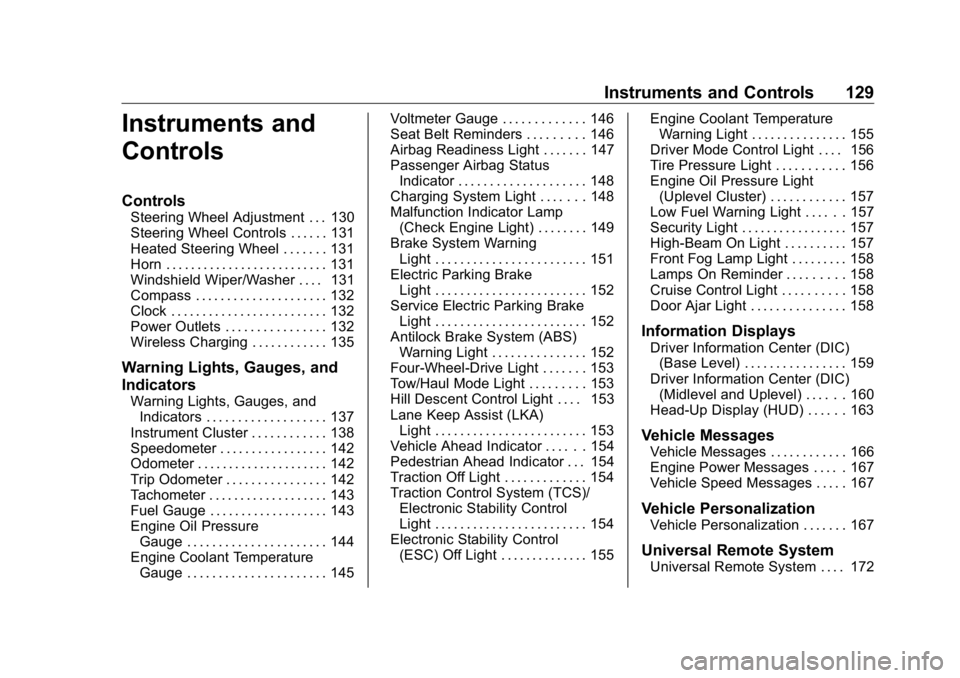
Instruments and
Controls Controls Steering Wheel Adjustment . . . 130
Steering Wheel Controls . . . . . . 131
Heated Steering Wheel . . . . . . . 131
Horn . . . . . . . . . . . . . . . . . . . . . . . . . . 131
Windshield Wiper/Washer . . . . 131
Compass . . . . . . . . . . . . . . . . . . . . . 132
Clock . . . . . . . . . . . . . . . . . . . . . . . . . 132
Power Outlets . . . . . . . . . . . . . . . . 132
Wireless Charging . . . . . . . . . . . . 135
Warning Lights, Gauges, and
Indicators Warning Lights, Gauges, and
Indicators . . . . . . . . . . . . . . . . . . . 137
Instrument Cluster . . . . . . . . . . . . 138
Speedometer . . . . . . . . . . . . . . . . . 142
Odometer . . . . . . . . . . . . . . . . . . . . . 142
Trip Odometer . . . . . . . . . . . . . . . . 142
Tachometer . . . . . . . . . . . . . . . . . . . 143
Fuel Gauge . . . . . . . . . . . . . . . . . . . 143
Engine Oil Pressure
Gauge . . . . . . . . . . . . . . . . . . . . . . 144
Engine Coolant Temperature
Gauge . . . . . . . . . . . . . . . . . . . . . . 145 Voltmeter Gauge . . . . . . . . . . . . . 146
Seat Belt Reminders . . . . . . . . . 146
Airbag Readiness Light . . . . . . . 147
Passenger Airbag Status
Indicator . . . . . . . . . . . . . . . . . . . . 148
Charging System Light . . . . . . . 148
Malfunction Indicator Lamp
(Check Engine Light) . . . . . . . . 149
Brake System Warning
Light . . . . . . . . . . . . . . . . . . . . . . . . 151
Electric Parking Brake
Light . . . . . . . . . . . . . . . . . . . . . . . . 152
Service Electric Parking Brake
Light . . . . . . . . . . . . . . . . . . . . . . . . 152
Antilock Brake System (ABS)
Warning Light . . . . . . . . . . . . . . . 152
Four-Wheel-Drive Light . . . . . . . 153
Tow/Haul Mode Light . . . . . . . . . 153
Hill Descent Control Light . . . . 153
Lane Keep Assist (LKA)
Light . . . . . . . . . . . . . . . . . . . . . . . . 153
Vehicle Ahead Indicator . . . . . . 154
Pedestrian Ahead Indicator . . . 154
Traction Off Light . . . . . . . . . . . . . 154
Traction Control System (TCS)/
Electronic Stability Control
Light . . . . . . . . . . . . . . . . . . . . . . . . 154
Electronic Stability Control
(ESC) Off Light . . . . . . . . . . . . . . 155 Engine Coolant Temperature
Warning Light . . . . . . . . . . . . . . . 155
Driver Mode Control Light . . . . 156
Tire Pressure Light . . . . . . . . . . . 156
Engine Oil Pressure Light
(Uplevel Cluster) . . . . . . . . . . . . 157
Low Fuel Warning Light . . . . . . 157
Security Light . . . . . . . . . . . . . . . . . 157
High-Beam On Light . . . . . . . . . . 157
Front Fog Lamp Light . . . . . . . . . 158
Lamps On Reminder . . . . . . . . . 158
Cruise Control Light . . . . . . . . . . 158
Door Ajar Light . . . . . . . . . . . . . . . 158
Information Displays Driver Information Center (DIC)
(Base Level) . . . . . . . . . . . . . . . . 159
Driver Information Center (DIC)
(Midlevel and Uplevel) . . . . . . 160
Head-Up Display (HUD) . . . . . . 163
Vehicle Messages Vehicle Messages . . . . . . . . . . . . 166
Engine Power Messages . . . . . 167
Vehicle Speed Messages . . . . . 167
Vehicle Personalization Vehicle Personalization . . . . . . . 167
Universal Remote System
Universal Remote System . . . . 172
Page 131 of 472
GMC Sierra/Sierra Denali Owner Manual (GMNA-Localizing-U.S./Canada/
Mexico-1500-11698638) - 2019 - crc - 5/15/18
130 Instruments and Controls Universal Remote System
Programming . . . . . . . . . . . . . . . 172
Universal Remote System
Operation . . . . . . . . . . . . . . . . . . . 175
Controls Steering Wheel
Adjustment
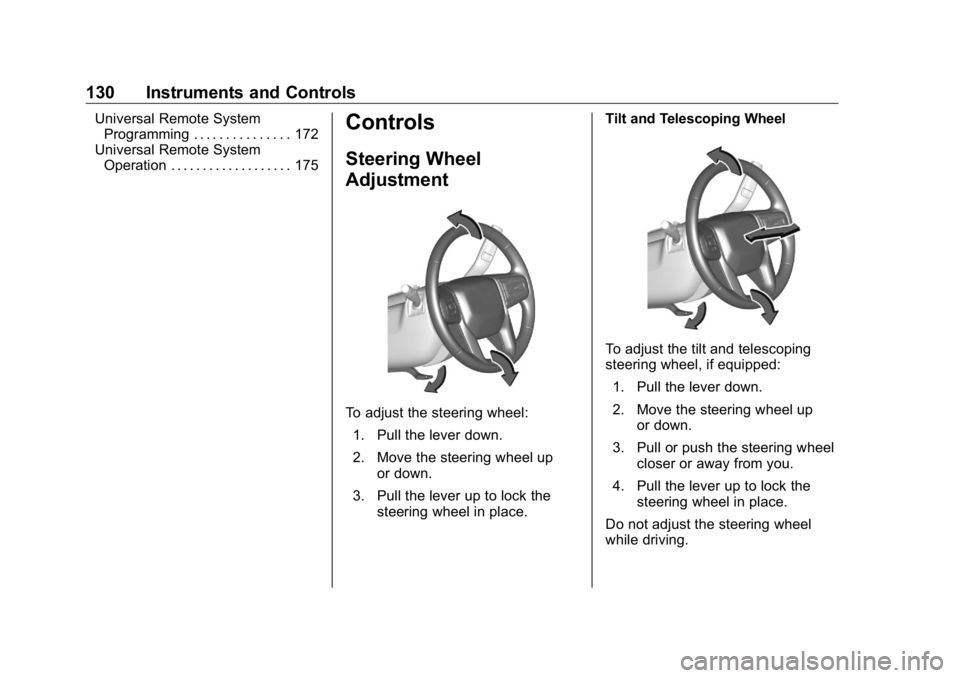
To adjust the steering wheel:
1. Pull the lever down.
2. Move the steering wheel up
or down.
3. Pull the lever up to lock the
steering wheel in place. Tilt and Telescoping Wheel
To adjust the tilt and telescoping
steering wheel, if equipped:
1. Pull the lever down.
2. Move the steering wheel up
or down.
3. Pull or push the steering wheel
closer or away from you.
4. Pull the lever up to lock the
steering wheel in place.
Do not adjust the steering wheel
while driving.
Page 132 of 472
GMC Sierra/Sierra Denali Owner Manual (GMNA-Localizing-U.S./Canada/
Mexico-1500-11698638) - 2019 - crc - 5/15/18
Instruments and Controls 131
Steering Wheel Controls The infotainment system can be
operated by using the steering
wheel controls. See “ Steering Wheel
Controls ” in the infotainment
manual.
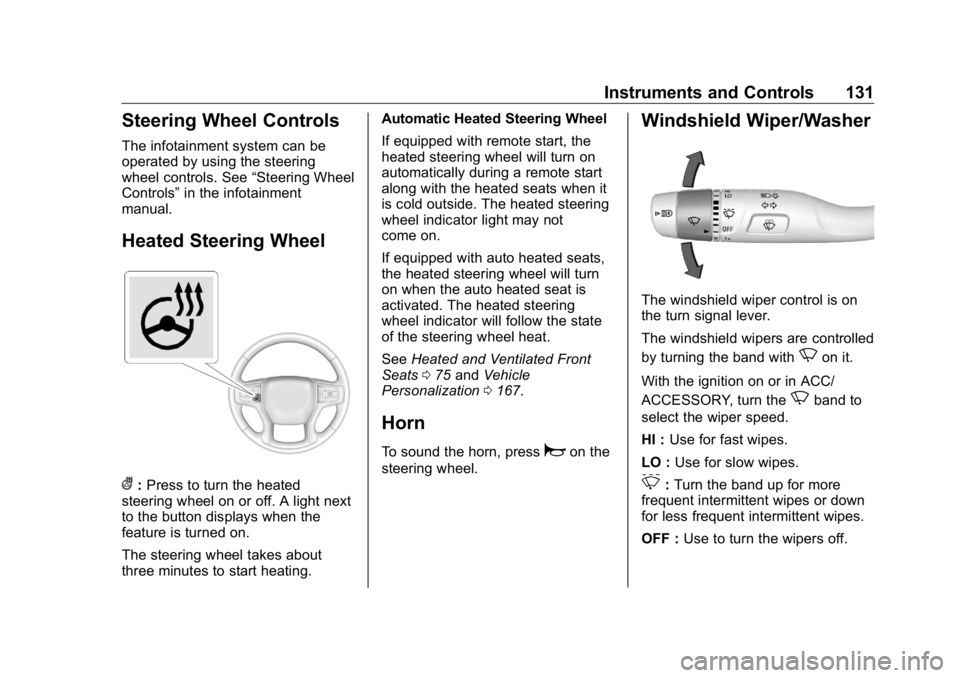
Heated Steering Wheel
( : Press to turn the heated
steering wheel on or off. A light next
to the button displays when the
feature is turned on.
The steering wheel takes about
three minutes to start heating. Automatic Heated Steering Wheel
If equipped with remote start, the
heated steering wheel will turn on
automatically during a remote start
along with the heated seats when it
is cold outside. The heated steering
wheel indicator light may not
come on.
If equipped with auto heated seats,
the heated steering wheel will turn
on when the auto heated seat is
activated. The heated steering
wheel indicator will follow the state
of the steering wheel heat.
See Heated and Ventilated Front
Seats 0 75 and Vehicle
Personalization 0 167 .
Horn To sound the horn, press
a on the
steering wheel. Windshield Wiper/Washer
The windshield wiper control is on
the turn signal lever.
The windshield wipers are controlled
by turning the band with
N on it.
With the ignition on or in ACC/
ACCESSORY, turn the
N band to
select the wiper speed.
HI : Use for fast wipes.
LO : Use for slow wipes.
3 : Turn the band up for more
frequent intermittent wipes or down
for less frequent intermittent wipes.
OFF : Use to turn the wipers off.
Page 170 of 472
GMC Sierra/Sierra Denali Owner Manual (GMNA-Localizing-U.S./Canada/
Mexico-1500-11698638) - 2019 - crc - 5/15/18
Instruments and Controls 169Park Assist
This allows the feature to be turned
on or off. See Assistance Systems
for Parking or Backing 0 254 .
Select Off, On, or On with Towbar.
Rear Camera Park Assist Symbols
This setting enables the Rear
Camera Park Assist Symbols. See
Assistance Systems for Parking or
Backing 0 254 .
Touch Off or On.
Rear Cross Traffic Alert
This allows the Rear Cross Traffic
Alert feature to be turned on or off.
See Assistance Systems for Parking
or Backing 0 254 .
Touch Off or On.
Comfort and Convenience
Touch and the following may
display:
.
Chime Volume
.
Reverse Tilt Mirror
.
Remote Mirror Folding Chime Volume
This determines the chime volume
level.
Touch the controls on the
infotainment display to adjust the
volume.
Reverse Tilt Mirror
This allows the feature to be turned
on or off. See Reverse Tilt Mirrors
0 59 .
Touch Off, On - Driver and
Passenger, On - Driver, or On -
Passenger.
Remote Mirror Folding
When on, the outside mirrors will
remotely fold or unfold when the
Remote Keyless Entry (RKE)
transmitter
Q or
K button is
pressed and held. See Folding
Mirrors 0 57 .
Touch Off or On. Lighting Touch and the following may
display:
.
Vehicle Locator Lights
.
Exit Lighting
Vehicle Locator Lights
This setting flashes the vehicle ’ s
headlamps when
K is pressed on
the Remote Keyless Entry (RKE)
transmitter.
Touch Off or On.
Exit Lighting
This setting specifies how long the
headlamps stay on after the vehicle
is turned off and exited.
Touch Off, 30 Seconds, 60 Seconds,
or 120 Seconds.
Power Door Locks
Touch and the following may
display:
.
Open Door Anti Lock Out
.
Auto Door Unlock
.
Delayed Door Lock
Page 171 of 472
GMC Sierra/Sierra Denali Owner Manual (GMNA-Localizing-U.S./Canada/
Mexico-1500-11698638) - 2019 - crc - 5/15/18
170 Instruments and Controls Open Door Anti Lock Out
This setting prevents the driver door
from locking when the door is open.
If this setting is on, the Delayed
Door Lock menu will not be
available. If this setting is turned off,
the Delayed Door Lock menu may
not be available until the next
ignition cycle.
Touch Off or On.
Auto Door Unlock
This setting allows selection of
which doors will automatically
unlock when the vehicle is shifted
into P (Park).
Touch Off, All Doors, or Driver Door.
Delayed Door Lock
When on, this feature will delay the
locking of the doors. To override the
delay, press the power door lock
switch on the door.
Touch Off or On. Remote Lock, Unlock, Start Touch and the following may
display:
.
Remote Unlock Light Feedback
.
Remote Lock Feedback
.
Remote Door Unlock
.
Remote Start Auto Cool Seats
.
Remote Start Auto Heat Seats
.
Remote Window Operation
.
Passive Door Unlock
.
Passive Door Lock
.
Remote Left in Vehicle Alert
Remote Unlock Light Feedback
When on, the exterior lamps will
flash when unlocking the vehicle
with the RKE transmitter.
Touch Off or Flash Lights.
Remote Lock Feedback
This allows selection of what type of
feedback is given when locking the
vehicle with the RKE transmitter.
Touch Off, Lights and Horn, Lights
Only, or Horn Only. Remote Door Unlock
This allows selection of which doors
will unlock when pressing
K on the
RKE transmitter.
Touch All Doors or Driver Door.
Remote Start Auto Cool Seats
If equipped and turned on, this
feature will turn on the ventilated
seats when using remote start on
warm days.
See Heated and Ventilated Front
Seats 0 75 and Remote Vehicle
Start 0 43 .
Touch Off or On.
Remote Start Auto Heat Seats
If equipped and turned on, this
feature will turn on the heated seats
when using remote start on
cold days.
See Heated and Ventilated Front
Seats 0 75 and Remote Vehicle
Start 0 43 .
Touch Off or On.
Page 172 of 472
GMC Sierra/Sierra Denali Owner Manual (GMNA-Localizing-U.S./Canada/
Mexico-1500-11698638) - 2019 - crc - 5/15/18
Instruments and Controls 171Remote Window Operation
If equipped, this feature enables
remote operation of the windows
with the RKE transmitter.
See Remote Keyless Entry (RKE)
System Operation (Keyless Access)
0 33 or Remote Keyless Entry
(RKE) System Operation (Key
Access) 0 41 .
Touch Off or On.
Passive Door Unlock
This allows the selection of what
doors will unlock when using the
button on the driver door to unlock
the vehicle.
Touch All Doors or Driver Door Only.
Passive Door Lock
This allows passive locking to be
turned on or off and selects
feedback.
See Remote Keyless Entry (RKE)
System Operation (Keyless Access)
0 33 or Remote Keyless Entry
(RKE) System Operation (Key
Access) 0 41 . Touch Off, On with Horn
Chirp, or On.
Remote Left in Vehicle Alert
This feature sounds an alert when
the RKE transmitter is left in the
vehicle. This menu also enables
Remote No Longer In Vehicle Alert.
Touch Off or On.
Seating Position Touch and the following may
display:
.
Seat Entry Memory
.
Seat Exit Memory
Seat Entry Memory
This feature automatically recalls
the previously stored 1 or 2 button
positions when the ignition is
changed from off to on or ACC/
ACCESSORY. See Memory Seats
0 73 .
Touch Off or On. Seat Exit Memory
This feature automatically recalls
the previously stored exit button
position when the ignition is
changed from on or ACC/
ACCESSORY to off and the driver
door is open. See Memory Seats
0 73 .
Touch Off or On.
Teen Driver See “ Teen Driver ” under “ Settings ”
in the infotainment manual.
Valet Mode This will lock the infotainment
system and steering wheel controls.
It may also limit access to vehicle
storage locations, if equipped.
To enable valet mode:
1. Enter a four-digit code on the
keypad.
2. Select Enter to go to the
confirmation screen.
3. Re-enter the four-digit code.
Page 173 of 472
GMC Sierra/Sierra Denali Owner Manual (GMNA-Localizing-U.S./Canada/
Mexico-1500-11698638) - 2019 - crc - 5/15/18
172 Instruments and Controls Touch Lock or Unlock to lock or
unlock the system. Touch Back to
go back to the previous menu.
Universal Remote
System See Radio Frequency Statement
0 443 .
Universal Remote System
Programming
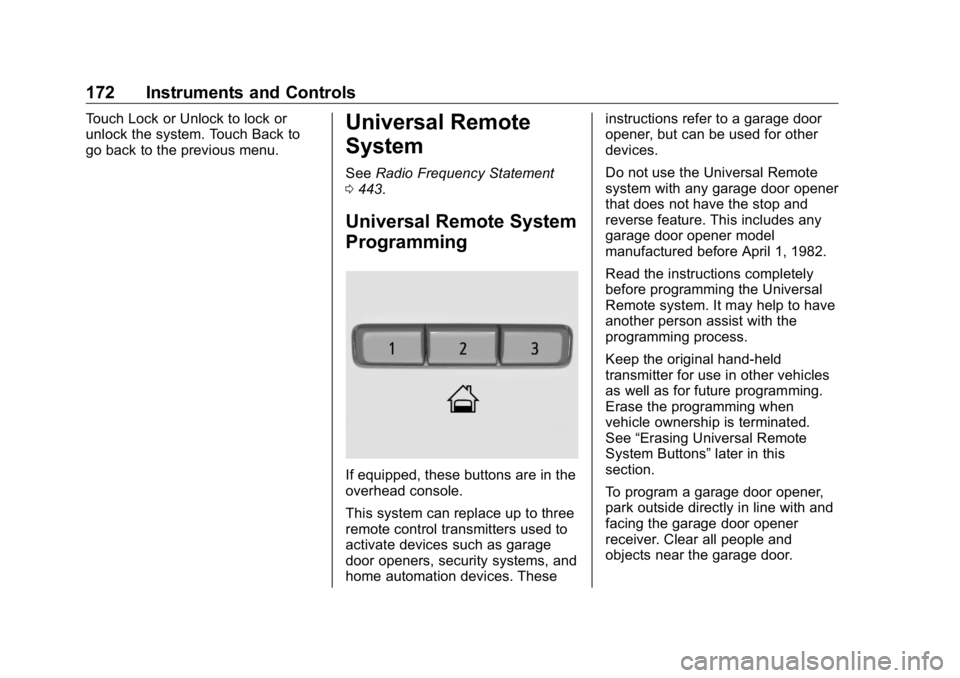
If equipped, these buttons are in the
overhead console.
This system can replace up to three
remote control transmitters used to
activate devices such as garage
door openers, security systems, and
home automation devices. These instructions refer to a garage door
opener, but can be used for other
devices.
Do not use the Universal Remote
system with any garage door opener
that does not have the stop and
reverse feature. This includes any
garage door opener model
manufactured before April 1, 1982.
Read the instructions completely
before programming the Universal
Remote system. It may help to have
another person assist with the
programming process.
Keep the original hand-held
transmitter for use in other vehicles
as well as for future programming.
Erase the programming when
vehicle ownership is terminated.
See “ Erasing Universal Remote
System Buttons ” later in this
section.
To program a garage door opener,
park outside directly in line with and
facing the garage door opener
receiver. Clear all people and
objects near the garage door.
Page 174 of 472
GMC Sierra/Sierra Denali Owner Manual (GMNA-Localizing-U.S./Canada/
Mexico-1500-11698638) - 2019 - crc - 5/15/18
Instruments and Controls 173Make sure the hand-held transmitter
has a new battery for quick and
accurate transmission of the
radio-frequency signal.
Programming the Universal
Remote System For questions or programming help,
see www.homelink.com/gm or call
1-800-355-3515. For calls placed
outside the U.S., Canada, or Puerto
Rico, international rates will apply
and may differ based on landline or
mobile phone.
Programming involves
time-sensitive actions, and may time
out causing the procedure to be
repeated.
To program up to three devices:
1. Hold the end of the hand-held
transmitter about 3 to 8 cm (1
to 3 in) away from the
Universal Remote system
buttons with the indicator light
in view. The hand-held
transmitter was supplied by the
manufacturer of the garage
door opener receiver. 2. At the same time, press and
hold both the hand-held
transmitter button and one of
the three Universal Remote
system buttons to be used to
operate the garage door. Do
not release either button until
the indicator light goes from a
slow to a rapid flashing light.
Then release both buttons.
Some garage door openers
may require substitution of
Step 2 with the procedure
under “ Radio Signals for Some
Gate Operators ” later in this
section.
3. Press and hold the newly
programmed Universal Remote
system button for five seconds
while watching the indicator
light and garage door
activation.
.
If the indicator light stays on
continuously or the garage
door moves when the
button is pressed, then
programming is complete.
There is no need to
complete Steps 4 – 6. .
If the indicator light does
not come on or the garage
door does not move, a
second button press may
be required. For a second
time, press and hold the
newly programmed button
for five seconds. If the light
stays on or the garage door
moves, programming is
complete.
.
If the indicator light blinks
rapidly for two seconds,
then changes to a solid light
and the garage door does
not move, continue with
programming Steps 4 – 6.
Page 175 of 472
GMC Sierra/Sierra Denali Owner Manual (GMNA-Localizing-U.S./Canada/
Mexico-1500-11698638) - 2019 - crc - 5/15/18
174 Instruments and Controls
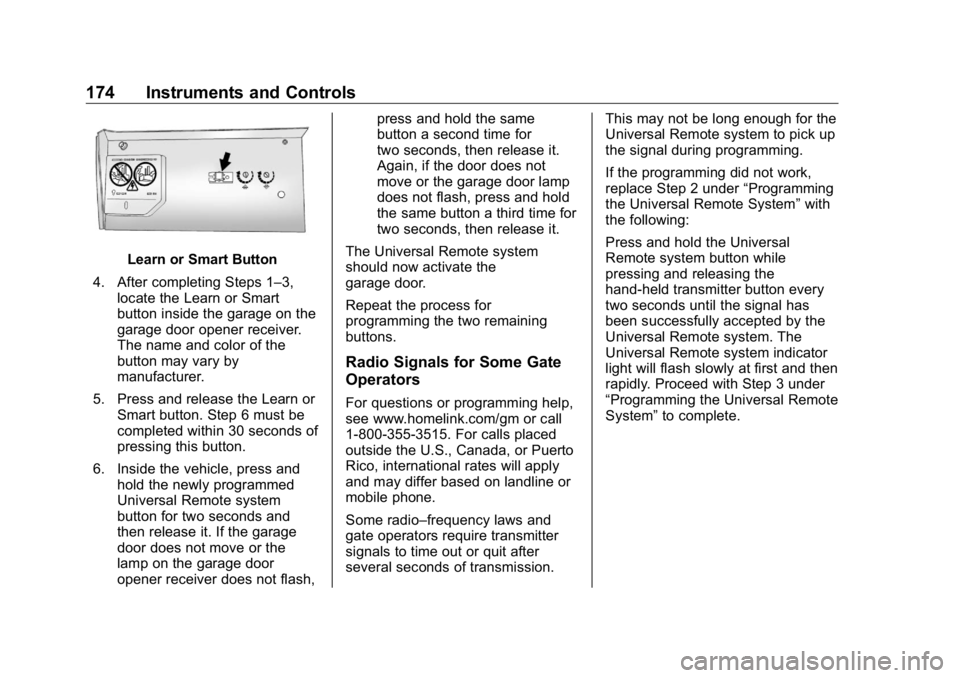
Learn or Smart Button
4. After completing Steps 1 – 3,
locate the Learn or Smart
button inside the garage on the
garage door opener receiver.
The name and color of the
button may vary by
manufacturer.
5. Press and release the Learn or
Smart button. Step 6 must be
completed within 30 seconds of
pressing this button.
6. Inside the vehicle, press and
hold the newly programmed
Universal Remote system
button for two seconds and
then release it. If the garage
door does not move or the
lamp on the garage door
opener receiver does not flash, press and hold the same
button a second time for
two seconds, then release it.
Again, if the door does not
move or the garage door lamp
does not flash, press and hold
the same button a third time for
two seconds, then release it.
The Universal Remote system
should now activate the
garage door.
Repeat the process for
programming the two remaining
buttons.
Radio Signals for Some Gate
Operators For questions or programming help,
see www.homelink.com/gm or call
1-800-355-3515. For calls placed
outside the U.S., Canada, or Puerto
Rico, international rates will apply
and may differ based on landline or
mobile phone.
Some radio – frequency laws and
gate operators require transmitter
signals to time out or quit after
several seconds of transmission. This may not be long enough for the
Universal Remote system to pick up
the signal during programming.
If the programming did not work,
replace Step 2 under “ Programming
the Universal Remote System ” with
the following:
Press and hold the Universal
Remote system button while
pressing and releasing the
hand-held transmitter button every
two seconds until the signal has
been successfully accepted by the
Universal Remote system. The
Universal Remote system indicator
light will flash slowly at first and then
rapidly. Proceed with Step 3 under
“ Programming the Universal Remote
System ” to complete.
Page 176 of 472
GMC Sierra/Sierra Denali Owner Manual (GMNA-Localizing-U.S./Canada/
Mexico-1500-11698638) - 2019 - crc - 5/15/18
Instruments and Controls 175
Universal Remote System
Operation Using the Universal Remote
System Press and hold the appropriate
Universal Remote system button for
at least one-half second. The
indicator light will come on while the
signal is being transmitted.
Erasing Universal Remote
System Buttons Erase all programmed buttons when
vehicle ownership is terminated.
To erase:
1. Press and hold the two outside
buttons until the indicator light
begins to flash. This should
take about 10 seconds.
2. Release both buttons. Reprogramming a Single
Universal Remote System
Button To reprogram any of the system
buttons:
1. Press and hold any one of the
buttons. Do not release the
button.
2. The indicator light will begin to
flash after 20 seconds. Without
releasing the button, proceed
with Step 1 under
“ Programming the Universal
Remote System. ”