stop start GMC SIERRA DENALI 2019 User Guide
[x] Cancel search | Manufacturer: GMC, Model Year: 2019, Model line: SIERRA DENALI, Model: GMC SIERRA DENALI 2019Pages: 472, PDF Size: 8.98 MB
Page 45 of 472
GMC Sierra/Sierra Denali Owner Manual (GMNA-Localizing-U.S./Canada/
Mexico-1500-11698638) - 2019 - crc - 5/15/18
44 Keys, Doors, and Windows 2. Immediately press and hold
/until the turn signal lamps flash
or for at least four seconds.
When the vehicle starts, the
parking lamps will turn on. The
doors will be locked and the
climate control system may
come on.
The engine will continue to run
for 15 minutes. After
30 seconds, repeat
Steps 1 and 2 for a 15-minute
time extension.
Turn the ignition on to operate the
vehicle.
Extending Engine Run Time
The engine run time can be
extended by 15 minutes, for a total
of 30 minutes, if during the first
15 minutes Steps 1 and 2 are
repeated while the engine is still
running. An extension can be
requested 30 seconds after starting.
A maximum of two remote starts,
or a single start with an extension,
is allowed between ignition cycles. The vehicle's ignition must be
turned on and then back off to use
remote start again.
Canceling a Remote Start
To cancel a remote start, do one of
the following:
.
Press and hold
/ until the
parking lamps turn off.
.
Turn on the hazard warning
flashers.
.
Turn the ignition on and then off.
Door Locks
{ Warning
Unlocked doors can be
dangerous.
.
Passengers, especially
children, can easily open
the doors and fall out of a
moving vehicle. The doors
can be unlocked and
opened while the vehicle is
moving. The chance of
(Continued) Warning (Continued) being thrown out of the
vehicle in a crash is
increased if the doors are
not locked. So, all
passengers should wear
seat belts properly and the
doors should be locked
whenever the vehicle is
driven.
.
Young children who get into
unlocked vehicles may be
unable to get out. A child
can be overcome by
extreme heat and can suffer
permanent injuries or even
death from heat stroke.
Always lock the vehicle
whenever leaving it.
.
Outsiders can easily enter
through an unlocked door
when you slow down or stop
the vehicle. Locking the
doors can help prevent this
from happening.
Page 75 of 472
GMC Sierra/Sierra Denali Owner Manual (GMNA-Localizing-U.S./Canada/
Mexico-1500-11698638) - 2019 - crc - 5/15/18
74 Seats and Restraints Identifying Driver Number
To identify the driver number:
1. Start the vehicle with a different
key or RKE transmitter. The
DIC should display the driver
number; 1 or 2. Turn the
ignition off and remove the key
or RKE transmitter from the
vehicle.
2. Start the vehicle with the initial
key or RKE transmitter. The
DIC should display the other
driver number not shown in
Step 1.
Saving Memory Positions
Read these instructions completely
before saving memory positions.
To save preferred driving positions
1 and 2:
1. Turn the ignition on or to ACC/
ACCESSORY.
A DIC welcome message may
indicate driver number 1 or 2.
2. Adjust all available memory
features to the desired driving
position. 3. Press and release SET; a beep
will sound.
4. Immediately press and hold the
1 or 2 memory button matching
the above DIC welcome
message until two beeps
sound.
If too much time passes
between releasing SET and
pressing 1, the memory
position will not be saved and
two beeps will not sound.
Repeat Steps 3 and 4.
1 or 2 corresponds to the driver
number. See “ Identifying Driver
Number ” previously in this
section.
5. Repeat Steps 1 – 4 for a second
driver using 1 or 2.
To save the position for
B and
Seat Exit Memory, repeat Steps 1 – 4
using
B . This saves the position
for getting out of the vehicle.
Save preferred memory feature
positions to both 1 and 2 if you are
the only driver. Manually Recalling Memory
Positions
Press and hold 1, 2, or
B to recall
the previously saved memory
positions.
To stop Manual Memory Recall
movement, release 1, 2, or
B or
press any of the following controls:
.
Power seat
.
Memory SET
.
Power mirror, with the driver or
passenger outside mirror
selected
Seat Entry Memory
The vehicle identifies the number of
the current driver ’ s RKE transmitter
(1 – 8).
See Remote Keyless Entry (RKE)
System Operation (Keyless Access)
0 33 or Remote Keyless Entry
(RKE) System Operation (Key
Access) 0 41 . If the RKE transmitter
is 1 or 2, and Seat Entry Memory is
programmed on in vehicle
personalization, the positions saved
to the same memory button number
Page 76 of 472
GMC Sierra/Sierra Denali Owner Manual (GMNA-Localizing-U.S./Canada/
Mexico-1500-11698638) - 2019 - crc - 5/15/18
Seats and Restraints 751 or 2 are automatically recalled
when the ignition is turned on,
or turned from off to ACC/
ACCESSORY. RKE transmitters 3 – 8
will not provide automatic memory
recalls.
To turn Seat Entry Memory on or off,
see "Vehicle Personalization
Settings" previously in this section
and Vehicle Personalization 0 167 .
The shift lever must be in P (Park)
to start Seat Entry Memory. Seat
Entry Memory will complete if the
vehicle is shifted out of P (Park)
prior to reaching the saved memory
position.
To stop Seat Entry Memory
movement, turn the ignition off or
press any of the following controls:
.
Power seat
.
Memory SET, 1, 2, or
B.
Power mirror, with the driver or
passenger outside mirror
selected
If the saved memory seat position
does not automatically recall or
recalls to the wrong positions, the driver ’ s RKE transmitter number (1
or 2) may not match the memory
button number that positions were
saved to. Try saving the position to
the other memory button or try the
other RKE transmitter.
Seat Exit Memory
Seat Exit Memory is not linked to an
RKE transmitter. The position saved
to
B is used for all drivers. To turn
Seat Exit Memory on or off, see
"Vehicle Personalization Settings"
previously in this section and
Vehicle Personalization 0 167 .
If turned on, the position saved to
B is automatically recalled when
one of the following occurs:
.
The vehicle is turned off and the
driver door is opened within a
short time.
.
The vehicle is turned off with the
driver door open.
To stop Seat Exit Memory
movement, press any of the
following memory controls:
.
Power seat .
Memory SET, 1, 2, or
B .
Power mirror, with the driver or
passenger outside mirror
selected
Obstructions
If something has blocked the driver
seat while recalling a memory
position, the recall may stop.
Remove the obstruction and try the
recall again. If the memory position
still does not recall, see your dealer
for service.
Heated and Ventilated
Front Seats
{ Warning
If temperature change or pain to
the skin cannot be felt, the seat
heater may cause burns. To
reduce the risk of burns, use care
when using the seat heater,
especially for long periods of
time. Do not place anything on
the seat that insulates against
(Continued)
Page 133 of 472
GMC Sierra/Sierra Denali Owner Manual (GMNA-Localizing-U.S./Canada/
Mexico-1500-11698638) - 2019 - crc - 5/15/18
132 Instruments and Controls 1x : For a single wipe, briefly turn
the
N band down. For several
wipes, hold the band down.
L : Press
L on the windshield
wiper control to spray windshield
washer fluid and activate the wipers.
The wipers will continue until
L is
released or the maximum wash time
is reached. When
L is released,
additional wipes may occur
depending on how long the
windshield washer had been
activated. See Washer Fluid 0 334
for information on filling the
windshield washer fluid reservoir.
{ Warning
In freezing weather, do not use
the washer until the windshield is
warmed. Otherwise the washer
fluid can form ice on the
windshield, blocking your vision.
Clear snow and ice from the wiper
blades before using them. If frozen
to the windshield, carefully loosen or thaw them. Damaged blades should
be replaced. See Wiper Blade
Replacement 0 344 .
Heavy snow or ice can overload the
wiper motor.
Wipe Parking
If the ignition is turned off while the
wipers are on LO, HI, or
3 , they
will immediately stop.
If the windshield wiper control is
then moved to OFF before the driver
door is opened or within 10 minutes,
the wipers will restart and move to
the base of the windshield.
If the ignition is turned off while the
wipers are performing wipes due to
windshield washing, the wipers
continue to run until they reach the
base of the windshield.
Compass The vehicle may have a compass
display on the Driver Information
Center (DIC). The compass receives
its heading and other information
from the Global Positioning System (GPS) antenna, Electronic
Stability Control (ESC), and vehicle
speed information.
The compass system is designed to
operate for a certain number of
miles or degrees of turn before
needing a signal from the GPS
satellites. When the compass
display shows CAL, drive the
vehicle for a short distance in an
open area where it can receive a
GPS signal. The compass system
will automatically determine when a
GPS signal is restored and provide
a heading again.
Clock The time and date for the clock can
be set using the infotainment
system. See “ Time/Date ” in
“ System “ under “ Settings ” in the
infotainment manual.
Power Outlets Accessory power outlets can be
used to plug in electrical equipment,
such as a cell phone, MP3
player, etc.
Page 144 of 472
GMC Sierra/Sierra Denali Owner Manual (GMNA-Localizing-U.S./Canada/
Mexico-1500-11698638) - 2019 - crc - 5/15/18
Instruments and Controls 143The trip odometer is accessed and
reset through the Driver Information
Center (DIC).
See Driver Information Center (DIC)
(Midlevel and Uplevel) 0 160 or
Driver Information Center (DIC)
(Base Level) 0 159 .
Tachometer The tachometer displays the engine
speed in revolutions per
minute (rpm).
For vehicles with the Stop/Start
system, when the ignition is on, the
tachometer indicates the vehicle
status. When pointing to AUTO
STOP, the engine is off but the
vehicle is on and can move. The
engine could auto start at any time.
When the indicator points to OFF,
the vehicle is off.
When the engine is on, the
tachometer will indicate the engine ’ s
revolutions per minute (rpm). The
tachometer may vary by several
hundred rpm ’ s, during Auto Stop
mode, when the engine is shutting
off and restarting. Fuel Gauge
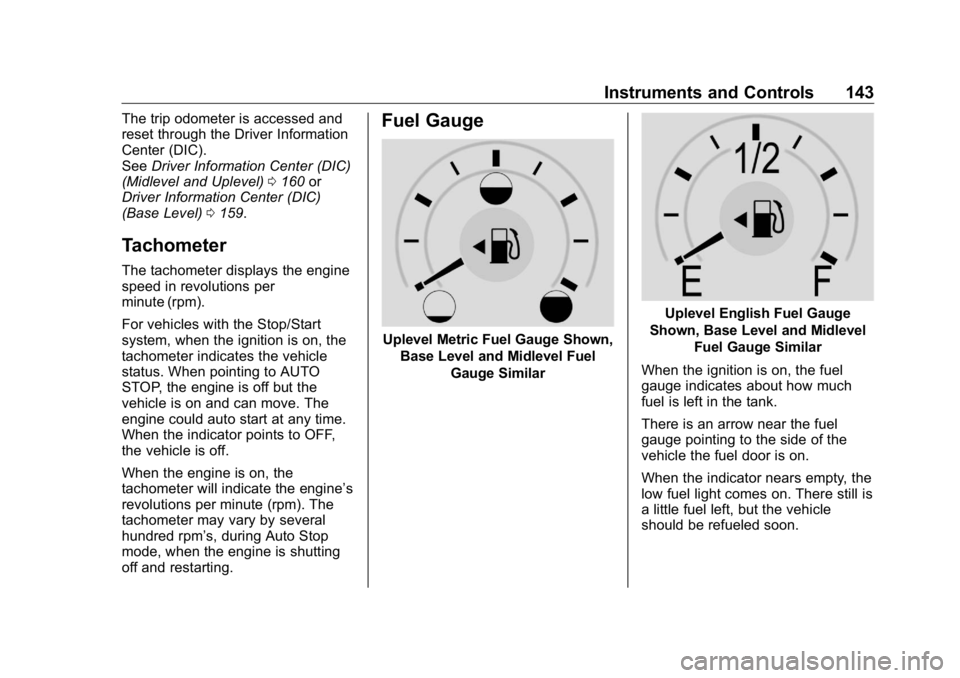
Uplevel Metric Fuel Gauge Shown,
Base Level and Midlevel Fuel
Gauge Similar Uplevel English Fuel Gauge
Shown, Base Level and Midlevel
Fuel Gauge Similar
When the ignition is on, the fuel
gauge indicates about how much
fuel is left in the tank.
There is an arrow near the fuel
gauge pointing to the side of the
vehicle the fuel door is on.
When the indicator nears empty, the
low fuel light comes on. There still is
a little fuel left, but the vehicle
should be refueled soon.
Page 152 of 472
GMC Sierra/Sierra Denali Owner Manual (GMNA-Localizing-U.S./Canada/
Mexico-1500-11698638) - 2019 - crc - 5/23/18
Instruments and Controls 151before the system is ready for
inspection. This can happen if
the 12-volt battery has recently
been replaced or run down, or if
the vehicle has been recently
serviced.
See your dealer if the vehicle will
not pass or cannot be made ready
for the test.
Brake System Warning
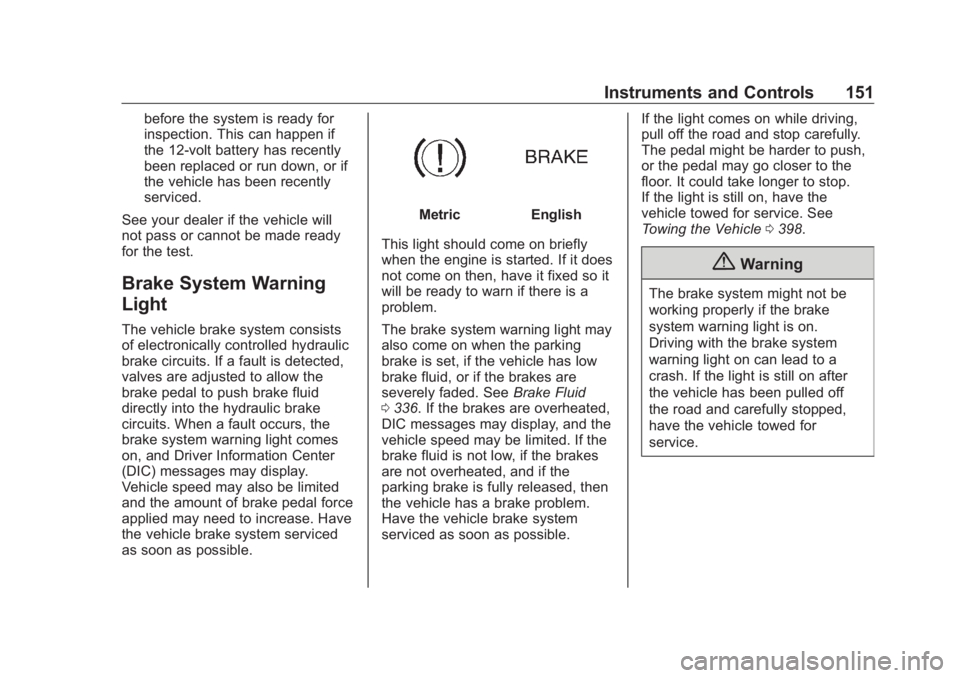
Light The vehicle brake system consists
of electronically controlled hydraulic
brake circuits. If a fault is detected,
valves are adjusted to allow the
brake pedal to push brake fluid
directly into the hydraulic brake
circuits. When a fault occurs, the
brake system warning light comes
on, and Driver Information Center
(DIC) messages may display.
Vehicle speed may also be limited
and the amount of brake pedal force
applied may need to increase. Have
the vehicle brake system serviced
as soon as possible. Metric English
This light should come on briefly
when the engine is started. If it does
not come on then, have it fixed so it
will be ready to warn if there is a
problem.
The brake system warning light may
also come on when the parking
brake is set, if the vehicle has low
brake fluid, or if the brakes are
severely faded. See Brake Fluid
0 336 . If the brakes are overheated,
DIC messages may display, and the
vehicle speed may be limited. If the
brake fluid is not low, if the brakes
are not overheated, and if the
parking brake is fully released, then
the vehicle has a brake problem.
Have the vehicle brake system
serviced as soon as possible. If the light comes on while driving,
pull off the road and stop carefully.
The pedal might be harder to push,
or the pedal may go closer to the
floor. It could take longer to stop.
If the light is still on, have the
vehicle towed for service. See
Towing the Vehicle 0 398 .
{ WarningThe brake system might not be
working properly if the brake
system warning light is on.
Driving with the brake system
warning light on can lead to a
crash. If the light is still on after
the vehicle has been pulled off
the road and carefully stopped,
have the vehicle towed for
service.
Page 153 of 472
GMC Sierra/Sierra Denali Owner Manual (GMNA-Localizing-U.S./Canada/
Mexico-1500-11698638) - 2019 - crc - 5/15/18
152 Instruments and Controls
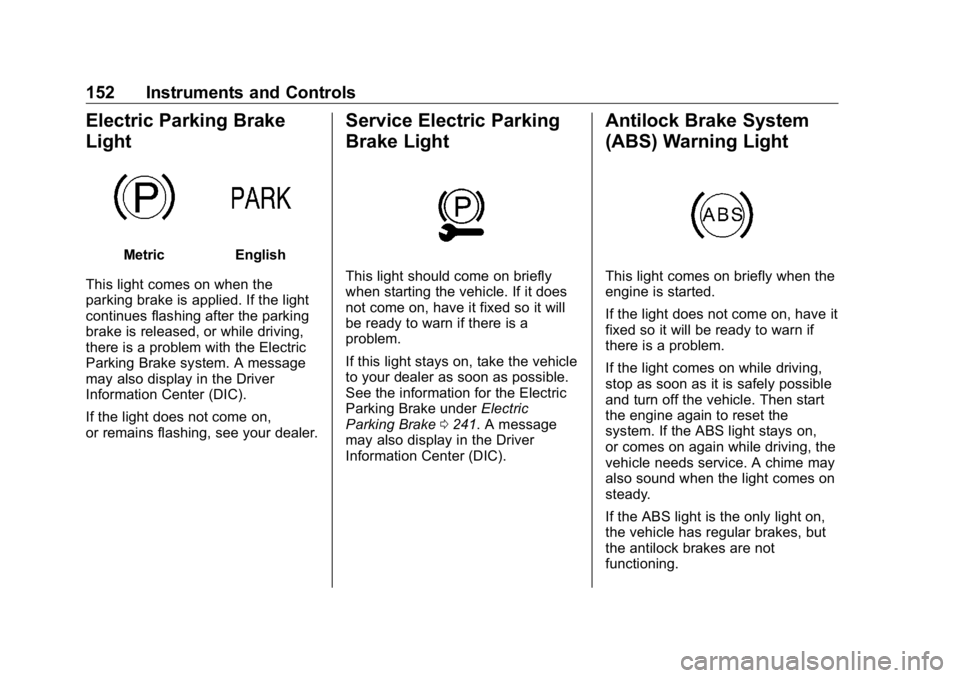
Electric Parking Brake
Light Metric English
This light comes on when the
parking brake is applied. If the light
continues flashing after the parking
brake is released, or while driving,
there is a problem with the Electric
Parking Brake system. A message
may also display in the Driver
Information Center (DIC).
If the light does not come on,
or remains flashing, see your dealer. Service Electric Parking
Brake Light
This light should come on briefly
when starting the vehicle. If it does
not come on, have it fixed so it will
be ready to warn if there is a
problem.
If this light stays on, take the vehicle
to your dealer as soon as possible.
See the information for the Electric
Parking Brake under Electric
Parking Brake 0 241 . A message
may also display in the Driver
Information Center (DIC). Antilock Brake System
(ABS) Warning Light
This light comes on briefly when the
engine is started.
If the light does not come on, have it
fixed so it will be ready to warn if
there is a problem.
If the light comes on while driving,
stop as soon as it is safely possible
and turn off the vehicle. Then start
the engine again to reset the
system. If the ABS light stays on,
or comes on again while driving, the
vehicle needs service. A chime may
also sound when the light comes on
steady.
If the ABS light is the only light on,
the vehicle has regular brakes, but
the antilock brakes are not
functioning.
Page 157 of 472
GMC Sierra/Sierra Denali Owner Manual (GMNA-Localizing-U.S./Canada/
Mexico-1500-11698638) - 2019 - crc - 5/15/18
156 Instruments and Controls The engine coolant temperature
warning light comes on when the
engine has overheated.
If this happens, pull over and turn
off the engine as soon as possible.
See Engine Overheating 0 331 .
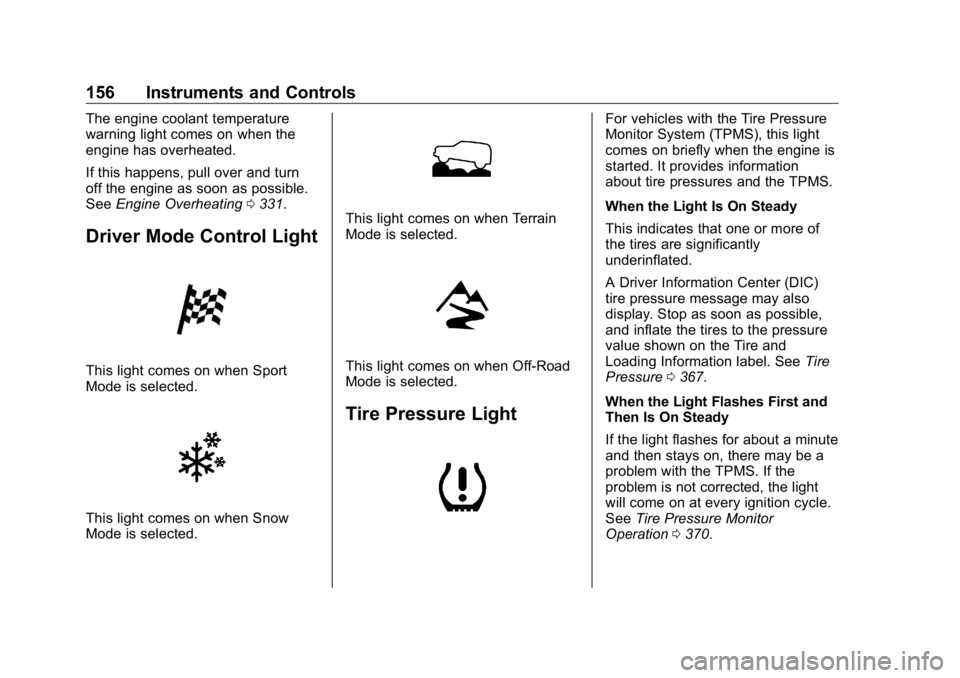
Driver Mode Control Light
This light comes on when Sport
Mode is selected.
This light comes on when Snow
Mode is selected. This light comes on when Terrain
Mode is selected.
This light comes on when Off-Road
Mode is selected.
Tire Pressure Light For vehicles with the Tire Pressure
Monitor System (TPMS), this light
comes on briefly when the engine is
started. It provides information
about tire pressures and the TPMS.
When the Light Is On Steady
This indicates that one or more of
the tires are significantly
underinflated.
A Driver Information Center (DIC)
tire pressure message may also
display. Stop as soon as possible,
and inflate the tires to the pressure
value shown on the Tire and
Loading Information label. See Tire
Pressure 0 367 .
When the Light Flashes First and
Then Is On Steady
If the light flashes for about a minute
and then stays on, there may be a
problem with the TPMS. If the
problem is not corrected, the light
will come on at every ignition cycle.
See Tire Pressure Monitor
Operation 0 370 .
Page 162 of 472
GMC Sierra/Sierra Denali Owner Manual (GMNA-Localizing-U.S./Canada/
Mexico-1500-11698638) - 2019 - crc - 5/15/18
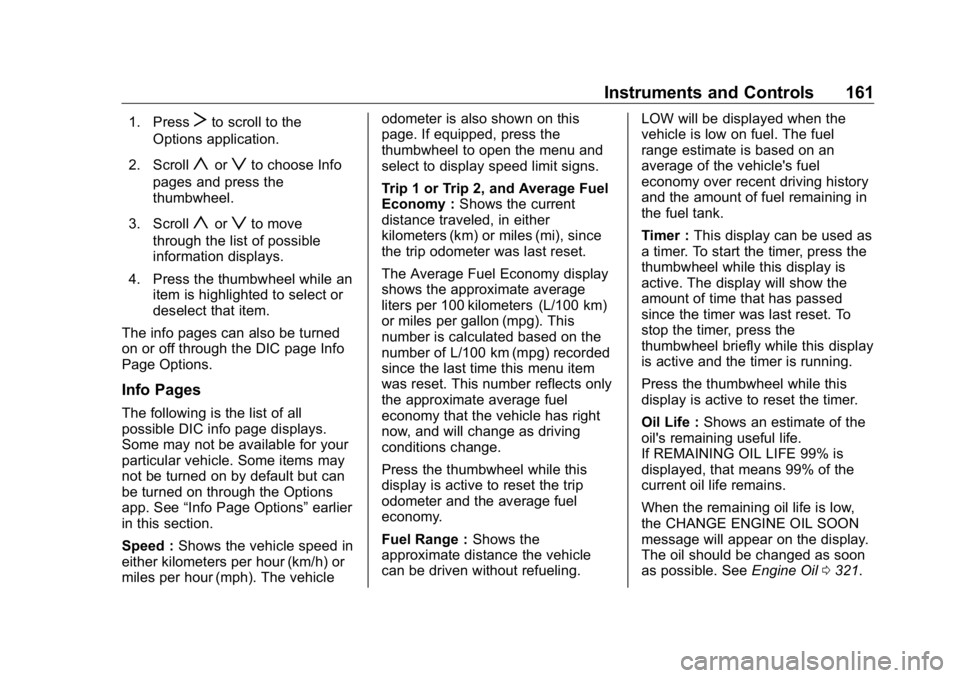
Instruments and Controls 1611. Press
T to scroll to the
Options application.
2. Scroll
y or
z to choose Info
pages and press the
thumbwheel.
3. Scroll
y or
z to move
through the list of possible
information displays.
4. Press the thumbwheel while an
item is highlighted to select or
deselect that item.
The info pages can also be turned
on or off through the DIC page Info
Page Options.
Info Pages The following is the list of all
possible DIC info page displays.
Some may not be available for your
particular vehicle. Some items may
not be turned on by default but can
be turned on through the Options
app. See “ Info Page Options ” earlier
in this section.
Speed : Shows the vehicle speed in
either kilometers per hour (km/h) or
miles per hour (mph). The vehicle odometer is also shown on this
page. If equipped, press the
thumbwheel to open the menu and
select to display speed limit signs.
Trip 1 or Trip 2, and Average Fuel
Economy : Shows the current
distance traveled, in either
kilometers (km) or miles (mi), since
the trip odometer was last reset.
The Average Fuel Economy display
shows the approximate average
liters per 100 kilometers (L/100 km)
or miles per gallon (mpg). This
number is calculated based on the
number of L/100 km (mpg) recorded
since the last time this menu item
was reset. This number reflects only
the approximate average fuel
economy that the vehicle has right
now, and will change as driving
conditions change.
Press the thumbwheel while this
display is active to reset the trip
odometer and the average fuel
economy.
Fuel Range : Shows the
approximate distance the vehicle
can be driven without refueling. LOW will be displayed when the
vehicle is low on fuel. The fuel
range estimate is based on an
average of the vehicle's fuel
economy over recent driving history
and the amount of fuel remaining in
the fuel tank.
Timer : This display can be used as
a timer. To start the timer, press the
thumbwheel while this display is
active. The display will show the
amount of time that has passed
since the timer was last reset. To
stop the timer, press the
thumbwheel briefly while this display
is active and the timer is running.
Press the thumbwheel while this
display is active to reset the timer.
Oil Life : Shows an estimate of the
oil's remaining useful life.
If REMAINING OIL LIFE 99% is
displayed, that means 99% of the
current oil life remains.
When the remaining oil life is low,
the CHANGE ENGINE OIL SOON
message will appear on the display.
The oil should be changed as soon
as possible. See Engine Oil 0 321 .
Page 197 of 472
GMC Sierra/Sierra Denali Owner Manual (GMNA-Localizing-U.S./Canada/
Mexico-1500-11698638) - 2019 - crc - 5/16/18
196 Driving and Operating
Driving and
Operating Driving Information Distracted Driving . . . . . . . . . . . . 197
Defensive Driving . . . . . . . . . . . . . 198
Drunk Driving . . . . . . . . . . . . . . . . . 198
Control of a Vehicle . . . . . . . . . . . 198
Braking . . . . . . . . . . . . . . . . . . . . . . . 198
Steering . . . . . . . . . . . . . . . . . . . . . . 199
Off-Road Recovery . . . . . . . . . . . 199
Loss of Control . . . . . . . . . . . . . . . 200
Off-Road Driving . . . . . . . . . . . . . 200
Driving on Wet Roads . . . . . . . . 205
Hill and Mountain Roads . . . . . 206
Winter Driving . . . . . . . . . . . . . . . . 206
If the Vehicle Is Stuck . . . . . . . . 208
Vehicle Load Limits . . . . . . . . . . . 209
Truck-Camper Loading
Information . . . . . . . . . . . . . . . . . . 214
Starting and Operating New Vehicle Break-In . . . . . . . . . 216
Ignition Positions (Key
Access) . . . . . . . . . . . . . . . . . . . . . 217
Ignition Positions (Keyless
Access) . . . . . . . . . . . . . . . . . . . . . 219
Starting the Engine . . . . . . . . . . . 221 Stop/Start System . . . . . . . . . . . . 222
Engine Heater . . . . . . . . . . . . . . . . 223
Retained Accessory
Power (RAP) . . . . . . . . . . . . . . . . 225
Shifting Into Park . . . . . . . . . . . . . 225
Shifting out of Park . . . . . . . . . . . 227
Parking over Things
That Burn . . . . . . . . . . . . . . . . . . . 227
Active Fuel Management . . . . . 227
Extended Parking . . . . . . . . . . . . 228
Engine Exhaust Engine Exhaust . . . . . . . . . . . . . . 228
Running the Vehicle While
Parked . . . . . . . . . . . . . . . . . . . . . . 229
Automatic Transmission Automatic Transmission . . . . . . 229
Manual Mode . . . . . . . . . . . . . . . . . 232
Tow/Haul Mode . . . . . . . . . . . . . . . 234
Drive Systems Four-Wheel Drive . . . . . . . . . . . . . 235
Brakes Antilock Brake
System (ABS) . . . . . . . . . . . . . . . 240
Electric Parking Brake . . . . . . . . 241
Brake Assist . . . . . . . . . . . . . . . . . . 242
Hill Start Assist (HSA) . . . . . . . . 242 Ride Control Systems Traction Control/Electronic
Stability Control . . . . . . . . . . . . . 243
Hill Descent Control (HDC) . . . 245
Driver Mode Control . . . . . . . . . . 246
Limited-Slip Differential . . . . . . . 250
Locking Rear Axle . . . . . . . . . . . . 250
Cruise Control Cruise Control . . . . . . . . . . . . . . . . 250
Driver Assistance Systems Driver Assistance Systems . . . 253
Assistance Systems for
Parking or Backing . . . . . . . . . . 254
Assistance Systems for
Driving . . . . . . . . . . . . . . . . . . . . . . 260
Forward Collision Alert (FCA)
System . . . . . . . . . . . . . . . . . . . . . . 260
Forward Automatic
Braking (FAB) . . . . . . . . . . . . . . . 263
Front Pedestrian Braking
(FPB) System . . . . . . . . . . . . . . . 264
Side Blind Zone
Alert (SBZA) . . . . . . . . . . . . . . . . 267
Lane Change Alert (LCA) . . . . . 267
Lane Departure
Warning (LDW) . . . . . . . . . . . . . 269
Lane Keep Assist (LKA) . . . . . . 269