battery GMC SIERRA DENALI 2019 Owner's Manual
[x] Cancel search | Manufacturer: GMC, Model Year: 2019, Model line: SIERRA DENALI, Model: GMC SIERRA DENALI 2019Pages: 472, PDF Size: 8.98 MB
Page 209 of 472
GMC Sierra/Sierra Denali Owner Manual (GMNA-Localizing-U.S./Canada/
Mexico-1500-11698638) - 2019 - crc - 5/16/18
208 Driving and Operating If it takes time for help to arrive,
when running the engine, push the
accelerator pedal slightly so the
engine runs faster than the idle
speed. This keeps the battery
charged to restart the vehicle and to
signal for help with the headlamps.
Do this as little as possible, to
save fuel.
If the Vehicle Is Stuck Slowly and cautiously spin the
wheels to free the vehicle when
stuck in sand, mud, ice, or snow.
See “ Rocking the Vehicle to Get It
Out ” later in this section.
The Traction Control/Electronic
Stability Control can often help to
free a stuck vehicle. See Traction
Control/Electronic Stability Control
0 243 . If TC/ESC cannot free the
vehicle, see “ Rocking the Vehicle to
Get it Out ” following. { WarningIf the vehicle's tires spin at high
speed, they can explode, and you
or others could be injured. The
vehicle can overheat, causing an
engine compartment fire or other
damage. Spin the wheels as little
as possible and avoid going
above 56 km/h (35 mph).
For information about using tire
chains on the vehicle, see Tire
Chains 0 382 .
Rocking the Vehicle to Get
It Out Turn the steering wheel left and
right to clear the area around the
front wheels. Then make sure the
wheels are pointed straight ahead.
For four-wheel-drive vehicles, shift
into Four-Wheel Drive High. Turn
the TCS off. Shift back and forth
between R (Reverse) and a forward
gear, spinning the wheels as little as
possible. To prevent transmission
wear, wait until the wheels stop spinning before shifting gears.
Slowly spinning the wheels in the
forward and reverse directions
causes a rocking motion that could
free the vehicle. If that does not get
the vehicle out after a few tries, it
might need to be towed out. See
Towing the Vehicle 0 398 . Recovery
hooks can be used, if the vehicle
has them.
Recovery Hooks
{ WarningNever pull on recovery hooks
from the side. The hooks could
break and you and others could
be injured. When using recovery
hooks, always pull the vehicle
from the front.
Page 220 of 472
GMC Sierra/Sierra Denali Owner Manual (GMNA-Localizing-U.S./Canada/
Mexico-1500-11698638) - 2019 - crc - 5/16/18
Driving and Operating 219while the vehicle is off. It also
unlocks the steering column,
if equipped with a locking steering
column. Use this position if the
vehicle must be pushed or towed.
See Retained Accessory Power
(RAP) 0 225 .
From ON/RUN, push the key all the
way in toward the steering column,
then turn the key to ACC/
ACCESSORY.
If the key is left in ACC/
ACCESSORY with the engine off,
the battery could drain and the
vehicle may not start.
A warning chime will sound when
the driver door is opened and the
key is in the ignition.
2 (ON/RUN) : This position can be
used to operate the electrical
accessories and to display some
instrument cluster warning and
indicator lights. This position can
also be used for service and
diagnostics, and to verify the proper
operation of the malfunction
indicator lamp as may be required
for emission inspection purposes. The switch stays in this position
when the engine is running. The
transmission is also unlocked in this
position on automatic transmission
vehicles.
If the key is left in ON/RUN with the
engine off, the battery could drain
and the vehicle may not start.
3 (START) : This is the position that
starts the engine. When the engine
starts, release the key. The ignition
returns to ON/RUN for driving.
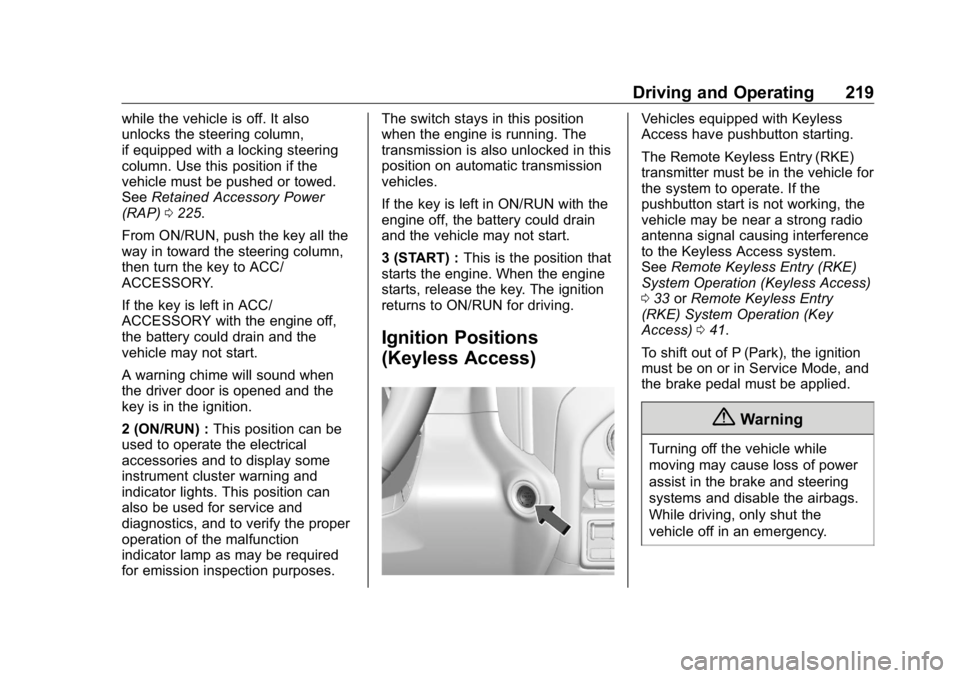
Ignition Positions
(Keyless Access) Vehicles equipped with Keyless
Access have pushbutton starting.
The Remote Keyless Entry (RKE)
transmitter must be in the vehicle for
the system to operate. If the
pushbutton start is not working, the
vehicle may be near a strong radio
antenna signal causing interference
to the Keyless Access system.
See Remote Keyless Entry (RKE)
System Operation (Keyless Access)
0 33 or Remote Keyless Entry
(RKE) System Operation (Key
Access) 0 41 .
To shift out of P (Park), the ignition
must be on or in Service Mode, and
the brake pedal must be applied.
{ Warning
Turning off the vehicle while
moving may cause loss of power
assist in the brake and steering
systems and disable the airbags.
While driving, only shut the
vehicle off in an emergency.
Page 221 of 472
GMC Sierra/Sierra Denali Owner Manual (GMNA-Localizing-U.S./Canada/
Mexico-1500-11698638) - 2019 - crc - 5/16/18
220 Driving and Operating Stopping the Engine/LOCK/
OFF (No Indicator Lights) : When
the vehicle is stopped, press
ENGINE START/STOP once to turn
the engine off.
If the vehicle is in P (Park), the
ignition will turn off, and Retained
Accessory Power (RAP) will remain
active. See Retained Accessory
Power (RAP) 0 225 .
If the vehicle is not in P (Park), the
ignition will return to ACC/
ACCESSORY and display the
message SHIFT TO PARK in the
Driver Information Center (DIC).
When the vehicle is shifted into
P (Park), the ignition system will
turn off.
The vehicle may have an electric
steering column lock. The lock is
activated when the ignition is turned
off and either front door is opened.
A sound may be heard as the lock
actuates or releases. The steering
column lock may not release with
the wheels turned off center. If this
happens, the vehicle may not start.
Move the steering wheel from left to right while attempting to start the
vehicle. If this does not work, the
vehicle needs service.
If the vehicle must be shut off in an
emergency:
1. Brake using a firm and steady
pressure. Do not pump the
brakes repeatedly. This may
deplete power assist, requiring
increased brake pedal force.
2. Shift the vehicle to N (Neutral).
This can be done while the
vehicle is moving. After shifting
to N (Neutral), firmly apply the
brakes and steer the vehicle to
a safe location.
3. Come to a complete stop.
4. Hold the brake pedal down,
Shift to P (Park) with an
automatic transmission. The
shift lever must be in P (Park)
to turn the ignition off.
5. Continue to hold the brake
pedal down.
6. Set the parking brake, see
Electric Parking Brake 0 241 . 7. Press ENGINE START/STOP
once to turn the ignition off.
8. Release the brake pedal.
If the vehicle cannot be pulled over,
and must be shut off while driving,
press and hold ENGINE START/
STOP for longer than two seconds,
or press twice in five seconds.
ACC/ACCESSORY (Amber
Indicator Light) : This mode allows
some electrical accessories to be
used when the engine is off.
With the ignition off, pressing the
button one time without the brake
pedal applied will place the ignition
system in ACC/ACCESSORY.
The ignition will switch from ACC/
ACCESSORY to off after
five minutes to prevent battery
rundown.
ON/RUN/START (Green Indicator
Light) : This mode is for driving and
starting. With the ignition off, and
the brake pedal applied, pressing
the button once will turn the ignition
on. Once engine cranking begins,
Page 223 of 472
GMC Sierra/Sierra Denali Owner Manual (GMNA-Localizing-U.S./Canada/
Mexico-1500-11698638) - 2019 - crc - 5/16/18
222 Driving and Operating CautionCranking the engine for long
periods of time, by returning the
ignition to the START position
immediately after cranking has
ended, can overheat and damage
the cranking motor, and drain the
battery. Wait at least 15 seconds
between each try, to let the
cranking motor cool down.
2. If the engine does not start
after five to 10 seconds,
especially in very cold weather
(below − 18 °C or 0 °F), it could
be flooded with too much
gasoline. Try pushing the
accelerator pedal all the way to
the floor and holding it there
while holding the key in START
or ENGINE START/STOP for
up to a maximum of
15 seconds. Wait at least
15 seconds between each try,
to allow the cranking motor to
cool down. When the engine
starts, let go of the key or button and accelerator. If the
vehicle starts briefly but then
stops again, do the same thing.
This clears the extra gasoline
from the engine. Do not race
the engine immediately after
starting it. Operate the engine
and transmission gently until
the oil warms up and lubricates
all moving parts.
Stop/Start System If equipped, the Stop/Start system
will shut off the engine to help
conserve fuel. It has components
designed for the increased number
of starts.
{ Warning
The automatic engine Stop/Start
feature causes the engine to shut
off while the vehicle is still on. Do
not exit the vehicle before shifting
to P (Park). The vehicle may
restart and move unexpectedly.
(Continued) Warning (Continued) Always shift to P (Park), and then
turn the ignition off before exiting
the vehicle.
Auto Engine Stop/Start
When the brakes are applied and
the vehicle is at a complete stop,
the engine may turn off. When
stopped, the tachometer displays
AUTO STOP. See Tachometer
0 143 . When the brake pedal is
released or the accelerator pedal is
pressed, the engine will restart.
To maintain vehicle performance,
other conditions may cause the
engine to automatically restart
before the brake pedal is released.
Auto Stops may not occur and/or
Auto Starts may occur because:
.
The climate control settings
require the engine to be running
to cool or heat the vehicle
interior.
.
The vehicle battery charge
is low.
Page 224 of 472
GMC Sierra/Sierra Denali Owner Manual (GMNA-Localizing-U.S./Canada/
Mexico-1500-11698638) - 2019 - crc - 5/16/18
Driving and Operating 223.
The vehicle battery has recently
been disconnected.
.
Minimum vehicle speed has not
been reached since the last
Auto Stop.
.
The accelerator pedal is
pressed.
.
The engine or transmission is
not at the required operating
temperature.
.
The outside temperature is not
in the required operating range.
.
The vehicle is in any gear other
than D (Drive).
.
Tow/Haul Mode or other driver
modes have been selected.
.
The vehicle is on a steep hill or
grade.
.
The driver door has been
opened or the driver seat belt
has been unbuckled.
.
The hood has been opened.
.
The Auto Stop has reached the
maximum allowed time. Auto Stop Disable Switch
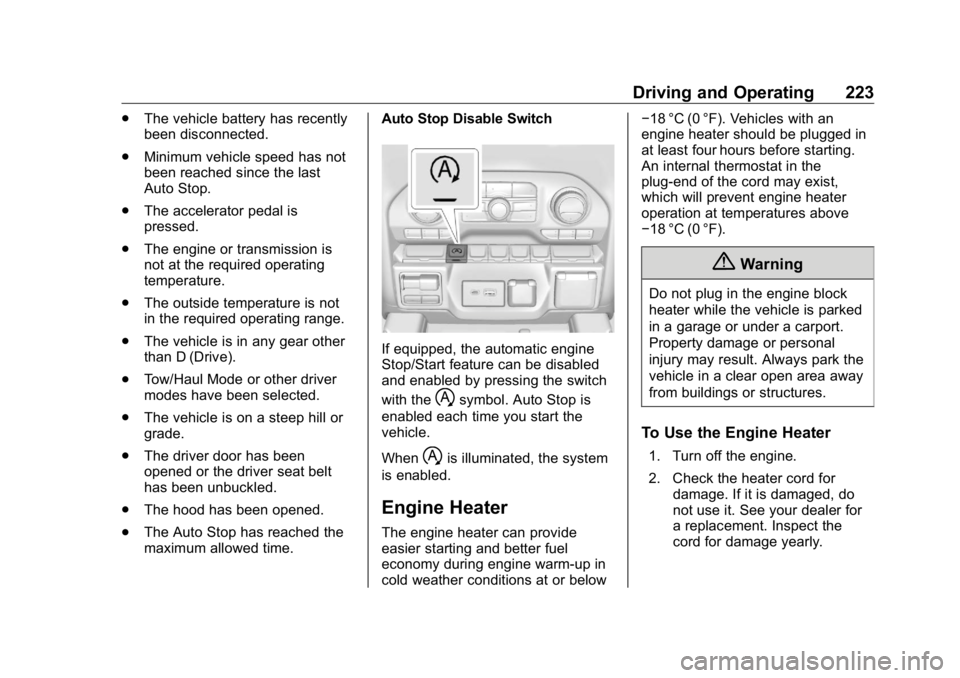
If equipped, the automatic engine
Stop/Start feature can be disabled
and enabled by pressing the switch
with the
h symbol. Auto Stop is
enabled each time you start the
vehicle.
When
h is illuminated, the system
is enabled.
Engine Heater The engine heater can provide
easier starting and better fuel
economy during engine warm-up in
cold weather conditions at or below − 18 °C (0 °F). Vehicles with an
engine heater should be plugged in
at least four hours before starting.
An internal thermostat in the
plug-end of the cord may exist,
which will prevent engine heater
operation at temperatures above
− 18 °C (0 °F).
{ WarningDo not plug in the engine block
heater while the vehicle is parked
in a garage or under a carport.
Property damage or personal
injury may result. Always park the
vehicle in a clear open area away
from buildings or structures.
To Use the Engine Heater 1. Turn off the engine.
2. Check the heater cord for
damage. If it is damaged, do
not use it. See your dealer for
a replacement. Inspect the
cord for damage yearly.
Page 228 of 472
GMC Sierra/Sierra Denali Owner Manual (GMNA-Localizing-U.S./Canada/
Mexico-1500-11698638) - 2019 - crc - 5/16/18
Driving and Operating 227If torque lock does occur, you may
need to have another vehicle push
yours a little uphill to take some of
the pressure from the parking pawl
in the transmission. You will then be
able to pull the shift lever out of
P (Park).
Shifting out of Park This vehicle is equipped with an
electronic shift lock release system.
The system is designed to prevent
movement of the shift lever out of
P (Park), unless the brake pedal is
applied and the ignition is on or in
Service Mode.
The shift lock release is always
functional except in the case of an
uncharged or low voltage – less
than 9 volt – battery.
If the vehicle has an uncharged or
low voltage battery, try charging or
jump starting the battery. See Jump
Starting - North America 0 395 .
To shift out of P (Park):
1. Apply the brake pedal. 2. Release the parking brake if it
is applied. See Electric Parking
Brake 0 241 .
3. Pull the shift lever toward you,
then move it to the desired
position, and release.
If the vehicle still cannot be shifted
out of P (Park):
1. Ease the pressure on,
or release the shift lever.
2. While holding the brake pedal,
push the shift lever all the way
into P (Park).
3. Pull the shift lever toward you,
then move it to the desired
position, and release.
If there is still a problem shifting,
have the vehicle serviced soon. Parking over Things
That Burn
{ WarningThings that can burn could touch
hot exhaust parts under the
vehicle and ignite. Do not park
over papers, leaves, dry grass,
or other things that can burn.
Active Fuel Management If equipped, Active Fuel
Management allows a V8, V6, or L4
gasoline engine to operate on either
all of its cylinders, or a reduced
number of cylinders, depending on
the driving conditions.
When less power is required, such
as cruising at a constant vehicle
speed, the system will enable
reduced cylinder operation, allowing
the vehicle to achieve better fuel
economy. When greater power is
required, such as accelerating from
Page 242 of 472
GMC Sierra/Sierra Denali Owner Manual (GMNA-Localizing-U.S./Canada/
Mexico-1500-11698638) - 2019 - crc - 5/16/18
Driving and Operating 241ABS is active, it may indicate that
road surfaces are slippery. Braking
sooner may be required for driving
conditions.
Braking in Emergencies ABS allows you to steer and brake
at the same time. In many
emergencies, steering can help
more than even the very best
braking.
Electric Parking Brake
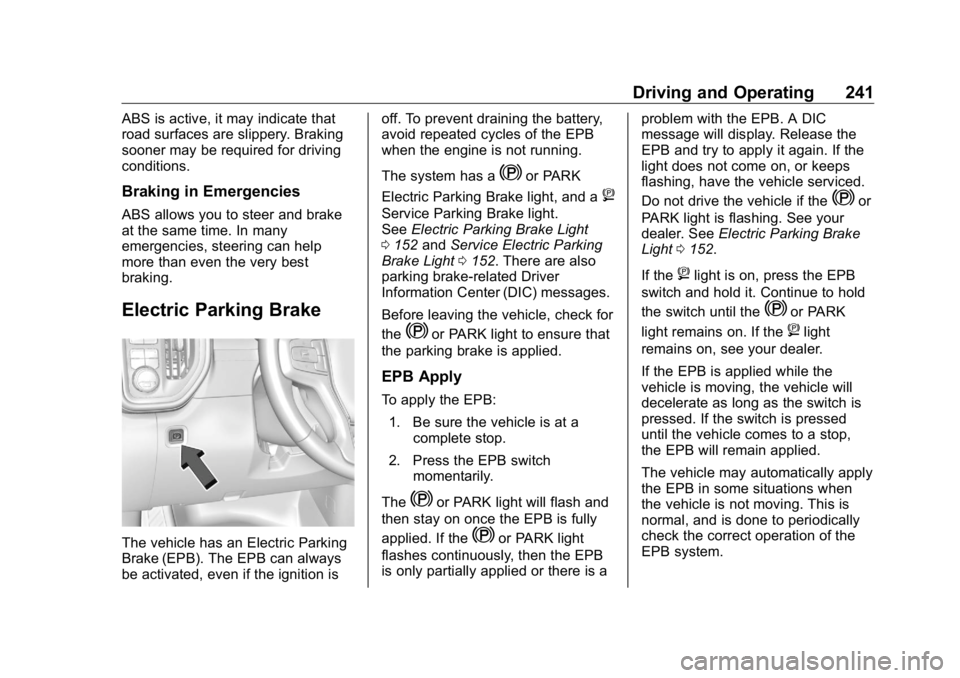
The vehicle has an Electric Parking
Brake (EPB). The EPB can always
be activated, even if the ignition is off. To prevent draining the battery,
avoid repeated cycles of the EPB
when the engine is not running.
The system has a
Y or PARK
Electric Parking Brake light, and a
8Service Parking Brake light.
See Electric Parking Brake Light
0 152 and Service Electric Parking
Brake Light 0 152 . There are also
parking brake-related Driver
Information Center (DIC) messages.
Before leaving the vehicle, check for
the
Y or PARK light to ensure that
the parking brake is applied.
EPB Apply To apply the EPB:
1. Be sure the vehicle is at a
complete stop.
2. Press the EPB switch
momentarily.
The
Y or PARK light will flash and
then stay on once the EPB is fully
applied. If the
Y or PARK light
flashes continuously, then the EPB
is only partially applied or there is a problem with the EPB. A DIC
message will display. Release the
EPB and try to apply it again. If the
light does not come on, or keeps
flashing, have the vehicle serviced.
Do not drive the vehicle if the
Y or
PARK light is flashing. See your
dealer. See Electric Parking Brake
Light 0 152 .
If the
8 light is on, press the EPB
switch and hold it. Continue to hold
the switch until the
Y or PARK
light remains on. If the
8 light
remains on, see your dealer.
If the EPB is applied while the
vehicle is moving, the vehicle will
decelerate as long as the switch is
pressed. If the switch is pressed
until the vehicle comes to a stop,
the EPB will remain applied.
The vehicle may automatically apply
the EPB in some situations when
the vehicle is not moving. This is
normal, and is done to periodically
check the correct operation of the
EPB system.
Page 289 of 472
GMC Sierra/Sierra Denali Owner Manual (GMNA-Localizing-U.S./Canada/
Mexico-1500-11698638) - 2019 - crc - 5/16/18
288 Driving and Operating Trailer Brakes Loaded trailers over 900 kg
(2,000 lb) must be equipped with
brake systems and with brakes for
each axle. Trailer braking equipment
conforming to Canadian Standards
Association (CSA) requirement
CAN3-D313, or its equivalent, is
recommended.
State or local regulations may
require trailers to have their own
braking system if the loaded weight
of the trailer exceeds certain
minimums that can vary from state
to state. Read and follow the
instructions for the trailer brakes so
they are installed, adjusted, and
maintained properly. Never attempt
to tap into your vehicle's hydraulic
brake system. If you do, both the
vehicle anti-lock brakes and the
trailer brakes may not function,
which could result in a crash.
Trailer Wiring Harness
If the vehicle is not equipped with a
trailer connector on the rear bumper,
a 7-wire trailering harness is tied to
the vehicles frame. The harness requires the installation of a trailer
connector, which is available
through your dealer.
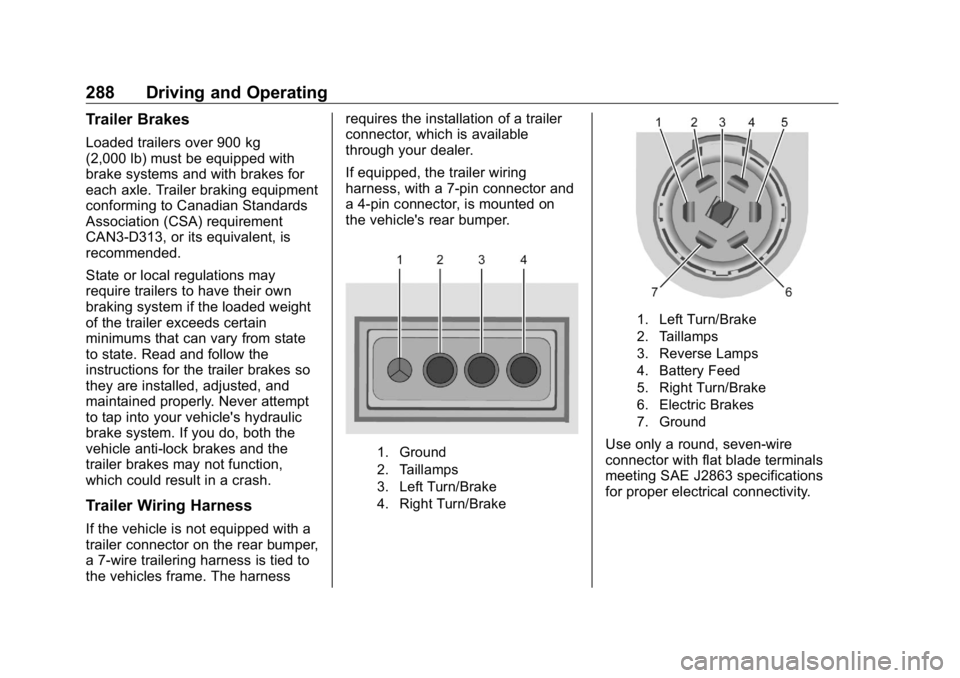
If equipped, the trailer wiring
harness, with a 7-pin connector and
a 4-pin connector, is mounted on
the vehicle's rear bumper.
1. Ground
2. Taillamps
3. Left Turn/Brake
4. Right Turn/Brake 1. Left Turn/Brake
2. Taillamps
3. Reverse Lamps
4. Battery Feed
5. Right Turn/Brake
6. Electric Brakes
7. Ground
Use only a round, seven-wire
connector with flat blade terminals
meeting SAE J2863 specifications
for proper electrical connectivity.
Page 290 of 472
GMC Sierra/Sierra Denali Owner Manual (GMNA-Localizing-U.S./Canada/
Mexico-1500-11698638) - 2019 - crc - 5/16/18
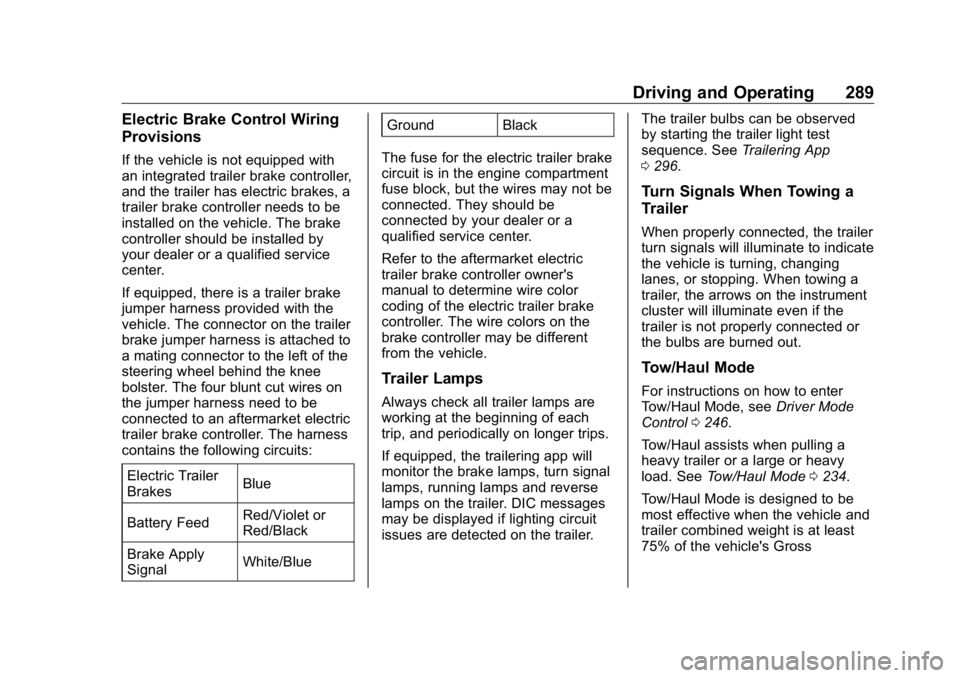
Driving and Operating 289Electric Brake Control Wiring
Provisions If the vehicle is not equipped with
an integrated trailer brake controller,
and the trailer has electric brakes, a
trailer brake controller needs to be
installed on the vehicle. The brake
controller should be installed by
your dealer or a qualified service
center.
If equipped, there is a trailer brake
jumper harness provided with the
vehicle. The connector on the trailer
brake jumper harness is attached to
a mating connector to the left of the
steering wheel behind the knee
bolster. The four blunt cut wires on
the jumper harness need to be
connected to an aftermarket electric
trailer brake controller. The harness
contains the following circuits:
Electric Trailer
Brakes Blue
Battery Feed Red/Violet or
Red/Black
Brake Apply
Signal White/Blue Ground Black
The fuse for the electric trailer brake
circuit is in the engine compartment
fuse block, but the wires may not be
connected. They should be
connected by your dealer or a
qualified service center.
Refer to the aftermarket electric
trailer brake controller owner's
manual to determine wire color
coding of the electric trailer brake
controller. The wire colors on the
brake controller may be different
from the vehicle.
Trailer Lamps Always check all trailer lamps are
working at the beginning of each
trip, and periodically on longer trips.
If equipped, the trailering app will
monitor the brake lamps, turn signal
lamps, running lamps and reverse
lamps on the trailer. DIC messages
may be displayed if lighting circuit
issues are detected on the trailer. The trailer bulbs can be observed
by starting the trailer light test
sequence. See Trailering App
0 296 .
Turn Signals When Towing a
Trailer When properly connected, the trailer
turn signals will illuminate to indicate
the vehicle is turning, changing
lanes, or stopping. When towing a
trailer, the arrows on the instrument
cluster will illuminate even if the
trailer is not properly connected or
the bulbs are burned out.
Tow/Haul Mode For instructions on how to enter
Tow/Haul Mode, see Driver Mode
Control 0 246 .
Tow/Haul assists when pulling a
heavy trailer or a large or heavy
load. See Tow/Haul Mode 0 234 .
Tow/Haul Mode is designed to be
most effective when the vehicle and
trailer combined weight is at least
75% of the vehicle's Gross
Page 307 of 472
GMC Sierra/Sierra Denali Owner Manual (GMNA-Localizing-U.S./Canada/
Mexico-1500-11698638) - 2019 - crc - 5/16/18
306 Driving and Operating If Tow/Haul Mode is off and this
setting is on for a Trailer Profile,
each time the ignition is turned on a
reminder will appear to turn on Tow/
Haul Mode when the Trailer Profile
is active.
If Tow/Haul Mode is on and this
setting is on for a Trailer Profile, the
reminder will not appear when the
Trailer Profile is active.
Conversions and
Add-Ons Add-On Electrical
Equipment
{ WarningThe Data Link Connector
(DLC) is used for vehicle service
and Emission Inspection/
Maintenance testing. See
Malfunction Indicator Lamp
(Check Engine Light) 0 149 .
A device connected to the DLC —
such as an aftermarket fleet or
driver-behavior tracking device —
may interfere with vehicle
systems. This could affect vehicle
operation and cause a crash.
Such devices may also access
information stored in the vehicle ’ s
systems. CautionSome electrical equipment can
damage the vehicle or cause
components to not work and
would not be covered by the
vehicle warranty. Always check
with your dealer before adding
electrical equipment.
Add-on equipment can drain the
vehicle's 12-volt battery, even if the
vehicle is not operating.
The vehicle has an airbag system.
Before attempting to add anything
electrical to the vehicle, see
Servicing the Airbag-Equipped
Vehicle 0 96 and Adding Equipment
to the Airbag-Equipped Vehicle
0 97 .
For information on wiring auxiliary
switches, see www.gmupfitter.com
or contact your dealer.