brake pads GMC SIERRA DENALI 2019 Owners Manual
[x] Cancel search | Manufacturer: GMC, Model Year: 2019, Model line: SIERRA DENALI, Model: GMC SIERRA DENALI 2019Pages: 472, PDF Size: 8.98 MB
Page 161 of 472
GMC Sierra/Sierra Denali Owner Manual (GMNA-Localizing-U.S./Canada/
Mexico-1500-11698638) - 2019 - crc - 5/15/18
160 Instruments and Controls additional maintenance is
recommended. See Maintenance
Schedule 0 415 .
The Oil Life display must be reset
after each oil change. It will not
reset itself. Do not reset the Oil Life
display at any time other than when
the oil has just been changed.
It cannot be reset accurately until
the next oil change. To reset the
engine oil life system, see Engine
Oil Life System 0 323 .
Air Filter Life
Turn the trip odometer reset stem
until AIR FILTER LIFE displays.
This displays an estimate of the
engine air filter ’ s remaining useful
life and the state of the system.
Engine Air Filter Life 95% means
95% of the current air filter life
remains. Messages will display
based on the engine air filter life and
the state of the system.
When the REPLACE AT NEXT OIL
CHANGE message displays, the
engine air filter should be replaced
at the time of the next oil change.
When the REPLACE NOW message displays, the engine air
filter should be replaced as soon as
possible.
The Air Filter Life display must be
reset after the engine air filter
replacement. To reset, see Engine
Air Filter Life System 0 325 .
Brake Pad Life
This displays an estimate of the
remaining life of the front and rear
brake pads. Messages will display
based on brake pad wear and the
state of the system. Reset the Brake
Pad Life display after replacing the
brake pads. See Brake Pad Life
System 0 335 .
Driver Information Center
(DIC) (Midlevel and
Uplevel) The DIC displays are shown in the
center of the instrument cluster in
the Info app. See Instrument Cluster
0 138 . The displays show the status
of many vehicle systems. If the vehicle has a diesel engine,
see the Duramax diesel
supplement.
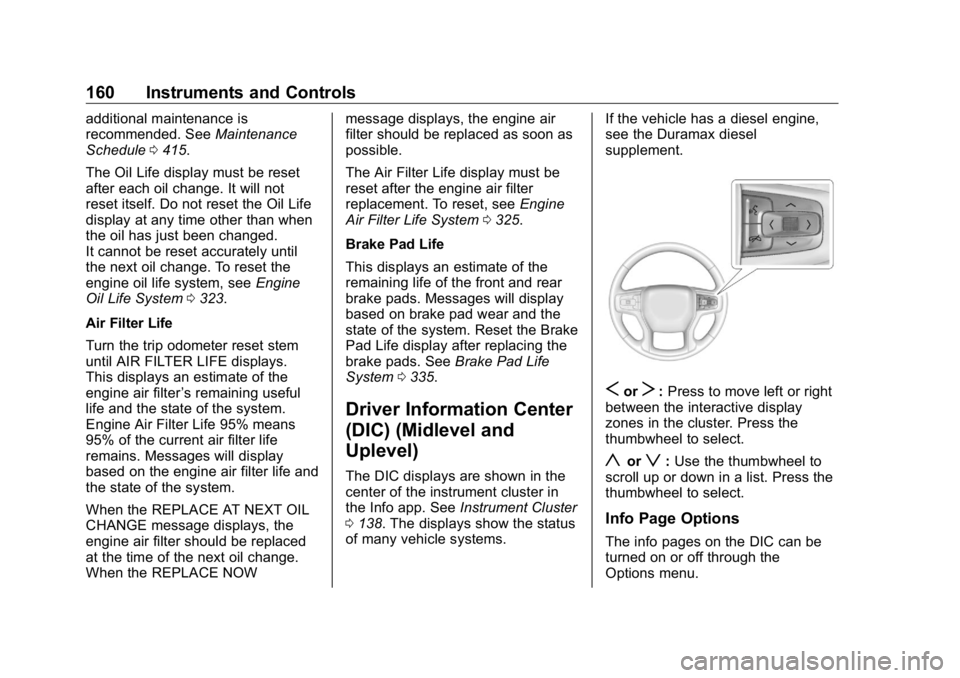
S or
T : Press to move left or right
between the interactive display
zones in the cluster. Press the
thumbwheel to select.
y or
z : Use the thumbwheel to
scroll up or down in a list. Press the
thumbwheel to select.
Info Page Options
The info pages on the DIC can be
turned on or off through the
Options menu.
Page 163 of 472
GMC Sierra/Sierra Denali Owner Manual (GMNA-Localizing-U.S./Canada/
Mexico-1500-11698638) - 2019 - crc - 5/15/18
162 Instruments and Controls In addition to the engine oil life
system monitoring the oil life,
additional maintenance is
recommended. See Maintenance
Schedule 0 415 .
The Oil Life display must be reset
after each oil change. It will not
reset itself. Do not reset the Oil Life
display at any time other than when
the oil has just been changed.
It cannot be reset accurately until
the next oil change. To reset the
engine oil life system, press the
thumbwheel while the Oil Life
display is active. See Engine Oil
Life System 0 323 .
Tire Pressure : Shows the
approximate pressures of all four
tires. Tire pressure is displayed in
either kilopascal (kPa) or in pounds
per square inch (psi). If the pressure
is low, the value for that tire is
shown in amber.
See Tire Pressure Monitor System
0 369 and Tire Pressure Monitor
Operation 0 370 .
Air Filter Life : Shows an estimate
of the engine air filter ’ s remaining
useful life and the state of the system. Engine Air Filter Life 95%
means 95% of the current air filter
life remains. Messages will display
based on the engine air filter life and
the state of the system. When the
REPLACE AT NEXT OIL CHANGE
message displays, the engine air
filter should be replaced at the time
of the next oil change. When the
REPLACE NOW message displays,
the engine air filter should be
replaced as soon as possible.
The Air Filter Life display must be
reset after the engine air filter
replacement. To reset, see Engine
Air Filter Life System 0 325 .
Brake Pad Life : This displays an
estimate of the remaining life of the
front and rear brake pads.
Messages will display based on
brake pad wear and the state of the
system. Reset the Brake Pad Life
display after replacing the brake
pads. See Brake Pad Life System
0 335 . Fuel Economy : Displays average
fuel economy, the best fuel
economy over the selected
distance, and a bar graph showing
instantaneous fuel economy.
Press the thumbwheel to change
the selected distance. Press and
hold the thumbwheel while this
display is active to reset the best
fuel economy and average fuel
economy. This display can also be
reset by selecting reset in the menu.
Engine Hours (Hourmeter) :
Shows the total number of hours the
engine has run. This display also
shows the engine idle hours.
Transmission Fluid
Temperature : Shows the
temperature of the automatic
transmission fluid in either degrees
Celsius (°C) or degrees
Fahrenheit (°F).
Trailer Brake : On vehicles with the
Integrated Trailer Brake Control
(ITBC) system, the trailer brake
display appears in the DIC.
Page 336 of 472
GMC Sierra/Sierra Denali Owner Manual (GMNA-Localizing-U.S./Canada/
Mexico-1500-11698638) - 2019 - crc - 5/15/18
Vehicle Care 335
Brakes Disc brake pads have built-in wear
indicators that make a high-pitched
warning sound when the brake pads
are worn and new pads are needed.
The sound can come and go or be
heard all the time the vehicle is
moving, except when applying the
brake pedal firmly.
{ WarningThe brake wear warning sound
means that soon the brakes will
not work well. That could lead to
a crash. When the brake wear
warning sound is heard, have the
vehicle serviced.
Caution
Continuing to drive with worn-out
brake pads could result in costly
brake repair. Some driving conditions or climates
can cause a brake squeal when the
brakes are first applied or lightly
applied. This does not mean
something is wrong with the brakes.
Properly torqued wheel nuts are
necessary to help prevent brake
pulsation. When tires are rotated,
inspect brake pads for wear and
evenly tighten wheel nuts in the
proper sequence to torque
specifications in Capacities and
Specifications 0 430 .
Brake linings should always be
replaced as complete axle sets.
Brake Pedal Travel See your dealer if the brake pedal
does not return to normal height,
or if there is a rapid increase in
pedal travel. This could be a sign
that brake service may be required.
Replacing Brake System Parts
Always replace brake system parts
with new, approved replacement
parts. If this is not done, the brakes
may not work properly. The braking
performance expected can change in many other ways if the wrong
replacement brake parts are
installed or parts are improperly
installed.
Brake Pad Life System When to Change Brake Pads This vehicle has a system that
estimates the remaining life of the
front and rear brake pads. Brake
pad life is displayed in the Driver
Information Center (DIC), along with
a percentage for each axle. The
system must be reset every time the
brake pads are changed.
When the system has determined
that the brake pads need to be
replaced, a message will display,
which may include mileage
remaining.
Brake pads should always be
replaced as complete axle sets.
How to Reset the Brake Pad
Life System
The system will automatically detect
when significantly worn brake pads
are replaced. When the ignition is
Page 337 of 472
GMC Sierra/Sierra Denali Owner Manual (GMNA-Localizing-U.S./Canada/
Mexico-1500-11698638) - 2019 - crc - 5/15/18
336 Vehicle Care turned on after new pads and wear
sensors are installed, a message
will display. Follow the prompts to
reset the system.
The brake pad life system can also
be manually reset:
1. Display Brake Pad Life on the
DIC.
See Driver Information Center
(DIC) (Midlevel and Uplevel)
0 160 or Driver Information
Center (DIC) (Base Level)
0 159 .
2. Press the thumbwheel or the
trip odometer reset stem if the
vehicle does not have DIC
buttons. Select front or rear
pads as appropriate.
3. Select YES on the confirmation
message, or press the trip
odometer reset stem on a base
level DIC. Repeat for pads on
the other axle if they were also
replaced. How to Disable the Brake Pad
Life System The brake pad life system can be
turned off. This may be necessary if
aftermarket brake pads without wear
sensors are installed. When the
system is turned off, the front and
rear brake pad life percentages will
not display. However, the built-in
wear indicators that make a
high-pitched warning sound when
the brake pads are worn can still
determine when the pads should be
replaced. See Brakes 0 335 .
To turn off the brake pad life system:
1. Display Brake Pad Life on the
DIC.
See Driver Information Center
(DIC) (Midlevel and Uplevel)
0 160 or Driver Information
Center (DIC) (Base Level)
0 159 .
2. Select DISABLE.
To turn the brake pad life system
back on, follow the above steps but
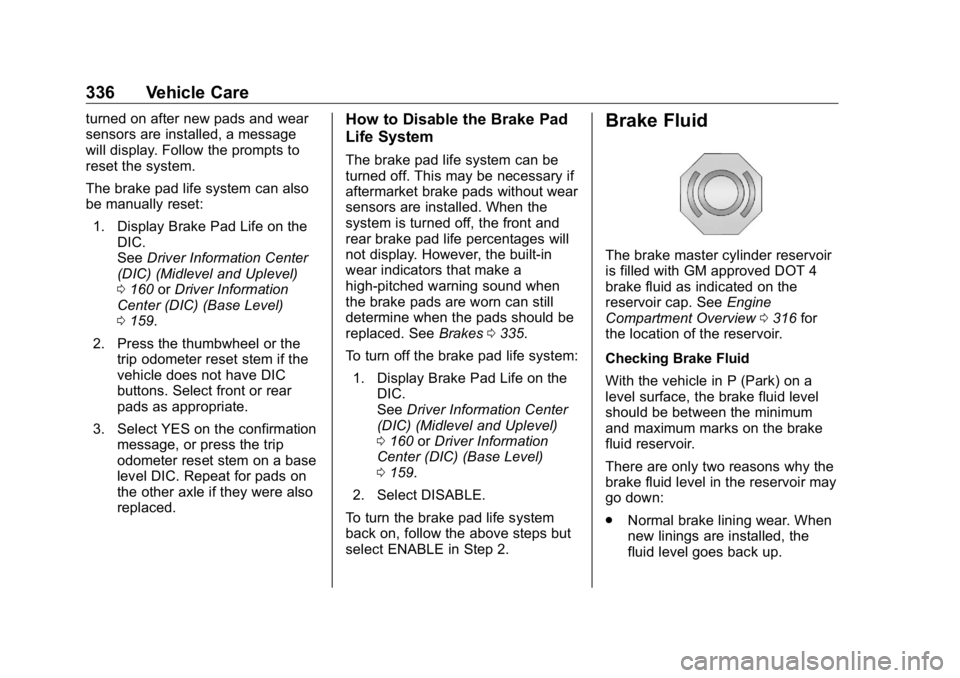
select ENABLE in Step 2. Brake Fluid The brake master cylinder reservoir
is filled with GM approved DOT 4
brake fluid as indicated on the
reservoir cap. See Engine
Compartment Overview 0 316 for
the location of the reservoir.
Checking Brake Fluid
With the vehicle in P (Park) on a
level surface, the brake fluid level
should be between the minimum
and maximum marks on the brake
fluid reservoir.
There are only two reasons why the
brake fluid level in the reservoir may
go down:
.
Normal brake lining wear. When
new linings are installed, the
fluid level goes back up.
Page 408 of 472
GMC Sierra/Sierra Denali Owner Manual (GMNA-Localizing-U.S./Canada/
Mexico-1500-11698638) - 2019 - crc - 5/15/18
Vehicle Care 407Caution (Continued)or tires. When applying a tire
dressing, always wipe off any
overspray from all painted
surfaces on the vehicle.
Wheels and Wheel Trim Use a soft, clean cloth with mild
soap and water to clean the wheels.
After rinsing thoroughly with clean
water, dry with a soft, clean towel.
A wax may then be applied.
CautionChrome wheels and chrome
wheel trim may be damaged if the
vehicle is not washed after driving
on roads that have been sprayed
with magnesium chloride or
calcium chloride. These are used
on roads for conditions such as
dust and ice. Always wash the
chrome with soap and water after
exposure. CautionTo avoid surface damage on
wheels and wheel trim, do not
use strong soaps, chemicals,
abrasive polishes, cleaners,
or brushes. Use only GM
approved cleaners. Do not drive
the vehicle through an automatic
car wash that uses silicone
carbide tire/wheel cleaning
brushes. Damage could occur
and the repairs would not be
covered by the vehicle warranty.
Brake System Visually inspect brake lines and
hoses for proper hook-up, binding,
leaks, cracks, chafing, etc. Inspect
disc brake pads for wear and rotors
for surface condition. Inspect drum
brake linings/shoes for wear or
cracks. Inspect all other brake parts. Steering, Suspension, and
Chassis Components Visually inspect steering,
suspension, and chassis
components for damaged, loose,
or missing parts or signs of wear at
least once a year.
Inspect power steering for proper
attachment, connections, binding,
cracks, chafing, etc.
Visually check constant velocity joint
boots and axle seals for leaks.
Control arm ball joints on 1500
series vehicles are
maintenance-free.
Caution
Lubrication of applicable
suspension points should not be
done unless the temperature is
− 12 °C (10 °F) or higher,
or damage could result.