lane assist GMC SIERRA DENALI 2019 Owners Manual
[x] Cancel search | Manufacturer: GMC, Model Year: 2019, Model line: SIERRA DENALI, Model: GMC SIERRA DENALI 2019Pages: 472, PDF Size: 8.98 MB
Page 5 of 472
GMC Sierra/Sierra Denali Owner Manual (GMNA-Localizing-U.S./Canada/
Mexico-1500-11698638) - 2019 - crc - 5/15/18
4 Introduction
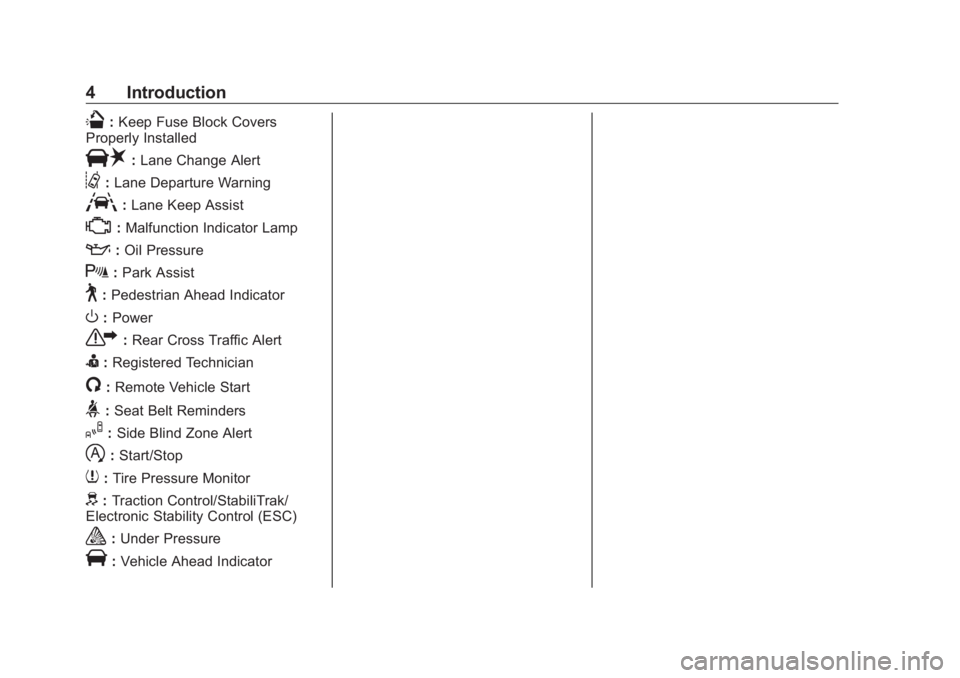
Q : Keep Fuse Block Covers
Properly Installed
| : Lane Change Alert
@ : Lane Departure Warning
A : Lane Keep Assist
* : Malfunction Indicator Lamp
: : Oil Pressure
X : Park Assist
~ : Pedestrian Ahead Indicator
O : Power
7 : Rear Cross Traffic Alert
I : Registered Technician
/ : Remote Vehicle Start
> : Seat Belt Reminders
I : Side Blind Zone Alert
h : Start/Stop
7 : Tire Pressure Monitor
d : Traction Control/StabiliTrak/
Electronic Stability Control (ESC)
a : Under Pressure
V : Vehicle Ahead Indicator
Page 6 of 472
GMC Sierra/Sierra Denali Owner Manual (GMNA-Localizing-U.S./Canada/
Mexico-1500-11698638) - 2019 - crc - 5/15/18
In Brief 5
In Brief Instrument Panel Instrument Panel . . . . . . . . . . . . . . . . 6
Initial Drive Information Initial Drive Information . . . . . . . . . . 8
Stop/Start System . . . . . . . . . . . . . . . 8
Remote Keyless Entry (RKE)
System . . . . . . . . . . . . . . . . . . . . . . . . 9
Remote Vehicle Start . . . . . . . . . . . 9
Door Locks . . . . . . . . . . . . . . . . . . . . 10
Windows . . . . . . . . . . . . . . . . . . . . . . . 10
Seat Adjustment . . . . . . . . . . . . . . . 11
Memory Features . . . . . . . . . . . . . . 12
Heated and Ventilated Seats . . . 13
Head Restraint Adjustment . . . . 13
Seat Belts . . . . . . . . . . . . . . . . . . . . . 14
Passenger Sensing System . . . 14
Mirror Adjustment . . . . . . . . . . . . . . 14
Steering Wheel Adjustment . . . . 16
Interior Lighting . . . . . . . . . . . . . . . . 16
Exterior Lighting . . . . . . . . . . . . . . . 17
Windshield Wiper/Washer . . . . . . 18
Climate Controls . . . . . . . . . . . . . . . 19
Transmission . . . . . . . . . . . . . . . . . . 20
Four-Wheel Drive . . . . . . . . . . . . . . 21 Vehicle Features Infotainment System . . . . . . . . . . . 22
Steering Wheel Controls . . . . . . . 22
Cruise Control . . . . . . . . . . . . . . . . . 22
Driver Information
Center (DIC) . . . . . . . . . . . . . . . . . 22
Forward Collision Alert (FCA)
System . . . . . . . . . . . . . . . . . . . . . . . 23
Forward Automatic
Braking (FAB) . . . . . . . . . . . . . . . . 23
Front Pedestrian Braking (FPB)
System . . . . . . . . . . . . . . . . . . . . . . . 23
Lane Keep Assist (LKA) . . . . . . . 24
Lane Change Alert (LCA) . . . . . . 24
Surround Vision . . . . . . . . . . . . . . . 24
Rear Vision Camera (RVC) . . . . 24
Rear Cross Traffic Alert (RCTA)
System . . . . . . . . . . . . . . . . . . . . . . . 24
Park Assist . . . . . . . . . . . . . . . . . . . . 24
Power Outlets . . . . . . . . . . . . . . . . . 25
Universal Remote System . . . . . 25
Sunroof . . . . . . . . . . . . . . . . . . . . . . . . 25
Performance and Maintenance Traction Control/Electronic
Stability Control . . . . . . . . . . . . . . 26
Tire Pressure Monitor . . . . . . . . . . 27
Fuel (Gasoline - Except
L87 6.2L Engine) . . . . . . . . . . . . . 27 Fuel (Gasoline - L87 6.2L
Engine) . . . . . . . . . . . . . . . . . . . . . . . 28
Fuel (Diesel) . . . . . . . . . . . . . . . . . . . 28
E85 or FlexFuel . . . . . . . . . . . . . . . . 28
Engine Oil Life System . . . . . . . . 28
Driving for Better Fuel
Economy . . . . . . . . . . . . . . . . . . . . . 29
Roadside Assistance
Program . . . . . . . . . . . . . . . . . . . . . . 29
Page 8 of 472

GMC Sierra/Sierra Denali Owner Manual (GMNA-Localizing-U.S./Canada/
Mexico-1500-11698638) - 2019 - crc - 5/15/18
In Brief 71. Tow/Haul Mode (On Some
Models). See Driver Mode
Control 0 246 .
Automatic Transfer Case
Control (If Equipped). See
Four-Wheel Drive 0 235 .
Driver Mode Control 0 246 (If
Equipped).
2. Air Vents 0 194 .
3. Head-Up Display (HUD) 0 163
(If Equipped).
4. Turn Signal Lever. See Turn
and Lane-Change Signals
0 181 .
Windshield Wiper/Washer
0 131 .
5. Instrument Cluster 0 138 .
6. Shift Lever. See Automatic
Transmission 0 229 .
Range Selection Mode. See
Manual Mode 0 232 .
7. Light Sensor. See Automatic
Headlamp System 0 179 .
8. Infotainment 0 187 . 9. Climate Control Systems 0 188
(If Equipped).
Dual Automatic Climate Control
System 0 190 (If Equipped).
10. Heated and Ventilated Front
Seats 0 75 (If Equipped).
11.
X Park Assist Switch (If
Equipped). See Assistance
Systems for Parking or Backing
0 254 .
g Traction Control/Electronic
Stability Control 0 243 .
| Hazard Warning Flashers
0 180 .
A Lane Keep Assist (LKA)
0 269 (If Equipped).
5 Hill Descent Control Switch
(If Equipped). See Hill Descent
Control (HDC) 0 245 .
j Power Assist Steps 0 52 (If
Equipped).
5 Power Release Tailgate
(If Equipped). See Tailgate
0 47 . DC/AC Switch. See Power
Outlets 0 132 .
h Auto Stop Disable Switch
(If Equipped). See Stop/Start
System 0 222 .
L Express Window Down
Button (If Equipped). See
Power Windows 0 63 .
Tow/Haul Mode (On Some
Models). See Driver Mode
Control 0 246 .
12. Power Outlet (Alternating
Current) (If Equipped). See
Power Outlets 0 132 .
13. Power Outlets 0 132 .
14. USB Port. See the infotainment
manual.
15. Wireless Charging 0 135 (If
Equipped).
16. Trailer Brake Control Panel (If
Equipped). See “ Integrated
Trailer Brake Control System ”
under Towing Equipment
0 285 .
Page 25 of 472
GMC Sierra/Sierra Denali Owner Manual (GMNA-Localizing-U.S./Canada/
Mexico-1500-11698638) - 2019 - crc - 5/15/18
24 In Brief
Lane Keep Assist (LKA) If equipped, LKA may help avoid
crashes due to unintentional lane
departures. It may assist by gently
turning the steering wheel if the
vehicle approaches a detected lane
marking without using a turn signal
in that direction. It may also provide
a Lane Departure Warning (LDW)
alert as the lane marking is crossed.
The system will not assist or alert if
it detects that you are actively
steering. Override LKA by turning
the steering wheel. LKA uses a
camera to detect lane markings
between 60 km/h (37 mph) and
180 km/h (112 mph).
See Lane Departure Warning (LDW)
0 269 and Lane Keep Assist (LKA)
0 269 .
Lane Change Alert (LCA) If equipped, the LCA system is a
lane-changing aid that assists
drivers with avoiding lane change
crashes that occur with moving
vehicles in the side blind zone areas
or with vehicles rapidly approaching these areas from behind. The LCA
warning display will light up in the
corresponding outside mirror and
will flash if the turn signal is on. The
Side Blind Zone Alert (SBZA)
system is included as part of the
LCA system.
See Side Blind Zone Alert (SBZA)
0 267 and Lane Change Alert (LCA)
0 267 .
Surround Vision If equipped, views around the
vehicle appear in the infotainment
display to aid with parking and
low-speed maneuvers.
See “ Surround Vision ” under
Assistance Systems for Parking or
Backing 0 254 .
Rear Vision
Camera (RVC) If equipped, RVC shows a view of
the area behind the vehicle on the
infotainment display when the
vehicle is shifted into R (Reverse) to
aid with parking and low-speed
backing maneuvers. See Assistance Systems for Parking
or Backing 0 254 .
Rear Cross Traffic Alert
(RCTA) System If equipped, the RCTA system
shows a triangle with an arrow on
the infotainment display to warn of
traffic behind your vehicle that may
cross your vehicle's path while in
R (Reverse). In addition, beeps will
sound, or the driver seat will pulse.
See Assistance Systems for Parking
or Backing 0 254 .
Park Assist If equipped, Rear Park Assist (RPA)
uses sensors on the rear bumper to
assist with parking and avoiding
objects while in R (Reverse).
It operates at speeds less than
8 km/h (5 mph). RPA may show a
warning triangle on the infotainment
display and a graphic on the
instrument cluster to provide the
object distance. In addition, multiple
beeps or seat pulses may occur if
very close to an object.
Page 59 of 472
GMC Sierra/Sierra Denali Owner Manual (GMNA-Localizing-U.S./Canada/
Mexico-1500-11698638) - 2019 - crc - 5/15/18
58 Keys, Doors, and Windows See Remote Keyless Entry (RKE)
System Operation (Keyless Access)
0 33 or Remote Keyless Entry
(RKE) System Operation (Key
Access) 0 41 .
This feature can be turned on or off.
See Vehicle Personalization 0 167 .
Task Lighting
If equipped, task lighting projects
light from the outside mirrors to the
sides of the vehicle. See Task
Lighting 0 182 .
Advanced Trailering Vision
System Side Cameras
If equipped, the Advanced Trailering
Vision System side cameras are on
the bottom of the outside mirrors. To
locate for cleaning, see “ Surround
Vision (360 Degrees) ” under
Assistance Systems for Parking or
Backing 0 254 .
Lane Change Alert (LCA)
The vehicle may have LCA. See
Lane Change Alert (LCA) 0 267 . Side Blind Zone Alert
The vehicle may have Side Blind
Zone Alert. See Side Blind Zone
Alert (SBZA) 0 267 .
Heated Mirrors If equipped with heated mirrors:
1 REAR : Press to heat the
outside mirrors.
See “ Rear Window Defogger ” under
Dual Automatic Climate Control
System 0 190 .
Automatic Dimming
Mirror If equipped, the driver outside mirror
automatically adjusts for the glare of
the headlamps from behind. This
feature comes on when the vehicle
is started. Blind Spot Mirrors If equipped, there is a small convex
mirror built into the upper and outer
corner of the driver outside mirror.
It can show objects that may be in
the vehicle's blind zone.
Page 130 of 472
GMC Sierra/Sierra Denali Owner Manual (GMNA-Localizing-U.S./Canada/
Mexico-1500-11698638) - 2019 - crc - 5/15/18
Instruments and Controls 129
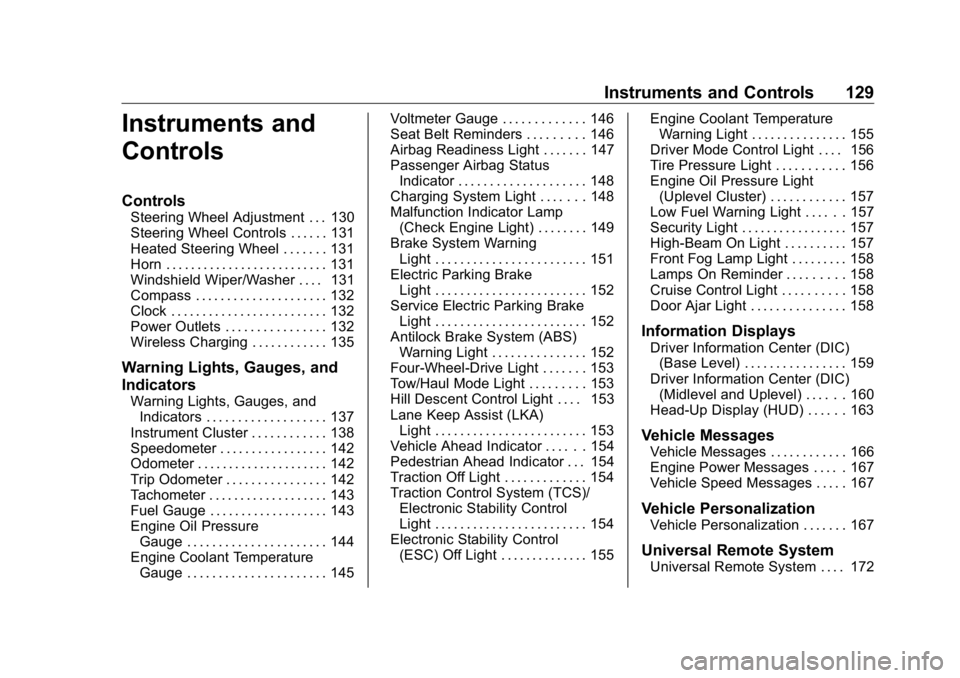
Instruments and
Controls Controls Steering Wheel Adjustment . . . 130
Steering Wheel Controls . . . . . . 131
Heated Steering Wheel . . . . . . . 131
Horn . . . . . . . . . . . . . . . . . . . . . . . . . . 131
Windshield Wiper/Washer . . . . 131
Compass . . . . . . . . . . . . . . . . . . . . . 132
Clock . . . . . . . . . . . . . . . . . . . . . . . . . 132
Power Outlets . . . . . . . . . . . . . . . . 132
Wireless Charging . . . . . . . . . . . . 135
Warning Lights, Gauges, and
Indicators Warning Lights, Gauges, and
Indicators . . . . . . . . . . . . . . . . . . . 137
Instrument Cluster . . . . . . . . . . . . 138
Speedometer . . . . . . . . . . . . . . . . . 142
Odometer . . . . . . . . . . . . . . . . . . . . . 142
Trip Odometer . . . . . . . . . . . . . . . . 142
Tachometer . . . . . . . . . . . . . . . . . . . 143
Fuel Gauge . . . . . . . . . . . . . . . . . . . 143
Engine Oil Pressure
Gauge . . . . . . . . . . . . . . . . . . . . . . 144
Engine Coolant Temperature
Gauge . . . . . . . . . . . . . . . . . . . . . . 145 Voltmeter Gauge . . . . . . . . . . . . . 146
Seat Belt Reminders . . . . . . . . . 146
Airbag Readiness Light . . . . . . . 147
Passenger Airbag Status
Indicator . . . . . . . . . . . . . . . . . . . . 148
Charging System Light . . . . . . . 148
Malfunction Indicator Lamp
(Check Engine Light) . . . . . . . . 149
Brake System Warning
Light . . . . . . . . . . . . . . . . . . . . . . . . 151
Electric Parking Brake
Light . . . . . . . . . . . . . . . . . . . . . . . . 152
Service Electric Parking Brake
Light . . . . . . . . . . . . . . . . . . . . . . . . 152
Antilock Brake System (ABS)
Warning Light . . . . . . . . . . . . . . . 152
Four-Wheel-Drive Light . . . . . . . 153
Tow/Haul Mode Light . . . . . . . . . 153
Hill Descent Control Light . . . . 153
Lane Keep Assist (LKA)
Light . . . . . . . . . . . . . . . . . . . . . . . . 153
Vehicle Ahead Indicator . . . . . . 154
Pedestrian Ahead Indicator . . . 154
Traction Off Light . . . . . . . . . . . . . 154
Traction Control System (TCS)/
Electronic Stability Control
Light . . . . . . . . . . . . . . . . . . . . . . . . 154
Electronic Stability Control
(ESC) Off Light . . . . . . . . . . . . . . 155 Engine Coolant Temperature
Warning Light . . . . . . . . . . . . . . . 155
Driver Mode Control Light . . . . 156
Tire Pressure Light . . . . . . . . . . . 156
Engine Oil Pressure Light
(Uplevel Cluster) . . . . . . . . . . . . 157
Low Fuel Warning Light . . . . . . 157
Security Light . . . . . . . . . . . . . . . . . 157
High-Beam On Light . . . . . . . . . . 157
Front Fog Lamp Light . . . . . . . . . 158
Lamps On Reminder . . . . . . . . . 158
Cruise Control Light . . . . . . . . . . 158
Door Ajar Light . . . . . . . . . . . . . . . 158
Information Displays Driver Information Center (DIC)
(Base Level) . . . . . . . . . . . . . . . . 159
Driver Information Center (DIC)
(Midlevel and Uplevel) . . . . . . 160
Head-Up Display (HUD) . . . . . . 163
Vehicle Messages Vehicle Messages . . . . . . . . . . . . 166
Engine Power Messages . . . . . 167
Vehicle Speed Messages . . . . . 167
Vehicle Personalization Vehicle Personalization . . . . . . . 167
Universal Remote System
Universal Remote System . . . . 172
Page 154 of 472
GMC Sierra/Sierra Denali Owner Manual (GMNA-Localizing-U.S./Canada/
Mexico-1500-11698638) - 2019 - crc - 5/15/18
Instruments and Controls 153If both the ABS and the brake
system warning light are on, the
vehicle's antilock brakes are not
functioning and there is a problem
with the regular brakes. See your
dealer for service.
See Brake System Warning Light
0 151 .
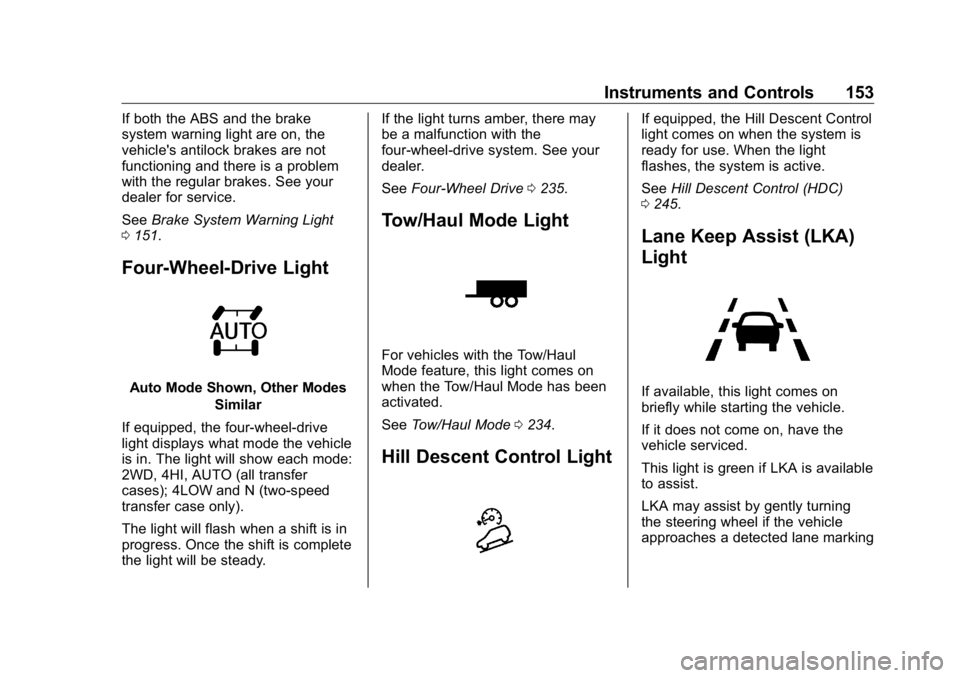
Four-Wheel-Drive Light
Auto Mode Shown, Other Modes
Similar
If equipped, the four-wheel-drive
light displays what mode the vehicle
is in. The light will show each mode:
2WD, 4HI, AUTO (all transfer
cases); 4LOW and N (two-speed
transfer case only).
The light will flash when a shift is in
progress. Once the shift is complete
the light will be steady. If the light turns amber, there may
be a malfunction with the
four-wheel-drive system. See your
dealer.
See Four-Wheel Drive 0 235 .
Tow/Haul Mode Light
For vehicles with the Tow/Haul
Mode feature, this light comes on
when the Tow/Haul Mode has been
activated.
See Tow/Haul Mode 0 234 .
Hill Descent Control Light If equipped, the Hill Descent Control
light comes on when the system is
ready for use. When the light
flashes, the system is active.
See Hill Descent Control (HDC)
0 245 .
Lane Keep Assist (LKA)
Light
If available, this light comes on
briefly while starting the vehicle.
If it does not come on, have the
vehicle serviced.
This light is green if LKA is available
to assist.
LKA may assist by gently turning
the steering wheel if the vehicle
approaches a detected lane marking
Page 155 of 472
GMC Sierra/Sierra Denali Owner Manual (GMNA-Localizing-U.S./Canada/
Mexico-1500-11698638) - 2019 - crc - 5/15/18
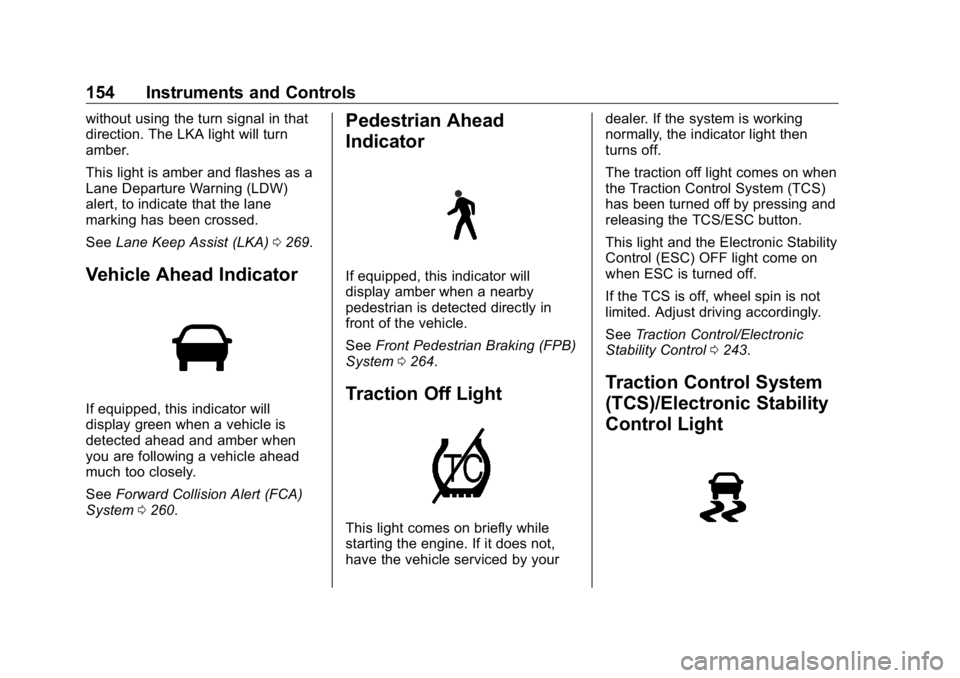
154 Instruments and Controls without using the turn signal in that
direction. The LKA light will turn
amber.
This light is amber and flashes as a
Lane Departure Warning (LDW)
alert, to indicate that the lane
marking has been crossed.
See Lane Keep Assist (LKA) 0 269 .
Vehicle Ahead Indicator
If equipped, this indicator will
display green when a vehicle is
detected ahead and amber when
you are following a vehicle ahead
much too closely.
See Forward Collision Alert (FCA)
System 0 260 . Pedestrian Ahead
Indicator
If equipped, this indicator will
display amber when a nearby
pedestrian is detected directly in
front of the vehicle.
See Front Pedestrian Braking (FPB)
System 0 264 .
Traction Off Light
This light comes on briefly while
starting the engine. If it does not,
have the vehicle serviced by your dealer. If the system is working
normally, the indicator light then
turns off.
The traction off light comes on when
the Traction Control System (TCS)
has been turned off by pressing and
releasing the TCS/ESC button.
This light and the Electronic Stability
Control (ESC) OFF light come on
when ESC is turned off.
If the TCS is off, wheel spin is not
limited. Adjust driving accordingly.
See Traction Control/Electronic
Stability Control 0 243 .
Traction Control System
(TCS)/Electronic Stability
Control Light
Page 164 of 472
GMC Sierra/Sierra Denali Owner Manual (GMNA-Localizing-U.S./Canada/
Mexico-1500-11698638) - 2019 - crc - 5/15/18
Instruments and Controls 163TRAILER GAIN shows the trailer
gain setting. This setting can be
adjusted from 0.0 to 10.0 with either
a trailer connected or disconnected.
OUTPUT shows the power output to
the trailer any time a trailer with
electric brakes is connected. Output
is displayed as a bar graph. Dotted
lines may appear in the OUTPUT
display if a trailer is not connected.
Off Road : Displays vehicle pitch
and roll information, road wheel
angle, and four-wheel drive (4WD)
status.
Follow Distance : If equipped, the
current follow time to the vehicle
ahead is displayed as a time value
on this page.
Driver Assistance : If equipped,
shows information for Lane Keep
Assist (LKA) and Forward Collision
Alert (FCA).
Info Page Options : Scroll to
choose which info pages appear on
the DIC. Press the thumbwheel to
select or deselect. Blank Page : Shows no
information.
Head-Up Display (HUD)
{ WarningIf the HUD image is too bright or
too high in your field of view, it
may take you more time to see
things you need to see when it is
dark outside. Be sure to keep the
HUD image dim and placed low in
your field of view.
If equipped with HUD, some
information about the operation of
the vehicle is projected onto the
windshield. The image is projected
through the HUD lens on top of the
instrument panel. The information
appears as an image focused out
toward the front of the vehicle. CautionIf you try to use the HUD image
as a parking aid, you may
misjudge the distance and
damage your vehicle. Do not use
the HUD image as a parking aid.
The HUD information can be
displayed in various languages. The
speedometer reading and other
numerical values can be displayed
in either English or metric units.
The language selection is changed
through the radio, and the units of
measurement is changed through
the instrument cluster. See
“ Settings ” in the infotainment
manual and “ Options ” under
Instrument Cluster 0 138 .
Page 166 of 472
GMC Sierra/Sierra Denali Owner Manual (GMNA-Localizing-U.S./Canada/
Mexico-1500-11698638) - 2019 - crc - 5/15/18
Instruments and Controls 165thumbwheel to confirm and save the
setting. This feature may only be
available in P (Park).
Speed Limit Style Adjustment
The speed limit style can be
changed to a speed limit bar or
speed limit sign from the Options
menu. Press the thumbwheel while
Speed Limit Style is highlighted to
change the speed sign style or to
turn it off.
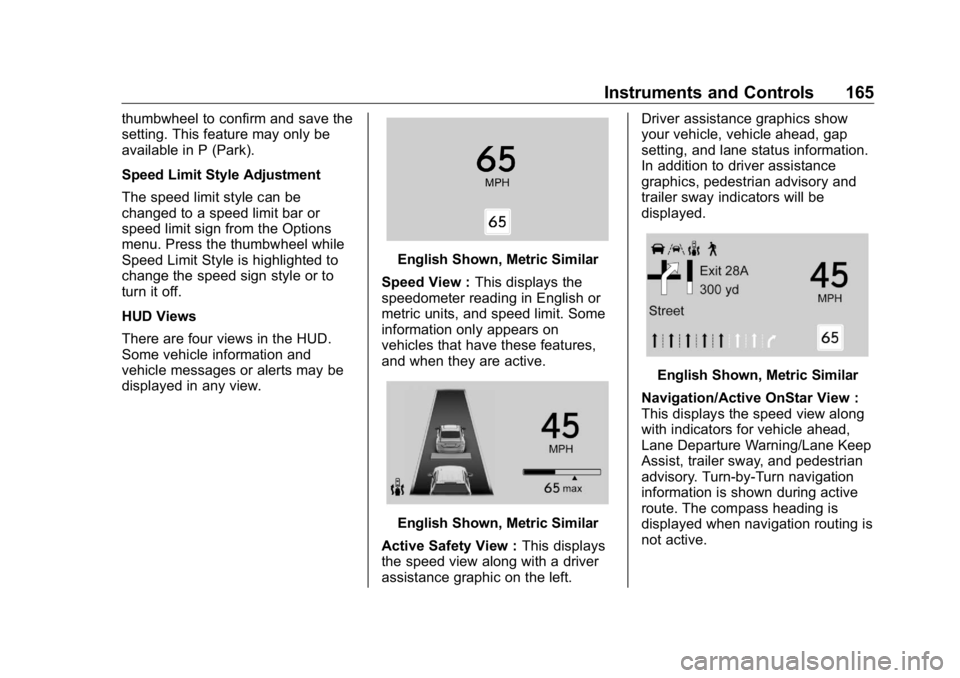
HUD Views
There are four views in the HUD.
Some vehicle information and
vehicle messages or alerts may be
displayed in any view. English Shown, Metric Similar
Speed View : This displays the
speedometer reading in English or
metric units, and speed limit. Some
information only appears on
vehicles that have these features,
and when they are active.
English Shown, Metric Similar
Active Safety View : This displays
the speed view along with a driver
assistance graphic on the left. Driver assistance graphics show
your vehicle, vehicle ahead, gap
setting, and lane status information.
In addition to driver assistance
graphics, pedestrian advisory and
trailer sway indicators will be
displayed.
English Shown, Metric Similar
Navigation/Active OnStar View :
This displays the speed view along
with indicators for vehicle ahead,
Lane Departure Warning/Lane Keep
Assist, trailer sway, and pedestrian
advisory. Turn-by-Turn navigation
information is shown during active
route. The compass heading is
displayed when navigation routing is
not active.