sensor GMC SIERRA DENALI 2019 Owners Manual
[x] Cancel search | Manufacturer: GMC, Model Year: 2019, Model line: SIERRA DENALI, Model: GMC SIERRA DENALI 2019Pages: 472, PDF Size: 8.98 MB
Page 8 of 472

GMC Sierra/Sierra Denali Owner Manual (GMNA-Localizing-U.S./Canada/
Mexico-1500-11698638) - 2019 - crc - 5/15/18
In Brief 71. Tow/Haul Mode (On Some
Models). See Driver Mode
Control 0 246 .
Automatic Transfer Case
Control (If Equipped). See
Four-Wheel Drive 0 235 .
Driver Mode Control 0 246 (If
Equipped).
2. Air Vents 0 194 .
3. Head-Up Display (HUD) 0 163
(If Equipped).
4. Turn Signal Lever. See Turn
and Lane-Change Signals
0 181 .
Windshield Wiper/Washer
0 131 .
5. Instrument Cluster 0 138 .
6. Shift Lever. See Automatic
Transmission 0 229 .
Range Selection Mode. See
Manual Mode 0 232 .
7. Light Sensor. See Automatic
Headlamp System 0 179 .
8. Infotainment 0 187 . 9. Climate Control Systems 0 188
(If Equipped).
Dual Automatic Climate Control
System 0 190 (If Equipped).
10. Heated and Ventilated Front
Seats 0 75 (If Equipped).
11.
X Park Assist Switch (If
Equipped). See Assistance
Systems for Parking or Backing
0 254 .
g Traction Control/Electronic
Stability Control 0 243 .
| Hazard Warning Flashers
0 180 .
A Lane Keep Assist (LKA)
0 269 (If Equipped).
5 Hill Descent Control Switch
(If Equipped). See Hill Descent
Control (HDC) 0 245 .
j Power Assist Steps 0 52 (If
Equipped).
5 Power Release Tailgate
(If Equipped). See Tailgate
0 47 . DC/AC Switch. See Power
Outlets 0 132 .
h Auto Stop Disable Switch
(If Equipped). See Stop/Start
System 0 222 .
L Express Window Down
Button (If Equipped). See
Power Windows 0 63 .
Tow/Haul Mode (On Some
Models). See Driver Mode
Control 0 246 .
12. Power Outlet (Alternating
Current) (If Equipped). See
Power Outlets 0 132 .
13. Power Outlets 0 132 .
14. USB Port. See the infotainment
manual.
15. Wireless Charging 0 135 (If
Equipped).
16. Trailer Brake Control Panel (If
Equipped). See “ Integrated
Trailer Brake Control System ”
under Towing Equipment
0 285 .
Page 25 of 472
GMC Sierra/Sierra Denali Owner Manual (GMNA-Localizing-U.S./Canada/
Mexico-1500-11698638) - 2019 - crc - 5/15/18
24 In Brief
Lane Keep Assist (LKA) If equipped, LKA may help avoid
crashes due to unintentional lane
departures. It may assist by gently
turning the steering wheel if the
vehicle approaches a detected lane
marking without using a turn signal
in that direction. It may also provide
a Lane Departure Warning (LDW)
alert as the lane marking is crossed.
The system will not assist or alert if
it detects that you are actively
steering. Override LKA by turning
the steering wheel. LKA uses a
camera to detect lane markings
between 60 km/h (37 mph) and
180 km/h (112 mph).
See Lane Departure Warning (LDW)
0 269 and Lane Keep Assist (LKA)
0 269 .
Lane Change Alert (LCA) If equipped, the LCA system is a
lane-changing aid that assists
drivers with avoiding lane change
crashes that occur with moving
vehicles in the side blind zone areas
or with vehicles rapidly approaching these areas from behind. The LCA
warning display will light up in the
corresponding outside mirror and
will flash if the turn signal is on. The
Side Blind Zone Alert (SBZA)
system is included as part of the
LCA system.
See Side Blind Zone Alert (SBZA)
0 267 and Lane Change Alert (LCA)
0 267 .
Surround Vision If equipped, views around the
vehicle appear in the infotainment
display to aid with parking and
low-speed maneuvers.
See “ Surround Vision ” under
Assistance Systems for Parking or
Backing 0 254 .
Rear Vision
Camera (RVC) If equipped, RVC shows a view of
the area behind the vehicle on the
infotainment display when the
vehicle is shifted into R (Reverse) to
aid with parking and low-speed
backing maneuvers. See Assistance Systems for Parking
or Backing 0 254 .
Rear Cross Traffic Alert
(RCTA) System If equipped, the RCTA system
shows a triangle with an arrow on
the infotainment display to warn of
traffic behind your vehicle that may
cross your vehicle's path while in
R (Reverse). In addition, beeps will
sound, or the driver seat will pulse.
See Assistance Systems for Parking
or Backing 0 254 .
Park Assist If equipped, Rear Park Assist (RPA)
uses sensors on the rear bumper to
assist with parking and avoiding
objects while in R (Reverse).
It operates at speeds less than
8 km/h (5 mph). RPA may show a
warning triangle on the infotainment
display and a graphic on the
instrument cluster to provide the
object distance. In addition, multiple
beeps or seat pulses may occur if
very close to an object.
Page 90 of 472
GMC Sierra/Sierra Denali Owner Manual (GMNA-Localizing-U.S./Canada/
Mexico-1500-11698638) - 2019 - crc - 5/15/18
Seats and Restraints 89
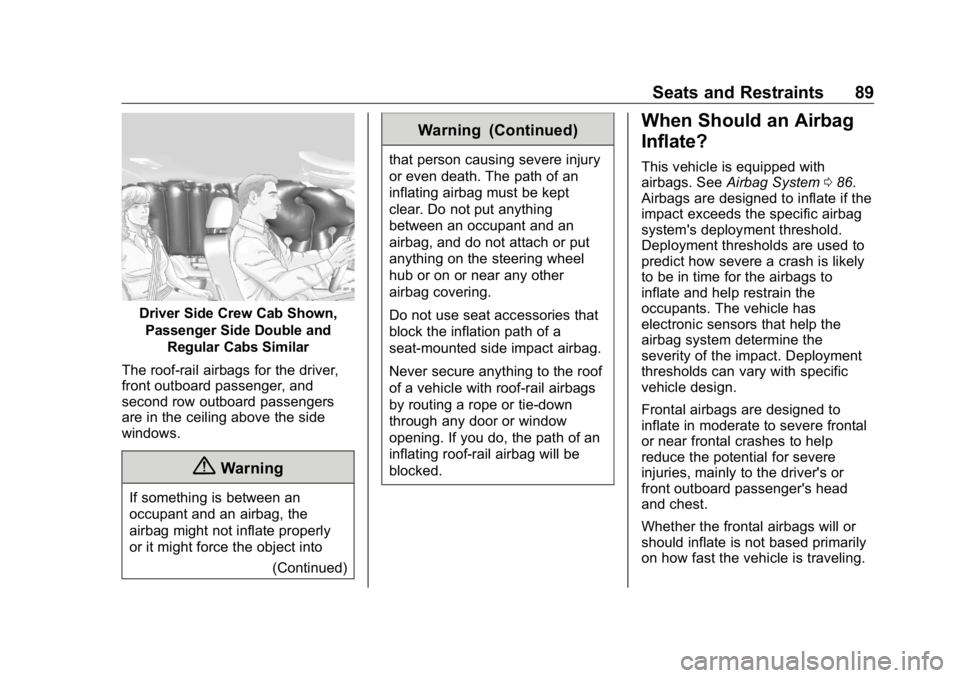
Driver Side Crew Cab Shown,
Passenger Side Double and
Regular Cabs Similar
The roof-rail airbags for the driver,
front outboard passenger, and
second row outboard passengers
are in the ceiling above the side
windows.
{ Warning
If something is between an
occupant and an airbag, the
airbag might not inflate properly
or it might force the object into
(Continued) Warning (Continued) that person causing severe injury
or even death. The path of an
inflating airbag must be kept
clear. Do not put anything
between an occupant and an
airbag, and do not attach or put
anything on the steering wheel
hub or on or near any other
airbag covering.
Do not use seat accessories that
block the inflation path of a
seat-mounted side impact airbag.
Never secure anything to the roof
of a vehicle with roof-rail airbags
by routing a rope or tie ‐ down
through any door or window
opening. If you do, the path of an
inflating roof-rail airbag will be
blocked. When Should an Airbag
Inflate? This vehicle is equipped with
airbags. See Airbag System 0 86 .
Airbags are designed to inflate if the
impact exceeds the specific airbag
system's deployment threshold.
Deployment thresholds are used to
predict how severe a crash is likely
to be in time for the airbags to
inflate and help restrain the
occupants. The vehicle has
electronic sensors that help the
airbag system determine the
severity of the impact. Deployment
thresholds can vary with specific
vehicle design.
Frontal airbags are designed to
inflate in moderate to severe frontal
or near frontal crashes to help
reduce the potential for severe
injuries, mainly to the driver's or
front outboard passenger's head
and chest.
Whether the frontal airbags will or
should inflate is not based primarily
on how fast the vehicle is traveling.
Page 94 of 472
GMC Sierra/Sierra Denali Owner Manual (GMNA-Localizing-U.S./Canada/
Mexico-1500-11698638) - 2019 - crc - 5/15/18
Seats and Restraints 93The passenger sensing system
works with sensors that are part of
the front outboard passenger seat
and seat belt. The sensors are
designed to detect the presence of
a properly seated occupant and
determine if the front outboard
passenger frontal airbag should be
allowed to inflate or not.
According to accident statistics,
children are safer when properly
secured in a rear seat in the correct
child restraint for their weight
and size.
Whenever possible, children aged
12 and under should be secured in
a rear seating position.
Never put a rear-facing child seat in
the front. This is because the risk to
the rear-facing child is so great,
if the airbag inflates.
{ Warning
A child in a rear-facing child
restraint can be seriously injured
or killed if the passenger frontal
(Continued) Warning (Continued) airbag inflates. This is because
the back of the rear-facing child
restraint would be very close to
the inflating airbag. A child in a
forward-facing child restraint can
be seriously injured or killed if the
passenger frontal airbag inflates
and the passenger seat is in a
forward position.
Even if the passenger sensing
system has turned off the
passenger frontal airbag, no
system is fail-safe. No one can
guarantee that an airbag will not
deploy under some unusual
circumstance, even though the
airbag is turned off.
Never put a rear-facing child
restraint in the front seat, even if
the airbag is off. If securing a
forward-facing child restraint in
the front outboard passenger
seat, always move the seat as far
back as it will go. It is better to
(Continued) Warning (Continued) secure child restraints in the rear
seat. Consider using another
vehicle to transport the child
when a rear seat is not available.
If the vehicle does not have a rear
seat that will accommodate a
rear-facing child restraint, a
rear-facing child restraint should not
be installed in the vehicle, even if
the airbag is off.
The passenger sensing system is
designed to turn off the front
outboard passenger frontal airbag if:
.
The front outboard passenger
seat is unoccupied.
.
The system determines an infant
is present in a child restraint.
.
A front outboard passenger
takes his/her weight off of the
seat for a period of time.
.
There is a critical problem with
the airbag system or the
passenger sensing system.
Page 98 of 472

GMC Sierra/Sierra Denali Owner Manual (GMNA-Localizing-U.S./Canada/
Mexico-1500-11698638) - 2019 - crc - 5/15/18
Seats and Restraints 97Warning (Continued)are close to an airbag when it
inflates. Avoid yellow connectors.
They are probably part of the
airbag system. Be sure to follow
proper service procedures, and
make sure the person performing
work for you is qualified to do so.
Adding Equipment to the
Airbag-Equipped Vehicle Adding accessories that change the
vehicle's frame, bumper system,
height, front end, or side sheet
metal, may keep the airbag system
from working properly.
The operation of the airbag system
can also be affected by changing,
including improperly repairing or
replacing, any parts of the following:
.
Airbag system, including airbag
modules, front or side impact
sensors, sensing and diagnostic
module, or airbag wiring .
Front seats, including stitching,
seams, or zippers
.
Seat belts
.
Steering wheel, instrument
panel, overhead console, ceiling
trim, or pillar garnish trim
.
Inner door seals, including
speakers
Your dealer and the service manual
have information about the location
of the airbag modules and sensors,
sensing and diagnostic module, and
airbag wiring along with the proper
replacement procedures.
In addition, the vehicle has a
passenger sensing system for the
front outboard passenger position,
which includes sensors that are part
of the passenger seat. The
passenger sensing system may not
operate properly if the original seat
trim is replaced with non-GM
covers, upholstery, or trim; or with
GM covers, upholstery, or trim
designed for a different vehicle. Any
object, such as an aftermarket seat
heater or a comfort-enhancing pad
or device, installed under or on top of the seat fabric, could also
interfere with the operation of the
passenger sensing system. This
could either prevent proper
deployment of the passenger
airbag(s) or prevent the passenger
sensing system from properly
turning off the passenger airbag(s).
See Passenger Sensing System
0 92 .
If the vehicle has rollover roof-rail
airbags, see Different Size Tires
and Wheels 0 379 for additional
important information.
If a snow plow is added to the
vehicle, the airbags should still work
properly. The airbag systems were
designed to work properly under a
wide range of conditions, including
snow plowing with vehicles that
have the optional snow plow prep
package (RPO VYU). Do not
change or defeat the snow plow's
“ tripping mechanism. ” If you do, it
can damage the snow plow and the
vehicle, and may cause an airbag
deployment.
Page 136 of 472
GMC Sierra/Sierra Denali Owner Manual (GMNA-Localizing-U.S./Canada/
Mexico-1500-11698638) - 2019 - crc - 5/15/18
Instruments and Controls 135.
Other equipment requiring an
extremely stable power supply,
such as
microcomputer-controlled
electric blankets and touch
sensor lamps
.
Medical equipment
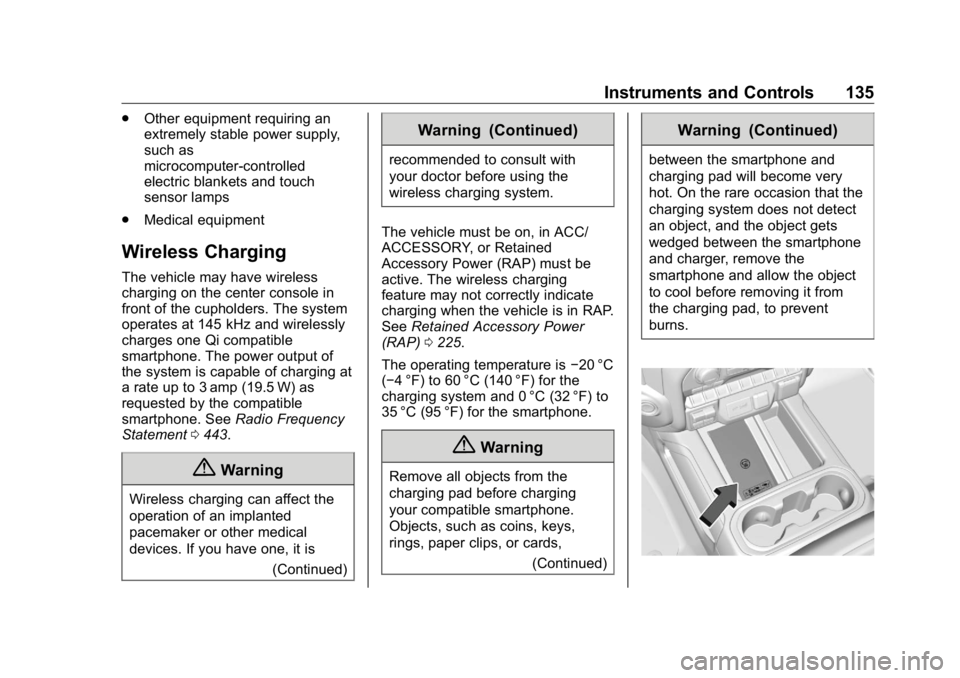
Wireless Charging The vehicle may have wireless
charging on the center console in
front of the cupholders. The system
operates at 145 kHz and wirelessly
charges one Qi compatible
smartphone. The power output of
the system is capable of charging at
a rate up to 3 amp (19.5 W) as
requested by the compatible
smartphone. See Radio Frequency
Statement 0 443 .
{ Warning
Wireless charging can affect the
operation of an implanted
pacemaker or other medical
devices. If you have one, it is
(Continued) Warning (Continued) recommended to consult with
your doctor before using the
wireless charging system.
The vehicle must be on, in ACC/
ACCESSORY, or Retained
Accessory Power (RAP) must be
active. The wireless charging
feature may not correctly indicate
charging when the vehicle is in RAP.
See Retained Accessory Power
(RAP) 0 225 .
The operating temperature is − 20 °C
( − 4 °F) to 60 °C (140 °F) for the
charging system and 0 °C (32 °F) to
35 °C (95 °F) for the smartphone.
{ Warning
Remove all objects from the
charging pad before charging
your compatible smartphone.
Objects, such as coins, keys,
rings, paper clips, or cards,
(Continued) Warning (Continued) between the smartphone and
charging pad will become very
hot. On the rare occasion that the
charging system does not detect
an object, and the object gets
wedged between the smartphone
and charger, remove the
smartphone and allow the object
to cool before removing it from
the charging pad, to prevent
burns.
Page 148 of 472
GMC Sierra/Sierra Denali Owner Manual (GMNA-Localizing-U.S./Canada/
Mexico-1500-11698638) - 2019 - crc - 5/15/18
Instruments and Controls 147Passenger Seat Belt Reminder
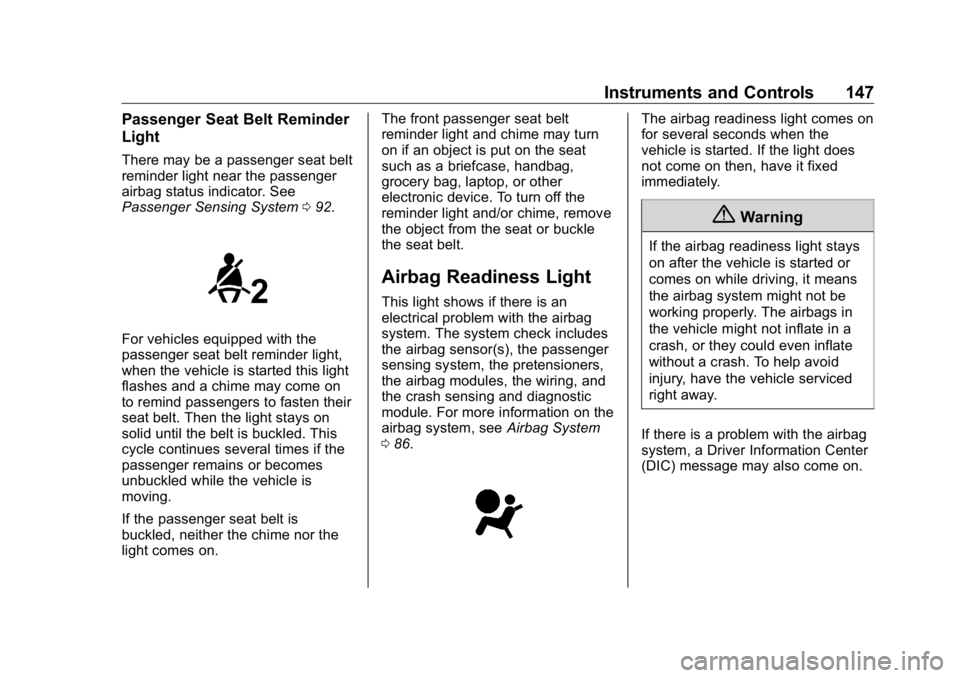
Light There may be a passenger seat belt
reminder light near the passenger
airbag status indicator. See
Passenger Sensing System 0 92 .
For vehicles equipped with the
passenger seat belt reminder light,
when the vehicle is started this light
flashes and a chime may come on
to remind passengers to fasten their
seat belt. Then the light stays on
solid until the belt is buckled. This
cycle continues several times if the
passenger remains or becomes
unbuckled while the vehicle is
moving.
If the passenger seat belt is
buckled, neither the chime nor the
light comes on. The front passenger seat belt
reminder light and chime may turn
on if an object is put on the seat
such as a briefcase, handbag,
grocery bag, laptop, or other
electronic device. To turn off the
reminder light and/or chime, remove
the object from the seat or buckle
the seat belt.
Airbag Readiness Light This light shows if there is an
electrical problem with the airbag
system. The system check includes
the airbag sensor(s), the passenger
sensing system, the pretensioners,
the airbag modules, the wiring, and
the crash sensing and diagnostic
module. For more information on the
airbag system, see Airbag System
0 86 . The airbag readiness light comes on
for several seconds when the
vehicle is started. If the light does
not come on then, have it fixed
immediately.
{ WarningIf the airbag readiness light stays
on after the vehicle is started or
comes on while driving, it means
the airbag system might not be
working properly. The airbags in
the vehicle might not inflate in a
crash, or they could even inflate
without a crash. To help avoid
injury, have the vehicle serviced
right away.
If there is a problem with the airbag
system, a Driver Information Center
(DIC) message may also come on.
Page 178 of 472
GMC Sierra/Sierra Denali Owner Manual (GMNA-Localizing-U.S./Canada/
Mexico-1500-11698638) - 2019 - crc - 5/15/18
Lighting 177For vehicles first sold in Canada, off
will only work when the vehicle is in
P (Park).
AUTO : Automatically turns on the
headlamps, parking lamps,
taillamps, instrument panel lights,
roof marker lamps (if equipped),
front/rear sidemarker lamps, and
license plate lamps.
; : Turns on the parking lamps
including all lamps, except the
headlamps and fog lamps,
if equipped.
2 : Turns on the headlamps
together with the parking lamps,
taillamps, instrument panel lights,
roof marker lamps (if equipped),
front/rear sidemarker lamps, and
license plate lamps.
When the headlamps are turned on
while the vehicle is on, the
headlamps turn off automatically
10 minutes after the ignition is
turned off. When the headlamps are
turned on while the vehicle is off,
the headlamps will stay on for
10 minutes before turning off to
prevent the battery from being drained. Turn the headlamp control
off and then back to the headlamp
on position to make the headlamps
stay on for an additional 10 minutes.
To keep the lamps on for more than
10 minutes, the ignition must be on
or in ACC/ACCESSORY.
K : If equipped, turns on the task
lighting. See Task Lighting 0 182 .
IntelliBeam System If equipped, this system turns the
vehicle's high-beam headlamps on
and off according to surrounding
traffic conditions.
The system turns the high-beam
headlamps on when it is dark
enough and there is no other traffic
present.
This light
b comes on in the
instrument cluster when the
IntelliBeam system is enabled. Turning On and Enabling
IntelliBeam
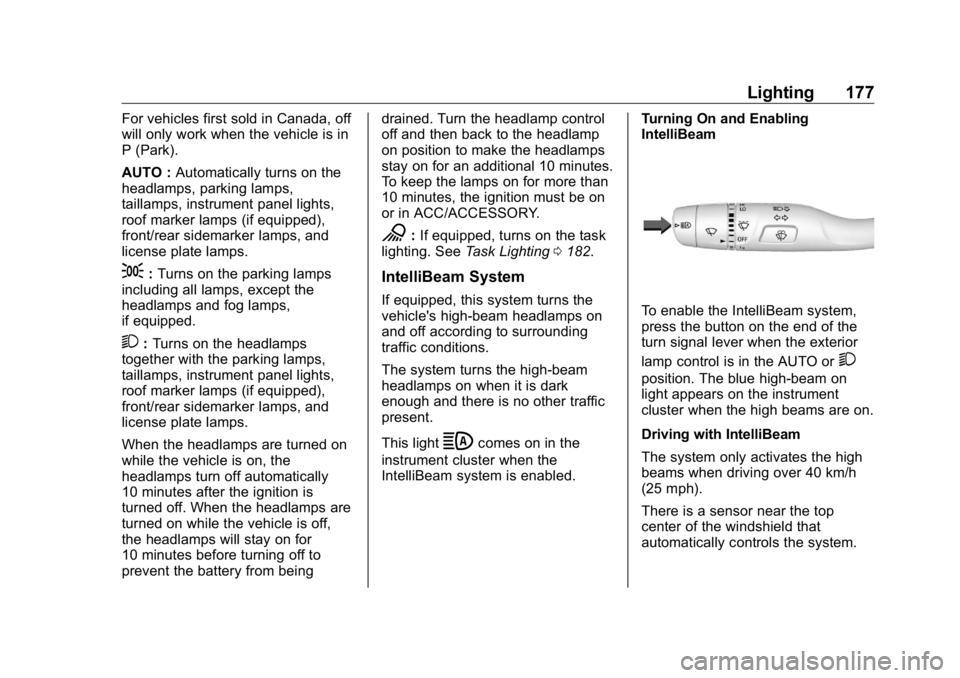
To enable the IntelliBeam system,
press the button on the end of the
turn signal lever when the exterior
lamp control is in the AUTO or
2 position. The blue high-beam on
light appears on the instrument
cluster when the high beams are on.
Driving with IntelliBeam
The system only activates the high
beams when driving over 40 km/h
(25 mph).
There is a sensor near the top
center of the windshield that
automatically controls the system.
Page 179 of 472
GMC Sierra/Sierra Denali Owner Manual (GMNA-Localizing-U.S./Canada/
Mexico-1500-11698638) - 2019 - crc - 5/15/18
178 Lighting Keep this area of the windshield
clear of debris to allow for best
system performance.
The high-beam headlamps remain
on, under the automatic control,
until one of the following situations
occurs:
.
The system detects an
approaching vehicle's
headlamps.
.
The system detects a preceding
vehicle's taillamps.
.
The outside light is bright
enough that high-beam
headlamps are not required.
.
The vehicle's speed drops below
20 km/h (12 mph).
.
The IntelliBeam system is
disabled by the button on the
turn signal lever. If this happens,
press the button on the end of
the turn signal lever when the
exterior lamp control is in the
AUTO or
2 position. The
instrument cluster light will come
on to indicate the IntelliBeam is
reactivated. See Headlamp High/Low-Beam
Changer 0 178 and
Flash-to-Pass 0 179 .
The high beams may not turn off
automatically if the system cannot
detect another vehicle's lamps
because of any of the following:
.
The other vehicle's lamps are
missing, damaged, obstructed
from view, or otherwise
undetected.
.
The other vehicle's lamps are
covered with dirt, snow, and/or
road spray.
.
The other vehicle's lamps cannot
be detected due to dense
exhaust, smoke, fog, snow, road
spray, mist, or other airborne
obstructions.
.
The vehicle's windshield is dirty,
cracked, or obstructed by
something that blocks the view
of the light sensor. .
The vehicle is loaded such that
the front end points upward,
causing the light sensor to aim
high and not detect headlamps
and taillamps.
.
Driving on winding or hilly roads.
The automatic high-beam
headlamps may need to be disabled
if any of the above conditions exist.
Exterior Lamps Off
Reminder A reminder chime sounds when the
headlamps or parking lamps are
manually turned on, the ignition is
off, and a door is open. To disable
the chime, turn the lamps off.
Headlamp High/
Low-Beam Changer Push the turn signal lever toward
the instrument panel to change the
headlamps from low to high beam.
Pull or push the turn signal lever to
return to low-beam headlamps.
Page 180 of 472
GMC Sierra/Sierra Denali Owner Manual (GMNA-Localizing-U.S./Canada/
Mexico-1500-11698638) - 2019 - crc - 5/15/18
Lighting 179
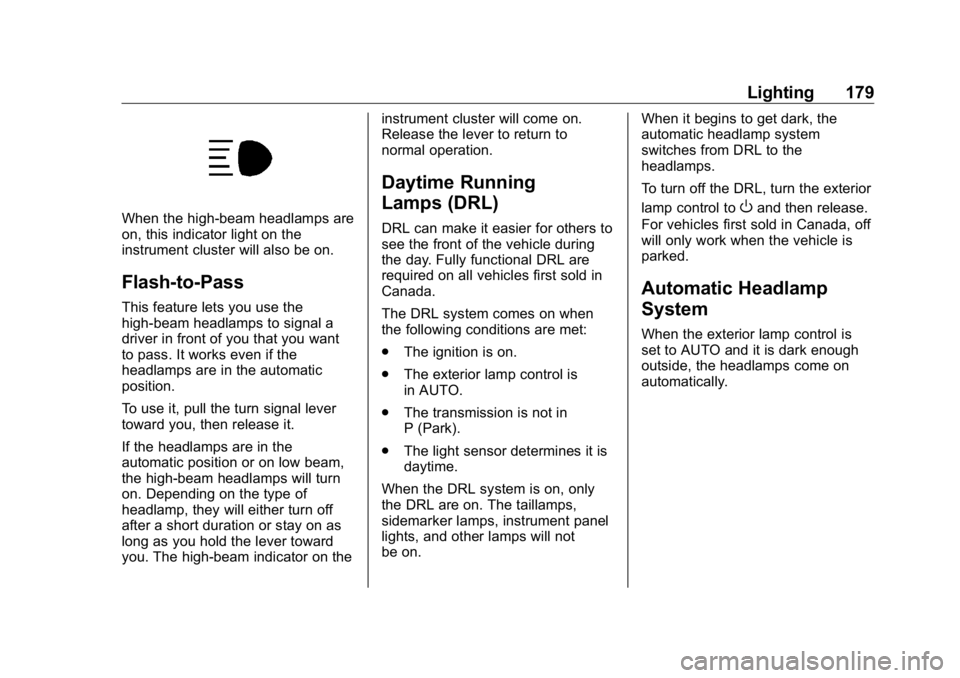
When the high-beam headlamps are
on, this indicator light on the
instrument cluster will also be on.
Flash-to-Pass This feature lets you use the
high-beam headlamps to signal a
driver in front of you that you want
to pass. It works even if the
headlamps are in the automatic
position.
To use it, pull the turn signal lever
toward you, then release it.
If the headlamps are in the
automatic position or on low beam,
the high-beam headlamps will turn
on. Depending on the type of
headlamp, they will either turn off
after a short duration or stay on as
long as you hold the lever toward
you. The high-beam indicator on the instrument cluster will come on.
Release the lever to return to
normal operation.
Daytime Running
Lamps (DRL) DRL can make it easier for others to
see the front of the vehicle during
the day. Fully functional DRL are
required on all vehicles first sold in
Canada.
The DRL system comes on when
the following conditions are met:
.
The ignition is on.
.
The exterior lamp control is
in AUTO.
.
The transmission is not in
P (Park).
.
The light sensor determines it is
daytime.
When the DRL system is on, only
the DRL are on. The taillamps,
sidemarker lamps, instrument panel
lights, and other lamps will not
be on. When it begins to get dark, the
automatic headlamp system
switches from DRL to the
headlamps.
To turn off the DRL, turn the exterior
lamp control to
O and then release.
For vehicles first sold in Canada, off
will only work when the vehicle is
parked.
Automatic Headlamp
System When the exterior lamp control is
set to AUTO and it is dark enough
outside, the headlamps come on
automatically.