ECO mode GMC SONOMA 2000 User Guide
[x] Cancel search | Manufacturer: GMC, Model Year: 2000, Model line: SONOMA, Model: GMC SONOMA 2000Pages: 381, PDF Size: 2.65 MB
Page 149 of 381
3-20
AM-FM: While in the CD mode, press this button to
stop playing the CD and play the radio. The CD symbol
will still display but the word CD will be replaced with
either AM, FM1 or FM2. (If the radio is turned off, the
disc stays in the player and will resume playing at the
point where it stopped.)
CD AUX: To switch between the player and the radio
when a disc is playing, press the AM
-FM button. To
return to the player, press CD AUX. When a disc is
playing, the letters CD and the CD symbol will appear
on the display. (If the radio is turned off, the disc stays
in the player and will resume playing at the point where
it stopped.)
EJECT: Press this button to eject the disc from the
player and play the radio. When the same or a new disc
is inserted, the disc will start playing on track one. If a
compact disc is left sitting in the opening for more than
a few seconds, the player will pull the CD back in. The
radio will continue playing. When the ignition is off,
press this button to load a CD.
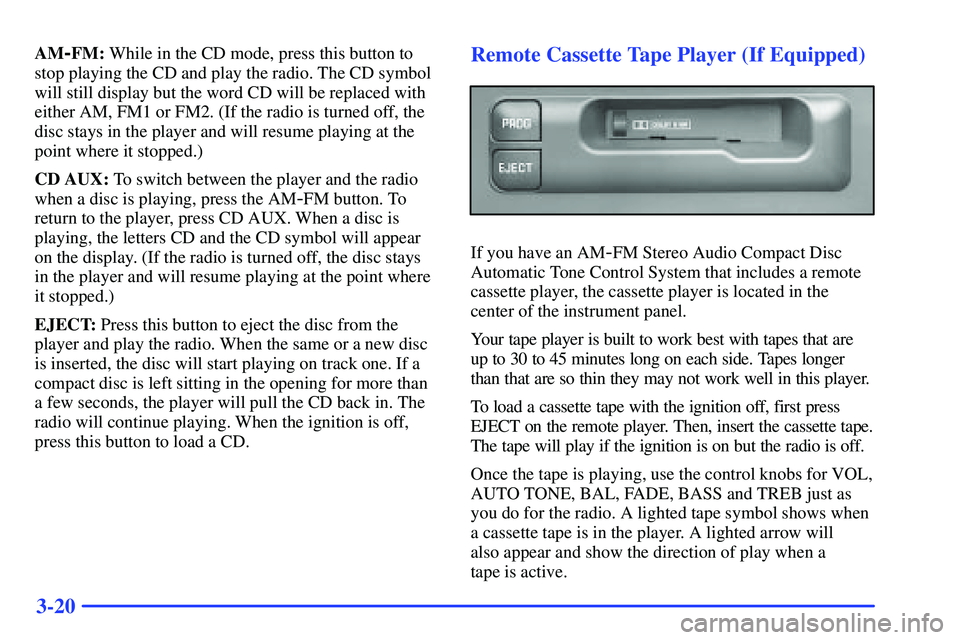
Remote Cassette Tape Player (If Equipped)
If you have an AM-FM Stereo Audio Compact Disc
Automatic Tone Control System that includes a remote
cassette player, the cassette player is located in the
center of the instrument panel.
Your tape player is built to work best with tapes that are
up to 30 to 45 minutes long on each side. Tapes longer
than that are so thin they may not work well in this player.
To load a cassette tape with the ignition off, first press
EJECT on the remote player. Then, insert the cassette tape.
The tape will play if the ignition is on but the radio is off.
Once the tape is playing, use the control knobs for VOL,
AUTO TONE, BAL, FADE, BASS and TREB just as
you do for the radio. A lighted tape symbol shows when
a cassette tape is in the player. A lighted arrow will
also appear and show the direction of play when a
tape is active.
Page 150 of 381
3-21
The player automatically senses if the cassette tape is
metal or CrO
2 and adjusts for best playback sound.
Anytime a cassette tape is inserted, the top side is
selected for play first.
PREV (1): Press PREV or the SEEK left arrow (in the
opposite direction that the lighted tape direction arrow
points) to search for the previous selection. A minimum
three
-second blank gap is needed for the player to stop
at the beginning of the selection. The tape direction
arrow will blink during the SEEK operation and the
sound is muted in this mode.
NEXT (3): Press NEXT or the SEEK right arrow (in the
direction that the lighted tape direction arrow points) to
search for the next selection. The tape direction arrow
will blink during SEEK operation and the sound is
muted in this mode.
REV (4): Press this button to rapidly reverse the tape.
The tape will rapidly reverse to the beginning of the
cassette reel or until you press REV again. The radio
plays the last selected station during REV.(5): Press this pushbutton to turn Dolby on and off. Dolby
is active when a tape is inserted in the remote cassette. The
double
-D symbol will appear on the display.
Dolby Noise Reduction is manufactured under a license
from Dolby Laboratories Licensing Corporation. Dolby
and the double
-D symbol are trademarks of Dolby
Laboratories Licensing Corporation.
FWD (6): Press this button to rapidly advance the tape.
The tape will rapidly advance to the end of the cassette
reel or until you press FWD again. The radio plays the
last selected station during FWD.
PROG: Press this button on the remote player to go
from one side of the tape to the other.
TAPE: Press the AM
-FM button to switch from the
player and the radio when a tape is playing. To return to
the tape player, press CD AUX. The lighted arrow will
appear next to the symbol and show the direction of play
when a tape is active.
EJECT: Press this button on the remote player to
remove the tape. EJECT can be used with either the
ignition or radio off. Also, you must press EJECT before
loading a cassette with the radio off to allow loading.