service GMC TERRAIN 2010 Owner's Guide
[x] Cancel search | Manufacturer: GMC, Model Year: 2010, Model line: TERRAIN, Model: GMC TERRAIN 2010Pages: 410, PDF Size: 2.55 MB
Page 152 of 410

6-14 Infotainment System
Satellite Radio
Vehicles with an XM™Satellite
Radio tuner and a valid XM Satellite
Radio subscription can receive XM
programming.
XM Satellite Radio Service
XM is a satellite radio service that is
based in the 48 contiguous United
States and 10 Canadian provinces.
XM Satellite Radio has a wide
variety of programming and
commercial-free music,
coast-to-coast, and in digital-quality
sound. A service fee is required to
receive the XM service. For more
information, contact XM at
www.xmradio.com or call
1-800-929-2100 in the U.S. and
www.xmradio.ca or call
1-877-438-9677 in Canada.
Control Buttons
The buttons used to control the
XM radio are:
RADIO/BAND: Press to turn the
radio on and choose between AM,
FM, and XM™, if equipped.
gSEEK /lSEEK: Press to go
to the previous or next station.
FAV: Press to open the
favorites list.
k: Press to pause and resume
time shifted data. See “Time Shifting
(Radio with CD/DVD and MEM)”
later in this section.
1 to 6: Press to select preset
stations.
MENU/SEL: Turn to select stations.
Press to open the XM Satellite
Radio menu.
Selecting the XM Band
Press the RADIO/BAND button to
choose between the AM, FM and
XM bands. The last channel played
in that band begins to play when
that band is selected.
XM Categories
XM channels are organized in
categories.
Removing or Adding Categories
Channels in a category that have
been removed can still be accessed
by using the
gSEEK orlSEEK
buttons, or the MENU/SEL knob.
To add or remove categories:
1. Press the CONFIG button.
2. Select Radio Settings.
3. Select XM Categories.
4. Turn the MENU/SEL knob to highlight the category.
5. Press the MENU/SEL knob to remove or add the category.
Page 154 of 410
6-16 Infotainment System
Time Shifting (Radio with
CD/DVD and MEM)
The radio with MEM time shift
feature can rewind 20 minutes of
XM content. While listening to the
radio, the content from the current
channel is always being buffered.
Press the
kbutton to pause the
radio. The radio displays the time
shift status bar. The status bar
shows the amount of content that is
stored in the buffer and the current
pause point.
To resume playback from the
current pause point, press the
kbutton again. The radio is no
longer live, but played from the time
shift buffer. A status bar displays
below the channel number.
Press and hold the
gSEEK or
lSEEK buttons to fast forward or
rewind through the time shift buffer.
Hold
lSEEK until the end of the
recorded buffer resumes live
playback. Press and release the
gSEEK or
lSEEK buttons to go to the next
or previous song in the time shift
buffer.
When the channel is changed, the
buffer is cleared and automatically
restarted for the current channel.
Content from a previously tuned
station is no longer available.
The time shift feature is not
available while recording or with
other sources of playback.
Pausing XM with the Vehicle
Turned Off
If XM is paused when the vehicle is
turned off, the radio continues to
buffer the current radio station for
up to 20 minutes. If the vehicle is
turned back on within 20 minutes,
the radio resumes playback from the
paused point.
XM Messages
XL (Explicit Language
Channels): These channels, or any
others, can be blocked by request,
by calling 1-800-852-XMXM (9696).
XM Updating: The encryption code
in the receiver is being updated, no
action is required. This process
should take no longer than
30 seconds.
Loading XM: The audio system is
acquiring and processing audio and
text data, no action is needed. This
message should disappear shortly.
Channel Off Air: This channel is
not currently in service. Tune in to
another channel.
Channel Unauth: This channel is
blocked or cannot be received with
your XM Subscription package.
Channel Unavailable: This
previously assigned channel is no
longer assigned. Tune to another
station.
Page 155 of 410
Infotainment System 6-17
No Artist Info:The system is
working properly. No artist
information is available at this time
on this channel.
No Title Info: The system is
working properly. No song title
information is available at this time
on this channel.
No CAT Info: The system is
working properly. No category
information is available at this time
on this channel.
No Information: The system is
working properly. No text or
informational messages are
available at this time on this
channel.
No XM Signal: The system is
working properly. The vehicle may
be in a location where the XM signal
is being blocked. When the vehicle
is moved into an open area, the
signal should return. CAT Not Found:
The system is
working properly. There are no
channels available for the selected
category.
XM Radio ID: If tuned to channel 0,
this message alternates with the XM
Radio 8 digit radio ID label. This
label is needed to activate the
service.
Unknown: If this message is
received when tuned to channel 0,
there could be a receiver fault.
Consult with your dealer/retailer.
Check Antenna: If this message
does not clear within a short period
of time, the receiver could have a
fault. Consult with your dealer/
retailer.
XM Not Available: If this message
does not clear within a short period
of time, the receiver could have a
fault. Consult with your dealer/
retailer.Radio Reception
Frequency interference and static
can occur during normal radio
reception if items such as cell phone
chargers, vehicle convenience
accessories, and external electronic
devices are plugged into the
accessory power outlet. If there is
interference or static, unplug the
item from the accessory power
outlet.
FM
FM signals only reach about 16 to
65 km (10 to 40 miles). Although the
radio has a built-in electronic circuit
that automatically works to reduce
interference, some static can occur,
especially around tall buildings or
hills, causing the sound to fade in
and out.
Page 156 of 410
6-18 Infotainment System
AM
The range for most AM stations is
greater than for FM, especially at
night. The longer range can cause
station frequencies to interfere with
each other. Static can occur when
things like storms and power lines
interfere with radio reception. When
this happens, try reducing the treble
on the radio.
XM™Satellite Radio Service
XM Satellite Radio Service gives
digital radio reception from
coast-to-coast in the 48 contiguous
United States, and in Canada. Just
as with FM, tall buildings or hills can
interfere with satellite radio signals,
causing the sound to fade in and
out. In addition, traveling or standing
under heavy foliage, bridges,
garages, or tunnels may cause loss
of the XM signal for a period of time.
Cellular Phone Usage
Cellular phone usage can cause
interference with the vehicle's radio.
Multi-Band Antenna
The multi-band antenna is located
on the roof of the vehicle. The
antenna is used for the AM/FM
radio, OnStar, the XM Satellite
Radio Service System, and GPS
(Global Positioning System); if the
vehicle has these features. Keep
the antenna clear of obstructions for
clear reception. If the vehicle has a
sunroof and it is open, the
performance of the AM/FM radio,
OnStar, XM system, and GPS can
be affected.
Audio Players
CD Player
The CD player can play audio CDs
and MP3 CDs.
The CD player will not play
8 cm (3 in.) CDs.
Care of CDs
Sound quality can be reduced due
to disc quality, recording method,
quality of the music recorded, and
how the disc has been handled.
Handle discs carefully and store
them in their original cases or other
protective cases away from direct
sunlight and dust. If the bottom
surface of a disc is damaged, the
disc may not play properly or at all.
Do not touch the bottom surface of
a disc while handling it; this could
damage the surface. Pick up discs
by grasping the outer edges or the
edge of the hole and the outer edge.
Page 182 of 410
6-44 Infotainment System
Making a Call
Radio with CD
1. Press the
5/0button.
2. Enter the character sequence. See “Entering a Character
Sequence” inOperation
on
page 6‑7for more information.
3. Select Call to start dialing the number.
Radio with CD/DVD and MEM
1. Press the
5/0button.
2. Select Enter number.
3. Enter the character sequence. See “Entering a Character
Sequence” inOperation
on
page 6‑7for more information.
4. Select Call to start dialing the number.
Accepting or Declining a Call
When a call is received, the
infotainment system mutes and a
ring tone is heard in the vehicle.
Accepting a Call
Turn the MENU/SEL knob
to Answer and press the
MENU/SEL knob.
Declining a Call
Turn the MENU/SEL knob
to Decline and press the
MENU/SEL knob.
Call Waiting
Call waiting must be supported on
the bluetooth phone and enabled by
the wireless service carrier to work.
Accepting a Call
Turn the MENU/SEL knob
to Answer and press the
MENU/SEL knob. Declining a Call
Turn the MENU/SEL knob
to Decline and press the
MENU/SEL knob.
Switching Between Calls
(Call Waiting Calls Only)
To switch between calls:
1. Press the MENU/SEL knob.
2. Select Switch Call from
the menu.
Conference Calling
Conference calling and three way
calling must be supported on the
bluetooth phone and enabled by the
wireless service carrier to work.
To start a conference while in a
current call:
1. Press the MENU/SEL knob.
2. Select Enter Number.
3. Enter the character sequencethen select Call. See “Entering a
Character Sequence” in
Operation
on page 6‑7for
more information.
Page 183 of 410
Infotainment System 6-45
4. After the call has been placed,press the MENU/SEL knob and
choose Merge Calls.
5. To add more callers to the conference call, repeat Steps 1
through 4. The amount of callers
that can be added are limited by
your wireless service carrier.
Ending a Call
Press the MENU/SEL knob and
select Hang Up.
Muting a Call
To Mute a Call
Press the MENU/SEL knob and
select Mute Call.
To Cancel Mute
Press the MENU/SEL knob and
select Mute Call.
Dual Tone Multi-Frequency
(DTMF) Tones
The in‐vehicle Bluetooth system can
send numbers during a call. This is
used when calling a menu driven
phone system.
1. Press the MENU/SEL knob andselect Enter Number.
2. Enter the character sequence, see “Entering a Character
Sequence” inOperation
on
page 6‑7for more information.
Bluetooth (Voice
Recognition)
Pairing
A Bluetooth cell phone must be
paired to the Bluetooth system and
then connected to the vehicle before
it can be used. See the cell phone
manufacturers user guide for
Bluetooth functions before pairing
the cell phone. If a Bluetooth phone
is not connected, calls will be made using OnStar
®Hands‐Free Calling,
if available. Refer to the OnStar
owner's guide for more information.
The pairing process can be started
by using the voice recognition
system or the controls on the
infotainment system.
Pairing Information:
.Up to five cell phones can be
paired to the Bluetooth system.
.The pairing process is disabled
when the vehicle is moving.
.The Bluetooth system links with
the first available paired cell
phone in the order the phone
was paired.
.Only one paired cell phone can
be connected to the Bluetooth
system at a time.
.Pairing only needs to be
completed once, unless the
pairing information changes or
the phone is deleted.
Page 191 of 410
Infotainment System 6-53
Receiving a Call
When an incoming call is received,
the audio system mutes and a ring
tone is heard in the vehicle.
.Pressbgto answer the call.
.Pressc/$to ignore a call.
Call Waiting
Call waiting must be supported on
the Bluetooth phone and enabled by
the wireless service carrier.
.Pressbgto answer an
incoming call when another call
is active. The original call is
placed on hold.
.Pressb gagain to return to the
original call.
.To ignore the incoming call, no
action is required.
.Pressc/$to disconnect the
current call and switch to the call
on hold.
Three‐Way Calling
Three‐way calling must be
supported on the Bluetooth phone
and enabled by the wireless service
carrier.
1. While on a call, press
b g. The
system responds with “Ready”,
followed by a tone.
2. Say “Three‐way call”.
The system responds with
“Three‐way call, please say
dial or call”.
3. Use the dial or call command to dial the number of the third party
to be called.
4. Once the call is connected, press
bgto link all the callers
together.
Ending a Call
Pressc/$to end a call.
Muting a Call
During a call, all sounds from inside
the vehicle can be muted so that the
person on the other end of the call
cannot hear them.
To Mute a call
1. Press
b g. The system
responds “Ready”, followed by
a tone.
2. Say “Mute Call”. The system
responds “Call muted”.
To Cancel Mute
1. Press
b g. The system
responds “Ready”, followed by
a tone.
2. After the tone, say “Mute Call”.
The system responds
“Resuming call”.
Transferring a Call
Audio can be transferred between
the in‐vehicle Bluetooth system and
the cell phone.
Page 200 of 410
6-62 Infotainment System
Accepting or Declining an
Incoming Call
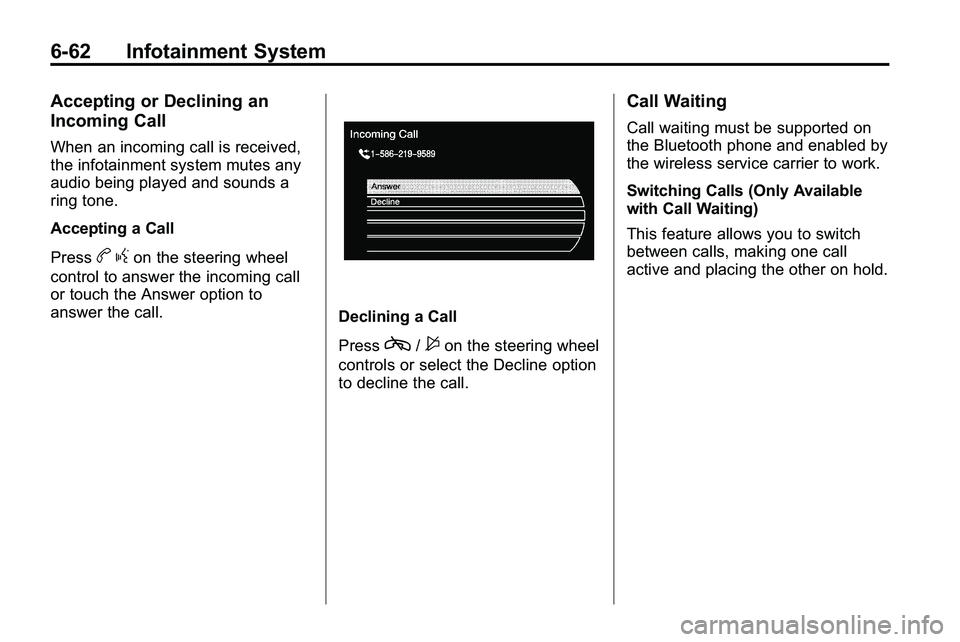
When an incoming call is received,
the infotainment system mutes any
audio being played and sounds a
ring tone.
Accepting a Call
Press
bgon the steering wheel
control to answer the incoming call
or touch the Answer option to
answer the call.
Declining a Call
Press
c/$on the steering wheel
controls or select the Decline option
to decline the call.
Call Waiting
Call waiting must be supported on
the Bluetooth phone and enabled by
the wireless service carrier to work.
Switching Calls (Only Available
with Call Waiting)
This feature allows you to switch
between calls, making one call
active and placing the other on hold.
Page 201 of 410

Infotainment System 6-63
Switch Call:Turn or press the
menu select knob to “Switch Call”
and press Enter or touch the
“Switch Call” option.
Conference Calling
Conference and three-way calling
must be supported on the Bluetooth
phone and enabled by the wireless
service carrier to work. To start a conference while in a
current call:
1. Press the
5hard key on the
faceplate until the Phone main
screen is shown with the current
active call.
2. Select the “Enter Number”
option.
3. Make another call. The first call will be placed on hold while the
second call is dialing and
connected.
4. To make a conference call, select the “Merge Calls” option
which will merge both calls into
one conference call.
5. To add more callers to the conference call, repeat Steps 2
through 4. The amount of callers
that can be added are limited by
your wireless service carrier.
Page 213 of 410
Driving and Operating 8-5
If the engine ever stops while the
vehicle is being driven, brake
normally but do not pump the
brakes. If the brakes are pumped,
the pedal could get harder to push
down. If the engine stops, there will
still be some power brake assist but
it will be used when the brake is
applied. Once the power assist is
used up, it can take longer to stop
and the brake pedal will be harder
to push.
Adding non‐dealer/non‐retailer
accessories can affect vehicle
performance. SeeAccessories
and Modifications on page 9‑3.
Steering
Electric Power Steering
(2.4L L4 Engine)
If the engine stalls while driving, the
power steering assist system will
continue to operate until you are
able to stop the vehicle. If power steering assist is lost because the
electric power steering system is not
functioning, the vehicle can be
steered but it will take more effort.
If you turn the steering wheel in
either direction several times until
it stops, or hold the steering wheel
in the stopped position for an
extended amount of time, you may
notice a reduced amount of power
steering assist. The normal amount
of power steering assist should
return shortly after a few normal
steering movements.
The electric power steering
system does not require regular
maintenance. If you suspect
steering system problems, such as
abnormally high steering effort for a
prolonged period of time, contact
your dealer/retailer for service
repairs.
Hydraulic Power Steering
(3.0L V6 Engine)
If power steering assist is lost
because the engine stops or the
power steering system is not
functioning, the vehicle can be
steered but it will take more effort.
Steering Tips
It is important to take curves at a
reasonable speed.
Traction in a curve depends on the
condition of the tires and the road
surface, the angle at which the
curve is banked, and vehicle speed.
While in a curve, speed is the one
factor that can be controlled.
If there is a need to reduce speed,
do it before entering the curve, while
the front wheels are straight.
Try to adjust the speed so you can
drive through the curve. Maintain a
reasonable, steady speed. Wait to
accelerate until out of the curve, and
then accelerate gently into the
straightaway.