service GMC TERRAIN 2011 Workshop Manual
[x] Cancel search | Manufacturer: GMC, Model Year: 2011, Model line: TERRAIN, Model: GMC TERRAIN 2011Pages: 426, PDF Size: 5.58 MB
Page 261 of 426

Black plate (35,1)GMC Terrain Owner Manual - 2011
Driving and Operating 9-35
{WARNING
Shifting into a drive gear while the
engine is running at high speed is
dangerous. Unless your foot is
firmly on the brake pedal, the
vehicle could move very rapidly.
You could lose control and hit
people or objects. Do not shift
into a drive gear while the engine
is running at high speed.
Notice: Shifting out of P (Park)
or N (Neutral) with the engine
running at high speed may
damage the transmission. The
repairs would not be covered by
the vehicle warranty. Be sure the
engine is not running at high
speed when shifting the vehicle. D (Drive):
This position is for
normal driving. It provides the best
fuel economy. If you need more
power for passing, and you are:
.Going less than 56 km/h
(35 mph), push the accelerator
pedal about halfway down.
.Going about 56 km/h (35 mph) or
more, push the accelerator all
the way down.
Notice: If the vehicle seems to
accelerate slowly or not shift
gears when you go faster, and
you continue to drive the vehicle
that way, you could damage the
transmission. Have the vehicle
serviced right away.
M (Manual Mode): Allows the
driver to select the range of gear
positions. See Manual Mode on
page 9‑35.
Manual Mode
Electronic Range Select
(ERS) Mode
ERS or manual mode allows for
the selection of the range of gear
positions. Use this mode when
driving downhill or towing a trailer to
limit the top gear and vehicle speed.
The shift position indicator within the
Driver Information Center (DIC) will
display a number next to the M
indicating the highest available gear
under manual mode and the driving
conditions when manual mode was
selected.
To use this feature:
1. Move the shift lever to M (Manual Mode).
2. Press the plus/minus button on the shift lever, to increase
or decrease the gear range
available.
Page 266 of 426

Black plate (40,1)GMC Terrain Owner Manual - 2011
9-40 Driving and Operating
TCS is on whenever the vehicle
is started. To limit wheel spin,
especially in slippery road
conditions, the system should
always be left on. But, TCS can
be turned off if needed.
dflashes to indicate that the
traction control system is active.
If there is a problem detected
with TCS, SERVICE TRACTION
CONTROL and SERVICE
STABILITRAK may be displayed
on the Driver Information Center
(DIC) and
dwill be on. See Ride
Control System Messages on
page 5‑27. When this message is
displayed and
dcomes on and stays on, the vehicle is safe to drive
but the system is not operational.
Driving should be adjusted
accordingly.
Notice:
Do not repeatedly brake
or accelerate heavily when TCS is
off. The vehicle's driveline could
be damaged.
If
dcomes on and stays on, reset
the system by:
1. Stopping the vehicle.
2. Turning the engine off and waiting 15 seconds.
3. Starting the engine.
If
dstill comes on and stays on at a
speed above 20 km/h (13 mph), see
your dealer for service.
A chime may also sound when the
light comes on steady.
The
gis located on the console.
The TCS off light comes on and
TRACTION CONTROL OFF is
displayed on the Driver Information
Center (DIC) to indicate that the
traction control system has been
turned off. See Ride Control System
Messages on page 5‑27.
TCS can be turned off by
pressing and releasing
g.
When TCS is turned off,
icomes
on and the system will not limit
wheel spin. Driving should be
adjusted accordingly. Press and
release
gagain to turn the system
back on.
When TCS is turned off on AWD
vehicles, the system may still make
noise. This is normal and necessary
with AWD hardware.
Page 267 of 426
Black plate (41,1)GMC Terrain Owner Manual - 2011
Driving and Operating 9-41
It may be necessary to turn the
system off if the vehicle ever gets
stuck in sand, mud, or snow and
rocking the vehicle is required. See
If the Vehicle is Stuck on page 9‑21
for more information. See also
Winter Driving on page 9‑19for
information on using TCS when
driving in snowy or icy conditions.
If cruise control is being used when
TCS activates, cruise control will
automatically disengage. Press the
cruise control button to re‐engage
when road conditions allow. See
Cruise Control on page 9‑42.
Adding non‐GM accessories can
affect the vehicle's performance.
See Accessories and Modifications
on page 10‑3 for more information.StabiliTrak®System
The vehicle has a vehicle stability
enhancement system called
StabiliTrak. It is an advanced
computer controlled system that
assists with directional control of the
vehicle in difficult driving conditions.
StabiliTrak activates when the
computer senses a difference
between the intended path and the
direction the vehicle is actually
traveling. StabiliTrak selectively
applies braking pressure to the
vehicle's brakes to help steer the
vehicle in the intended direction.
StabiliTrak is on automatically
whenever the vehicle is started. To
assist with directional control of the
vehicle, the system should always
be left on.
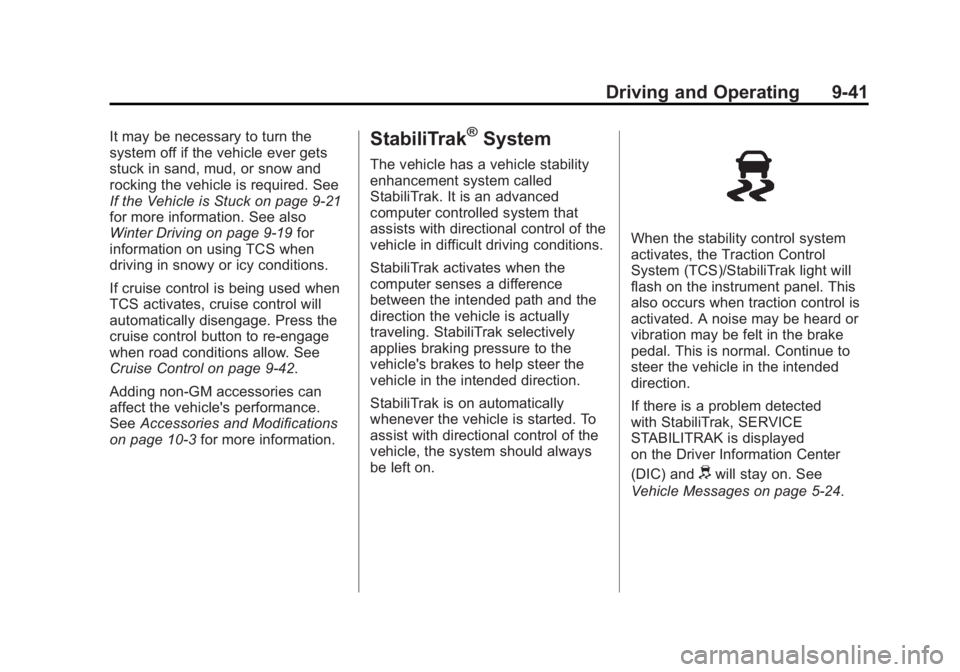
When the stability control system
activates, the Traction Control
System (TCS)/StabiliTrak light will
flash on the instrument panel. This
also occurs when traction control is
activated. A noise may be heard or
vibration may be felt in the brake
pedal. This is normal. Continue to
steer the vehicle in the intended
direction.
If there is a problem detected
with StabiliTrak, SERVICE
STABILITRAK is displayed
on the Driver Information Center
(DIC) and
dwill stay on. See
Vehicle Messages on page 5‑24.
Page 268 of 426

Black plate (42,1)GMC Terrain Owner Manual - 2011
9-42 Driving and Operating
When this message is displayed
and/or
dcomes on and stays
on, the vehicle is safe to drive
but the system is not operational.
Driving should be adjusted
accordingly. See Ride Control
System Messages on page 5‑27.
If
dcomes on and stays on, reset
the system by:
1. Stopping the vehicle.
2. Turning the engine off and waiting 15 seconds.
3. Starting the engine.
If
dstill comes on and stays on at a
speed above 20 km/h (13 mph), see
your dealer for service.
gis located on the console.
Both StabiliTrak and Traction
Control can be turned off if
needed by pressing and
holding
guntilgandicome
on the instrument panel. When
StabiliTrak is turned off, the system
will not assist with directional
control of the vehicle or limit
wheel spin. Driving should be
adjusted accordingly. Press and
release
gagain to turn the system
back on.
If cruise control is being used when
StabiliTrak activates, the cruise
control will automatically disengage.
Press the cruise control button to
re‐engage when road conditions
allow. See Cruise Control on
page 9‑42 for more information.
Cruise Control
With cruise control, the vehicle can
maintain a speed of about 40 km/h
(25 mph) or more without keeping
your foot on the accelerator. Cruise
control does not work at speeds
below 40 km/h (25 mph).
If the brakes are applied, the cruise
control is disengaged.
If the vehicle has the StabiliTrak
®
system and begins to limit wheel
spin while using cruise control,
the cruise control automatically
disengages. See StabiliTrak
®
System on page 9‑41 orTraction
Control System (TCS) on
page 9‑39. When road conditions
allow you to safely use it again,
the cruise control can be turned
back on.
Page 275 of 426

Black plate (49,1)GMC Terrain Owner Manual - 2011
Driving and Operating 9-49
Symbols
The navigation system may have
a feature that lets the driver view
symbols on the navigation screen
while using the RVC. The Ultrasonic
Rear Park Assist (URPA) system
must not be disabled to use
the caution symbols. The error
message Rear Parking Assist
Symbols Unavailable may display if
URPA has been disabled and the
symbols have been turned on.
SeeUltrasonic Parking Assist on
page 9‑45.
The symbols appear and may
cover an object when viewing the
navigation screen when an object is
detected by the URPA system. To turn the symbols on or off:
1. Shift into P (Park).
2. Press the CONFIG button.
3. Select Display.
4. Select Rear Camera Options.
5. Select Symbols. When a check
mark appears next to the
Symbols option, symbols will
appear.
Guidelines
The RVC system has a guideline
overlay that can help the driver align
the vehicle when backing into a
parking spot. To turn the guidelines on or off:
1. Shift into P (Park).
2. Press the CONFIG button.
3. Select Display.
4. Select Rear Camera Options.
5. Select Guidelines. When a
check mark appears next to the
Guidelines option, guidelines will
appear.
Rear Vision Camera Error
Messages
SERVICE REAR VISION CAMERA
SYSTEM: This message can
display on the navigation screen
when the system is not receiving
information it requires from other
vehicle systems.
If any other problem occurs or if a
problem persists, see your dealer.
Page 278 of 426
Black plate (52,1)GMC Terrain Owner Manual - 2011
9-52 Driving and Operating
Fuel
Use of the recommended fuel is
an important part of the proper
maintenance of this vehicle. To help
keep the engine clean and maintain
optimum vehicle performance, we
recommend the use of gasoline
advertised as TOP TIER Detergent
Gasoline.
Look for the TOP TIER label on the
fuel pump to ensure gasoline meets
enhanced detergency standards
developed by auto companies. A list
of marketers providing TOP TIER
Detergent Gasoline can be found at
www.toptiergas.com.
Vehicles that have a FlexFuel badge
and a yellow fuel cap can use either
unleaded gasoline or ethanol fuel
containing up to 85% ethanol (E85).
SeeFuel E85 (85% Ethanol) on
page 9‑54. For all other vehicles,
use only the unleaded gasoline
described under Recommended
Fuel on page 9‑52.
Recommended Fuel
Use regular unleaded gasoline with
a posted octane rating of 87 or
higher. If the octane rating is less
than 87, an audible knocking noise,
commonly referred to as spark
knock, might be heard when driving.
If this occurs, use a gasoline rated
at 87 octane or higher as soon as
possible. If heavy knocking is heard
when using gasoline rated at
87 octane or higher, the engine
needs service.
Gasoline Specifications
(U.S. and Canada Only)
At a minimum, gasoline should
meet ASTM specification D 4814
in the United States or CAN/
CGSB‐3.5 or 3.511 in Canada.
Some gasolines contain an
octane-enhancing additive called
methylcyclopentadienyl manganese
tricarbonyl (MMT). We recommend
Page 280 of 426

Black plate (54,1)GMC Terrain Owner Manual - 2011
9-54 Driving and Operating
We recommend that you use these
gasolines, if they comply with the
specifications described earlier.
However, E85 (85% ethanol) and
other fuels containing more than
10% ethanol must not be used in
vehicles that were not designed for
those fuels.
Notice:This vehicle was not
designed for fuel that contains
methanol. Do not use fuel
containing methanol. It can
corrode metal parts in the fuel
system and also damage plastic
and rubber parts. That damage
would not be covered under the
vehicle warranty.
Some gasolines that are
not reformulated for low
emissions can contain an
octane-enhancing additive called
methylcyclopentadienyl manganese
tricarbonyl (MMT); ask the attendant
where you buy gasoline whether the
fuel contains MMT. We recommend
against the use of such gasolines.
Fuels containing MMT can reduce
spark plug life and affect emission control system performance. The
malfunction indicator lamp might
turn on. If this occurs, return to your
dealer for service.
Fuel E85 (85% Ethanol)
Vehicles that have a FlexFuel badge
and a yellow fuel cap can use either
unleaded gasoline or ethanol fuel
containing up to 85% ethanol (E85).
For all other vehicles, use only the
unleaded gasoline described under
Recommended Fuel on page 9‑52.
We encourage the use of E85 in
vehicles that are designed to use it.
The ethanol in E85 is a
“renewable”
fuel, meaning it is made from
renewable sources such as corn
and other crops.
Many service stations will not have
an 85% ethanol fuel (E85) pump
available. The U.S. Department of
Energy has an alternative fuels
website (www.afdc.energy.gov/afdc/
locator/stations/) that can help you
find E85 fuel. Those stations that
do have E85 should have a label indicating ethanol content. Do not
use the fuel if the ethanol content is
greater than 85%.
At a minimum, E85 should meet
ASTM Specification D 5798 or
CGSB Specification 3.512. Filling
the tank with fuel mixtures that
do not meet ASTM or CGSB
specifications can affect driveability
and could cause the malfunction
indicator lamp to come on. As the
outside temperature approaches
freezing, ethanol fuel distributors
should supply winter grade ethanol,
the same as with unleaded
gasoline.
The starting characteristics of
E85 fuel make it unsuitable for use
when the ambient temperatures fall
below
−18°C (0°F).
In the range of −18°C (0°F) to
0°C (32°F), you may experience an
increase in the time it takes for the
engine to start.
Page 287 of 426
Black plate (61,1)GMC Terrain Owner Manual - 2011
Driving and Operating 9-61
If parking the rig on a hill:
1. Press the brake pedal, but donot shift into P (Park) yet. Turn
the wheels into the curb if facing
downhill or into traffic if facing
uphill.
2. Have someone place chocks under the trailer wheels.
3. When the wheel chocks are in place, release the brake pedal
until the chocks absorb the load.
4. Reapply the brake pedal. Then apply the parking brake and shift
into P (Park).
5. Release the brake pedal.
Leaving After Parking on a Hill
1. Apply and hold the brake pedal.
2. Start the engine.
3. Shift into a gear.
4. Release the parking brake.
5. Let up on the brake pedal. 6. Drive slowly until the trailer is
clear of the chocks.
7. Stop and have someone pick up and store the chocks.
Maintenance When Trailer
Towing
The vehicle needs service more
often when pulling a trailer. See this
manual's Maintenance Schedule
or Index for more information.
Things that are especially important
in trailer operation are automatic
transmission fluid, engine oil, axle
lubricant, belts, cooling system and
brake system. Inspect these before
and during the trip.
Check periodically to see that all
hitch nuts and bolts are tight.
Engine Cooling When Trailer
Towing
The cooling system may temporarily
overheat during severe operating
conditions. See Engine Overheating
on page 10‑21.
Trailer Towing
Before pulling a trailer, there are
three important considerations that
have to do with weight:
.The weight of the trailer
.The weight of the trailer tongue
.The total weight on the vehicle's
tires
Weight of the Trailer
How heavy can a trailer safely be?
Speed, altitude, road grades,
outside temperature, special
equipment, and the amount of
tongue weight the vehicle can carry
must be considered. See “Weight
of the Trailer Tongue” later in this
section for more information.
Maximum trailer weight is calculated
assuming only the driver is in
the tow vehicle and it has all the
required trailering equipment.
The weight of additional optional
equipment, passengers and cargo in
the tow vehicle must be subtracted
from the maximum trailer weight.
Page 291 of 426
Black plate (1,1)GMC Terrain Owner Manual - 2011
Vehicle Care 10-1
Vehicle Care
General Information
General Information . . . . . . . . . . 10-2
CaliforniaProposition 65 Warning . . . . 10-2
California Perchlorate Materials Requirements . . . . 10-3
Accessories and Modifications . . . . . . . . . . . . . . . 10-3
Vehicle Checks
Doing Your OwnService Work . . . . . . . . . . . . . . . 10-4
Hood . . . . . . . . . . . . . . . . . . . . . . . . 10-5
Engine Compartment Overview . . . . . . . . . . . . . . . . . . . 10-6
Engine Cover . . . . . . . . . . . . . . . 10-10
Engine Oil . . . . . . . . . . . . . . . . . . 10-10
Engine Oil Life System . . . . . 10-14
Automatic Transmission Fluid . . . . . . . . . . . . . . . . . . . . . . 10-15
Engine Air Cleaner/Filter . . . . 10-15
Cooling System . . . . . . . . . . . . 10-16
Engine Coolant . . . . . . . . . . . . . 10-17
Engine Overheating . . . . . . . . 10-21 Power Steering Fluid
(2.4L L4 Engine) . . . . . . . . . . 10-23
Power Steering Fluid (3.0L V6 Engine) . . . . . . . . . . 10-23
Washer Fluid . . . . . . . . . . . . . . . 10-23
Brakes . . . . . . . . . . . . . . . . . . . . . 10-24
Brake Fluid . . . . . . . . . . . . . . . . . 10-25
Battery . . . . . . . . . . . . . . . . . . . . . 10-27
All-Wheel Drive . . . . . . . . . . . . . 10-27
Starter Switch Check . . . . . . . 10-28
Automatic Transmission Shift
Lock Control Function
Check . . . . . . . . . . . . . . . . . . . . . 10-28
Ignition Transmission Lock Check . . . . . . . . . . . . . . . . . . . . . 10-29
Park Brake and P (Park) Mechanism Check . . . . . . . . 10-29
Wiper Blade Replacement . . . . . . . . . . . . . . 10-30
Headlamp Aiming
Headlamp Aiming . . . . . . . . . . 10-31
Bulb Replacement
Bulb Replacement . . . . . . . . . . 10-33
Headlamps, Front TurnSignal, Sidemarker, and
Parking Lamps . . . . . . . . . . . . 10-34
Fog Lamps . . . . . . . . . . . . . . . . . 10-35 Taillamps, Turn Signal,
Sidemarker, Stoplamps,
and Back-Up Lamps . . . . . . 10-35
License Plate Lamp . . . . . . . . 10-38
Replacement Bulbs . . . . . . . . . 10-38
Electrical System
Fuses . . . . . . . . . . . . . . . . . . . . . . 10-39
Engine Compartment Fuse Block . . . . . . . . . . . . . . . . . . . . . 10-40
Instrument Panel Fuse Block . . . . . . . . . . . . . . . . . . . . . 10-42
Wheels and Tires
Tires . . . . . . . . . . . . . . . . . . . . . . . . 10-45
Tire Sidewall Labeling . . . . . . 10-45
Tire Designations . . . . . . . . . . . 10-48
Tire Terminology andDefinitions . . . . . . . . . . . . . . . . 10-48
Tire Pressure . . . . . . . . . . . . . . . 10-51
Tire Pressure Monitor System . . . . . . . . . . . . . . . . . . . 10-52
Tire Pressure Monitor Operation . . . . . . . . . . . . . . . . . 10-54
Tire Inspection . . . . . . . . . . . . . . 10-57
Tire Rotation . . . . . . . . . . . . . . . 10-57
When It Is Time for New Tires . . . . . . . . . . . . . . . . . . . . . . 10-58
Buying New Tires . . . . . . . . . . . 10-59
Page 292 of 426
Black plate (2,1)GMC Terrain Owner Manual - 2011
10-2 Vehicle Care
Different Size Tires andWheels . . . . . . . . . . . . . . . . . . . 10-61
Uniform Tire Quality Grading . . . . . . . . . . . . . . . . . . . 10-61
Wheel Alignment and Tire
Balance . . . . . . . . . . . . . . . . . . . 10-63
Wheel Replacement . . . . . . . . 10-63
Tire Chains . . . . . . . . . . . . . . . . . 10-65
If a Tire Goes Flat . . . . . . . . . . 10-65
Tire Changing . . . . . . . . . . . . . . 10-67
Compact Spare Tire . . . . . . . . 10-74
Jump Starting
Jump Starting . . . . . . . . . . . . . . 10-75
Towing
Towing the Vehicle . . . . . . . . . 10-79
Recreational Vehicle Towing . . . . . . . . . . . . . . . . . . . . 10-79
Appearance Care
Exterior Care . . . . . . . . . . . . . . . 10-82
Interior Care . . . . . . . . . . . . . . . . 10-86
Floor Mats . . . . . . . . . . . . . . . . . . 10-89
General Information
For service and parts needs,
visit your dealer. You will receive
genuine GM parts and GM-trained
and supported service people.
Genuine GM parts have one of
these marks:
California Proposition 65
Warning
Most motor vehicles, including this
one, contain and/or emit chemicals
known to the State of California to
cause cancer and birth defects or
other reproductive harm. Engine
exhaust, many parts and systems,
many fluids, and some component
wear by-products contain and/or
emit these chemicals.