light GMC TERRAIN 2012 User Guide
[x] Cancel search | Manufacturer: GMC, Model Year: 2012, Model line: TERRAIN, Model: GMC TERRAIN 2012Pages: 428, PDF Size: 5.45 MB
Page 36 of 428
Black plate (4,1)GMC Terrain Owner Manual (Include Mex) - 2012
2-4 Keys, Doors, and Windows
These settings can be modified.
See“Unlocked Door Anti Lock Out”
under Vehicle Personalization on
page 5‑33.
Pressing
Qmay also arm the
theft-deterrent system. See
Anti-theft Alarm System on
page 2‑13.
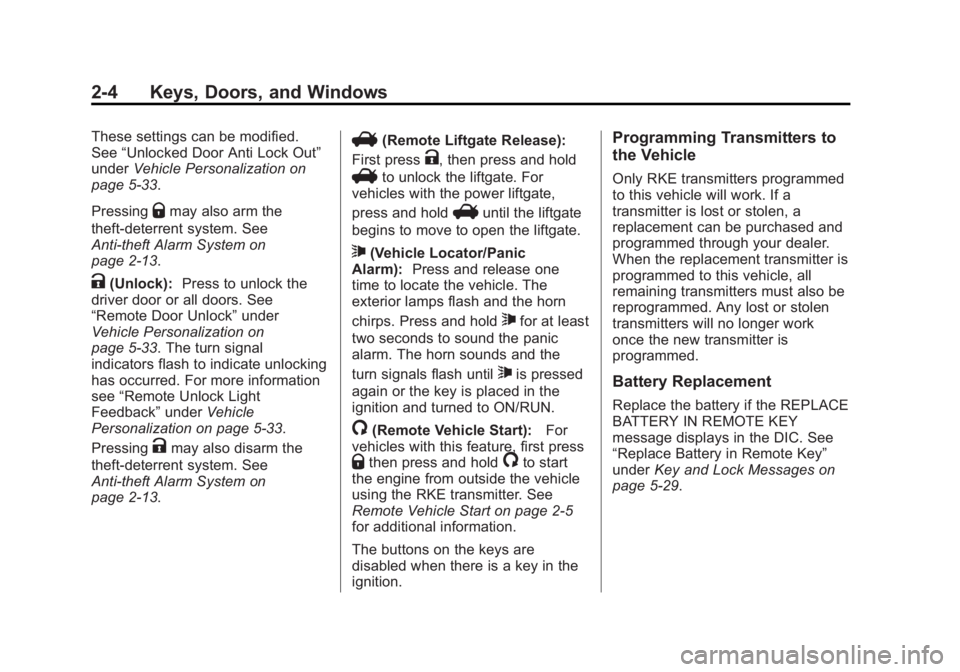
K(Unlock): Press to unlock the
driver door or all doors. See
“Remote Door Unlock” under
Vehicle Personalization on
page 5‑33. The turn signal
indicators flash to indicate unlocking
has occurred. For more information
see “Remote Unlock Light
Feedback” underVehicle
Personalization on page 5‑33.
Pressing
Kmay also disarm the
theft-deterrent system. See
Anti-theft Alarm System on
page 2‑13.
V(Remote Liftgate Release):
First press
K, then press and hold
Vto unlock the liftgate. For
vehicles with the power liftgate,
press and hold
Vuntil the liftgate
begins to move to open the liftgate.
7(Vehicle Locator/Panic
Alarm): Press and release one
time to locate the vehicle. The
exterior lamps flash and the horn
chirps. Press and hold
7for at least
two seconds to sound the panic
alarm. The horn sounds and the
turn signals flash until
7is pressed
again or the key is placed in the
ignition and turned to ON/RUN.
/(Remote Vehicle Start): For
vehicles with this feature, first press
Qthen press and hold/to start
the engine from outside the vehicle
using the RKE transmitter. See
Remote Vehicle Start on page 2‑5
for additional information.
The buttons on the keys are
disabled when there is a key in the
ignition.
Programming Transmitters to
the Vehicle
Only RKE transmitters programmed
to this vehicle will work. If a
transmitter is lost or stolen, a
replacement can be purchased and
programmed through your dealer.
When the replacement transmitter is
programmed to this vehicle, all
remaining transmitters must also be
reprogrammed. Any lost or stolen
transmitters will no longer work
once the new transmitter is
programmed.
Battery Replacement
Replace the battery if the REPLACE
BATTERY IN REMOTE KEY
message displays in the DIC. See
“Replace Battery in Remote Key”
under Key and Lock Messages on
page 5‑29.
Page 40 of 428
Black plate (8,1)GMC Terrain Owner Manual (Include Mex) - 2012
2-8 Keys, Doors, and Windows
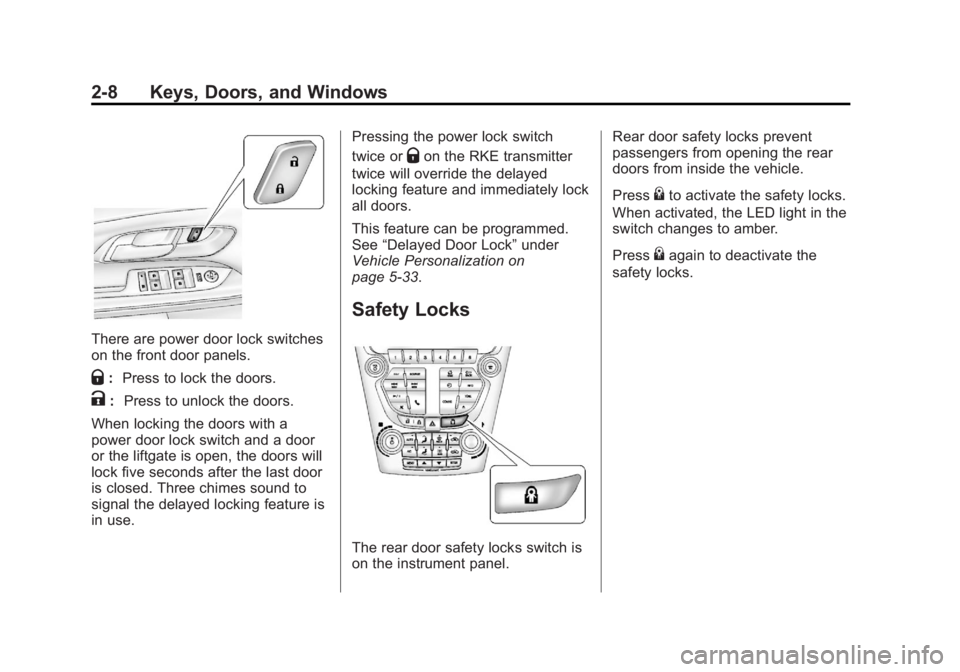
There are power door lock switches
on the front door panels.
Q:Press to lock the doors.
K: Press to unlock the doors.
When locking the doors with a
power door lock switch and a door
or the liftgate is open, the doors will
lock five seconds after the last door
is closed. Three chimes sound to
signal the delayed locking feature is
in use. Pressing the power lock switch
twice or
Qon the RKE transmitter
twice will override the delayed
locking feature and immediately lock
all doors.
This feature can be programmed.
See “Delayed Door Lock” under
Vehicle Personalization on
page 5‑33.
Safety Locks
The rear door safety locks switch is
on the instrument panel. Rear door safety locks prevent
passengers from opening the rear
doors from inside the vehicle.
Press
{to activate the safety locks.
When activated, the LED light in the
switch changes to amber.
Press
{again to deactivate the
safety locks.
Page 45 of 428
Black plate (13,1)GMC Terrain Owner Manual (Include Mex) - 2012
Keys, Doors, and Windows 2-13
To open the liftgate, press the touch
pad on the handle on the outside of
the liftgate, and lift the gate open. To
close the liftgate, use the pull cup to
lower the liftgate and close. With the
power liftgate disabled, the liftgate
electric latch will still power latch
once contact is made with the
striker. Always close the liftgate
before driving.
If
Von the RKE transmitter is
pressed while power operation is
disabled, the turn signals flash and
the liftgate will not move.
The liftgate has an electric latch.
If the battery is disconnected or has
low voltage, the liftgate will not
open. The liftgate will resume
operation when the battery is
reconnected and charged.
Vehicle Security
This vehicle has theft-deterrent
features; however, they do not make
it impossible to steal.
Anti-theft Alarm System
This vehicle has an anti-theft alarm
system.
Arming the System
To arm the system, do one of the
following:
.PressQon the RKE transmitter.
.Lock the vehicle using the key in
the driver door.
The alarm automatically arms after
about 30 seconds. The security
light, located on the instrument
panel, flashes.
Press
Von the RKE transmitter to
open the liftgate without setting off
the alarm. The system rearms when
the liftgate is closed.
Disarming the System
To disarm the system, do one of the
following:
.PressKon the RKE transmitter.
.Turn the ignition to ON/RUN.
.Allow the alarm to time out after
about 30 seconds and reset
itself.
The alarm automatically disarms.
If the system is armed and any door
is unlocked without pressing
Kon
the RKE transmitter, the alarm
sounds.
Page 46 of 428
Black plate (14,1)GMC Terrain Owner Manual (Include Mex) - 2012
2-14 Keys, Doors, and Windows
How to Detect a Tamper
Condition
IfKis pressed and the horn
sounds, an attempted break-in has
occurred while the system was
armed.
If the alarm has been activated, the
THEFT ATTEMPTED message will
appear on the DIC. See Key and
Lock Messages on page 5‑29 for
additional information.
Immobilizer
See Radio Frequency Statement on
page 13‑21 for information
regarding Part 15 of the Federal
Communications Commission (FCC)
rules and Industry Canada
Standards RSS-GEN/210/220/310.
Immobilizer Operation
This vehicle has a passive
theft-deterrent system.
The system does not have to be
manually armed or disarmed. The vehicle is automatically
immobilized when the key is
removed from the ignition.
The system is automatically
disarmed when the vehicle is
started with the correct key. The key
uses a transponder that matches an
immobilizer control unit in the
vehicle and automatically disarms
the system. Only an authorized key
starts the vehicle. The vehicle may
not start if the key is damaged.
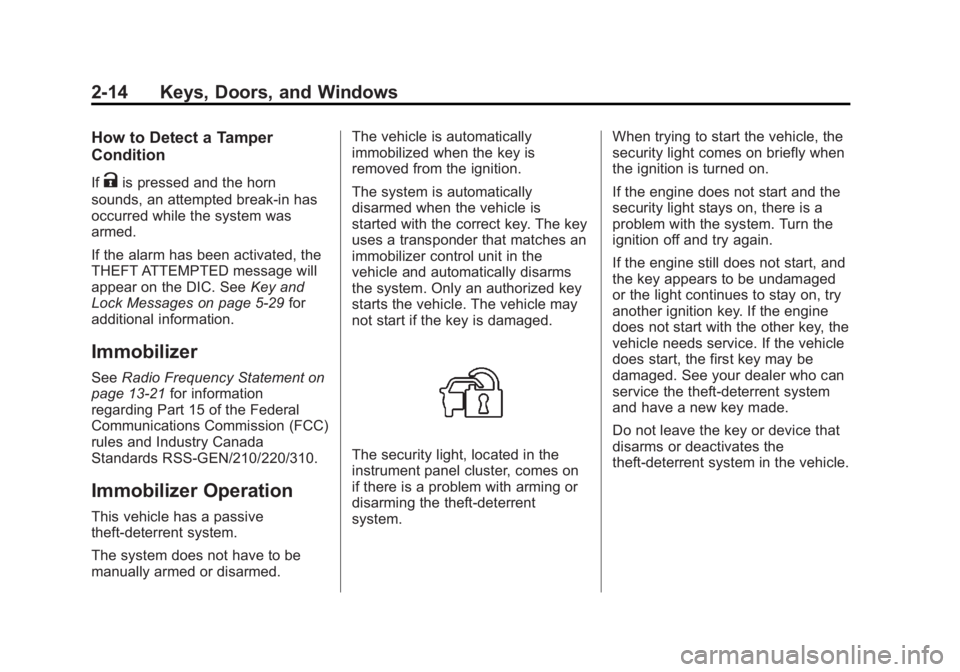
The security light, located in the
instrument panel cluster, comes on
if there is a problem with arming or
disarming the theft-deterrent
system.
When trying to start the vehicle, the
security light comes on briefly when
the ignition is turned on.
If the engine does not start and the
security light stays on, there is a
problem with the system. Turn the
ignition off and try again.
If the engine still does not start, and
the key appears to be undamaged
or the light continues to stay on, try
another ignition key. If the engine
does not start with the other key, the
vehicle needs service. If the vehicle
does start, the first key may be
damaged. See your dealer who can
service the theft-deterrent system
and have a new key made.
Do not leave the key or device that
disarms or deactivates the
theft-deterrent system in the vehicle.
Page 49 of 428
Black plate (17,1)GMC Terrain Owner Manual (Include Mex) - 2012
Keys, Doors, and Windows 2-17
Park Tilt Mirrors
If the vehicle is equipped with
memory mirrors, there is an option
to have the mirrors tilt down, when
in R (Reverse), to more easily see
the ground near the vehicle.
When the vehicle is shifted to
R (Reverse), both the driver and
passenger mirrors will tilt downward.
They will return to their previous
position when the vehicle is shifted
out of R (Reverse), the ignition is
turned to OFF, or the vehicle is left
in R (Reverse) for an extended
period of time.
This feature can be turned on or off.
SeeVehicle Personalization on
page 5‑33.
Interior Mirrors
Manual Rearview Mirror
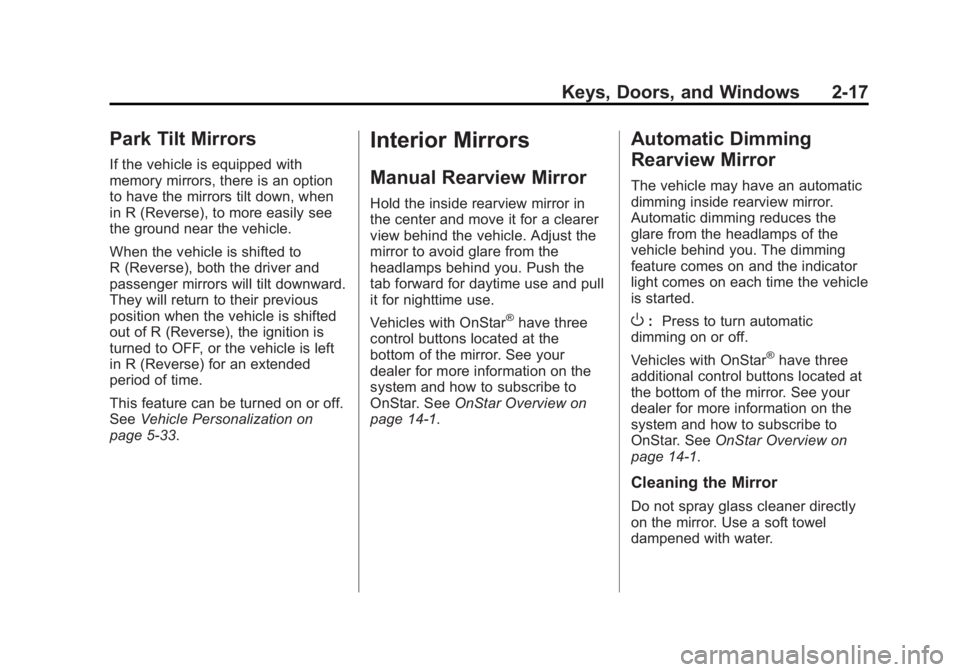
Hold the inside rearview mirror in
the center and move it for a clearer
view behind the vehicle. Adjust the
mirror to avoid glare from the
headlamps behind you. Push the
tab forward for daytime use and pull
it for nighttime use.
Vehicles with OnStar
®have three
control buttons located at the
bottom of the mirror. See your
dealer for more information on the
system and how to subscribe to
OnStar. See OnStar Overview on
page 14‑1.
Automatic Dimming
Rearview Mirror
The vehicle may have an automatic
dimming inside rearview mirror.
Automatic dimming reduces the
glare from the headlamps of the
vehicle behind you. The dimming
feature comes on and the indicator
light comes on each time the vehicle
is started.
O: Press to turn automatic
dimming on or off.
Vehicles with OnStar
®have three
additional control buttons located at
the bottom of the mirror. See your
dealer for more information on the
system and how to subscribe to
OnStar. See OnStar Overview on
page 14‑1.
Cleaning the Mirror
Do not spray glass cleaner directly
on the mirror. Use a soft towel
dampened with water.
Page 51 of 428
Black plate (19,1)GMC Terrain Owner Manual (Include Mex) - 2012
Keys, Doors, and Windows 2-19
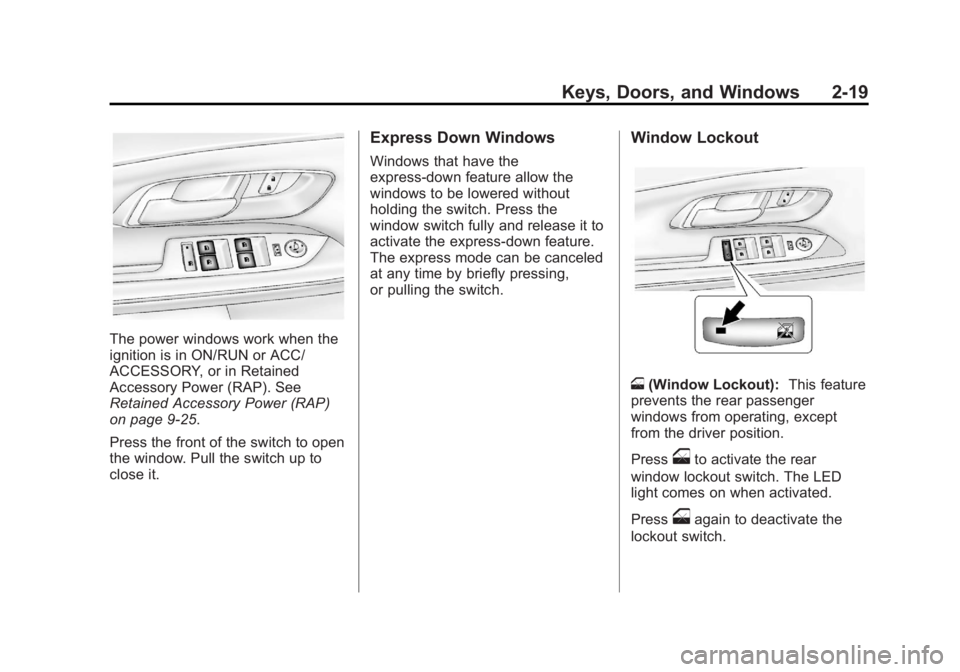
The power windows work when the
ignition is in ON/RUN or ACC/
ACCESSORY, or in Retained
Accessory Power (RAP). See
Retained Accessory Power (RAP)
on page 9‑25.
Press the front of the switch to open
the window. Pull the switch up to
close it.
Express Down Windows
Windows that have the
express‐down feature allow the
windows to be lowered without
holding the switch. Press the
window switch fully and release it to
activate the express‐down feature.
The express mode can be canceled
at any time by briefly pressing,
or pulling the switch.
Window Lockout
o(Window Lockout): This feature
prevents the rear passenger
windows from operating, except
from the driver position.
Press
oto activate the rear
window lockout switch. The LED
light comes on when activated.
Press
oagain to deactivate the
lockout switch.
Page 63 of 428

Black plate (9,1)GMC Terrain Owner Manual (Include Mex) - 2012
Seats and Restraints 3-9
Easy Exit Driver Seat
This feature moves the seat
rearward allowing the driver more
room to exit the vehicle.
To activate, turn the ignition off and
open the driver door. If the driver
door is already open, turning the
ignition off will activate the easy exit
driver seat.
This feature can be turned on or off
using the vehicle personalization
menu. SeeVehicle Personalization
on page 5‑33 for more information.
To stop recall movement, press one
of the memory or power seat
controls.
If something has blocked the driver
seat while recalling the exit position,
the recall may stop. Remove the
obstruction; then press and hold the
power seat control rearward for
two seconds. Try recalling the exit
position again. If the exit position is
still not recalling, see your dealer for
service.Heated Front Seats
{WARNING
If you cannot feel temperature
change or pain to the skin, the
seat heater may cause burns
even at low temperatures. To
reduce the risk of burns, people
with such a condition should use
care when using the seat heater,
especially for long periods of
time. Do not place anything on
the seat that insulates against
heat, such as a blanket, cushion,
cover, or similar item. This may
cause the seat heater to
overheat. An overheated seat
heater may cause a burn or may
damage the seat.
Uplevel Climate Control System Shown, Base Similar
If available, the buttons are near the
climate controls. To operate, the
ignition must be in ON/RUN.
Press
zorJto heat the driver or
passenger seat cushion and
seatback.
Press the button once for the
highest setting. With each press of
the button, the heated seat will
change to the next lower setting,
and then the off setting. Three lights
indicate the highest setting, and one
light indicates the lowest.
Page 64 of 428

Black plate (10,1)GMC Terrain Owner Manual (Include Mex) - 2012
3-10 Seats and Restraints
The passenger seat may take
longer to heat up.
Remote Start Heated Seats
When it is cold outside, the heated
seats can be programmed to turn on
automatically during a remote
vehicle start. The heated seats will
be canceled when the ignition is
turned on. Press the heated seat
button to use the heated seats after
the vehicle is started.
The heated seat button lights will
not turn on during a remote start.
The temperature of an unoccupied
seat may be reduced.
To program the heated seat feature
to enabled, seeVehicle
Personalization on page 5‑33 for
more information.Rear Seats
Split Folding Seatbacks
With this feature, either side of the
rear seatback can be folded down
for more cargo space.
{WARNING
If either seatback is not locked, it
could move forward in a sudden
stop or crash. That could cause
injury to the person sitting there.
Always push and pull on the
seatbacks to be sure they are
locked.
{WARNING
A safety belt that is improperly
routed, not properly attached,
or twisted will not provide the
protection needed in a crash. The
person wearing the belt could be
seriously injured. After raising the
rear seatback, always check to be
sure that the safety belts are
properly routed and attached, and
are not twisted.
Page 69 of 428
Black plate (15,1)GMC Terrain Owner Manual (Include Mex) - 2012
Seats and Restraints 3-15
Lap-Shoulder Belt
All seating positions in the vehicle
have a lap-shoulder belt.
The following instructions explain
how to wear a lap-shoulder belt
properly.
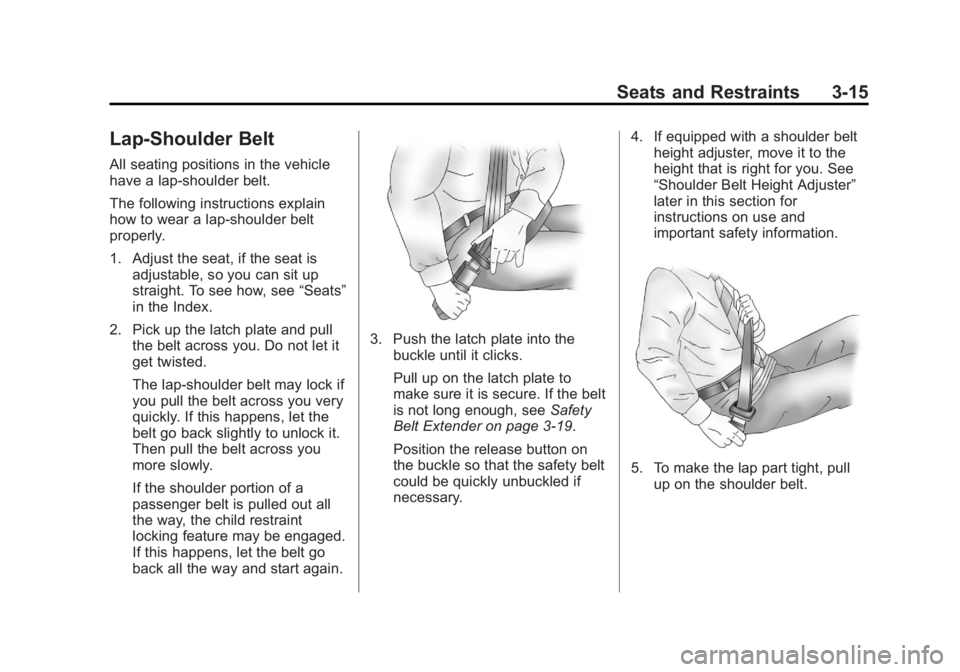
1. Adjust the seat, if the seat isadjustable, so you can sit up
straight. To see how, see “Seats”
in the Index.
2. Pick up the latch plate and pull the belt across you. Do not let it
get twisted.
The lap-shoulder belt may lock if
you pull the belt across you very
quickly. If this happens, let the
belt go back slightly to unlock it.
Then pull the belt across you
more slowly.
If the shoulder portion of a
passenger belt is pulled out all
the way, the child restraint
locking feature may be engaged.
If this happens, let the belt go
back all the way and start again.
3. Push the latch plate into the
buckle until it clicks.
Pull up on the latch plate to
make sure it is secure. If the belt
is not long enough, see Safety
Belt Extender on page 3‑19.
Position the release button on
the buckle so that the safety belt
could be quickly unbuckled if
necessary. 4. If equipped with a shoulder belt
height adjuster, move it to the
height that is right for you. See
“Shoulder Belt Height Adjuster”
later in this section for
instructions on use and
important safety information.
5. To make the lap part tight, pull
up on the shoulder belt.
Page 73 of 428
Black plate (19,1)GMC Terrain Owner Manual (Include Mex) - 2012
Seats and Restraints 3-19
Safety Belt Use During
Pregnancy
Safety belts work for everyone,
including pregnant women. Like all
occupants, they are more likely to
be seriously injured if they do not
wear safety belts.
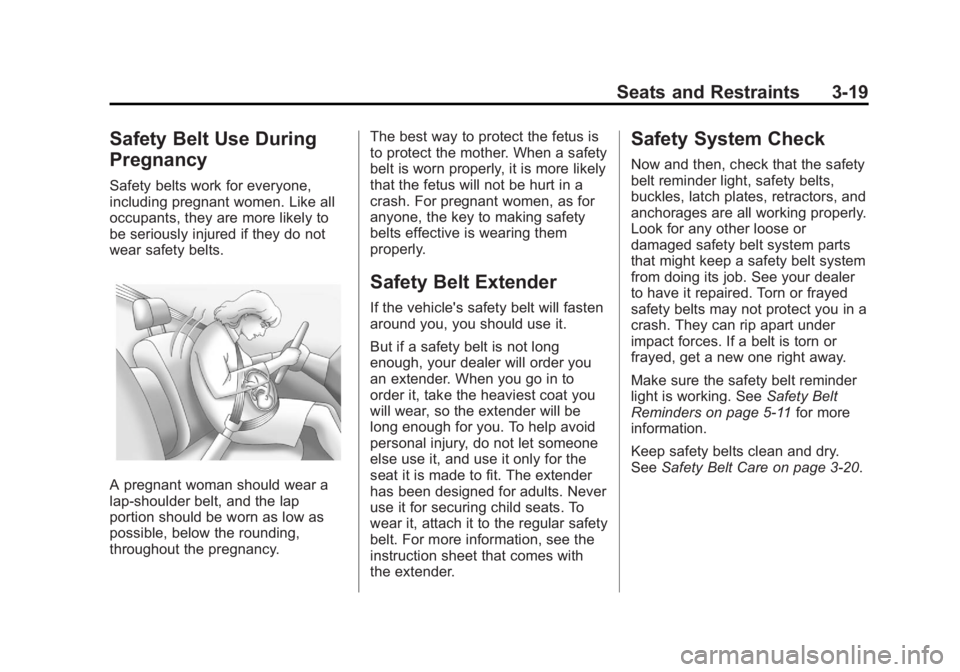
A pregnant woman should wear a
lap-shoulder belt, and the lap
portion should be worn as low as
possible, below the rounding,
throughout the pregnancy.The best way to protect the fetus is
to protect the mother. When a safety
belt is worn properly, it is more likely
that the fetus will not be hurt in a
crash. For pregnant women, as for
anyone, the key to making safety
belts effective is wearing them
properly.
Safety Belt Extender
If the vehicle's safety belt will fasten
around you, you should use it.
But if a safety belt is not long
enough, your dealer will order you
an extender. When you go in to
order it, take the heaviest coat you
will wear, so the extender will be
long enough for you. To help avoid
personal injury, do not let someone
else use it, and use it only for the
seat it is made to fit. The extender
has been designed for adults. Never
use it for securing child seats. To
wear it, attach it to the regular safety
belt. For more information, see the
instruction sheet that comes with
the extender.
Safety System Check
Now and then, check that the safety
belt reminder light, safety belts,
buckles, latch plates, retractors, and
anchorages are all working properly.
Look for any other loose or
damaged safety belt system parts
that might keep a safety belt system
from doing its job. See your dealer
to have it repaired. Torn or frayed
safety belts may not protect you in a
crash. They can rip apart under
impact forces. If a belt is torn or
frayed, get a new one right away.
Make sure the safety belt reminder
light is working. See
Safety Belt
Reminders on page 5‑11 for more
information.
Keep safety belts clean and dry.
See Safety Belt Care on page 3‑20.